
Best VDI Solutions: Top 8 to Know in 2026


What Are Virtual Desktop Infrastructure (VDI) Solutions?
VDI solutions provide virtual desktops hosted on a centralized server, allowing users to access them from any device over a network. Popular VDI providers include Citrix, Microsoft Azure Virtual Desktop, and Amazon WorkSpaces.
How VDI solutions work:
- Centralized hosting: Desktops and applications run on virtual machines (VMs) within a central data center, either on-premises or in the cloud.
- Golden image: A “golden image” containing the operating system, applications, and settings is created and used to generate the virtual desktops.
- Remote access: Users connect to their virtual desktop from their own device (e.g., laptop, tablet, or thin client) using a network connection.
- Secure connection: A secure connection is established, and the desktop image is streamed to the user’s device, providing a desktop experience.
The VDI approach centralizes control and management, benefiting security and enabling IT operations such as patching, software deployment, and backup. VDI is often used in industries with strict regulatory requirements or where remote access is critical. However, this technology is becoming outdated, with many organizations considering alternatives that are better suited to modern work environments and BYOD setups.
In this article:
How VDI Solutions Work
Centralized Hosting
In a VDI setup, all desktops run on virtual machines hosted in a central data center or cloud environment. End-user devices act only as terminals for accessing these remote desktops. All processing (CPU cycles, memory use, storage access) happens on shared back-end infrastructure. This model puts a heavy dependency on data center performance and network availability. If the host environment becomes overloaded or the network is congested, every user’s session can suffer.
This setup also introduces a single point of failure. A disruption in the central infrastructure, whether due to hardware faults or maintenance missteps, can affect thousands of users simultaneously. The dependency on robust server hardware and storage systems increases infrastructure costs and introduces bottlenecks that are hard to isolate and fix.
Golden Image
VDI relies on a single pre-configured image, called a golden image, to generate user desktops. This image includes the OS, installed applications, and policy settings. Each virtual desktop is cloned from this template. While this standardization can simplify some maintenance tasks, it introduces rigidity. Any misconfiguration in the golden image is inherited by all desktops. Small errors scale quickly and can be difficult to trace.
Users have limited ability to customize their environment. Any deviation from the standard image requires separate provisioning or exceptions, increasing administrative overhead. The process of updating or patching the image can lead to versioning issues, where users are unknowingly running inconsistent desktop configurations depending on when their VM was deployed or restarted.
Remote Access
Access to a VDI desktop requires a constant, stable connection to the data center. All screen updates, mouse movements, and keyboard inputs must travel back and forth across the network. Inconsistent or low-bandwidth connections introduce lag, pixelation, or session drops. These issues are especially pronounced when users connect over VPNs, mobile networks, or public Wi-Fi.
Even with protocol optimizations, users often report input delay, degraded video quality, and slow load times, especially when using graphics-heavy applications or large files. Because the user experience is tied to both server load and network quality, it can be unpredictable and frustrating, particularly for remote or mobile workers.
Secure Connection
VDI platforms encrypt traffic using SSL/TLS and often layer on MFA or SSO to restrict access. However, these security layers can introduce complexity and login friction. MFA workflows and identity provider integrations can delay access or lock out users if improperly configured. Session security also depends on the correct functioning of multiple components: brokers, gateways, certificates, and authentication systems.
Users often face restrictions like disabled clipboard access or blocked USB devices, which are meant to reduce data leakage but also limit productivity. Because all monitoring and logging happens centrally, users have little visibility into system issues, and IT teams may struggle to resolve session-specific problems without full context. The centralized model concentrates risk: if the secure access layer fails or is misconfigured, it can expose all virtual desktops to attack or downtime.
Challenges and Limitations of VDI Solutions
Latency and Performance Concerns
VDI user experience depends heavily on the quality and reliability of the network connection. Latency (the time taken for data to travel between the endpoint and the data center) directly affects responsiveness. High latency or low bandwidth can cause delays in graphic rendering, mouse movements, or keystrokes.
This degradation is particularly problematic for users working with real-time applications, 3D graphics, or video conferencing, where even minor delays impede productivity. Performance bottlenecks may also arise from the data center infrastructure itself. Resource contention on the host server, such as insufficient memory or storage bandwidth, can lead to slow desktop boot times and sluggish application response.
Upfront Infrastructure Investment
Implementing a VDI solution requires significant upfront expenditure on both hardware and software. Organizations need powerful servers, high-speed storage (such as SSD arrays), and a reliable, low-latency network backbone. Investments in supporting technologies, such as backup systems, disaster recovery solutions, and endpoint devices for users, further add to the total cost of ownership.
These initial costs can be a barrier for small and medium-sized organizations or those with limited capital budgets. Beyond hardware, VDI deployments require specialized software (hypervisors, connection brokers, licensing, and management tools), which come with recurring costs and licensing complexities.
Complexity of Deployment and Management
Setting up a VDI environment is more complex than deploying traditional desktops. IT teams must orchestrate servers, storage systems, hypervisors, networking, security tools, and user profile management, all of which must work seamlessly together. Troubleshooting can also be challenging, as performance or connectivity issues may originate from any layer of the stack.
These challenges require administrators to possess both broad and deep technical skills, increasing training demands and dependence on specialized staff. Day-to-day management is an ongoing effort. Regular updates, patching of golden images, user profile maintenance, and resource allocation must be handled with precision to avoid downtime or service degradation.
Licensing and Vendor Lock-In Issues
Licensing models for VDI solutions can be complex, involving per-user, per-device, or concurrent user fees, as well as surcharges for specific operating systems or features. This complexity makes it difficult to forecast costs accurately. Licenses must be managed for both virtualization platforms (such as VMware or Microsoft) and desktop operating systems, adding another layer of administrative burden.
Vendor lock-in is another concern. Many VDI platforms use proprietary protocols, management consoles, and even file formats, making it difficult to migrate to competing solutions if business needs change. This can limit organizational flexibility, especially as cloud-native competitors and new desktop delivery technologies emerge.
Related content: Read our guide to VDI issues
Why VDI is Falling Out of Favor in the BYOD Era
BYOD environments introduce a wide variety of unmanaged devices, operating systems, and network conditions, which makes it harder for VDI to deliver consistent performance and compatibility. VDI platforms are optimized for controlled environments and often struggle with the variability and device fragmentation typical of BYOD setups. Endpoint agents and client software may not support all devices or require specific configurations, reducing accessibility.
In addition, users expect fast, seamless access to their applications without dealing with intermediary logins, client installations, or performance lag. VDI’s reliance on centralized infrastructure introduces delays, especially over mobile or variable-quality connections, which leads to a poor user experience compared to SaaS or locally installed apps. As a result, organizations are turning to more flexible, browser-based, or containerized application delivery models that better align with BYOD expectations.
Related content: Read our guide to VDI performance
Frustrated by Lag and Latency from VDI/DaaS?
Discover how Venn’s local-first approach secures remote workforces without the complexity and latency of traditional VDI.
Notable VDI Alternatives
1. Venn

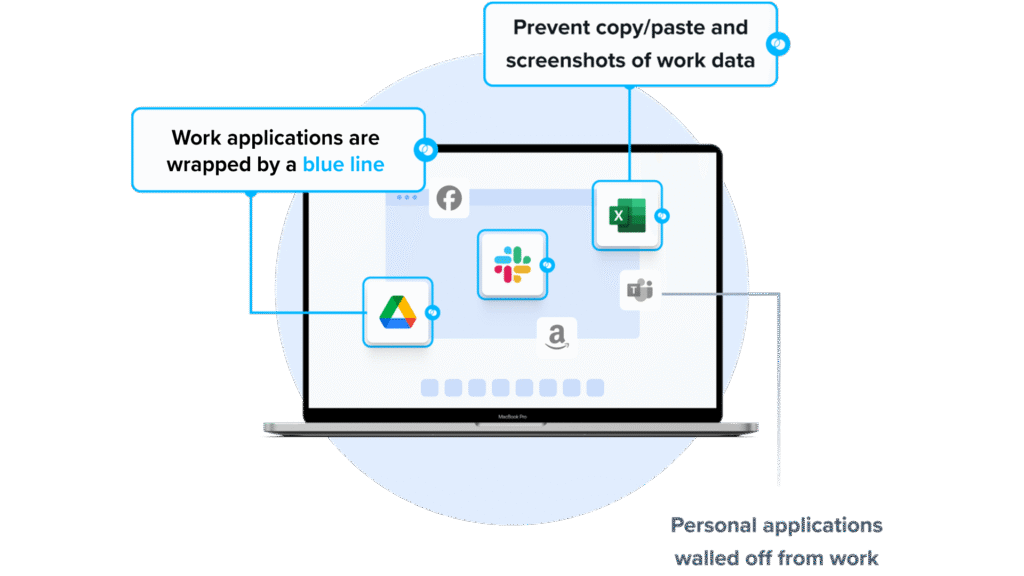
Venn’s Blue Border was purpose-built to protect company data and applications on BYOD computers used by contractors and remote employees.
Similar to an MDM solution but for laptops, work lives in a company-controlled Secure Enclave installed on the user’s PC or Mac, where all data is encrypted and access is managed. Work applications run locally within the Enclave – visually indicated by Venn’s Blue Border™ – protecting and isolating business activity while ensuring end-user privacy.
With Venn, you can eliminate the burden of purchasing and securing laptops and managing virtual desktops (VDI.) Unlike virtual desktops, Venn keeps users working locally on natively installed applications without latency – all while extending corporate firewall protection to business activity only.
Key features include:
- Zero trust architecture: Uses a zero trust approach to secure company data, limiting access based on validation of devices and users.
- Visual separation via Blue Border: Visual cue that distinguishes work vs. personal sessions for users.
- Supports turnkey compliance: Using Venn helps companies maintain compliance on unmanaged Macs with a range of regulatory mandates, including HIPAA, PCI, SOC, SEC, FINRA and more.
- Granular, customizable restrictions: IT teams can define restrictions for copy/paste, download, upload, screenshots, watermarks, and DLP per user.
- Secure Enclave technology: Encrypts and isolates work data on personal Mac or PC computers, both for browser-based and local applications.
2. Check Point Harmony

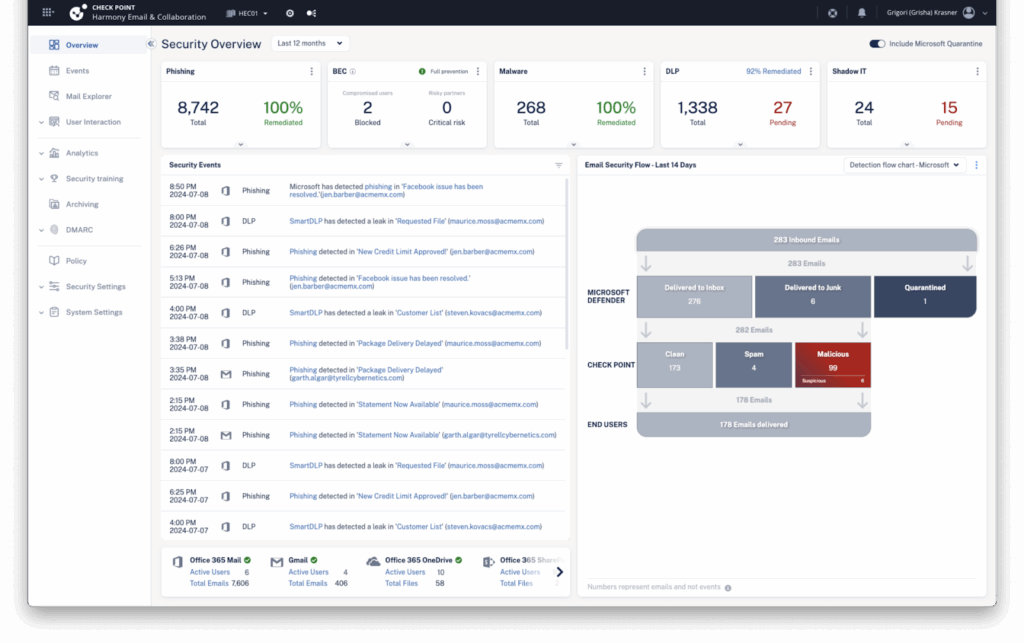
Check Point Harmony secures users across the hybrid workspace by protecting email, web applications, devices, and remote access. It combines AI-powered threat prevention, consolidated management, DLP, secure remote access, and posture management.
Key features include:
- AI-powered threat prevention: Applies AI-driven protections to detect and stop phishing, ransomware, and other attacks across email, web applications, devices, and remote access.
- Consolidated management: Uses a single pane of glass to manage policies and alerts across users, devices, applications, and access channels in the hybrid workspace.
- Data loss prevention: Enforces DLP controls to limit corporate data exposure across email, collaboration tools, browsers, and unmanaged devices, supporting regulatory requirements and audit readiness.
- Secure remote access: Provides secure internet and application access for distributed users, with encrypted sessions and policy enforcement independent of location, device type, or network.
- Exposure and posture management: Automatically detects device vulnerabilities and prioritizes remediation with endpoint posture management to shrink attack surface and maintain consistent workspace security baselines.
Source: Check Point
3. Zscaler Zero Trust Exchange Platform

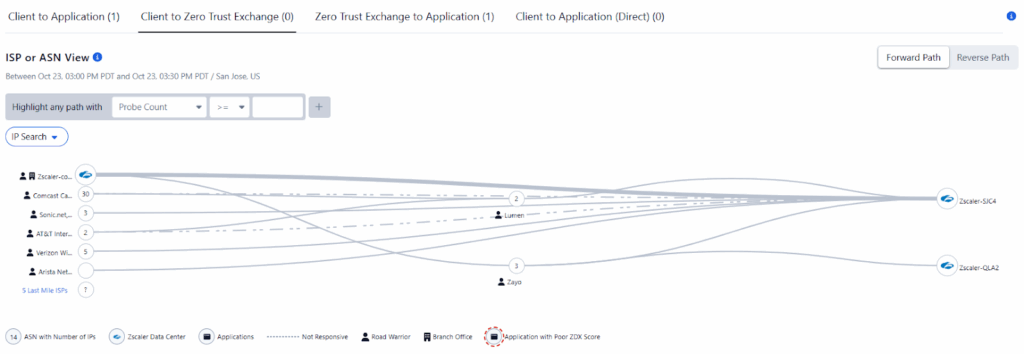
Zscaler Zero Trust Exchange is a cloud-native platform that brokers least-privileged, one-to-one connections between users and applications. Its proxy architecture enables full TLS inspection, hides private apps, blocks threats, and applies AI-driven data protection.
Key features include:
- Proxy-based zero trust: Brokers one-to-one connections between users and applications using identity, context, and business policies, enabling at-scale TLS inspection without exposing private apps.
- Minimize attack surface: Hides applications behind the service, removing inbound connectivity and unsolicited discovery, so internet scanners and attackers cannot enumerate reachable services.
- Prevent compromise: Inspects all traffic, including encrypted sessions, to block malware and phishing in real time across internet access, SaaS usage, and private app connectivity.
- Eliminate lateral movement: Connects authorized entities directly to specific applications rather than the network, preventing traversal between segments and reducing blast radius after initial compromise.
- Data protection and AI: Finds, classifies, and protects sensitive data in motion, at rest, and in use, using AI/ML to enhance detection and automation.
Source: Zscaler
Notable VDI Solutions
4. Citrix Virtual Apps and Desktops

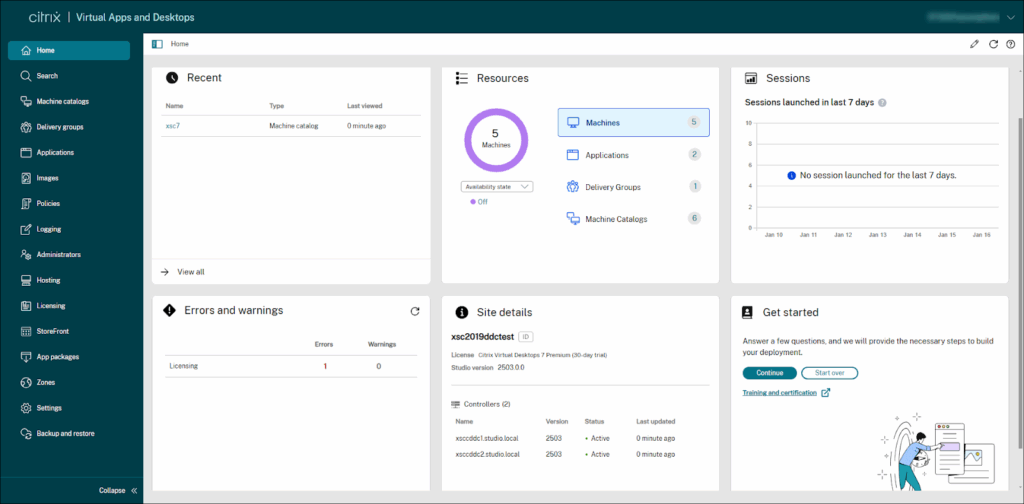
Citrix Virtual Apps and Desktops is a virtualization platform that enables centralized management and secure delivery of virtual applications and desktops to users on distributed devices. It separates the user workspace from the endpoint hardware by hosting desktop environments and applications in a data center or cloud.
Key features include:
- Centralized delivery controller: Manages user sessions, authenticates access, brokers connections, balances loads, and communicates with the hypervisor and VDAs.
- Virtual Delivery Agent (VDA): Installed on virtual or physical machines to deliver desktops and apps to users. Handles session management, licensing checks, and policy enforcement.
- Web Studio and Citrix Studio: Centralized consoles for configuring and managing the environment. They provide tools for workload creation, policy configuration, and license allocation.
- Citrix StoreFront: Hosts the enterprise app store and manages user access to published resources.
- Citrix Workspace app: Installed on endpoints to provide secure, self-service access to virtual apps and desktops. Also available via HTML5 browser access.
Source: Citrix
5. Microsoft Azure Virtual Desktop

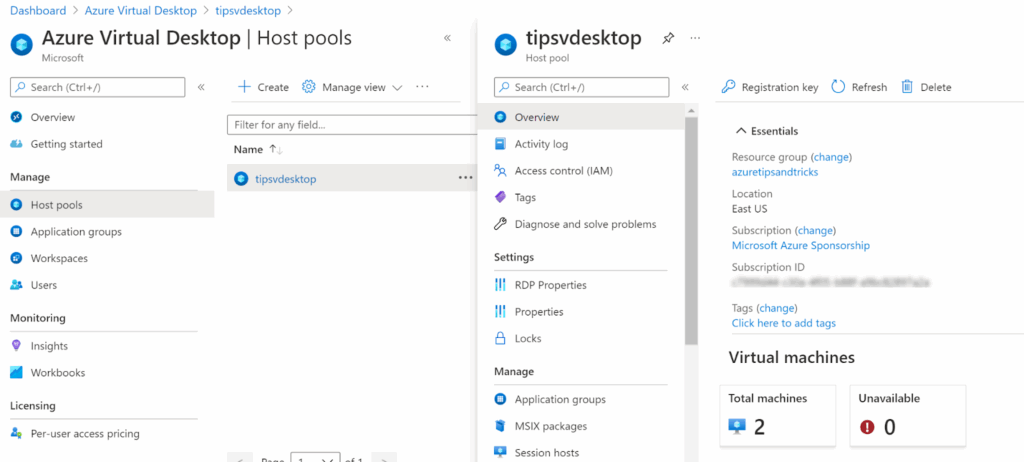
Azure Virtual Desktop (AVD) is a desktop and app virtualization service hosted on Microsoft Azure. It enables organizations to deliver Windows desktops or individual apps to users across devices and locations without managing traditional on-premises infrastructure. AVD supports both Windows 11/10 multi-session and single-session desktops.
Key features include:
- Full desktop or app delivery: Publish complete desktops or individual apps using RemoteApp. Support includes Windows 11, Windows 10, and Windows Server operating systems.
- Multi-session support: Optimize cost and scalability with Windows 11 and 10 Enterprise multi-session, reducing the number of virtual machines needed for large user bases.
- Microsoft 365 optimization: Deliver Microsoft 365 Apps for enterprise with performance tuned for multi-user virtual environments.
- Flexible application support: Run custom or line-of-business applications using Win32, MSIX, or Appx packaging formats, from almost any location.
- Hybrid and on-premises integration: Extend AVD to hybrid scenarios using Azure Stack HCI or Azure Local for on-premises hosting of desktops and apps.
Source: Microsoft
6. Amazon WorkSpaces

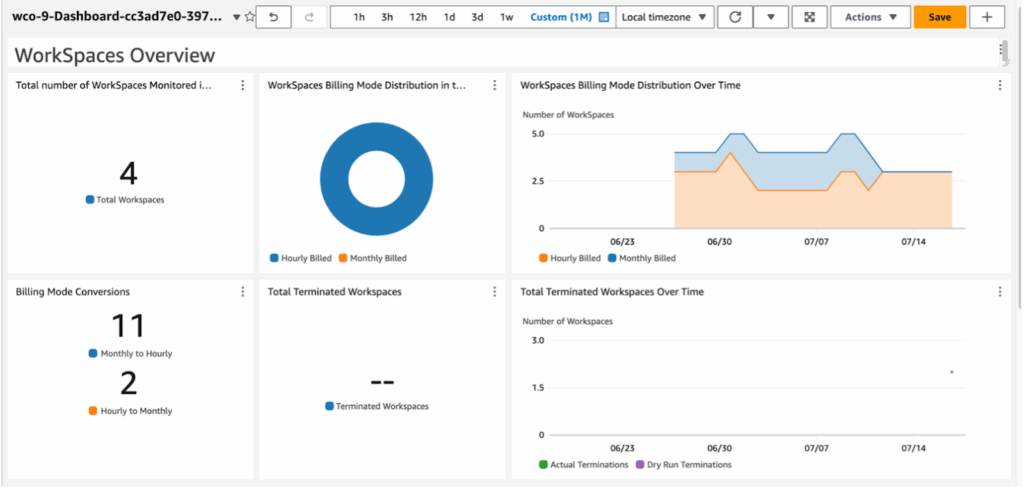
Amazon WorkSpaces is a managed, cloud-based desktop virtualization service that allows organizations to provision secure virtual desktops for users without managing physical infrastructure. These desktops, called WorkSpaces, can run Windows or various Linux distributions, including Amazon Linux 2, Ubuntu, Rocky Linux, and Red Hat Enterprise Linux.
Key features include:
- Persistent and non-persistent desktops: Choose WorkSpaces Personal for persistent, user-specific desktops or WorkSpaces Pools for non-persistent, ephemeral desktops optimized for shared access.
- OS and protocol support: Supports Windows 10/11, Amazon Linux 2, Ubuntu, Rocky Linux, and Red Hat Enterprise Linux. Offers PCoIP and DCV display protocols.
- Flexible configuration options: Select from a variety of compute and storage bundles. Customize with software images or select pre-configured options from the AWS Marketplace.
- Bring your own licenses and apps: Allows use of existing Windows licenses and enterprise applications.
- Identity and access integration: Join WorkSpaces to Microsoft Entra ID or on-premises Active Directory. Supports single sign-on to Microsoft 365 and corporate resources.
Source: Amazon
7. Parallels RAS

Parallels Remote Application Server (RAS) is a VDI and application delivery solution that enables secure access to Windows desktops, applications, and data from any device, anywhere. It unifies the management of Microsoft RDS, VDI, and Remote PC infrastructure within a single platform.
Key features include:
- Unified management for RDS, VDI, and remote PCs: Consolidate the delivery and management of Remote Desktop Services, VDI environments, and Remote PCs through one platform.
- Hypervisor independence: Compatible with multiple virtualization platforms, including Microsoft Hyper-V, VMware ESXi, Nutanix AHV, and Scale Computing HC3.
- Multi-cloud deployment support: Deploy and manage workloads across Azure, AWS (EC2), Google Cloud, and on-premises infrastructure from a single interface, supporting hybrid and multi-cloud strategies.
- Azure Virtual Desktop integration: Extend and manage Azure Virtual Desktop deployments with centralized control and auto-scaling. Run legacy applications and Azure-hosted workloads in one framework.
- VDI delivery on Microsoft Azure: Provision, scale, and manage VDI environments on Azure using Infrastructure as a Service (IaaS) or Desktop as a Service (DaaS), with support for hybrid deployments.

Source: Parallels
Conclusion
VDI centralizes desktop delivery but remains burdened by high infrastructure costs, complex management, and poor user experience. Performance issues caused by latency and resource contention often outweigh the control and security benefits.
As workforces become more mobile and reliant on personal devices, VDI’s dependence on centralized servers and fixed configurations makes it increasingly impractical. Organizations looking for flexibility and stronger endpoint isolation are turning to alternatives like Venn, which provide secure, device-independent environments without the performance and usability limitations of traditional VDI.
