
Best BYOD Software: Top 9 Options in 2026


What Is BYOD Software?
BYOD (Bring Your Own Device) software, often a Secure Remote Work, Unified Endpoint Management (UEM) or Mobile Device Management (MDM) solution, enables organizations to secure and manage employee-owned devices (like smartphones and laptops) while allowing access to corporate data.
By deploying BYOD software, businesses can enforce security standards, maintain compliance requirements, and mitigate risks associated with sensitive data exposure. The software balances protecting enterprise information with respecting employee privacy, making it possible for organizations to provide flexibility without compromising security.
Key features of BYOD software include:
- Security policies: Enforce strong password requirements, data encryption, and other security configurations.
- Separation of work and personal environments: Creates a secure, isolated digital workspace for work-related apps and data on the personal device.
- Remote wipe: Allows for the selective or complete erasure of company data from a device if it’s lost or stolen.
- App and content management: Manages the installation of approved work apps and secure access to company files.
- Compliance monitoring: Helps ensure adherence to industry regulations like GDPR or HIPAA by flagging security risks.
- Seamless user experience: Ensures security measures don’t hinder productivity, allowing for background operation and easy use.
In this article:
Types of BYOD Software
Remote Work Platforms
Remote work platforms designed for BYOD environments provide secure access to corporate resources such as desktops, applications, and data without requiring full device control. These solutions often rely on virtualization or browser-based access to isolate corporate activity from personal usage. They allow users to work from any location using their own devices while minimizing data residency on the endpoint.
Key features include zero trust access, encrypted communication, and device posture checks before granting access. Because these platforms do not require heavy device management, they are well-suited for contractors, freelancers, and hybrid workers. They help reduce IT overhead while enforcing session-level controls and visibility, making them a lightweight yet secure solution for BYOD support.
UEM
Unified endpoint management (UEM) solutions unify the management of all device types, whether corporate-owned or personally owned, across operating systems like Windows, macOS, iOS, and Android. For BYOD scenarios, UEM allows IT teams to apply consistent policies while recognizing the device as non-corporate. This helps enforce data protection measures without overstepping user privacy.
UEM platforms combine MDM and traditional endpoint management capabilities into a single interface, making it easier to monitor security posture, deploy applications, and manage compliance across devices. They often include features like patch management, VPN configurations, and identity-based access control, ensuring comprehensive protection even when users operate outside the corporate network.
MDM
Mobile device management (MDM) focuses specifically on managing and securing mobile devices such as smartphones and tablets. In a BYOD context, MDM enables IT teams to register devices, enforce security settings, push approved applications, and selectively wipe business data without affecting the user’s personal information. MDM platforms commonly integrate with enterprise mobility and identity systems.
Typical MDM tools provide GPS tracking, remote lock, jailbreak detection, and app usage monitoring. They are especially effective for field workers, sales teams, and mobile-first employees where corporate apps must be accessible but controlled. MDM’s fine-grained control helps balance mobile access convenience with enterprise security standards.
Core Features of BYOD Software
BYOD software typically offers the following features:
- Security policies: BYOD software enforces security configurations such as strong passwords, data encryption, device lock requirements, and minimum OS versions. These policies help maintain consistent security standards across diverse user-owned devices and reduce exposure to unauthorized access or malware.
- Separation of work and personal environments: To protect privacy while securing business data, BYOD platforms create isolated environments for work-related applications and files. This containerization ensures corporate policies apply only to business resources, preventing personal data from being monitored or modified.
- Remote wipe capabilities: When a device is lost, stolen, or no longer authorized, administrators can trigger a selective wipe of corporate data. This prevents leakage while leaving personal data intact, preserving user privacy and device usability.
- App and content management: Organizations can manage access to approved business applications and files, ensuring users only interact with sanctioned content. BYOD software often includes app catalogs, deployment tools, and update controls to streamline distribution and security patching.
- Compliance monitoring: To meet regulatory requirements, BYOD solutions continuously assess device posture and usage against compliance baselines. They alert administrators to non-compliant behavior, such as outdated software or policy violations, enabling prompt remediation.
- Seamless user experience: Modern BYOD tools prioritize usability by running security operations in the background and minimizing disruptions. They integrate smoothly with personal workflows, offering intuitive interfaces and preserving device performance while enforcing enterprise-grade protection.
Key Benefits of BYOD Software
Implementing BYOD software provides organizations with a structured and secure way to support personal device use while maintaining control over corporate assets. It enables flexibility for employees without increasing exposure to security threats or compliance risks. The following are key benefits of adopting BYOD software:
- Enhanced security posture: BYOD platforms apply consistent security policies across diverse personal devices, reducing the risk of data breaches, unauthorized access, and malware infections. Features like encryption, MFA, and containerization ensure corporate data remains protected even outside the enterprise network.
- Improved employee productivity: Allowing employees to use familiar devices can boost efficiency and comfort. BYOD software supports access to corporate applications and data without requiring IT-managed hardware.
- Reduced hardware and maintenance costs: By leveraging employee-owned devices, organizations can cut expenses on device procurement, provisioning, and lifecycle management. IT teams can focus resources on managing security and compliance rather than maintaining physical assets.
- Simplified compliance management: Integrated DLP, auditing, and policy enforcement tools help organizations meet regulatory requirements such as GDPR, HIPAA, or ISO standards. BYOD software ensures sensitive data is handled according to compliance frameworks, even on personal hardware.
- Improved privacy and trust: Data separation and selective control allow IT to secure business data without intruding into personal content. This balance increases employee trust and acceptance of security measures.
- Operational flexibility and scalability: As organizations scale, BYOD solutions make it easy to onboard or offboard users without large hardware investments. Policies can be applied dynamically across new devices or user groups, keeping management efficient and consistent.
- Business continuity and remote work support: BYOD environments are resilient during disruptions, allowing employees to stay connected and productive using their own devices. Centralized management ensures secure access to resources regardless of location or network.
Enable Remote Workers Without VDI or Issuing Devices
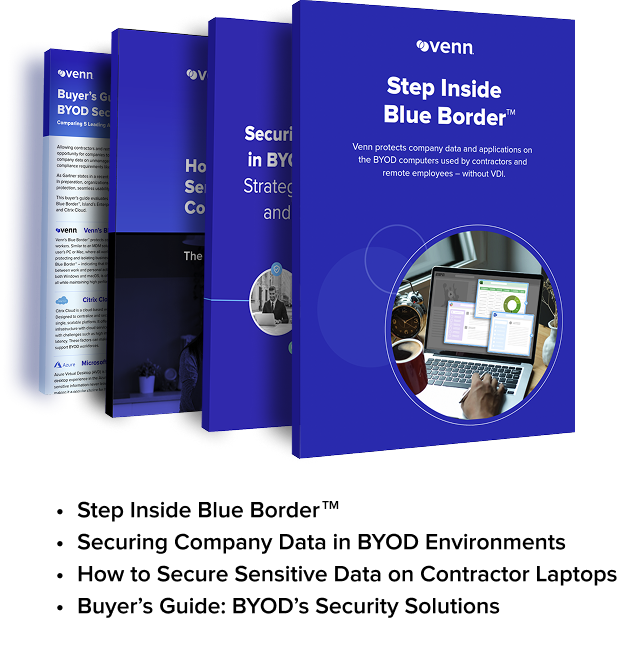
Unlock the 4 essential assets you need to secure company data on unmanaged laptops – without VDI.
Notable BYOD Software
Remote Work Platforms
1. Venn

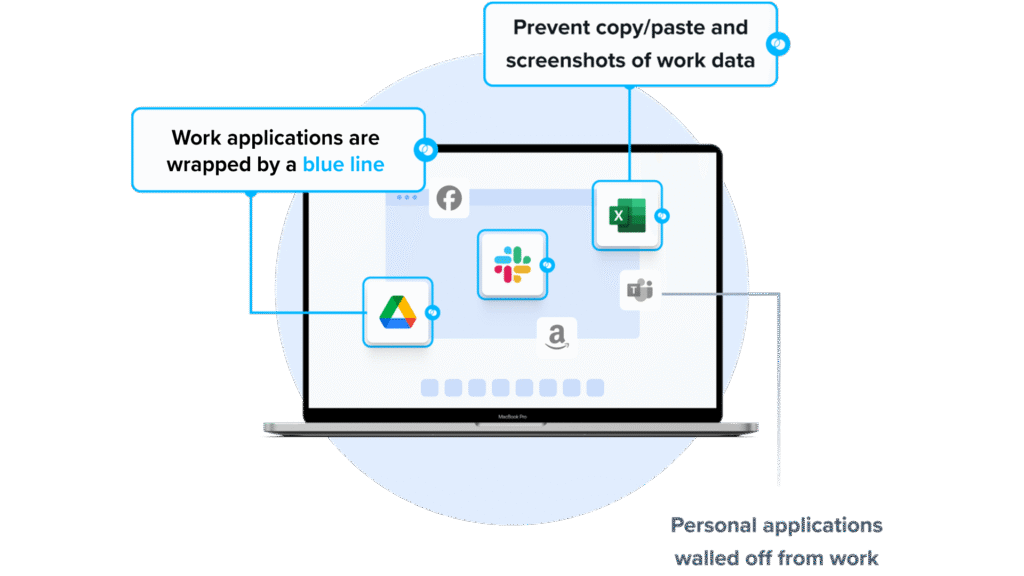
Venn’s Blue Border was purpose-built to protect company data and applications on BYOD computers used by contractors and remote employees.
Similar to an MDM solution but for laptops, work lives in a company-controlled Secure Enclave installed on the user’s PC or Mac, where all data is encrypted and access is managed. Work applications run locally within the Enclave – visually indicated by Venn’s Blue Border™ – protecting and isolating business activity while ensuring end-user privacy. With Venn, you can eliminate the burden of purchasing and securing laptops and managing virtual desktops (VDI).
Key features include:
- Granular, customizable restrictions: IT teams can define restrictions for copy/paste, download, upload, screenshots, watermarks, and DLP per user.
- Secure Enclave technology: Encrypts and isolates work data on personal Mac or PC computers, both for browser-based and local applications.
- Zero trust architecture: Uses a zero trust approach to secure company data, limiting access based on validation of devices and users.
- Visual separation via Blue Border: Visual cue that distinguishes work vs. personal sessions for users.
- Supports turnkey compliance: Using Venn helps companies maintain compliance on unmanaged Macs with a range of regulatory mandates, including HIPAA, PCI, SOC, SEC, FINRA and more.
2. Azure Virtual Desktop
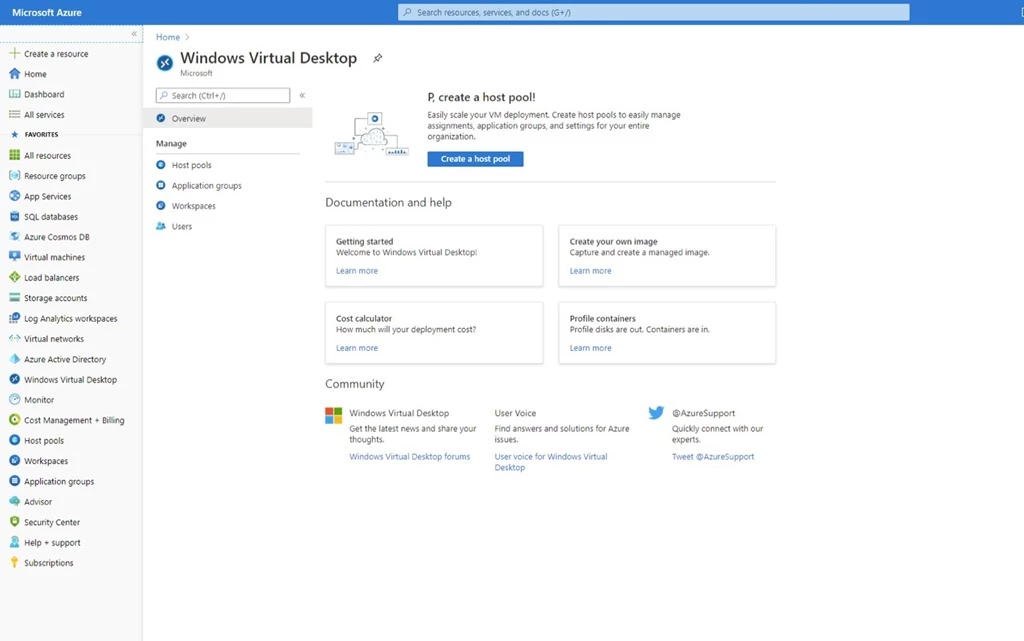
Azure Virtual Desktop is a desktop and app virtualization service on Azure. It delivers Windows 11/10 or Windows Server, including Azure-exclusive multi-session Windows. Publish full desktops or individual apps, bring custom images, and run hybrid deployments with Azure Local. Administer through the Azure portal, CLI, PowerShell, or REST. Autoscale adjusts capacity, and users connect via native clients or HTML5 using reverse connections without inbound ports.
Key features include:
- Multi-session Windows support: Provide Windows 11/10 Enterprise multi-session or Windows Server sessions to reduce VM count and operating overhead while maintaining user resources.
- RemoteApp and full desktops: Publish full desktops or individual applications from host pools, assigning users to application groups across multiple workspaces as needed.
- Unified management and automation: Configure host pools and resources with Azure portal, CLI, PowerShell, or REST API; use delegated access, diagnostics, and Insights.
- Autoscale and cost control: Automatically scale capacity by time or demand, and reduce costs using pooled multi-session resources and personal persistent desktops when necessary.
- Secure connectivity: Establish reverse connections without inbound ports; support access through Windows App, Remote Desktop clients, or HTML5 web client across devices.
Source: Microsoft
3. Citrix DaaS
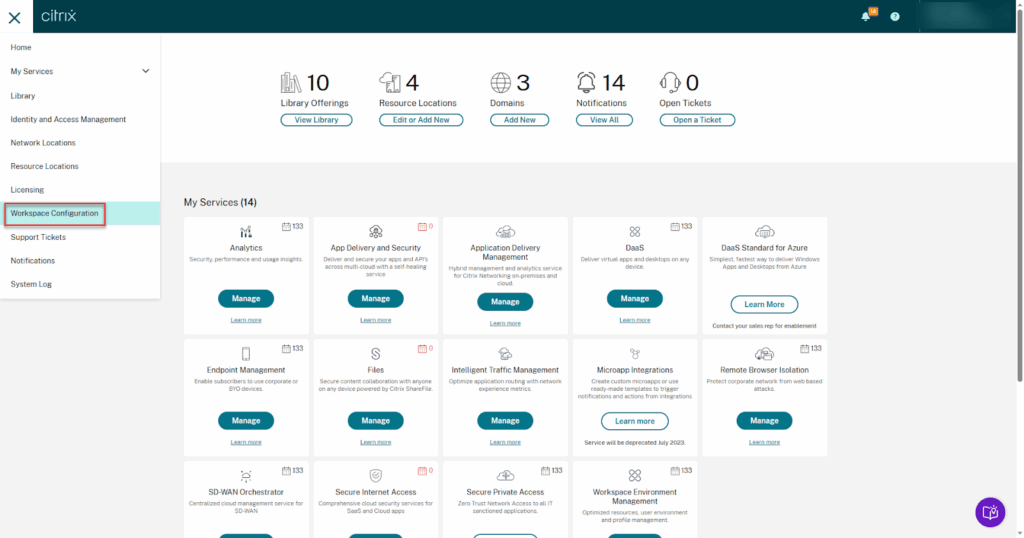
Citrix DaaS provides app and desktop virtualization with a cloud-managed control plane in Citrix Cloud. It supports hybrid deployments across on-premises data centers and public clouds, including Azure, AWS, and Google Cloud, as well as major hypervisors. Administration uses the web-based Studio portal, APIs, and PowerShell, with Cloud Connectors linking resource locations. Users access resources through Citrix Workspace, and an optional Citrix Managed Azure subscription hosts workloads in a dedicated tenant.
Key features include:
- Hybrid multi-cloud support: Manage on-premises data centers and public clouds, including Azure, AWS, and Google Cloud, plus hypervisors such as XenServer, Hyper-V, Nutanix AHV, and vSphere.
- Cloud-managed control plane: Offloads Delivery Controllers, databases, licensing, Studio, and Monitor to Citrix Cloud; customers maintain Cloud Connectors’ Windows updates and patching in resource locations.
- Centralized administration: Use the web-based Studio portal, service APIs, and PowerShell to configure catalogs, delivery groups, connections, quick deployments, and value-added services from one interface.
- Citrix Managed Azure option: Provision Windows or Linux workloads in a dedicated Citrix-managed Azure subscription, with curated images, persistent or non-persistent catalogs, and peering to existing resources.
- User access and security: Provide access through Citrix Workspace URLs and clients, support TLS-secured external connectivity via Citrix Gateway, and integrate with Active Directory, Entra ID, or Okta.
Source: Citrix
UEM Tools
4. ManageEngine Mobile Device Manager Plus

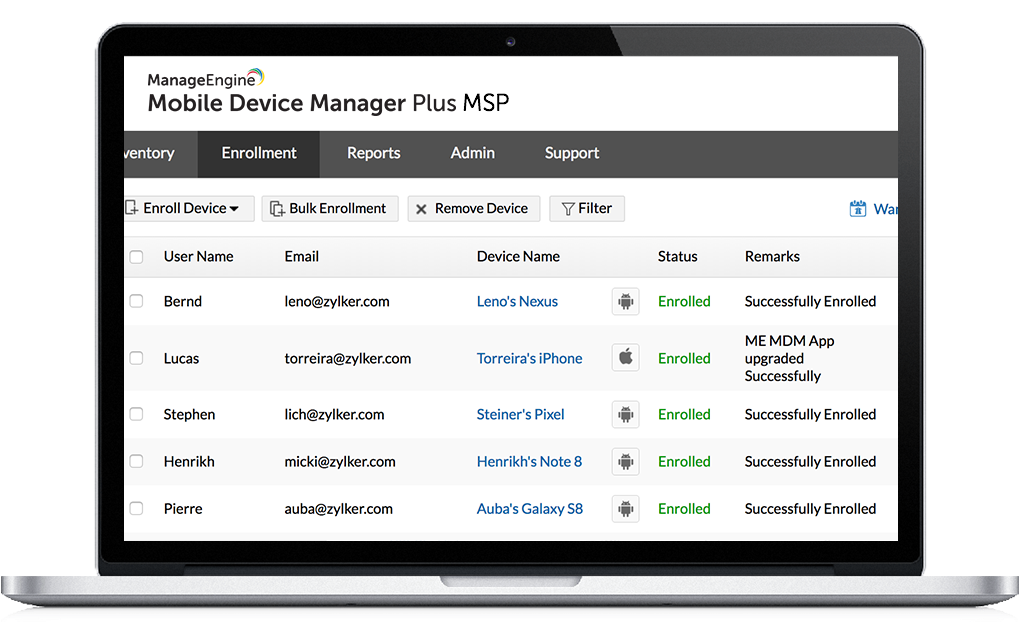
ManageEngine Mobile Device Manager Plus is a unified endpoint management solution that enables organizations to manage personal and corporate devices from a central console. The platform simplifies device onboarding, enforces security policies, and separates personal and business data to support secure BYOD implementations.
Key features include:
- Multi-platform support: Manages devices across Android, iOS, Windows, macOS, Chrome OS, and more, from a single dashboard
- Simplified enrollment: Fast onboarding of BYOD and corporate devices with intuitive setup and authentication
- Security and compliance controls: Enforce configurations like Wi-Fi, VPN, and encryption policies; detect jailbroken or rooted devices
- Application management: Distribute, update, and control access to enterprise-approved apps, including Kiosk Mode for restricted use
- Data separation: Uses containerization to isolate corporate data from personal content, ensuring privacy and security
Source: ManageEngine
5. IBM MaaS360
IBM MaaS360 is a SaaS-based unified endpoint management (UEM) solution to secure and manage a range of devices, including personal smartphones, tablets, laptops, desktops, wearables, and IoT hardware. It supports BYOD and corporate-owned deployments, using AI-driven analytics to minimize user friction and improve security posture.
Key features include:
- Cross-platform UEM coverage: Supports iOS, Android, Windows, macOS, and more, managing both personal and corporate endpoints from one centralized console
- AI-powered threat management: Uses threat detection with automated remediation for risks like phishing, privilege misuse, and excessive app permissions
- Cloud-native architecture: Delivered entirely via IBM’s cloud, enabling multi-tenant access and flexible deployment without on-premises infrastructure
- Cloud extender module: Optional integration with on-prem systems like Active Directory and Exchange for access to internal resources
- Containerization for BYOD: Separates personal and corporate data on devices via a secure workplace container with managed apps and collaborative tools

Source: IBM
6. LogMeIn Resolve
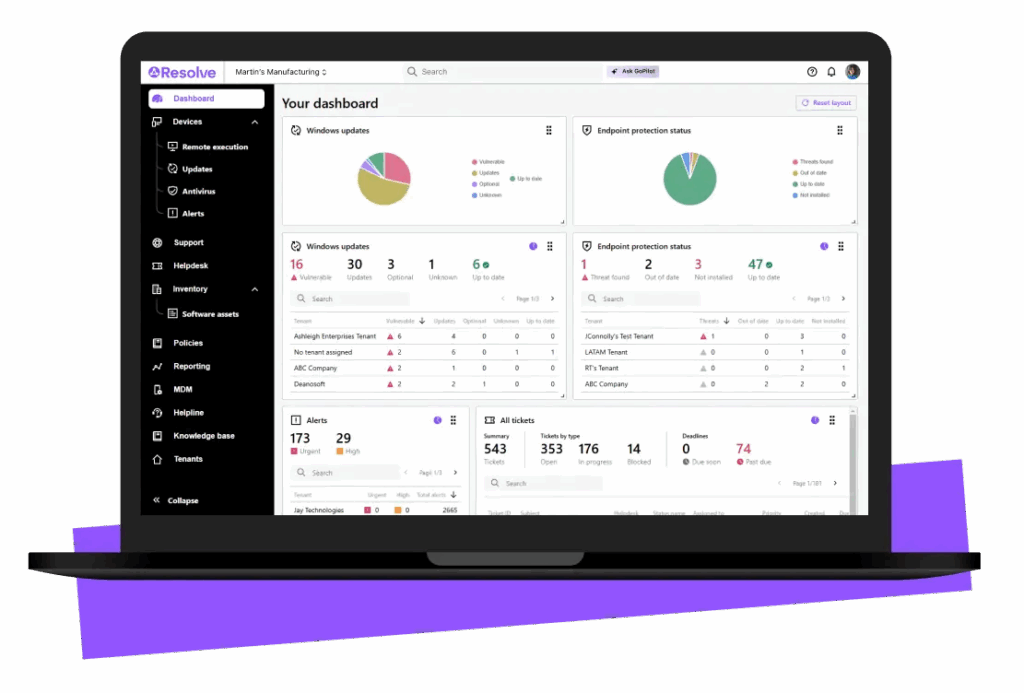
LogMeIn Resolve is an unified endpoint management (UEM) solution to simplify IT operations across personal and corporate devices. It combines mobile device management, remote monitoring, IT asset tracking, and automated support into a single platform. Resolve enables IT teams to secure endpoints, manage compliance, and resolve issues efficiently.
Key features include:
- Mobile device management (MDM): Centrally manage smartphones, tablets, and laptops across Windows, macOS, and Android platforms to enforce security and compliance standards
- Remote monitoring and management (RMM): Automate patching, run antivirus checks, receive alerts, and execute scripts remotely to maintain performance and uptime
- Unattended remote access: Provide IT support and deploy updates even when users are offline, reducing downtime and response delays
- IT asset management: Track hardware and software inventory, monitor license usage, and simplify lifecycle management for all connected devices
- Service management tools: Built-in ticketing system, knowledge base, and workflow management features help organize IT support and improve service delivery
Source: Resolve
Notable MDM Tools
7. Moki

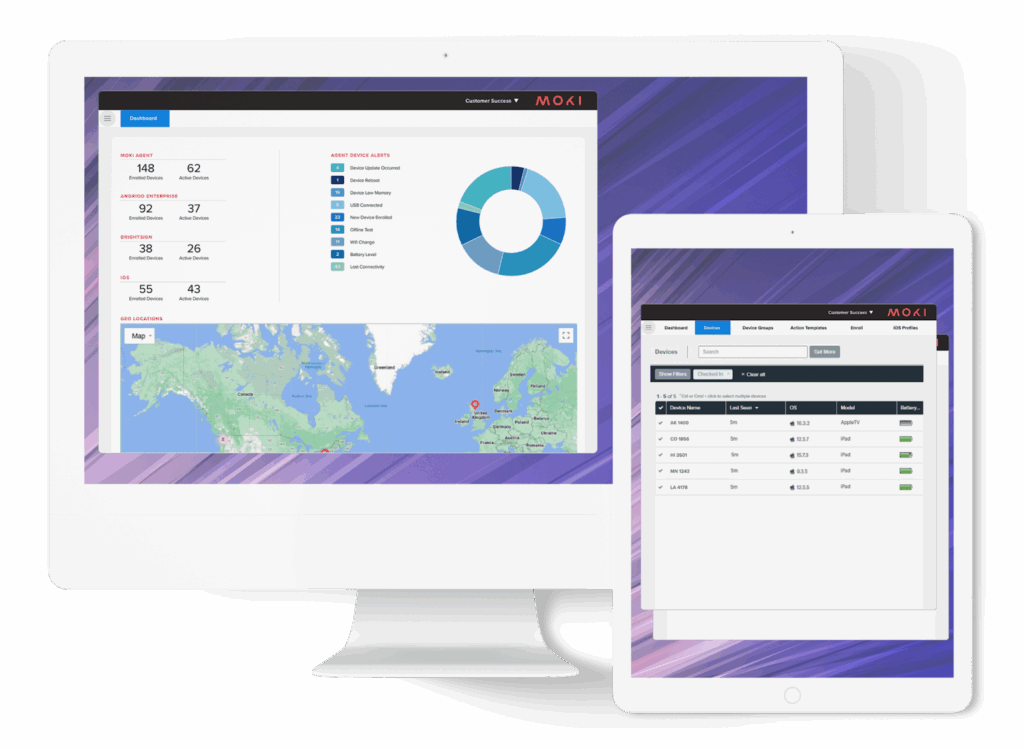
Moki is a cloud-based mobile device management (MDM) solution intended for fast, scalable deployment and control of dedicated business devices such as kiosks, point-of-sale systems, and digital signage. It gives organizations centralized visibility and control over their device fleets while reducing operational overhead.
Key features include:
- Fast device deployment: Set up and configure devices in under 15 minutes using bulk provisioning and automation tools
- Device lockdown and control: Restrict devices to approved apps and content to maintain a consistent and secure user experience
- Remote monitoring and management: Track device status, battery level, connectivity, and usage across fleets from the same dashboard
- Cloud-based central management: Manage hundreds or thousands of devices remotely without on-site access or manual updates
- Custom alerts and notifications: Receive alerts for device issues such as app crashes, disconnection, or storage thresholds
Source: Moki
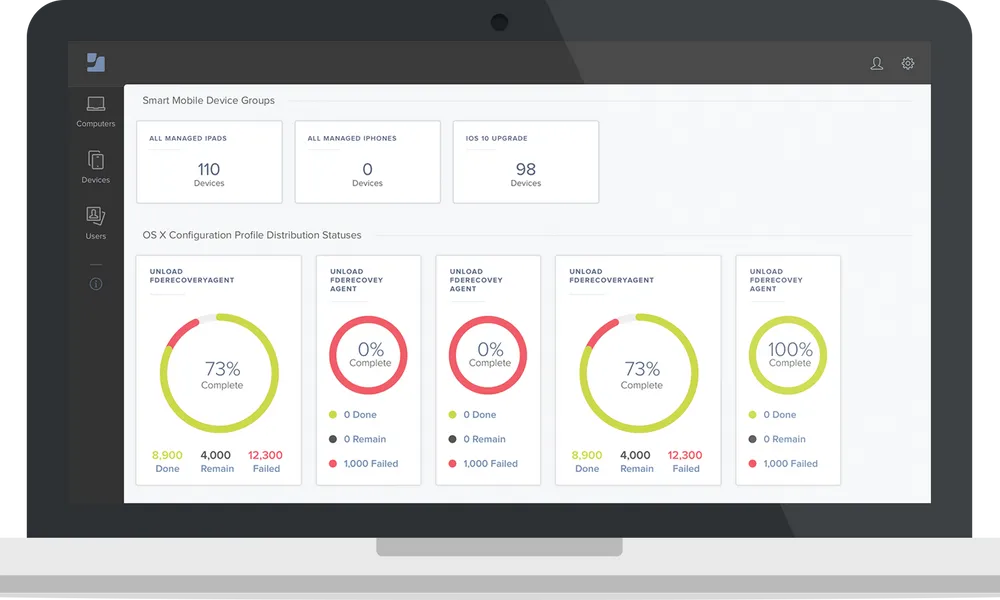
8. Jamf Pro
Jamf Pro is an Apple-first management platform that automates provisioning, configuration, security, and app lifecycle tasks for macOS, iOS, iPadOS, and tvOS. It centralizes inventory and integrates with identity and security tools to support ongoing compliance.
Key features include:
- Zero-touch deployment: Provision Mac, iPhone, iPad, and Apple TV using automated enrollment, minimizing hands-on setup for BYOD and corporate devices.
- Dynamic grouping and blueprints: Use Smart Groups and Blueprints to apply configurations, apps, and restrictions with declarative management across device cohorts.
- Comprehensive inventory: Collect hardware, software, and security posture data automatically to support audits, patching schedules, and lifecycle decisions.
- Application lifecycle management: Distribute, update, and remove applications with policies, while enabling user self-service for approved software and maintenance.
- Security baselines and commands: Enforce configuration baselines, execute remote security commands, and restrict malicious software without requiring user interaction.
- Ecosystem integrations: Integrate with Microsoft Entra, Google Workspace, and Okta to align identity, analytics, and compliance across existing technology stacks.
Source: Jamf
9. Scalefusion

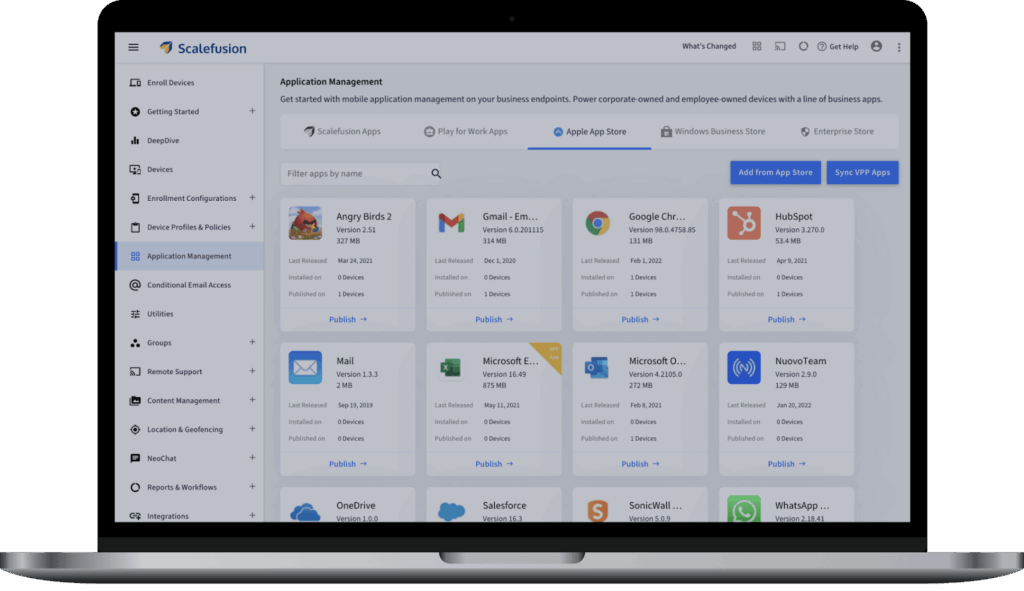
Scalefusion is a unified endpoint management platform that combines device management, identity, and conditional access. It manages diverse operating systems, enforces compliance, and integrates single sign-on to tie application access to device trust.
Key features include:
- Cross-platform endpoint management: Manage Android, iOS, macOS, Windows, Linux, and ChromeOS from one console, pushing policies, apps, and restrictions at enterprise scale.
- Integrated identity and SSO: Use OneIdP for single sign-on and device logins with existing identity providers, reducing local account use on managed endpoints.
- Conditional access controls: Gate application and email access based on device compliance, network context, location, and posture signals enforced through UEM.
- Zero trust and data protection: Combine secure web gateway, automated compliance, and endpoint data loss prevention to reduce exposure across managed devices.
- Remote operations and updates: Provide remote support, automate operating system and third-party patching, and standardize zero-touch deployment to cut manual work.
- Compliance posture and assurance: Reference SOC 2 and ISO certifications and published uptime targets to align with availability and regulatory expectations.
Source: Scalefusion
Considerations for Choosing BYOD Software
Choosing the right BYOD software depends on your organization’s goals, security requirements, and workforce structure. Each category, remote work platforms, unified endpoint management (UEM), and mobile device management (MDM), offers distinct advantages, but they differ significantly in complexity, user experience, and IT control.
Here’s how to evaluate which is best for your environment:
- Scope of device management vs. data access: If your goal is to control entire devices, including operating system settings, installed apps, and hardware-level access, UEM and MDM are appropriate. However, this level of control may raise privacy concerns in BYOD environments. Remote work platforms like Venn focus instead on securing the workspace, not the whole device, offering a lightweight alternative that protects corporate data without taking over personal hardware.
- Deployment complexity and IT overhead: UEM and MDM platforms often require detailed policy setup, device enrollment processes, and ongoing updates across multiple device types. This can create administrative burdens, especially in mixed-device fleets. Remote work platforms are simpler to deploy and manage, as they typically do not require full device registration or system-level controls,reducing time to value and IT workload.
- User privacy and experience: Privacy-sensitive employees may resist traditional MDM/UEM solutions that monitor device usage or apply restrictions outside of work apps. Remote work platforms isolate corporate activity within secure environments, leaving personal apps and data untouched. This separation fosters higher employee trust and smoother adoption, especially in flexible or hybrid work models.
- Flexibility across use cases: UEM is suitable for managing both BYOD and corporate-owned devices across large organizations. MDM works well for managing mobile-heavy workforces or dedicated-use devices. However, remote work platforms like Venn are best for scenarios where you need to provide secure access to apps and data without owning or managing the endpoint. This includes contractors, freelancers, and remote employees using personal devices.
- Security and zero trust readiness: All three options can support security goals, but remote work platforms are designed around modern zero trust principles: assume no device is trusted by default, validate continuously, and limit access to only the necessary resources. They integrate more easily with identity providers and enforce application-level access rather than full device trust, aligning better with modern threat models.
- Performance and offline access: MDM/UEM solutions depend on frequent device connectivity to enforce policies and push updates. Remote work platforms are designed to function even with intermittent access, and often use virtualization or local workspace models that preserve performance while keeping data secure. This makes them suitable for mobile or bandwidth-constrained users.
Conclusion
BYOD software plays a critical role in enabling secure and scalable personal device use within modern organizations. By combining data separation, device control, secure access, and compliance enforcement, it allows businesses to extend enterprise resources to employee-owned devices without sacrificing visibility or increasing security risk.
A well-implemented BYOD solution supports flexible work policies, streamlines device management, and ensures that sensitive information remains protected across diverse endpoints and use cases.
