
Desktop as a Service (DaaS): Pros/Cons, Providers, and Alternatives


What Is Desktop as a Service (DaaS)?
DaaS is an acronym for Desktop as a Service (DaaS), which provides virtual desktops to users over the internet. With DaaS, can users access their desktops, applications, and data from different devices and locations.
Instead of managing physical machines, companies can use a provider to host and manage virtual desktops in the cloud. Users can then access their virtual desktop from almost any device. DaaS allows for remote work, simplifies IT management, and reduces on-premises investments compared to traditional on-premises virtual desktop infrastructure (VDI).
DaaS is often used by IT departments to provision user environments and enforce security policies at scale, avoiding the need to manage hardware and troubleshooting endpoint issues. However, it can be complex to manage, costly, and often provides a poor user experience and reduced productivity compared to working directly on a corporate laptop or user-owned device.
This is part of an extensive series of guides about IaaS.
Looking for a DaaS alternative?
Unlock best practices for securing remote access on unmanaged laptops – without any remote hosting or latency.
In this article:
How DaaS Works
DaaS operates by leveraging virtualization technology to separate the user’s desktop environment from physical hardware. The provider hosts virtual machines in secure data centers, which run operating systems and applications as if they were on a local desktop. Users connect through a secure client or web browser, authenticating to gain access to their personalized workspace.
Administrators can provision, manage, and update desktops through a centralized management console. Updates, patches, and changes are applied remotely, ensuring all users receive consistent experiences and rapid improvements. The underlying infrastructure scales up or down per organizational requirements, offering flexible desktop resources and centralized policy enforcement.
Key Use Cases of DaaS Tools
Remote and Hybrid Work Enablement
DaaS supports remote and hybrid workforces by offering secure, consistent access to desktops and applications from anywhere with an internet connection. Employees can connect using their own devices or company-issued hardware, while IT maintains centralized control over access, data protection, and application deployment. .
DaaS helps ensure business continuity during disruptions that prevent access to physical offices. Employees can switch to remote work without configuring VPNs or managing local software installations. By centralizing desktops in the cloud, organizations can support flexible work arrangements and maintain productivity regardless of location.
Temporary or Seasonal Workforces
Organizations that rely on temporary or seasonal staff face challenges quickly onboarding new users and scaling back resources when demand subsides. DaaS provides instant desktop provisioning, allowing IT teams to add or remove users as needed without investing in new hardware or spending excessive time on setup. This is especially valuable for sectors like retail, hospitality, or tax preparation, which require rapid scaling during peak periods.
Temporary workers can receive secure, managed desktop environments with pre-configured applications and policies, ensuring consistent user experiences and compliance. When assignments conclude, IT can revoke access immediately, minimizing security risks. This agile model reduces onboarding friction and supports efficient workforce management without straining IT resources.
Highly Regulated Industries
Industries such as healthcare, finance, and government must comply with stringent data privacy and security regulations. DaaS platforms provide controls such as multifactor authentication, encryption, and centralized auditing to protect sensitive information. Providers typically undergo third-party compliance assessments, helping customers meet standards like HIPAA, PCI DSS, or GDPR.
Centralized data storage ensures that data stays within controlled environments, reducing endpoint data loss and leakage risks. Desktop policies can be enforced uniformly, supporting regulatory requirements for access logging, data retention, and disaster recovery.
Education and Training Environments
Educational institutions and training organizations benefit from DaaS by providing standardized desktops to students, instructors, or trainees without investment in on-premises labs. Students can access learning environments, specialized software, and resources from their own devices, improving engagement and access for remote and hybrid learning scenarios. IT can manage configurations centrally and ensure rapid recovery from technical issues.
DaaS simplifies lab software updates and version control, giving educators the flexibility to deploy new curricula without logistical delays. Whether delivering software engineering, design, or productivity suites, schools and training providers can ensure equitable access to required tools.
Software Development and Testing Labs
Development teams and QA labs often need isolated, easily configurable environments for testing code, running simulations, or evaluating new technologies. DaaS allows for quick provisioning of standardized desktops or unique sandboxed environments for developers and testers. This accelerates onboarding, supports parallel projects, and enables controlled rollbacks or resets after each test cycle.
DaaS solutions often integrate with DevOps pipelines and automation toolchains, supporting infrastructure as code and continuous integration workflows. Security and access controls protect intellectual property and sensitive projects, while resource scaling supports intense workloads without overcommitting infrastructure.
DaaS vs. VDI
DaaS and virtual desktop infrastructure (VDI) both deliver virtual desktops to users, but their delivery models and management responsibilities differ.
With VDI, the organization typically owns and manages the virtualization infrastructure on-premises or in a private data center. IT teams provision, operate, and maintain servers, network configurations, security, and software updates, which require considerable expertise and capital investment.
DaaS shifts most of the operational and infrastructure burden to a third-party provider. Organizations subscribe to virtual desktops hosted in the provider’s data centers and only need to manage user policies and application configurations. DaaS typically offers greater scalability, faster setup, and predictable costs, while simplifying disaster recovery and access from various locations.
DaaS Pros and Cons
As with any IT solution, Desktop as a Service comes with trade-offs. While it offers a scalable approach to desktop management, there are limitations to consider depending on the organization’s needs, infrastructure, and security requirements.
Pros
- Scalability: Easily scale desktops up or down based on business demand without hardware constraints.
- Reduced IT overhead: Offloads infrastructure management, maintenance, and updates to the provider.
- Access from anywhere: Enables secure remote access from any internet-connected device, supporting hybrid and remote work.
- Cost predictability: Converts desktop infrastructure costs from capital to operational expenses with predictable monthly billing.
- Security and compliance: Centralized data storage and provider-managed security controls help meet regulatory requirements.
- Rapid provisioning: Speeds up user onboarding and environment setup, particularly valuable for temporary or remote teams
- Business continuity: Maintains desktop access during outages or office closures with minimal disruption.
Cons
- Ongoing subscription costs: Unlike traditional desktops that require one-time capital investments, DaaS comes with recurring subscription fees. Over time, especially in large organizations, these costs can add up and potentially exceed the total cost of ownership for in-house virtual desktop infrastructure (VDI).
- Vendor dependency: Using DaaS ties an organization to the service provider’s availability, performance, and support policies. If the vendor experiences outages, performance degradation, or changes in pricing or service levels, customers have limited control. Switching providers can be difficult due to platform-specific configurations.
- Poor performance: DaaS performance is highly sensitive to network quality. Users in regions with poor internet connectivity or mobile workers on variable networks may experience slow input response, lag when switching between windows, or delays in loading applications. Unlike local desktops, responsiveness is tied directly to network reliability
- Inconsistent user experience across devices: Although DaaS supports multi-device access, the experience may differ significantly between endpoints. Peripheral support (e.g., printers, webcams, USB devices) can be limited or unreliable. High-resolution video, real-time collaboration tools, or GPU-intensive applications may perform poorly or behave differently in virtual environments.
- Limited application compatibility: Not all applications are designed for virtualized environments. Software that requires low-level hardware access, license key binding to physical hardware, or specific drivers may not function correctly in a DaaS setup. Legacy applications or those with complex installations may require workarounds.
- Lack of full desktop customization: Some DaaS platforms restrict access to advanced configuration settings, limiting the ability of users or IT teams to customize desktops beyond pre-approved policies. Power users and developers who require deep system-level access may find DaaS environments too restrictive, hindering productivity.
- Data residency and compliance challenges: Global organizations may face compliance issues depending on where data is stored or processed. If the DaaS provider hosts desktops in regions that do not align with a company’s regulatory obligations (e.g., GDPR, HIPAA), legal and audit risks increase.
- Slow logins and session interruptions: Depending on backend configurations and load-balancing policies, users may experience slow session startups or unexpected logouts. Session timeouts, idle disconnects, or failed reconnections can disrupt workflows.
- Limited offline access: Unlike physical desktops or laptops, DaaS desktops generally require an active internet connection. In the event of network outages, travel, or emergency scenarios, users may be unable to access their environment at all.
- Complex licensing and integration overhead: Running third-party software in DaaS environments may involve complex licensing models, especially if software vendors require special cloud-hosting terms. Integration with existing identity providers, device management tools, or on-premises applications can also add complexity.
Understanding DaaS Cost Factors
The total cost of a Desktop as a Service (DaaS) deployment is influenced by several key factors, each affecting pricing in different ways. While providers often present straightforward per-user pricing or tiered plans, the actual cost structure can vary significantly based on usage patterns, performance needs, infrastructure choices, and support requirements.
Number of users
The most direct cost driver is the number of users. Pricing often scales linearly, either through per-user charges or tiered pricing brackets. For small teams, this allows for predictable budgeting. However, as user counts grow, especially in large enterprises, costs can rise sharply, particularly if users have varied or intensive computing needs.
Performance requirements
Desktops used for basic tasks like word processing and web access require minimal resources, leading to lower costs. In contrast, environments supporting video editing, development, or analytics demand higher CPU, RAM, or GPU power, all of which raise the price per user. DaaS plans often offer resource tiers to accommodate different performance levels.
Infrastructure model and location
The underlying cloud model (public, private, or hybrid) affects its cost. Public cloud offerings are typically the most cost-effective due to shared infrastructure. Private clouds offer greater security and customization at a higher cost. Hybrid models can provide flexibility but may incur added complexity and integration expenses. Additionally, geographic deployment matters: global organizations requiring low-latency access across regions may face higher costs due to multi-region infrastructure demands.
Licensing and billing models
DaaS is commonly offered under two licensing models: pay-as-you-go and subscription. Pay-as-you-go suits businesses with fluctuating needs, offering cost-efficiency by billing only for resources used. Subscription models, often structured around annual or multi-year commitments, provide discounts for predictable usage. However, short-term flexibility typically comes at a premium.
Security and compliance requirements
Industries subject to strict regulatory standards, such as healthcare, finance, or legal, often need enhanced security features. These include encryption, multi-factor authentication, continuous backup, and audit logging. Such compliance-driven configurations increase DaaS costs, especially when tied to certifications like HIPAA, GDPR, or SOC2.
Support and service levels
The depth of technical support bundled with a DaaS solution affects pricing. Basic support plans may be limited in coverage and response times. Premium SLAs offering 24/7 access, dedicated support staff, or rapid incident response are significantly more expensive. Backend maintenance like updates, monitoring, and system health checks is usually included, but higher service levels come at a higher cost.
Additional cost considerations
Beyond recurring service fees, organizations must account for implementation costs, particularly during setup and customization. These may include fees for initial environment configuration, application integration, and onboarding support. Complex setups, such as integrating legacy software or customizing access to CRM or ERP systems, can require additional licensing, development effort, and ongoing maintenance.
Storage is another variable expense. While base plans include standard storage, businesses often require more capacity for user files, applications, or backups, which increases monthly costs. Data egress fees (charges for transferring data out of the provider’s environment) can be substantial, especially for data-heavy workflows or organizations considering future migration.
Modern Alternatives to DaaS
DaaS was designed to give organizations centralized control and secure access, but in many cases, it now creates more problems than it solves. While it moves desktops to the cloud, it still relies on the same architectural model as traditional VDI: centralized infrastructure that depends on constant connectivity. This introduces many of the same performance and management issues that IT teams have long struggled with.
Some modern alternatives take a different approach. Rather than pushing all work into the cloud, they run applications and workspaces locally on the user’s device in a secure, isolated environment. This removes the dependency on constant internet access, eliminates latency issues, and improves reliability. At the same time, IT retains control over work data, enforces policies, and prevents data leaks, even on personal devices.
This local-first model addresses the limitations of DaaS by reducing infrastructure complexity, improving performance, and supporting real BYOD security without invasive device management. For organizations looking to move beyond the constraints of legacy virtual desktops, this represents a more sustainable path forward.
Notable DaaS Alternatives
1. Venn
Unlike DaaS, Venn takes a fundamentally different approach to securing remote and BYOD workforces. Instead of hosting desktops in the cloud, Venn secures company data and applications locally on unmanaged computers used by contractors and remote employees.
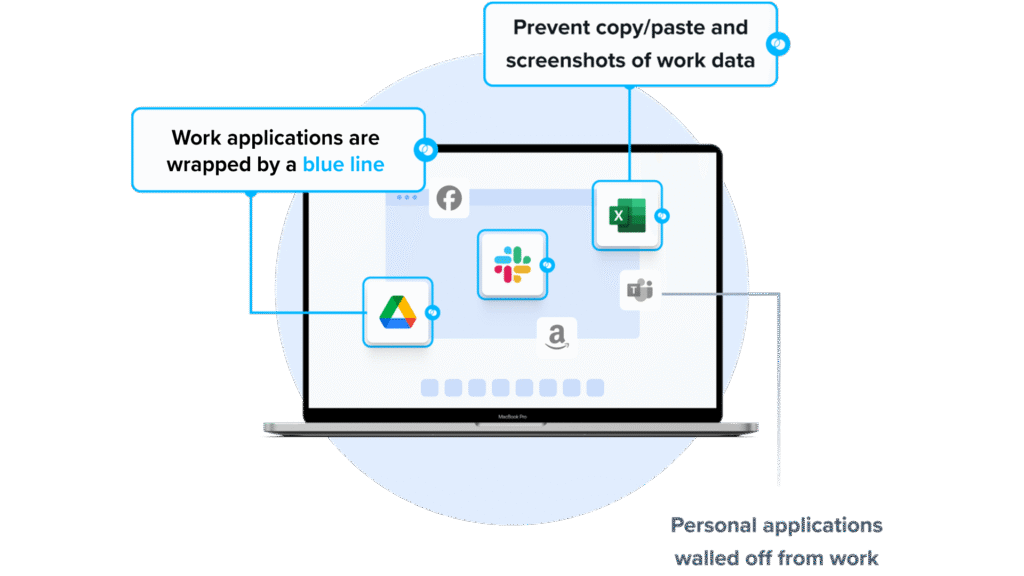
Similar to an MDM solution but for laptops, work lives in a company-controlled Secure Enclave installed on the user’s PC or Mac, where all data is encrypted and access is managed. Work applications run locally within the Enclave – visually indicated by Venn’s Blue Border™ – protecting and isolating business activity while ensuring end-user privacy.
Unlike DaaS, Venn keeps users working locally on natively installed applications without latency – all while extending corporate firewall protection to business activity only.
Key features include:
- Granular, customizable restrictions: IT teams can define restrictions for copy/paste, download, upload, screenshots, watermarks, and DLP per user.
- Secure Enclave technology: Encrypts and isolates work data on personal Mac or PC computers, both for browser-based and local applications.
- Zero trust architecture: Uses a zero trust approach to secure company data, limiting access based on validation of devices and users.
- Visual separation via Blue Border: Visual cue that distinguishes work vs. personal sessions for users.
- Supports turnkey compliance: Using Venn helps companies maintain compliance on unmanaged Macs with a range of regulatory mandates, including HIPAA, PCI, SOC, SEC, FINRA and more.
2. Kasm Workspaces
Kasm Workspaces is a web-delivered workspace streaming solution that provides full desktops, individual applications, and isolated cloud browsers on virtually any device. The platform supports secure cloud desktops, remote access, web isolation, and application streaming for both Windows and Linux, with optional GPU acceleration, extensible APIs, and infrastructure-as-code support using Ansible and Terraform.
Key features include:
- Web-based workspace delivery: Access full desktops and applications directly through a browser, enabling device-independent use without installing local clients.
- On-demand cloud desktops: Spin up secure Windows or Linux desktops within seconds, with elastic scaling to support distributed and remote teams anywhere.
- Secure web isolation and research: Run browsing and investigation tasks in isolated cloud environments to minimize risk and prevent threats from reaching endpoint devices.
- Multi-platform and GPU-enabled workloads: Operate Windows and Linux environments side by side, with optional GPU acceleration for demanding graphics or specialized use cases.
- Automation and extensibility: Integrate with existing workflows using developer APIs, prebuilt workspace images, and automated provisioning via Ansible and Terraform.
Source: Kasm
3. Parallels RAS
Parallels RAS is a remote application and desktop delivery platform designed for hybrid environments spanning on-premises infrastructure and public or private clouds, including Azure Virtual Desktop and AWS. It offers native and browser-based clients, centralized management, modern application packaging support, advanced security features, and built-in high availability with monitoring and reporting.
Key features include:
- Hybrid deployment versatility: Run workloads across on-premises, private, and public cloud environments with seamless Azure and AWS integration and no vendor lock-in.
- Broad client accessibility: Deliver applications and desktops through native clients on major operating systems or via HTML5 access from any modern browser or thin client.
- Centralized management console: Control applications, desktops, gateways, load balancing, reporting, and access policies from a single interface with multi-tenant and auto-scaling support.
- Built-in security framework: Protect access using TLS 1.3, FIPS 140-2 compliance, integrated MFA, identity provider integrations, auditing, and automated certificate handling.
- Resilience and operational visibility: Maintain uptime with integrated high-availability load balancing, real-time monitoring, and detailed reporting without relying on external tools.
Source: Parallels
Notable DaaS Solutions
1. AWS Workspaces
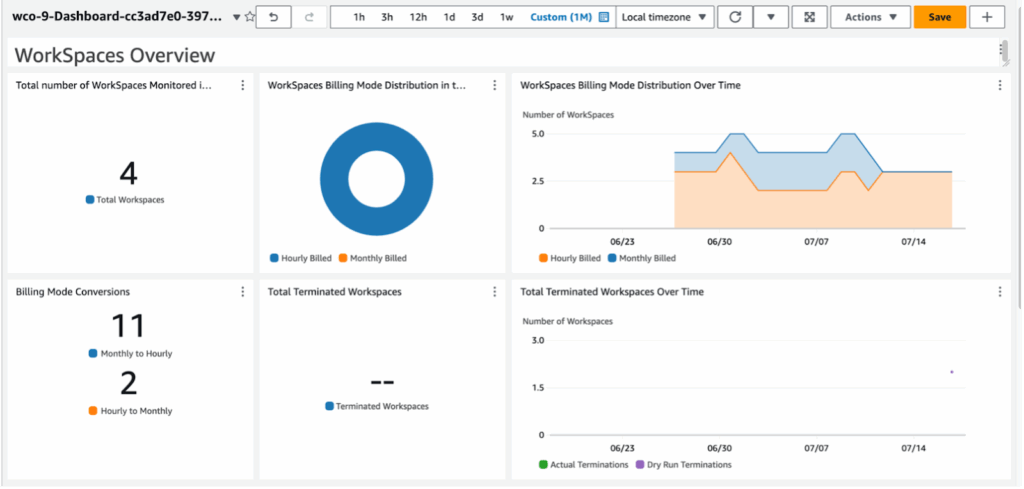
Amazon WorkSpaces is a managed Desktop as a Service (DaaS) platform that allows organizations to deploy virtual desktops in the AWS cloud. It supports multiple operating systems, including Windows, Amazon Linux 2, Ubuntu, Rocky Linux, and Red Hat Enterprise Linux, and eliminates the need for on-premises desktop provisioning or maintenance.
Key features include:
- Persistent and non-persistent desktops: Offers WorkSpaces Personal for dedicated, persistent desktops and WorkSpaces Pool for non-persistent, ephemeral desktop sessions
- Operating system support: Run desktops on Windows 10/11, Amazon Linux 2, Ubuntu, Rocky Linux, or Red Hat Enterprise Linux
- Flexible configuration: Choose hardware and software bundles, customize desktop images, and select AWS Regions
- Bring Your Own Licenses (BYOL): Supports BYOL for Windows and applications, including Microsoft 365
- Microsoft integration: Supports Microsoft Entra ID (formerly Azure AD), Intune enrollment, and access to M365 Apps
Source: Amazon
2. V2Cloud DaaS

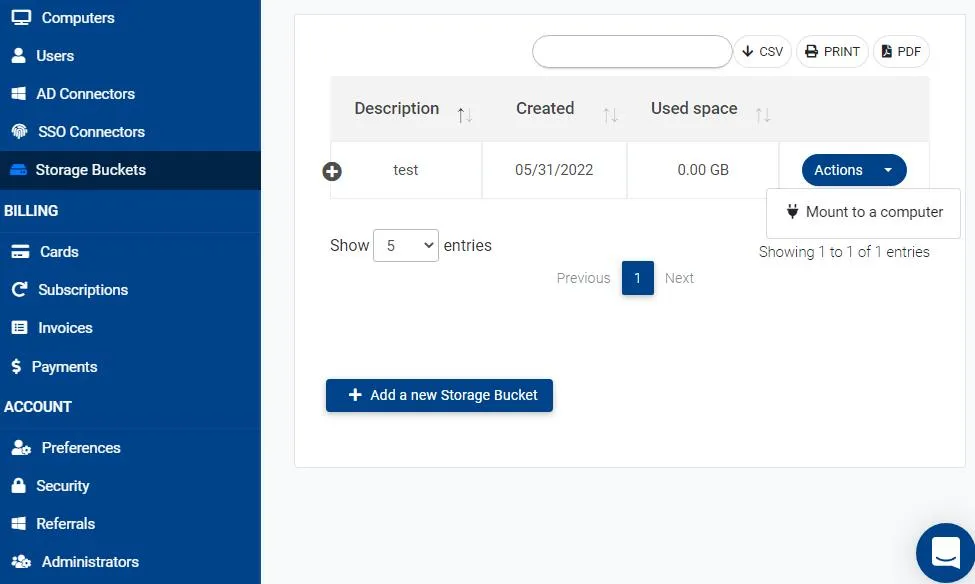
V2Cloud offers a managed Desktop as a Service solution to deliver secure, high-performance virtual desktops accessible through any web browser. It simplifies remote access for businesses while supporting bring-your-own-device (BYOD) policies and ensuring compliance with industry standards.
Key features include:
- BYOD support: Allows employees to securely access desktops using personal devices without compromising data protection
- Data security: Includes encryption, continuous monitoring, and access controls to safeguard sensitive information
- Compliance-ready: Helps meet industry regulations and standards with built-in compliance features
- Simplified deployment: Offers a guided 4-step setup process from plan selection to desktop access
- Flexible configuration: Lets users select processing power and memory based on workload requirements
Source: V2Cloud
3. Microsoft Azure Virtual Desktop

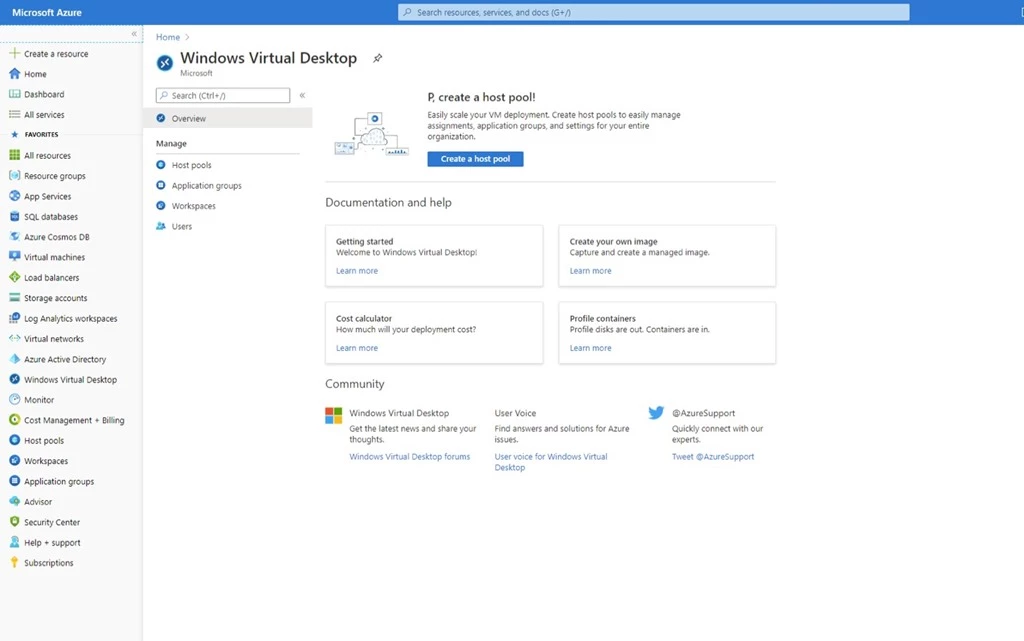
Azure Virtual Desktop (AVD) is a desktop and application virtualization service built into the Microsoft Azure platform. It enables organizations to deliver secure, scalable virtual Windows desktops and apps to users from any location. AVD supports Windows 11, Windows 10 (including multi-session), and Windows Server, allowing IT teams to run both full desktops and individual applications.
Key features include:
- Windows multi-session support: Deliver Windows 10/11 Enterprise multi-session desktops to reduce VM count and costs
- Full desktop or app delivery: Publish complete desktops or specific applications via RemoteApp from a single host pool
- Microsoft 365 optimization: Enhanced support for running Microsoft 365 Apps in multi-user environments
- Flexible deployment tools: Manage environments using Azure portal, Azure CLI, PowerShell, and REST API
- Autoscaling: Automatically adjust virtual machine capacity based on demand, schedule, or usage patterns
Source: Microsoft
4. Elastic Desktop Service

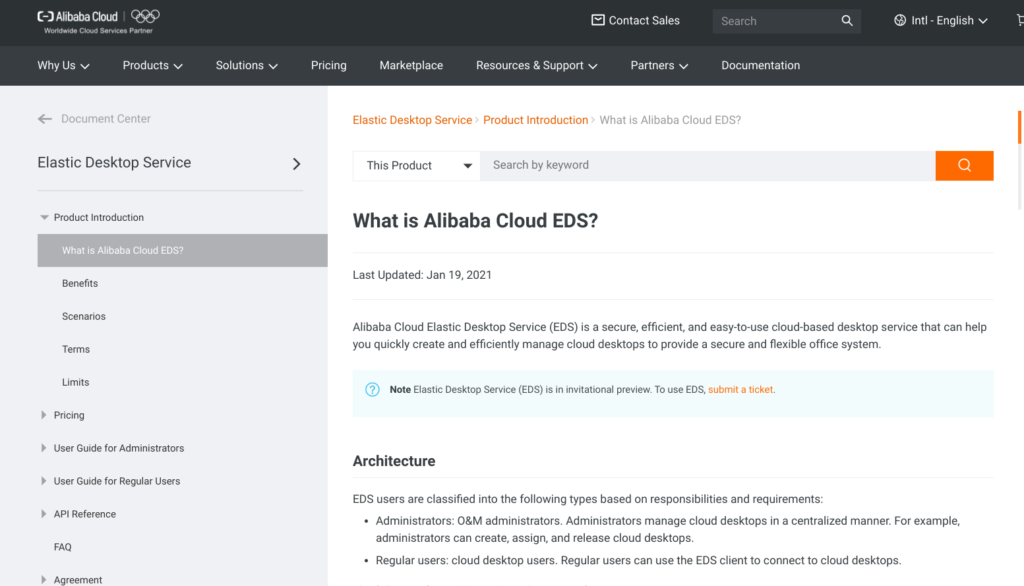
Elastic Desktop Service (EDS) is a cloud-based Desktop as a Service (DaaS) platform that allows organizations to deploy, manage, and maintain secure virtual desktop environments. Designed for performance-intensive and security-sensitive industries like finance, design, video production, and education, EDS eliminates the need for upfront hardware investments by delivering desktops from the cloud.
Key features include:
- Centralized management: Rapidly create, assign, and manage desktops through a unified console without on-premises infrastructure
- On-demand deployment: Provision cloud desktops as needed, suitable for temporary staff or dynamic workloads
- Cross-platform access: Connect to cloud desktops anytime via EDS clients on Windows or macOS
- Secure architecture: Data remains in the cloud and is transmitted as encrypted pixels, minimizing leakage risks
- Peripheral control: Supports USB redirection with control over device access and permissions
Source: Alibaba
Learn more in our detailed guide to DaaS solutions
Best Practices for Successful DaaS Deployment
If using DaaS, organizations should consider the following best practices.
1. Define Clear Governance and Ownership
Establishing clear governance is critical for any DaaS deployment. It involves defining who is responsible for policy decisions, daily operations, compliance management, and incident response. Assigning roles and responsibilities helps avoid confusion and ensures critical tasks, such as patch management and licensing reviews, are completed promptly.
Governance frameworks should be documented and periodically reviewed to align with changing business and regulatory needs. Dedicated ownership also ensures centralized decision-making on access, security, and cost controls. Appointing accountable leaders prevents gaps in coverage, clarifies escalation paths for support issues, and enables communication with DaaS vendors.
2. Implement Strong Identity and Access Controls
Implementing robust identity and access management is fundamental to protecting DaaS environments. Use multifactor authentication (MFA), centralized single sign-on (SSO), and granular role-based access control (RBAC) to manage who can access which resources and under what conditions. Integrate with the organization’s existing identity providers to maintain a unified security posture and audit trail.
Regularly review access permissions to ensure only authorized users retain access to critical resources. Quickly revoke entitlements when roles change or employees leave. Monitoring for suspicious access patterns and automating alerts for anomalies further reduces risk, especially when supporting remote users or external contractors.
3. Optimize Resource Allocation and Cost Visibility
DaaS offers significant flexibility, but without disciplined resource allocation, costs can escalate. Use monitoring tools to track resource usage, such as CPU, memory, and storage, and adjust allocations to reflect actual demand. Right-sizing desktops avoids waste while ensuring users have adequate performance for their workloads.
Transparent cost reporting is essential for budgeting and chargeback. Leverage built-in dashboards or third-party tools to visualize spend, forecast usage trends, and identify cost anomalies. Establishing automated, periodic reviews of resource allocation helps organizations optimize their DaaS investments and support financial accountability.
4. Leverage Automation and Infrastructure as Code
Automation simplifies the rollout, update, and management of virtual desktops. By adopting infrastructure as code (IaC), IT teams can define desktop configurations, networking, and policy settings as version-controlled scripts. This supports repeatable deployments, reduces human error, and accelerates onboarding of new users or teams.
Integrate automation with DevOps pipelines and management consoles to quickly deploy security patches, modify access rules, or publish application updates across all users. Automated provisioning and decommissioning of desktops in response to business demands support organizational agility, while reducing manual effort and risk.
5. Continuously Test, Monitor, and Improve
A mature DaaS deployment is an evolving environment that requires ongoing validation. Continuously test end-to-end desktop performance, user experience, and security controls by simulating real user activities and threat scenarios. Systematic monitoring using centralized dashboards enables rapid detection of performance bottlenecks, failures, or attacks.
Gather user feedback regularly to identify usability or productivity issues. Use analytics from monitoring tools, combined with lessons from incident reviews, to drive iterative improvements. Continuous improvement ensures DaaS remains aligned with changing business objectives, technology standards, and threat landscapes.
Learn more in our detailed guide to DaaS best practices
Should You Choose DaaS or an Alternative?
Choosing between DaaS and its modern alternatives depends on a range of technical, operational, and strategic factors. While DaaS can deliver centralized control and support for distributed teams, it often falls short in critical areas like performance, flexibility, and cost-efficiency, especially in today’s hybrid and BYOD-focused environments.
Key considerations include:
- User experience needs If your users need high responsiveness, support for peripherals, or offline access, DaaS may introduce friction. Network latency, session interruptions, and limited hardware access can lead to lower productivity compared to local execution environments.
- Internet dependency: DaaS relies on continuous internet access. If users operate in low-bandwidth areas, travel frequently, or need uninterrupted access, this dependence can become a serious liability.
- Application compatibility: Not all apps perform well in virtualized environments. If your workflows rely on legacy, resource-heavy, or latency-sensitive applications, DaaS may require compromises or workarounds that reduce usability and increase support overhead.
- Infrastructure and operational complexity: While DaaS simplifies endpoint provisioning, it still involves managing user policies, application lifecycles, licensing, identity integration, and monitoring. For many organizations, this complexity negates the perceived simplicity of outsourcing desktop infrastructure.
- Cost predictability vs. cost creep: Although DaaS offers predictable billing, actual costs can escalate due to performance tier upgrades, storage usage, premium support, and regulatory features. Long-term costs may exceed expectations, especially when scaled enterprise-wide.
- Security and compliance requirements: Centralized DaaS environments can support compliance but may not meet strict data residency rules or provide sufficient control over data flow. If your industry has tight security mandates, make sure your DaaS provider aligns with them or consider alternatives that offer local data isolation.
- Flexibility and customization: Many DaaS platforms limit desktop customization, making it hard to support specialized roles or power users. If deep configuration, scripting, or tool integration is required, alternatives may be a better fit.
DaaS is a legacy solution adapted to the cloud, not a ground-up rethinking of secure remote access or hybrid work. If your organization demands consistent performance, local execution, BYOD support, and reduced reliance on connectivity, it’s time to move beyond DaaS.
