
Top 10 DaaS Solutions and Alternatives in 2026


See Venn first in Google Search
Add as a preferred source on Google
TL;DR: DaaS solutions deliver cloud-hosted virtual desktops and apps to any device. Best for BYOD security without VDI: Blue Border; best for browser-native workspaces: Kasm Workspaces; best for Windows on Azure: Azure Virtual Desktop; best for managed AWS desktops: Amazon WorkSpaces.
What Are Desktop-as-a-Service (DaaS) Solutions?
Desktop-as-a-Service (DaaS) delivers virtual desktops from a cloud provider’s infrastructure to user devices via the internet. All computing (processing, storage, and application execution) occurs in a remote data center, not on the user’s device. Users access these desktops using remote display protocols like RDP, PCoIP, or HDX. DaaS eliminates the need for physical on-site computers, allowing users to access their personalized desktop environments from virtually any device, including laptops, tablets, and smartphones, with an internet connection.
While DaaS removes the need for local desktop management, it introduces significant downsides. Performance is highly dependent on network stability, often resulting in latency and poor responsiveness. Subscription costs for DaaS can quickly escalate with scale, especially with persistent desktop use. DaaS typically operates on a predictable pay-as-you-go subscription model, ranging from $20 to over $100 per user per month depending on the allocated CPU, RAM, and storage, while the provider manages the backend hardware, networking, and security.
Managing image templates, access control, and user environments adds operational complexity. DaaS also fails to fully align with modern endpoint diversity, especially in BYOD scenarios where control and compatibility issues persist. A new generation of DaaS alternatives is evolving that addresses these challenges.
The way desktops are delivered continues to shift as cloud adoption deepens and AI reshapes end-user computing. Providers are applying automation to control cost and performance, virtual desktops are starting to host AI workloads, and demand is concentrating around high-security, sovereignty-conscious, and BYOD-friendly deployment models. These forces are prompting many organizations to weigh traditional DaaS against lighter-weight, endpoint-based alternatives.
This is part of a series of articles about DaaS
DaaS Solutions and Alternatives at a Glance
The table below summarizes the solutions covered in this guide, divided into modern DaaS alternatives and traditional DaaS solutions. We explore each of them in more detail in the sections that follow.
| Category | Solution | Best For | Key Strengths | Things to Consider |
| DaaS Alternatives | Blue Border | Securing work on BYOD and unmanaged laptops without VDI | Local app performance inside a company-controlled secure enclave | Support turnaround can lag when issues arise |
| DaaS Alternatives | Kasm Workspaces | Browser-delivered containerized desktops, apps, and isolation | Container streaming with per-user DLP and multi-OS support | Browser dependency affects heavy, resource-intensive tasks |
| DaaS Alternatives | Parallels RAS | Delivering virtual apps and desktops across hybrid and multi-cloud | Single-console management with one concurrent-user license | Mac support and third-party 2FA integration can lag |
| DaaS Alternatives | Zscaler Zero Trust Exchange Platform | Zero trust access to apps without exposing the network | Full TLS/SSL inspection at scale with identity-based access | Per-function licensing and setup complexity add overhead |
| DaaS Alternatives | Prisma Access | Cloud-delivered SASE security for remote users and branches | ZTNA, SWG, CASB, and FWaaS on one cloud platform | Complex setup and pricing suit larger security teams |
| Traditional DaaS Solutions | Microsoft Azure Virtual Desktop | Cloud VDI delivering Windows desktops and apps on Azure | Multi-session Windows with a Microsoft-managed control plane | RDP latency and pricing complexity can affect experience |
| Traditional DaaS Solutions | Amazon WorkSpaces | Fully managed cloud desktops for remote and hybrid teams | Windows and Linux desktops with monthly or hourly billing | Bulk patching and higher-tier costs need planning |
| Traditional DaaS Solutions | Citrix DaaS | Enterprise VDI and DaaS across cloud, on-prem, and hybrid | HDX optimization and centralized multi-cloud management | Needs solid bandwidth and specific configuration to run well |
| Traditional DaaS Solutions | V2 Cloud | Simple, fully managed cloud desktops for SMBs and MSPs | Quick setup with bundled support, backups, and security | Lower plans can feel slow and pricing can climb |
| Traditional DaaS Solutions | Omnissa Horizon | Enterprise VDI and app delivery across on-prem and cloud | Deployment flexibility with centralized image and app management | Administration is complex and best suited to skilled IT teams |
Adoption continues to accelerate: the global DaaS market is now valued at roughly $11.5 billion and is growing at double-digit annual rates, as organizations shift from on-premises VDI toward cloud-delivered and endpoint-based approaches.
Looking for a DaaS alternative?
Unlock best practices for securing remote access on unmanaged laptops – without any remote hosting or latency.
In this article:
- What Are Desktop-as-a-Service (DaaS) Solutions?
- DaaS Solutions and Alternatives at a Glance
- How DaaS Solutions Work
- How AI Is Reshaping DaaS
- What DaaS Providers Offer
- Is DaaS Suitable for a Modern BYOD Environment?
- Notable DaaS Solutions and Alternatives
- Considerations for Choosing Legacy DaaS vs. DaaS Alternatives
- Conclusion
How DaaS Solutions Work
DaaS solutions rely on a cloud infrastructure that hosts virtual machines (VMs), each configured as a desktop environment. These desktops are provisioned, managed, and delivered via a centralized platform typically offered by a DaaS provider. Users connect to their virtual desktops over the internet using a remote display protocol such as Microsoft RDP, Citrix HDX, or VMware Blast.
The provider manages the underlying hardware, hypervisors, networking, storage, and orchestration. Administrators use a management console to configure user access, assign resources, and apply security policies. DaaS platforms often integrate with identity providers to enforce authentication and role-based access controls.
When a user logs in, the DaaS service spins up a virtual desktop instance, either from a persistent image (retaining user data and settings) or a non-persistent image (resetting after each session). Sessions are isolated from each other to ensure security and performance.
Most DaaS solutions include built-in monitoring, backups, and scaling features. This lets IT teams manage resources dynamically and optimize use of infrastructure.
Related content: Read our guide to DaaS best practices
How AI Is Reshaping DaaS
Artificial intelligence is becoming a defining force in how virtual desktops are provisioned, managed, and used. On the operations side, providers increasingly use AI to right-size virtual desktop configurations, predict resource demand, and automate scaling, helping to avoid the over- and under-provisioning that inflates cloud costs.
AI is also changing what runs inside the desktop itself. DaaS is beginning to be used to host AI workloads, including AI agents that access cloud-hosted desktops alongside human users. This reframes the virtual desktop as a delivery point not just for people, but for automated and agentic work.
At the same time, these more capable and autonomous platforms are maintaining stringent enterprise controls. Deployments are trending toward specialized, localized cloud architectures built to guarantee rigorous compliance, zero-trust security, and strict data sovereignty for highly regulated global workforces.
What DaaS Providers Offer
Access from Anywhere
DaaS allows users to reach their virtual desktops from any internet-connected device. However, this access depends heavily on consistent network performance. High latency, packet loss, or limited bandwidth can severely degrade responsiveness, causing slow screen refresh rates and lagging inputs.
Users in remote or mobile environments frequently experience unstable sessions or disconnections. Rather than improving flexibility, this reliance on stable connectivity often restricts usability outside controlled network conditions.
Central Management
With DaaS, administrators control desktops, policies, and updates through a central console, but this centralization also adds operational overhead. Each layer (hypervisors, brokers, storage, and network routing must be maintained and tuned for performance.
Troubleshooting slowdowns or connection failures is complex, as issues can stem from multiple interdependent systems. Updates to base images or policies can impact thousands of sessions, often requiring planned downtime or reconfiguration.
Scalability
While DaaS claims elastic scalability, real-world scaling introduces cost and resource challenges. Adding users increases compute, storage, and licensing expenses. Scaling down doesn’t always yield immediate savings, as providers often bill based on reserved capacity or minimum usage commitments.
Rapid change in workforce size can make DaaS cost-inefficient, particularly for organizations with temporary or contract-based workers.
Flexibility and Choice
DaaS supports multiple desktop configurations and operating systems, but customization can lead to inconsistencies and management overhead. Each variation (different OS versions, application stacks, or policy sets) requires separate templates and maintenance.
Compatibility issues between client devices and virtualized applications can also cause degraded performance or limited functionality, particularly for multimedia or graphics-heavy workloads.
Security
Although DaaS centralizes data storage, it doesn’t eliminate security challenges. The expanded attack surface includes the connection broker, session manager, and underlying cloud infrastructure. Misconfigurations, weak authentication policies, or vulnerabilities in third-party integrations can expose sensitive data.
Because all data flows through remote sessions, visibility and control depend entirely on the provider’s monitoring tools. This creates blind spots for internal security teams and increases reliance on external vendors for compliance and incident response. In response, DaaS deployments are increasingly focused on high security, compliance, and data sovereignty, with providers introducing localized cloud architectures and zero-trust controls for regulated and globally distributed workforces.
Related content: Read our guide to desktop as a service pricing
Is DaaS Suitable for a Modern BYOD Environment?
DaaS was designed for centrally managed IT environments where desktops are delivered from cloud infrastructure to controlled endpoints. Modern IT environments have different requirements, balancing BYOD security requirements with employee privacy and supporting a wide range of personal devices and network conditions. As a result, traditional DaaS architectures often struggle to provide a consistent, user-friendly experience for BYOD users.
BYOD is now a structural requirement rather than an exception, with the large majority of organizations supporting personal devices for work. Because security teams cannot install agents or enforce patching on devices they do not own, access control has shifted toward agentless, identity- and posture-based enforcement that compensates for the lack of full device control.
DaaS challenges in a BYOD environment:
Higher operational overhead: Supporting BYOD with DaaS requires organizations to provision, maintain, and secure virtual desktop environments while also managing endpoint compatibility, licensing, and infrastructure costs.
Dependence on network connectivity: DaaS relies on remote display protocols to stream desktops from the cloud. Performance depends on low latency and reliable bandwidth, making the user experience inconsistent on home networks, public Wi-Fi, or mobile connections.
Limited user privacy: Employees using personal devices may be uncomfortable installing remote desktop clients or management software that enables corporate control over their device. This can reduce BYOD adoption and create friction between users and IT.
Inconsistent performance across devices: The responsiveness of a virtual desktop depends on endpoint hardware, network quality, and proximity to the cloud region hosting the workload. Users may experience lag, poor graphics performance, or interrupted sessions.
Poor fit for modern application workflows: Most employees primarily use browser-based and locally installed applications rather than complete virtual desktops. Delivering an entire desktop adds unnecessary complexity and resource consumption for these workloads.
Notable DaaS Solutions and Alternatives
How we selected these tools: We shortlisted DaaS solutions and alternatives based on how they deliver secure virtual or local access to desktops, applications, and company data across managed and unmanaged devices.
DaaS Alternatives
1. Blue Border

Best for: Securing work on BYOD and unmanaged laptops without VDI
Strengths: Local app performance inside a company-controlled Secure Enclave
Things to consider: Support turnaround can lag when issues arise
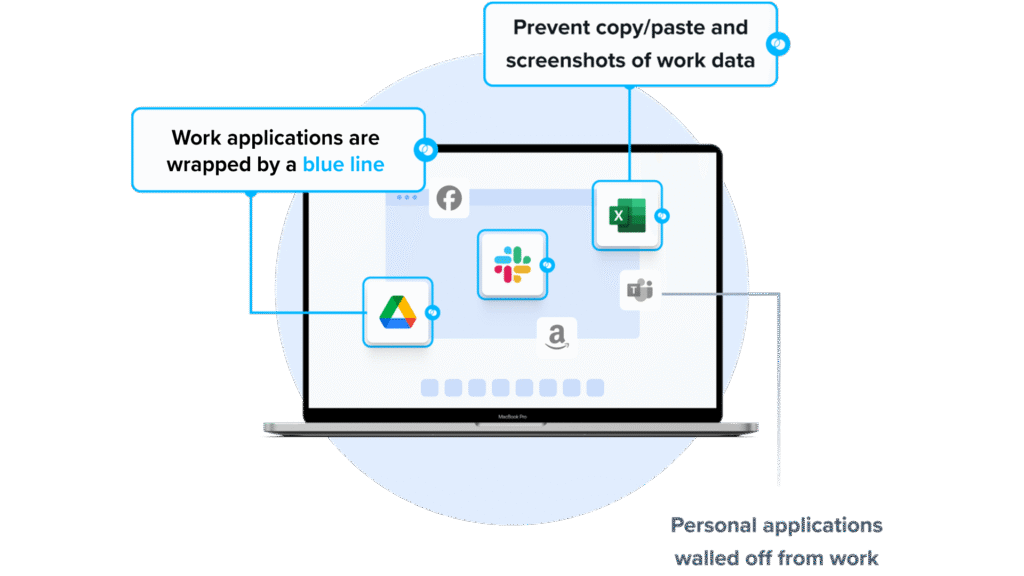
Blue Border secures remote work by installing a company-controlled secure enclave on a user’s PC or Mac. Work applications and data run locally inside the enclave, where they are encrypted and isolated from personal activity on the same device. A blue line around each work application window shows when it is running inside the enclave.
Inside the enclave, IT governs company data, DLP, and which AI tools can reach company data; outside it, personal activity stays private. There is no backend infrastructure to host, so IT can onboard and offboard employees and contractors in minutes across browser-based and locally installed applications on any device.
Key features include:
- Secure Enclave (Blue Border): Work applications run in a company-controlled secure enclave on the local PC or Mac, encrypted and isolated from personal use and marked by a blue border around application windows.
- Local native performance: Installed applications run locally at full speed, without streaming or the latency associated with virtual desktops.
- Data loss prevention controls: Fine-tune copy/paste, printing, downloads, screen capture, screen share, and clipboard permissions per user.
- AI governance: Define which AI tools can access company data inside the enclave; unauthorized AI tools are blocked across clipboard, file upload, copy/paste, and screen capture.
- Any device and any worker: Supports company-issued, third-party, and personal or BYOD PCs and Macs for full-time employees, contractors, consultants, and BPO users.
- Centralized administration and visibility: Onboard and offboard in minutes, remotely wipe company data, view device inventory, and see real-time insight into user activity.
- User privacy: Personal activity outside the enclave is not tracked or visible to the company.
Limitations (as reported by users on G2):
- Support turnaround: When issues do arise, some users note that resolving them can take longer than expected.
- Mobile experience: Some reviewers point to room for broader mobile accessibility.
- Reporting depth: Some users would like more detailed reporting features.
2. Kasm Workspaces
Best for: Browser-delivered containerized desktops, apps, and isolation
Strengths: Container streaming with per-user DLP and multi-OS support
Things to consider: Browser dependency affects heavy, resource-intensive tasks
Kasm Workspaces delivers containerized desktops, applications, and browsers streamed to a web browser, built on containerization, Kubernetes orchestration, and microservices. There is no endpoint agent to install, and users reach their workspace from any device with a web browser.
The platform can be hosted on-premises, in a private cloud, or as a hosted SaaS service, and supports Windows, Linux, and macOS desktops. Sessions can be reset for each user or retain user settings and documents between logins, and administrators can build custom desktop containers for different groups.
Key features include:
- Web-native container streaming: Streams desktops, applications, and browsers to the browser through open-source rendering technology, with no endpoint installation required.
- Data loss prevention: Administrative controls over uploads, downloads, clipboard, and USB devices, plus restrictions on applications and resources.
- Enterprise SSO and 2FA: SAML single sign-on through Azure AD, Okta, or G-Suite, or local two-factor authentication.
- Web filtering: Filters user traffic with custom allow and block lists, safe search, and site categorization.
- Persistent or reset profiles: Reset desktop sessions per user, or retain user settings and documents between subsequent logins.
- Custom desktops: Customized Linux desktop containers with tailored applications, configurations, and branding.
- Flexible deployment: Host the full stack on-premises, in a private cloud, or as a hosted SaaS service.
Limitations (as reported by users on G2):
- Browser dependency: Responsiveness and compatibility can vary with the browser or internet quality.
- Resource-intensive workloads: Heavy tasks such as 3D rendering or advanced simulations may perform below traditional VMs or physical desktops.
- Update process: In at least one case, a failed automated upgrade script required a server restore.
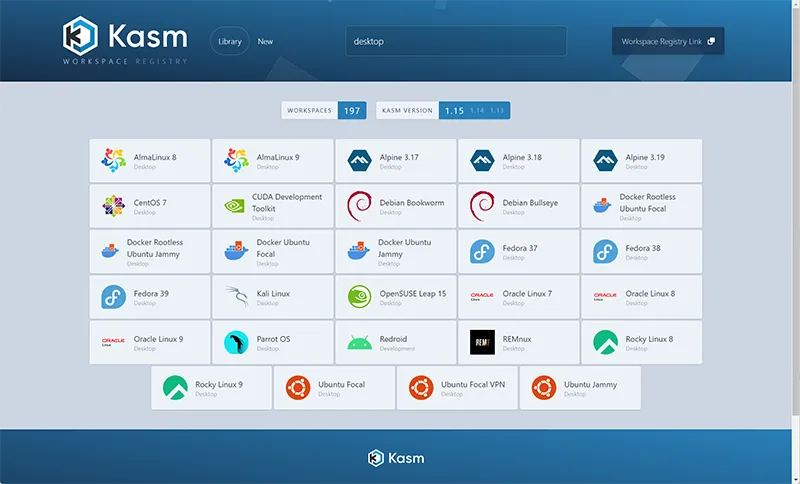
- Windows workspaces: Native Windows desktops are not part of the container library, which some Windows and forensic use cases look for.
Source: Kasm
3. Parallels RAS

Best for: Delivering virtual apps and desktops across hybrid and multi-cloud
Strengths: Single-console management with one concurrent-user license
Things to consider: Mac support and third-party 2FA integration can lag
Parallels RAS (Remote Application Server) centralizes Windows applications and desktops on a server or cloud infrastructure and delivers them to users on any device or operating system. Administrators publish applications and desktops, manage access, and monitor sessions from a single console.
It supports on-premises, hybrid, private cloud, and public cloud deployments including Azure Virtual Desktop and AWS EC2, and integrates with hypervisors such as VMware ESX, Microsoft Hyper-V, Scale, and Nutanix. Licensing follows a single all-inclusive model based on concurrent users.
Key features include:
- Application and desktop delivery: Publish virtual apps, full desktops, remote PCs, RDSH, and VDI to Windows, macOS, Linux, iOS, Android, and HTML5 clients.
- Single management console: Handle app and desktop management, image handling, reporting, gateway, load balancing, access control, and authentication in one place.
- Multi-cloud and hypervisor support: Deploy across on-premises, hybrid, Azure, Azure Virtual Desktop, and AWS EC2, with an API framework for other platforms.
- Built-in security: SSL/TLS 1.3 with FIPS 140-2, built-in and third-party MFA, rule-based access filtering, auditing, and Let’s Encrypt certificate management.
- Included gateway and load balancing: A Secure Gateway and High Availability Load Balancer are included at no additional licensing cost.
- Application delivery tooling: FSLogix profile support and MSIX App Attach and App-V integration from the console.
- Concurrent-user licensing: One licensing model counting simultaneous users, with built-in multi-tenancy for MSPs and ISVs.
Limitations (as reported by users on G2):
- Third-party MFA integration: Aligning with some preferred 2FA methods can be slow and may require workarounds.
- Mac support: Features and updates for Mac can lag Windows, creating inconsistency in mixed-device environments.
- Occasional instability: The application can hang and need a restart, and very large numbers of published applications have led to denied connections.
- Client setup complexity: Configuring the client in tightly secured enterprise networks can be involved.

Source: Parallels
4. Zscaler Zero Trust Exchange Platform

Best for: Zero trust access to apps without exposing the network
Strengths: Full TLS/SSL inspection at scale with identity-based access
Things to consider: Per-function licensing and setup complexity add overhead
The Zscaler Zero Trust Exchange is a cloud-native platform that connects users, workloads, IoT/OT, and B2B partners to applications based on identity, context, and policy rather than network access. Its proxy architecture terminates and inspects every connection, including encrypted traffic, and brokers one-to-one connections between a user and an application.
Applications sit behind the exchange and are not exposed to the internet. The platform verifies identity, determines the destination, assesses risk using AI signals, and enforces policy on a per-session basis, which limits lateral movement across the network.
Key features include:
- Proxy-based inspection: Full TLS/SSL inspection at scale, terminating each connection to inspect traffic before brokering access.
- Attack surface reduction: Applications are hidden behind the exchange and are not discoverable on the internet.
- Zero trust connectivity: Users connect directly to applications rather than to the network, which limits lateral movement of threats.
- Data protection: Identifies and controls sensitive data in motion, at rest, and in use.
- Policy engine: Verifies identity through third-party identity providers, evaluates context and risk, and enforces policy per session.
- AI-based risk assessment: Scores risk using signals across the cloud, including user behavior, device posture, destination, and content.
- Broad coverage: Secures workforce internet, SaaS, and private application access, cloud workloads, IoT/OT, and B2B partner access.
Limitations (as reported by users on G2):
- Licensing model: Separate licensing per function can raise total cost, and package tiers do not always map cleanly to needs.
- Configuration control: Some users report limited control over certain settings and configurations.
- Setup and learning curve: Initial deployment and policy configuration can be complex.
- Latency and troubleshooting: Routing through inspection points can add latency, and pinpointing whether an issue is policy, identity, or network can take time.
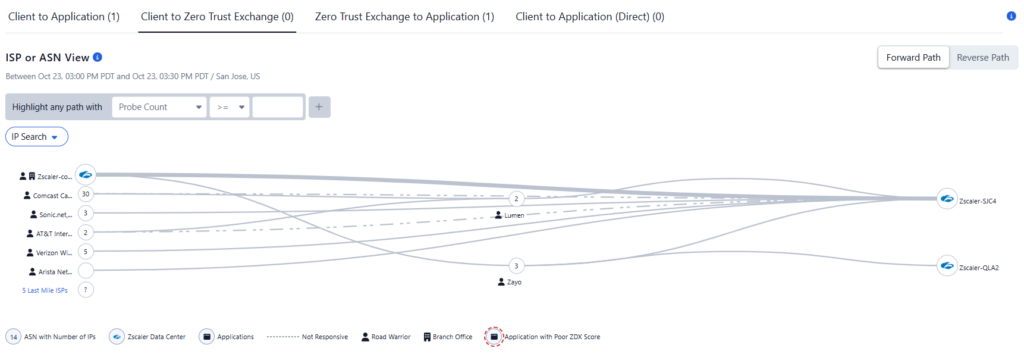
Source: Zscaler
5. Prisma Access

Best for: Cloud-delivered SASE security for remote users and branches
Strengths: ZTNA, SWG, CASB, and FWaaS on one cloud platform
Things to consider: Complex setup and pricing suit larger security teams
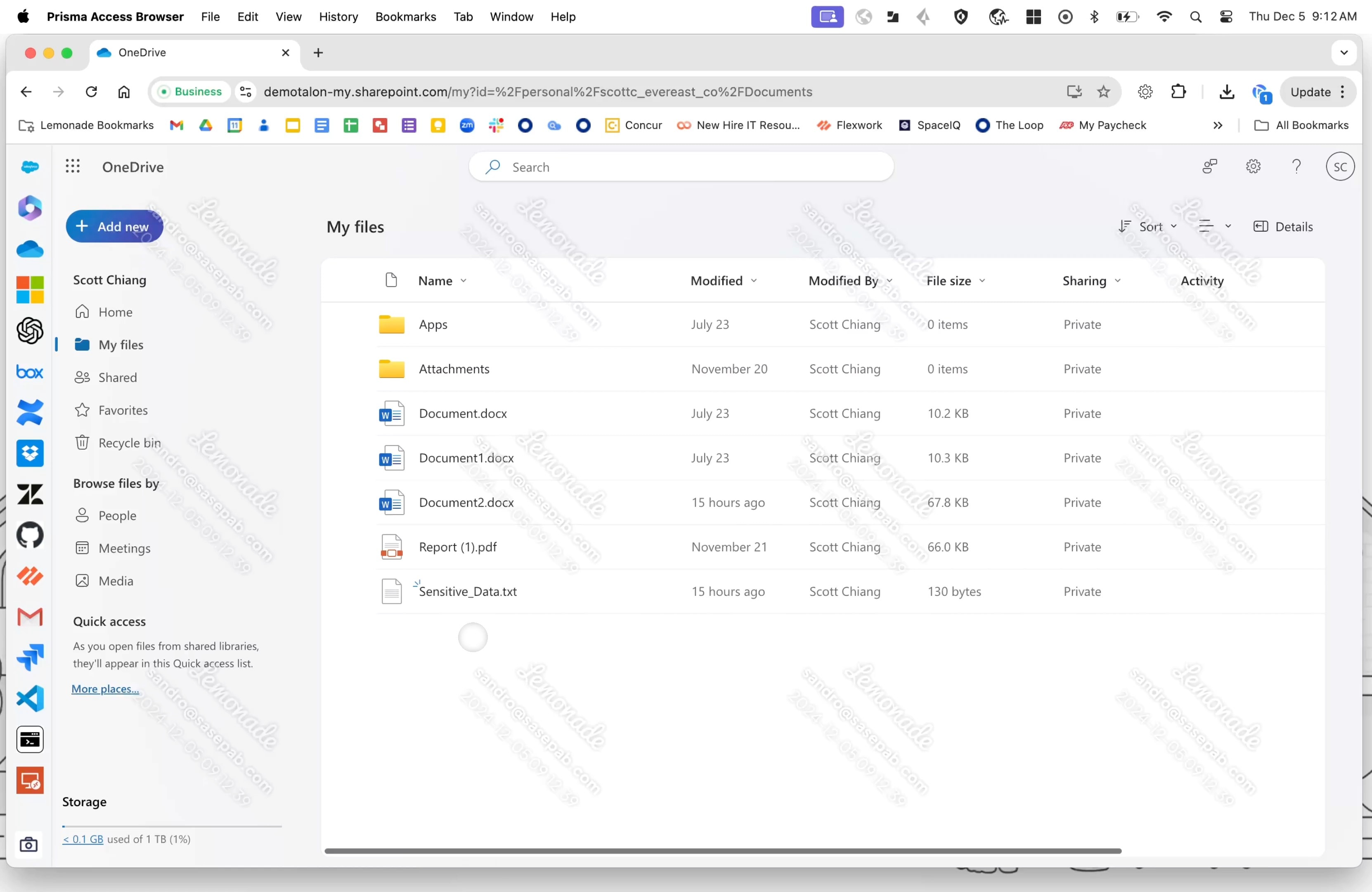
Prisma Access is Palo Alto Networks’ cloud-delivered SASE platform that secures users, applications, devices, and data from a single platform. It combines zero trust network access, secure web gateway, cloud access security broker, firewall as a service, and remote browser isolation.
The platform is managed centrally through Strata Cloud Manager, and traffic is inspected in the cloud with threat prevention powered by Precision AI. It runs on a hyperscale backbone with a 99.999% uptime SLA and connects remote users, branch offices, and cloud applications.
Key features include:
- Zero trust network access: Least-privileged access to applications without exposing the network, replacing traditional VPNs.
- Secure web gateway: Real-time protection for web access with URL filtering and threat prevention.
- Cloud access security broker: Visibility and control of applications through inline and API-based controls and data protection.
- Firewall as a service: Cloud-native network security with threat prevention, application control, and zero trust policy.
- Remote browser isolation: Isolates browsing to keep web-based threats away from endpoint devices.
- Unified agent and management: The Prisma agent connects across SASE and NGFW deployments, managed through a single console.
- Global scale: A hyperscale backbone with a 99.999% uptime SLA and threat data updated across the network.
Limitations (as reported by users on G2):
- Setup complexity: Initial deployment, implementation, and configuration are time-consuming and challenging without in-house network security expertise.
- Pricing: Users describe pricing as steep, which can be a barrier for smaller organizations.
- Learning curve: Teams new to the platform face a steep learning curve.
- Support and troubleshooting: Some users report slow support, difficulty troubleshooting through logs, and documentation that lacks technical depth.
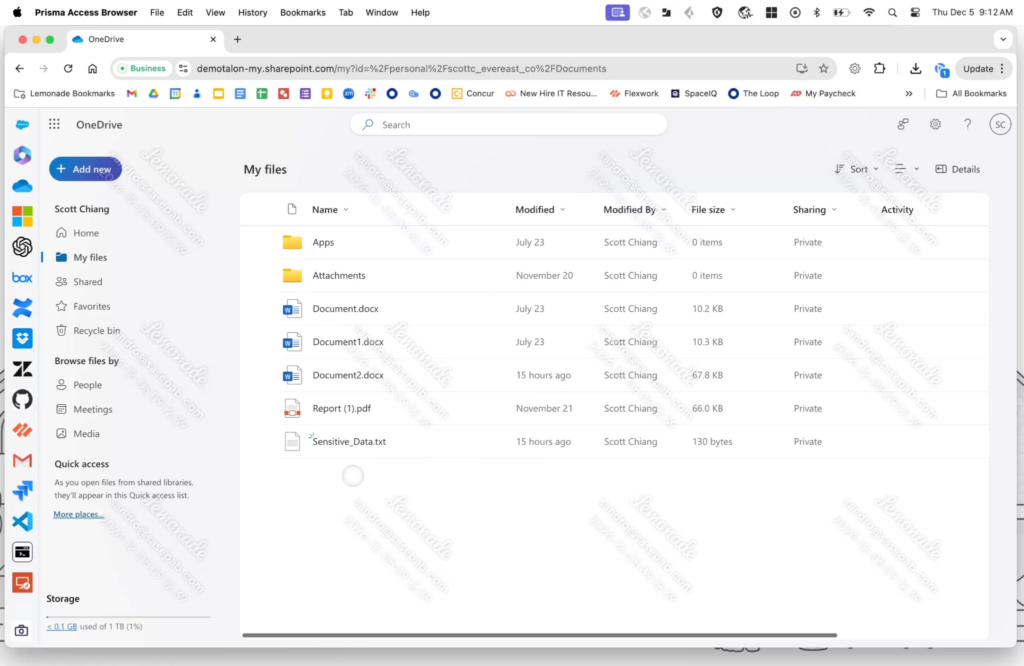
Source: Palo Alto Networks
Traditional DaaS Solutions
6. Microsoft Azure Virtual Desktop

Best for: Cloud VDI delivering Windows desktops and apps on Azure
Strengths: Multi-session Windows with a Microsoft-managed control plane
Things to consider: RDP latency and pricing complexity can affect experience
Azure Virtual Desktop is Microsoft’s cloud VDI service for delivering virtualized Windows 11, Windows 10, and Windows Server desktops and applications. Microsoft manages the control plane, including the broker, gateway, load balancer, and diagnostics, while IT manages the desktop images, applications, and policies.
It offers multi-session Windows, where several users share a single virtual machine, and RemoteApp for delivering individual applications. Pricing is usage-based, and eligible Windows or Microsoft 365 licenses cover user access rights.
Key features include:
- Windows desktops and apps: Deliver full Windows 11, Windows 10, and Windows Server desktops, or individual applications through RemoteApp.
- Multi-session Windows: Multiple users share a single virtual machine to reduce the number of VMs and associated cost.
- Microsoft-managed control plane: Microsoft runs the broker, gateway, load balancer, and diagnostics, while IT manages images and policies.
- Host pool management: Manage deployments at scale with custom image templates and autoscale that adjusts capacity to demand.
- Networking options: Azure Private Link and RDP Shortpath for additional security and connection reliability.
- Usage-based pricing: Pay for compute by the second with no upfront commitment; eligible Windows or Microsoft 365 licenses cover access rights.
- Deployment flexibility: Run in Azure regions worldwide or on-premises through Azure Local, and integrate with Citrix or Omnissa deployments.
Limitations (as reported by users on G2):
- Performance over RDP: Response can feel slower than a local PC, and premium disk or hardware may be needed under load.
- Connectivity dependence: Performance relies on the internet connection, with occasional latency accessing remote files or applications.
- Pricing complexity: Costs can grow with usage and are not always straightforward to predict.
- Update and client gaps: Updating non-persistent hosts can be cumbersome, and some keyboard shortcuts do not work in the browser client.
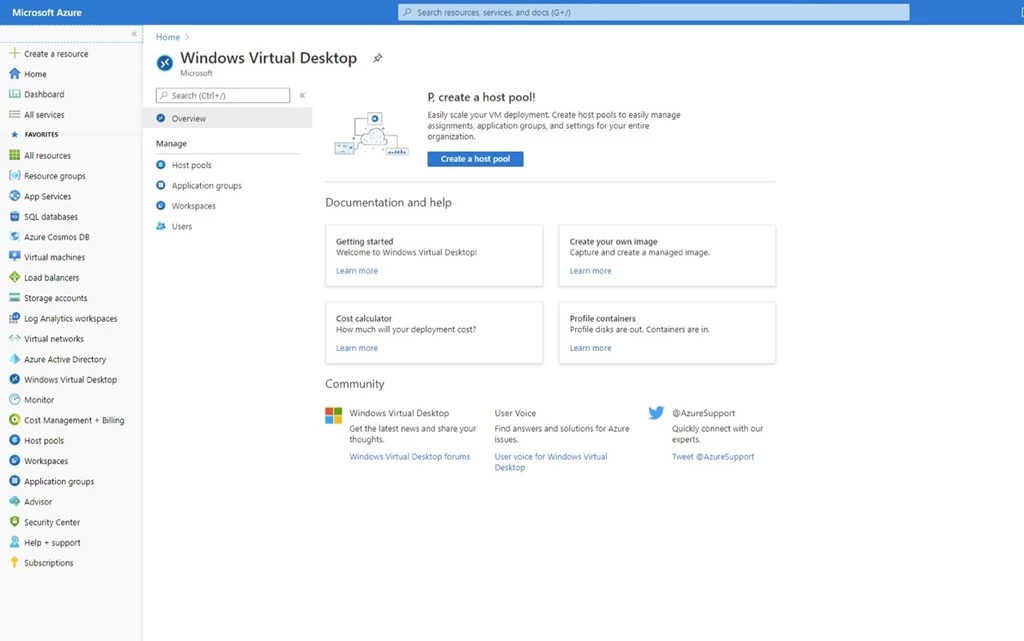
Source: Microsoft
7. Amazon WorkSpaces
Best for: Fully managed cloud desktops for remote and hybrid teams
Strengths: Windows and Linux desktops with monthly or hourly billing
Things to consider: Bulk patching and higher-tier costs need planning
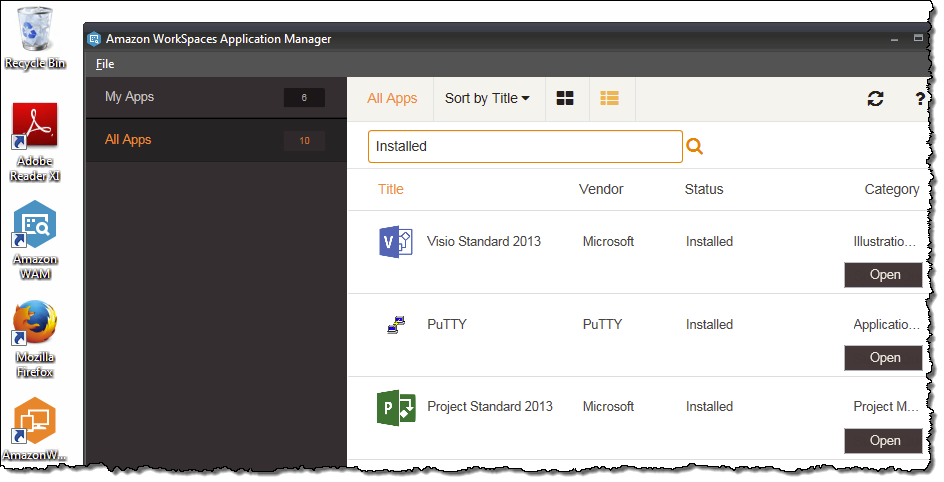
Amazon WorkSpaces is AWS’s fully managed VDI and DaaS service for provisioning virtual desktops in the cloud. It runs Windows and several Linux distributions, and desktops are reachable from multiple devices or a web browser.
Organizations choose instance size, security and authentication, API integrations, and scaling policies, and pay monthly or hourly. WorkSpaces offers persistent WorkSpaces Personal desktops and non-persistent WorkSpaces Pools, and user data is not stored on the end-user device.
Key features include:
- Managed cloud desktops: Provision Windows or Linux virtual desktops without procuring hardware or installing complex software.
- Deployment models: WorkSpaces Personal for persistent, personalized desktops and WorkSpaces Pools for non-persistent, shared environments.
- Flexible billing: Choose monthly or hourly billing and scale users up or down as needs change.
- Centralized management: Manage desktops through the AWS Console with instance sizing, scaling policies, and API integrations.
- Security posture: Built on AWS with user data kept off the local device to reduce the endpoint risk surface.
- Application streaming and secure browser: Stream applications to any device and provide a cloud-native enterprise browser.
- Broad device access: Reach desktops from PCs, Macs, tablets, Chromebooks, and web browsers.
Limitations (as reported by users on G2):
- Startup and peak-hour lag: Initial load can be slow on low-bandwidth connections, with occasional latency at peak times.
- Cost at scale: Long-term use and high-performance configurations can add up compared with other options.
- Patching at scale: Pushing updates to all WorkSpaces requires building a golden image and recreating desktops, which is time-consuming.
- Lower-tier performance: Lower performance tiers can struggle with tasks such as light video editing.
Source: Amazon
8. Citrix DaaS
Best for: Enterprise VDI and DaaS across cloud, on-prem, and hybrid
Strengths: HDX optimization and centralized multi-cloud management
Things to consider: Needs solid bandwidth and specific configuration to run well
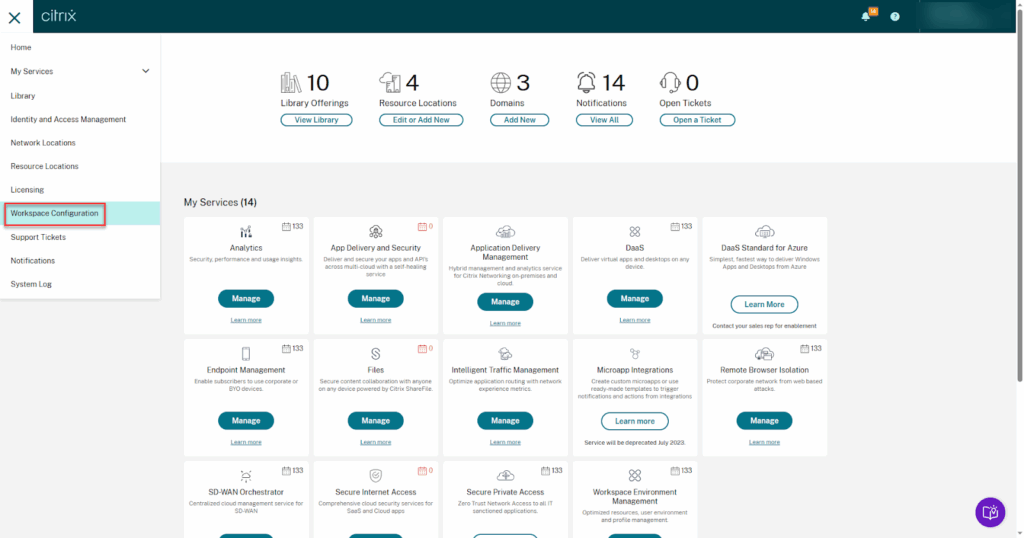
Citrix DaaS delivers virtual applications, desktops, and full VDI from cloud, on-premises, or hybrid infrastructure, with centralized management and security across environments. It uses HDX optimization to maintain the session experience, including for unified communications and graphic-intensive applications, even on low bandwidth.
Workloads can be stored in Azure, Google Cloud, AWS, or on-premises and managed alongside each other. Security features cover unmanaged endpoints, granular controls, and session recording.
Key features include:
- Apps, desktops, and VDI: Deliver Windows, Linux, and web applications or full virtual desktops from any cloud or datacenter.
- HDX optimization: Maintain the session experience for unified communications and graphic-intensive applications, including on low bandwidth.
- Hybrid multi-cloud: Store and manage workloads across Azure, Google Cloud, AWS, and on-premises from one platform.
- Security controls: Protect unmanaged endpoints, set granular controls, and record user sessions.
- Centralized management: Centralize app and desktop management, onboarding, and offboarding for distributed workforces.
- Analytics: Performance and security analytics use machine learning to surface environment health and risks.
- Zero trust access: Citrix SecurAccess ZTNA delivers application access without a VPN.
Limitations (as reported by users on G2):
- Bandwidth sensitivity: High-resolution or demanding applications need strong connectivity, and cloud operation can slow on weak links.
- Configuration requirements: Specific system configuration is often needed for smooth operation.
- Post-update issues: Some users report applications becoming unresponsive after Windows updates.
- Connection instability: Occasional connection instability can interrupt workflow.
Source: Citrix
9. V2 Cloud
Best for: Simple, fully managed cloud desktops for SMBs and MSPs
Strengths: Quick setup with bundled support, backups, and security
Things to consider: Lower plans can feel slow and pricing can climb
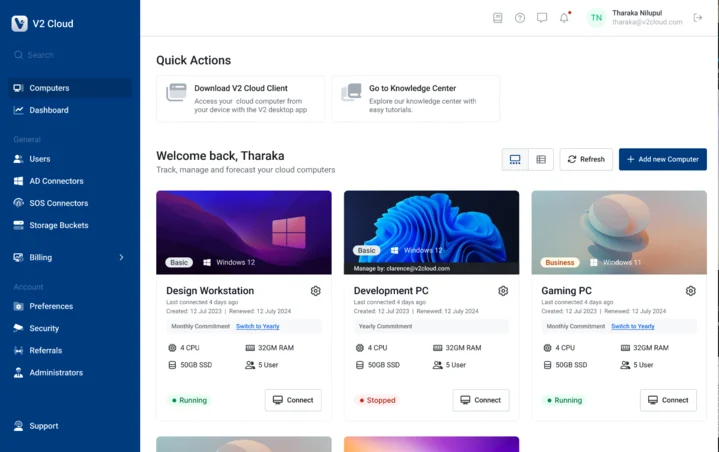
V2 Cloud is a fully managed Desktop-as-a-Service platform that delivers Windows cloud desktops accessible through a web browser or a desktop client. Administrators pick a plan, size the cloud PC’s memory and processing power, and deploy pre-installed business applications for their team.
It supports BYOD access across PCs, tablets, and smartphones, includes daily backups with replication to a second data center, and can publish Windows applications for SaaS-style access. Cybersecurity and IT resilience tasks are handled by the V2 Cloud team.
Key features include:
- Windows cloud desktops: Full Windows desktops accessed through a browser or the V2 Cloud client, with quick per-user setup.
- Sized cloud PCs: Choose memory and processing power per desktop and scale resources up as needs grow.
- Management console: Manage users, permissions, applications, and security settings and support end users centrally.
- Data protection: Encryption, continuous monitoring, daily backups, and replication to a second data center for disaster recovery.
- Application hosting: Publish Windows applications such as QuickBooks, Sage, and AutoCAD, plus GPU-enhanced workstations for demanding apps.
- Access controls: SSO and MFA integrations, dedicated firewall, private networks, and an advanced security add-on.
- BYOD access: Connect from PCs, Macs, tablets, and smartphones.
Limitations (as reported by users on G2):
- Performance on lower plans: Some users find performance slow at times, particularly on lower-tier plans.
- Pricing: Users note unexpected increases and higher costs when upgrading to faster systems.
- Snapshots and reboots: The self-service snapshot function is limited, and some users occasionally need support for reboots.
- Admin depth: Larger setups may want more advanced administrative controls.
Source: V2 Cloud
10. Omnissa Horizon
Best for: Enterprise VDI and app delivery across on-prem and cloud
Strengths: Deployment flexibility with centralized image and app management
Things to consider: Administration is complex and best suited to skilled IT teams
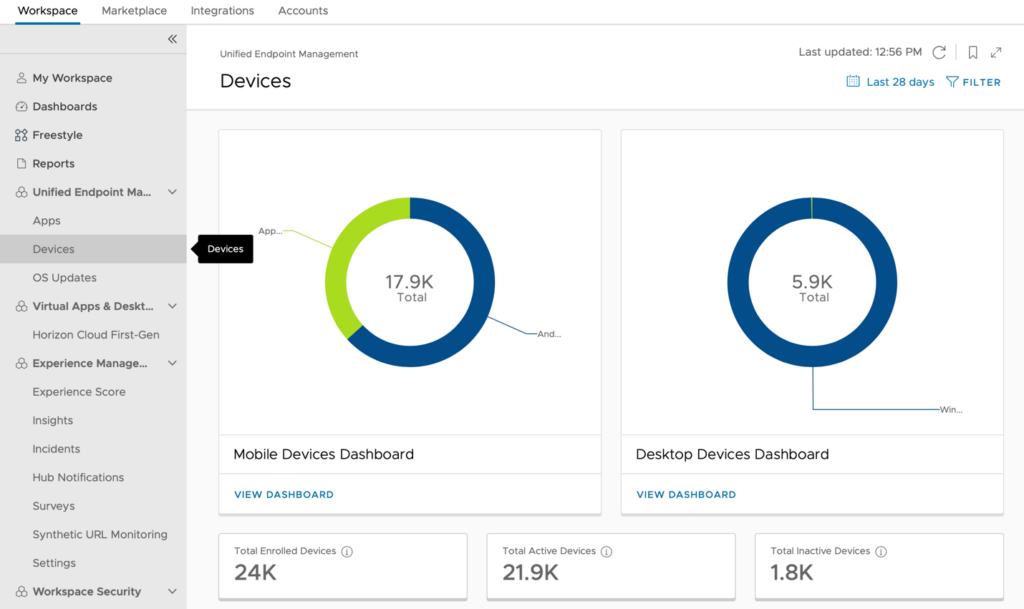
Omnissa Horizon 8 is a virtual desktop infrastructure and application solution that delivers full desktops or individual applications to any device while keeping data centralized and off the endpoint. It runs on-premises, in private clouds, or in public clouds, and is administered from a unified console.
Its architecture uses a Connection Server to broker and authenticate sessions, a Horizon Client and Agent to deliver desktops, and a Unified Access Gateway for secure external access. App Volumes and Dynamic Environment Manager extend application and profile management.
Key features include:
- Virtual desktops and apps: Deliver full desktops or individual applications with data kept centralized and off the endpoint.
- Deployment flexibility: Run desktops and applications on-premises, in private clouds, or in public clouds from one platform.
- Centralized management: Administer desktops, applications, and infrastructure with consistent policy enforcement from a unified console.
- Application management: App Volumes packages and delivers applications on demand to reduce image sprawl.
- Automation: Automate deployment and management tasks with REST APIs and Infrastructure as Code tools such as Terraform.
- Secure access architecture: Connection Server brokering, Active Directory authentication, and a Unified Access Gateway that provides external access without exposing internal systems.
- Peripheral control and workspace integration: Manage peripheral access and extend with Workspace ONE UEM, Dynamic Environment Manager, and digital employee experience insights.
Limitations (as reported by users on Gartner Peer Insights):
- Administrative complexity: Management can feel fragmented and click-heavy across connection servers, gateway, and pool configuration, and requires a high level of expertise.
- Upgrade interdependencies: Interdependencies between components can create troubleshooting during upgrades or deep customizations.
- Documentation: The knowledge base is sometimes unclear.
Source: Omnissa
Considerations for Choosing Legacy DaaS vs. DaaS Alternatives
Organizations evaluating DaaS must recognize that it carries many of the same limitations as VDI, with added reliance on external infrastructure. Alternatives that isolate work applications and data at the endpoint without replicating full desktops can reduce cost, simplify management, and improve the user experience, especially in BYOD and hybrid work environments. A growing number of vendors now apply AI to right-size configurations and avoid over- or under-provisioning, but these cost-optimization gains still sit on top of full desktop delivery rather than removing it.
- Total cost of ownership: DaaS subscriptions, bandwidth usage, licensing, and support stack up quickly. Alternatives reduce overhead by removing the need to host full desktop environments.
- Performance and latency: Remote desktop protocols are sensitive to latency and offer poor performance on slow or unstable connections.
- BYOD compatibility: DaaS often requires software agents or client installs, introducing privacy concerns and reducing user acceptance on personal devices.
- Operational complexity: Provisioning, managing, and maintaining virtual desktops at scale remains labor-intensive and error-prone.
- User experience: Full desktop delivery can be overkill for most users and doesn’t align with modern app-based workflows.
Related content: Read our guide to DaaS providers
Conclusion
DaaS is a legacy approach to desktop delivery that fails to meet the demands of modern, flexible work environments. It inherits many of the challenges of VDI, such as complexity, cost, and poor performance, while introducing new ones tied to cloud reliance and user friction. Organizations should consider alternatives like Blue Border, which is a secure workspace on any device without replicating the entire desktop environment. This approach better supports BYOD, improves manageability, and eliminates unnecessary infrastructure.
You can book a demo of Venn here.

Any worker. Any laptop. Any AI workflow. Fully secured.
Schedule a demo to see how Blue Border™ secures company data and apps without shipping laptops, running VDI, or managing personal endpoints.