
Best Secure Remote Access Platforms: Top 5 in 2026


What Is a Secure Remote Access Platform?
Secure Remote Access platforms provide secure ways for users to connect to company resources from anywhere, using technologies like VPNs, Zero Trust Network Access (ZTNA), and Multi-Factor Authentication (MFA). Popular solutions include Venn, Zscaler, Citrix Virtual, and Check Point Harmony.
Key technologies used for secure remote access include:
- VPNs (Virtual Private Networks): Create encrypted tunnels for secure connections.
- ZTNA (Zero Trust Network Access): Verifies every access request, assuming no user or device is trusted by default.
- MFA (Multi-Factor Authentication): Adds layers of verification beyond just passwords.
- SASE (Secure Access Service Edge): Converges networking and security into a cloud-delivered service.
Features to look for:
- End-to-end encryption
- Granular access controls
- Session recording & auditing
- Multi-platform support (Windows, Mac, Linux, mobile)
- Unattended access capabilities
- Integration with other security tools (e.g., IAM, SIEM)
Free eBook:
Secure Remote Access That Doesn’t Drive Users Crazy!
Secure your entire extended workforce without issuing devices or VDI. Keep your organization agile, compliant, and secure.
In this article:
Key Technologies of Secure Remote Access Platforms
VPNs (Virtual Private Networks)
Virtual private networks (VPNs) create secure tunnels over public or untrusted networks, allowing users to connect to internal corporate resources as if they were on the local network. Through encryption and tunneling protocols like IPSec or SSL/TLS, VPNs mask data in transit and protect sensitive communications from eavesdropping, snooping, or traffic interception.
Organizations deploy VPNs to provide secure remote access for employees and trusted third parties needing network connectivity. Despite their wide adoption, VPNs have limitations such as potential network performance bottlenecks and challenges in managing access once users are “inside” the trusted perimeter. A compromised VPN account may grant broad access to sensitive resources, so solutions like short-lived credentials and MFA are often layered on top.
ZTNA (Zero Trust Network Access)
Zero trust network access (ZTNA) is a modern security model that assumes no user or device (whether inside or outside the corporate network) is trusted by default. Rather than granting “all-or-nothing” access via VPN, ZTNA enforces granular, least-privilege connections on a per-application basis.
Authentication, authorization, and device health checks are required before a user can access each specific application or resource. Communication is brokered through trust brokers or cloud gateways, reducing the attack surface and minimizing lateral movement if an account is compromised.
MFA (Multi-Factor Authentication)
Multi-factor authentication (MFA) enhances security by requiring users to present two or more forms of verification before granting remote access. These factors generally fall into knowledge (such as passwords), possession (like hardware tokens or authenticator apps), and inherence (biometrics), making unauthorized access much harder even if one factor is compromised.
Most secure remote access platforms now integrate MFA natively or through third-party identity providers, reducing risks associated with password theft, phishing, or brute-force attacks. An effective MFA deployment balances security with usability, ensuring that authorized users can quickly authenticate without undue friction. Adaptive or risk-based MFA takes this further by invoking step-up authentication only in higher-risk scenarios.
SASE (Secure Access Service Edge)
Secure access service edge (SASE) is an architectural approach that unifies networking and security functions in a cloud-delivered model. SASE platforms combine elements like secure web gateways, cloud access security brokers, firewalls, and zero trust network access (ZTNA) into a cohesive platform, enabling consistent security enforcement and optimized network connectivity regardless of user location.
This is particularly suited to organizations with remote, hybrid, or mobile workforces, as it eliminates the need for backhauling traffic to legacy data centers. With SASE, policies follow users and devices wherever they are, and security is enforced at cloud edge locations for improved speed and reduced latency.
Related content: Read our guide to remote work solutions
Features to Look For in Secure Remote Access Platforms
End-to-End Encryption
End-to-end encryption ensures that data transferred between a remote user and organizational resources cannot be intercepted or tampered with at any point in transit. With this security feature, information is encrypted before leaving the user’s device and only decrypted upon reaching the intended endpoint, making it unintelligible to intermediaries, even to the platform provider in many configurations.
This protects sensitive data such as credentials, files, or screen content, guarding against man-in-the-middle attacks and eavesdropping. For remote work and IT support scenarios, strong end-to-end encryption is crucial for compliance with privacy laws and industry standards. Many platforms implement protocols like TLS 1.3 or support quantum-resistant ciphers.
Granular Access Controls
Granular access controls allow administrators to define precise policies for who can access which resources, when, and how. These controls go beyond broad, binary access to enable role-based, attribute-based, or just-in-time permissions, often at the user, device, account, or application level.
Policies can restrict remote sessions by user group, device health, location, or even time of day, reducing risk by following the principle of least privilege. Granular access is essential for environments with sensitive data, regulatory requirements, or third-party contractors. With fine-tuned control, organizations can prevent unauthorized lateral movement, limit the potential impact of compromised credentials, and audit detailed logs for suspicious activity.
Session Recording and Auditing
Session recording and auditing features enable organizations to monitor and review user activity during remote access sessions. By capturing video, keystrokes, or command histories, these tools help detect policy violations, troubleshoot technical issues, and maintain accountability for access to sensitive systems.
Detailed logs and recordings can be analyzed in real-time or archived for compliance with regulatory requirements, incident investigations, or internal audits. Regular auditing supports stronger security postures, especially in industries where privileged access and remote administration are common targets for attack. A platform makes it easy to review sessions by user, device, application, or time frame, and flags anomalies automatically.
Multi-Platform Support
Multi-platform support ensures that users can securely access resources from a wide variety of operating systems, including Windows, macOS, Linux, iOS, and Android. With modern workforces using diverse devices (personal or corporate-issued) remote access platforms must provide consistent functionality and security across all supported environments. This includes installing lightweight agents, accessing web portals, or using mobile applications.
Multi-platform support reduces IT friction and improves productivity, allowing users to work from anywhere with minimal compatibility issues. Platforms should ensure feature parity, such as encryption, MFA, and connection stability, regardless of device type. This capability is vital for organizations implementing BYOD (bring your own device) policies.
Unattended Access Capabilities
Unattended access allows administrators or support staff to connect to remote systems without requiring the physical presence or intervention of the end user. This is essential for IT maintenance, patching, troubleshooting, or server management tasks that occur outside standard working hours.
Secure remote access platforms typically provide mechanisms to enable, restrict, or temporarily elevate unattended access, balancing operational flexibility with security concerns. Proper safeguards are necessary to prevent misuse of unattended access, such as robust logging, granular permissions, and strict authentication requirements.
Integration with Other Security Tools
Integration with other security tools expands the effectiveness of secure remote access platforms by coordinating with identity providers, SIEM solutions, antivirus programs, endpoint detection and response (EDR) tools, and more. Good integration enables unified policy enforcement, automated threat detection, and instant remediation actions in response to suspicious activity.
For example, integration with directory services like Active Directory or Azure AD ensures consistent user management and privilege assignment. High-quality platforms typically offer APIs or out-of-the-box connectors for leading security ecosystems, promoting automation and visibility across the IT landscape.
Notable Secure Remote Access Platforms
1. Venn
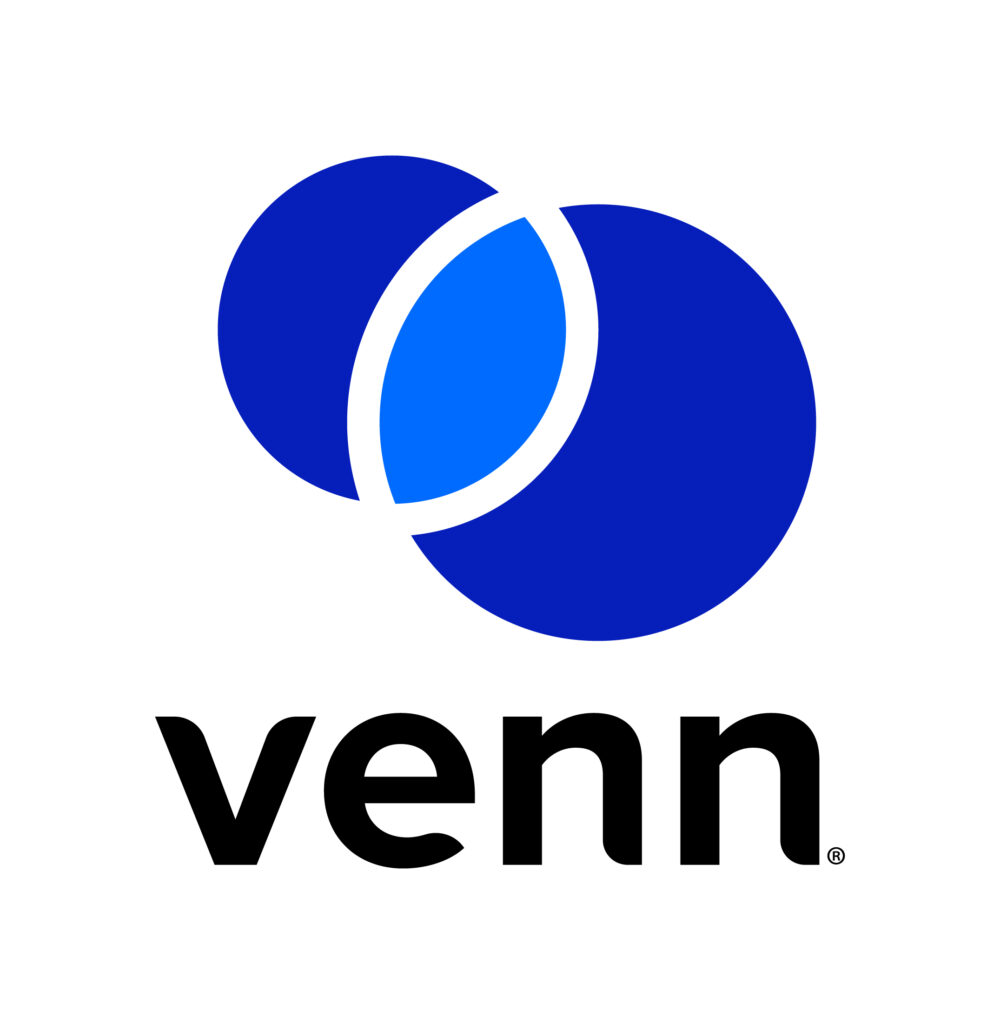
Venn’s Blue Border™ secures remote access by protecting company data and applications on BYOD computers used by contractors and remote employees. Similar to an MDM solution but for laptops – work lives in a company-controlled Secure Enclave installed on the user’s PC or Mac, where all data is encrypted and access is managed. Work applications run locally within the Enclave – visually indicated by Venn’s Blue Border™ – protecting and isolating business activity while ensuring end-user privacy.
Key Features include:
- Seamless MFA integration: Works with Okta, Azure, and Duo for smooth, secure authentication
- Encrypted workspace: Protects all data and applications with robust encryption
- Context-aware access controls: Enforces policies based on user, device, and environment
- Comprehensive session logging: Tracks all activity with full audit visibility
- Unified Zero Trust solution: Combines endpoint protection, remote access, and Zero Trust security
- Faster, scalable alternative: Optimized performance compared with legacy VPNs and VDI
Schedule a demo of Blue Border™
2. Zscaler Private Access
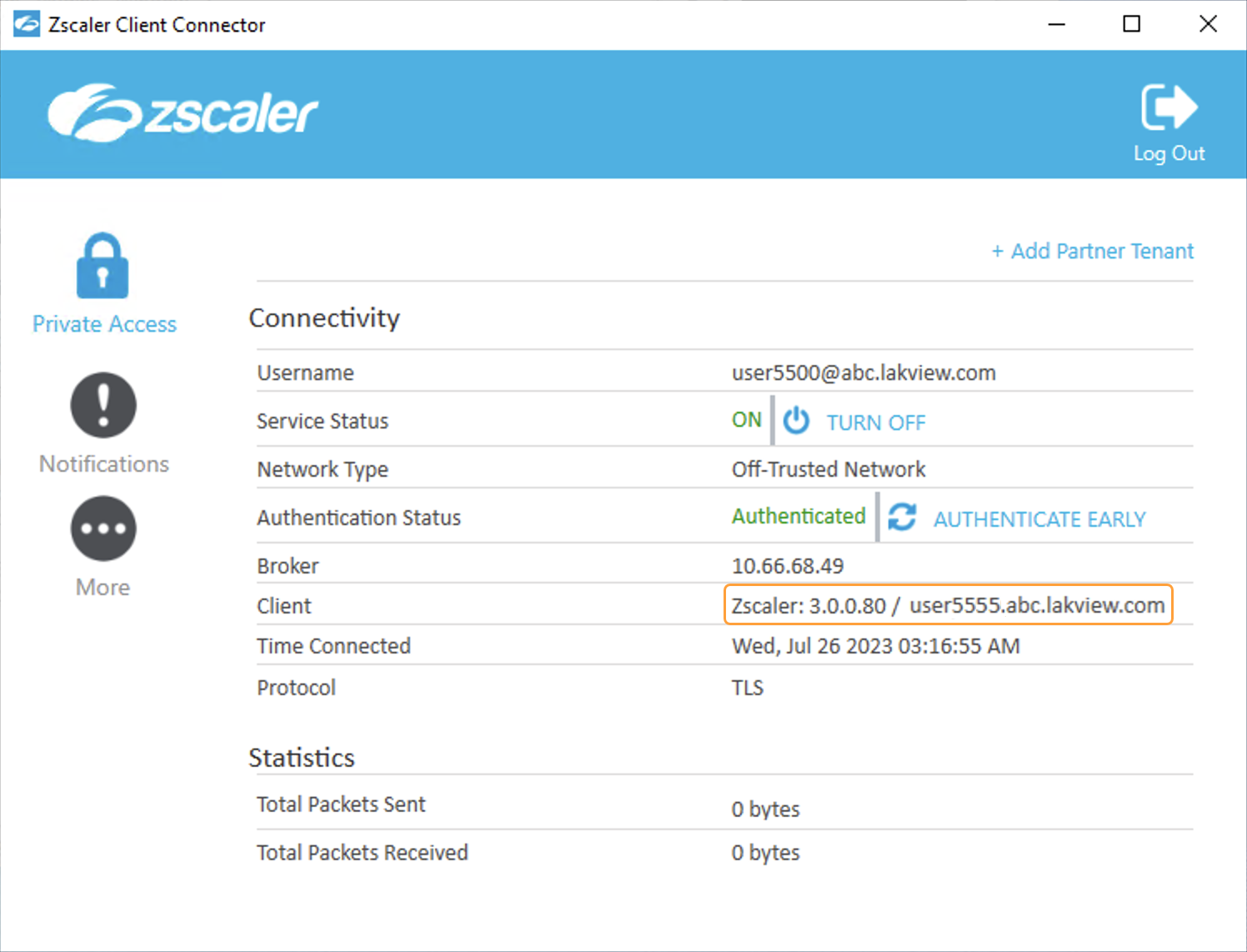
Zscaler Private Access (ZPA) is a cloud-native ZTNA platform that provides secure connectivity between users and private applications without exposing apps to the public internet or placing users on the network. Unlike traditional VPNs that grant broad network access and increase the risk of lateral movement, ZPA establishes one-to-one user-to-application connections based on identity and context.
Key features include:
- Zero trust connectivity: Direct app access without network exposure, eliminating lateral movement risks
- AI-driven access policies: User-to-app segmentation based on identity, location, and device posture
- Full inline inspection: Built-in data loss prevention (DLP) with deep content scanning and pattern matching
- Browser isolation: Secure app access in isolated web sessions to protect against compromised endpoints
- Unified cloud platform: Replaces VPNs and VDI with a single, scalable, cloud-delivered ZTNA solution
Source: Zscaler
3. Citrix Virtual Apps and Desktops
Citrix Virtual Apps and Desktops is a virtualization platform that enables organizations to deliver secure, centrally managed applications and desktops to users on any device, regardless of location. Through a unified architecture called FlexCast Management Architecture (FMA), Citrix allows IT to control virtual machines, applications, licensing, and user access from a single site.
Key features include:
- Centralized management: Control all aspects of app and desktop delivery (access, licensing, monitoring, and provisioning) from a unified management console
- FlexCast Management Architecture (FMA): Supports running multiple versions from a single site and enables integrated provisioning across environments
- Granular access control: Use delivery groups and Active Directory integration to assign apps and desktops based on user roles and requirements
- Secure remote access: Protect external connections through Citrix Gateway with TLS encryption and session reliability for continuous access
- Virtual Delivery Agent (VDA): Enables secure session connections between user devices and hosted resources, supports both single and multi-session OS
Source: Citrix
4. Check Point Harmony
Check Point Harmony is a security platform to protect hybrid and remote workforces across threat surfaces like devices, emails, web applications, and remote access. By integrating threat prevention into a single solution, Harmony defends users against phishing, ransomware, zero-day exploits, and other attacks, regardless of location or device.
Key features include:
- 360° threat prevention: Secures all attack vectors with AI-driven protection against phishing, ransomware, and zero-day threats
- Unified security platform: Combines endpoint protection, email security, browser security, and secure access into a single solution for hybrid work environments
- Secure remote access: Protects remote connectivity by enforcing zero trust principles and blocking unauthorized access to corporate resources
- Anti-phishing & anti-ransomware: Detects and blocks advanced threats, including malicious downloads, spoofed domains, SMS phishing, and file-based malware
- Threat exposure management: Identifies and mitigates device vulnerabilities and misconfigurations before they can be exploited
5. Zoho Assist
Zoho Assist is a cloud-based remote support and remote access solution for IT teams, customer service, and MSPs that need secure, scalable remote desktop capabilities. It enables technicians to establish on-demand or unattended sessions across a range of platforms, including Windows, macOS, Linux, Android, and iOS, without requiring prior installation.
Key features include:
- On-demand remote support: Instantly connect to user devices via email, SMS, or join links: no downloads or installations required for the end user
- Unattended remote access: Set up persistent access to remote systems across platforms using bulk deployment and device grouping
- Cross-platform compatibility: Full support for Windows, macOS, Linux, Raspberry Pi, Android, iOS, and Chromebooks
- Secure remote sessions: End-to-end encryption with TLS 1.2 and AES-256 ensures data protection during every session
- Remote diagnostics: Perform background troubleshooting with tools
Source: Zoho Assist
Conclusion
Secure remote access platforms are critical in protecting modern organizations from the risks associated with distributed workforces and third-party access. By combining identity verification, encryption, session monitoring, and adaptive controls, these platforms reduce attack surfaces while enabling flexible, scalable connectivity. Their role continues to expand as enterprises adopt zero trust models and seek to balance security, compliance, and user productivity in an increasingly perimeter-less environment.
