
Considering Desktop as a Service for Remote Teams? Benefits, Drawbacks, Providers, and Alternatives


Desktop as a service is a cloud-based model for delivering virtual desktops to users over the internet. Instead of relying on traditional physical PCs or managing desktop infrastructure in-house, organizations can use desktop as a service providers to host and deliver desktop environments from the cloud.
With desktop as a service, users can securely access their desktop, applications, and files from almost any device and location. This has made the model attractive for organizations supporting remote employees, hybrid teams, contractors, seasonal workers, and other distributed users.
For IT teams, desktop as a service can simplify provisioning, centralize control, and reduce the burden of managing physical endpoint environments at scale. But while the model offers flexibility, it also comes with tradeoffs. In many cases, desktop as a service can introduce latency, recurring costs, infrastructure dependencies, and a poorer end-user experience than working locally on a laptop.
This guide explains what desktop as a service is, how it works, common use cases, benefits, drawbacks, cost drivers, and the modern alternatives organizations should consider.
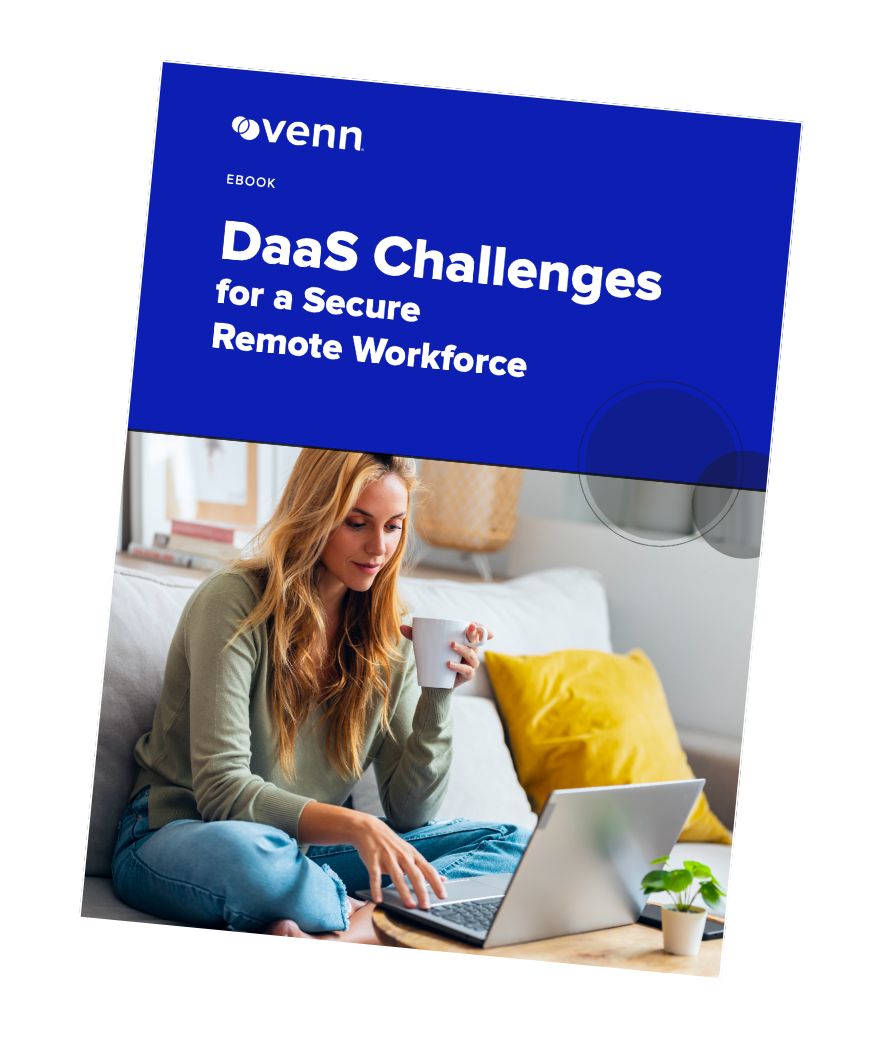
Looking for a DaaS alternative?
Unlock best practices for securing remote access on unmanaged laptops – without any remote hosting or latency.
In this article:
- What Is Desktop as a Service?
- How Desktop as a Service Works
- Common Desktop as a Service Use Cases
- Desktop as a Service vs. VDI
- Benefits of Desktop as a Service
- Drawbacks of Desktop as a Service
- Desktop as a Service Cost Factors
- Desktop as a Service Alternatives
- Notable Desktop as a Service Alternatives
- Notable Desktop as a Service Providers
- Best Practices for Desktop as a Service Deployment
- Should You Choose Desktop as a Service or an Alternative?
What Is Desktop as a Service?
Desktop as a service is a cloud-delivered desktop virtualization model in which a third-party provider hosts desktop environments in its infrastructure and delivers them to end users remotely.
Rather than running a full corporate desktop directly on a local machine, users connect to a hosted desktop session through a client or browser. The desktop, applications, and data are typically managed in the cloud, while the user interacts with that environment from their endpoint device.
Many organizations use desktop as a service to support secure remote access, standardize desktop delivery, and reduce the complexity of maintaining physical desktops for every worker.
Because the provider manages the underlying infrastructure, desktop as a service is often seen as a more flexible alternative to traditional on-premises virtual desktop deployments. However, despite that convenience, it still inherits many of the same architectural limitations as older virtual desktop models.
How Desktop as a Service Works
At a high level, desktop as a service uses virtualization to separate the desktop environment from the user’s physical device.
A desktop as a service provider hosts virtual machines in the cloud. These virtual desktops include operating systems, applications, configurations, and user settings. When a user logs in, they are connected to their assigned virtual desktop over the internet.
From an IT perspective, desktop as a service usually includes:
- centralized desktop provisioning
- policy management
- remote updates and patching
- user authentication and access control
- cloud-hosted infrastructure maintained by the provider
This approach allows IT teams to deploy desktops quickly, standardize environments, and scale capacity up or down without buying new hardware for every user.
Common Desktop as a Service Use Cases
Remote and hybrid work
One of the most common use cases for desktop as a service is enabling remote and hybrid employees to access business applications and desktops securely from outside the office.
Instead of shipping a fully managed device to every worker, organizations can provide access to a hosted desktop environment. This can simplify onboarding and centralize application delivery, especially when teams are geographically distributed.
Contractors and temporary workers
Organizations that rely on contractors, seasonal workers, or outsourced teams often use desktop as a service to speed up provisioning and reduce hardware dependency.
Because desktops can be created and removed quickly, desktop as a service can support short-term access needs more easily than physical device deployment.
Regulated industries
Healthcare, financial services, legal, and government organizations may use desktop as a service to centralize access to sensitive systems and enforce security controls from a single environment.
This model is often used to support compliance requirements related to access management, auditing, encryption, and centralized control of business applications.
Education and training
Schools, training programs, and lab environments sometimes use desktop as a service to provide students or trainees with standardized desktop environments without maintaining physical labs.
This enables access to required software from a wide range of endpoint devices.
Development and test environments
Some software teams use desktop as a service to provision isolated testing or development environments. In these use cases, the ability to spin up desktops on demand can support experimentation, parallel projects, and easier reset or rollback processes.
Desktop as a Service vs. VDI
Desktop as a service and virtual desktop infrastructure (VDI) are closely related, but they are not identical.
With VDI, the organization usually owns and manages the desktop virtualization infrastructure itself, whether on-premises or in a private cloud. That means internal IT is responsible for servers, storage, networking, desktop images, security controls, performance tuning, and ongoing operations.
With desktop as a service, a third-party provider hosts and maintains the infrastructure. The customer subscribes to the desktops as a cloud service rather than building and operating the entire environment internally.
In simple terms:
- VDI = organization-managed virtual desktops
- Desktop as a service = provider-hosted virtual desktops delivered as a service
For many buyers, the practical differences come down to who owns the infrastructure, who operates it, and how quickly the environment can be deployed or scaled.
Benefits of Desktop as a Service
Faster deployment
A major advantage of desktop as a service is speed. Organizations can deploy virtual desktops more quickly than procuring, configuring, and shipping physical machines.
Centralized management
IT teams can manage desktops, policies, access, and updates from a central location rather than maintaining many distributed local environments.
Elastic scalability
Desktop as a service makes it easier to scale desktop capacity up or down as business needs change. This is especially useful for temporary projects, contractors, or seasonal workforces.
Lower upfront infrastructure investment
Because the provider hosts the desktops, organizations can avoid some of the capital expenditure associated with building and maintaining desktop virtualization infrastructure internally.
Remote accessibility
Users can access their hosted desktop from different locations and devices, making desktop as a service appealing for distributed teams.
Business continuity support
When office access is disrupted, cloud-delivered desktops can help users continue working without needing to be physically present.
Drawbacks of Desktop as a Service
While desktop as a service offers flexibility, many organizations run into meaningful limitations after deployment.
Performance issues
One of the most common complaints about desktop as a service is performance. Because the desktop session is hosted remotely, user experience depends heavily on network quality, latency, and the responsiveness of the hosted environment.
That can create:
- Lag and latency
- slower input response
- delays switching between tasks
- poor support for graphics-heavy or real-time workloads
- reduced productivity compared to local work
Ongoing subscription costs
Unlike traditional physical desktops, desktop as a service is typically billed as a recurring subscription. These costs may appear predictable at first, but they can grow significantly over time as user counts, performance demands, storage requirements, and support needs increase.
Vendor dependency
When using desktop as a service, the organization becomes dependent on the provider’s uptime, performance, support model, roadmap, and pricing. Service issues or pricing changes are often outside the customer’s control.
Limited offline access
Because desktop as a service requires connectivity to a hosted environment, it typically offers little to no meaningful offline functionality. If the network connection is poor or unavailable, productivity can stop completely.
Application and peripheral limitations
Not every application works well in a hosted virtual desktop. Some apps require hardware-level access, specialized drivers, GPU resources, or low latency. Peripheral support for webcams, printers, and USB devices can also be inconsistent depending on the platform.
User experience tradeoffs
Even when technically functional, desktop as a service often feels less natural than working locally on a laptop. Session disconnects, slow logins, browser limitations, and virtual session lag can all affect employee satisfaction and workflow efficiency.
Compliance and residency challenges
Organizations in regulated industries may still face challenges around where data is stored, how access is logged, and whether the provider’s infrastructure aligns with regulatory or contractual requirements.
Desktop as a Service Cost Factors
The total cost of desktop as a service depends on much more than the advertised per-user subscription rate.
Number of users
More users usually mean higher monthly costs, especially in environments where each user needs a persistent dedicated desktop.
Performance requirements
Users with heavier workloads need more CPU, RAM, storage, or GPU resources. These higher-performance desktops cost more than task-worker configurations.
Storage consumption
Desktop as a service costs often increase as storage needs grow for user profiles, business files, applications, backups, and snapshots.
Geographic distribution
Organizations with globally distributed teams may need multi-region deployments to reduce latency, which can add cost and architectural complexity.
Security and compliance features
Advanced controls such as MFA, logging, encryption, backup, data retention, and compliance-specific configurations can increase the overall cost of a desktop as a service deployment.
Support level
Premium support, faster SLAs, dedicated technical resources, or additional managed services can significantly raise the price.
Integration and implementation complexity
Connecting desktop as a service to identity systems, business applications, legacy software, and security platforms often requires additional setup effort, consulting, or ongoing administration.
Desktop as a Service Alternatives
For many organizations, the biggest question is not whether desktop as a service works. It is whether the hosted desktop model is still the best approach for secure remote work.
Modern alternatives increasingly take a different path: rather than hosting the user’s entire desktop remotely, they secure work directly on the endpoint in a controlled workspace.
This model can:
- reduce reliance on constant connectivity
- eliminate desktop streaming latency
- improve local application performance
- lower infrastructure complexity
- better support BYOD environments
- maintain stronger separation between work and personal activity on unmanaged devices
In other words, instead of moving the whole desktop to the cloud, some alternatives focus on isolating and protecting business activity where work is actually happening: on the user’s PC or Mac.
Notable Desktop as a Service Alternatives
1. Venn
Venn is not a traditional desktop as a service platform. Instead of hosting virtual desktops remotely, Venn secures company applications and data locally on user-owned or unmanaged computers.
Using secure enclave technology, Venn creates an IT-controlled workspace on a PC or Mac where work stays isolated from personal activity. Applications run locally, not in a hosted desktop session, which avoids the latency and responsiveness issues common with desktop as a service.
Venn’s Blue Border™ visually indicates protected work activity, while IT teams can enforce policies for copy/paste, uploads, downloads, screenshots, watermarking, and other data protection controls.
Key capabilities include:
- secure local workspace isolation on Mac and PC
- granular DLP and admin controls
- local app performance without desktop streaming
- support for remote employees, contractors, and offshore teams
- centralized control without full-device takeover
2. Kasm Workspaces
Kasm Workspaces provides browser-based application delivery, cloud desktops, and isolated browser sessions for secure remote access use cases.
Key capabilities include:
- browser-based desktop and app delivery
- Linux and Windows workspace support
- elastic cloud scaling
- web isolation use cases
- automation and API support
3. Parallels RAS
Parallels RAS supports remote application and desktop delivery across hybrid infrastructure environments, including public cloud and on-premises deployments.
Key capabilities include:
- centralized desktop and app delivery
- support for hybrid deployments
- native and browser-based access
- built-in security and identity integrations
- monitoring and high availability features
Notable Desktop as a Service Providers
1. Amazon WorkSpaces
Amazon WorkSpaces is one of the best-known desktop as a service providers, offering cloud-hosted virtual desktops on AWS infrastructure.
Key features include:
- persistent and non-persistent desktops
- support for Windows and Linux options
- customizable bundles and AWS region selection
- BYOL support
- Microsoft integration options
2. Microsoft Azure Virtual Desktop
Azure Virtual Desktop is a widely used Microsoft desktop virtualization platform for delivering Windows desktops and applications from Azure.
Key features include:
- Windows multi-session support
- full desktops or RemoteApp publishing
- Microsoft 365 optimization
- autoscaling capabilities
- Azure-native management tools
3. V2 Cloud
V2 Cloud offers a managed desktop as a service platform designed to make virtual desktops accessible through a browser-based model.
Key features include:
- browser-based access
- BYOD-friendly access model
- guided deployment
- configurable desktop resources
- built-in security controls
4. Elastic Desktop Service
Elastic Desktop Service is a cloud desktop offering designed for organizations that need centrally managed desktops for a variety of workloads.
Key features include:
- centralized cloud desktop management
- cross-platform access
- encrypted desktop delivery
- on-demand provisioning
- USB device control
Best Practices for Desktop as a Service Deployment
1. Establish ownership and governance
Organizations deploying desktop as a service should clearly define who owns strategy, budget, policy, support, security, compliance, and vendor management responsibilities.
2. Strengthen identity and access controls
Use MFA, SSO, RBAC, and strong joiner-mover-leaver processes to reduce the risk of unauthorized access.
3. Monitor cost and utilization closely
Because desktop as a service costs can creep over time, organizations should continuously track usage, desktop sizing, storage growth, and support levels.
4. Test application compatibility early
Before broad rollout, validate whether critical applications, peripherals, browser workflows, and collaboration tools perform reliably in the environment.
5. Monitor user experience continuously
Track login times, session quality, disconnect rates, latency, and end-user feedback. Technical functionality does not always equal acceptable usability.
6. Plan for security and compliance from the start
Security requirements should not be bolted on later. Logging, data handling, access controls, auditability, and provider responsibilities should all be defined early in the deployment process.
Should You Choose Desktop as a Service or an Alternative?
The right choice depends on the organization’s requirements, workforce model, security posture, and tolerance for the tradeoffs of hosted desktops.
Desktop as a service may be a fit if you need:
- centrally hosted desktop environments
- cloud-based provisioning at scale
- standardized desktop delivery
- support for short-term or distributed access needs
- less ownership of virtualization infrastructure
But many organizations should also ask whether they truly need a hosted desktop at all.
If your priority is:
- strong user experience
- local app performance
- support for BYOD and unmanaged laptops
- less internet dependency
- lower infrastructure complexity
- secure separation of work and personal activity
then a modern alternative may be a better fit than traditional desktop as a service.
Final Thoughts
Desktop as a service has become a common model for delivering virtual desktops to remote and distributed users. It can improve centralized control, speed deployment, and reduce the burden of managing infrastructure internally.
But it also carries familiar drawbacks: cost creep, latency, connectivity dependence, limited offline access, application compatibility issues, and a user experience that often falls short of local work.
For organizations evaluating desktop as a service, the most important decision is not simply which provider to choose. It is whether a hosted desktop model is the right architecture for the way your workforce operates today.
If your teams work on personal laptops, require native performance, or need secure remote work without desktop streaming, it may be time to look beyond desktop as a service and evaluate a more modern approach.
FAQ: Desktop as a Service
What is desktop as a service?
Desktop as a service is a cloud model in which a provider hosts virtual desktops and delivers them to users remotely over the internet.
How does desktop as a service work?
A desktop as a service provider hosts desktop environments in the cloud. Users connect to those desktops from their device through a browser or client application.
What is the difference between desktop as a service and VDI?
The main difference is ownership and management. With VDI, the organization manages the virtual desktop infrastructure itself. With desktop as a service, the provider hosts and manages the infrastructure.
What are the benefits of desktop as a service?
Common benefits of desktop as a service include centralized management, fast provisioning, remote accessibility, scalability, and reduced upfront infrastructure investment.
What are the drawbacks of desktop as a service?
The main drawbacks of desktop as a service include recurring subscription costs, latency, internet dependency, vendor lock-in, and a user experience that may be worse than local work.
What are the best desktop as a service providers?
Commonly known desktop as a service providers include Amazon WorkSpaces, Microsoft Azure Virtual Desktop, V2 Cloud, and Elastic Desktop Service.
What are alternatives to desktop as a service?
Alternatives to desktop as a service include secure local workspace models that isolate and protect work directly on the endpoint rather than hosting a full desktop remotely. This alternative does not come with the lag and latency inherent with hosted models – and is ideal in a BYOD (bring-your-own-device) environment.
