
Microsoft Intune: Features, Licensing, Limitations and Alternatives


What Is Microsoft Intune?
Microsoft Intune is a cloud-based endpoint management solution that helps organizations manage, secure, and protect apps and devices like PCs, Macs, and mobile devices. It unifies security and device management in one platform, allowing administrators to set policies for security and compliance, deploy software, and protect company data. It’s a part of Microsoft’s Enterprise Mobility + Security (EMS) suite and is integrated with other Microsoft services.
Key features include:
- Unified endpoint management: Intune provides a single console to manage a range of devices, including Windows, macOS, iOS, Android, and Linux.
- Mobile device and app management: It allows organizations to manage both corporate-owned and personal devices (BYOD) used for accessing company resources.
- Security and compliance: Administrators can enforce security policies, manage device features, and ensure that devices and apps comply with company security requirements.
- Data protection: Intune helps protect corporate data by controlling how employees can access, share, and use it on their devices.
- Deployment and updates: It can be used to deploy apps, manage updates, and perform tasks like remote wiping devices.
- Integration: Intune integrates with other Microsoft services like Azure Active Directory, Microsoft Defender for Endpoint, and Microsoft 365.
Secure the Data, Not the Device
Protect company data on unmanaged laptops without locking down the entire device.

In this article:
Key Microsoft Intune Features and Capabilities
Microsoft Intune offers a set of features to help IT teams manage endpoints efficiently, protect data, and support users across different devices and platforms. It enables centralized control of devices and apps, with built-in automation and security tools that help reduce overhead while improving compliance.
Unified Endpoint Management
Intune supports centralized management for devices running Windows, macOS, iOS, Android, and some Linux distributions. IT administrators can create and enforce policies across endpoints from a single portal, regardless of the operating system. This unified approach reduces complexity and makes it easier to maintain consistent security standards and device configurations across the organization.
Mobile Device and App Management
Intune provides both mobile device management (MDM) and mobile application management (MAM). MDM allows control over devices, including settings, compliance policies, and remote wipe capabilities. MAM focuses on securing specific applications, especially in bring-your-own-device (BYOD) scenarios, by applying app-level policies such as requiring PINs, restricting copy/paste, and controlling data transfer between apps.
Security and Compliance
Administrators can define and enforce compliance policies that ensure devices meet organizational security requirements. These include settings like encryption, password complexity, OS version requirements, and threat protection levels. Intune integrates with compliance reporting tools and can automatically remediate or block non-compliant devices from accessing corporate resources.
Data Protection
Data protection in Intune is enforced through conditional access, encryption policies, and app protection policies. It restricts how data is accessed and shared on both managed and unmanaged devices. For example, corporate data can be restricted to managed apps, preventing it from being copied to personal apps or cloud storage outside of approved channels.
Deployment and Updates
Intune allows IT to deploy software packages, scripts, and operating system updates to devices remotely. It supports scheduled rollouts, phased deployments, and automated retry mechanisms. Administrators can also configure update rings for Windows, defining how and when updates are applied, helping reduce downtime and maintain security.
Integration
Intune integrates with Azure Active Directory for identity-based access control, Microsoft Defender for Endpoint for threat protection, and Microsoft 365 services for productivity tools. These integrations enable policy enforcement, threat response automation, and unified user and device management within the Microsoft ecosystem.
Microsoft Intune Pricing and Licensing Models
Microsoft Intune is available through multiple licensing options to meet varying organizational needs, ranging from basic device management to security and analytics.
- Microsoft Intune Plan 1 costs $8.00 per user/month (annual commitment) and includes core endpoint management features. These are suitable for organizations needing standard device and application management across platforms like Windows, macOS, iOS, and Android.
- Microsoft Intune Plan 2 is offered at $4.00 per user/month (annual commitment) as an add-on to Plan 1. It provides capabilities such as remote firmware-over-the-air (FOTA) updates and enhanced specialty device management. Plan 2 is also included in the Intune Suite.
- Microsoft Intune Suite, priced at $10.00 per user/month (annual commitment), builds on Plan 1 by bundling Plan 2 with additional security and productivity tools. This includes Remote Help, Endpoint Privilege Management, Advanced Analytics, Enterprise Application Management, and Cloud PKI at no extra charge beyond the base suite cost.
Many of these tools are also available as individual add-ons for Plan 1 customers. For example, Remote Help is $3.50/month per user, while Endpoint Privilege Management and Enterprise Application Management are $3.00 and $2.00/month per user, respectively.
Learn more in our detailed guide to Microsoft Intune pricing (coming soon)
Microsoft Intune vs. System Center Configuration Manager (SCCM)
Microsoft Intune is a cloud-native endpoint management solution, while System Center Configuration Manager (SCCM), now branded as Microsoft Endpoint Configuration Manager, is a longstanding on-premises product primarily for managing Windows devices.
Intune is designed for scenarios with distributed or remote workforces, as it does not require complex infrastructure or VPN connectivity, and supports a wider array of device platforms. SCCM delivers configuration and deployment options for traditional on-site enterprise environments, particularly those heavily invested in Windows.
The two solutions are complementary and can be integrated for “co-management,” enabling organizations to leverage SCCM’s capabilities alongside Intune’s cloud management features. This approach offers flexibility for gradual migration to modern management or hybrid scenarios.
Microsoft Intune Limitations
While Microsoft Intune offers capabilities for endpoint management, it also comes with certain limitations that organizations should be aware of. These limitations were reported by users on the G2 platform:
- Steep learning curve: Intune’s interface and configuration options are extensive, making it challenging for new administrators. Initial setup, especially in hybrid environments, can be complex without adequate training or documentation.
- Fragmented user interface: The admin experience is divided between legacy and new portals, which can lead to confusion. Navigation across different sections can feel inconsistent and unintuitive.
- Delayed policy sync and app deployment: Policies and applications can take time to synchronize with devices. This delay affects visibility into deployment success and may slow down response times for updates or remediations.
- Limited feedback and error reporting: Error messages within Intune are often generic, making troubleshooting difficult. For example, it may not clearly indicate why a policy failed or why an app did not install correctly.
- Performance and responsiveness issues: The management console can be slow, and communication between devices and the portal may lag. Data such as deployment results and system logs may take significant time to update.
- High cost for smaller organizations: Monthly subscription fees can be expensive for small to mid-sized businesses, especially when features require higher-tier licenses or additional add-ons.
- Restricted application deployment options: Deploying apps outside the Microsoft Store can be tricky and often requires additional configuration. Customization options for deployment are somewhat limited.
- Recurring relearning due to platform changes: Microsoft frequently updates or reorganizes Intune’s features, leading to periodic relearning as familiar workflows are altered or rebranded.
- SCCM integration gaps: Although co-management is supported, integration with SCCM for software deployment is not always seamless and can be improved for better coordination.
- Data migration between devices: Tasks like switching mobile devices and migrating user data can be time-consuming and lack simplified tools within Intune.
Microsoft Intune Alternatives
1. Venn

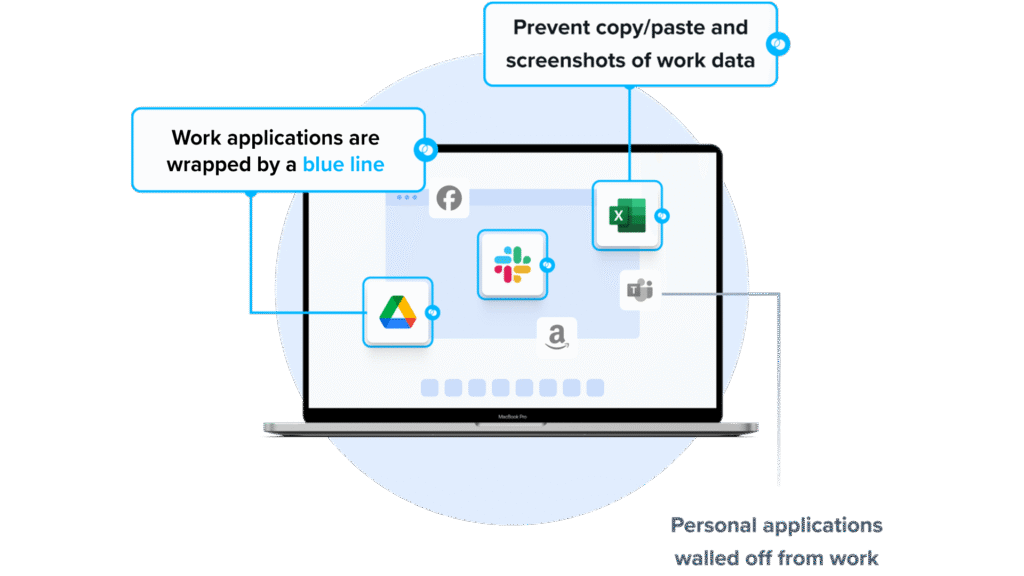
Venn’s Blue Border takes a different path than Intune MDM. Instead of enrolling the entire device, Venn creates a company-controlled Secure Enclave on the user’s laptop, where all data is encrypted and access is managed. Work apps and data run locally inside this protected environment, isolated from any other activity on the device. IT gets the controls required for security and compliance, but only over the enclave — not the user’s personal files, settings, or activity.
This approach removes the source of BYOD friction. With Venn, there is no full-device takeover and no privacy trade-offs. Users keep their laptops the way they like them, while companies get a controlled workspace that safeguards sensitive data and meets regulatory requirements.
Key features include:
- Granular, customizable restrictions: IT teams can define restrictions for copy/paste, download, upload, screenshots, watermarks, and DLP per user.
- Secure Enclave technology: Encrypts and isolates work data on personal Mac or PC computers, both for browser-based and local applications.
- Zero trust architecture: Uses a zero trust approach to secure company data, limiting access based on validation of devices and users.
- Visual separation via Blue Border: Visual cue that distinguishes work vs. personal sessions for users.
- Supports turnkey compliance: Using Venn helps companies maintain compliance on unmanaged Macs with a range of regulatory mandates, including HIPAA, PCI, SOC, SEC, FINRA and more.
To see a demo of Venn, click here.
2. Jamf Pro

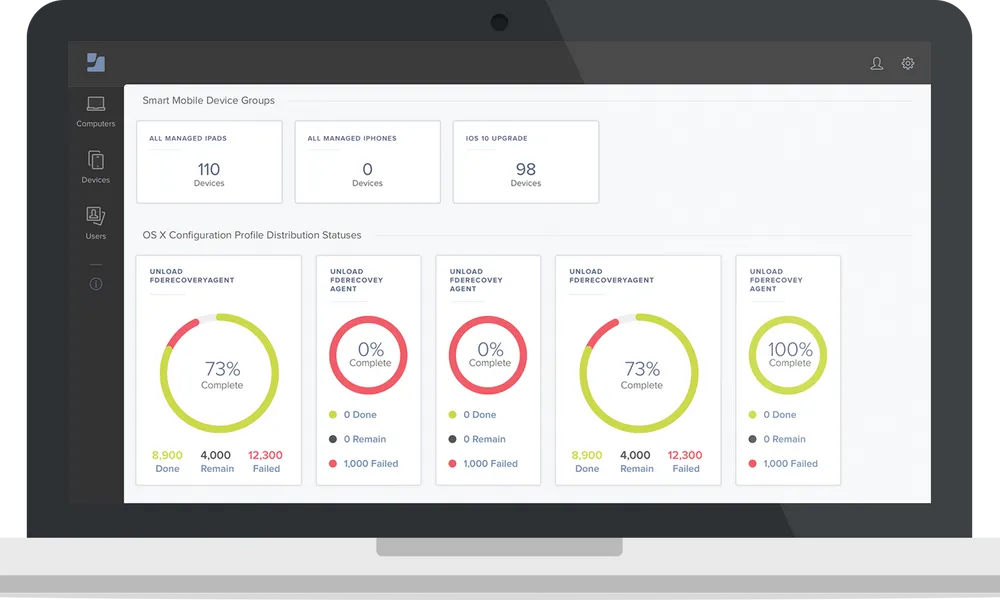
Jamf Pro is an Apple device management platform for managing macOS, iOS, iPadOS, and tvOS devices. It enables organizations to deploy, configure, and manage Apple devices at scale using Apple-native capabilities. With a focus on automation and user experience, Jamf Pro supports zero-touch deployment, dynamic device grouping, security enforcement, and app lifecycle management.
Key features include:
- Zero-touch deployment: Provision Apple devices without manual setup using automated workflows that support both corporate and BYOD scenarios.
- Smart groups with AI assistant: Automatically group devices and users based on attributes and behavior, with AI tools for faster navigation and actions.
- Declarative device management with blueprints: Apply device settings, install apps, and enforce restrictions using scalable configuration templates across Apple fleets.
- Automated inventory management: Collect hardware, software, and security configuration data from all Apple devices for accurate reporting and compliance.
- App lifecycle management: Deploy, update, and manage applications securely, ensuring users have the tools they need without IT intervention.
Source: Jamf
3. AirWatch MDM
AirWatch, now part of VMware’s Workspace ONE platform, is an enterprise mobile device management (MDM) solution that allows organizations to manage the lifecycle of mobile devices. Designed for both cloud-based and on-premises deployments, it supports a range of operating systems including Android, iOS, Windows, and legacy platforms like Symbian and BlackBerry.
Key features include:
- Flexible deployment options: Available as an on-premises installation, virtual appliance, or cloud-based SaaS, supporting multi-tenant configurations for scalable management.
- Multi-platform device enrollment: Supports enrollment for corporate, personal, and shared devices across Android, iOS, Windows, and more, with policy-based configurations.
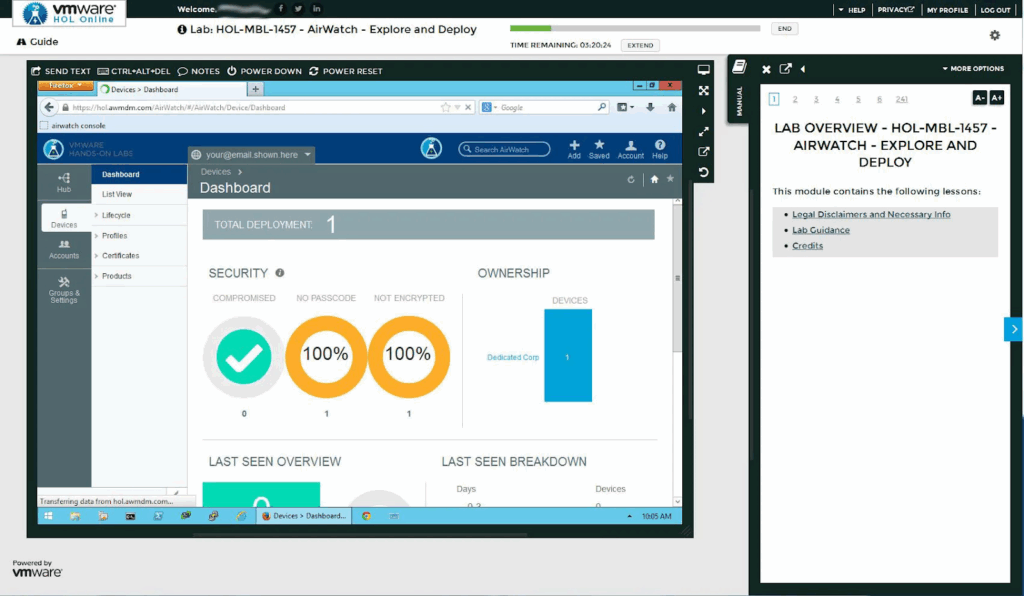
- Device inventory: Provides visibility into device status, usage, and network data with customizable inventory frequency and reporting.
- Automated configuration and staging: Simplifies the onboarding process with predefined profiles and bulk configuration, reducing manual setup and deployment time.
- Security and compliance: Features include certificate-based authentication (SCEP, PKI), secure email gateways, policy enforcement, device compromise detection, and secure browsing.
Source: VMware
4. Ivanti UEM
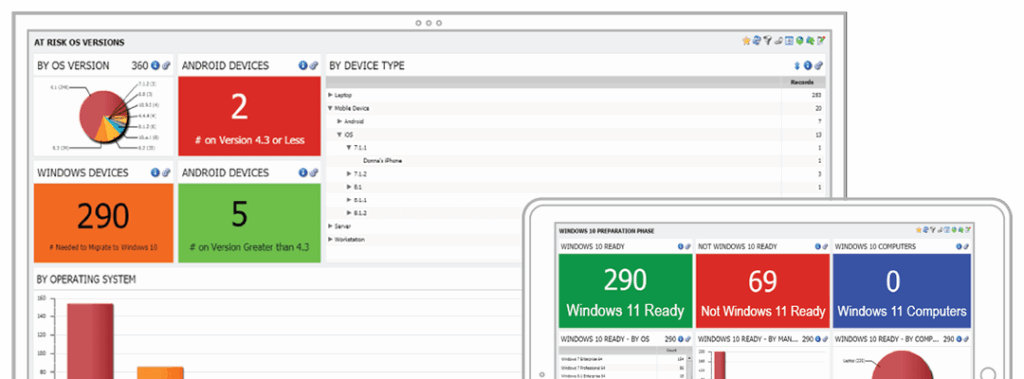
Ivanti Unified Endpoint Management (UEM) is a platform that allows organizations to discover, manage, and secure all types of endpoints, from mobile devices and desktops to IoT and rugged hardware, across multiple operating systems. Intended to improve IT control and user productivity, it combines policy enforcement, device health monitoring, and automated remediation into one interface.
Key features include:
- Cross-platform device management: Manage the lifecycle of endpoints, including Windows, macOS, iOS, Android, Linux, and ChromeOS, from onboarding to decommissioning.
- Centralized visibility and control: Gain a unified view of all endpoints and enforce consistent security policies across devices, users, and networks from a single dashboard.
- Automation and self-healing: Automatically detect, diagnose, and remediate endpoint issues with Ivanti Neurons’ machine learning-based tools.
- Mobile device management (MDM): Use Ivanti Neurons for MDM to simplify and automate mobile security and compliance across all major platforms.
- Endpoint intelligence: Leverage Ivanti Neurons for Edge Intelligence to identify issues using real-time data from connected devices.
Source: Ivanti
5. ManageEngine Endpoint Central

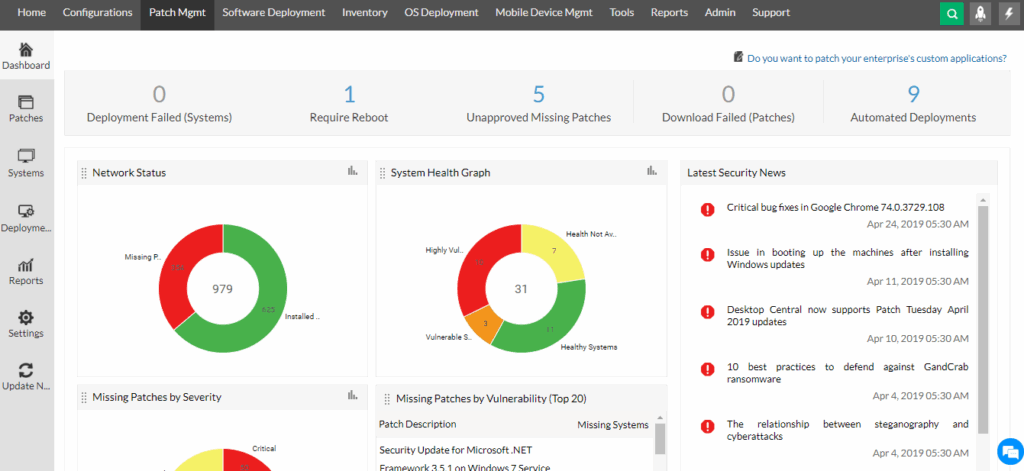
ManageEngine Endpoint Central is a unified endpoint management and security (UEMS) platform to help IT teams manage and secure devices across their organization from a single console. It supports a range of device types, including laptops, desktops, servers, and mobile devices, across Windows, macOS, Linux, iOS, and Android platforms.
Key features include:
- Automated patch management: Automatically deploy patches for operating systems and third-party applications across Windows, macOS, and Linux endpoints.
- Threat detection and remediation: Continuously monitor systems, detect vulnerabilities, and enforce remediation in line with over 75 CIS security benchmarks.
- Ransomware protection: Identify root causes of ransomware incidents, provide immediate response, and implement preventive controls to reduce future risks.
- Mobile device management (MDM): Manage mobile devices centrally by securing apps, emails, and content, while enforcing compliance across mobile endpoints.
- IT asset management: Track hardware and software assets, licenses, and warranties; monitor usage and detect changes.
Source: ManageEngine
Conclusion
Choosing the right endpoint management solution requires evaluating how well it supports an organization’s device diversity, security posture, and operational workflows. Modern solutions should provide centralized visibility, policy enforcement, automation, and integration with identity and threat protection systems. The ability to scale, adapt to hybrid work environments, and simplify administrative tasks is essential for maintaining control over endpoints and protecting corporate data.
