
Best Remote Work Platforms for Secure Collaboration: Top 9 in 2026


What Are Remote Work Platforms?
For secure remote collaboration, top platforms integrate secure chat, video, and file sharing, offering ecosystems for communication and productivity, while specialized tools provide enhanced encryption and self-hosted options for strict security needs, complemented by project managers for visual workflow. Examples include remote access and secure workspace solutions like Venn, Parallels RAS, and Fortinet, secure communication platforms like Wire, Slack, and Microsoft Teams, and cloud document and file collaboration services like Google Workspace, Proton Drive, and ShareFile.
These remote work platforms enable employees, contractors, and teams to perform their tasks from different locations without being physically present in a central office. They include a wide array of tools, from secure video conferencing and chat to file sharing and project management systems.
With the rise of hybrid and fully remote workforces, the demand for platforms that can securely handle sensitive data, enforce company policies, and ensure streamlined communication has increased sharply. These platforms are engineered not only for productivity but also for robust security, supporting authentication, access controls, and compliance features to mitigate the risks associated with remote access and distributed operations.
This is part of a series of articles about secure remote access
Secure Collaboration Features in Remote Work Platforms
End-to-End Encryption
End-to-end encryption (E2EE) ensures that data shared and communicated on remote work platforms remains confidential from the moment it leaves the sender until it reaches the intended recipient. This feature is crucial because it prevents unauthorized intermediaries, including service providers themselves, from accessing sensitive information.
For teams handling proprietary data, financial records, or private client communications, E2EE provides assurance that these exchanges cannot be decrypted or exposed during transit. Having E2EE integrated into file sharing, messaging, and video conferencing tools is now a baseline requirement for many organizations, particularly those in regulated industries.
Granular Access Controls
Granular access controls allow administrators to define precisely who can access what data, applications, or tools within a remote work platform. These controls often use a combination of role-based access, attribute-based policies, and contextual factors (like location or device trust) to limit exposure to only what is necessary for each user’s job.
This approach reduces the attack surface and limits the potential damage from credential theft or insider threats. For organizations, granular access controls are an operational necessity. As remote teams grow, so does the risk of overshared files and mistakenly broadened permissions. Companies can segment access down to specific documents, chat rooms, or virtual desktops.
Data Loss Prevention
Data loss prevention (DLP) tools are built into many remote work platforms to monitor, detect, and prevent the unauthorized sharing or exfiltration of sensitive information. They work by inspecting content in messages, file uploads, and other data movements for patterns or keywords that match protected data, like credit card numbers, intellectual property, or personal identifiers.
When a DLP rule is triggered, actions can include blocking the transmission, alerting administrators, or applying encryption. Modern remote work amplifies the risk of data leaks, since employees access and transmit information from a variety of networks and devices. A strong DLP capability gives organizations control over how information moves within the digital workspace.
Device Trust, Posture Checking, and Endpoint Controls
Device trust and posture checking refer to assessing the security health of devices before they are allowed to access corporate resources on remote work platforms. These mechanisms check for compliance with company security policies, such as updated operating systems, enabled firewalls, or installed antivirus software.
Platforms equipped with posture checking can block or restrict access from devices that do not meet these standards, minimizing risks from unmanaged or compromised endpoints. In addition to posture checks, advanced endpoint controls enable IT to enforce additional safeguards, such as restricting copy-paste, printing, or file downloads.
Compliance and Regulatory Support
Remote work platforms must align with regulations such as GDPR, HIPAA, FINRA, or CCPA, depending on the industry and geographic region. They do so by offering features like configurable audit trails, automated data retention policies, consent management, and secure archiving.
Compliance support ensures that sensitive or regulated data is handled according to legal and contractual obligations, protecting organizations from penalties and reputational fallout. Regulatory requirements also frequently call for detailed reporting and demonstrable access controls around critical data. Leading remote work platforms automate much of this compliance burden, enabling organizations to respond swiftly to audits and evidentiary requests.
Use Cases for Secure Remote Collaboration Platforms
Remote Onboarding and Training
Remote onboarding and training have become standard for organizations supporting distributed workforces. Secure collaboration platforms facilitate the seamless integration of new hires, allowing HR and team leaders to deliver orientation materials, conduct training sessions, and share policy documents without risking data exposure.
Features such as secure file sharing, video conferencing, and access-controlled resource libraries protect sensitive details related to employee identity and proprietary training content. These platforms also empower interactive learning by enabling knowledge assessments, feedback collection, and real-time communication between trainers and trainees.
Hybrid Workforce Enablement
Hybrid workforce models combine on-site and remote workers, requiring platforms that deliver consistent security and user experiences regardless of location. Secure remote work solutions bridge the gap by providing uniform access to company tools, communication channels, and data, irrespective of whether an employee is in an office or at home.
Identity verification, device monitoring, and encrypted channels keep workflows running safely while mitigating risks of unauthorized access. These platforms also support adaptive access policies, dynamically adjusting permissions based on context such as location, time, or device compliance. Collaboration features, from virtual meeting rooms to shared cloud drives, are tightly integrated with monitoring tools to catch and respond to suspicious behavior.
Distributed Team Communication
Distributed teams, often spanning multiple time zones or regions, require reliable, secure platforms to maintain effective communication. Secure chat, video calls, and threaded discussions reduce the risks of eavesdropping and information leakage through the use of encryption and strict user authentication.
Beyond simple messaging, distributed teams benefit from integrated features like file versioning, task assignments, and persistent chat histories, all protected by enterprise-grade security protocols. These tools enable asynchronous and real-time collaboration, ensuring every team member has secure access to the context and materials needed to perform their work.
Client and Partner Collaboration
Collaboration with clients and partners often involves sharing sensitive information such as proposals, intellectual property, and personally identifiable data. Secure remote work platforms provide external guests with controlled access to shared resources, using authentication layers and expiring permissions to ensure only authorized parties can view or interact with specific documents and conversations.
Activity tracking and audit logs allow organizations to monitor external access and quickly identify unusual behavior or potential breaches. These platforms also simplify external workflows by supporting branded portals, e-signatures, and integrated messaging channels, which keep client communication organized and compliant with data handling policies.
Related content: Read our guide to remote work security risks
Notable Remote Work Platforms for Secure Collaboration
Remote Access and Secure Workspace Solutions
1. Venn
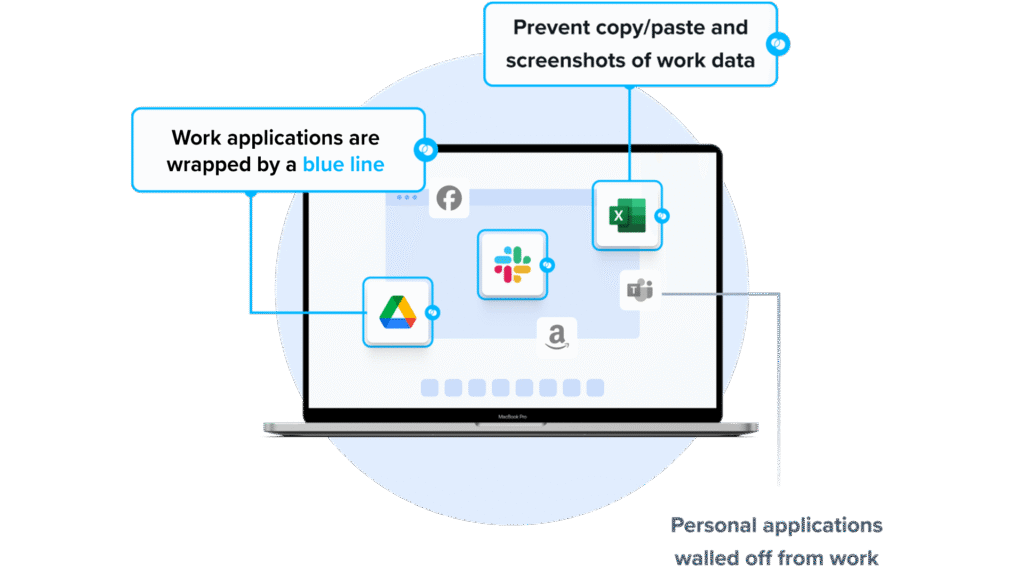
Venn’s Blue Border™ secures remote access by protecting company data and applications on BYOD computers used by contractors and remote employees. Similar to an MDM solution but for laptops – work lives in a company-controlled secure enclave installed on the user’s PC or Mac, where all data is encrypted and access is managed. Work applications run locally within the Enclave – visually indicated by Venn’s Blue Border™ – protecting and isolating business activity while ensuring end-user privacy.
Key Features include:
- Seamless MFA integration: Works with Okta, Azure, and Duo for smooth, secure authentication
- Encrypted workspace: Protects all data and applications with robust encryption
- Context-aware access controls: Enforces policies based on user, device, and environment
- Comprehensive session logging: Tracks all activity with full audit visibility
- Unified Zero Trust solution: Combines endpoint protection, remote access, and Zero Trust security
- Faster, scalable alternative: Optimized performance compared with legacy VPNs and VDI
Schedule a demo of Blue Border™
2. Parallels RAS
Parallels RAS is a secure remote access and application delivery platform that enables organizations to provide virtual desktops and applications to users on any device, from anywhere. Designed with centralized management, it simplifies administration while enforcing enterprise-grade security.
Key features include:
- Flexible deployment: Supports hybrid, on-premises, private cloud, and public cloud environments (including Azure Virtual Desktop and AWS EC2)
- Device-agnostic access: Delivers virtual apps and desktops to any device or browser with support for Windows, macOS, Linux, iOS, Android, and HTML5
- Centralized administration: Single console for managing applications, desktops, access control, reporting, load balancing, and more
- Integrated security: Built-in support for SSL/TLS 1.3, FIPS 140-2 compliance, MFA integration, rule-based access, and secure external authentication
- High availability and scalability: Load balancing, dynamic scaling, and multi-site support ensure reliable access across geographies
Source: Parallels
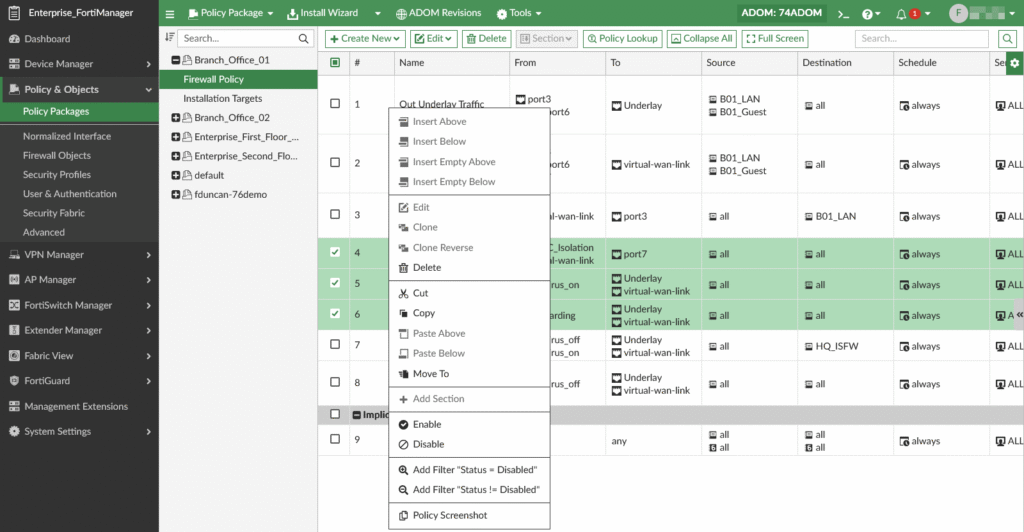
3. Fortinet Workspace Security
Fortinet Workspace Security is a unified solution to protect user productivity and sensitive data across remote and hybrid work environments. It combines secure access, data protection, and threat prevention. With a focus on safeguarding email, collaboration tools, endpoints, and browsing activity, it addresses both external threats and insider risks.
Key features include:
- Comprehensive User and data protection: Monitors user interactions with sensitive data to prevent misuse or accidental exposure
- AI-powered threat prevention: Uses artificial intelligence to detect and block advanced phishing, impersonation, and AI-enhanced email attacks
- Secure collaboration tools: Scans content in real-time across platforms like Microsoft Teams, Slack, Zoom, and Google Workspace to stop malware and data leaks
- Safe web browsing: Enforces browsing policies and real-time protection via lightweight extensions without degrading performance
- SaaS visibility and control: Tracks sanctioned and unsanctioned SaaS usage and sensitive data flows, helping enforce responsible cloud application behavior
Source: Fortinet Workspace Security
Secure Communication Platforms
4. Wire

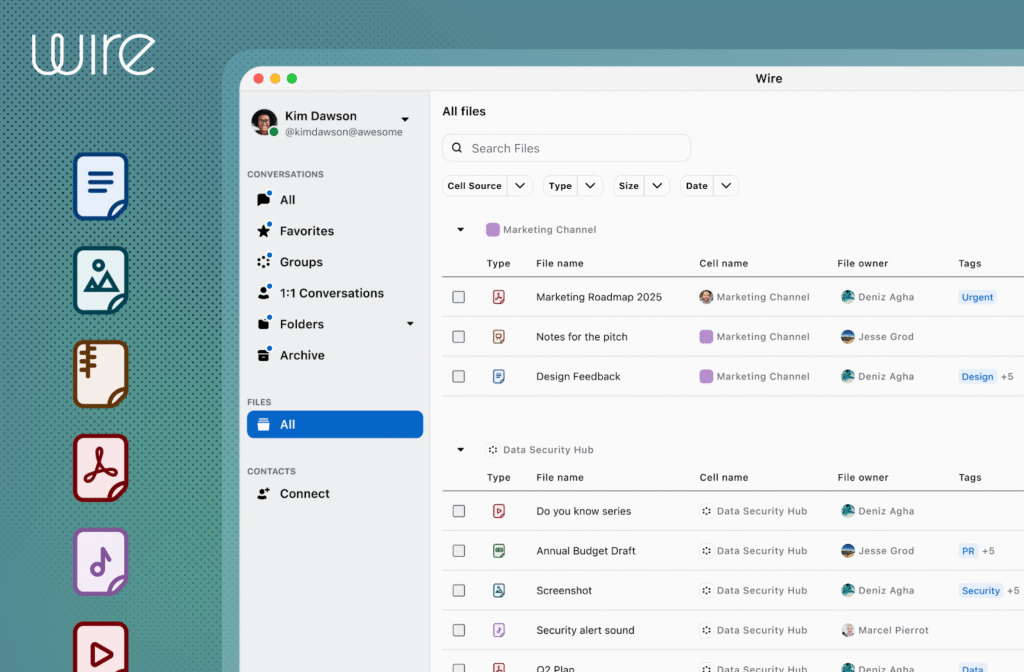
Wire is a secure collaboration platform built around end-to-end encryption. It ensures that every message, call, file, and user interaction is protected by default, even from administrators and service operators. Its security model is powered by the Messaging Layer Security (MLS) protocol, optimized for group communication and future-ready with post-quantum cryptography support.
Key features include:
- End-to-end encrypted messaging: Secure one-on-one and group chats with support for reactions, sketches, audio/video messages, and file sharing
- Encrypted calling and conferencing: High-quality voice and video meetings for up to 150 participants with built-in moderation, screen sharing, and file exchange, fully end-to-end encrypted
- File rights management: Control how documents are shared and accessed, ensuring only authorized users can interact with sensitive files
- Messaging layer security (MLS): Full MLS implementation for scalable, efficient, and verifiable end-to-end encryption across large teams
- Post-quantum readiness: Built with cryptographic agility to withstand emerging security threats
Source: Wire
5. Slack
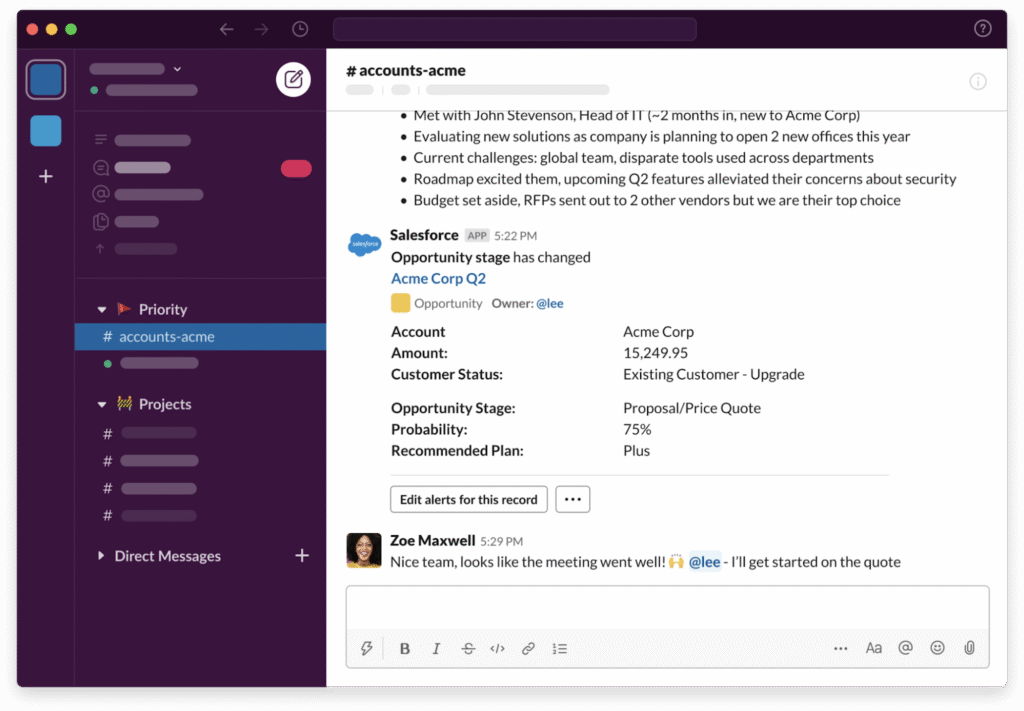
Slack is a digital workspace platform that brings people, projects, and tools together in a unified environment. It serves as a central operating system for the workday, enabling collaboration, project management, and communication within teams or across external partners. Slack connects with thousands of apps, supports no-code automation, and embeds intelligence into daily workflows.
Key features include:
- Channels for team collaboration: Organize discussions by team, project, or topic with transparent, real-time communication that keeps everyone aligned
- Slack Connect: Collaborate securely with external partners, vendors, and clients in shared channels without leaving Slack
- Huddles and clips: Enable quick, spontaneous audio conversations or share async video/audio updates to stay connected without scheduling meetings
- Canvas and lists: Centralize project plans, to-do lists, and structured documentation directly within Slack to manage tasks and priorities
- File sharing and templates: Share and manage documents with built-in tools and reusable templates to simplify repetitive workflows
Source: Slack
6. Microsoft Teams
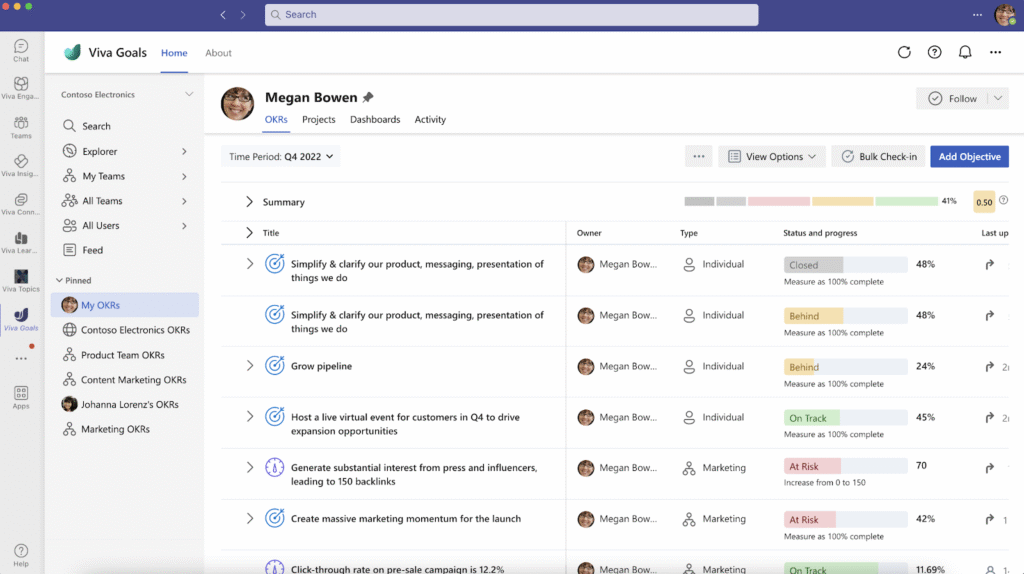
Microsoft Teams is a unified communication and collaboration platform to simplify teamwork through AI-enhanced messaging, meetings, and task management. Integrated with Microsoft 365 and designed for businesses of varying sizes, Teams centralizes conversations, content, and tools in a single workspace.
Key features include:
- AI-powered meetings: Automatically generate meeting notes, action items, and summaries with Microsoft 365 Copilot, allowing participants to stay engaged without manual documentation
- Persistent threads and reactions: Keep discussions organized with threaded replies and multiple emoji reactions, helping teams collaborate more naturally in real time
- Messaging and chat: Secure one-on-one and group messaging with rich formatting, file sharing, and quick access to integrated apps and workflows
- Teams phone: Add a cloud-based phone system for making and receiving calls directly within Teams, replacing or complementing traditional landlines
- Teams rooms: Enhance hybrid meetings with hardware and features designed for physical meeting spaces, ensuring everyone can participate equally
Source: Microsoft Teams
Cloud Document and File Collaboration Services
7. Google Workspace
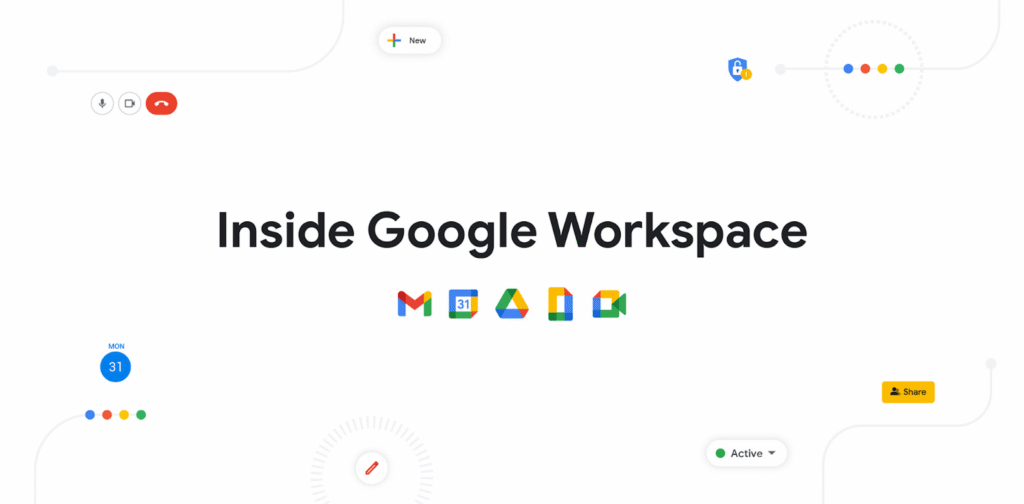
Google Workspace is a cloud-based productivity suite that integrates communication, collaboration, and AI-powered tools. It includes Gmail, Drive, Meet, Docs, and Sheets for real-time collaboration from different devices. Users can simplify communication, automate tasks, and manage projects more effectively.
Key features include:
- AI-powered assistance with Gemini: Integrated across Gmail, Docs, Sheets, and more to help draft content, summarize emails, generate to-do lists, and accelerate daily tasks
- Professional Gmail with custom domains: Create branded email addresses (e.g., you@yourcompany) with advanced admin controls and integrated spam protection
- Smart scheduling with Google Calendar: Let clients or teammates book time directly using personalized booking pages synced with your availability
- Secure cloud file storage with Drive: Store, share, and manage files in the cloud with granular access controls and built-in malware scanning
- Real-time collaboration in Docs, Sheets, and Slides: Edit documents simultaneously, leave comments, and track changes—all in the browser
Source: Google Workspace
8. Proton Drive
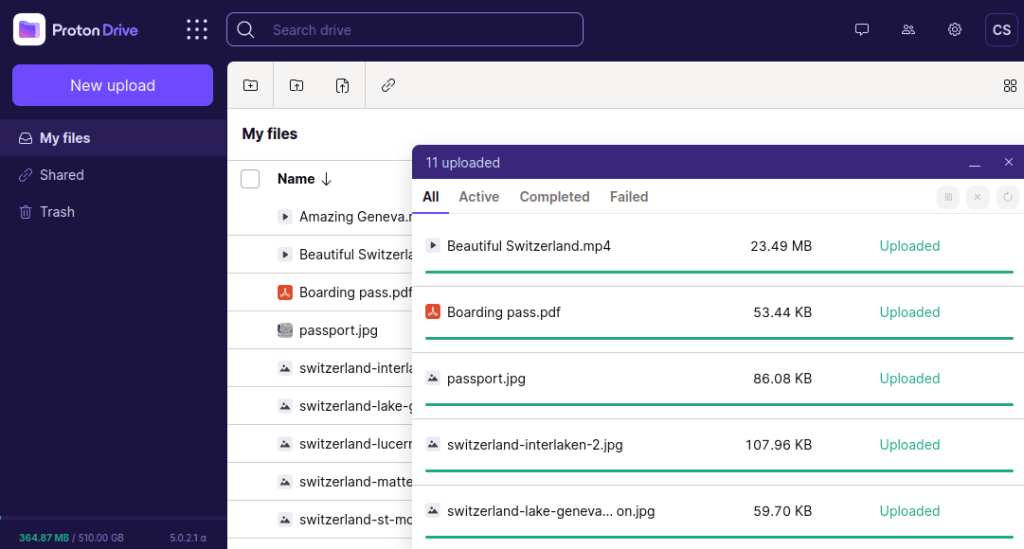
Proton Drive is an encrypted cloud storage platform to keep files private and under the organization’s control. Unlike traditional cloud services, Proton Drive ensures that no one (not even Proton) can access stored content. It includes secure sharing, online editing, and privacy-focused collaboration tools like Docs and Sheets.
Key features include:
- End-to-end encrypted storage: Files are encrypted before they leave the device and can only be decrypted by the customer or chosen recipients
- Secure file sharing: Share files with password protection, expiring links, and the ability to revoke access at any time
- Automatic photo backup: Protect the photo library with encrypted, device-independent backups and easy album organization
- Private online collaboration: Use Proton Docs to write and edit documents in real time without exposing content to surveillance or data mining
- Encrypted spreadsheets with Proton Sheets: Work securely on sensitive data like budgets and models, with all content encrypted and access controlled
Source: Proton Drive
9. ShareFile
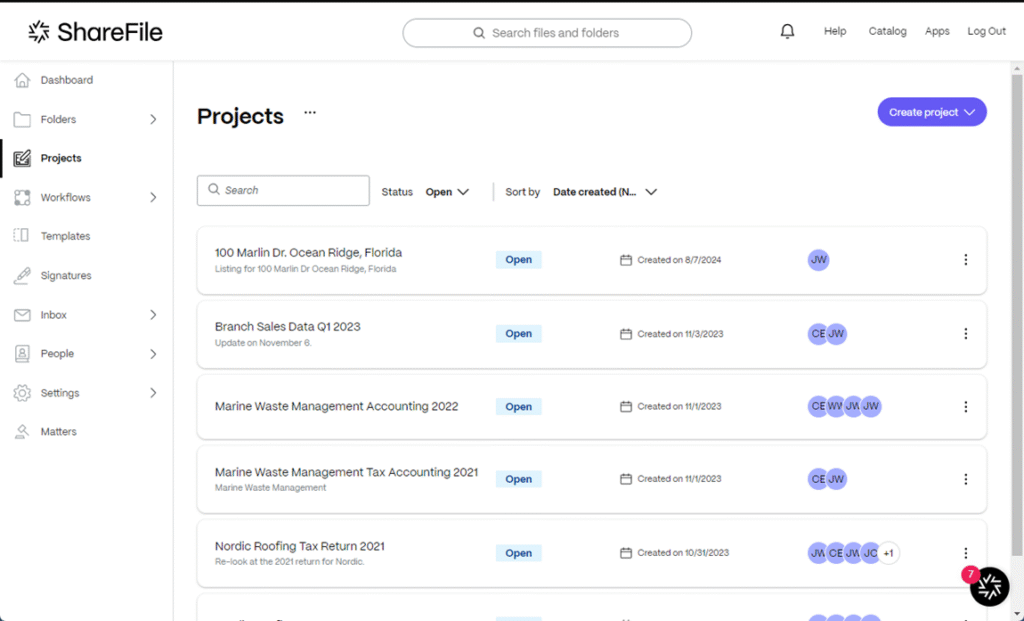
ShareFile is a secure, client-focused collaboration platform that simplifies how businesses deliver work. Designed for teams in accounting, legal, finance, healthcare, and other client-serving industries, ShareFile combines file exchange, e-signatures, task management, and structured client workflows into a single platform.
Key features include:
- Secure file sharing and storage: Send and receive files safely across teams and clients, with control over access and permissions
- Structured requests and to-dos: Assign work, request documents, and collect data using organized workflows that reduce back-and-forth
- E-signature collection: Request and track signatures directly within the platform to simplify contract and form management
- Project-based management: View and manage files, signatures, tasks, and requests within unified projects for clear oversight
- Branded client portals: Offer clients a personalized workspace to upload files, sign documents, and complete tasks
Source: ShareFile
Conclusion
Secure remote work platforms play a critical role in enabling organizations to collaborate across distances without compromising data integrity or compliance. By integrating robust security features with productivity tools, they provide the foundation for safe and efficient operations in hybrid and distributed work environments. As threats evolve and work models shift, these platforms continue to adapt, balancing usability with protection to meet modern business needs.
