
The Best Endpoint Protection Strategies for BYOD Environments


BYOD is now a standard part of modern work. Employees, contractors, consultants, and offshore teams all need fast access to work apps and data from personal laptops and phones. That flexibility speeds onboarding and lowers hardware costs, but it also creates new endpoint risk when company data lives alongside personal activity.
The best endpoint protection strategies for BYOD environments secure work without creating so much friction that productivity suffers. That usually means combining strong access controls, data protection, patching, policy enforcement, and clear separation between work and personal use.
Enable Remote Workers Without VDI or Issuing Devices
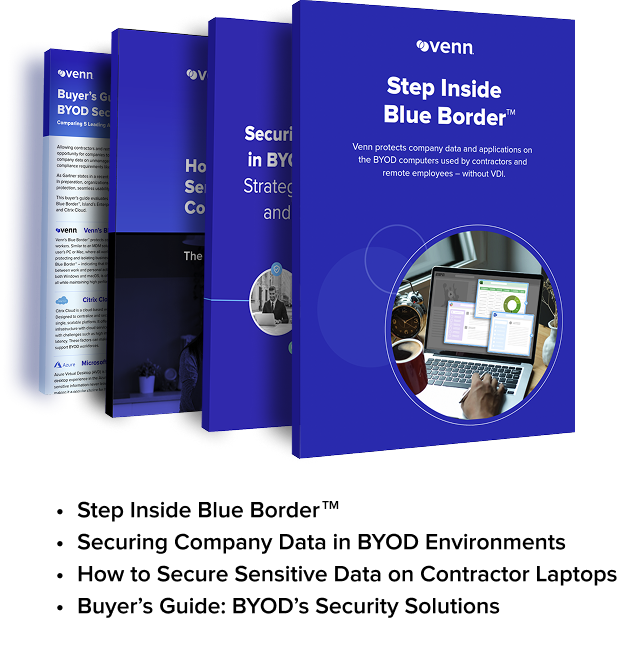
Unlock the 4 essential assets you need to secure company data on unmanaged laptops – without VDI.
In this article:
What is Endpoint Protection in a BYOD Environment?
Endpoint protection in a BYOD environment refers to the controls used to secure company data, apps, identities, and access on personally owned devices. These controls can include device and app management, conditional access, encryption, patching, endpoint detection, and workspace isolation.
Why BYOD Endpoint Protection is More Difficult
Traditional endpoint security assumes the company owns and fully manages the device. BYOD changes that. Personal devices are mixed-use by nature, often making full corporate control impractical or undesirable. Organizations must secure company data while respecting user privacy and preserving a good user experience.
That is why the best endpoint protection strategies for BYOD environments rely on layered controls — and why choosing the right solution matters.
1. Start with a clear BYOD security policy
The first endpoint protection strategy is policy. Every BYOD program should define which devices are allowed, which users are eligible, what work data can be accessed, what minimum security settings are required, and what happens when a user leaves or a device is lost. CISA’s mobile workplace guidance specifically calls for a telework and remote work security policy that defines remote access and BYOD requirements.
A strong BYOD policy should cover:
- approved device types and operating systems
- minimum OS and patch levels
- required authentication methods
- acceptable use
- restrictions on copy/paste, downloads, and local storage where needed
- device loss and incident response
- offboarding and data removal
2. Require strong identity controls and conditional access
In most BYOD environments, identity is the new perimeter. Strong endpoint protection starts by verifying the user before granting access to apps and data. That means requiring multi-factor authentication, checking device posture where possible, and applying conditional access rules based on risk, device state, user role, and app sensitivity.
This matters because not every BYOD device should get the same access. A lightly managed personal phone checking email is one thing. A personal laptop accessing customer records, financial data, or regulated systems is another.
3. Separate work data from personal activity
This is one of the most important BYOD endpoint protection strategies.
The biggest challenge in BYOD is that work and personal use happen on the same device. NIST’s BYOD guidance directly points to this mixed-use reality as a source of risk and complexity.
Organizations need a way to separate work from personal activity. Depending on the platform and use case, that can mean:
- a managed work profile on mobile
- app-level protection for supported apps
- browser or application isolation
- a secure workspace or enclave for work activity
- data controls that keep work files, credentials, and sessions separated from personal use
This is especially important for contractor and laptop BYOD scenarios, where full device enrollment may be too invasive or operationally unrealistic.
4. Protect company data on both managed and unmanaged devices
Modern BYOD programs need controls for both enrolled and unenrolled devices. Microsoft’s documentation states that organizations may need to protect organizational data on managed devices and unmanaged devices, and that mobile app management can help protect app data on personal devices.
Core protections should include:
- restricting downloads of sensitive files
- blocking copy/paste into personal apps where appropriate
- requiring approved apps or secure browsers
- encrypting work data
- enabling selective wipe or work-data removal
- limiting access from devices that are outdated or risky
The key principle is simple: protect the data, not just the device.
5. Enforce patching and device health requirements
One of the best endpoint protection strategies for BYOD environments is making sure devices are up to date before they can access sensitive resources. CISA guidance for telework recommends regularly applying the latest patches and security updates on personal devices used for work, and Microsoft’s device protection guidance emphasizes keeping devices secure and up to date while blocking access from potentially compromised devices.
For BYOD, that usually means:
- minimum OS version requirements
- patch compliance checks
- encryption requirements
- screen lock requirements
- malware protection where applicable
- blocking jailbroken, rooted, or otherwise compromised devices
6. Use least-privilege access for apps and data
Not every user on a personal device should get broad access to everything. Least privilege is a foundational control in any endpoint protection program, but it becomes even more important in BYOD because the enterprise has less direct control over the endpoint itself.
A practical BYOD approach is to grant users access only to the applications and data they need, then tighten controls further for high-risk workflows such as customer data access, regulated records, source code, or finance systems.
7. Prepare for lost, stolen, and offboarded devices
BYOD endpoint protection strategies should assume devices will eventually be lost, replaced, or used by someone who should no longer have access. That means organizations need a fast way to revoke access, invalidate sessions, remove corporate data, and confirm the user can no longer reach business systems.
This is particularly critical for contractors and temporary workers, where secure offboarding may need to happen the same day a project ends.
8. Focus on user privacy as part of security design
A common reason BYOD programs fail is that employees do not want the company managing their entire personal device. Microsoft’s user-facing Intune documentation explicitly explains what organizations can and cannot see on enrolled devices, reflecting how important privacy concerns are to BYOD adoption.
The best endpoint protection strategies for BYOD environments respect that reality. They minimize unnecessary visibility into personal content and apply controls only where needed for work. That balance improves user trust and makes security controls more sustainable.
9. Match the protection model to the endpoint type
Not all BYOD endpoints are the same.
Phones and tablets may work well with app-level protection, work profiles, and selective management. Microsoft’s Android BYOD guidance, for example, describes a work profile that keeps work apps and data separate from personal apps and data on the same device.
Laptops are often more challenging. Personal PCs and Macs used for real work tend to access more systems, store more data, and involve richer workflows than a mobile email client. That is why laptop BYOD often requires stronger separation and endpoint protection than mobile-only BYOD.
10. Reduce tool sprawl and keep the architecture operationally realistic
The best endpoint protection strategy is not the one with the most tools. It is the one security and IT teams can actually run. Too many overlapping controls create gaps, inconsistent policy enforcement, and user friction. A good BYOD design should be easy to explain, simple to manage, and realistic to scale across employees, contractors, and extended workforce users.
5 Best BYOD Security Solutions for Endpoint Protection
Choosing the best endpoint protection strategy for a BYOD environment depends on one core question: Do you want to secure work locally on the user’s personal device, or do you want to deliver work through a virtual desktop? Today’s top BYOD security solutions generally fall into one of those two camps. For organizations trying to secure personal laptops used by employees, contractors, and offshore teams, local-first solutions are often better aligned to productivity and user experience. For organizations that prefer centralized delivery, VDI remains a common path. Azure defines virtual desktop infrastructure as a model that delivers desktop environments from a cloud server or data center, while Venn positions Blue Border as technology that isolates and protects company data and applications locally on any PC or Mac.
1. Venn’s Blue Border™
Blue Border™ is the most purpose-built BYOD security solution for organizations that need to protect work on personal PCs and Macs. Blue Border isolates and protects company data and applications locally on the user’s device, creating a company-controlled secure enclave rather than streaming work through a hosted desktop. Blue Border™ is the ideal solution for BYOD workforces, contractors, and remote employees using personal computers. That makes it especially compelling for companies that want strong separation between work and personal activity without buying laptops, fully managing the device, or introducing VDI friction.
Why it stands out for BYOD:
Because work runs locally, the model is better aligned to native performance and modern laptop BYOD use cases than traditional virtual desktop approaches. That positioning is especially strong for contractor, consultant, and offshore workforce scenarios.
2. Microsoft Azure Virtual Desktop
Azure Virtual Desktop is Microsoft’s cloud VDI platform. AVD is a desktop and app virtualization service that runs on Azure and can deliver either a full Windows desktop experience or individual remote apps. It also highlights support for Windows 11 and Windows 10 multi-session, plus integration with Azure and Microsoft 365. Azure Virtual Desktop is a strong option for organizations that want centralized desktop delivery and are already invested in Microsoft infrastructure, but it is still fundamentally a virtualization model rather than a local BYOD protection model.
Best fit:
Companies that want cloud-hosted virtual desktops and centralized control in a Microsoft environment.
3. Citrix DaaS
Citrix DaaS remains one of the best-known platforms in desktop and app virtualization. Citrix can manage on-premises and public cloud workloads together in a hybrid deployment, with the ability to deliver apps and desktops across different infrastructure environments. That flexibility is a major reason Citrix remains relevant for complex enterprise environments, especially where centralized virtual delivery is already part of the architecture. For BYOD, though, Citrix is still a virtual desktop approach, not a local endpoint protection approach.
Best fit:
Large enterprises that need hybrid or multi-cloud desktop and application virtualization.
4. Omnissa Horizon
Omnissa Horizon is another major VDI platform for secure delivery of desktops and apps. Horizon 8 is a VDI and app solution that gives users secure access to full desktops or individual apps on any device while maintaining centralized control over performance, policies, and infrastructure. Like Citrix and Azure Virtual Desktop, Horizon is best suited to organizations comfortable with centralized virtual desktop architecture. It is a recognized option for companies that want strong administrative control and established VDI patterns for distributed access.
Best fit:
Organizations with mature VDI requirements or a need for centralized virtual app and desktop delivery across on-prem and cloud environments.
5. Horizon Cloud
Horizon Cloud is Omnissa’s cloud-native DaaS offering and a natural option for buyers who want the Horizon ecosystem in a more cloud-delivered model. Omnissa positions it as a secure, cloud-native Desktop-as-a-Service platform for delivering virtual desktops and hosted apps while simplifying deployment, management, and access for distributed teams. It is a strong fit for organizations that want DaaS rather than traditional on-prem-heavy VDI, though it still belongs to the hosted desktop category rather than the local secure workspace category.
Best fit:
Distributed organizations that want cloud-delivered virtual desktops and apps with enterprise-grade management.
Which BYOD Security Solution is Best?
The best BYOD security solution depends on your architecture and user experience goals.
If your goal is to secure work (thick clients and data) locally on personal laptops, preserve native performance, and avoid the cost and complexity of virtual desktops, Venn’s Blue Border is the strongest fit based on its local secure enclave approach for PCs and Macs.
If your goal is to centralize desktops and applications in the cloud, then Azure Virtual Desktop, Citrix DaaS, Omnissa Horizon, and Horizon Cloud are all established VDI/DaaS options. Microsoft, Citrix, and Omnissa all position these offerings around centralized control and remote delivery of desktops or applications.
Final takeaway
For modern BYOD programs, especially those involving contractors, consultants, and remote workers on personal laptops, the biggest decision is not just which vendor to buy. It is which delivery model makes the most sense. If you want to protect work directly on the endpoint, Venn belongs at the top of the list. If you want to virtualize the workspace and deliver it remotely, the VDI options listed above are the main alternatives.
