
Microsoft Intune: Features, Licensing, Limitations & Alternatives


See Venn first in Google Search
Add as a preferred source on Google
TL;DR: Microsoft Intune is Microsoft’s cloud endpoint management and security service for Windows, macOS, iOS, Android, and Linux. Best for BYOD security without full enrollment: Venn. Best for Apple fleets: Jamf Pro. Best for large mixed estates: Omnissa Workspace ONE UEM. Best for patch-heavy operations: ManageEngine Endpoint Central.
What Is Microsoft Intune?
Microsoft Intune is a cloud-based endpoint management and security service that allows IT to manage user access, deploy applications, and secure devices, including Windows, macOS, iOS, Android, and Linux. It works with Microsoft Entra ID to secure corporate resources through a Zero Trust model. It unifies security and device management in one platform, allowing administrators to set policies for security and compliance, deploy software, and protect company data. It’s a part of Microsoft’s Enterprise Mobility + Security (EMS) suite and is integrated with other Microsoft services.
Key features include:
- Unified endpoint management: Intune provides a single console to manage a range of devices, including Windows, macOS, iOS, Android, and Linux.
- Mobile device and app management: It allows organizations to manage both corporate-owned and personal devices (BYOD) used for accessing company resources.
- Security and compliance: Administrators can enforce security policies, manage device features, and ensure that devices and apps comply with company security requirements.
- Data protection: Intune helps protect corporate data by controlling how employees can access, share, and use it on their devices.
- Deployment and updates: It can be used to deploy apps, manage updates, and perform tasks like remote wiping devices.
- Integration: Intune integrates with other Microsoft services like Microsoft Entra ID, Microsoft Defender for Endpoint, and Microsoft 365.
- Enterprise app management: Intune can auto-update common Win32 and store applications from a Microsoft-hosted catalog, without manual packaging or IT intervention.
Intune is also where Microsoft is concentrating its endpoint management investment. Generative AI is now part of the admin experience through Security Copilot, licensing has shifted so that advanced endpoint capabilities arrive with Microsoft 365 E3 and E5 rather than only as add-ons, and Windows servicing has moved toward restart-free patching. On-premises Configuration Manager, by contrast, has moved to a slower maintenance cadence.
This is part of an extensive series of guides about data security.
Secure the Data, Not the Device
Protect company data on unmanaged laptops without locking down the entire device.

In this article:
- What Is Microsoft Intune?
- Key Microsoft Intune Features and Capabilities
- Microsoft Intune Pricing and Licensing Models
- Microsoft Intune vs. System Center Configuration Manager (SCCM)
- Microsoft Intune Limitations
- Microsoft Intune Alternatives
- Conclusion
- See Additional Guides on Key Data Security Topics
- Data Catalog
- OpenSearch
- PostgreSQL
Microsoft Intune Alternatives at a Glance
The table below summarizes the key differences between the alternatives covered in this article. We explore each of them in more detail further down.
| Category | Solution | Best For | Key Strengths | Things to Consider |
|---|---|---|---|---|
| Secure workspace | Venn | BYOD Macs and PCs without full enrollment | Company-controlled secure enclave, local app performance | Covers PC and Mac, not mobile fleets |
| Secure workspace | Island Enterprise Browser | Governing SaaS and web app access from any device | Last-mile controls inside a Chromium browser | Browser-based work, not locally installed apps |
| Secure workspace | Hypori Halo | Regulated mobile BYOD with no data on the device | Streams pixels only, nothing stored on the endpoint | Depends on constant connectivity |
| UEM platform | Jamf Pro | Apple-first estates needing same-day OS support | Deep native Apple management and automation | Apple only, premium pricing, learning curve |
| UEM platform | Omnissa Workspace ONE UEM | Large mixed estates with rugged and specialty devices | Broad OS coverage, multi-tenant delegation | Implementation usually needs specialist help |
| UEM platform | Ivanti Neurons for UEM | Estates with IoT, rugged, and immersive devices | Real-time discovery, self-healing automation | Complex setup, release quality criticism |
| UEM platform | ManageEngine Endpoint Central | Patch-heavy operations wanting management plus security | Automated OS and third-party patching | Dense console, modules licensed separately |
| UEM platform | Iru Endpoint Management | Apple-led teams expanding into Windows and Android | One lightweight agent, configuration as code | Windows and Android coverage is newer |
Key Microsoft Intune Features and Capabilities
Microsoft Intune offers a set of features to help IT teams manage endpoints efficiently, protect data, and support users across different devices and platforms. It enables centralized control of devices and apps, with built-in automation and security tools that help reduce overhead while improving compliance. Administration is increasingly AI-assisted, with natural language querying and policy analysis built into the admin center.
Unified Endpoint Management
Intune supports centralized management for devices running Windows, macOS, iOS, Android, and some Linux distributions. IT administrators can create and enforce policies across endpoints from a single portal, regardless of the operating system. This unified approach reduces complexity and makes it easier to maintain consistent security standards and device configurations across the organization.
Mobile Device and App Management
Intune provides both mobile device management (MDM) and mobile application management (MAM). MDM allows control over devices, including settings, compliance policies, and remote wipe capabilities. MAM focuses on securing specific applications, especially in bring-your-own-device (BYOD) scenarios, by applying app-level policies such as requiring PINs, restricting copy/paste, and controlling data transfer between apps. For example, MDM can wipe a lost corporate phone or enforce strict PIN requirements, while MAM protects only work-related apps and data in BYOD scenarios without controlling the rest of the personal device.
Related content: Read our guide to Intune BYOD
Security and Compliance
Administrators can define and enforce compliance policies that ensure devices meet organizational security requirements. These include settings like encryption, password complexity, OS version requirements, and threat protection levels. Intune integrates with compliance reporting tools and can automatically remediate or block non-compliant devices from accessing corporate resources.
Data Protection
Data protection in Intune is enforced through conditional access, encryption policies, and app protection policies. It restricts how data is accessed and shared on both managed and unmanaged devices. For example, corporate data can be restricted to managed apps, preventing it from being copied to personal apps or cloud storage outside of approved channels.
Deployment and Updates
Intune allows IT to deploy software packages, scripts, and operating system updates to devices remotely. It supports scheduled rollouts, phased deployments, and automated retry mechanisms. Administrators can also configure update rings for Windows, defining how and when updates are applied, helping reduce downtime and maintain security. Windows servicing has also moved toward restart-free patching. Hotpatch updates, enabled through a Windows quality update policy for eligible Windows 11 Enterprise devices, install monthly security fixes without a restart. January, April, July, and October remain baseline months that install a full cumulative update and require a restart, which cuts required restarts from twelve a year to four.
Enterprise App Catalog
Through the Enterprise App Catalog, Intune can auto-update common Win32 and Microsoft Store applications without manual packaging or IT intervention. Admins deploy prepackaged apps from a Microsoft-hosted catalog and can set update rings so new versions roll out automatically as they appear, reducing repackaging overhead and keeping software patched. This capability is available as an add-on beyond Intune Plan 1 or as part of the Intune Suite.
Integration
Intune integrates with Microsoft Entra ID for identity-based access control, Microsoft Defender for Endpoint for threat protection, and Microsoft 365 services for productivity tools. These integrations enable policy enforcement, threat response automation, and unified user and device management within the Microsoft ecosystem.
AI and Copilot Capabilities in Intune
Intune’s administrative experience is now wired into Microsoft Security Copilot. Copilot is embedded in the Intune admin center and reads tenant data covering devices, users, apps, policies, updates, and compliance, including Windows 365 Cloud PCs.
It needs no separate Intune licence. Copilot draws on Security Copilot capacity, measured in security compute units, and it honors existing Intune role-based access control and scope tags, so an administrator only sees the data their assigned roles already permit.
Administrators query that data in natural language instead of building reports. Copilot summarizes the results, recommends actions based on them, and can add the returned users or devices to groups or turn the output into a custom report.
Copilot is also embedded in policy work. A tooltip on an individual setting explains what the setting does, whether it is configured in other policies, how it affects users and security, and what value Microsoft recommends. A Summarize with Copilot action describes an existing configuration policy along with its assignments and settings, and can surface compliance policies with conflicting settings.
For troubleshooting, Copilot summarizes a single device, covering operating system, Microsoft Entra ID registration, malware counts, noncompliant policies, and group membership, and can compare a failing device against a healthy one to expose configuration differences. It also generates Kusto Query Language queries for device query, which requires a licence that includes Advanced Analytics.
Intune also includes a set of Security Copilot agents:
- Change Review Agent: evaluates multi-admin approval requests in Intune and recommends the action to take.
- Device Offboarding Agent: identifies stale or misaligned devices across Intune and Microsoft Entra ID, and requires administrator approval before offboarding anything.
- Policy Configuration Agent: takes plain-language instructions or an uploaded document, matches them to settings in the Intune settings catalog, recommends values, and can create the resulting policy.
- Vulnerability Remediation Agent: uses Microsoft Defender data to monitor vulnerabilities and prioritize remediation with AI-driven risk assessments.
The agents run inside the admin center under role-based access control and act with administrator oversight and review rather than autonomously. They require Security Copilot to be enabled and they consume security compute units, which makes capacity planning part of any rollout.
Microsoft Intune Pricing and Licensing Models
Microsoft Intune is available through multiple licensing options to meet varying organizational needs, ranging from basic device management to security and analytics. Microsoft Intune Plan 1, the base endpoint management solution, is also included in comprehensive Microsoft 365 bundles such as Business Premium, E3, and E5.
- Microsoft Intune Plan 1 costs $8.00 per user/month (annual commitment) and includes core endpoint management features. These are suitable for organizations needing standard device and application management across platforms like Windows, macOS, iOS, and Android.
- Microsoft Intune Plan 2 is offered at $4.00 per user/month (annual commitment) as an add-on to Plan 1. It provides capabilities such as remote firmware-over-the-air (FOTA) updates and enhanced specialty device management. Plan 2 is also included in the Intune Suite.
- Microsoft Intune Suite, priced at $10.00 per user/month (annual commitment), builds on Plan 1 by bundling Plan 2 with additional security and productivity tools. This includes Remote Help, Endpoint Privilege Management, Advanced Analytics, Enterprise Application Management, and Cloud PKI at no extra charge beyond the base suite cost.
Many of these tools are also available as individual add-ons for Plan 1 customers. For example, Remote Help is $3.50/month per user, while Endpoint Privilege Management and Enterprise Application Management are $3.00 and $2.00/month per user, respectively.
Licensing for these advanced capabilities has changed. Microsoft is folding a selection of them directly into Microsoft 365 E3 and E5 rather than selling them only as add-ons. E3 tenants receive Remote Help, Advanced Analytics, and the Plan 2 capabilities, which include Microsoft Tunnel for mobile application management, firmware-over-the-air updates, and specialty device management.
E5 tenants receive those plus Endpoint Privilege Management, Microsoft Cloud PKI, and Enterprise Application Management, along with Security Copilot at no additional cost. Tenants are notified in the Message Center before the entitlement is switched on, so organizations holding separate add-on subscriptions should check what they already own before renewing.
Learn more in our detailed guide to Microsoft Intune pricing
Microsoft Intune vs. System Center Configuration Manager (SCCM)
Microsoft Intune is a cloud-native endpoint management solution, while System Center Configuration Manager (SCCM), now branded as Microsoft Configuration Manager, is a longstanding on-premises product primarily for managing Windows devices.
Intune is designed for scenarios with distributed or remote workforces, as it does not require complex infrastructure or VPN connectivity, and supports a wider array of device platforms. SCCM delivers configuration and deployment options for traditional on-site enterprise environments, particularly those heavily invested in Windows.
The two solutions are complementary and can be integrated for “co-management,” enabling organizations to leverage SCCM’s capabilities alongside Intune’s cloud management features. This approach offers flexibility for gradual migration to modern management or hybrid scenarios. Microsoft has also signalled where each product is heading. Configuration Manager has moved to a single annual release, beginning with version 2609, with each release supported for 18 months and updates focused on security and stability rather than new capability. New endpoint management development is directed to Intune, so organizations planning multi-year roadmaps should expect the capability gap between the two to widen.
Related content: Read our guide to Intune vs SCCM
Microsoft Intune Limitations
While Microsoft Intune offers capabilities for endpoint management, it also comes with certain limitations that organizations should be aware of. These limitations were reported by users on the G2 platform:
- Steep learning curve: Intune’s interface and configuration options are extensive, making it challenging for new administrators. Initial setup, especially in hybrid environments, can be complex without adequate training or documentation.
- Fragmented user interface: The admin experience is divided between legacy and new portals, which can lead to confusion. Navigation across different sections can feel inconsistent and unintuitive.
- Delayed policy sync and app deployment: Policies and applications can take time to synchronize with devices. This delay affects visibility into deployment success and may slow down response times for updates or remediations.
- Limited feedback and error reporting: Error messages within Intune are often generic, making troubleshooting difficult. For example, it may not clearly indicate why a policy failed or why an app did not install correctly.
- Performance and responsiveness issues: The management console can be slow, and communication between devices and the portal may lag. Data such as deployment results and system logs may take significant time to update.
- High cost for smaller organizations: Monthly subscription fees can be expensive for small to mid-sized businesses, especially when features require higher-tier licenses or additional add-ons.
- Restricted application deployment options: Deploying apps outside the Microsoft Store can be tricky and often requires additional configuration. Customization options for deployment are somewhat limited.
- Recurring relearning due to platform changes: Microsoft frequently updates or reorganizes Intune’s features, leading to periodic relearning as familiar workflows are altered or rebranded.
- SCCM integration gaps: Although co-management is supported, integration with SCCM for software deployment is not always seamless and can be improved for better coordination.
- Data migration between devices: Tasks like switching mobile devices and migrating user data can be time-consuming and lack simplified tools within Intune.
Related content: Read our guide to Intune alternatives
Microsoft Intune Alternatives
How we selected these tools: We shortlisted endpoint management and secure workspace solutions based on cross-platform device and application management, policy and compliance enforcement, data protection controls on unmanaged devices, and patch and update automation.
Secure Workspace Alternatives to Device Management
1. Venn

Best for: Securing work on BYOD Macs and PCs without full enrollment
Strengths: Company-controlled secure enclave with local app performance
Things to consider: Covers PC and Mac endpoints, not mobile device fleets
Venn’s Blue Border installs on a Mac or PC and creates a company-controlled secure enclave on that device. Company data, applications, networking, and AI workflows run inside the enclave, isolated from any other use of the same computer. Work applications run locally, with no performance tradeoffs, and are marked by a blue line drawn around their windows.
Outside the enclave, IT has no visibility or control over personal activity. The enclave requires no backend infrastructure, so employees and contractors are onboarded and offboarded in minutes from a central console. Venn is built to comply with SOC 2 Type II, HIPAA, SEC, FINRA, NAIC, NYS DFS, Mass 201 CMR 17.00, CMMC, and PCI requirements.
Key features include:
- Secure enclave with DLP enforcement: The enclave acts as a firewall around work applications, controlling what data can move in and out. All data inside it is encrypted, and administrators set data loss prevention and clipboard policies that govern copy and paste, downloads, uploads, and screen capture.
- AI governance at the application and data layer: Policy controls which AI tools users can reach, which specific tenants they can access, and what data can be copied, pasted, uploaded, or entered into an AI tool. The same policy applies on managed and unmanaged devices, while personal AI use outside the enclave stays private.
- Local application support: Installed applications run natively inside the enclave rather than streaming from a server. Protected applications include Chrome, Microsoft Office, Adobe, Slack, web conferencing tools such as Zoom and Teams, VOIP clients, CAD and design tools, SAP, and custom business applications.
- Device-agnostic coverage: One configuration covers company-issued, third-party, and personal devices, and both browser-based and locally installed applications. That extends the same controls to full-time employees, contractors, consultants, and business process outsourcing users.
- Application delivery and centralized administration: Venn Application Delivery deploys and maintains applications across Venn-enabled devices. The console gives real-time insight into user activity, including where, when, and from which device a user accessed an application or sensitive data.
- Privacy architecture: Venn Privacy Shield keeps activity outside the Blue Border invisible to both the company and Venn. This addresses the privacy objection that drives users toward workarounds when a full-device management agent is installed on personal hardware.
Limitations (as reported by users on G2):
- Performance on some hardware: A few administrators report that the enclave can feel slow on certain machines, and suggest validating hardware before a broad rollout.
- Support scheduling: Requests are handled by the next available engineer rather than by appointment with a named support contact.
- Customization scope: Some reviewers would like a wider set of configuration options than the current policy set offers.
To see a demo of Venn, click here.
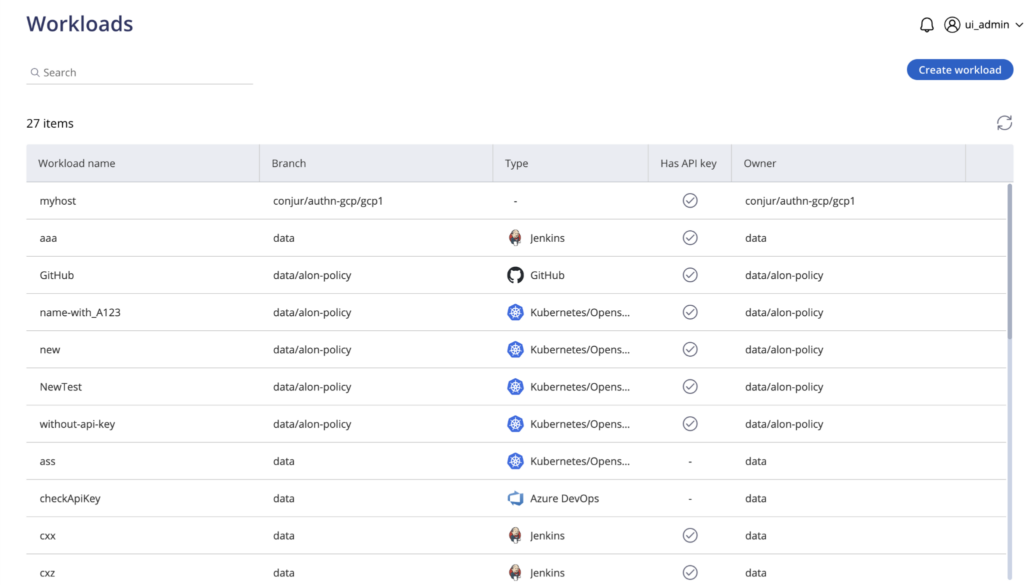
Source: Venn

2. Island Enterprise Browser

Best for: Governing SaaS and internal web app access from any device
Strengths: Last-mile controls built into a Chromium-based browser
Things to consider: Protects browser-based work, not locally installed applications
The Island Enterprise Browser is a Chromium-based browser with enterprise access, security, and management controls built into the browser itself. Security teams govern how users interact with SaaS and internal web applications at the point of use, rather than routing traffic through separate agents or appliances.
Island runs on Windows, macOS, Linux, ChromeOS, iOS, iPadOS, and Android, and is also available as an extension for Chrome, Edge, Safari, Firefox, and other Chromium-based browsers, so users are not required to switch browsers. Island positions the browser as a way to reduce or replace virtual desktop infrastructure for browser-based work.
Key features include:
- Conditional application access: Access controls assess identity, device, network, location, and application entirely within the browser. Controls are applied universally, so users reach data and resources from managed and unmanaged devices under the same policy.
- Last-mile data protection: Context-based policies let data move between approved enterprise applications while blocking leakage. Controls govern printing, downloads, uploads, screenshots, and copy and paste, and extend to actions taken outside the browser.
- Device posture assessment: Island checks device posture against policy requirements before granting access, and extends policy control to applications outside the browser, including tools such as Zoom, Slack, Teams, and WhatsApp.
- Built-in web threat defense: The browser defends against malware, phishing, session hijacking, man-in-the-browser attacks, and other browser exploits natively, which removes the need to layer a separate web security product over the endpoint.
- Privileged access controls: Additional protection applies to critical applications such as administrative consoles and backend systems. Island enforces security posture and user authentication while capturing full session detail, including the user, device details, and the specific actions taken.
- Application automation and experience analytics: Web applications can be enhanced or optimized with automations without touching source code or proprietary APIs. Island DEX collects analytics on application usage, performance, network, and device health to inform IT strategy.
- Zero trust network access: Island delivers zero trust network access to private applications from within the browser, protecting against network and endpoint attacks without deploying a separate access agent.
Limitations (as reported by users on G2):
- Policy administration complexity: Administrators report difficulty managing rules that look similar but differ subtly. Priority is determined by rule order, which makes troubleshooting harder as the policy set grows.
- Remote desktop feature gaps: The built-in remote desktop client lacks capabilities available in Microsoft’s desktop RDP client, which limits workflows that depend on full-featured remote access.
- Responsiveness: Users have reported lag during tab switching and general browsing, along with occasional site compatibility problems that interrupt daily workflows.
- Management console visibility: Console search is limited and the user activity view lacks advanced filtering or time-based views, which reduces visibility during investigations and audits.
- Opaque policy violation messages: When an action is blocked by policy, users often receive a generic error without detail on which rule applied, which pushes troubleshooting back to the administrator.
- Adoption friction: Limited extension support and user attachment to a preferred browser can slow a full transition onto the Island browser.
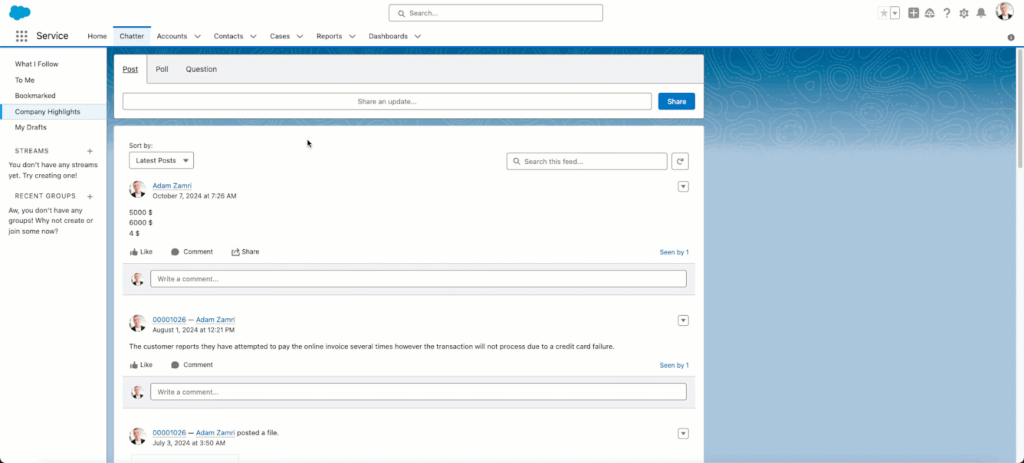
Source: Island

3. Hypori Halo

Best for: Regulated mobile BYOD where no data may touch the device
Strengths: Streams pixels only, so nothing is stored on the endpoint
Things to consider: Depends on constant connectivity to the virtual workspace
Hypori is a mobile access platform that gives each user a separate virtual workspace reached from a personal device. Rather than managing the device, Hypori streams pixels from the workspace, so enterprise information is never processed, stored, or transmitted to the phone or tablet. The approach is agentless and does not require MDM or MAM enrollment.
Because no data sits on the device, there is nothing to wipe, confiscate, or subpoena, and the organization cannot see what happens elsewhere on the device. Hypori is built on a zero-trust architecture that meets the DoD CC SRG for IL5, FedRAMP High, NIAP Common Criteria, and NSA CSfC, and enables CMMC, HIPAA, and No TikTok on Government Devices Act compliance.
Key features include:
- Separate virtual workspaces: Work is isolated from personal use in a distinct virtual workspace on one device. This limits data spillage, protects the organization against liability, and keeps personal activity outside the scope of a corporate investigation.
- Pixel streaming architecture: The virtualization layer never processes, stores, or transmits enterprise data to the endpoint. A lost or stolen personal device therefore carries no corporate data, which removes the loss and theft exposure that device-resident data creates.
- Multiple workspaces from one device: Users can access more than one secure workspace from a single device. This suits contractors and personnel who work across several organizations or several classifications of information.
- No enrollment or continuous device management: Hypori does not require device enrollment or ongoing device management. That removes the administrative overhead of a managed fleet and the user resistance that enrollment-based programs meet on personal hardware.
- Cross-platform endpoint support: The workspace is reachable from Android, iOS, and Windows 10 and later devices, so a mixed personal device estate does not require separate tooling for each operating system.
- Onboarding at scale: Provisioning is designed for large user populations, simplifying device management and making it easier to onboard new users, which Hypori positions as improving BYOD adoption rates.
- Travel risk containment: Because no data is stored locally and the workspace is fully separate, devices carried across borders present no corporate data to intercept, and the separation prohibits malware in the workspace from reaching the personal environment.
Limitations (based on publicly available sources):
- Connectivity dependence: Access to the virtual workspace requires reliable internet connectivity, so intermittent or low-bandwidth conditions interrupt work entirely rather than degrading gracefully.
- Input responsiveness: Reviewers have noted latency inside the streamed workspace that affects typing and keyboard behavior during sustained use.
- Enrollment friction at scale: Large deployments have reported difficulty completing account setup, particularly where users could not verify the credentials the enrollment process required.
- Mobile-first scope: The platform is oriented toward smartphones and tablets, so organizations that need full desktop application management require additional tooling alongside it.
- Ongoing compliance effort: Maintaining alignment with frameworks such as CMMC requires continuous monitoring and maintenance rather than a one-time configuration.
Unified Endpoint Management Platforms
4. Jamf Pro

Best for: Apple-first estates needing same-day operating system support
Strengths: Deep native Apple management with automation at scale
Things to consider: Apple only, with premium pricing and a steep learning curve
Jamf Pro is Apple device management for business and higher education, covering Mac, iPhone, iPad, and Apple TV. It goes beyond configuration profiles with policies and scripts that customize devices, and it uses native Apple technology so the end-user experience stays consistent with what Apple ships.
Jamf Pro configures, protects, and patches Apple devices using native Apple features without user interaction. It works alongside an existing stack, with integrations for Microsoft Entra, Power BI, Security Copilot and Sentinel, Google Workspace, Cloud Identity, Chrome Enterprise and Security Operations, and Okta Identity Cloud and Identity Threat Protection.
Key features include:
- Zero-touch deployment: Mac, iPhone, iPad, and Apple TV are provisioned hands-free for users, including BYOD scenarios. Devices arrive fully configured without IT physically handling the hardware, which removes the staging step from onboarding.
- Smart Groups: Dynamic device and user groups are built from inventory data, and an AI Assistant helps navigate them and trigger actions. Group membership updates as inventory changes, so policy targeting stays current without manual maintenance.
- Blueprints and declarative device management: Device settings, commands, application installations, and restrictions are managed through scalable configuration templates applied across the Apple fleet using declarative device management.
- Inventory management: Hardware, software, and security configuration details are collected automatically from every Apple device. That inventory is the basis for reporting, compliance evidence, and the attribute-driven grouping Jamf uses for targeting.
- App lifecycle management and Self Service+: Applications are deployed, updated, and managed through automated and secure workflows, and Self Service+ lets users install applications, update software, and maintain their own devices without opening a ticket.
- Compliance benchmarks and remote security commands: Automated configurations harden devices against comprehensive security baselines built on industry benchmarks. Remote commands manage settings, restrict malicious software, and patch devices without requiring user interaction.
Limitations (as reported by users on G2):
- Cost: Reviewers describe Jamf Pro as a premium investment. Organizations in education and the nonprofit sector frequently flag pricing as prohibitive, and add-on modules compound the base licence cost.
- Learning curve and training cost: Mastering the interface and feature set takes considerable time and effort, and reviewers note that the training which shortens that curve is itself expensive.
- Interface navigation: Users point to navigation friction rather than missing capability, such as headers disappearing when scrolling inventory screens and the inability to action several policies at once.
- Identity integration effort: Integrating with Okta and Microsoft Entra is reported as challenging during initial setup, and managing role-based access through the identity provider can be complicated.
- Apple feature lag and application packaging: Some reviewers say new Apple capabilities take time to reach the product, and that managing applications through packages the team must maintain is cumbersome for a small IT function.
- Platform scope: Jamf Pro manages Apple devices only, so organizations with Windows or Android endpoints need a second platform alongside it.
Related content: Read our guide to Jamf vs Intune
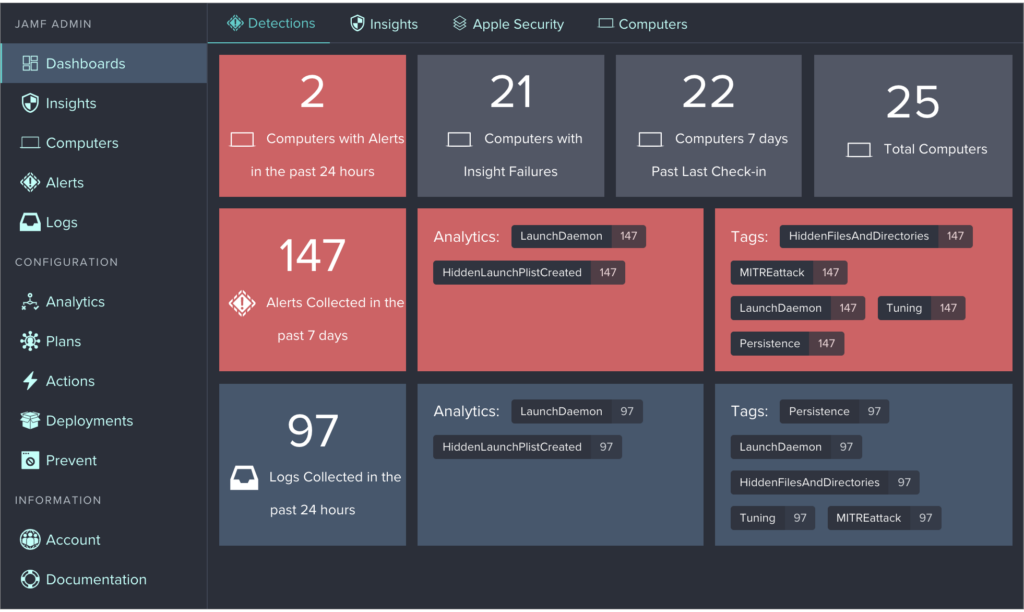
Source: Jamf Pro
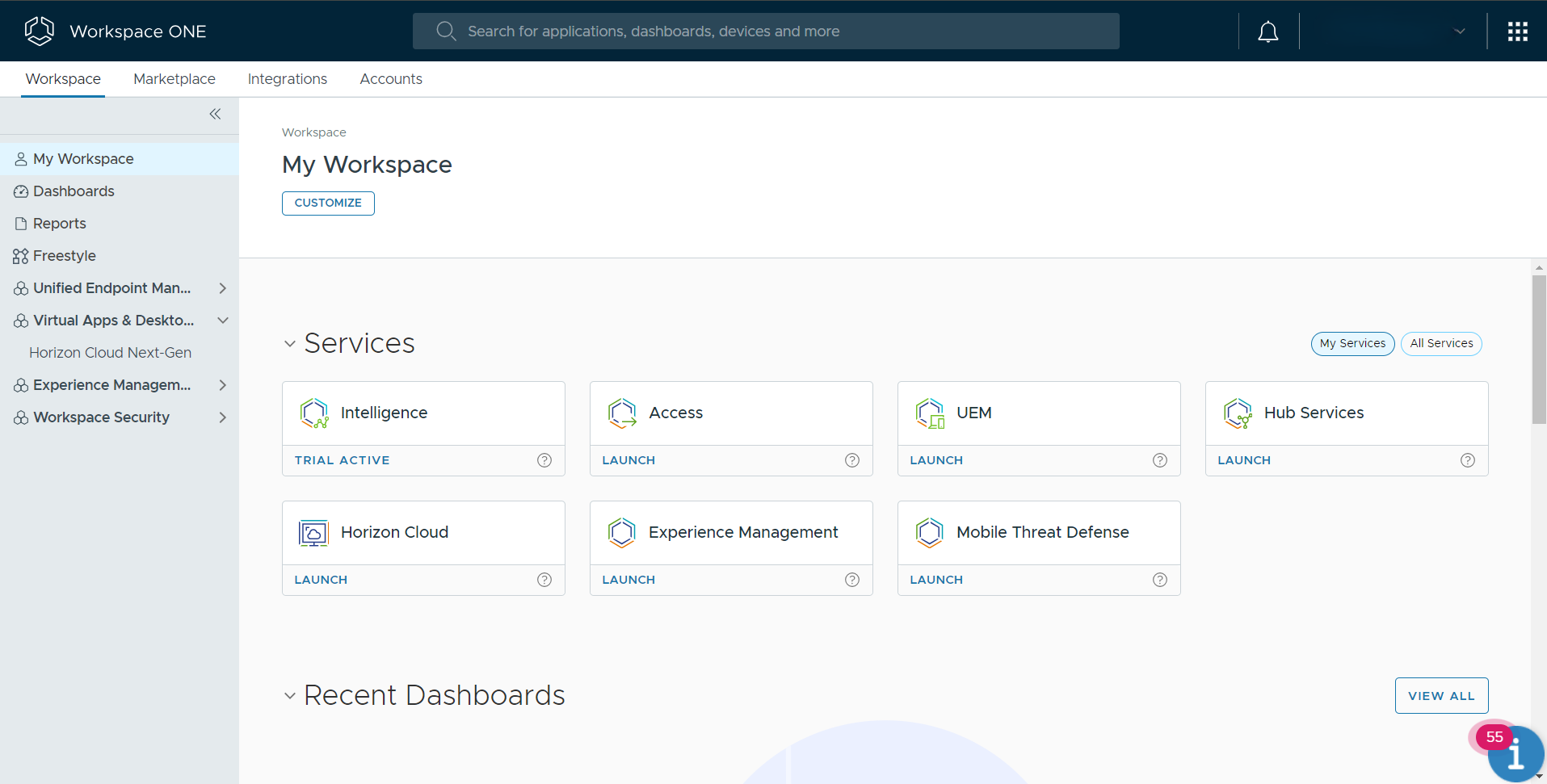
5. Omnissa Workspace ONE UEM

Best for: Large mixed estates including rugged and specialty devices
Strengths: Broad OS coverage with multi-tenant policy delegation
Things to consider: Implementation and integration usually need specialist help
Workspace ONE UEM is Omnissa’s cloud-native unified endpoint management platform. It is the product line that began as AirWatch and shipped under VMware before the end-user computing business became Omnissa, so material referring to AirWatch or VMware Workspace ONE describes the same platform.
Workspace ONE UEM manages desktops, mobile, rugged, servers, and specialty devices across Windows, macOS, iOS, Android, Linux, and ChromeOS from a single console. It centralizes management to reduce tool sprawl, uses AI-driven automation for repetitive tasks, and applies conditional access, compliance policies, and device posture checks across onboarding, configuration, updates, and support.
Key features include:
- Multi-tenant architecture: Policy and access are localized across business units or geographies through organization groups with granular controls. This lets large organizations delegate administration securely while maintaining central governance at scale.
- IT orchestration and automation: Freestyle Orchestrator automates onboarding, application deployment, and remediation tasks with low-code and no-code workflows, reducing repetitive work and supporting consistent policy enforcement across endpoints.
- Application lifecycle management: Full lifecycle management covers every application type, and Workspace ONE Intelligent Hub provides a unified self-service application catalog with single sign-on to applications including Office 365.
- Low-touch remote onboarding: Devices are provisioned remotely, reducing the need for manual imaging or in-person setup. Employees self-enroll and receive their configurations instantly, which supports hybrid and distributed teams.
- Conditional access and compliance policies: Dynamic access controls are defined against device state, user role, and risk signals. Conditional access blocks noncompliant endpoints and triggers remediation actions rather than simply reporting the failure.
- Per-app VPN through Workspace ONE Tunnel: Tunnel provides per-application VPN connectivity, encrypting data in transit and restricting which applications can reach internal systems, which supports least-privilege access to corporate resources.
- Automated patch management: Operating system and application updates are automated with visibility and control over deployment across Windows, macOS, and mobile platforms, reducing the window of vulnerability exposure.
- Role-based access control: Administrative permissions are granted precisely by user or group so access aligns with job function, which supports oversight across a large administrative team.
Limitations (as reported by users on PeerSpot):
- Implementation complexity: Reviewers describe installation and integration as difficult, with many needing vendor or consultant assistance to complete a deployment.
- Pricing and licensing structure: Licensing fees are reported as high, and reviewers describe the licensing model as more complex than they would like.
- Support and upgrade quality: Users report dissatisfaction with the quality of support and with the upgrade process between platform versions.
- Third-party integration: Integration with Microsoft and other platforms is cited repeatedly as an area needing improvement.
- Performance and defects: Reviewers report performance issues and bugs, including application installation through the hub running slower than installing an application directly.
- Fit for smaller estates: Reviewers with small device counts and limited infrastructure suggest the platform is oversized for their environment.
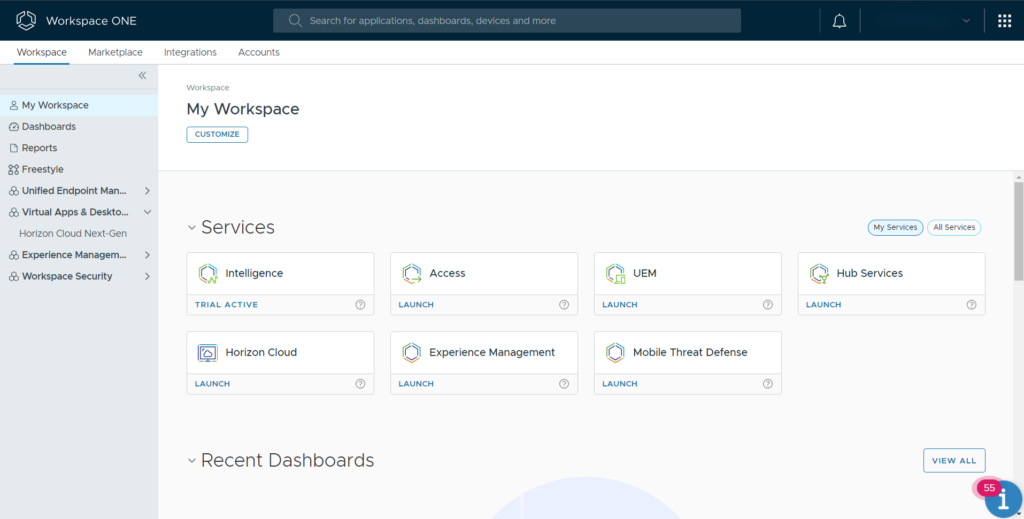
Source: Omnissa
6. Ivanti Neurons for UEM
Best for: Estates with IoT, rugged, and immersive devices to manage
Strengths: Real-time discovery with self-healing endpoint automation
Things to consider: Setup is complex and release quality draws criticism
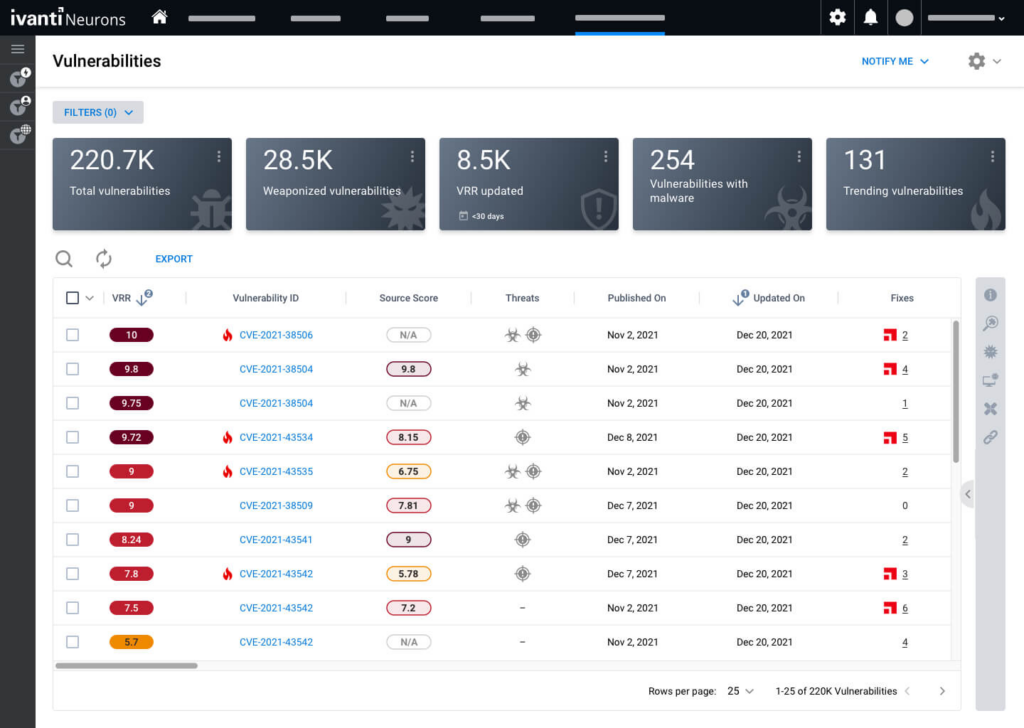
Ivanti Neurons for UEM discovers, manages, and secures endpoints across the entire IT estate from a single platform, covering iOS, Android, macOS, Windows, ChromeOS, Linux, and rugged devices. Continuous real-time discovery and inventory establishes the visibility layer that the rest of the platform’s automation depends on.
The platform combines lifecycle control from onboarding and provisioning through to secure retirement with proactive issue resolution that resolves problems silently in the background. Its zero-trust controls pair passwordless identity with gateway-level conditional access and per-app VPN rather than relying on single sign-on alone.
Key features include:
- Real-time asset visibility: Continuous discovery and inventory produce a unified view of devices, people, software, vulnerabilities, and service mappings. This closes the gap between the endpoints an organization knows about and those it does not.
- Cross-platform lifecycle management: Endpoints and their applications are managed across the full lifecycle on iOS, Android, macOS, Windows, ChromeOS, Linux, and rugged hardware, from onboarding and rapid provisioning through to decommissioning and end-of-life management.
- Autonomous endpoint management: AI-powered automation on the Ivanti Neurons platform detects, diagnoses, and remediates endpoint issues in the background, allowing endpoints to self-heal and self-secure without routing every incident to a technician.
- Secure configuration at scale: Profiles, Wi-Fi settings, certificates, and conditional access are automated so configuration stays consistent across the fleet without per-device manual work.
- Proactive patch management: AI-driven automated patching covers operating systems and third-party applications at scale, continuously reducing exposure without a manual scheduling and verification cycle.
- Application control and privilege management: Unauthorized software is blocked and privileges are managed dynamically so only trusted applications run, which reduces the attack surface without stopping users from working.
- Digital employee experience monitoring: Performance is monitored continuously, user sentiment is captured, and intelligent scoring drives automated remediation, so issues are addressed before they reach the service desk.
- Remote assistance and diagnostics: Real-time diagnostics, remote control, and a unified support workspace with automated scripts support both one-to-one assistance and scripted resolution.
Limitations (as reported by users on PeerSpot):
- Initial setup complexity: Reviewers report that configuration is demanding in large environments with detailed compliance requirements, and some organizations needed external assistance to complete it.
- Release quality: Users say new versions arrive with basic issues and attribute this to insufficient testing before release.
- Windows policy delivery: Pushing policies to Windows devices is described as slow relative to other platforms the same reviewers manage.
- Device monitoring depth: Reviewers ask for improvements to device monitoring capability within the console.
- Product line synchronization: Integration between the older MobileIron components and the Neurons platform is reported as not fully in sync.
- Interface consistency: Parts of the administrative interface are described as dated relative to the rest of the platform.
Source: Ivanti Neurons
7. ManageEngine Endpoint Central

Best for: Patch-heavy operations wanting management and security together
Strengths: Automated patching across OS and third-party applications
Things to consider: Feature-dense console, with modules licensed separately
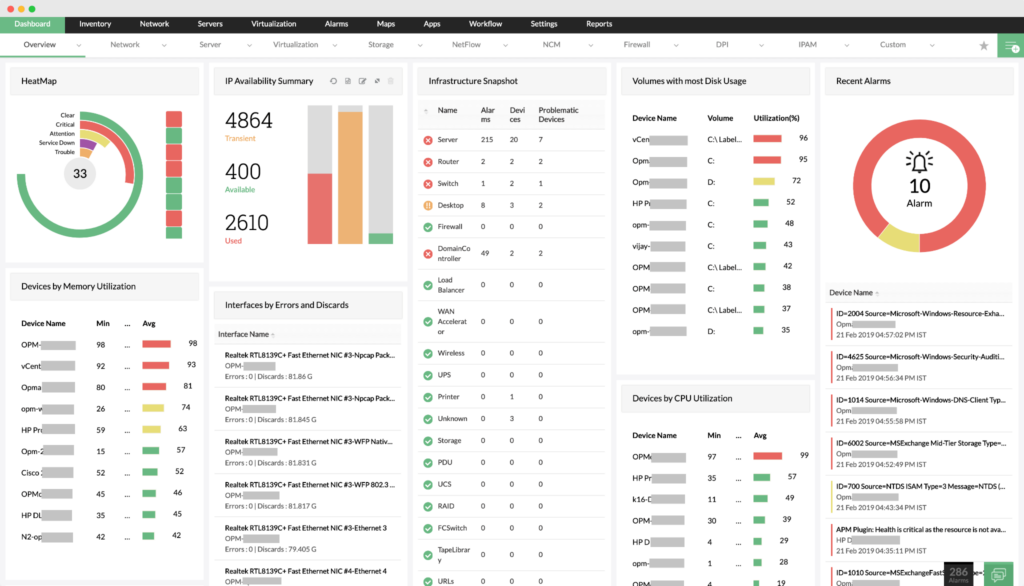
ManageEngine Endpoint Central is a unified endpoint management and security solution that manages and secures servers, desktops, laptops, and mobile devices centrally. It automates routine endpoint work including patch installation, software deployment, imaging, and operating system deployment.
Beyond management, the platform covers asset and software licence tracking, software usage statistics, USB device control, remote desktop control, attack surface management, and ransomware protection from one console. Zia, the built-in assistant, runs routine work from vulnerability triage through patch rollout to threat containment, escalating where it should.
Key features include:
- Automated patch management: Patch deployment is automated for operating systems and third-party applications across Windows, macOS, and Linux, covering scanning, detection, testing, and deployment, with pre- and post-deployment checks and configurable reboot options.
- Patch testing before rollout: Patches are tested for stability and compatibility on a testbed before they reach production endpoints, which limits the impact of a bad update across a large fleet.
- Mobile device management: Corporate-owned and personal devices across Android, iOS, iPadOS, macOS, Windows, ChromeOS, and tvOS are brought under central control from the same console used for desktops and laptops, with app, email, and content security applied.
- Software deployment and self-service: Packages are stored in a central network share or HTTP repository, mobile applications install and update silently, and a self-service portal with an application catalog lets users install approved software themselves.
- Built-in endpoint security modules: Endpoint detection and response, data loss prevention, application control, device control, vulnerability scanning, and ransomware protection are part of the same platform rather than separate products bolted alongside it.
- Asset and licence management: Hardware and software assets, licences, and warranties are tracked, usage counts and duration are collected to identify unnecessary renewals, and configuration changes are detected automatically.
- Compliance reporting: Dedicated features address HIPAA, GDPR, CIS, ISO, and PCI requirements, supported by out-of-the-box Active Directory reports on users, computers, groups, organizational units, and domains.
Limitations (as reported by users on G2):
- Interface density: The console is described as cluttered and overwhelming, particularly for newer administrators navigating the platform’s more advanced features.
- Learning curve and integration: Reviewers report a steep learning curve and complex integration work, with guides that do not always match the breadth of the product.
- Reporting and group settings: Gaps in reporting and group configuration affect usability, and reviewers note that reports often need manual customization before they are audit-ready.
- Patch deployment feedback: Patch deployments can fail with unclear errors, and console status is not always updated immediately, which makes confirming completion time-consuming.
- Modular licensing: Many capabilities are licensed separately, and reviewers would prefer commonly needed tools bundled into a single package.
- Multi-step configuration: Routine tasks sometimes require several steps, which adds time to day-to-day administration.
Source: ManageEngine
8. Iru Endpoint Management

Best for: Apple-led teams expanding into Windows and Android
Strengths: One lightweight agent with configuration-as-code control
Things to consider: Windows and Android coverage is newer than the Apple base
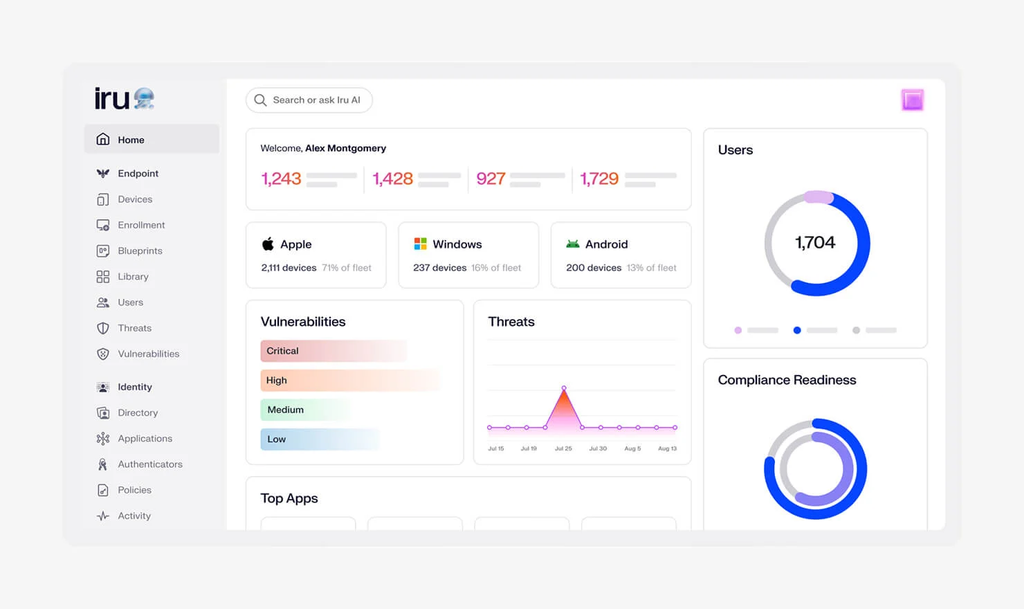
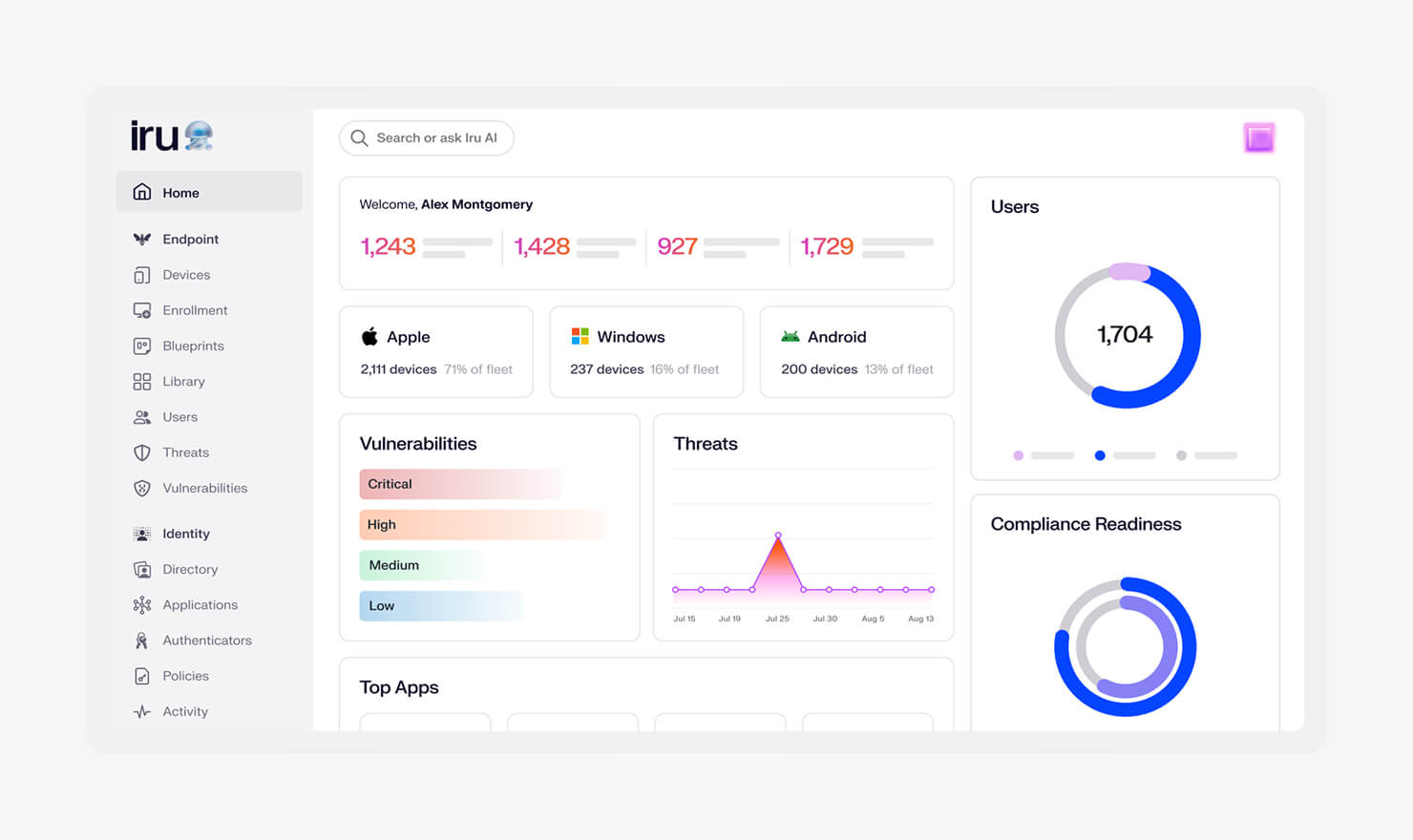
Iru Endpoint Management, the platform previously sold as Kandji, automates onboarding, application updates, and policy enforcement across Apple, Windows, and Android. Settings for the three platforms are unified into single controls, and Mac and Windows devices are managed by one low-overhead agent that installs at enrollment and updates itself automatically.
Configuration is version controlled: device configuration lives in files, changes are pushed through pull requests, rollbacks come from the repository, and Iru syncs the fleet to match. Iru AI surfaces insights and recommends actions, and an MCP server connects the fleet to AI build environments so endpoint workflows run alongside the rest of the toolchain.
Key features include:
- Enrollment and zero-touch deployment: Devices enroll in seconds from a single portal and immediately receive the right applications, settings, and security controls. Apple devices are set up and configured remotely without IT physically touching the hardware.
- Assignment Maps: A visual interface scopes, stages, and explains assignments with clear logic, conflict checks, and instant traceability. Administrators can trace which configurations reached a device and why, and apply conditional logic to specific user or device subsets.
- Auto Apps: A curated library covering more than 200 Mac and Windows applications handles deployment and patching. Iru schedules quiet updates, prompts users proactively at a time that does not interrupt work, and enforces installation when required.
- Security controls and benchmark templates: Critical settings are enforced through native management frameworks to enable encryption, configure firewalls, and prevent data leakage. One-click templates bring Macs to CIS Level 1 or Level 2 benchmarks with dozens of preconfigured controls.
- Managed OS updates: Operating system updates for Apple devices are automated with administrator-defined enforcement timeframes, and Iru handles the end-user experience around the update itself.
- Application blocking and custom scripts: Unapproved or unsafe applications are blocked across endpoints to reduce risk, and custom scripts extend the platform beyond native device management controls for organization-specific requirements.
- Self service: End users install approved applications, run scripts, or open links from a self-service interface that can be branded and matched to the look of Mac and Windows.
Limitations (as reported by users on G2):
- Windows management maturity: Reviewers note that Windows management has been thinner than the Apple functionality the platform was originally built on.
- Cost relative to alternatives: Some reviewers find the platform expensive next to other options they evaluated, and note that newer modules add to the licence cost.
- Interface refinement: Users describe the console as generally intuitive but see room for further interface and workflow refinement.
- Update visibility: Reviewers report occasional problems with how upcoming application updates are surfaced in the console.
- Guidance for new capability: Features arrive faster than the accompanying documentation and training, leaving administrators to work out what a new release does.
Source: Iru
Conclusion
Choosing the right endpoint management solution requires evaluating how well it supports an organization’s device diversity, security posture, and operational workflows. Modern solutions should provide centralized visibility, policy enforcement, automation, and integration with identity and threat protection systems. The ability to scale, adapt to hybrid work environments, and simplify administrative tasks is essential for maintaining control over endpoints and protecting corporate data.
See Additional Guides on Key Data Security Topics
Together with our content partners, we have authored in-depth guides on several other topics that can also be useful as you explore the world of data security.
Data Catalog
Authored by Collate
- [Guide] Data Catalog – How It Works, Key Challenges & How AI Can Help
- [Guide] Data Discovery – Traditional Methods, Challenges & How AI Can Help
- [Guide] Data Dictionary in 2025 – 5 Use Cases & 5 Critical Best Practices
OpenSearch
Authored by Instaclustr
- [Guide] Complete guide to OpenSearch in 2025
- [Guide] Best managed OpenSearch platforms: Top 6 solutions to know in 2026
- [Blog] Debugging Jobs in the Apache Spark™ UI
- [Product] NetApp Instaclustr Data Platform | Open-Source Data Infrastructure Platform
PostgreSQL
Authored by Instaclustr

Any worker. Any laptop. Any AI workflow. Fully secured.
Schedule a demo to see how Blue Border™ secures company data and apps without shipping laptops, running VDI, or managing personal endpoints.