
Mac MDM: How macOS Device Management Works in 2026

See Venn first in Google Search
Add as a preferred source on Google
The Mac is no longer a niche request from the design team. Apple’s enterprise footprint keeps expanding — Mac adoption in the enterprise has grown 18% over the past three years — and with it comes the question every IT team eventually faces: how do you actually manage and secure a fleet of Macs? Mac MDM is the answer most teams reach for, and in 2026 it works very differently than it did even a couple of years ago.
This guide explains how Mac MDM works in plain English — Apple Business Manager, enrollment types, the modern management model — and, just as importantly, where full Mac management fits and where it doesn’t. Because a growing share of the Macs touching company data are owned by employees and contractors, not the company, and that changes the calculus.
This is part of a series of articles about mobile device management (MDM).
Get Your BYOD Security Toolkit
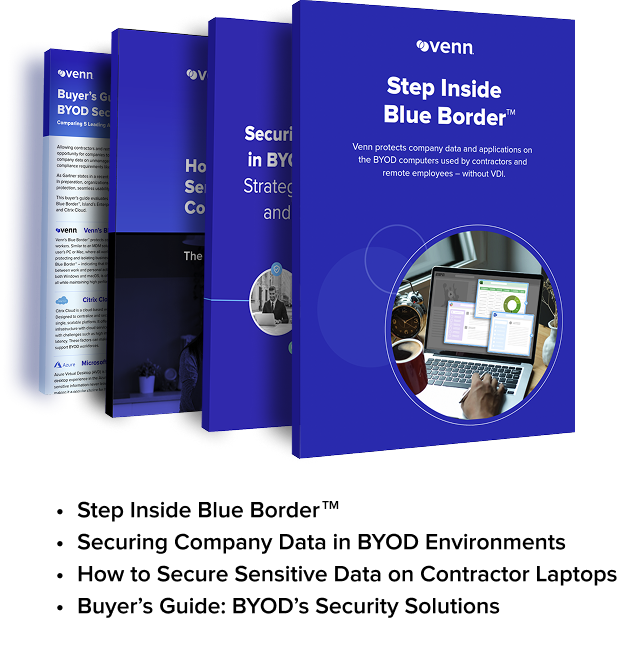
Unlock the 4 essential assets you need to secure company data on unmanaged laptops – without VDI
In this article:
What Is Mac MDM?
Mac MDM is the use of mobile device management to configure, secure, and remotely manage macOS devices. It relies on Apple’s built-in management framework: a protocol that uses the Apple Push Notification service, certificate-based authentication, and configuration profiles to deliver settings and commands to enrolled devices. When IT pushes a change, the MDM server doesn’t talk to the Mac directly — it sends a push notification that tells the device to check in and retrieve queued commands.
In practice, Mac MDM lets IT enforce settings like disk encryption and passcodes, deploy apps, manage updates, and remove company data when needed — all without physically touching the machine.
Related content: Read our guide to mdm tools
How Apple Device Management Works
Apple’s management stack has matured into a coherent system with a few core pieces working together.
Apple Business Manager and zero-touch enrollment
Apple Business Manager (ABM) is Apple’s free portal where an organization registers its devices and connects them to an MDM server. Through Automated Device Enrollment, Macs purchased through approved channels are tied to the organization before they’re even unboxed — so when an employee powers on a new Mac, it recognizes corporate ownership and enrolls into MDM automatically. That zero-touch model has become the standard for company-owned hardware: from shrink-wrap to productive without IT ever staging the device by hand.
Supervision and configuration profiles
Configuration profiles are the primary mechanism for applying settings to Macs — XML files that define Wi-Fi, VPN, security restrictions, and more. Company-owned Macs enrolled through ADE can be supervised, which unlocks deeper restrictions and a management profile the user can’t remove. That’s appropriate for corporate hardware; it’s also exactly what makes the model awkward on devices people own.
Declarative Device Management – the modern model
Apple has shifted the underlying model from the old command-and-response approach toward Declarative Device Management (DDM), where the device carries its policies and proactively reports state instead of waiting to be polled. DDM is now the standard, and every serious MDM vendor — Jamf, Kandji, Mosyle, and Microsoft Intune — supports it. The result is faster compliance and more reliable OS-update enforcement.
Enrollment Types: Corporate vs BYOD Macs
The single most important Mac MDM decision is how a device is enrolled, because it determines how much control IT has — and how much of the user’s privacy is on the line.
Company-owned (ADE / supervised)
For Macs the company buys, Automated Device Enrollment with supervision is the gold standard. Enrollment is mandatory and non-removable, security policies apply from first boot, and IT gets the full management feature set. This is the right model when the organization owns the hardware.
BYOD (User Enrollment)
For personal Macs, Apple offers User Enrollment, which deliberately limits IT’s reach. Your MDM can configure work accounts and apps, enforce passcode requirements, and remove work data — but it can’t access personal information, see personal apps, or wipe the entire device. Corporate data is stored in a separate, encrypted volume, so IT manages the work side while having no visibility into the user’s personal photos, messages, or browsing. It’s separation by design, and notably, it’s Apple acknowledging that personal devices need a fundamentally lighter touch.
Related content: Read our guide to mdm software
Get Your BYOD Security Toolkit
Unlock the 4 essential assets you need to secure company data on unmanaged laptops – without VDI
The BYOD Mac Problem
User Enrollment is a meaningful improvement, but it doesn’t make the BYOD problem disappear. Full Mac management still assumes the company owns the device, and on contractor or employee-owned machines that assumption breaks down.
Asking a contractor to enroll their personal Mac into management — even a lighter form of it — can raise privacy concerns, complicate offboarding, and add onboarding steps that slow the very work you hired them to do. For a BYOD or contractor-heavy workforce, the friction compounds. The need is real: protect company data on the Mac. The device-management model just isn’t a clean fit for a device the company doesn’t own. A solid BYOD program helps set expectations, but the core tension between control and ownership remains.
Securing Work on BYOD Macs Without Full Management
When the Macs carrying your data are owned by the people using them, the cleaner model is to isolate the work rather than manage the machine.
Blue Border is the secure workspace for remote employees and contractors on any device – without VDI or fully managing the endpoint. Installing Blue Border on a Mac creates a company-controlled secure enclave directly on that device. All business activity inside the enclave – company data, applications, networking, and AI workflows – is protected and isolated from any other use on the same computer. Work applications run locally, with no performance tradeoffs, visually marked by a blue line wrapped around those application windows. Outside Blue Border, privacy is preserved and IT has no visibility or control, and offboarding is a single remote wipe of the enclave.
This is the same instinct behind Apple’s User Enrollment — separate work from personal, protect the work — taken further and made consistent across any PC or Mac. A hyper-growth AI platform used Blue Border to onboard global contractors the same day, with native Okta integration and a high-performance, Mac-friendly experience, instead of shipping laptops or forcing users into virtual desktops. Pairing the enclave with endpoint DLP controls keeps company data protected without ever reaching into the user’s personal Mac.
See Blue Border in action here.
Frequently Asked Questions
What’s the best way to manage BYOD Macs?
For company-owned Macs, Automated Device Enrollment with supervision is ideal. For BYOD Macs, the options are Apple’s User Enrollment — which limits IT to the work side — or an enclave-based approach that isolates company work entirely from the personal device. The enclave model is often the better fit for contractors and employees who own their Macs, because it protects company data without managing the machine.
Is Mac MDM the same as Jamf or Intune?
Mac MDM is the underlying capability — Apple’s management framework. Jamf, Kandji, Mosyle, and Microsoft Intune are tools that implement it. Apple specialists tend to offer the deepest macOS management; Intune is common in Microsoft-centric environments. They all rely on the same Apple Business Manager and MDM protocol foundation.
Can you manage a Mac without supervising the whole device?
Yes. Apple’s User Enrollment lets IT manage work accounts and data on a personal Mac without supervising or wiping the whole device. Going a step further, an a secure enclave-based approach isolates all company work in a controlled environment on the Mac, leaving the rest of the device — and the user’s privacy — entirely untouched. This is what Blue Border by Venn does for all Mac laptops.
The Bottom Line
Mac MDM in 2026 is a mature, capable model — Apple Business Manager and zero-touch enrollment make managing company-owned Macs genuinely smooth. The harder case is the BYOD Mac, and even Apple’s own design points toward a lighter touch on devices people own. As Mac adoption keeps climbing and more of those Macs belong to employees and contractors, the smarter question is how to secure work on any Mac without fully managing it.
Explore BYOD best practices, review the broader unified endpoint management software landscape, and see how Blue Border secures work on any PC or Mac without VDI or fully managing the endpoint.

Any worker. Any laptop. Any AI workflow. Fully secured.
Schedule a demo to see how Blue Border™ secures company data and apps without shipping laptops, running VDI, or managing personal endpoints.