
Remote Work Solutions: Key Categories and 15 Tools to Know in 2026


What Are Remote Work Solutions?
The evolution of remote work solutions has shifted from simple virtual private networks (VPNs) and email systems to complex, multi-layered environments. Modern setups utilize cloud-based applications, unified communication suites, and secure access architectures to accommodate the diverse needs of distributed teams.
Modern remote work solutions involve a combination of tools and technologies, such as secure workspace and remote desktop solutions (eg. Venn, Citrix Workspace, Splashtop), remote access solutions (e.g. NordLayer, RemotePC, Twingate), communication and collaboration platforms (e.g., Slack, Zoom, Microsoft Teams), project and task management software (e.g., Asana, Trello), and remote workforce management solutions (e.g., Rippling, BambooHR).
This is part of a series of articles about secure remote access.
Free eBook:
Secure Remote Access That Doesn’t Drive Users Crazy!
Secure your entire extended workforce without issuing devices or VDI. Keep your organization agile, compliant, and secure.
In this article:
Core Components of Modern Remote Work Infrastructure
Cloud Computing
Cloud computing is the core enabler of modern remote work, offering flexible, on-demand access to computing resources without the need for physical infrastructure. Through models like infrastructure as a service (IaaS), organizations can provision virtual machines, networking, and storage that scale with demand. Software as a service (SaaS) delivers applications like collaboration tools, CRM systems, and project management platforms over the internet.
This model supports rapid deployment and centralized management of digital work environments. Employees can access tools and data from anywhere with internet connectivity, while IT teams maintain control over performance, availability, and security. Cloud services also allow for automated failover, regular backups, and distributed data centers, improving resilience and uptime.
Unified Communication Systems
Unified communication systems consolidate multiple channels such as instant messaging, video conferencing, email, and voice calls into integrated platforms. This centralization removes friction in day-to-day communication, making it easier for remote employees to collaborate in real time and access shared information. Unified solutions often include presence awareness, shared calendaring, file sharing, and device handover, keeping dispersed teams connected.
The efficiency of unified communications is evident in how it promotes faster decision-making, eases the management of remote meetings, and eliminates silos created by disparate tools. Systems often incorporate features such as AI-driven transcription, real-time translation, and workflow automation.
Device and Endpoint Management
Device and endpoint management is crucial for maintaining consistent security and user experiences across a distributed workforce. Organizations typically employ endpoint management platforms to enforce security policies, push updates, monitor device health, and support troubleshooting regardless of the hardware location. This centralized control reduces vulnerabilities and ensures compliance with company standards even on employee-owned devices.
Modern endpoint management solutions handle device provisioning, enforce encryption, manage patch deployments, and offer remote wipe capabilities in the event of loss or theft. These capabilities are crucial for preventing data breaches and minimizing the risk associated with unmanaged endpoints.
Data Storage and Remote Access Architecture
Secure data storage and remote access are foundational to remote work architectures. Common approaches include using cloud storage providers supplemented by strong access controls, allowing employees to retrieve and collaborate on files securely, regardless of their location. Solutions such as secure file sharing, encrypted document management, and automated backups ensure data integrity and business continuity.
Remote access architecture extends beyond simple file access, encompassing secure gateways, VPN replacements, and granular permissions to protect data while enabling productivity. Zero-trust frameworks and adaptive authentication mechanisms are becoming standard, reducing risks posed by compromised accounts or devices.
Types of Solutions Enabling Remote Work
Secure Workspaces and Remote Desktop Infrastructure
Secure workspace solutions have emerged as a modern, lightweight alternative for enabling secure remote work. These platforms isolate business applications and data within a protected workspace that runs locally on the user’s device but remains logically separated from personal apps and files. This approach avoids the complexity of full virtualization while still enforcing strong security policies, like data loss prevention and activity monitoring, without requiring full control of the underlying device.
Legacy solutions such as virtual desktop infrastructure (VDI) and desktop-as-a-service (DaaS) deliver remote desktops hosted in centralized data centers or the cloud. While they provide full control over the user environment, they often require significant infrastructure investment and ongoing management. VDI solutions can suffer from performance bottlenecks, latency issues, and poor user experiences.
Remote Access Solutions
Remote access solutions allow employees to connect securely to internal systems and resources from outside the corporate network. Modern implementations use secure web gateways, identity-aware proxies, or zero-trust network access (ZTNA) to replace traditional VPNs. These methods enable granular access controls and better monitoring, reducing attack surfaces while maintaining usability.
Unlike legacy VPNs that provide broad network access, zero-trust models authenticate each user and device before granting access to specific apps or services. This approach limits lateral movement within networks and improves the organization’s overall security posture, especially when supporting BYOD or hybrid work models.
Collaboration and Collaboration Tools
Collaboration and communication tools such as Slack, Microsoft Teams, and Zoom provide a unified environment for messaging, video calls, and file sharing. These platforms replace traditional email chains and phone calls with real-time, searchable interactions and persistent chat rooms, fostering teamwork among remote employees. Integrated apps, bots, and automation improve the experience, connecting project management tools directly to communication channels.
The ecosystem of plugins and third-party integrations allows businesses to tailor collaboration platforms to their specific processes. Whether embedding workflow approvals, knowledge bases, or survey tools, these customizations help keep teams aligned and reduce context switching. As a result, communication and collaboration suites serve as the digital hub for distributed organizations, supporting a continuous and transparent flow of information.
Project and Workflow Management Systems
Project and workflow management systems such as Trello, Asana, and ClickUp are essential for organizing tasks and tracking progress in remote environments. They provide features like task assignment, progress tracking, deadline notifications, and workflow automation, giving teams clarity over goals and status. Visual boards, checklists, and calendar views ensure everyone understands priorities and dependencies.
Integration with communication tools and file storage platforms simplifies processes, allowing updates and discussions to flow naturally within the context of each project. Analytics and reporting features help managers spot bottlenecks and optimize resource allocation. In distributed setups, these systems play a central role in maintaining accountability, visibility, and momentum across teams.
Remote Workforce Management Solutions
Remote workforce management solutions focus on tracking productivity, managing schedules, and ensuring compliance in distributed teams. These tools often include time tracking, shift scheduling, activity monitoring, and compliance reporting. They help managers understand how work is progressing without relying on physical presence or manual check-ins.
Advanced platforms may integrate with payroll, HR systems, and project tools to centralize workforce data. This integration allows for better forecasting, performance reviews, and operational insights, enabling organizations to optimize remote team operations and maintain accountability.
Related content: Read our guide to remote work security risks
Notable Remote Work Solutions
Secure Workspace and Remote Desktop Solutions
1. Venn

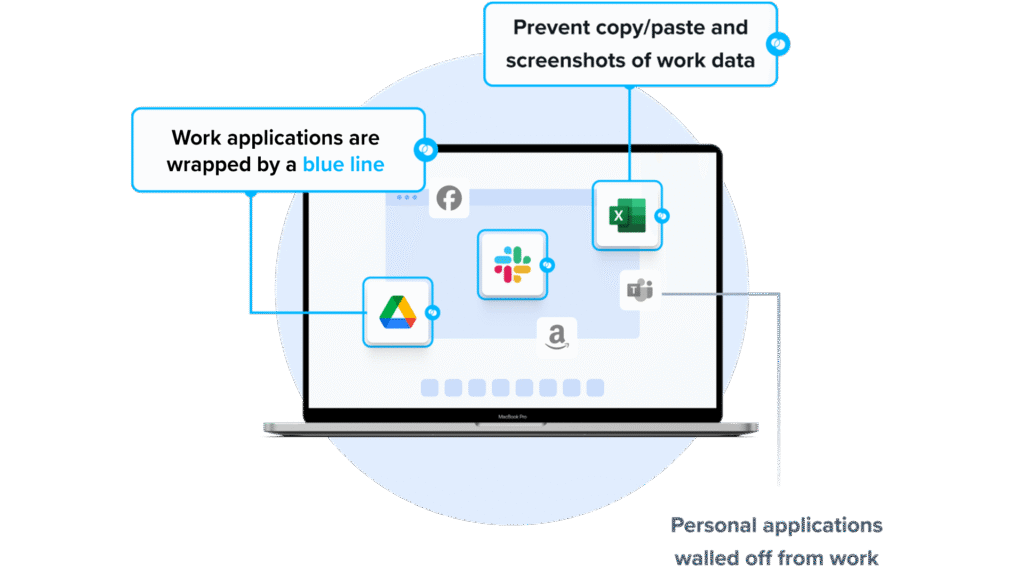
Venn’s Blue Border™ secures remote access by protecting company data and applications on BYOD computers used by contractors and remote employees. Similar to an MDM solution but for laptops – work lives in a company-controlled Secure Enclave installed on the user’s PC or Mac, where all data is encrypted and access is managed. Work applications run locally within the Enclave – visually indicated by Venn’s Blue Border™ – protecting and isolating business activity while ensuring end-user privacy.
Key Features include:
- Seamless MFA integration: Works with Okta, Azure, and Duo for smooth, secure authentication
- Encrypted workspace: Protects all data and applications with robust encryption
- Context-aware access controls: Enforces policies based on user, device, and environment
- Comprehensive session logging: Tracks all activity with full audit visibility
- Unified Zero Trust solution: Combines endpoint protection, remote access, and Zero Trust security
- Faster, scalable alternative: Optimized performance compared with legacy VPNs and VDI
Schedule a demo of Blue Border™
2. Citrix Workspace
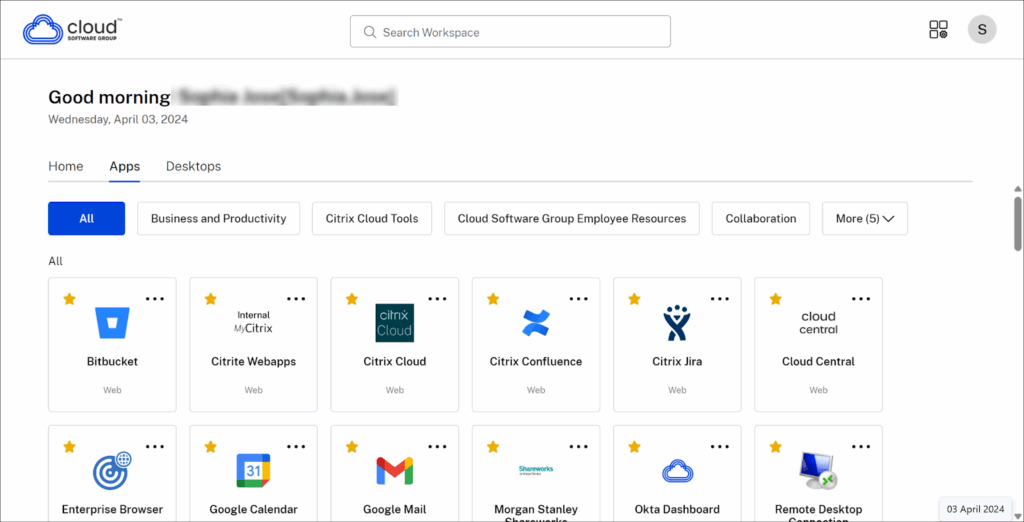
Citrix Workspace is a cloud-managed platform that provides secure access to virtual desktops, applications, SaaS, and internal web services. Through a web browser or the Citrix Workspace app, users can connect to their work environment with single sign-on (SSO), eliminating repeated credential entries.
Key features include:
- Unified access to resources: Securely access virtual desktops, applications, web, and SaaS tools from one platform
- Single sign-on (SSO): Authenticate once using an identity provider to access all assigned resources without re-entering credentials
- Citrix DaaS™ integration: Deliver virtual apps and desktops from on-premises or cloud environments with centralized control
- Citrix Secure Private Access™: Enable secure remote access to internal and SaaS web apps with granular policy enforcement
- Remote Browser Isolation™: Isolate browsing activity in a secure environment to protect the corporate network from web-based threats
Source: Citrix
3. Splashtop Enterprise
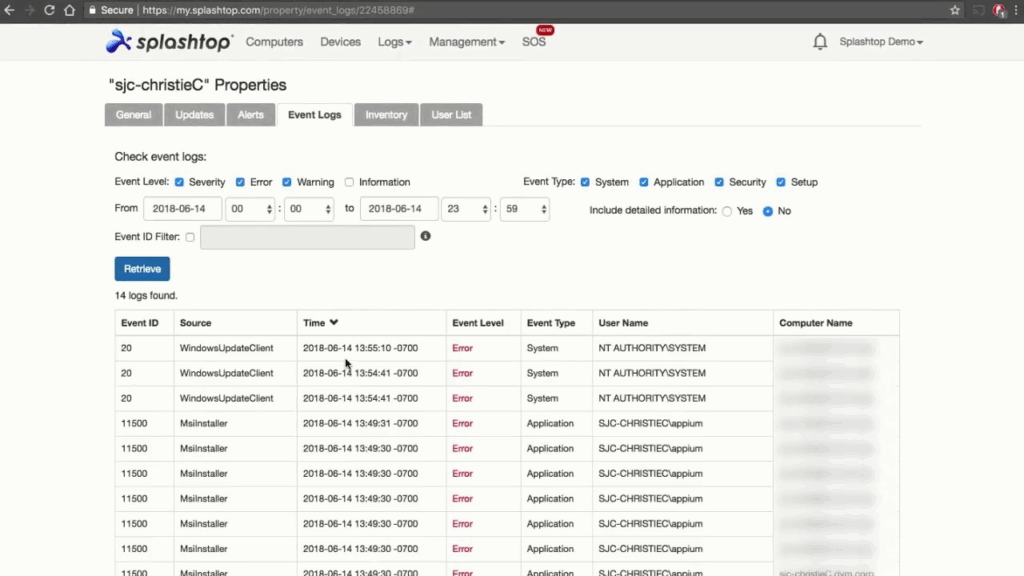
Splashtop Enterprise is a remote access and support platform for organizations. It provides high-performance streaming, cross-platform access, identity integrations, granular security controls, and service desk capabilities. Optional add-ons extend endpoint management, security, and connectivity.
Key features include:
- Unattended access across platforms: Provides remote access to Windows, Mac, Linux, and Android devices, including physical and virtual machines, enabling cross-device connections without user intervention for ongoing administration and support.
- Identity federation via SSO/SAML: Integrates with common identity providers like Okta, Azure AD, OneLogin, JumpCloud, Workspace ONE, and Google to centralize authentication and simplify access management across users and teams.
- Security and auditing: Offers session recording, role-based access controls, SIEM integrations, IP allowlists, and encryption to increase oversight, meet compliance requirements, and tighten control of remote sessions and resources.
- Session device controls: Redirects USB devices and smart cards, forwards local microphone input, and supports stylus tools and Wacom Bridge to enable specialized workflows requiring peripherals and precise input over remote connections.
- Attended support and background actions: Supports session-based assistance using a nine-digit code, plus background tools like task manager, registry, services, device manager, and remote command execution without interrupting end users.
- Endpoint management and integrations: Extends capabilities with add-ons for patch management, software deployment, antivirus and EDR, AR annotations, and connectors for RDP, VNC, and SSH without VPN, alongside APIs and ticketing integrations.
Source: Splashtop
Remote Access Solutions
4. NordLayer
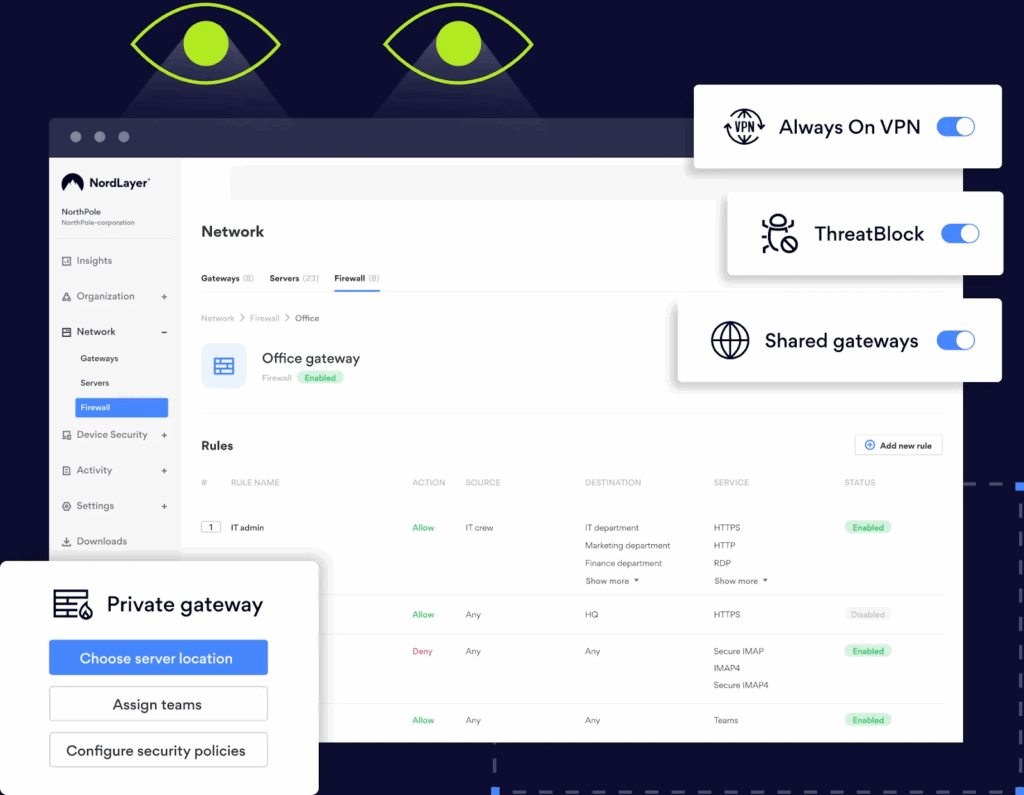
NordLayer is a security-focused remote access solution that protects distributed workforces across multiple locations and devices. It provides a platform for connecting remote users securely while enabling IT teams to enforce network policies, control access, and maintain visibility over user activity.
Key features include:
- Secure remote access: Encrypts connections for remote users, allowing safe access to company resources from any location or device
- Centralized access control: Manages permissions and enforces access policies to restrict entry to sensitive systems and data
- BYOD security: Implements protections for personal devices used in work environments, reducing risks from unmanaged hardware
- Endpoint protection: Shields remote endpoints from malware, ransomware, and other threats through proactive security measures
- Compliance alignment: Helps organizations meet key regulations such as GDPR and HIPAA by supporting data protection and access auditing
Source: NordLayer
5. RemotePC
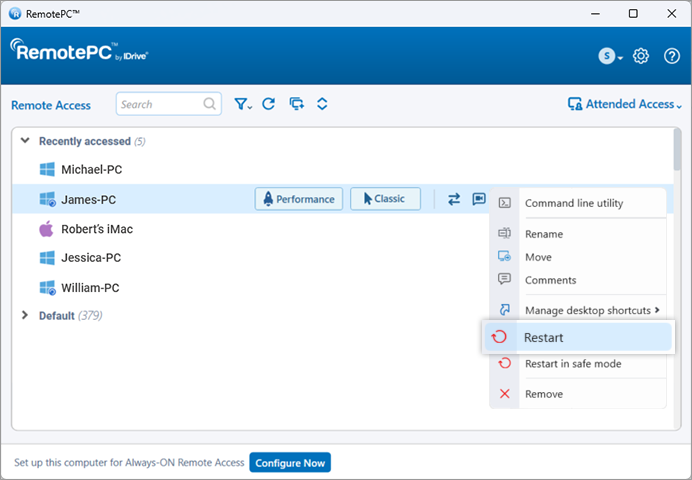
RemotePC is a cloud-based remote desktop service for individuals, teams, and enterprises. It supports cross-platform access from native apps or a browser and includes remote management, collaboration features, and optional cloud application backup services.
Key features include:
- Cross-platform remote access: Connects to Windows, macOS, and Linux computers from desktops, mobile devices, or a web browser, enabling access from virtually anywhere with internet connectivity and appropriate credentials.
- Remote desktop management: Provides file transfer between local and remote machines, supports remote printing, and streamlines routine administration tasks during live sessions without requiring separate tools or additional software.
- Temporary collaboration access: Allows temporary access sharing for presentations or document reviews, so associates can view or interact with a remote computer during scheduled collaboration sessions with controlled permissions.
- HelpDesk remote support: Provides a separate HelpDesk service for remote support with unlimited technicians and computers, intended for delivering assistance to end users and devices at scale across organizations.
- Cloud applications backup: Adds backup for Microsoft 365 and Google Workspace as an optional service with automated backups and ransomware protection to safeguard email, files, and collaboration data.
- Browser-based access option: Supports native apps and browser sessions, reducing setup friction for occasional access while maintaining secure connectivity to remote systems across different platforms and networks.
Source: RemotePC
6. Twingate
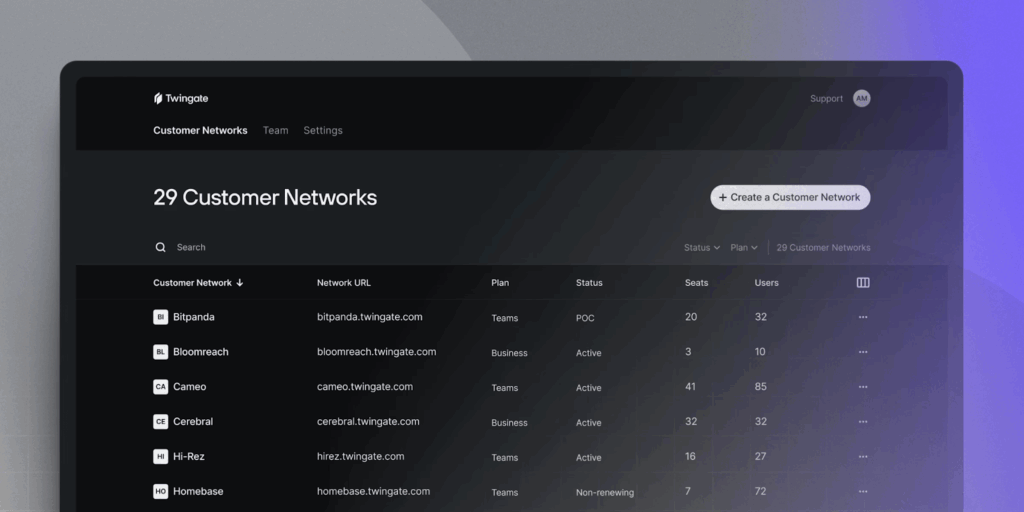
Twingate is a zero trust remote access platform. It provides identity-based connectivity to private resources, DNS filtering for internet security, device posture checks, and centralized policy management with automation and ecosystem integrations.
Key features include:
- Device posture enforcement: Applies access rules based on device attributes and compliance checks, ensuring only approved devices meet policy requirements before connections are established to protected resources.
- Private internet security: Offers DNS-based filtering to detect and block malicious domains, risky content, ads, and trackers, while providing detailed logs to analyze trends and strengthen protections across users.
- Identity firewall and auditing: Enforces least-privileged access tied to user identity at every resource, with granular, user-specific activity logs and reports to support oversight and forensic investigations.
- Outbound-only connectors: Uses outbound connections from on-premises or cloud networks, reducing exposed attack surfaces by eliminating inbound ports while stitching secure paths between clients and resources.
- Automation and infrastructure as code: Exposes APIs and Terraform or Pulumi providers to programmatically define networks, groups, and resources, enabling policy automation and repeatable deployments across environments.
- Ecosystem integrations: Integrates with identity providers, MDM or EDR tools, SIEM platforms, and DNS-over-HTTPS services to coordinate authentication, device compliance, monitoring, and name resolution within existing stacks.
- Centralized policy management: Provides an admin console with a single policy engine for configuring access rules, managing resources, and reviewing activity, intended to simplify ongoing operations for distributed teams.
Source: Twingate
Communication and Collaboration Solutions
7. Slack
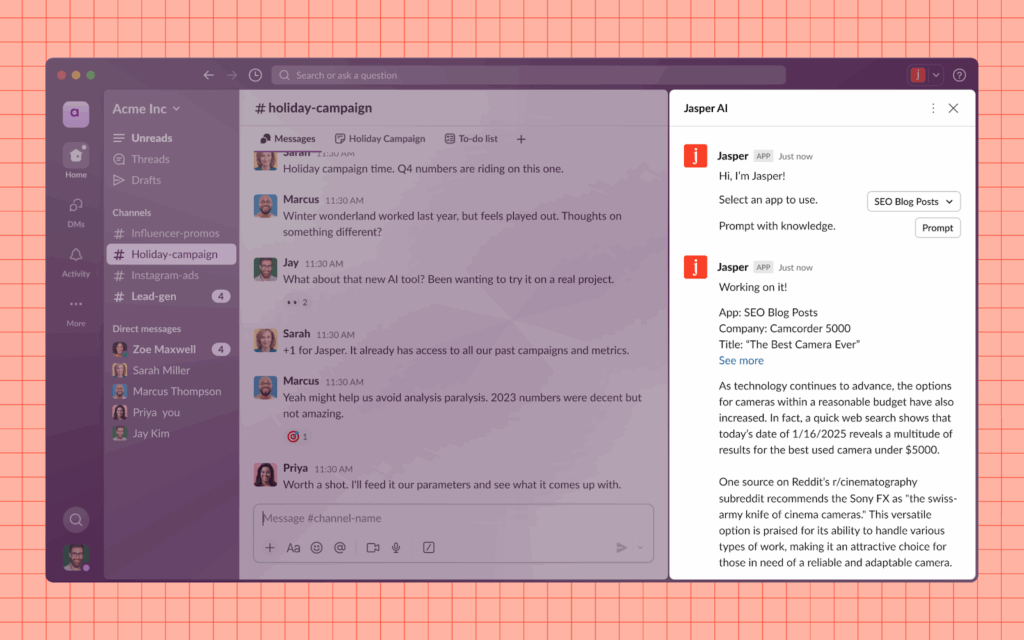
Slack is a collaboration platform that centralizes communication, simplifies workflows, and improves team productivity through integrated tools and AI-powered features. It brings together people, apps, files, and AI agents into a single workspace, enabling collaboration across internal teams and external partners.
Key features include:
- Centralized collaboration: Chat, share files, and coordinate with internal teams or external organizations in shared channels
- AI-powered workflows: Use AI to summarize threads, extract action items, and get contextual support on projects
- AI agents integration: Collaborate with AI agents like Agentforce, Claude, and Google Agent Space to assist with writing, coding, and strategic planning
- Persistent knowledge access: Search conversations, files, and past decisions to quickly retrieve team knowledge and context
- Extensive app integrations: Connect with over 2,600 third-party apps to automate workflows and consolidate tools
Source: Slack
8. Zoom

Zoom is a communication and collaboration platform to support hybrid and remote teams with video, chat, phone, and document tools. It helps organizations simplify internal collaboration, connect with customers, and run global operations from a single unified communications-as-a-service (UCaaS) platform.
Key features include:
- Unified collaboration tools: Combines video meetings, phone, chat, docs, and whiteboards in one platform
- Zoom AI Companion: Automatically summarizes meetings, generates first drafts, and identifies action items to boost productivity
- All-in-one UCaaS platform: Consolidates communication tools to reduce software sprawl and simplify IT management
- Support for hybrid and remote work: Reliable infrastructure supports distributed teams with persistent chat, shared content, and async workflows
- AI-powered workflows: Built-in AI reduces friction in collaboration and helps teams move faster from discussion to execution

Source: Zoom
9. Microsoft Teams
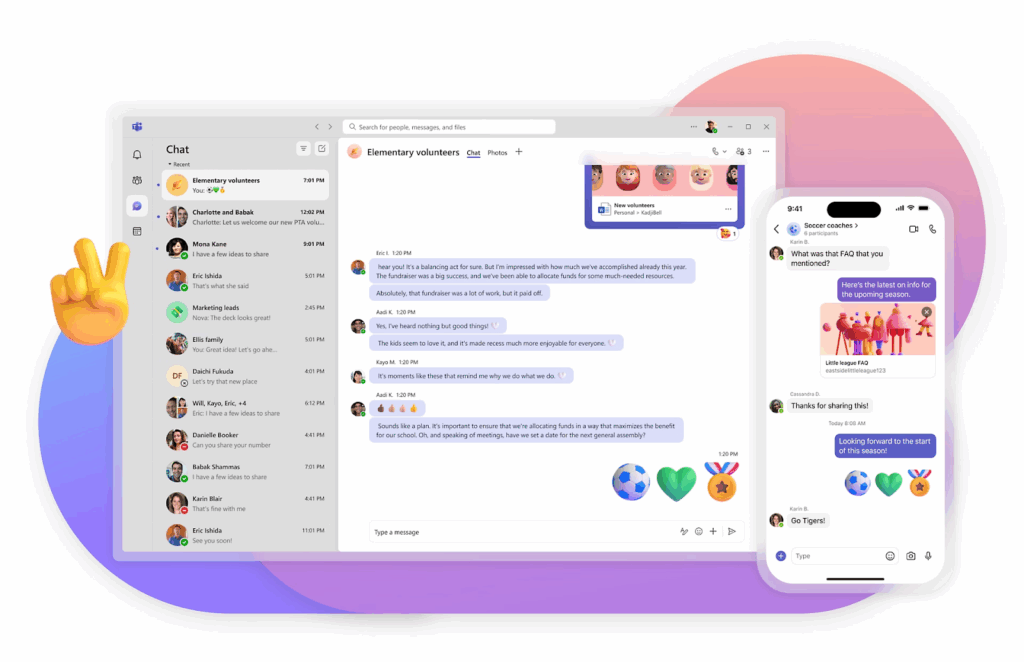
Microsoft Teams is a collaboration and communication platform included in the Microsoft 365 suite, intended to support teamwork across messaging, meetings, calls, and file sharing. It integrates with Microsoft tools like SharePoint, Exchange Online, and OneDrive, and connects with thousands of third-party services to simplify workflows.
Key features include:
- Persistent team chat: Offers threaded, two-way messaging with support for files, emojis, GIFs, and private or group chats
- Integrated video meetings: Schedule and join video calls with screen sharing, live transcription, and Outlook integration
- Channel-based collaboration: Organize discussions by topic with dedicated spaces for teams, projects, or departments
- Telephony support: Enable PSTN calling, voicemail, and conference calls directly through Teams with higher-tier licenses
- File sharing and storage: Leverages SharePoint and OneDrive for secure file access and real-time collaboration
Source: Microsoft
Project / Task Management Solutions
10. Trello
Trello is a visual project management tool that organizes work into boards, lists, and cards, giving teams a way to manage tasks, track progress, and collaborate. Each board represents a project, with lists defining stages of work and cards capturing specific tasks or ideas.
Key features include:
- Visual task management: Organize work using boards, lists, and cards for a clear overview of project progress
- Drag-and-drop interface: Easily move tasks between stages like “To Do,” “In Progress,” and “Done” with minimal setup
- Customizable workflows: Add labels, checklists, attachments, due dates, and member assignments to tailor cards to team needs
- Real-time collaboration: Comment on tasks, tag teammates, and share files to keep everyone aligned
- Automation with Butler: Automate routine actions like moving cards, setting reminders, or assigning tasks using simple rules

Source: Trello
11. Asana

Asana is a work management platform that helps organizations plan, coordinate, and track work at scale. It helps bring clarity to complex projects by connecting tasks, teams, and company-wide goals in a centralized system. It offers automation, real-time reporting, and built-in AI capabilities to help teams align on priorities.
Key features include:
- Company-wide goal alignment: Link individual tasks to strategic objectives to keep work focused and measurable
- Project and task management: Use lists, timelines, and boards to organize work and monitor progress across teams
- AI teammates: Built-in AI offers insights, suggests next steps, and automates actions to improve decision-making and efficiency
- Workflow automation: Simplify recurring processes with rule-based triggers and custom automations
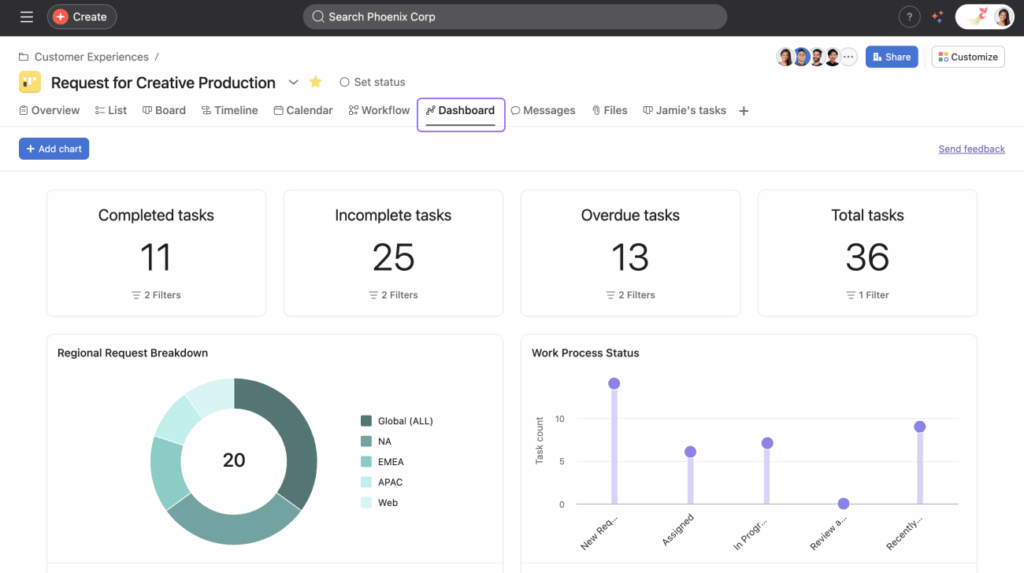
- Real-time reporting: Access live dashboards and status updates to make faster, data-driven decisions
Source: Asana
12. ClickUp
ClickUp is a productivity and work management platform intended to replace multiple tools by bringing tasks, docs, goals, time tracking, and AI agents into a single, customizable workspace. Its AI engine, ClickUp Brain, introduces agents that answer questions, create tasks, draft content, and automate decision-making, operating alongside human teams.
Key features include:
- Unified work management: Manage tasks, docs, sprints, goals, calendars, dashboards, and more
- ClickUp Brain AI: Use AI agents to answer questions, summarize data, assign tasks, and generate content directly within the workspace
- Custom workflows: Tailor every aspect of the setup using custom fields, statuses, automations, and templates
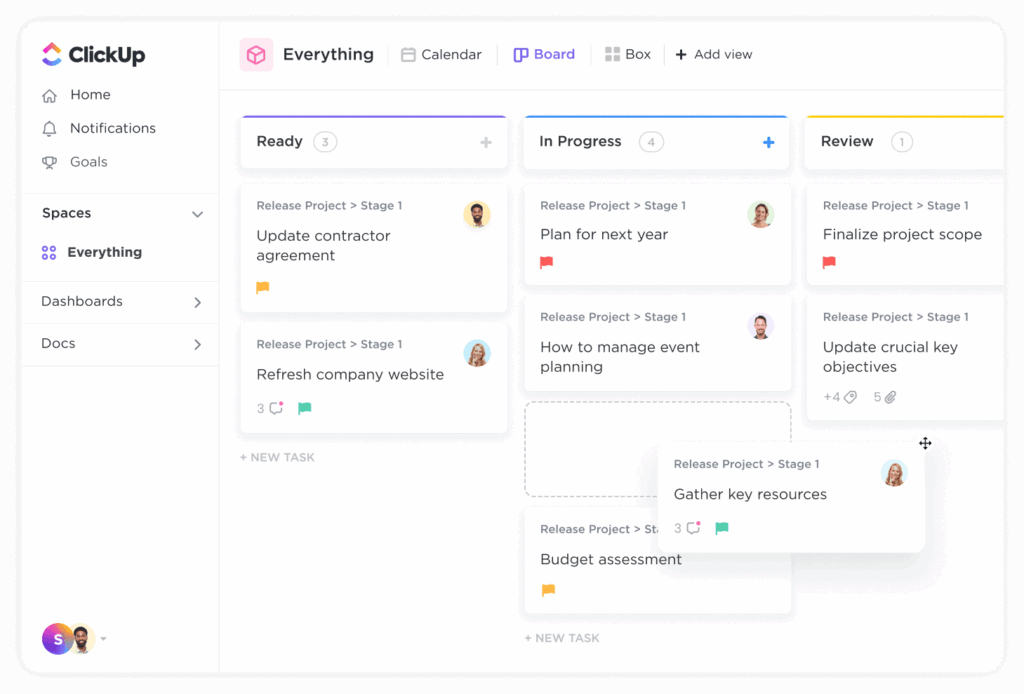
- Project planning tools: Gantt charts, Kanban boards, time tracking, workload management, and dependencies to manage complex initiatives
- Real-time collaboration: Chat, comment, proof, and collaborate on docs with teams and guests
Source: ClickUp
Remote Workforce Management Solutions
13. Remote
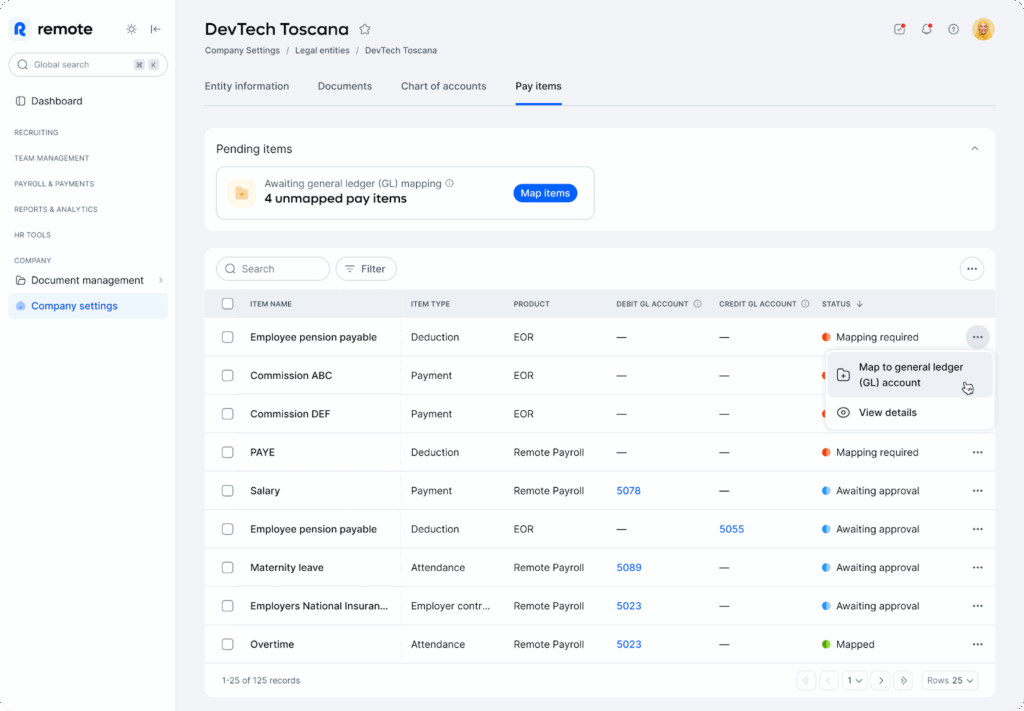
Remote is a global HR and payroll platform that helps organizations hire, manage, and pay employees and contractors in different countries. It offers a suite of tools including payroll, employer of record (EOR), contractor management, benefits administration, and AI-powered HR workflows.
Key features include:
- Global payroll: Pay employees and contractors in multiple countries with automated workflows, tax compliance, and localized benefits
- Employer of record (EOR): Hire full-time employees in countries where the company doesn’t have a legal entity, while Remote handles compliance and onboarding
- Contractor management: Manage freelance and contract workers with accurate invoicing, contracts, and tax documentation
- HRIS and lifecycle management: Oversee every stage of employment, from recruitment to retirement, with built-in HR tools and automation
- AI-powered payroll automation: Use AI to handle bulk actions, schedule payments, and generate reports faster and with fewer errors
Source: Remote
14. Rippling

Rippling is a unified workforce management platform that acts as the infrastructure for running a business, from HR and IT to finance and compliance. Unlike traditional systems that rely on fragmented data models, Rippling is built on a single source of truth: the Employee Graph. This underlying architecture captures every aspect of an employee’s profile.
Key features include:
- Employee Graph data model: A centralized system that understands every employee attribute—powering all apps with shared, consistent data
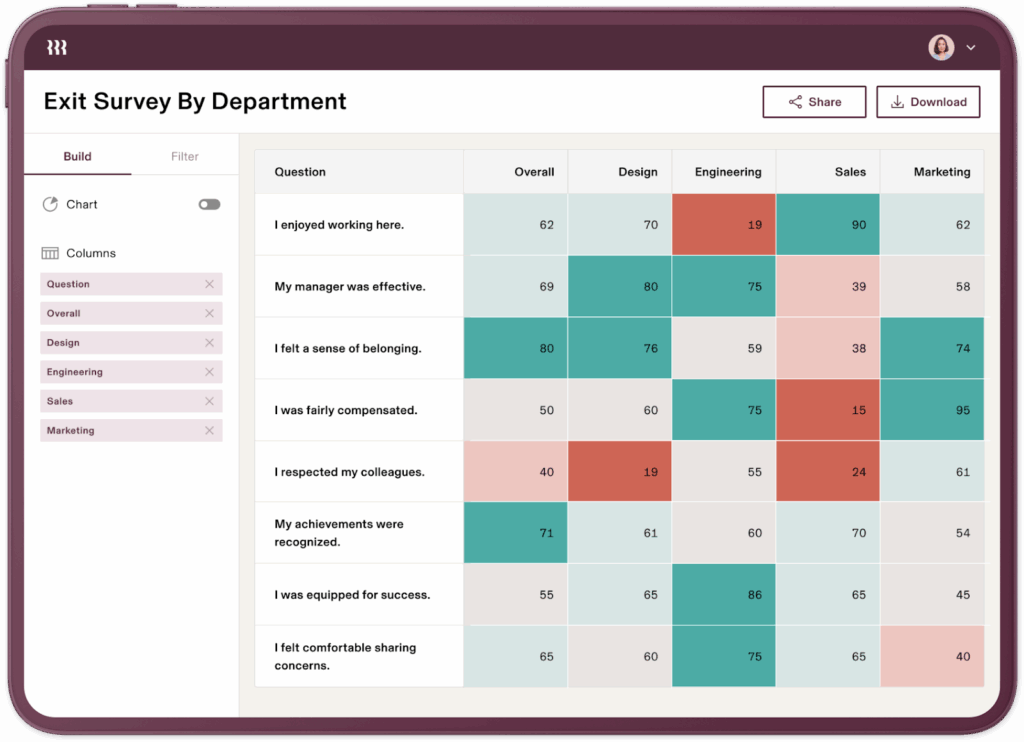
- Custom reporting: Build flexible, visual reports with filters, pivots, and drilldowns across HR, IT, finance, and operations data
- Workflow automation: Automate complex, cross-functional processes with Workflow Studio using employee data and app triggers
- Role-based policies: Create and enforce policies based on custom employee groups (e.g., by role, location, or department)
- App Studio: Build internal tools by dragging and dropping workflow components,no coding required
Source: Rippling
15. BambooHR

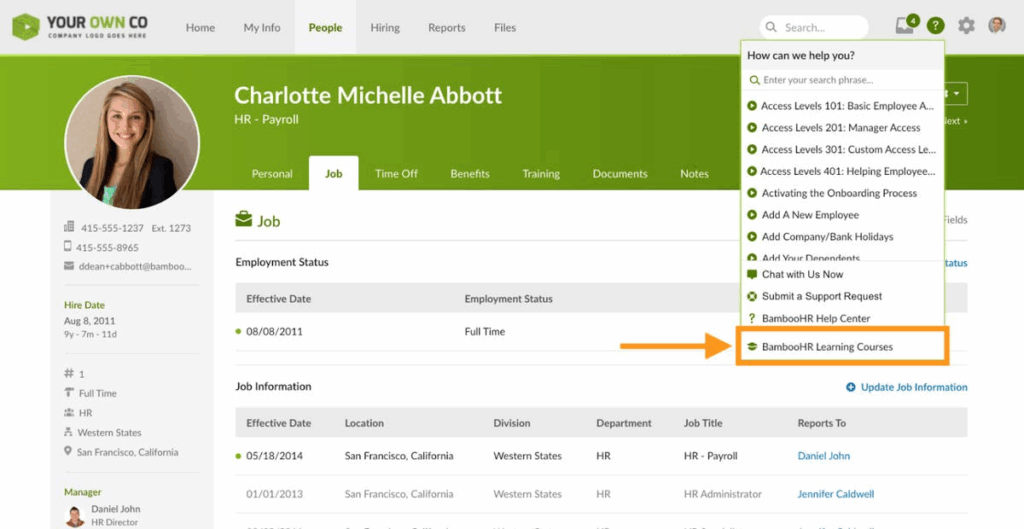
BambooHR is a unified HR platform to simplify core HR functions while scaling alongside organizations. Built with an integrated ecosystem of native apps and over 150 partner integrations, BambooHR simplifies tasks like payroll, benefits, performance, and onboarding. Its embedded AI and unified data model help transform workforce data into actionable insights.
Key features include:
- Connected native apps: Built-in tools for HR data, payroll, benefits, time tracking, and onboarding
- Applicant tracking & onboarding: Simplify hiring with intuitive recruiting and onboarding workflows that support seamless candidate experiences
- Performance & compensation management: Track goals, conduct reviews, and manage compensation decisions based on unified employee data
- Embedded AI: Leverage AI for real-time answers, predictive insights, and smart recommendations based on the organization’s workforce trends
- Unified data model: Gain a view of the workforce with context-rich analytics and integrated reporting
Source: BambooHR
Conclusion
Remote work solutions now form a foundational part of how organizations operate, requiring a mix of communication platforms, secure access architectures, and scalable management tools. As businesses adapt to distributed teams and flexible work policies, success depends on integrating these components into a coherent system that maintains productivity, security, and compliance. Choosing the right combination of technologies ensures that remote teams can collaborate efficiently, access critical resources securely, and remain aligned with organizational goals, regardless of physical location.
