
Call Center Compliance Software: Top 12 Tools Compared


See Venn first in Google Search
Add as a preferred source on Google
TL;DR: Call center compliance software monitors interactions, controls recording and retention, and protects customer data. Best for securing agents on unmanaged or BYOD laptops: Venn. Also strong: NiCE Compliance Center for policy and retention management, CallMiner for violation detection, and PCI Pal for payment security.
What Is Call Center Compliance Software?
Call center compliance software automates regulatory adherence, scrubs Do-Not-Call (DNC) lists, and monitors live or recorded interactions to prevent costly legal violations. It can analyze calls, messages, and agent activity to identify issues such as missing disclosures, improper handling of sensitive data, or failure to obtain required consent. The software helps compliance and operations teams document adherence to rules such as the TCPA, PCI DSS, and industry-specific privacy requirements.
Core features:
- Multi-factor authentication: Requires additional verification to reduce unauthorized access from stolen or compromised credentials.
- User activity monitoring: Tracks user actions and flags suspicious or policy-violating activity.
- Data loss prevention: Detects and restricts unauthorized movement of sensitive customer information.
- Call recording and recording controls: Manages when calls are recorded, paused, retained, and accessed.
- DTMF and payment data masking: Prevents sensitive payment details from being exposed to agents, recordings, and transcripts.
- Automated compliance reporting: Generates reports and dashboards from compliance events, controls, and audit data.
- Encryption for data at rest and in transit: Protects sensitive information while stored and while moving between systems.
- Third-party and contractor access controls: Restricts external users to required systems, data, and permitted access periods.
Implement zero trust on unmanaged laptops. Extend Zscaler ZTNA.
Discover how to protect company data on unmanaged laptops without Zscaler.
Table of contents
Call Center Compliance Software at a Glance
The table below summarizes the key differences between the solutions covered in this guide. We explore each of them in more detail in the sections that follow.
| Category | Solution | Best For | Key Strengths | Things to Consider |
| Secure agent workspace and endpoint controls | Venn | Securing contact center agents on unmanaged or BYOD laptops | Company-controlled secure enclave with DLP on unmanaged devices | Performance can vary on lower-spec agent hardware |
| Secure agent workspace and endpoint controls | Teramind | Endpoint monitoring and DLP across call center agent desktops | Live screen view, session recording and rule-based data controls | Feature coverage on macOS lags behind Windows |
| Secure agent workspace and endpoint controls | Veriato | Insider risk detection across agent and contractor activity | Behavior baselining with risk scoring and automatic PII redaction | Configuration and endpoint tuning can be demanding |
| Contact center platforms with built-in compliance controls | NiCE Compliance Center | Policy and retention management across recorded interactions | Policy manager, adherence dashboards and recording alerts | Sits within the wider NiCE platform and its learning curve |
| Contact center platforms with built-in compliance controls | Genesys Cloud CX | Recording, consent and QA inside a single cloud CX platform | Secure pause, recording consent, redaction and retention policies | Reporting depth and advanced setup often need extra work |
| Contact center platforms with built-in compliance controls | Five9 | Cloud contact centers needing certified platform-level controls | PCI DSS Level 1 service provider status with encryption controls | Reporting and interface are dated in places |
| Interaction recording and compliance analytics | Verint Interaction Recording | Full-time recording across voice, video, text and screen | Single recording system with FIPS key management and AES-256 | Interface and reporting feel dated to some users |
| Interaction recording and compliance analytics | CallMiner | Monitoring 100% of interactions for regulatory violations | Pre-built monitoring templates plus redaction of sensitive data | Steep learning curve and setup effort for new users |
| Interaction recording and compliance analytics | Observe.AI | Automated QA and real-time script compliance on every call | 100% call monitoring with disclosure prompts and auto redaction | Reporting depth and transcription accuracy vary |
| Payment security and PCI DSS scope reduction | PCI Pal | Keeping card data out of contact center systems and recordings | DTMF masking with data routed straight to the payment provider | Covers payment security rather than wider compliance |
| Payment security and PCI DSS scope reduction | Sycurio | PCI DSS scope reduction across voice, IVR and digital channels | PCI DSS Level 1 platform that keeps card data off your network | Deployment depends on your telephony and CCaaS setup |
| Payment security and PCI DSS scope reduction | Eckoh CallGuard | Agent-assisted phone payments in hybrid and remote teams | Tone blocking or audio muting with real-time on-screen feedback | Focused on payments and related recording, not full QA |
What Does Call Center Compliance Software Do?
Enforces Access Controls and Least Privilege
The software limits access to customer data and call center systems based on an agent’s role and responsibilities:
- Role-based access control can prevent users from viewing, exporting, editing, or deleting information they do not need for their work.
- Permissions can be defined for agents, supervisors, quality assurance teams, administrators, and external contractors. Organizations can also restrict access based on business unit, customer account, data type, or geographic region.
- Access logs show who accessed specific records, what actions they performed, and when those actions occurred. Compliance teams can use this information to identify excessive privileges, investigate unauthorized access, and verify that access policies are being enforced.
- Some platforms also support periodic access reviews and automatic removal of permissions when an employee changes roles or leaves the organization. This reduces the risk created by outdated accounts and accumulated privileges.
Protects Sensitive Customer Data
Compliance software can detect and protect information such as payment card details, account numbers, authentication credentials, and personally identifiable information:
- Depending on the system, controls may include encryption, masking, tokenization, redaction, and restrictions on copying or exporting data. For example, payment card numbers spoken during a call can be removed from recordings and transcripts.
- Sensitive fields can also be masked on an agent’s screen so the agent can complete a transaction without seeing the underlying information.
- Data protection can cover information both in transit and at rest. Encryption helps prevent intercepted communications or stolen storage media from exposing readable customer data.
- Some platforms also apply data loss prevention rules to agent activity. These rules can block or flag attempts to download customer records, send sensitive information through unauthorized channels, or transfer data to unapproved applications.
Monitors Agent Activity
Monitoring features track actions agents take within call center systems and during customer interactions:
- Audit logs can record logins, customer record access, configuration changes, data exports, call transfers, and other security-relevant events.
- Some platforms use speech and text analytics to review calls, chats, emails, and messages automatically. They can look for missing disclosures, prohibited statements, sensitive information, or deviations from required scripts and procedures.
- Automated monitoring allows compliance teams to review a much larger percentage of interactions than manual sampling. Higher-risk interactions can be flagged for investigation while routine interactions require less manual attention.
- Monitoring data can also reveal recurring compliance problems. If multiple agents repeatedly miss the same disclosure or procedure, managers can address the underlying issue through training, workflow changes, or updated scripts.
Controls Call Recording and Storage
Compliance software determines when calls are recorded, where recordings are stored, and who can access them:
- Recording policies can vary by queue, location, interaction type, customer preference, or other factors that affect legal and business requirements.
- The software can pause or suppress recording when sensitive information is exchanged. For example, recording can stop while a customer enters payment card information and resume after the payment process is complete.
- Retention controls can automatically archive or delete recordings after defined periods. This helps organizations avoid keeping personal information longer than required while preserving records that must be retained for legal, regulatory, or business purposes.
- Encryption and access restrictions protect stored recordings from unauthorized use. Audit trails can document playback, downloads, sharing, changes, and deletion, providing evidence of how each recording was handled throughout its lifecycle.
Supports Call Recording Consent
Call recording requirements vary across jurisdictions, and organizations may need to notify one or all participants before recording begins:
- Compliance software can play automated notices, capture consent, or prevent recording when the required conditions have not been met.
- Consent can be collected through verbal confirmation, keypad input, digital forms, or other supported methods. The resulting consent record can be associated with the call and retained alongside other interaction metadata.
- Some systems can apply recording rules based on information such as caller and agent location. This allows the call center to select the appropriate consent workflow when different jurisdictions impose different requirements.
- The software can also record when consent was requested, how the customer responded, and whether recording was enabled or disabled afterward. These records help organizations demonstrate that consent procedures were followed if a call is later disputed.
Key Features of Call Center Compliance Software
1. Multi-Factor Authentication
Multi-factor authentication (MFA) requires users to provide more than one form of verification before accessing call center systems. For example, an agent might enter a password and then confirm the login with an authenticator app or hardware security key.
MFA reduces the risk that stolen or reused credentials will give an attacker access to customer records, recordings, or administrative functions. Organizations can apply stricter authentication requirements to privileged users and remote workers.
2. User Activity Monitoring
User activity monitoring records actions performed by agents, supervisors, administrators, and other users. Logs can capture sign-ins, customer record access, recording playback, downloads, configuration changes, and data exports.
Compliance teams can use this information to investigate suspicious behavior and reconstruct events after an incident. Some systems generate alerts when activity differs from established policies, such as unusually large exports or access outside approved working hours.
3. Data Loss Prevention
Data loss prevention (DLP) features identify and restrict attempts to move sensitive information outside approved systems. Policies can cover personally identifiable information, payment details, authentication credentials, and other protected data.
DLP controls may block copying, downloading, printing, uploading, or sending protected information through unauthorized channels. Alerts can also notify security teams when a user attempts an action that violates a data handling policy.
4. Call Recording and Recording Controls
Call recording features capture customer conversations for quality assurance, dispute resolution, training, or regulatory purposes. Compliance controls determine which calls can be recorded and when recording must be paused, stopped, or disabled.
Administrators can apply recording policies based on factors such as queue, call type, agent location, or customer location. Access permissions, retention schedules, and audit logs provide additional control over recordings after they are created.
5. DTMF and Payment Data Masking
DTMF masking protects payment information entered through a telephone keypad. Instead of exposing the digits to the agent or storing the associated tones in a recording, the system suppresses or replaces the sensitive input.
Payment data masking can also hide card numbers and security codes in agent interfaces, recordings, and transcripts. These controls reduce exposure to cardholder data and can help limit the systems and processes that fall within PCI DSS scope.
6. Automated Compliance Reporting
Automated reporting collects compliance-related information from access logs, call records, monitoring systems, and other controls. Reports can show policy violations, recording activity, access events, retention status, and other information required for internal reviews or audits.
Scheduled reports reduce the need to gather evidence manually from multiple systems. Dashboards can also highlight trends and recurring issues, helping compliance teams prioritize investigations and corrective actions.
7. Encryption for Data at Rest and in Transit
Encryption protects sensitive information when it is stored and while it moves between systems. Data at rest can include call recordings, transcripts, customer records, authentication data, and audit logs stored in databases or file systems.
Encryption in transit protects information exchanged between agents, customers, applications, and external services. Secure protocols and proper encryption key management help prevent intercepted or stolen data from being read without authorization.
8. Third-Party and Contractor Access Controls
Call centers often provide system access to contractors, outsourced agents, vendors, and service providers. Third-party access controls restrict these users to the systems and information required for their assigned work.
Organizations can use separate roles, time-limited accounts, authentication requirements, and session restrictions to reduce third-party risk. Detailed audit logs provide a record of external user activity, while automatic account expiration helps prevent unused contractor accounts from remaining active.
Notable Call Center Compliance Software
How we selected these tools: We shortlisted call center compliance software based on the core capabilities this field requires, including access control, sensitive data protection, agent activity monitoring, call recording and consent management, retention and audit trails, and compliance reporting.
Secure Agent Workspace and Endpoint Controls
1. Blue Border by Venn

Best for: Securing contact center agents on unmanaged or BYOD laptops
Strengths: Company-controlled secure enclave with DLP on unmanaged devices
Things to consider: Performance can vary on lower-spec agent hardware
Venn installs Blue Border on an agent’s Mac or PC and creates a company-controlled secure enclave directly on that device. Company data, applications, networking and AI workflows run locally inside the enclave, isolated from any other use on the same computer, with each work application window marked by a blue line.
The approach is aimed at contact centers whose agents are home-based, offshore, BPO or seasonal and who handle cardholder data, PII and ePHI on laptops IT does not own. Because applications run locally rather than through a virtual session, softphone, voice and video run at native speed. Venn states the product was built to comply with SOC 2 Type II, HIPAA, SEC, FINRA, NAIC, NYS DFS, Mass 201 CMR 17.00, CMMC and PCI.
Key features include:
- Secure enclave on the device: Work applications and files run inside a company-managed enclave on the agent’s own Mac or PC, where data is encrypted and access is governed by IT policy, without managing the rest of the device.
- DLP inside the enclave: Controls apply across copy and paste, download, upload, screenshot, print and uploads to AI tools, enforced on devices the company does not own.
- Network routing: Work traffic routes through Venn’s built-in VPN gateway or an organization’s existing private network, while personal traffic stays outside the enclave.
- Encrypted file storage: Users save only to work-sanctioned file systems inside Venn Disk, which is isolated, encrypted and remotely wipeable.
- AI governance: IT controls which AI tools and tenants can be used and what data can be copied, pasted, uploaded or entered into them, with unsanctioned tools blocked from company data.
- Onboarding and offboarding: Agents are provisioned in minutes with no backend infrastructure, and a single remote wipe removes the enclave and purges company data without affecting anything else on the device.
- Activity visibility: Centralized administration provides real-time insight into where, when and from which device a user accessed an application or sensitive data.
- User privacy boundary: Activity outside Blue Border is not tracked, logged or visible to the company or to Venn.
Limitations (as reported by users on G2):
- Performance on some hardware: Users report the enclave can feel slow or sluggish on certain machines, including devices that meet the stated hardware requirements.
- Application stability: Some reviewers describe intermittent stability issues, with Microsoft Outlook mentioned specifically.
- Customization scope: Configuration options are described as limited in places, although reviewers note this has not prevented the product from meeting their requirements.
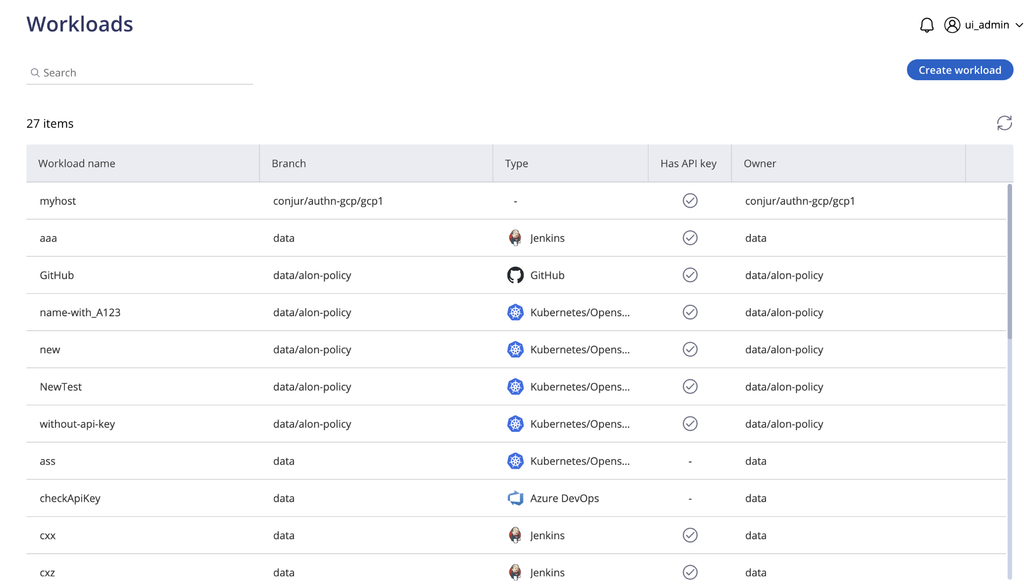
Source: Venn

2. Teramind

Best for: Endpoint monitoring and DLP across call center agent desktops
Strengths: Live screen view, session recording and rule-based data controls
Things to consider: Feature coverage on macOS lags behind Windows
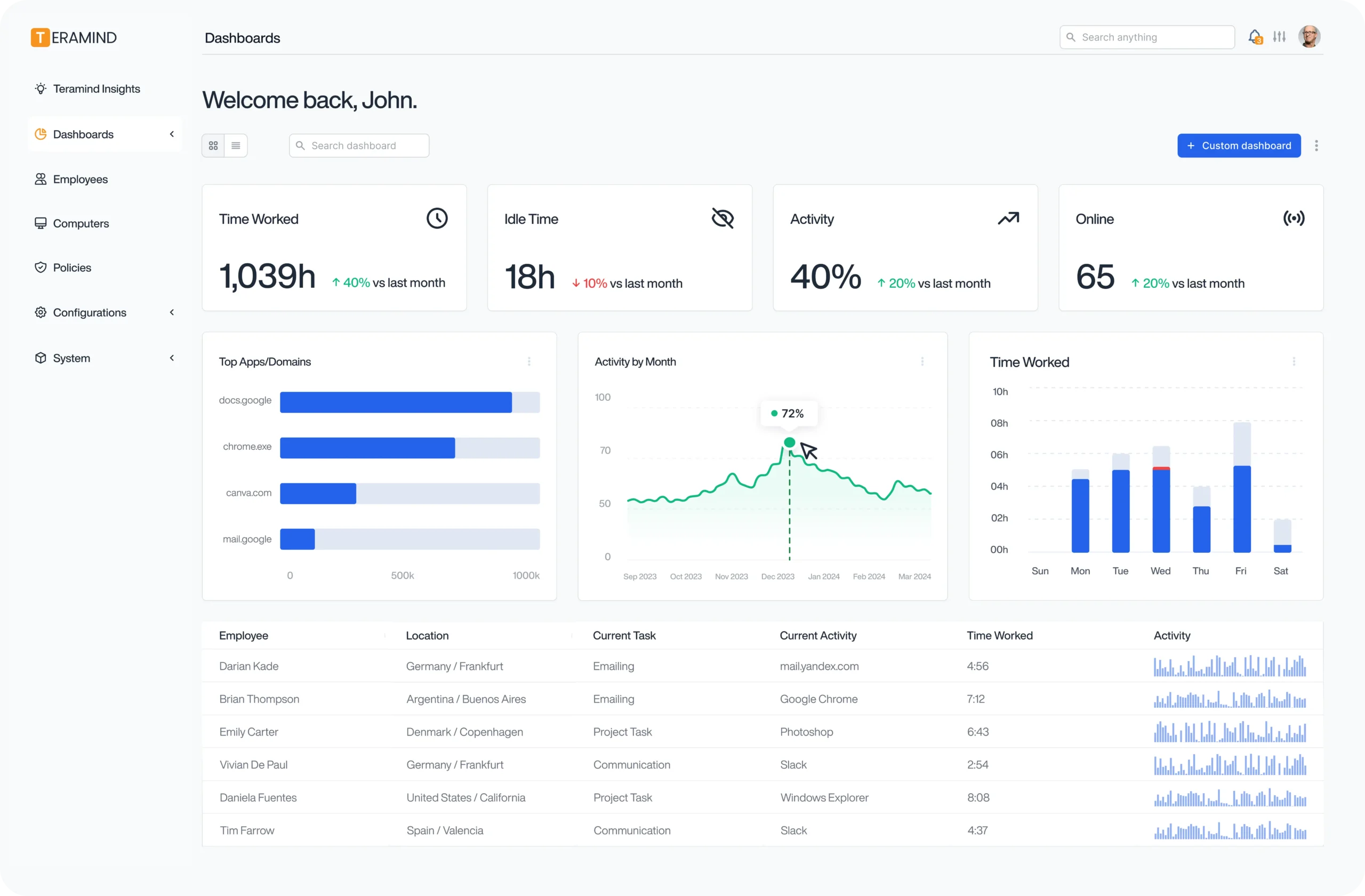
Teramind operates at the endpoint level rather than in the telephony stack. It records agent screens, tracks application and website usage, monitors email and instant messaging, and applies rules that alert on or block defined actions during customer interactions.
For call centers, it connects to existing contact center infrastructure with support for VoIP, automatic call distribution and interactive voice response systems, alongside CRM and quality monitoring platforms. Deployment options include cloud, on-premises and hybrid, and an API allows custom quality monitoring workflows.
Key features include:
- Live view and historical playback: Supervisors can view agent screens during live customer interactions and review past activity, with call listening tied to screen context.
- Data loss prevention: Rules detect and block unauthorized copying of customer information, monitor clipboard activity, track file operations and alert managers to suspicious data movement.
- Optical character recognition: OCR identifies sensitive data such as payment card details in screenshots and recorded sessions, and triggers alerts when it appears on an agent screen.
- Screen and session recording: Calls and customer interactions are recorded for quality assurance, with retention policies applied for regulatory purposes and RDP session recording available.
- Security rules and compliance playbooks: Administrators define categories of personal data, enforce handling policies automatically, and build playbooks that combine blocking with alerts.
- Audit trails and reporting: Monitoring data generates audit trails for regulatory inspections and evidence of data handling procedures.
- Behavioral analytics: The platform detects unusual behavior patterns, applies risk scoring and generates automated alerts for policy violations during calls.
- Communications monitoring: Coverage extends to email, instant messaging, social media, web and application usage, network activity and Citrix environments.
Limitations (as reported by users on G2):
- Interface complexity: Reviewers describe the number of options, settings and modules as difficult to navigate, particularly for administrators new to the platform.
- Setup effort: Initial configuration is reported as time-consuming and technically demanding, with some users encountering issues during deployment.
- macOS coverage: Users report gaps on Apple devices compared with Windows, including email activity tracking, USB controls and audio or video capture.
- Endpoint resource use: The background agent can consume noticeable system resources on older or lower-specification machines and in VDI environments.
- Cost at scale: Several reviewers note that pricing rises significantly as the number of monitored employees grows.
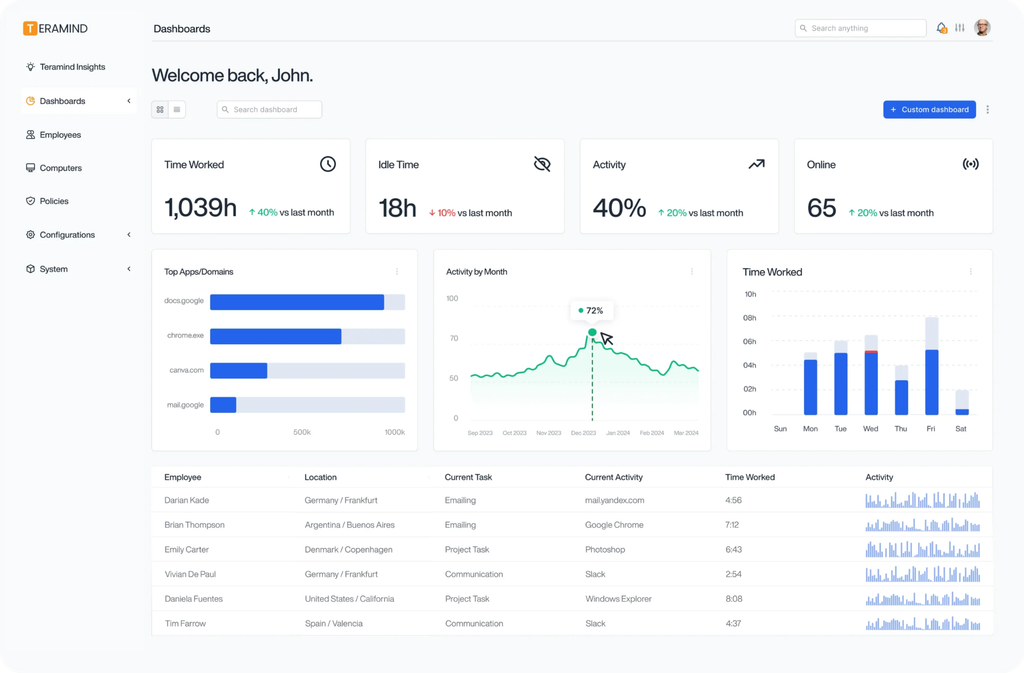
Source: Teramind
3. Veriato

Best for: Insider risk detection across agent and contractor activity
Strengths: Behavior baselining with risk scoring and automatic PII redaction
Things to consider: Configuration and endpoint tuning can be demanding
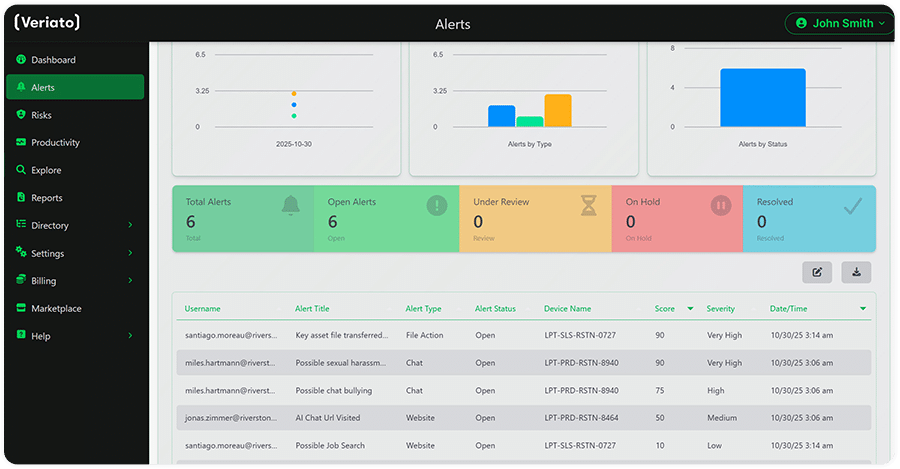
Veriato Insider Risk Management combines user activity monitoring with behavior analytics. It builds a baseline for each user and generates risk scores from more than 130 data points, including emails, messaging, screenshots, files, documents and keystrokes. Veriato UAM is included as standard with the IRM product.
The platform is used by security, legal and compliance, finance, HR and general management teams, with use cases spanning insider risk management, workforce visibility, legal and HR investigations, and compliance and policy enforcement. Deployment can be cloud or on-premises, and the product supports Windows, Mac and Android devices.
Key features include:
- Risk scoring: Generative AI interprets behavior signals such as tone, sentiment and use of PII or PHI data, combines them with activity data and produces a risk score per user that updates as the product learns.
- Anomaly detection: The platform identifies deviations from established user baselines and flags them for investigation.
- Sensitive data handling: PII and PHI are identified automatically and redacted within captured activity data.
- Language and sentiment analysis: Communications are analyzed for tone and sentiment as an additional risk signal.
- Configurable alerting and monitoring: Alert parameters, dashboards and reports are customizable, and organizations control what activity data is collected and how it is stored.
- Audit-ready documentation: The product produces defensible records of user actions and policy adherence for legal and compliance teams.
- Access and integration: Access is secured with SSO and MFA, and an open RESTful API supports integration with other systems.
Limitations (as reported by users on Capterra):
- Configuration effort: Reviewers describe the platform as complex to configure, with deployment across endpoints reported as tedious and prone to complications.
- Resource consumption: Users report the software can require significant system resources, and that storage planning is needed because captured data accumulates.
- Security software conflicts: Antivirus exclusions are frequently required, and one reviewer noted that product updates meant creating new firewall exceptions.
- Interface age: Some reviewers describe the administrator dashboard as dated and say locating specific information takes longer than expected.
- Cost: Several reviewers consider the platform expensive relative to alternatives in the same category.
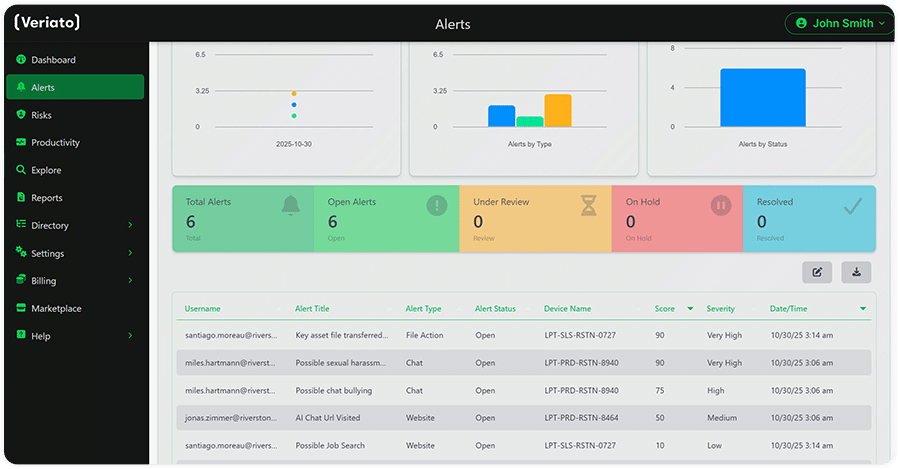
Source: Veriato
Contact Center Platforms with Built-In Compliance Controls
4. NiCE Compliance Center

Best for: Policy and retention management across recorded interactions
Strengths: Policy manager, adherence dashboards and recording alerts
Things to consider: Sits within the wider NiCE platform and its learning curve
NiCE Compliance Center manages regulatory and policy adherence across recorded interactions, on premises or in the cloud. It runs on the NiCE Engage platform with analytics, identifies gaps in compliance, and provides real-time notifications along with tools for taking corrective action.
The product covers requirements including GDPR, PCI DSS, CCPA and CPRA, PIPEDA, ECPA, PDPA, PDPB, MiFID II, HIPAA, the Dodd-Frank Act and FCA rules. A recent addition applies adherence policies to both current and past interaction databases from a single place, so legacy recordings are managed alongside new ones.
Key features include:
- Policy manager: Automated processes and approval flows cover deletion, extraction, litigation hold, playback lock, playback unlock and retention, with policy updates applied across the organization.
- Compliance assurance dashboards: Dashboards present adherence metrics and include widgets for detecting violations and initiating corrective actions, and are designed to be adjusted as regulations change.
- Real-time notifications: Alerts can be defined for recording assurance, recording pause and resume, audio loss, and issues with ConnectAPI or IntelliAgent.
- Analytics insights: Interactions are monitored and analyzed for compliance breaches, consent management, PCI detection and script adherence.
- Interaction discoverability: Every interaction is stored and tagged for search and retrieval, which is often one of the harder parts of database compliance.
- Centralized monitoring: Compliance teams get a consolidated view of adherence activity for any team at any time.
Limitations (as reported by users of the wider NiCE CXone platform on G2):
- Learning curve: Reviewers report a steep learning curve for administrators, with IVR Studio scripting singled out as harder than anticipated.
- Custom reporting: Custom reports are described as difficult to configure, and some users say predesigned and custom reports do not return matching data.
- Support responsiveness: Several reviewers cite delays in support response times and ticket resolution.
- Add-on costs: Users note that additional modules and add-ons increase the overall cost of the platform.
- Platform consistency: Because the portfolio has grown through acquisition, some reviewers say parts of it still feel disconnected from one another.
5. Genesys Cloud CX

Best for: Recording, consent and QA inside a single cloud CX platform
Strengths: Secure pause, recording consent, redaction and retention policies
Things to consider: Reporting depth and advanced setup often need extra work
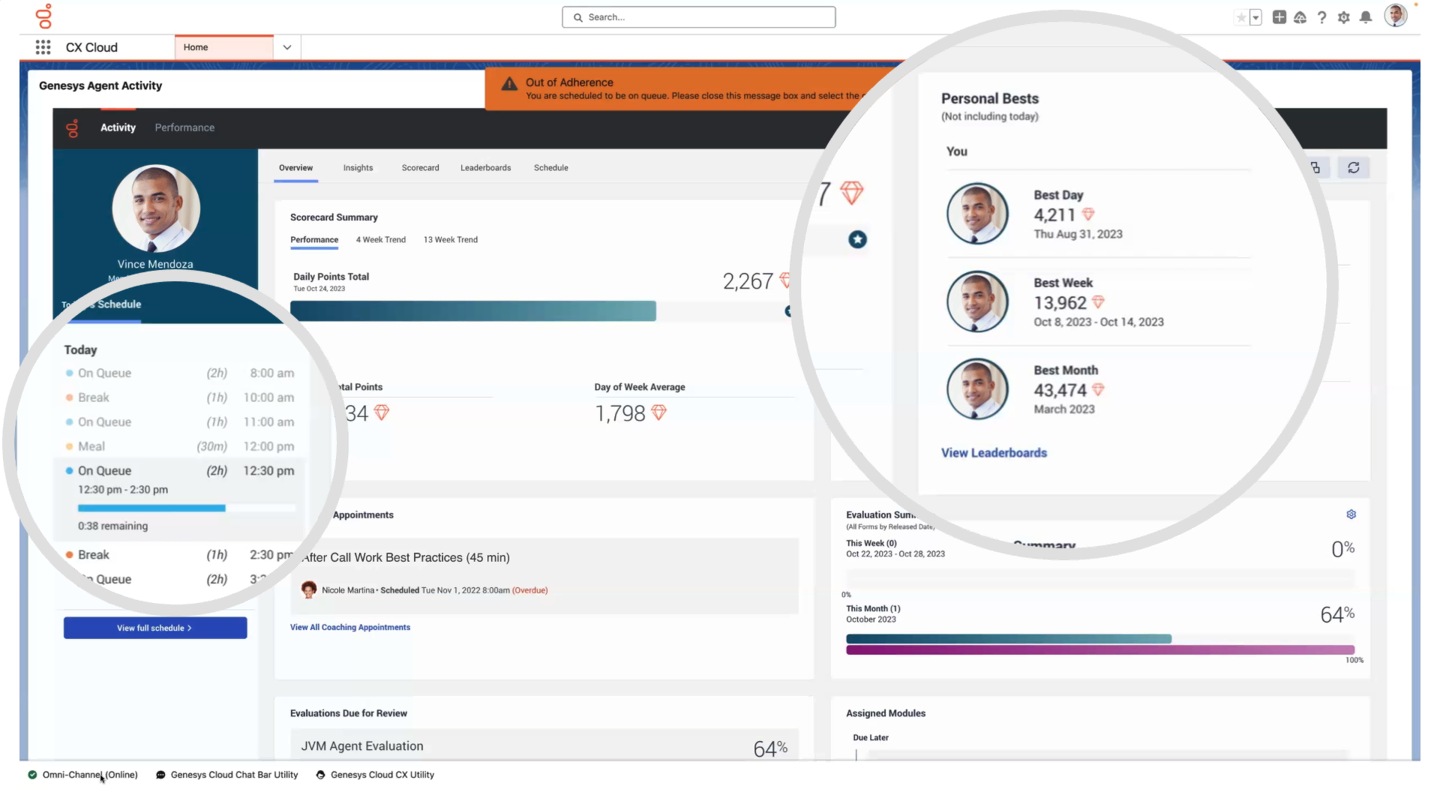
Genesys Cloud CX handles quality assurance and compliance as part of its workforce engagement management capability. It records and analyzes interactions across channels, applies policy-based automation instead of relying on random sampling, and uses conversational intelligence to transcribe interactions and identify topics, trends and sentiment.
For regulated work, the platform includes end-to-end encryption, custom recording retention policies, protection from deletion, recording consent and masking of sensitive data. Automated bulk recording exports can be written to an organization’s own Amazon S3 bucket, which keeps ownership of the recordings with the customer.
Key features include:
- Interaction and screen recording: Recording covers voice and digital channels and agent desktop activity, with secure pause, recording consent and redaction available to control what is captured.
- Retention and export controls: Custom retention policies, protection from deletion and automated bulk exports to private storage govern what happens to recordings after they are created.
- Policy-based automation: AI selects interactions for review and pre-fills evaluation questions, replacing manual assignment and random sampling.
- Speech and text analytics: Native conversational intelligence transcribes interactions and identifies key topics, trends, customer sentiment and agent empathy across channels.
- Real-time supervisor monitoring: Supervisors can listen to live calls, monitor live chats, and intervene through live coaching or whispering mid-interaction.
- AI-enhanced evaluations: AI scoring supports data masking, recording consent and secure access controls, supervisors can disable it, and AI-scored evaluations require human approval.
Limitations (as reported by users on G2):
- Reporting and dashboards: Reviewers describe native reports as limited and say building custom reports or locating specific metrics is time-consuming.
- Learning curve: Users report a steep curve for administrators, particularly around routing logic, integrations and advanced configuration.
- Interface complexity: The volume of menus and settings is described as overwhelming for new users, with some parts of the platform feeling fragmented.
- Add-on costs: Several reviewers note that advanced capabilities require additional licenses or consumption-based charges.
- Customization limits: Some tailoring requires developer support or third-party tools from the AppFoundry marketplace, which adds cost and complexity.
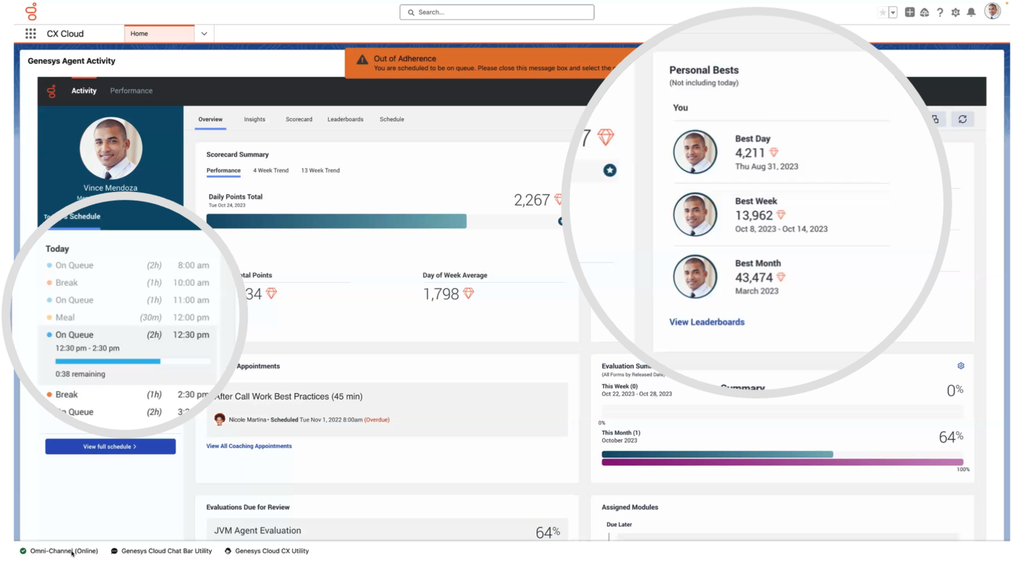
Source: Genesys
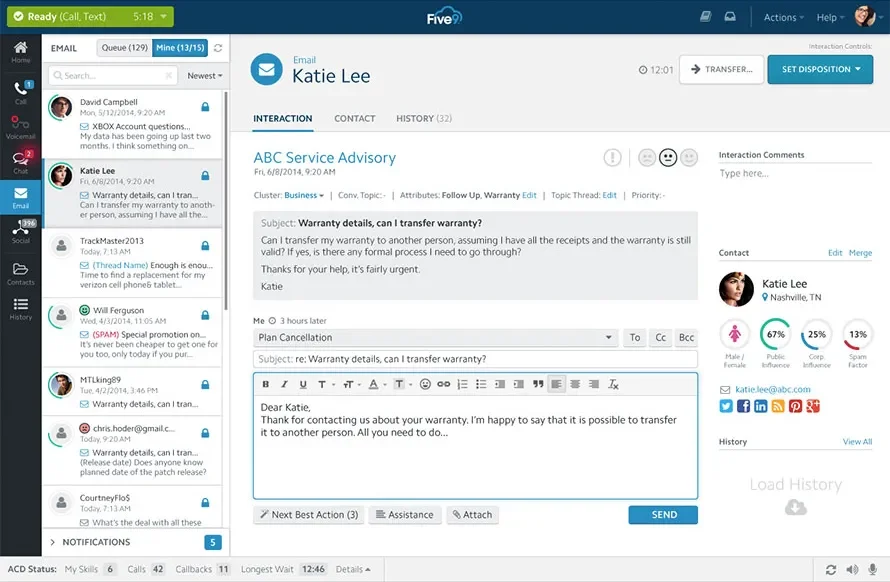
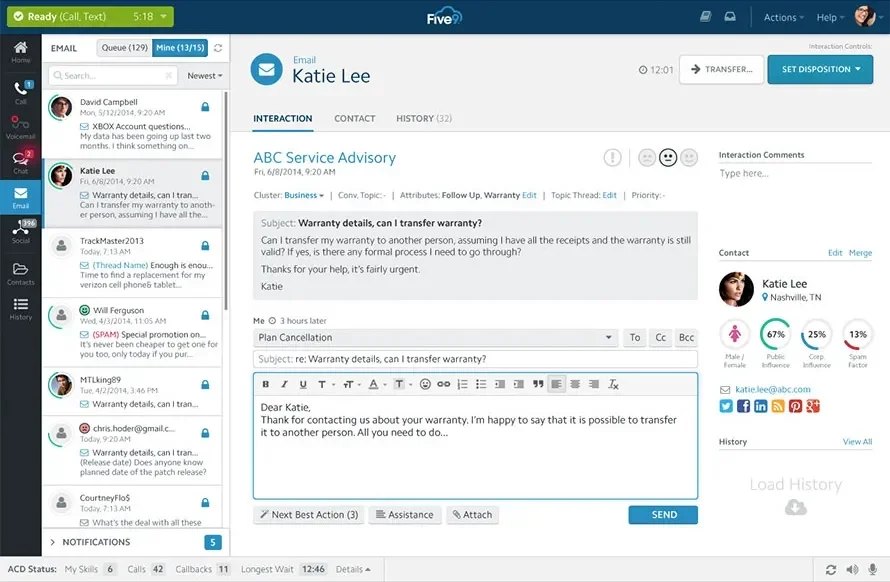
6. Five9

Best for: Cloud contact centers needing certified platform-level controls
Strengths: PCI DSS Level 1 service provider status with encryption controls
Things to consider: Reporting and interface are dated in places
Five9 provides much of its compliance capability at the platform level for the Virtual Contact Center service. The company holds ISO 27001, ISO 27017 and SOC 2 Type 2, is certified at Level 2 under TX-RAMP and holds Cyber Essentials certification, and acts as a business associate under HIPAA.
Product features also support regional privacy regulations including CCPA and CPRA in California and PIPEDA in Canada, covering information security, breach management, content management, data visibility, individual data rights management, data residency and records management. Five9 complies with FCC rules covering Customer Proprietary Network Information and does not sell CPNI or disclose it without customer consent except as required by law.
Key features include:
- User access controls: Passwords are hashed, and password policies can be configured for complexity, expiration, history and lockout. User access can also be restricted to allowlisted IP addresses.
- Data at rest protections: IVR features can be configured to require encryption and to keep sensitive data fields out of logs and the database, and customer data is partitioned within the multi-tenant infrastructure.
- Data in transit protections: Voice and data transmissions can be secured with HTTPS, secure FTP, secure RTP and a site-to-site VPN.
- PCI DSS environment: As a Level 1 service provider, Five9 undergoes an annual QSA assessment across all 12 PCI DSS requirements, and customers who order voice-in-transit encryption and encrypted recording storage are provided a PCI compliant environment.
- HIPAA safeguards: Controls include least-privilege access, two-factor authentication for privileged users, encryption of chat, email and SMS transcripts at rest, vulnerability scanning, penetration testing and 24×7 SOC monitoring.
- AI trust and governance: Guardrails let organizations tailor AI models, outputs and level of autonomy per use case and channel, with LLM observability for performance, hallucinations and security risks.
- Business continuity: Geographic redundancy allows operations to transition between distributed data centers, and customer data is backed up to a secondary facility.
Limitations (as reported by users on G2):
- Call handling issues: Reviewers report call problems that also affect the accuracy of reporting and performance assessment.
- Interface and reporting complexity: The interface and reporting features are described as complex and confusing to navigate.
- Missing modern features: Users cite the absence of a more modern interface and efficient search options as limitations on usability.
- Technical glitches: Some reviewers report occasional glitches that disrupt service.
- Support responsiveness: Slow support responses and delays in issue resolution and setup are recurring themes in negative reviews.
Source: Five9
Interaction Recording and Compliance Analytics
7. Verint Interaction Recording

Best for: Full-time recording across voice, video, text and screen
Strengths: Single recording system with FIPS key management and AES-256
Things to consider: Interface and reporting feel dated to some users
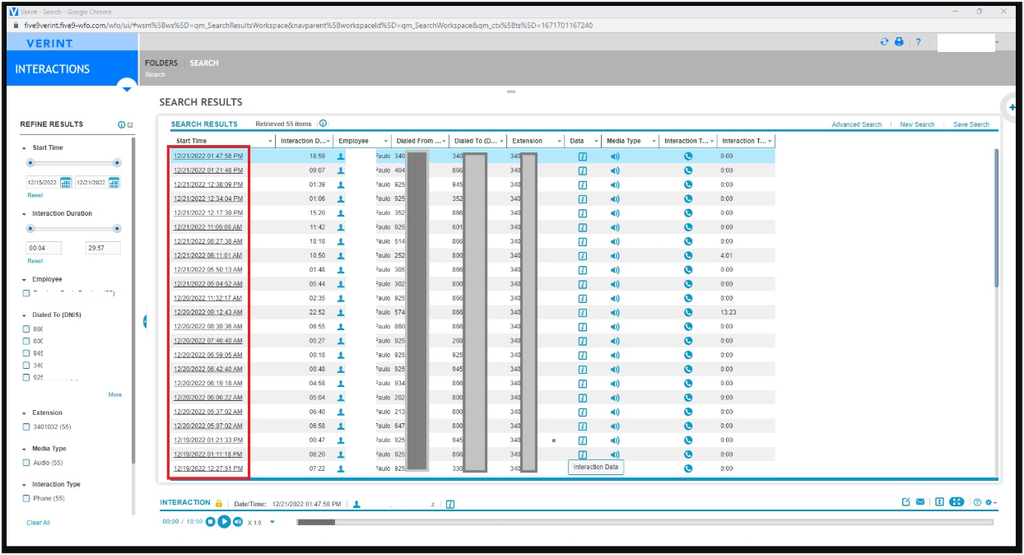
Verint Interaction Recording is a full-time compliance recording system deployed in hybrid cloud environments or on premises. It captures, indexes, retrieves, stores and archives 100 percent of voice, video and text interactions across media types ranging from traditional PBX to modern unified communications.
Covered media include VoIP, chat, digital collaboration, email, mobile voice and SMS, and trading turrets. The system can also capture employee screen data and keystrokes passively, either during an interaction or standalone during back-office activity. It is suitable for standards including PCI DSS, HIPAA, Dodd-Frank, GDPR, MiFID II, SEC 17a-4, SOX and FSA.
Key features include:
- Full-time capture: A single recording system covers all supported channels rather than requiring separate recorders per medium.
- Unified communications recording: The platform records Microsoft Teams, Skype for Business, Cisco UC and other leading communication technologies.
- Screen and keystroke capture: Employee screen data and keystrokes are captured passively, concurrently with an interaction or during back-office work.
- Encryption and key management: A FIPS-compliant key management server supports AES-256 end-to-end encryption, protecting data as it is recorded, moved to archive or retrieved for replay.
- Indexing and archiving: Recordings are indexed for retrieval and archived for long-term storage, which supports dispute resolution and audit requests.
- Face-to-face recording: A separate capability records conversations, employee desktop screens and metadata during in-person interactions in open-plan environments or conference rooms.
Limitations (as reported by users of Verint’s recording and analytics modules on G2):
- Service availability: One reviewer describes the analytics interface becoming unavailable without explanation, with recordings from that window difficult to locate afterwards.
- Transcription accuracy: Users note that transcription accuracy can be inconsistent, which affects the reliability of downstream analysis.
- Interface age: The interface is described as clunky or outdated compared with newer applications, requiring more clicks than expected for routine tasks.
- Learning curve: Reviewers report that navigating and configuring modules involves a good deal of trial and error without prior Verint experience.
- Out-of-the-box reporting: Some users say standard reporting is limited, including reporting on how much a given capability is actually being used.
Source: Verint
8. CallMiner

Best for: Monitoring 100% of interactions for regulatory violations
Strengths: Pre-built monitoring templates plus redaction of sensitive data
Things to consider: Steep learning curve and setup effort for new users
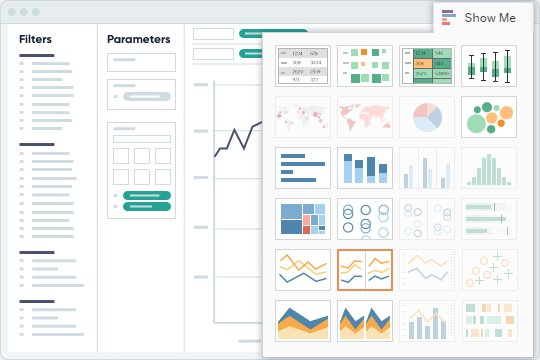
CallMiner monitors customer interactions automatically to identify risk related to industry-specific regulations. It scans every voice and text-based interaction in real time, tagging and indexing violations as they are found, and uses metadata alongside pre-built monitoring templates to apply consistent rules across channels.
Beyond detection, the platform ties findings back to agent behavior. It identifies which violation occurred and when, supports root cause analysis into repeated issues, and feeds those findings into targeted training. It is used in collections, finance and banking, healthcare, insurance and BPO environments.
Key features include:
- Compliance language monitoring: The platform scans for language such as Mini Miranda wording, Right Party Contact language, FDCPA violations and abusive language.
- Presence and absence checks: Every interaction is scanned for the presence or absence of compliance-specific information, so a missing disclosure is flagged as clearly as a prohibited statement.
- PCI and PII redaction: Sensitive and personal information is redacted from interaction records without stripping out other numerical data needed for analysis.
- Real-time alerting: The RealTime product alerts agents to risky behavior while an interaction is still in progress and gives supervisors live visibility to intervene.
- Post-interaction analysis: Analyze applies AI-powered scoring to transcribed audio, supports root cause analysis of violations and provides transparency into agent performance.
- Coaching workflows: Coach turns findings into data-driven, objective feedback so agents can correct non-compliant behaviors.
- Capture layer: Record and Screen Record ingest omnichannel interactions, including audio and screen activity, as the foundation for analysis.
Limitations (as reported by users on G2):
- Learning curve: Reviewers describe a steep curve, with a significant commitment required to understand the query syntax and platform functionality.
- Setup effort: Initial set-up is reported as challenging, and training is described as time-consuming to work through.
- Dashboard complexity: One reviewer notes that coach dashboards are more complex than team leaders need and would benefit from a cut-down version.
- Recording ingestion: A reviewer reports that a proportion of their recordings did not process well within the platform.
- Depth of ad hoc querying: Users say that digging into specific areas of interest beyond basic queries can be difficult.
Source: CallMiner
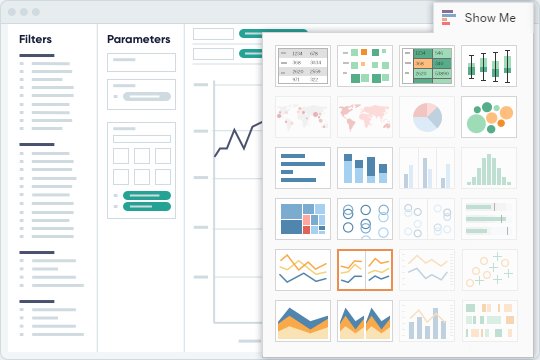
9. Observe.AI

Best for: Automated QA and real-time script compliance on every call
Strengths: 100% call monitoring with disclosure prompts and auto redaction
Things to consider: Reporting depth and transcription accuracy vary
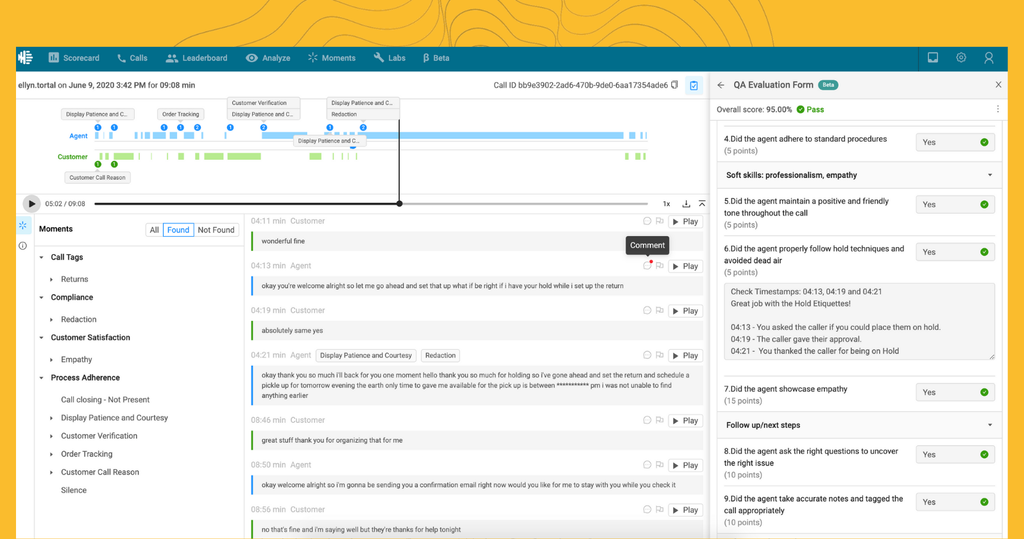
Observe.AI applies AI-powered transcription and on-screen monitoring to contact center interactions to manage compliance risk. The work covers three stages: capturing how compliance is maintained across interactions, understanding when and why risk occurred, and acting on data-backed mitigation.
The platform covers automated interactions, live agent support and post-interaction analysis. Voice AI automation delivers compliance statements on script within automated conversations, while agent-facing capabilities provide real-time guidance during live calls. Customers include organizations in banking and financial services, healthcare and insurance.
Key features include:
- Full call monitoring: The platform monitors 100 percent of calls rather than a manually sampled subset.
- Compliant smart scripts: Scripts guide agents through required wording, with alerts when compliance statements are missed.
- Disclosure prompts: Agents receive prompts during interactions to deliver required disclosures at the right point in the conversation.
- Automated note-taking with selective redaction: Notes are generated automatically, with private data redacted as part of the process.
- Automated QA: Auto QA evaluates all conversations and flags potential issues for review rather than relying on evaluator sampling.
- Screen capture: On-screen monitoring provides a 360-degree view of an interaction alongside the audio and transcript.
- Compliance coaching: Findings feed personalized compliance coaching and training for individual agents.
Limitations (as reported by users on TrustRadius):
- Reporting depth: Reviewers describe reports as limited, with charts showing single values and few comparisons, which makes trends across calls harder to see.
- Transcript accuracy: Users report inconsistent transcription, particularly with strong accents, noisy audio or overlapping speech, which affects downstream scoring.
- On-hold audio: One reviewer asked for the ability to exclude on-hold messaging from call transcription.
- Language coverage: Reviewers note that the number of supported languages is narrower than some multilingual operations require.
- Tuning effort: Users report that initial auto-scoring and workflow configuration need significant adjustment to avoid false compliance flags, especially with industry-specific terminology.
Source: Observe.AI

Payment Security and PCI DSS Scope Reduction
10. PCI Pal
Best for: Keeping card data out of contact center systems and recordings
Strengths: DTMF masking with data routed straight to the payment provider
Things to consider: Covers payment security rather than wider compliance
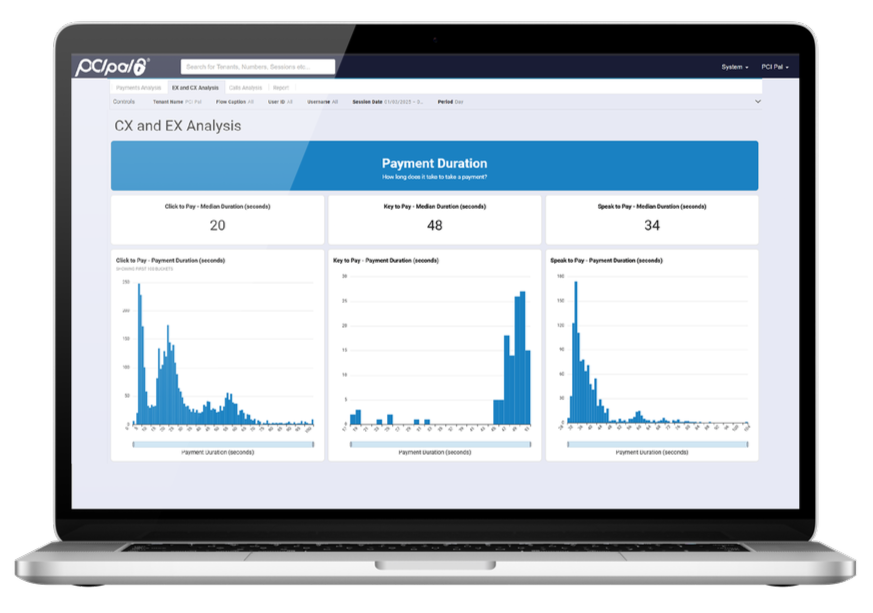
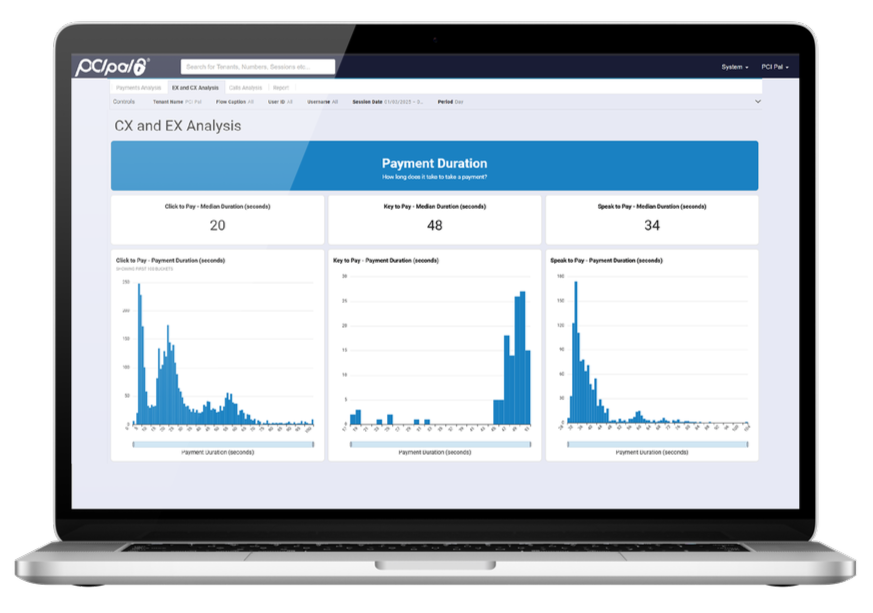
PCI Pal secures card payments taken by contact center agents. When a customer keys in their card number, expiry date and security code using the telephone keypad, the system intercepts those tones and masks them with a monotone comfort beep for the agent, then sends the captured payment data directly to the payment service provider.
Because the digits are never audible, they cannot be captured or interpreted by the call recording system. That removes the need for pause-and-resume recording, which is the older approach to the same problem, and it means agents never have access to the card details they are helping the customer enter.
Key features include:
- DTMF masking: Keypad tones are intercepted and masked so payment details are not audible to customer-facing staff and cannot be interpreted from the call.
- Payment data isolation: Card data does not enter the contact center environment and remains within PCI Pal’s payment platform.
- Call recording protection: With no payment details audible, recordings can run continuously without the risk of card data being captured and stored.
- Speech recognition: Speech recognition is available for customers who cannot use their telephone keypad.
- Channel coverage: Solutions span phone interactions, IVR self-service and digital interactions, with secure digital links for payments in other channels.
- Additional technology modules: The platform also includes conversational AI support, AI-powered risk scoring, customer authentication and analytics.
- Industry deployments: Packaged solutions cover business process outsourcers, financial services and insurance, government, logistics, retail, travel, utilities and healthcare.
Limitations (based on publicly available sources):
- Scope of coverage: The platform addresses payment card security, so disclosure monitoring, quality assurance and agent activity oversight require separate tooling.
- Integration dependency: The service sits across telephony, the contact center platform and the payment gateway, so deployments typically involve coordination with several providers.
- Compliance boundary: Scope reduction applies to the protected payment flows, and any other cardholder data handling in the business remains in scope for assessment.
- Pricing transparency: Pricing is not published and is quoted per deployment.
Source: PCI Pal
11. Sycurio

Best for: PCI DSS scope reduction across voice, IVR and digital channels
Strengths: PCI DSS Level 1 platform that keeps card data off your network
Things to consider: Deployment depends on your telephony and CCaaS setup
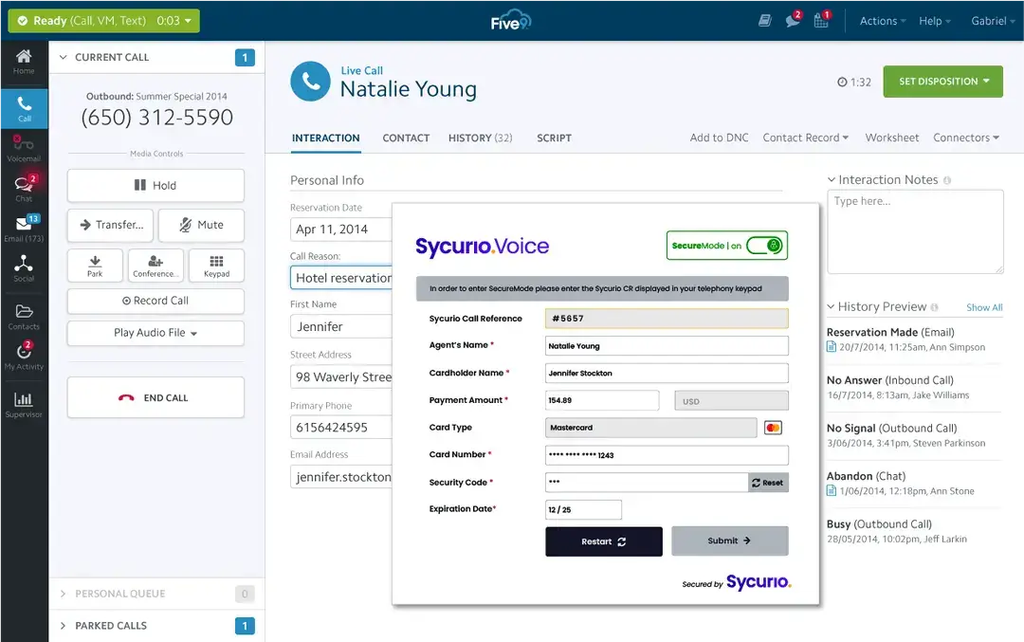
Sycurio, previously known as Semafone, provides secure payment capture for contact centers across live agent, digital, IVR and AI-driven interactions. Transactions are processed through PCI DSS Level 1-certified infrastructure so that card data never touches agents, systems or networks.
The products are organized by channel, with Sycurio Voice for agent-assisted phone payments, Sycurio Digital for payments in digital channels and Sycurio IVR for self-service. The platform is intended for contact centers, remote teams and outsourced partners across every communication channel.
Key features include:
- Voice payments: Customers pay by phone keypad or speech during a live agent call, with sensitive data kept out of the contact center environment.
- Digital payments: Payments can be taken across digital engagement channels, extending the same protections beyond voice.
- IVR self-service payments: Automated voice payments allow customers to complete transactions without an agent, deflecting calls from the queue.
- PCI scope reduction: Protected voice and digital payments move merchant status to SAQ-A, and Sycurio provides the PCI Attestation of Compliance.
- Integration coverage: The solutions integrate with cloud contact centers, CRMs, UCaaS platforms, enterprise networks, carrier-grade telephony, payment gateways and processors.
- Pre-built platform integrations: Documented integrations exist for Amazon Connect, Genesys, Avaya, NICE CXone, Five9, Talkdesk, Salesforce, Mitel, Cisco and Epic EHR.
Limitations (based on publicly available sources):
- Scope of coverage: The platform secures payment transactions and does not address recording policy management, script adherence or agent activity monitoring.
- Telephony dependencies: Publicly posted customer feedback notes that non-SIP infrastructure created equipment constraints and reduced visibility into trunking during deployment.
- Limited public review coverage: The product has relatively few published reviews on major software review platforms, which makes independent verification harder.
- Compliance boundary: SAQ-A status applies only to protected payment flows, so other cardholder data handling remains in scope.
- Pricing transparency: Pricing is not published and requires contact with the vendor.
Source: Sycurio
12. Eckoh CallGuard

Best for: Agent-assisted phone payments in hybrid and remote teams
Strengths: Tone blocking or audio muting with real-time on-screen feedback
Things to consider: Focused on payments and related recording, not full QA
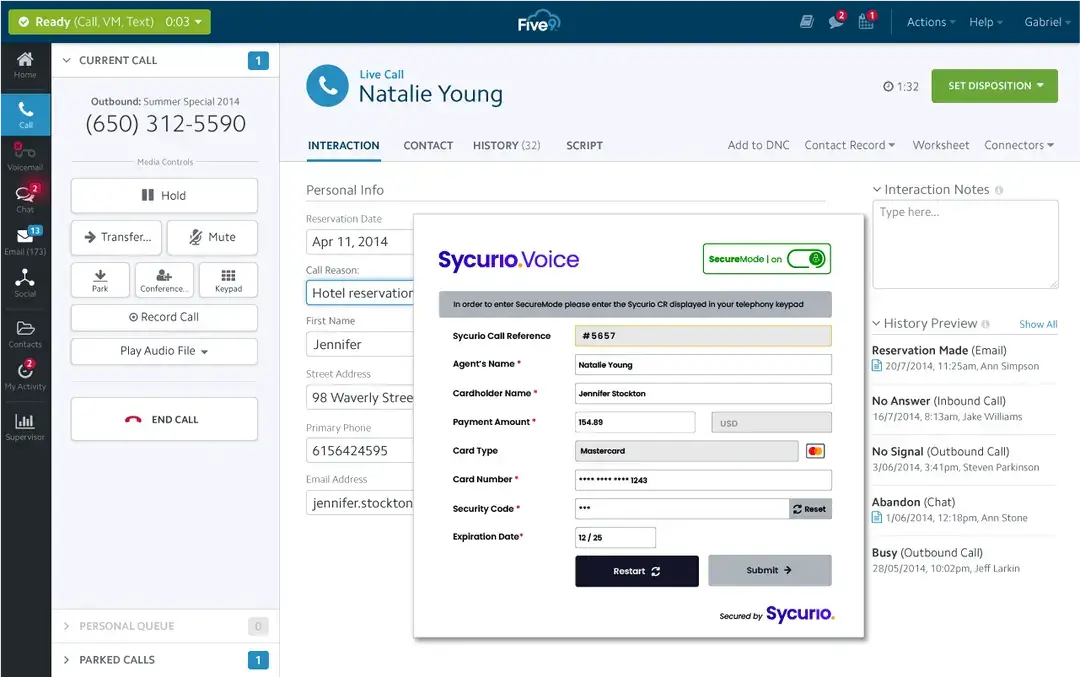
Eckoh’s CallGuard secures voice payments so card data is not exposed to agents, systems or call recordings. When it is time to take a payment, the agent opens their existing system, now protected by CallGuard, and the customer enters card details using the phone keypad or by speaking them aloud.
CallGuard blocks the tones or mutes the audio so the data is never heard or seen, and displays the digits only as asterisks on the agent’s screen. It then passes the payment to the provider, completes the transaction and updates the organization’s systems automatically. Every Eckoh solution runs on infrastructure meeting PCI DSS Level 1 and SOC 2 standards.
Key features include:
- Tone blocking and audio muting: Keypad tones are blocked or call audio is muted at the point of payment, so sensitive data does not reach agents, systems or recordings.
- Masked agent display with live feedback: Card numbers appear as asterisks while agents receive real-time on-screen feedback and status updates to guide the process.
- Advanced speech recognition: Spoken payment details are supported in over 80 languages and dialects.
- Secure remote agent environments: Hybrid and remote agent setups receive the same protection as the on-site contact center environment.
- Payment method coverage: Customers can pay by card, ACH, Apple Pay, Google Pay and other digital wallets.
- Deployment options: CallGuard integrates with existing systems or can be deployed as an embeddable virtual terminal.
- Related modules: Secure Call Recording captures and analyzes conversations while automatically redacting sensitive data, and separate products cover digital payment links, chat payments and payment IVR.
Limitations (based on publicly available sources):
- Scope of coverage: CallGuard secures payments and, through adjacent modules, recording redaction, but does not cover script adherence, quality management or endpoint controls.
- Integration effort: Deployment involves the existing telephony environment, agent desktop systems and the payment service provider, so implementation is a multi-party project.
- Training model: Onboarding uses a train-the-trainer approach, which places ongoing agent training and performance management with internal teams.
- Pricing transparency: Pricing is not published and is quoted per deployment.
How to Choose Call Center Compliance Software
Choosing call center compliance software requires more than comparing individual security features. The platform should support the regulations that apply to your organization, integrate with the existing call center environment, and provide enough visibility to manage compliance across employees, contractors, and third parties. This is especially important for organizations using Venn or similar secure workspace solutions to control access to business data on managed and unmanaged devices:
- Identify your compliance requirements. Determine which regulations and standards apply to your call center, such as PCI DSS, TCPA, HIPAA, or privacy laws. Look for software with controls that directly support those requirements.
- Evaluate data protection controls. Check how the platform protects recordings, transcripts, payment information, and customer data. Relevant capabilities include encryption, masking, DLP, retention controls, and restrictions on copying or downloading information.
- Review identity and access controls. Look for MFA, role-based access control, least-privilege policies, and detailed access logs. For distributed teams, consider whether access can be securely controlled across employees, contractors, and BYOD endpoints.
- Consider endpoint and workspace security. Compliance controls should extend beyond the call center application itself. Solutions such as Venn can help separate business activity from personal activity on the same device and apply security policies to company data without requiring full control of the endpoint.
- Check monitoring and audit capabilities. The software should provide sufficient logs to determine who accessed sensitive information and what actions they performed. Automated alerts and centralized reporting can make suspicious activity and policy violations easier to investigate.
- Assess call recording controls. Verify that the system can apply recording, consent, pause, retention, and deletion policies based on your requirements. If payment information is handled by phone, check for DTMF suppression and recording redaction.
- Evaluate integrations. Confirm compatibility with your contact center platform, CRM, identity provider, payment systems, and security tools. Strong integrations reduce gaps between controls and make compliance data easier to manage centrally.
- Plan for remote and third-party workers. If agents work remotely or contractors use personal devices, determine how the solution protects corporate data outside the office. Consider controls that can restrict business data without requiring organizations to issue and manage a dedicated device for every worker.
- Verify reporting and evidence collection. Look for automated reports, searchable audit trails, and exportable evidence that can support internal reviews, customer assessments, and external audits.
- Consider administration and scalability. The platform should make policies practical to deploy and maintain as the call center grows. Centralized configuration, automated policy enforcement, and straightforward user provisioning can reduce manual compliance work.
Conclusion
Call center compliance software helps organizations protect sensitive customer data, enforce access and recording policies, monitor agent activity, and maintain evidence of regulatory compliance. The right approach should address the complete interaction lifecycle, including authentication, endpoint access, recordings, payment data, retention, third-party access, and audit trails. Combining automated controls with continuous monitoring can reduce compliance gaps while making violations easier to detect, investigate, and correct.

Any worker. Any laptop. Any AI workflow. Fully secured.
Schedule a demo to see how Blue Border™ secures company data and apps without shipping laptops, running VDI, or managing personal endpoints.