
Data Exfiltration Prevention: The Complete Guide


See Venn first in Google Search
Add as a preferred source on Google
What is data exfiltration prevention?
Data exfiltration prevention is the strategy of using tools, rules, and controls to stop sensitive files and private information, such as customer records, source code, financial models, and legal documents, from leaving a network or system without permission. It protects companies against hackers and insider threats by watching how data moves across the cloud, email, and devices, including the personal and contractor laptops that IT doesn’t manage.
It combines technical controls like data loss prevention and secure web gateways with access governance, monitoring, and employee-facing policy, all aimed at one outcome: sensitive data stays inside company-controlled systems, even as employees and contractors work across email, browsers, cloud apps, and personal devices.
The goal isn’t to lock down every device or monitor every keystroke. It’s to protect the data itself, wherever it’s created, stored, or accessed, while leaving normal business activity (and personal activity on personal devices) untouched.
Core defense strategies:
- Access control: Give users access only to the exact files they need for their jobs, and grant elevated access only for the window it is needed.
- Data loss prevention (DLP): Use software to spot and block unauthorized file transfers in real time across endpoints, email, browsers, and cloud apps.
- Workspace isolation on unmanaged devices: Contain work data inside a company-controlled enclave on personal and contractor laptops.
- Network segmentation: Split networks into smaller parts to stop threats from spreading and to limit what a single account can reach.
- Encryption: Lock data so it stays unreadable even if it leaves the network.
- User training: Teach staff how to spot phishing and social engineering tricks.
This is part of a series of articles about data security.
Secure Company Data on BYOD Laptops
Unlock the 4 essential assets you need to secure company data on unmanaged laptops – without VDI.
In this article:
- What is data exfiltration prevention?
- Data exfiltration vs. data leakage vs. data breach
- How data is exfiltrated: the main channels
- Who exfiltrates data and what an incident costs the business
- Why unmanaged, BYOD, and contractor devices are the hardest exfiltration channel to control
- 9 warning signs that data is being exfiltrated
- Technologies used to prevent data exfiltration
- Best practices for building a data exfiltration prevention program
- Data Exfiltration Prevention Tools at a Glance
- Notable Data Exfiltration Prevention Tools
Data exfiltration vs. data leakage vs. data breach
These three terms get used interchangeably, but they describe different things, and the distinction matters for how a security team responds.
- Data exfiltration is the unauthorized transfer of data out of an organization’s environment, often but not always intentional: an employee uploading a client list to a personal Google Drive account, or malware quietly siphoning credentials to an external server.
- Data leakage is broader and usually accidental – sensitive data exposed through a misconfigured cloud bucket, an overly permissive sharing link, or a report sent to the wrong recipient. No bad actor is required.
- A data breach is the outcome, not the method: unauthorized access to sensitive data has been confirmed, regardless of whether it happened through exfiltration, leakage, or an external attack. Every exfiltration event can become a breach; not every breach involves exfiltration.
How data is exfiltrated: the main channels
Exfiltration channels have multiplied alongside the number of places work now happens: personal laptops, browser tabs, SaaS apps, and AI tools that didn’t exist a few product cycles ago. Five channels account for most real-world incidents.
Outbound corporate email and personal webmail accounts
Email remains one of the simplest exfiltration paths. An employee forwards a spreadsheet to a personal Gmail account “to work on over the weekend,” or attaches a client database to an external message. Because email is a sanctioned, everyday tool, this kind of transfer rarely triggers suspicion without content-aware monitoring in place.
Basic attachment-size limits or keyword filters catch only the most obvious cases; a renamed file, a split attachment, or a message routed through a personal webmail tab open in the same browser session slips past them. And once a message clears the corporate mail server, the sending organization has no way to recall it or control what happens to the data next, which is exactly why this channel shows up so often in both insider-risk and breach investigations.
Uploads to personal cloud storage, messaging apps, and code repositories
Dropbox, personal Google Drive, WhatsApp, and public GitHub repositories all give users a fast way to move files off company infrastructure. In Cyberhaven’s analysis of insider risk incidents, personal cloud storage is the single largest exfiltration destination by volume, at 22.7% of incidents – ahead of any other channel.
Part of what makes this channel so persistent is that it often looks like ordinary collaboration rather than a policy violation. A file synced to a personal Dropbox folder in the background, or a code snippet pasted into a personal messaging thread, rarely feels like “exfiltration” to the person doing it. That’s especially true for contractors and offshore teams who may already rely on personal accounts as part of their normal workflow, which blurs the line between convenience and data loss and makes blanket bans on these tools hard to enforce without disrupting legitimate work.
Prompts, pastes, and file uploads into generative AI tools and browser extensions
Employees increasingly copy contracts, source code, and strategic plans directly into AI chat tools and browser extensions to save time. Because this activity happens inside a browser tab that looks like normal work, it’s one of the hardest channels for legacy tools to see, let alone control. Harmonic Security’s analysis of over a million enterprise GenAI prompts found that nearly 22% of uploaded files and 4.37% of prompts contained sensitive content, with code and credentials among the most common categories exposed.
Browser extensions widen the exposure further: many request broad permissions to read page content across every site a user visits, which can pull in sensitive data the employee never intended to share with a third party. New AI tools also launch faster than most companies can update policy or block lists, and many employees genuinely don’t equate pasting a paragraph into a chat window with emailing a file to an external address, even though the outcome for the data is the same.
Downloads to unmanaged laptops, personal devices, and removable media
Bulk downloads to a personal laptop, a phone, or a USB drive move data outside the company’s visibility entirely. Removable media alone accounts for roughly 1 in 6 insider exfiltration incidents, per the same Cyberhaven analysis. Once a file lands on an unmanaged device, the organization has effectively lost the ability to enforce any control over it.
This channel is especially acute for the contractor, BYOD, and offshore populations that most exfiltration prevention programs weren’t originally built around: a personal device isn’t running the same endpoint agents or patch cadence as a company-issued laptop, so standard DLP and EDR tools have no visibility once a file crosses onto it. When an incident does surface, investigators are usually left reconstructing what happened from network and access logs rather than from any evidence on the device itself, which slows response and makes it harder to confirm what was actually taken.
Malware, command-and-control channels, and DNS tunneling
Not every exfiltration event involves a person acting deliberately. Malware can quietly siphon data out through command-and-control channels, and DNS tunneling – hiding stolen data inside routine-looking DNS queries – lets attackers move information past firewalls that trust DNS traffic by default.
Because these channels are automated rather than driven by a person’s day-to-day behavior, they rarely produce the kind of anomalies that user-behavior monitoring or training-based defenses are built to catch. Spotting them typically requires network- and DNS-layer detection, such as flagging unusual query volume, request patterns, or destinations, since by the time data reaches this stage, the compromise has usually already happened well upstream.
Who exfiltrates data and what an incident costs the business
Insider-driven data exfiltration is rarely the work of a single malicious actor. According to Ponemon Institute’s 2026 Cost of Insider Risks Global Report, negligent employees and simple mistakes make up the largest share of incidents, and the cost of negligent-insider incidents alone climbed to $10.3 million in the latest study, up 17% year over year. The total average annual cost of insider security incidents across the study reached $19.5 million, and 92% of organizations say generative AI has already changed how employees access and share information, adding a new, harder-to-see layer to insider risk.
The costs compound quickly once an incident becomes a confirmed breach. IBM’s 2026 Cost of a Data Breach Report puts the global average cost of a data breach at $4.99 million, a 12% increase over the prior year, driven in large part by higher detection, escalation, and lost-business costs. For businesses handling regulated data like healthcare records, financial information, or legal case files, the downstream costs of notification, remediation, and lost trust routinely exceed the initial incident.
Why unmanaged, BYOD, and contractor devices are the hardest exfiltration channel to control
Most exfiltration prevention strategies were built around company-owned, IT-managed laptops. That assumption breaks down the moment contractors, offshore teams, and BYOD employees enter the picture, and for most companies today, that’s a significant share of the workforce.
A personal laptop isn’t running the same endpoint agents, isn’t patched on the same schedule, and isn’t visible to the same monitoring stack as a company-issued device. IT can’t install a full DLP agent across the entire machine without taking on liability for the user’s personal files, browsing, and communications. BYOD security best practices exist precisely because that tension between control and privacy has no easy answer at the whole-device level.
The risk shows up quickly in practice. One company discovered several contractor accounts had been compromised, and a password reset alone wouldn’t reduce the risk if the underlying device was already infected with credential-stealing malware. The instinct was to solve it by issuing company laptops, until the estimate landed near $200,000 in procurement, shipping, and lifecycle costs for the contractor population involved. Instead of managing the entire device, the company put a protective boundary around the work itself: an isolated, company-controlled environment on the existing personal laptop, so sensitive data stayed contained even though the device itself remained unmanaged.
9 warning signs that data is being exfiltrated
Exfiltration rarely announces itself. It shows up as a pattern that deviates from what’s normal for a given role, department, or individual. Here are some of the most common signals security teams watch for:
- Unusual outbound traffic volume: A sudden spike in outbound data volume, especially involving sensitive data stores, is worth investigating on its own.
- Off-hours transfers: File transfers or large downloads initiated late at night, on weekends, or outside a user’s normal working pattern often indicate activity meant to avoid notice.
- Connections to unfamiliar destinations: Traffic to a domain, IP address, or cloud service a user has never accessed before is a signal worth checking, particularly when sensitive files are involved.
- Mass file access: An employee who suddenly accesses far more files than their role requires is a strong indicator of either a compromised account or a user preparing to leave.
- Bulk downloads and shared drive scraping: Downloading an entire shared drive or folder structure, rather than the handful of files a task would normally require, is a common precursor to both insider and external exfiltration.
- Full repository cloning: A code repository cloned in full, especially by someone outside the team that owns it, is a strong indicator of a departing employee or a compromised account.
- Anomalous logins: Logins from unfamiliar locations, devices, or IP addresses are early signs that an account, not just a device, has been compromised.
- Credential misuse: A single credential being used from two places at once, or logins that don’t match a user’s typical pattern, point to a shared or stolen password.
- Sudden privilege changes: An account gaining access it didn’t previously have, especially without a corresponding role change, should be treated as suspicious until confirmed otherwise.
Technologies used to prevent data exfiltration
No single tool covers every exfiltration channel. Most effective programs layer a few purpose-built technologies rather than relying on one platform to do everything.
Secure workspace technology: isolate and protect company data on personal and contractor computers
Rather than trying to secure an entire device, secure workspace technology installs a company-controlled secure enclave directly on a user’s own PC or Mac, containing business applications and data separately from everything else on the machine. Work applications run locally inside the enclave, where downloads, copy/paste, and screen sharing are governed by policy, while personal activity outside the enclave stays private and untouched. It’s a practical fit for exactly the population that’s hardest to secure with traditional tools: contractors, offshore teams, and BYOD employees working from devices IT doesn’t own.
Because the boundary sits around the work itself rather than the whole machine, this approach avoids the cost, liability, and rollout time of managing personal hardware outright, and avoids the latency of virtual desktop since apps runl ocally. Blue Border™ is a secure workspace built on this model. It’s a practical fit for exactly the population that’s hardest to secure with traditional tools: contractors, offshore teams, and BYOD employees working from devices IT doesn’t own.
Data loss prevention (DLP) with content inspection and classification
DLP tools inspect content in motion, at rest, and in use, flagging or blocking transfers that contain sensitive data based on classification rules. In practice, that means software that can spot and block unauthorized file transfers in real time, rather than surfacing them in a report after the data is already gone.
DLP is only as effective as the classification behind it, and most deployments still assume a company-managed endpoint where an agent can be installed and traffic can be inspected. That assumption breaks down on personal and contractor devices, which is why modern endpoint DLP built for BYOD and unmanaged laptops matters: it extends content inspection to exactly the devices where traditional, network-based DLP loses visibility.
Secure service edge (SSE), CASB, and secure web gateways for egress control
SSE platforms, cloud access security brokers (CASB), and secure web gateways sit between users and the internet, giving IT the ability to block uploads to unsanctioned cloud storage, restrict access to personal webmail, and enforce egress policy without routing all traffic through a traditional VPN.
These tools work well when traffic is routed through a corporate network or proxy, which is the normal case on a company-managed laptop. Coverage thins out fast on personal devices that never authenticate through that stack, and inspecting encrypted traffic usually requires certificates that most organizations can’t push to a device they don’t own, so egress control alone rarely closes the gap on unmanaged endpoints.
Endpoint detection and response with device and peripheral controls
EDR tools monitor endpoint activity for exfiltration-adjacent behavior, such as unusual process activity, unauthorized USB connections, or attempts to disable security agents, and can restrict removable media and peripheral access at the device level.
Like DLP, EDR depends on an agent running on the device, which is straightforward to deploy and maintain on IT-managed hardware. On a contractor’s or employee’s personal laptop, installing a full monitoring agent usually isn’t an option the business has the standing to require, which leaves EDR covering the same managed fleet that DLP and SSE already reach, and little else.
User and entity behavior analytics for insider risk scoring
UEBA tools build a baseline of normal access and usage patterns for each role, then flag deviations, such as a sudden bulk download or an unfamiliar login pattern, for review. Done well, this focuses attention on genuine risk indicators rather than watching every action an employee takes.
The quality of that baseline determines whether UEBA is useful or just noisy: a model trained on too little data, or on a role with naturally variable behavior, will flag routine work as suspicious and train security teams to ignore its alerts. UEBA is most useful layered alongside the tools above, correlating a behavioral anomaly with an actual policy violation, such as a bulk download that also violates an access-control or egress rule, rather than acting as a standalone control.
Best practices for building a data exfiltration prevention program
Technology alone doesn’t prevent exfiltration. The strongest programs pair the right tools with clear policy and consistent process.
Discover and classify sensitive data before writing any blocking policy
A blocking rule is only as good as the classification behind it. Before rolling out DLP or egress controls, identify where sensitive data lives and label it by sensitivity, so policy can be targeted rather than applied as a blunt, company-wide instrument.
Apply least privilege and just-in-time access to high-value data stores
Access control starts with a simple rule: give users access only to the exact files they need for their jobs. Limiting standing access to sensitive systems, and granting elevated access only when it’s needed for a defined window, shrinks the pool of accounts that could exfiltrate data in the first place. Zero trust principles apply directly here: verify every request rather than assuming access earned yesterday is still appropriate today.
Segment networks so one compromised account can’t reach every data store
Splitting networks into smaller parts stops threats from spreading and limits how much data any single compromised account or device can reach. Pair segmentation with egress restrictions on the paths that matter most, such as access to production databases and code repositories. Segmentation does nothing once a file has already landed on an unmanaged laptop, so treat it as a way to contain lateral movement rather than a complete answer to exfiltration.
Control the destination, not just the file: restrict personal accounts, unsanctioned SaaS, and shadow AI
Blocking a file type or a specific application is a losing game; new upload paths appear constantly. Controlling the destination – personal cloud accounts, unsanctioned SaaS, unapproved AI tools – closes the exit rather than chasing every possible exit point.
Encrypt data at rest and in transit so exfiltrated copies stay unusable
Encryption doesn’t stop a transfer, but it determines whether a stolen copy is usable. Locking data so it stays unreadable even if it leaves the network turns a successful transfer into a non-event. Data encrypted at rest and in transit, with keys the business controls, stays protected even if a copy makes it past every other control.
Set an approved-AI policy and route sensitive work into sanctioned tools
Employees will use AI tools with or without a policy. Publishing a clear list of sanctioned tools, and routing sensitive workflows through accounts the business controls rather than personal, free-tier accounts, closes one of the fastest-growing exfiltration channels without banning AI outright.
Train employees to spot phishing and social engineering
Negligent employees and simple mistakes account for the largest share of insider incidents, which makes user training a control rather than a formality. Teach staff how to spot phishing and social engineering tricks, how to recognize a credential-harvesting login page, and where sensitive files are and are not allowed to go. Short, role-specific refreshers reinforced through the year work better than a single annual course, and they give employees a way to report a mistake early instead of hiding it.
Run exfiltration scenarios in tabletop exercises and tune alerts against real business workflows
Alert rules built in a vacuum generate noise. Testing detection against realistic exfiltration scenarios, such as a departing employee downloading a shared drive or a contractor uploading code to a personal repo, reveals which alerts actually fire and which real business workflows would otherwise get flagged as false positives.
Tighten offboarding: revoke access, reclaim data from personal devices, and audit the final 30 days of activity
A large share of exfiltration activity clusters around departures. Revoking access immediately, confirming company data has been removed from personal devices, and auditing the final 30 days of an employee’s activity closes the window that departing employees and contractors are most likely to use.
Secure Company Data on BYOD Laptops
Unlock the 4 essential assets you need to secure company data on unmanaged laptops – without VDI.
Data Exfiltration Prevention Tools at a Glance
This table summarizes the key differences between the tools below. We explore each in more detail in the sections that follow.
| Category | Solution | Best For | Key Strengths | Things to Consider |
| Secure Enclaves & BYOD Isolation | Blue Border™ by Venn | Securing company data on BYOD and contractor laptops | Local secure enclave isolates work data without VDI | Occasional stability issues and limited mobile reporting depth |
| Secure Enclaves & BYOD Isolation | Island Enterprise Browser | Enterprises wanting security built into the browser itself | Granular last-mile controls over copy, paste, and downloads | RDP client lacks some native Microsoft client features |
| Secure Enclaves & BYOD Isolation | Prisma Browser (Palo Alto Networks) | Organizations already running Palo Alto Prisma SASE | Over 1,000 built-in data classifiers with SASE integration | Setup and policy tuning can be complex initially |
| Secure Enclaves & BYOD Isolation | Menlo Security Enterprise Browser | Isolating risky browsing sessions in the cloud | Cloud rendering keeps malicious code off the endpoint | Isolated sites can occasionally break site functionality |
| Data Loss Prevention Platforms | Microsoft Purview DLP | Microsoft 365 environments needing native data protection | Deep content inspection across Exchange, SharePoint, and endpoints | Policy management spans multiple Microsoft portals |
| Data Loss Prevention Platforms | Forcepoint DLP | Enterprises with complex, multi-channel environments | Risk-Adaptive Protection adjusts policy to user behavior | Initial policy configuration takes time to tune |
| Data Loss Prevention Platforms | Symantec DLP (Broadcom) | Large regulated enterprises with on-prem and hybrid estates | Exact and Indexed Data Matching for accurate detection | Console can feel dated and management is complex |
| Data Loss Prevention Platforms | Proofpoint DLP | Fortune 100 organizations wanting people-centric DLP | Unified visibility across email, cloud, and endpoint channels | Policy tuning requires ongoing effort to reduce noise |
| Data Loss Prevention Platforms | Fortra DLP (Digital Guardian) | Organizations needing deep endpoint visibility from day one | Captures system, user, and data events without pre-classification | Custom policy creation requires specialized expertise |
| SSE & Cloud Egress Control | Netskope One DLP | Organizations standardizing data protection on SSE | Consistent DLP policy across cloud, web, email, and endpoints | Initial setup and traffic routing can be involved |
| SSE & Cloud Egress Control | Zscaler DLP | Organizations replacing VPN and legacy DLP with one platform | Single agent enforces policy across web, endpoint, and SaaS | Advanced policy configuration has a learning curve |
| SSE & Cloud Egress Control | Skyhigh Security CASB | Enterprises needing DLP synced across cloud and endpoint | Exact and Indexed Data Matching scales to billions of cells | Admin console can feel outdated and click-heavy |
| Endpoint Detection & Insider Risk | CrowdStrike Falcon Data Security | CrowdStrike shops wanting endpoint-to-cloud data visibility | Cross-domain context links data movement to identity and device | Newer product with a smaller review base than rivals |
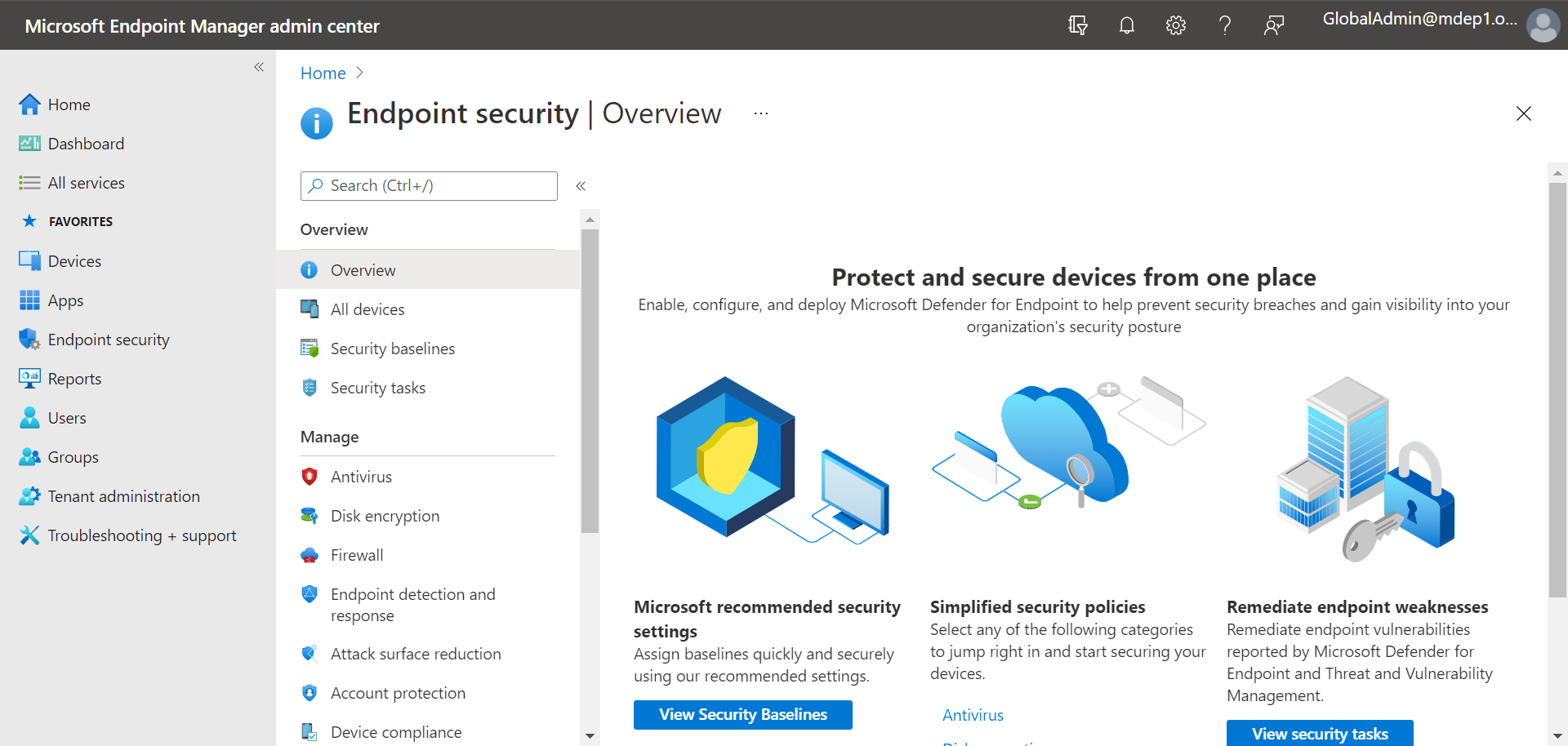
| Endpoint Detection & Insider Risk | Microsoft Defender for Endpoint | Organizations wanting device control alongside endpoint EDR | Removable storage and peripheral controls built into the agent | Policies span multiple Microsoft admin portals |
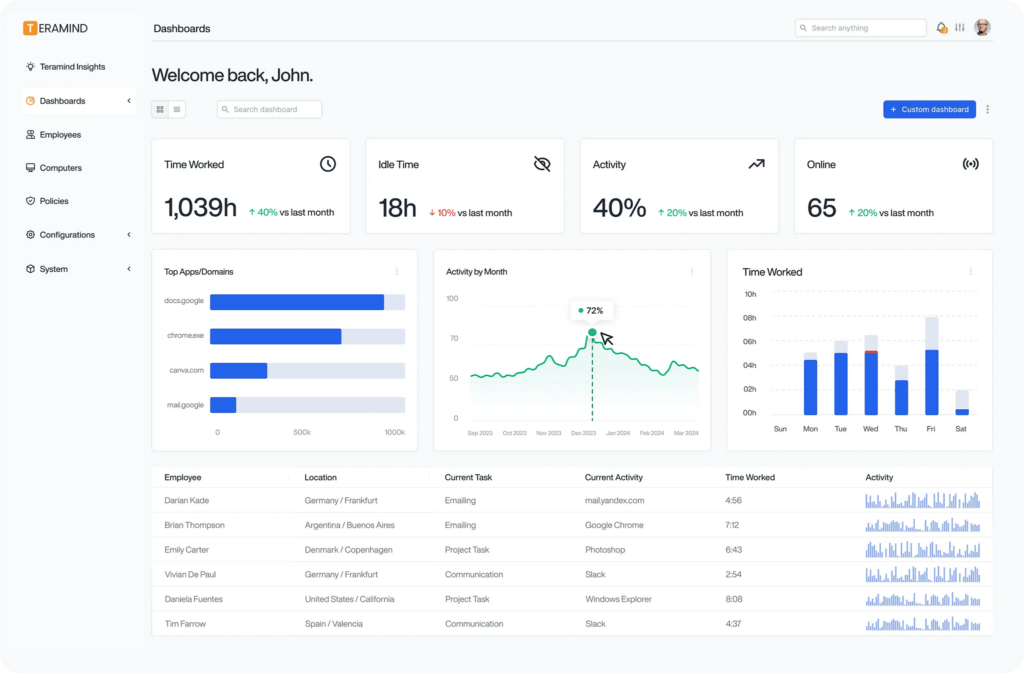
| Endpoint Detection & Insider Risk | Teramind | Teams wanting DLP paired with user behavior analytics | Behavioral baselines flag anomalies beyond static content rules | Initial setup and rule-building take time to master |
Notable Data Exfiltration Prevention Tools
How we selected these tools: We shortlisted secure enclave, DLP, SSE, and endpoint platforms based on how well they detect and block sensitive data leaving managed and unmanaged devices, browsers, cloud apps, and AI tools.
Secure Enclaves and BYOD Isolation Platforms
1. Blue Border™ by Venn

Best for: Securing company data on BYOD and contractor laptops
Strengths: Local secure enclave isolates work data without VDI
Things to consider: Occasional stability issues and limited mobile reporting depth
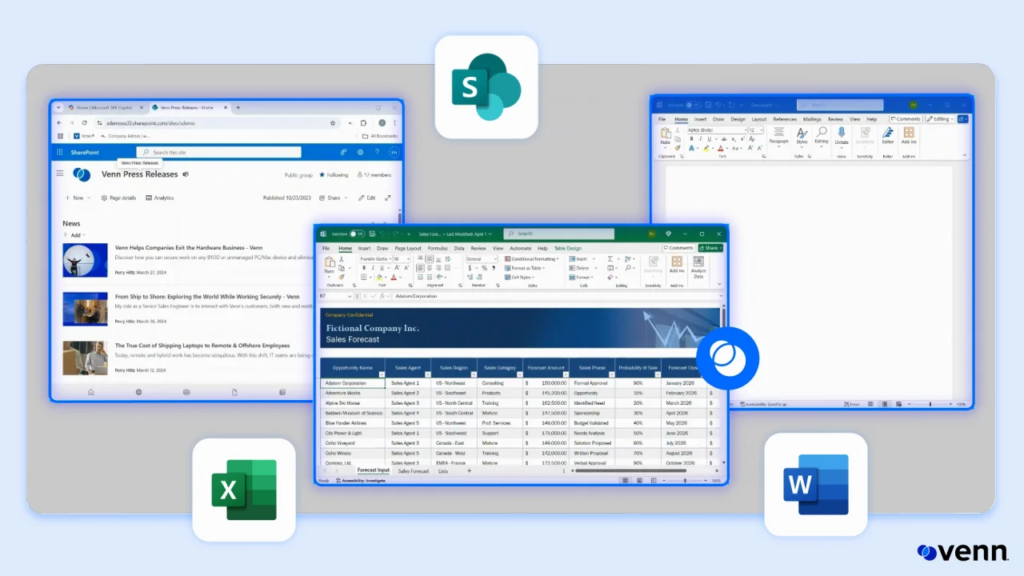
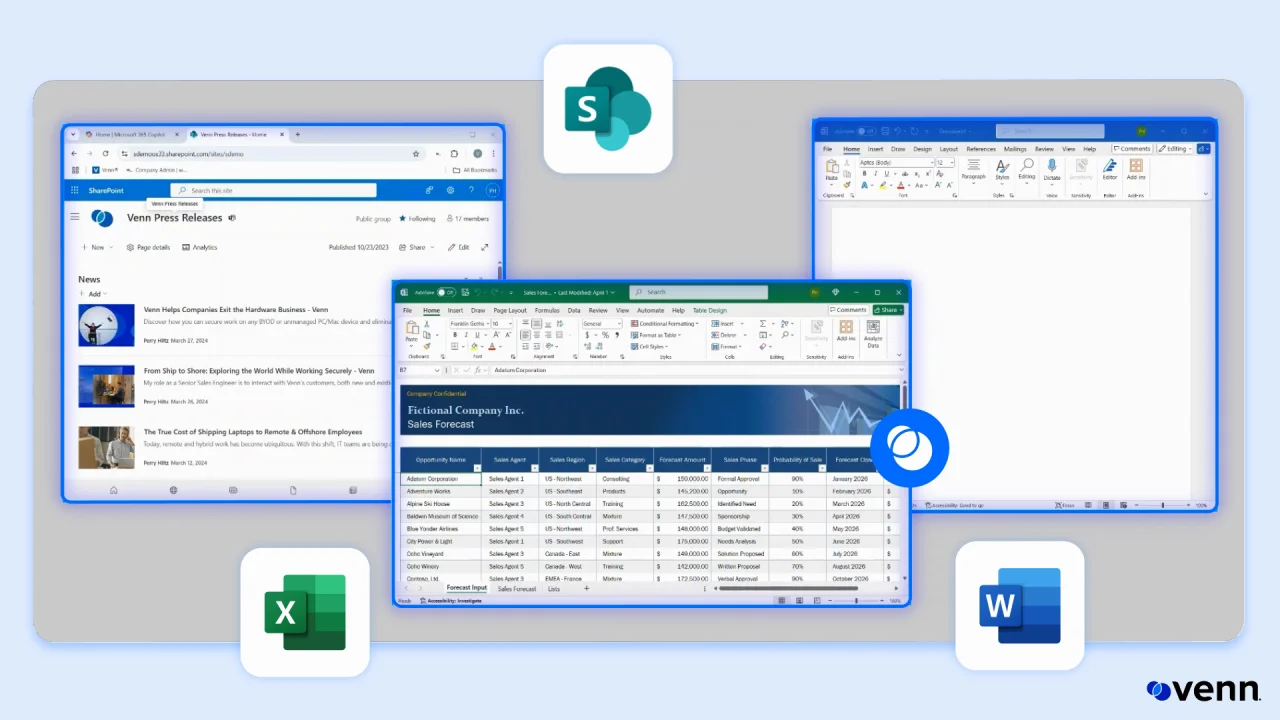
Blue Border™ installs a company-controlled secure enclave directly on a user’s personal PC or Mac. All business activity inside the enclave – including company data, applications, and AI workflows – is protected and isolated from any other use on the same computer, visually marked by a blue line wrapped around application windows.
Work applications run locally with no hosting or virtualization involved, so there’s no VDI-style lag. The enclave enforces data controls and governs AI usage from inside itself, controlling which AI tools can be used, which tenants can be accessed, and what data can be copied, pasted, uploaded, or entered into an AI tool. Personal activity outside the enclave stays invisible to the company.
Key features include:
- Secure enclave isolation: Creates a company-controlled secure enclave on unmanaged devices where work data, apps, and networking stay separated from personal use without full device management.
- DLP and clipboard control: Enforces data loss prevention policy inside the enclave, including controls on copy, paste, printing, screen capture, and screen share.
- AI governance: Sets policy on which AI tools (including Claude, ChatGPT, Gemini, and Copilot) can access company data and what content can move in or out of them.
- Centralized administration: Requires no backend infrastructure, allowing companies to onboard and offboard remote employees and contractors within minutes.
- Compliance controls: Enforces regulatory requirements including HIPAA, PCI, SEC, FINRA, NAIC, NYS DFS, and SOC 2 Type II directly within the enclave.
- Real-time activity visibility: Provides insight into where, when, and from what device a user accessed an app or sensitive data.
Limitations (based on user feedback on G2):
- Mobile support gaps: Some users have noted they would like broader mobile device support and reporting depth.
- Performance under load: A few reviewers mention occasional stability issues that can affect performance.
- Initial configuration time: The platform may require some initial setup and policy tuning before it fits smoothly into existing workflows.
Source: Venn
2. Island Enterprise Browser

Best for: Enterprises wanting security built into the browser itself
Strengths: Granular last-mile controls over copy, paste, and downloads
Things to consider: RDP client lacks some native Microsoft client features
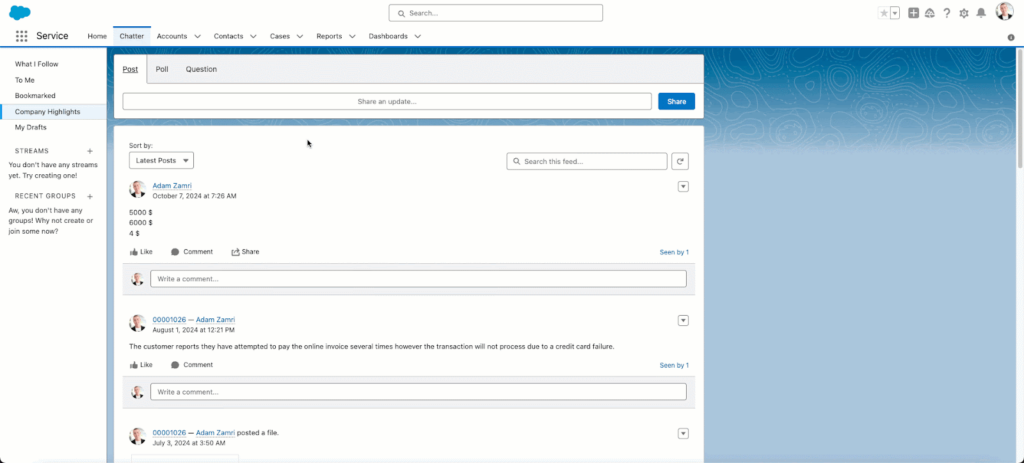
Island is a Chromium-based browser built specifically for enterprise use. It centralizes access, security, and productivity controls at the point where employees interact with SaaS and internal web applications, rather than relying on separate agents, VPNs, or virtual desktops.
Security teams can set conditional access controls based on identity, device, network, location, and application, all enforced within the browser. Data protection policies allow data to move freely between approved enterprise apps while blocking leakage through downloads, screenshots, copy and paste, and printing, even for actions that occur outside the browser window itself.
Key features include:
- Last-mile data controls: Governs print, downloads, screenshots, and copy/paste even outside the browser through granular, context-based policies.
- Zero trust network access: Delivers ZTNA to private apps without requiring separate agents, protecting against network and endpoint attacks.
- Device posture assessment: Automatically checks whether connecting devices meet policy requirements before granting access.
- AI data loss prevention: Blocks sensitive information such as PII or credit card numbers from being pasted into unauthorized AI platforms.
- Session monitoring: Captures high-fidelity work activity logs while keeping personal browsing private, with data shareable to a SIEM.
- Cross-platform coverage: Runs as a full browser or extension across Windows, macOS, Linux, Chromebook, iOS, and Android.
Limitations (based on user feedback on G2):
- RDP feature gaps: The built-in remote desktop client lacks some capabilities found in Microsoft’s native RDP client.
- Performance lag: Some users report occasional slow loading times or lag during tab switching.
- Policy administration friction: Policy configuration can feel unstreamlined, with limits on linking policies across teams or promoting them from test to production.
Source: Island

3. Prisma Browser (Palo Alto Networks)

Best for: Organizations already running Palo Alto Prisma SASE
Strengths: Over 1,000 built-in data classifiers with SASE integration
Things to consider: Setup and policy tuning can be complex initially
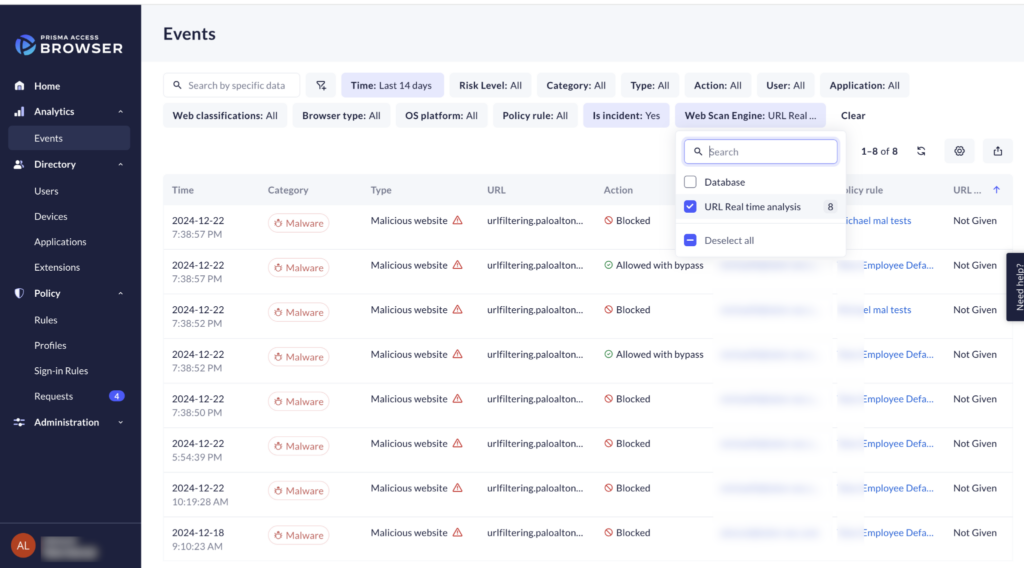
Prisma Browser is an enterprise browser natively integrated with Palo Alto Networks’ security engines. It secures both managed and unmanaged devices by placing security controls directly in the browser, available as a dedicated browser, an extension, and a mobile app.
The browser applies dynamic zero-trust policies based on user risk score, location, and content sensitivity. It uses directional context to block data transfers from sanctioned corporate apps to personal accounts, and it can be deployed via a simple email link without admin privileges, extending zero trust to personal devices without an endpoint agent.
Key features include:
- Enterprise DLP: Applies over 1,000 AI-driven data classifiers and 22-plus compliance profiles including HIPAA and GDPR with granular last-mile controls.
- Threat detection: Scans webpage components in real time to catch evasive phishing and blocks malicious file downloads before they reach the operating system.
- Directional data controls: Blocks transfer of data from business to personal accounts using directional context rather than blanket restrictions.
- Extension discovery: Identifies all browser extensions in use, continuously monitors them for threats, and blocks risky or over-permissioned ones.
- GenAI governance: Provides visibility into GenAI apps and agentic workflows and can redact sensitive data in prompts before it leaves the environment.
- Session forensics: Collects audit trails across web actions for incident investigation and insider risk review.
Limitations (based on user feedback on G2):
- Complex initial configuration: Users report the setup and onboarding can be time-consuming, especially for teams unfamiliar with Palo Alto products.
- Pricing transparency: Some reviewers describe pricing as steep and not clearly communicated up front.
- Performance under load: A few users note browser performance can degrade under heavy load.
Source: Palo Alto Networks

4. Menlo Security Enterprise Browser

Best for: Isolating risky browsing sessions in the cloud
Strengths: Cloud rendering keeps malicious code off the endpoint
Things to consider: Isolated sites can occasionally break site functionality
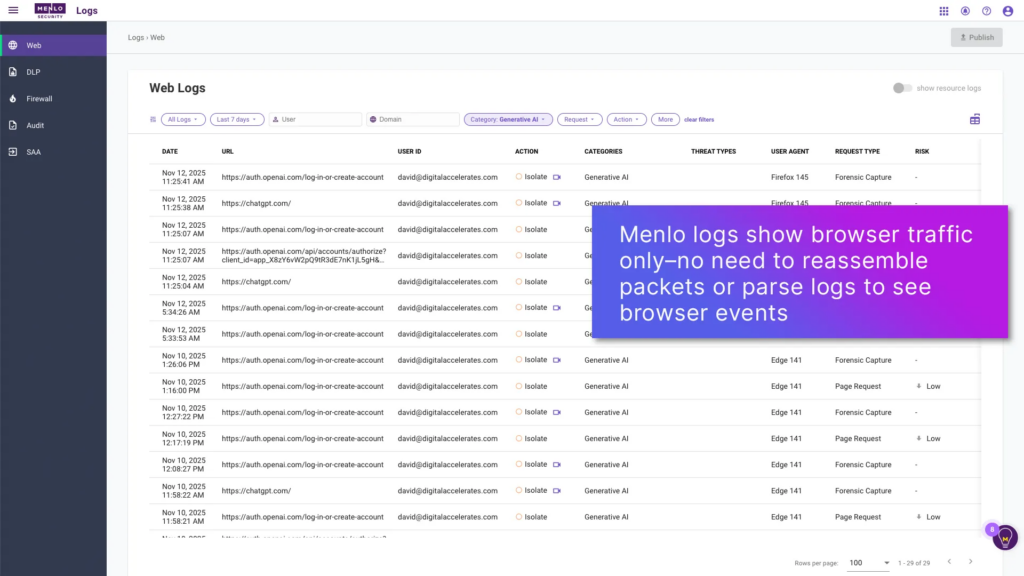
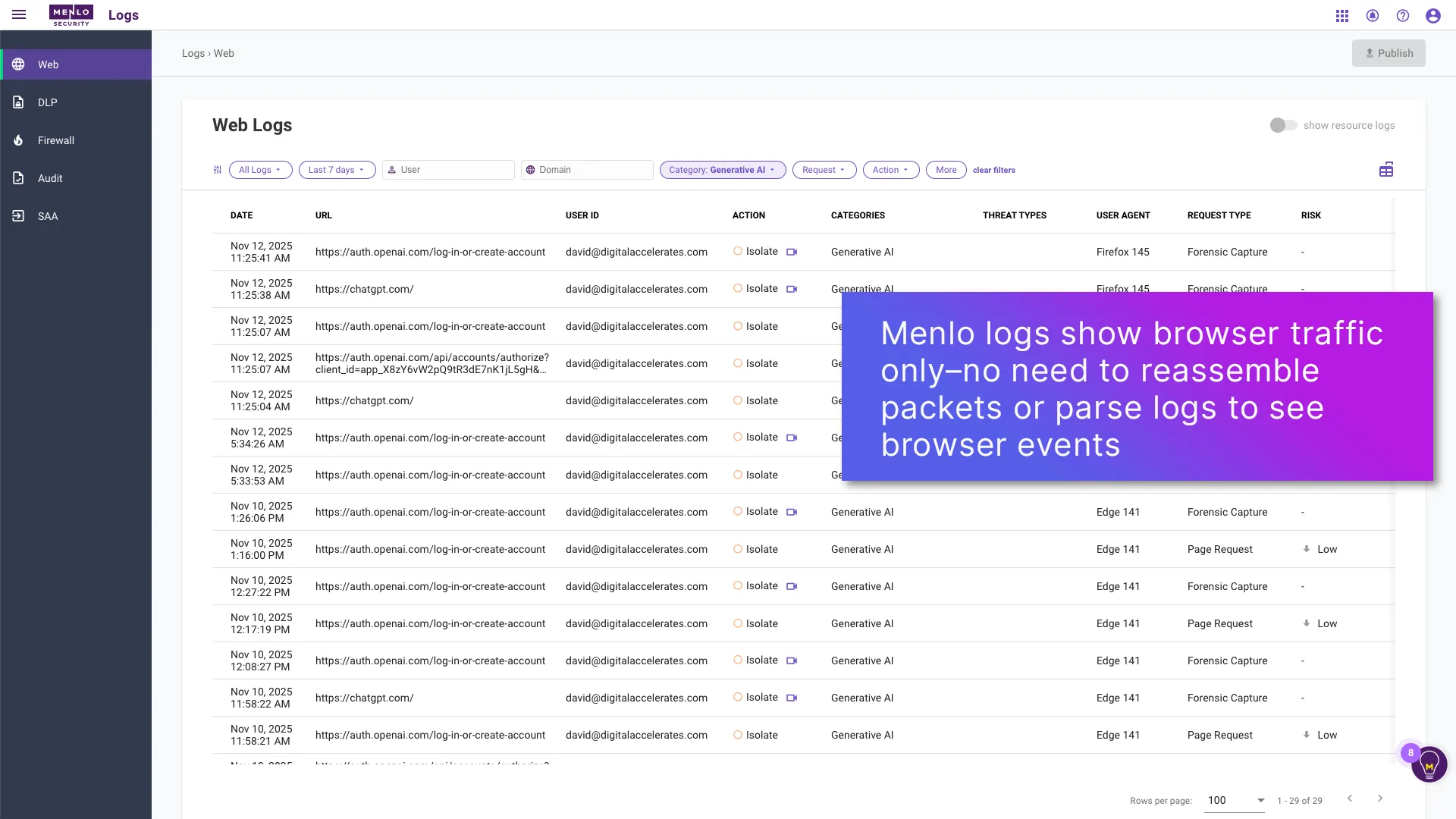
Menlo Security’s platform renders web sessions in the cloud rather than on the local device, using Adaptive Clientless Rendering and DOM mirroring to deliver a safe view of websites without heavy endpoint agents. If a page is determined to be malicious, the platform dynamically blocks access or renders it in read-only mode.
The company’s Last-Mile Data Protection extends copy-paste controls, input limits, watermarking, and data masking to the endpoint. Browser DLP inspects web-form pastes and file uploads, including password-protected archives, and can be layered with AI Adaptive DLP to mask sensitive data across email, Teams, and cloud storage like OneDrive and Box.
Key features include:
- Last-mile data protection: Extends copy-paste restrictions, watermarking, and data masking to the browser endpoint, blocking loss to sites like ChatGPT.
- Cloud-based rendering: Executes risky pages in an isolated cloud browser so threat actors cannot tamper with the underlying device or memory.
- Browser posture management: Assesses browser configuration and instant attack surface analysis across Chrome and Edge policies.
- File and archive inspection: Scans web-form pastes and uploaded files, including password-protected and encrypted archives, for sensitive content.
- HEAT Shield defense: Applies multi-layer protection against zero-day phishing and social engineering techniques used to steal credentials.
- AI Adaptive DLP: Detects and masks sensitive data in email, Teams, and enterprise data stores such as OneDrive/SharePoint and Amazon S3.
Limitations (based on user feedback on Gartner Peer Insights):
- Isolation false positives: Browser isolation can occasionally impact users when a site is isolated by default, causing functionality issues.
- Configuration edge cases: Some configurations for specific use cases can be tricky to solve without vendor support.
- Regional access issues: A few users in certain countries have reported issues accessing some websites through the platform.
Source: Menlo Security
Data Loss Prevention (DLP) Platforms
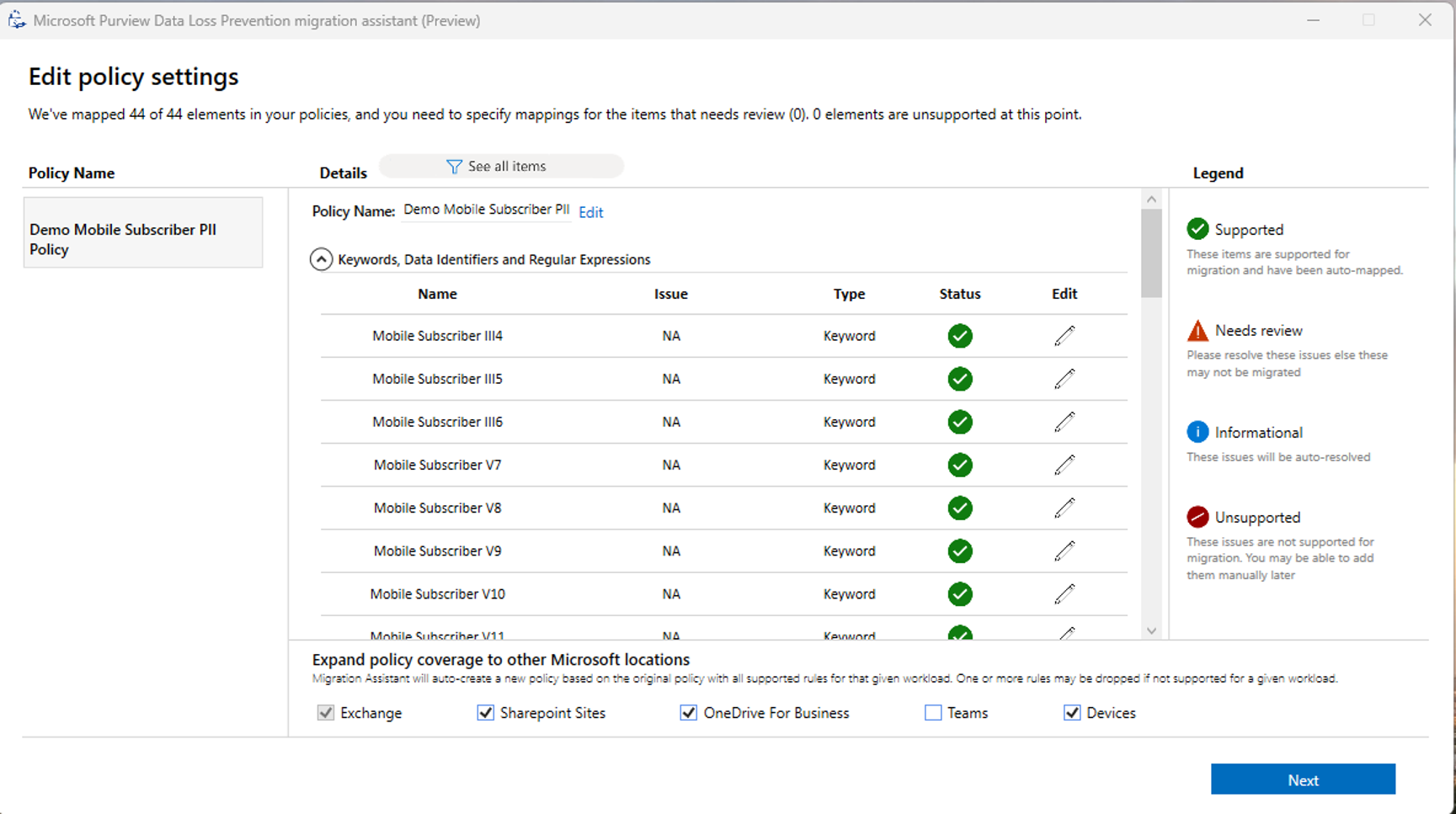
5. Microsoft Purview Data Loss Prevention

Best for: Microsoft 365 environments needing native data protection
Strengths: Deep content inspection across Exchange, SharePoint, and endpoints
Things to consider: Policy management spans multiple Microsoft portals
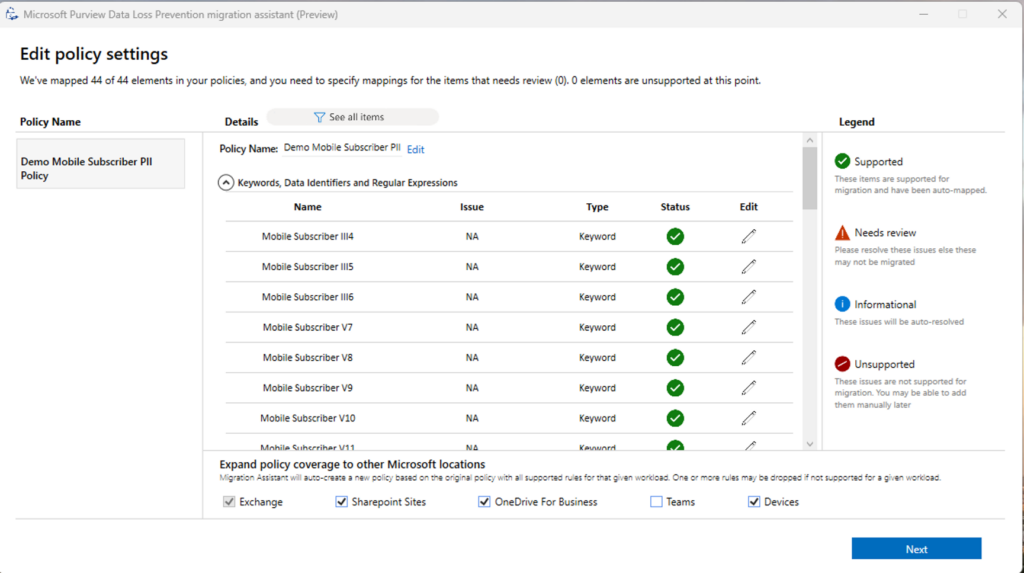
Purview DLP lets organizations define and apply policies that identify, monitor, and automatically protect sensitive information across Microsoft 365 services and endpoint devices. It uses deep content analysis rather than simple text scanning to evaluate data in enterprise applications and inline web traffic.
Endpoint DLP extends detection to Windows and macOS devices, covering sensitive items stored locally. Policies can warn or block users from pasting sensitive information into generative AI sites accessed through a browser, and incidents can be triaged directly in Purview or routed into Microsoft Defender XDR and Sentinel.
Key features include:
- Enterprise applications and devices coverage: Monitors Exchange, SharePoint, OneDrive, Teams, and onboarded Windows and macOS endpoints from one policy set.
- Inline web traffic protection: Blocks or warns on sharing sensitive data with unmanaged AI sites through Edge for Business, even on devices not onboarded to Purview.
- Adaptive Protection: Dynamically adjusts DLP enforcement based on user risk signals from Insider Risk Management.
- Prebuilt policy templates: Kickstarts policy creation with templates that require no scripting or additional endpoint agents.
- Incident investigation: Searches across Microsoft 365 data, including Copilot prompts and responses, for incident-related content.
- Cross-product integration: Incorporates a common data labeling system shared with Microsoft Information Protection.
Limitations (based on user feedback on Gartner Peer Insights):
- Support responsiveness: Some users describe the support model as inflexible, with product changes sitting in development for extended periods without a release date.
- Documentation gaps: Official documentation is not always described as up to date or detailed enough ahead of implementation.
- Portal fragmentation: Managing policies can require navigating between Purview, Intune, Entra, and Defender separately.
Source: Purview (Microsoft)
6. Forcepoint DLP

Best for: Enterprises with complex, multi-channel environments
Strengths: Risk-Adaptive Protection adjusts policy to user behavior
Things to consider: Initial policy configuration takes time to tune
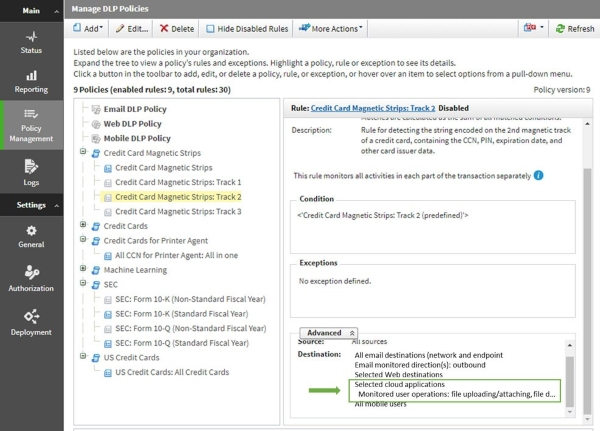
Forcepoint DLP protects sensitive data across web, cloud, email, network, and endpoint environments from a single management console. It combines data discovery, classification, and unified policy enforcement so a single written policy applies consistently across channels rather than requiring separate rules per channel.
Risk-Adaptive Protection evaluates more than 130 behavior indicators to calculate real-time risk scores and adjusts enforcement accordingly, applying stricter controls to higher-risk users while reducing friction for trusted employees. Endpoint components run on Windows and Mac both on and off the corporate network.
Key features include:
- Cross-channel policy management: Enforces a single DLP policy across cloud apps, web, email, endpoints, and network from one console.
- Risk-Adaptive Protection: Calculates real-time risk scores using 130-plus behavior indicators to prioritize enforcement for high-risk users.
- Advanced content inspection: Uses fingerprinting and optical character recognition to detect sensitive data within images and documents.
- Data discovery and classification: Identifies and assesses sensitive data across on-premises, network, and cloud environments including IaaS, PaaS, and SaaS.
- Compliance templates: Ships with predefined policies and templates covering common regulatory frameworks.
- AI data extension: Extends existing DLP policies to AI prompts, agents, and shadow AI tools.
Limitations (based on user feedback on G2):
- Learning curve: The interface can be complex for new users, requiring a dedicated onboarding period to navigate policy management confidently.
- Endpoint resource use: The endpoint client is described by some users as heavyweight, potentially affecting device performance.
- Peripheral device control: Some users note the platform can struggle to manage USB and mobile device access effectively.
Source: Forcepoint
(1).jpg)
7. Symantec Data Loss Prevention (Broadcom)
Best for: Large regulated enterprises with on-prem and hybrid estates
Strengths: Exact and Indexed Data Matching for accurate detection
Things to consider: Console can feel dated and management is complex
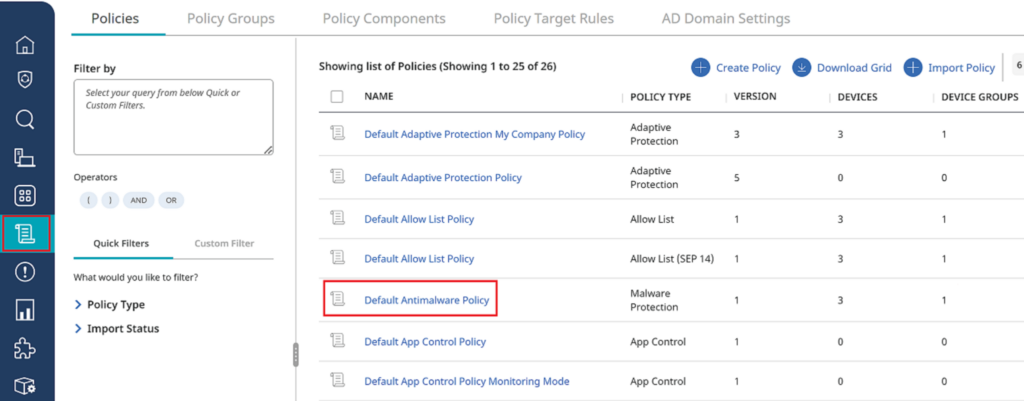
Symantec DLP, now part of Broadcom’s security portfolio, scans laptops, mobile devices, network file shares, databases, and cloud apps such as Office 365, Google Workspace, Box, and Salesforce. It performs local scanning and real-time monitoring of data being downloaded, copied, or transmitted, and inspects corporate email for confidential content.
Detection relies on Exact Data Matching, which fingerprints structured sources like databases, and Indexed Document Matching, which fingerprints unstructured content including Office documents, PDFs, and CAD files, and can detect derived content copied from a source document into another file.
Key features include:
- Exact and Indexed Data Matching: Fingerprints structured databases and unstructured documents to detect exact copies or derived content across formats.
- Multi-channel scanning: Monitors laptops, mobile devices, network file shares, databases, and both sanctioned and unsanctioned cloud apps.
- Cloud detection integration: Extends policies to Office 365, G Suite, Box, Dropbox, and Salesforce through cloud connectors managed from the same console.
- Endpoint Discover and Prevent: Scans local hard drives for sensitive files and offers quarantining, encryption, or digital rights management responses.
- FlexResponse API: Enables integration with third-party file security solutions for custom incident remediation workflows.
- Data Security Posture Management: Provides a unified dashboard showing all data across the environment and its associated risk.
Limitations (based on user feedback on G2):
- Interface complexity: The management console is frequently described as clunky, outdated, and not intuitive, which can slow administrator work.
- False positive rate: The system can frequently flag legitimate activity, requiring manual investigation to confirm accuracy.
- Multi-portal management: Since the move to Broadcom, some users report needing to navigate multiple separate portals to manage different parts of the service.
Source: Symantec (Broadcom)

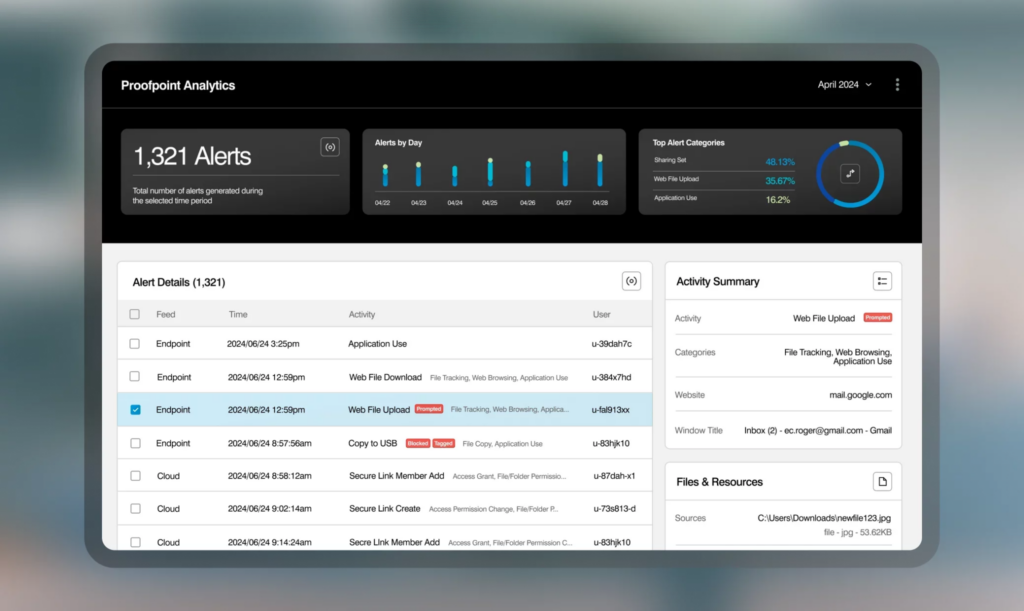
8. Proofpoint Data Loss Prevention

Best for: Fortune 100 organizations wanting people-centric DLP
Strengths: Unified visibility across email, cloud, and endpoint channels
Things to consider: Policy tuning requires ongoing effort to reduce noise
Proofpoint DLP takes a human-centric approach, integrating protection across endpoints, cloud, and email into one console rather than treating each channel as a silo. Analysts can triage alerts, analyze user activity, file changes, and file sharing, and investigate incidents from a single interface instead of switching between separate dashboards.
The platform anonymizes identifying user information and masks sensitive content by default to protect privacy and reduce analyst bias, while still meeting data residency requirements across regions. A lightweight endpoint agent and cloud-native architecture are intended to simplify deployment and scaling.
Key features include:
- Cross-channel DLP console: Streamlines alert triage across email, cloud, and endpoint from a single unified interface.
- AI-driven content classification: Uses optical character recognition and AI classification to accurately identify sensitive content, including in images.
- GenAI channel coverage: Extends DLP protection to content typed into generative AI tools such as ChatGPT and Gemini through a browser-based extension.
- Privacy by design: Anonymizes identifying user information and limits analyst access to sensitive data in the console by default.
- Explorations and forensics: Surfaces changing user patterns and risky behavior to speed up incident investigations.
- Cross-channel data lineage: Tracks file changes and sharing activity to reconstruct how an incident unfolded.
Limitations (based on user feedback on G2):
- Ongoing false positive tuning: Some long-term users report the amount of policy tuning required to manage false positive alerts never fully ends.
- Administrative console fragmentation: Managing email, endpoint, and cloud DLP can require working across multiple consoles.
- Pricing transparency: Pricing isn’t published and depends on user license count, data volume, and contract term, which can complicate budgeting.
Source: Proofpoint

9. Fortra DLP (Digital Guardian)
Best for: Organizations needing deep endpoint visibility from day one
Strengths: Captures system, user, and data events without pre-classification
Things to consider: Custom policy creation requires specialized expertise
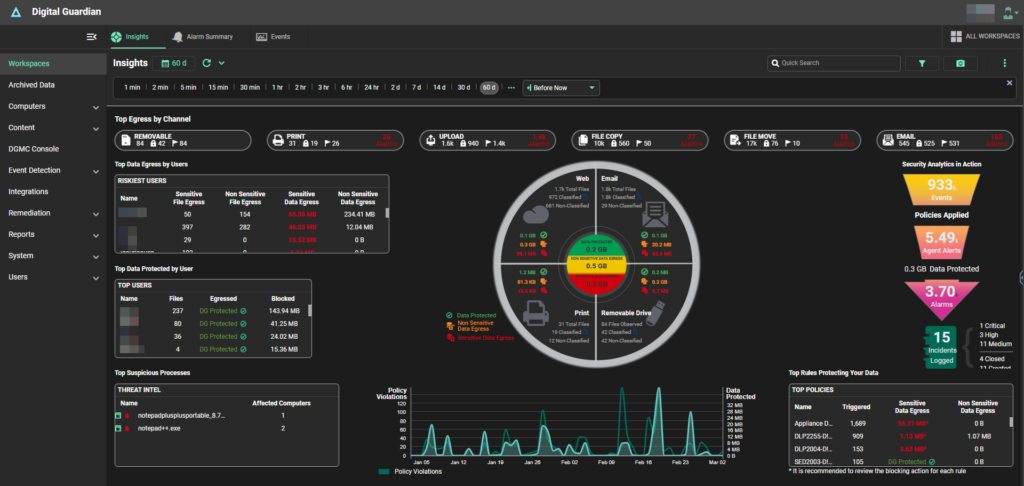
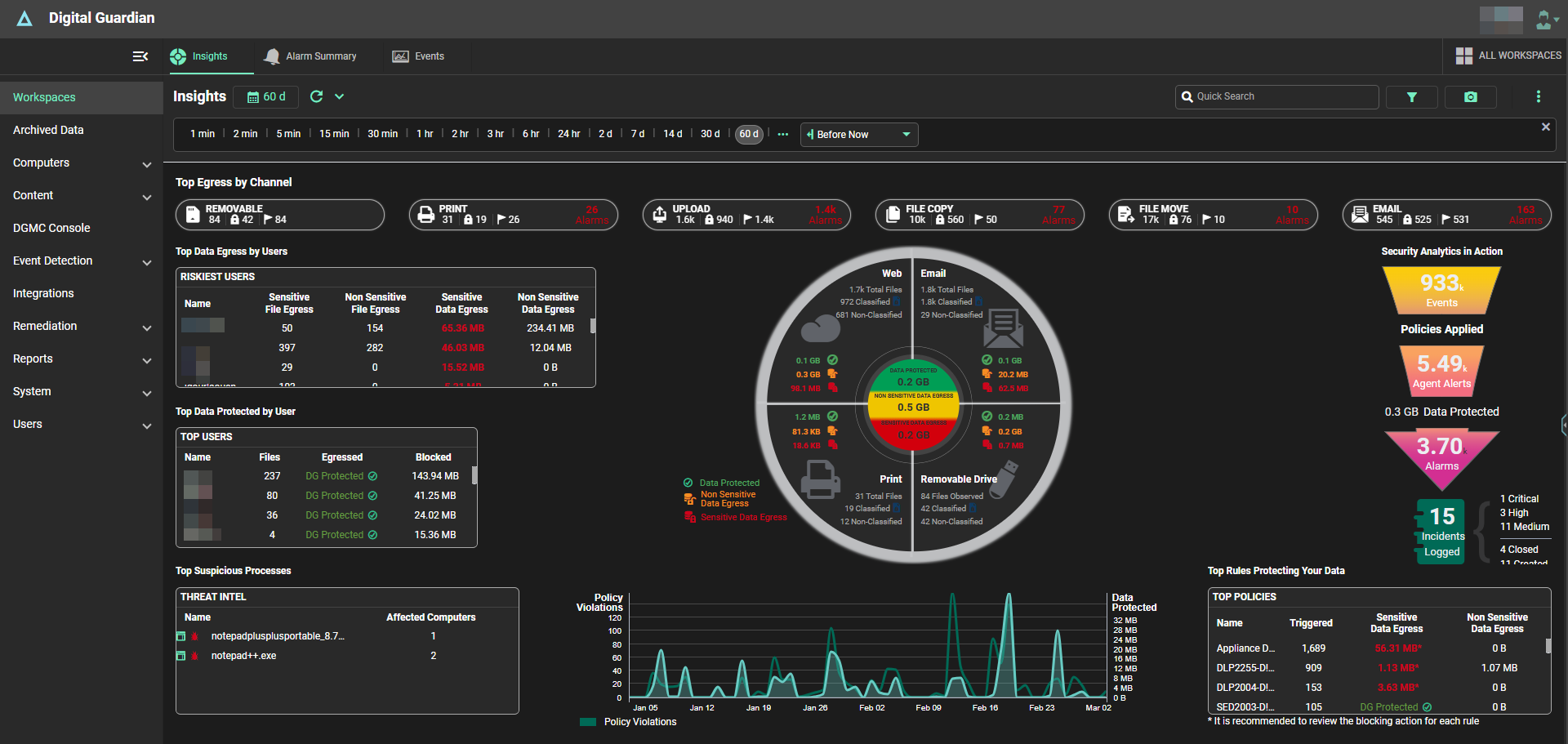
Fortra’s Digital Guardian Endpoint DLP captures and records system, user, and data events at the endpoint, whether the device is on or off the corporate network. Unlike DLP tools that require weeks of classification work before protection begins, the agent starts tagging and classifying data as soon as it’s installed.
The platform protects both structured data, such as PII, and unstructured data, like intellectual property, using advanced content inspection and context awareness. Administrators can configure it to automatically block suspicious insider activity or outsider attacks, including malware and malware-free threats, before sensitive data leaves the organization.
Key features include:
- Endpoint event capture: Records file creation, copying, pasting, and printing events at the system, user, and data level on and off the network.
- Broad content inspection: Recognizes both structured data like PII and unstructured intellectual property across Windows, macOS, and Linux.
- Network DLP appliances: Monitors and controls sensitive data flowing through the network, email, and web with flexible policy actions.
- Data discovery for data at rest: A dedicated appliance locates sensitive data sitting on disk and logs its location for remediation.
- Sensitivity label integration: Works with existing classification tools, including Fortra’s Data Classification Suite, to apply protection policies.
- Microsoft Teams integration: Extends endpoint DLP visibility and controls to messages and shared files within Teams.
Limitations (based on user feedback on G2 and Gartner Peer Insights):
- Policy creation expertise: Building custom rules and policies can require an extensive skill set, with room to make the process more user-friendly.
- Reporting speed: Some users note the reporting feature can be slow to generate results.
- Testing overhead: Deployment can require constant testing of policies and rules, with occasional compatibility issues across environments.
Source: Fortra
Secure Service Edge (SSE) and Cloud Egress Control
10. Netskope One Data Loss Prevention

Best for: Organizations standardizing data protection on SSE
Strengths: Consistent DLP policy across cloud, web, email, and endpoints
Things to consider: Initial setup and traffic routing can be involved
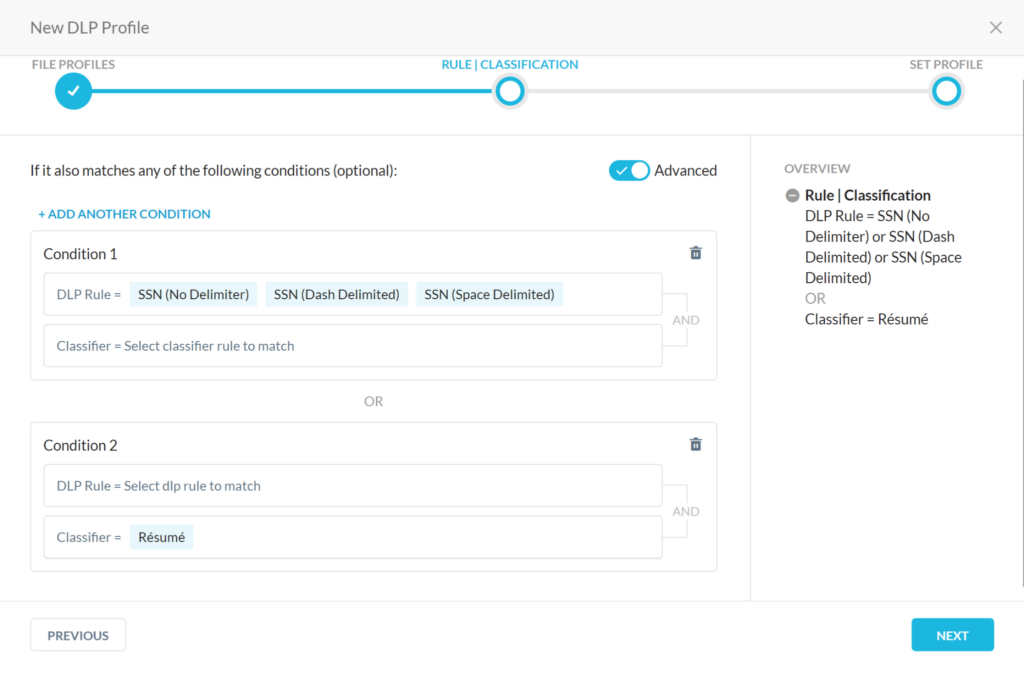
Netskope One DLP is natively integrated into Netskope’s Security Service Edge platform, applying zero trust, risk-aware, and context-aware data protection across clouds, networks, email, endpoints, and users from a single cloud console. This eliminates coverage gaps where a data type protected in email might not be protected on an endpoint or cloud upload.
The platform uses over 3,000 language-independent data identifiers to inspect more than 1,500 file types and offers more than 40 predefined regulatory templates. Machine learning classifiers, including the option to train custom classifiers, are intended to detect sensitive data as it emerges rather than relying only on static patterns.
Key features include:
- Unified DLP engine: Applies consistent policy across cloud, web, email, private apps, and endpoints from a single cloud-delivered console.
- ML-powered classification: Uses machine learning classifiers and the ability to train custom classifiers to identify new sensitive data types.
- Endpoint DLP: Extends detection to endpoint devices and private apps, evaluating contextual signals like device posture and geolocation.
- UEBA integration: Identifies complex data loss scenarios by combining behavior analytics with content-based detection.
- Real-time encryption: Encrypts sensitive content in real time as it moves into cloud storage apps like Google Drive and OneDrive.
- Compliance templates: Includes over 40 customizable regulatory and best-practice templates covering frameworks like GDPR, HIPAA, and PCI DSS.
Limitations (based on user feedback on G2 and PeerSpot):
- Setup complexity: Initial setup is described as more involved than some legacy tools, taking days to months depending on environment complexity.
- Client sync issues: Some users report the client and management UI occasionally fall out of sync.
- Documentation lag: Knowledge base articles can reference an outdated interface after version updates, complicating troubleshooting.
Source: Netskope
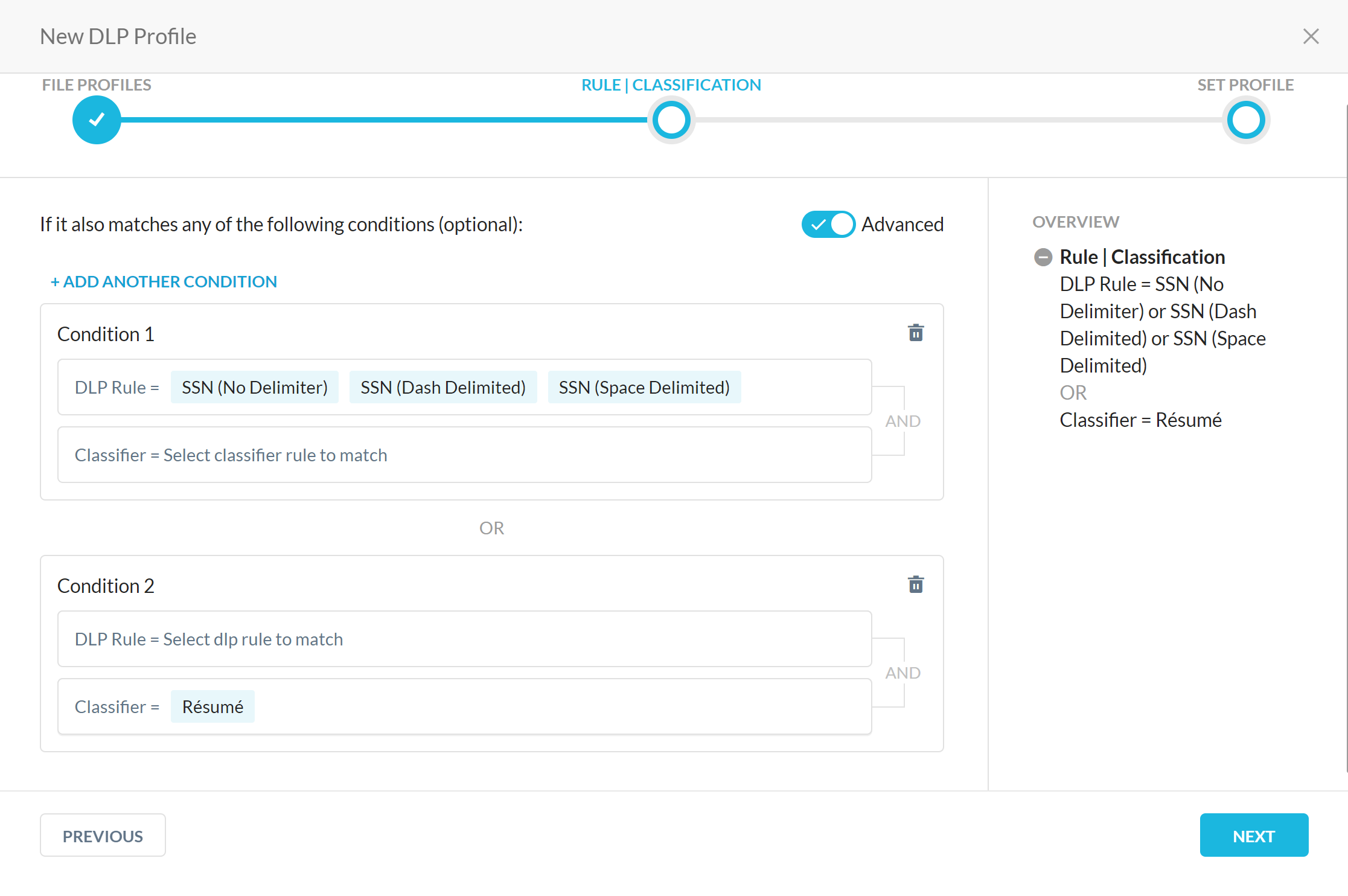
11. Zscaler Data Loss Prevention

Best for: Organizations replacing VPN and legacy DLP with one platform
Strengths: Single agent enforces policy across web, endpoint, and SaaS
Things to consider: Advanced policy configuration has a learning curve
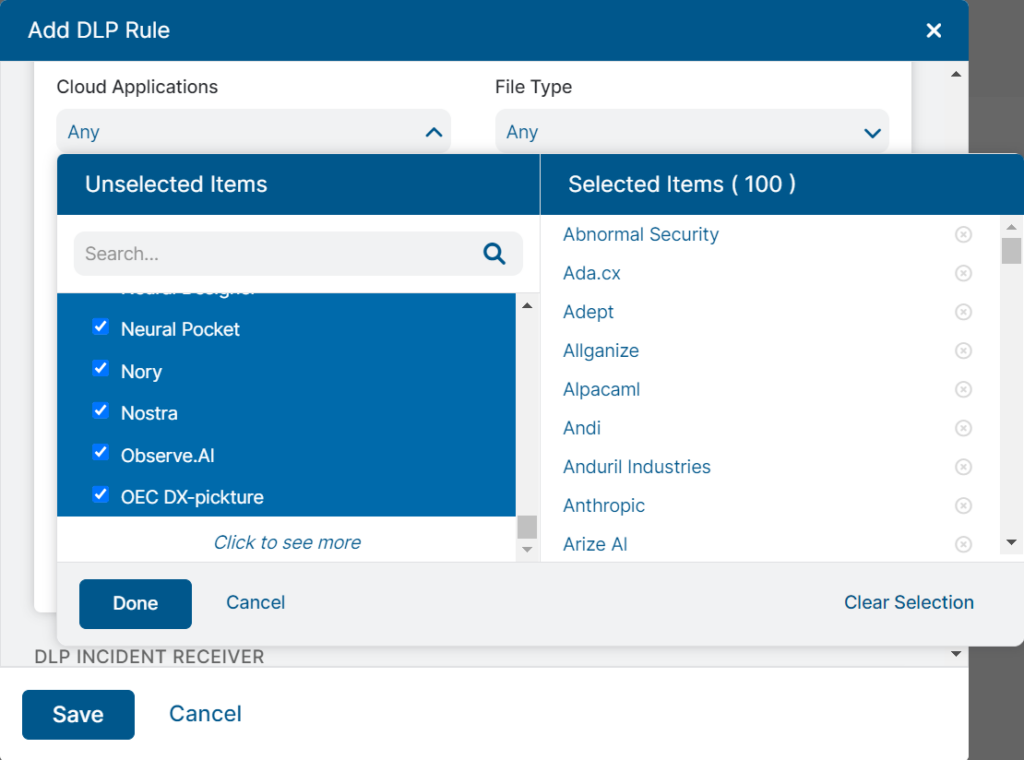
Zscaler DLP is natively integrated into the Zscaler Zero Trust Exchange, applying consistent inspection and enforcement across web, endpoint, email, SaaS, public cloud, private apps, and BYOD from the world’s largest inline security cloud. Endpoint DLP enforces centralized policy through a single agent regardless of network or location.
The platform tracks data movements across removable storage, network shares, and cloud storage sync applications, and it can enforce policy even without a direct network connection through the client connector. Exact Data Match and trainable classifiers are available for detecting custom, organization-specific data types.
Key features include:
- Zero Trust Exchange integration: Applies DLP inspection inline through the world’s largest cloud security platform across all traffic types.
- Endpoint DLP agent: Enforces centralized policy on user devices through a single agent, covering USB, network shares, and cloud sync apps.
- Exact Data Match: Fingerprints sensitive information from databases without transferring the underlying data to the cloud.
- AI-powered classification: Uses automated classification to identify and categorize sensitive data across channels.
- Attrition process protection: Stops exfiltration of sensitive data to personal and removable storage during employee offboarding.
- Centralized incident dashboards: Provides forensics and workflow automation to speed up response to data risks.
Limitations (based on user feedback on G2):
- Advanced configuration complexity: Setting up and configuring advanced policies can require clear technical expertise, especially in large environments.
- Occasional false positives: Some users report legitimate sites or applications are temporarily blocked, requiring manual whitelisting.
- Reporting customization: Navigating logs to generate highly customized reports can be less intuitive than expected.
Source: Zscaler
12. Skyhigh Security Cloud Access Security Broker
Best for: Enterprises needing DLP synced across cloud and endpoint
Strengths: Exact and Indexed Data Matching scales to billions of cells
Things to consider: Admin console can feel outdated and click-heavy
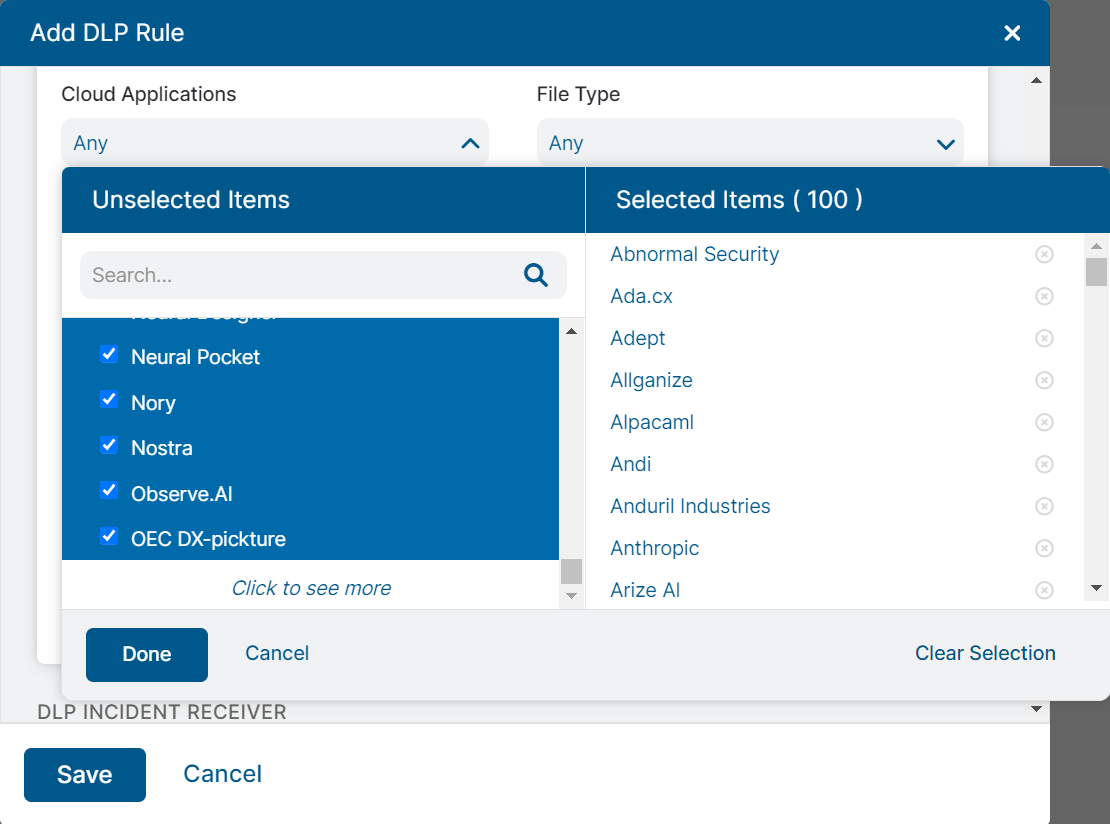
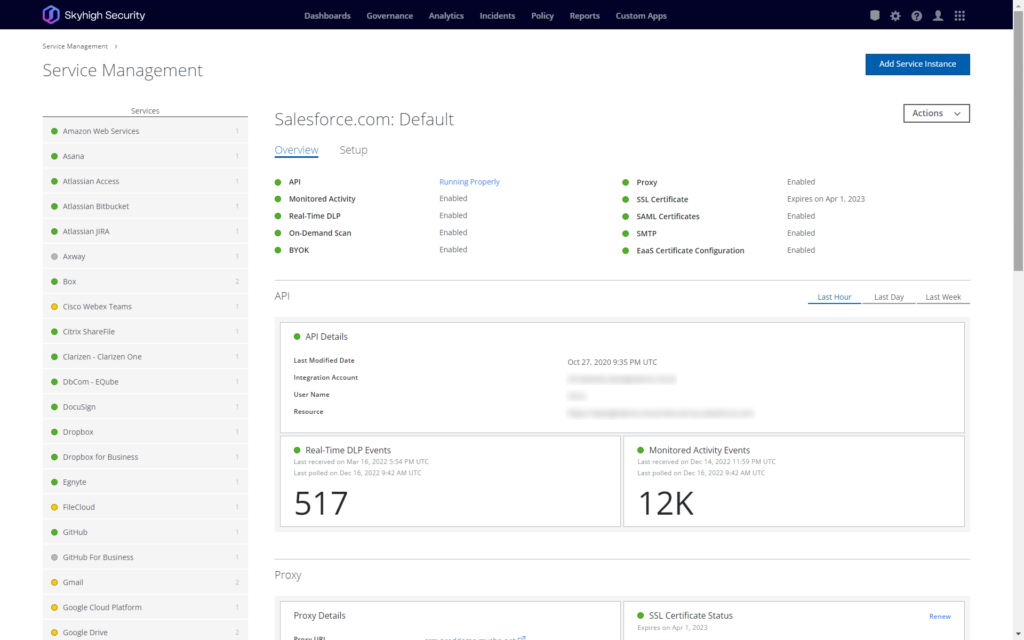
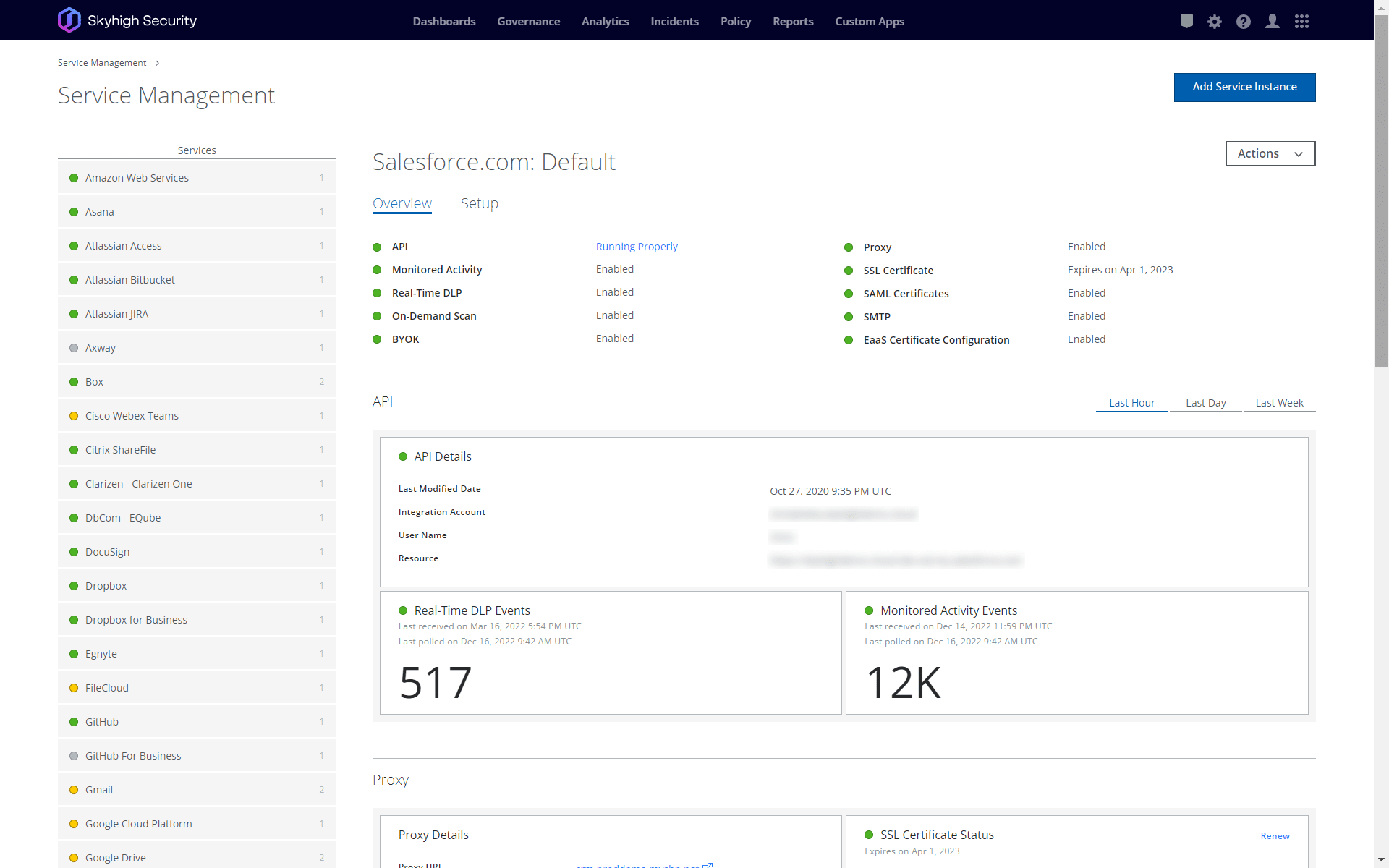
Skyhigh CASB defines a unified set of policies that apply across dissimilar cloud services, protecting data at rest and in motion in apps such as Office 365, Dropbox, and Google Workspace. It enforces DLP policies on cloud data in sync with endpoint DLP and can intercept, delete, or quarantine data that violates policy.
Detection uses Exact Data Matching that scales up to 6 billion cells and Indexed Document Matching that fingerprints sensitive content in Word, PDF, PowerPoint, or CAD files. Optical character recognition extends coverage to images, catching sensitive data like tax paperwork or passports before it’s uploaded or shared.
Key features include:
- Multi-source DLP enforcement: Applies policy to data uploaded, created, shared collaboratively, shared cloud-to-cloud, or downloaded from the cloud.
- Exact and Indexed Data Matching: Fingerprints structured data at scale and unstructured documents to detect sensitive content and partial copies.
- OCR for images: Scans and extracts text from image files to catch sensitive data shared as scanned documents or screenshots.
- UEBA detection: Monitors anomalies in user behavior to identify compromised accounts or insider threats.
- Reverse proxy access control: Provides access control for unmanaged devices and can prevent users from downloading sensitive data to personal devices.
- Multi-tier incident response: Defines policies with multiple severity levels and distinct response actions per level.
Limitations (based on user feedback on G2):
- Interface complexity: The platform’s functionality can initially overwhelm new users due to interface complexity.
- Console usability: The administration portal is described by some users as not very intuitive, requiring several clicks to perform simple tasks.
- Endpoint agent installation: Some users report issues installing the endpoint agent on macOS specifically.
Source: Skyhigh Security
Endpoint Detection and Insider Risk Analytics
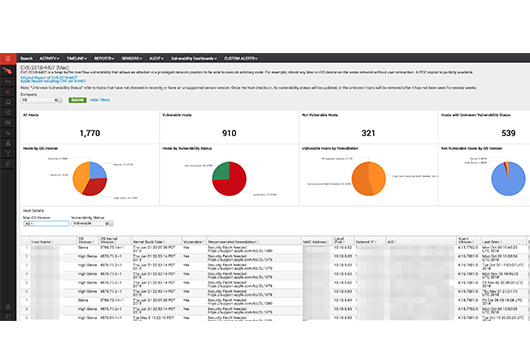
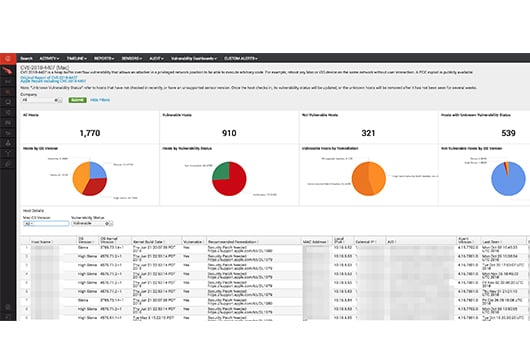
13. CrowdStrike Falcon Data Security
Best for: CrowdStrike shops wanting endpoint-to-cloud data visibility
Strengths: Cross-domain context links data movement to identity and device
Things to consider: Newer product with a smaller review base than rivals
Falcon Data Security discovers, classifies, and stops data theft in real time across endpoints, browsers, GenAI, SaaS, and cloud, whether caused by an employee mistake, a malicious insider, or an adversary using valid credentials. It deploys through the Falcon platform’s unified sensor, avoiding added infrastructure or new agents.
The platform correlates data threats with broader endpoint, identity, and cloud activity in a single console rather than treating data movement as a standalone alert. A shared classification engine applies consistent labeling as data is created, accessed, and used, reducing manual tagging and conflicting labels across systems.
Key features include:
- Consistent classification: Discovers and classifies sensitive data as it’s created, accessed, and used across endpoints, browsers, SaaS, and GenAI workflows.
- Real-time data movement visibility: Shows who moved sensitive data, what it was, where it went, and how it left, turning movement into a security signal.
- Adversary-informed detections: Uses out-of-the-box detections built on real-world adversary intelligence to reduce alert tuning.
- Enforcement before loss: Blocks risky data movement at the endpoint and restricts access to sensitive data in SaaS applications.
- Cross-domain context: Evaluates data threats alongside identity and cloud activity in the same console as endpoint telemetry.
- Runtime cloud data visibility: Delivers real-time insight into how sensitive data is accessed and moved in cloud environments, beyond static inventories.
Limitations (based on user feedback on G2):
- Manual update enrollment: Some users report each update currently needs to be enrolled manually.
- Newer feature maturity: As a recently expanded product line, it has a smaller base of independent user reviews to draw on than longer-established DLP tools.
- Cost considerations: Some users note pricing on the Falcon platform overall can be higher than standalone alternatives once multiple modules are added.
Source: CrowdStrike
14. Microsoft Defender for Endpoint
Best for: Organizations wanting device control alongside endpoint EDR
Strengths: Removable storage and peripheral controls built into the agent
Things to consider: Policies span multiple Microsoft admin portals
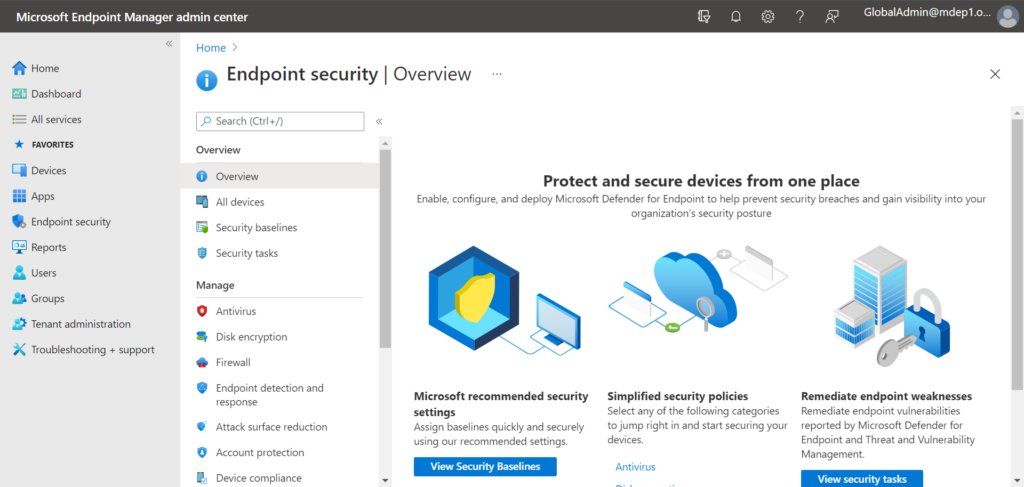
Microsoft Defender for Endpoint is an enterprise endpoint security platform that combines vulnerability management, endpoint protection, and endpoint detection and response. Its device control capabilities secure removable storage scenarios on Windows and macOS, letting organizations control how users read, write, and execute files on removable devices.
Administrators can allow specific users to write to designated removable storage devices, restrict access to certain machines, or require BitLocker encryption before granting write access. Policies can also block execution of risky file types by extension, and controls extend to printing scenarios to reduce the attack surface tied to peripherals.
Key features include:
- Removable storage access control: Controls read, write, and execute access to files on removable storage by device, file name, path, or extension.
- BitLocker-based device control: Can require BitLocker encryption before permitting write access to removable media, with exceptions configurable per device.
- Printer protection: Extends device control capabilities to printing scenarios to reduce data loss through physical output.
- Cross-platform threat protection: Provides next-generation antivirus across Windows, macOS, Linux, and Android in one unified agent.
- Unified Defender portal: Correlates endpoint signals with identity, email, and cloud workload alerts to trace an attack across stages.
- Automated investigation and remediation: Automatically resolves common threats without requiring manual analyst intervention.
Limitations (based on user feedback on G2 and TrustRadius):
- Multi-portal policy management: Creating and locating policies can require navigating between Entra, Intune, Defender, and Purview separately.
- Advanced configuration complexity: Advanced configuration and troubleshooting can be less intuitive in complex environments, requiring deep Microsoft expertise.
- Licensing bundling: Device control and DLP features are bundled into broader Microsoft 365 license tiers rather than sold as a standalone tool.
Source: Microsoft
15. Teramind

Best for: Teams wanting DLP paired with user behavior analytics
Strengths: Behavioral baselines flag anomalies beyond static content rules
Things to consider: Initial setup and rule-building take time to master
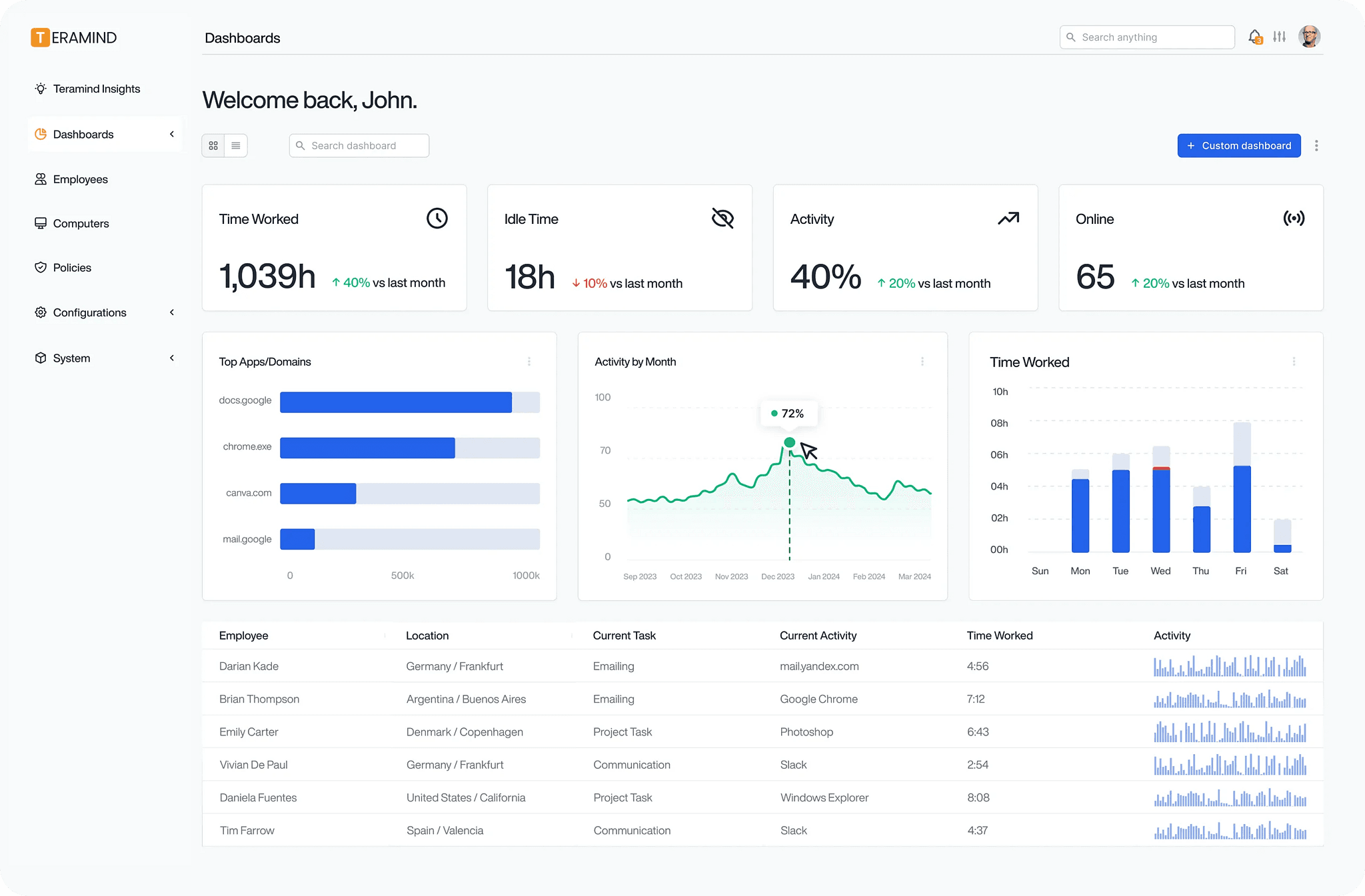
Teramind combines endpoint-based data loss prevention with user activity monitoring and behavioral analytics in a single agent. Security teams define content-aware policies using keywords, regular expressions, and data classifiers to detect and block unauthorized transfers across more than 15 channels in real time.
The platform’s behavior analytics engine establishes baselines for normal work patterns for each user and automatically surfaces anomalies such as unusual data transfers or off-hours access that may indicate insider threats or compromised accounts. Every flagged session can be reconstructed with recordings, screenshots, and keystroke logs for investigation.
Key features include:
- Content-aware DLP: Detects and blocks unauthorized data transfers in real time using keyword, regex, and data classifier-based policies.
- Behavioral baselining: Establishes normal work pattern baselines per user and flags abnormal access sequences or unusual transfer timing.
- Session forensics: Captures session recordings, screenshots, and keystroke logs to reconstruct activity during an investigation.
- Dynamic risk scoring: Assigns real-time risk values to activities based on data sensitivity, user role, and historical behavior.
- Compliance dashboards: Ships with pre-configured dashboards and policy templates aligned to standards including NIST SP 800-53.
- SIEM and case management integration: Connects with tools like Splunk, IBM QRadar, and LogRhythm alongside built-in case management workflows.
Limitations (based on user feedback on G2):
- Initial setup friction: Some users report technical issues during the initial setup phase that caused day-to-day disruptions.
- Interface learning curve: The platform’s verbosity of features can make the learning curve feel overwhelming at first.
- Support response time: A subset of reviewers describe slower-than-expected resolution times for support tickets.
Source: Teramind
Conclusion
Effective data exfiltration prevention requires controls that follow sensitive data across endpoints, browsers, cloud applications, email, removable media, and AI tools. Organizations should combine content inspection with user and device context, enforce policy before data leaves approved boundaries, and maintain enough activity detail to investigate how an incident occurred.
The organizations that get this right start by classifying their sensitive data, control the destination rather than chasing every file type, and put a protective boundary around business activity on the devices IT doesn’t own – instead of trying to lock down or replace those devices outright. That’s the model behind Blue Border: creating an isolated, company-controlled secure enclave that protects company data on any PC or Mac without fully managing the endpoint, so contractors and remote employees can work securely on the devices they already have.
See Blue Border in action here.

Any worker. Any laptop. Any AI workflow. Fully secured.
Schedule a demo to see how Blue Border™ secures company data and apps without shipping laptops, running VDI, or managing personal endpoints.