
Insider Threat Software: 12 Top Tools and Key Features


See Venn first in Google Search
Add as a preferred source on Google
TL;DR: Insider threat software detects and prevents data loss caused by employees, contractors and compromised accounts. Venn is best for securing work on unmanaged and BYOD laptops, Cyberhaven for data-lineage-based detection, DTEX for privacy-preserving behavioral analytics, and Teramind for forensic activity evidence.
What Is Insider Threat Software?
Insider threat software monitors user activity, data movement, and behavior patterns within an organization to detect and stop malicious, careless, or compromised internal users. These users can include employees, contractors, partners, and former staff whose access has not been removed. Threats may be intentional, such as data theft, or accidental, such as sending sensitive files to the wrong recipient.
Core capabilities:
- User activity monitoring: Tracks file access, application usage, keystrokes, and network connections.
- User and entity behavior analytics: Establishes a baseline of normal user behavior and alerts security teams to dangerous anomalies.
- Data loss prevention: Prevents unauthorized transfers, copying, or uploading of sensitive corporate intellectual property.
- Application-level controls: Controls how sensitive data can move between approved, personal, and unapproved applications.
- Policy-based access controls: Restricts access and actions based on identity, role, device, data sensitivity, location, and risk.
- BYOD and unmanaged device protection: Protects corporate data accessed from personal or unmanaged devices through targeted access and data controls.
- AI usage controls: Monitors and restricts sensitive data shared with approved and unapproved AI services.
Implement Zero Trust on Unmanaged Laptops – Without Zscaler
Discover how to protect company data on unmanaged laptops without Zscaler.
In this article:
Insider Threat Software at a Glance
The table below summarizes the key differences between the solutions covered in this guide, including what each one is built around and where the trade-offs sit. We explore each of them in more detail below.
| Category | Solution | Best For | Key Strengths | Things to Consider |
| Endpoint and Data Protection | Venn | Securing work on BYOD and unmanaged laptops | Enclave-based DLP, AI governance, one-click remote wipe | Setup and policy tuning needed; some performance reports |
| Endpoint and Data Protection | Cyberhaven | Data-lineage-based insider risk detection and blocking | Blocks exfiltration across channels; long-window correlation | Custom policy creation and tuning take effort |
| Endpoint and Data Protection | Mimecast Incydr | File-level exfiltration visibility without policy config | Day-one visibility, adaptive controls, shadow AI dashboards | Setup, tuning and reporting customization take work |
| Endpoint and Data Protection | Forcepoint | Risk-adaptive DLP that changes controls as risk rises | 150+ behavior indicators, dynamic policy enforcement | Policy tuning, interface complexity, endpoint load |
| Endpoint and Data Protection | Microsoft Purview IRM | Insider risk detection inside Microsoft 365 environments | Agentless policy templates, Adaptive Protection, pseudonymity | Microsoft-centric coverage and configuration effort |
| Behavioral Analytics and Insider Risk | DTEX | Behavioral intelligence with privacy-preserving telemetry | 500+ metadata elements, intent-based risk models, data lineage | Limited enforcement and content inspection; cost |
| Behavioral Analytics and Insider Risk | Exabeam | Behavioral detection across users, service accounts and AI agents | Long-running timelines, UEBA plus Agent Behavior Analytics | SIEM-level complexity and configuration expertise |
| Behavioral Analytics and Insider Risk | Securonix | Insider threat detection inside a unified SIEM and UEBA stack | Peer group analysis, entity risk profiles, long-term search | Query complexity and enterprise-scale orientation |
| Behavioral Analytics and Insider Risk | Gurucul | Unified insider risk across human, machine and AI identities | Behavioral DLP, identity analytics, autonomous triage | Documentation, stability and enterprise pricing |
| User Activity Monitoring | Proofpoint ITM | Endpoint activity evidence for insider investigations | Activity timelines with screenshots, prebuilt alert library | Cost, interface learning curve, support responsiveness |
| User Activity Monitoring | Teramind | Forensic-grade activity evidence with privacy governance | Session replay with OCR search, real-time blocking rules | Rule setup conflicts and reporting load at scale |
| User Activity Monitoring | Veriato | Behavioral risk scoring combined with activity monitoring | 130+ data point risk scoring, sentiment analysis, PII redaction | Deployment friction, interface and reporting limits |
What Can Insider Threat Software Detect?
Unusual Access to Sensitive Data
Insider threat software can detect when users access sensitive files, databases, or systems outside their normal work patterns. Examples include:
- Accessing data unrelated to a user’s role
- Opening restricted files at unusual times
- Repeatedly attempting to access resources without authorization
Detection can consider factors such as the sensitivity of the data, the user’s role, access history, location, device, and time of access. This context helps distinguish legitimate work from behavior that requires investigation. For example, an engineer accessing payroll records may carry more risk than a member of the HR team accessing the same data.
Large or Abnormal File Downloads
The software can identify unusually large downloads or sudden increases in file activity. It may compare current behavior with a user’s normal baseline, peer activity, or predefined thresholds. This can reveal attempts to collect data before:
- Resignation
- Account termination
- Unauthorized disclosure
Individual downloads may appear legitimate when viewed separately, so insider threat tools can also analyze activity over time. Hundreds of small downloads within a short period, for example, can indicate bulk collection even when no single event exceeds a configured limit. File sensitivity and destination can provide additional context.
Unauthorized File Uploads
Insider threat tools can monitor files uploaded to websites, applications, and external services. They can flag uploads involving:
- Confidential data
- Restricted destinations
- Applications that are not approved by the organization
This helps detect both intentional data theft and accidental exposure. More advanced controls can inspect file names, types, classifications, and content to determine whether an upload violates policy. Security teams can then investigate the event or configure controls to warn the user, require justification, or block the transfer when sensitive information is involved.
Data Transfers to Personal Cloud Services
Users may move company data to personal storage services to work remotely or retain copies of files. Insider threat software can detect transfers to:
- Personal cloud accounts
- File-sharing platforms
- Unsanctioned applications.
Policies can distinguish approved business services from destinations that create a higher risk of data loss. Detection may include browser uploads, synchronization applications, and copying files into folders connected to personal cloud accounts. Combining destination information with file classification and transfer volume can help teams identify high-risk activity without treating every cloud transfer as an incident.
Related content: Read our article about cloud DLP.
USB Data Exfiltration
Insider threat software can track files copied to removable storage devices such as USB drives. It may record:
- The user
- The device
- The file type
- The volume of data
- The time of transfer
Security teams can use this information to identify unusual copying activity or enforce controls on sensitive files. Some products can distinguish between approved and unknown removable devices using device identifiers or organizational policies. They may also restrict write access, block specified file types, or prevent classified data from being copied. These controls are useful on endpoints where removable media is permitted for legitimate work.
Related content: Read our article about data exfiltration.
Account Compromise and Credential Misuse
Insider threat software can identify activity that suggests a legitimate account is being used by an unauthorized person. Signals can include:
- Unusual login locations
- Unexpected devices
- Abnormal access times
- Rapid access to multiple systems
- Behavior inconsistent with the account owner’s normal activity
Detection can also combine authentication events with activity after login. A valid login followed by privilege changes, unusual searches, or bulk access to sensitive data may indicate stolen credentials or misuse of an authorized account. Correlating these events helps security teams identify suspicious sessions that might otherwise appear legitimate.
Insider Threat Software vs. Employee Monitoring Software
Insider threat software and employee monitoring software can collect similar types of user activity data, but they serve different purposes:
- Insider threat software focuses on security risks, such as data theft, credential misuse, unauthorized access, and policy violations involving sensitive information. It typically analyzes behavior in context to identify activity that may indicate malicious intent, account compromise, or accidental data exposure.
- Employee monitoring software is usually designed to track productivity, attendance, application use, browsing activity, or time spent on tasks. It may record screenshots, keystrokes, active applications, or idle time to help managers understand how employees work. These features are generally aimed at workforce oversight rather than security detection.
There can be overlap between the two categories. For example, both may record file activity or application usage. The main difference is how that data is interpreted and used. Insider threat software connects user activity with security policies, data sensitivity, identity information, and behavioral baselines, while employee monitoring software typically emphasizes productivity metrics and workplace activity.
Key Features of Insider Threat Software
1. User Activity Monitoring
User activity monitoring records how users interact with files, applications, endpoints, and other company resources. It can capture events such as file access, copying, downloads, uploads, printing, and use of removable storage.
The resulting activity trail gives security teams context when investigating suspicious behavior. Instead of reviewing isolated alerts, analysts can see what happened before and after an event and determine whether the activity represents normal work or a potential threat.
2. User and Entity Behavior Analytics
User and entity behavior analytics (UEBA) identifies activity that differs from established patterns for users, devices, accounts, and other entities. It can compare current actions with historical behavior, peer groups, and predefined risk indicators.
For example, UEBA may detect an account accessing an unusual volume of sensitive files or using resources it rarely accesses. Risk scoring can combine several weak signals into a higher-confidence alert, reducing reliance on fixed thresholds alone.
3. Data Loss Prevention
Data loss prevention (DLP) capabilities identify sensitive information and monitor how it moves across endpoints, applications, email, web services, and storage systems. Policies can detect data based on classifications, content patterns, labels, file types, or other attributes.
Depending on the policy, the software may log an event, warn the user, request justification, or block an action. This helps address both deliberate exfiltration and accidental actions such as uploading confidential files to an unauthorized service.
4. Application-Level Data Controls
Application-level controls govern how users move data between applications and services. They can distinguish between approved business applications and personal, unapproved, or higher-risk destinations.
For example, an organization might permit employees to download a document from a corporate storage service but prevent them from uploading it to personal webmail. These controls provide more precision than blocking an application or network connection entirely.
5. Policy-Based Access Controls
Policy-based access controls apply security rules according to factors such as user identity, role, device status, data sensitivity, location, and requested action. This allows organizations to define when particular activities should be permitted, restricted, or investigated.
Policies can also apply different controls according to risk. A normal file access request may proceed without interruption, while an unusual attempt to access or transfer sensitive data can trigger additional authentication, an alert, or a block.
6. BYOD and Unmanaged Device Protection
Employees and contractors may access corporate resources from personal or unmanaged devices that do not have the organization’s standard endpoint security tools installed. Insider threat software can provide visibility or controls for sensitive data accessed through these devices.
Depending on the product, protections can include restricting downloads, controlling copy-and-paste actions, monitoring browser-based activity, or limiting access to sensitive resources. This reduces exposure without requiring organizations to manage every device as a corporate endpoint.
7. AI Usage Controls
AI usage controls help organizations manage sensitive data sent to generative AI tools and other AI applications. They can detect prompts, file uploads, pasted content, and interactions with approved or unapproved AI services.
Policies may warn users or block submissions when prompts contain confidential information, source code, customer data, credentials, or other protected content. Some tools can also distinguish approved enterprise AI accounts from personal accounts, allowing organizations to support authorized AI use while limiting data leakage.
Notable Insider Threat Software
How we selected these tools: We shortlisted insider threat software based on user activity monitoring, behavioral analytics, data loss prevention, application and device-level controls, and investigation capabilities.
Endpoint and Data Protection Platforms
1. Blue Border by Venn

Best for: Securing work on BYOD and unmanaged laptops
Strengths: Enclave-based DLP, AI governance, one-click remote wipe
Things to consider: Setup and policy tuning needed; some performance reports
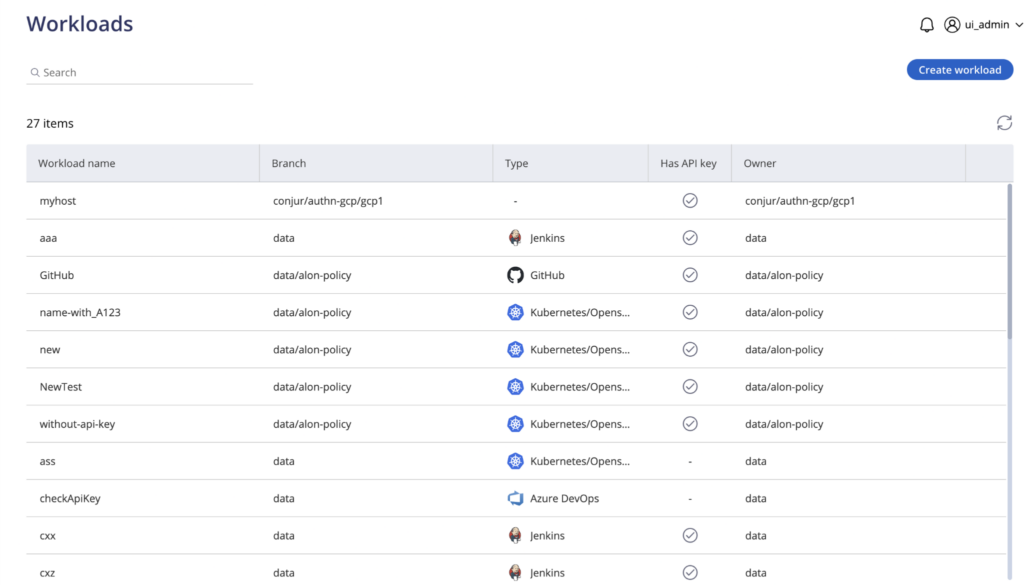
Venn’s Blue Border installs on a Mac or PC and creates a company-controlled secure enclave on that device. Work data, applications, networking and AI workflows run locally inside the enclave, isolated from any other use of the same computer. Work applications are wrapped by a blue line that acts as a virtual firewall.
The approach shifts insider threat handling from detection to policy-based prevention. DLP controls are enforced inside the enclave across copy and paste, download, upload, screenshot, print and AI, so the action is blocked at the point it is attempted. Activity outside the Blue Border stays private and is not monitored.
Key features include:
- Secure enclave on unmanaged devices: A lightweight agent creates a company-controlled workspace on personal, contractor and BYOD machines, so DLP applies on endpoints where a conventional agent cannot be installed.
- Application-level DLP controls: Copy and paste, download, upload, screenshot and print controls run out of the box and apply to every work application inside the enclave, covering installed desktop applications as well as browsers.
- AI usage governance: IT controls which AI tools can reach company data, which tenants can be accessed, and what data can be copied, pasted, uploaded or entered into an AI tool, across both browser-based and desktop AI.
- Isolated, encrypted file storage: Users save only to work-sanctioned file systems inside Venn Disk, which are isolated, encrypted and remotely wipeable.
- Remote wipe for departing workers: A single remote wipe removes the enclave and all company data in seconds from anywhere, with no device to recover and no access to revoke manually.
- Private network routing: Work traffic routes through Venn’s built-in VPN gateway or an existing private network rather than the open internet.
- Activity visibility and compliance controls: Provides real-time insight into where, when and from what device a user accessed an application or sensitive data, with turnkey controls covering HIPAA, FINRA, SEC, SOC 2, PCI and GDPR.
Limitations (as reported by users on G2):
- Performance on some devices: Users report the secure enclave can feel slow on certain machines, with reduced speed when accessing some hosted applications.
- Configuration effort: Reviewers note that policies and application controls need adjusting to team requirements before the workspace fits existing workflows smoothly.
- Support scheduling: Users mention that support is reached through a general queue rather than by booking time with a specific engineer.
Source: Venn

2. Cyberhaven

Best for: Data-lineage-based insider risk detection and blocking
Strengths: Blocks exfiltration across channels; long-window correlation
Things to consider: Custom policy creation and tuning take effort
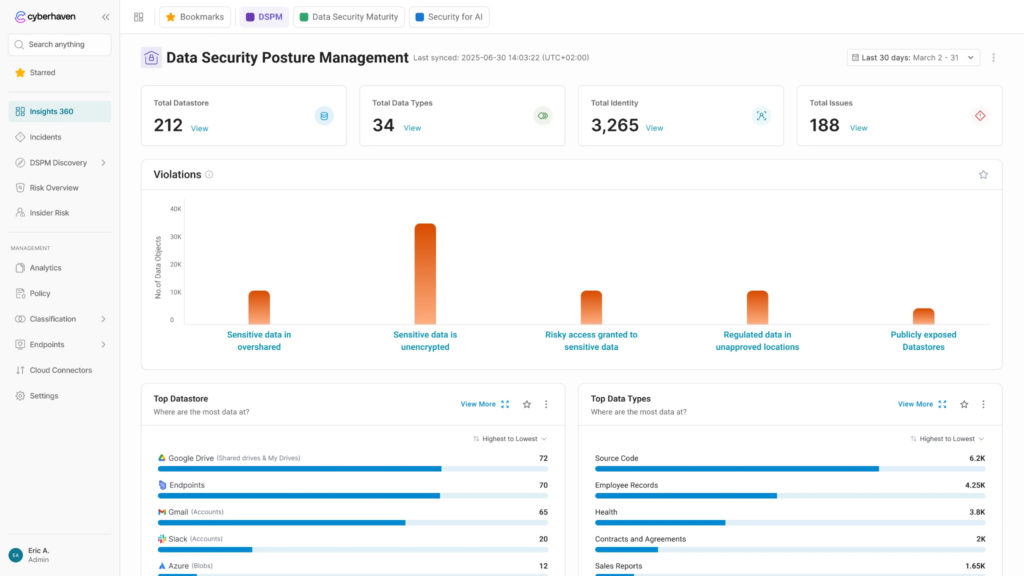
Cyberhaven combines behavioral signals with data awareness to detect insider threats and intervene while data is at risk. It distinguishes between a user performing an action with important corporate data and the same action on personal or unimportant data, which narrows detection to activity that matters rather than every unusual event.
The product blocks data exfiltration across cloud services, email, websites, removable storage devices and Apple AirDrop. It stores a record of events indefinitely and correlates activity separated by weeks or months, then gives analysts an incident response view tracing every step and action related to a piece of data.
Key features include:
- Cross-channel exfiltration blocking: Takes immediate action when an insider threat is in progress, blocking transfers across cloud, email, websites, removable storage and AirDrop.
- Data-aware user risk scoring: Scores users on both the actions they take and the type of data affected, and can incorporate risk group membership based on organization-defined factors.
- Elevated remediation watchlists: Users with a history of risky activity can be placed in groups that receive stronger responses, such as blocking uploads to unapproved destinations without allowing an end-user override.
- Remote forensic collection: Captures every user action related to every piece of data and stores it in the cloud, so post-incident investigation does not require physical possession of the device.
- File and permission change tracking: Flags renamed files or changed extensions on sensitive data and can block subsequent exfiltration, and tracks sharing permissions granted to individuals and to open links.
- Personal and corporate app separation: Distinguishes the corporate instance of an approved cloud application from a personal instance of the same application.
- Screenshot and forensic file capture: Optionally records the screen in the seconds leading up to an incident and stores the content excerpt that triggered a policy in the customer’s own cloud.
Limitations (as reported by users on G2):
- Custom policy creation: Reviewers describe building policies with multiple conditions as unintuitive, with filtering logic that can exclude more data than intended.
- Tuning effort at scale: Large organizations report that tuning requires sustained focus, and that overlapping exception lists across policies make configuration tedious.
- Endpoint performance: Some users report slower machines and problems signing in to productivity applications, particularly during peak traffic periods.
- Alert and reporting gaps: Reviewers note that policy alerts are not cumulative, so overlapping policies each raise a separate event, and that scheduled reports are delivered only as PDF.
Source: Cyberhaven
3. Mimecast Incydr
Best for: File-level exfiltration visibility without policy configuration
Strengths: Day-one visibility, adaptive controls, shadow AI dashboards
Things to consider: Setup, tuning and reporting customization take work
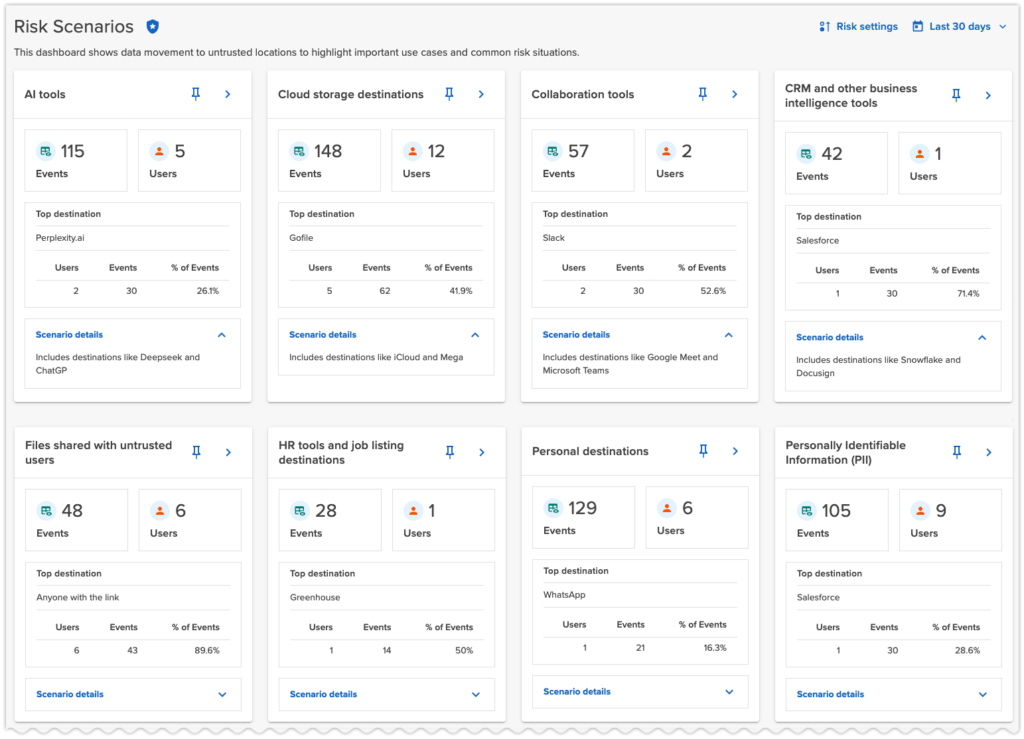
Mimecast Incydr detects data exfiltration across email, endpoint, cloud, browser and agentic channels, scoring risk from the first day without requiring tagging or policy configuration. Risk surfaces are brought into a single view and tied back to individual people, with file-level detail alongside dashboards aimed at security leadership.
Coverage extends to the AI agents acting on behalf of employees. Dashboards report on AI agents, MCP connections, shadow AI, cloud storage and source code movement, and Microsoft Information Protection tags combined with AI content inspection are used to detect PII, PCI and custom data types.
Key features include:
- Policy-free exfiltration visibility: Brings email, endpoint, cloud, browser and agentic risk surfaces into one view scored for risk, with no tagging or policy configuration required to start.
- Adaptive response controls: Applies in-the-moment education, allow-with-justification prompts or targeted blocking depending on the level of risk detected.
- Departing employee and high-risk scenarios: Applies controls for departing employees, unsanctioned MCP connections, movement of sensitive data, and shadow AI tools or agents.
- Agent Risk Center: Discovers the AI agents operating in the environment, classifies their activity against organizational rules and applies controls to reduce data exposure.
- Security stack integration: Adds HCM, EDR and XDR, and IAM signals for risk context, and connects to endpoint tools such as CrowdStrike to isolate devices in response.
- Lightweight collection: Uses an endpoint agent that consumes under 1% of CPU alongside a browser extension scoped to risky data movement.
- Deployment and residency options: Offers tailored plans that include data residency choices and FedRAMP-authorized environments.
Limitations (as reported by users on G2):
- Initial configuration: Reviewers describe onboarding and agent deployment across mixed Windows and Mac estates as slower than expected, with policy setup requiring security expertise.
- Alert tuning: Several users report a period of false positives after deployment while alert thresholds are adjusted to their environment.
- Reporting and dashboards: Users note that pulling reports for management takes more clicks than expected and that dashboard customization options are limited.
- Pricing at scale: Reviewers mention that cost rises steeply with seat count, affecting both smaller teams and large rollouts.
- Multi-tenant handling: Some organizations report needing separate tenants based on user location rather than managing everything in one.
Source: Mimecast
4. Forcepoint

Best for: Risk-adaptive DLP that changes controls as risk rises
Strengths: 150+ behavior indicators, dynamic policy enforcement
Things to consider: Policy tuning, interface complexity, endpoint load
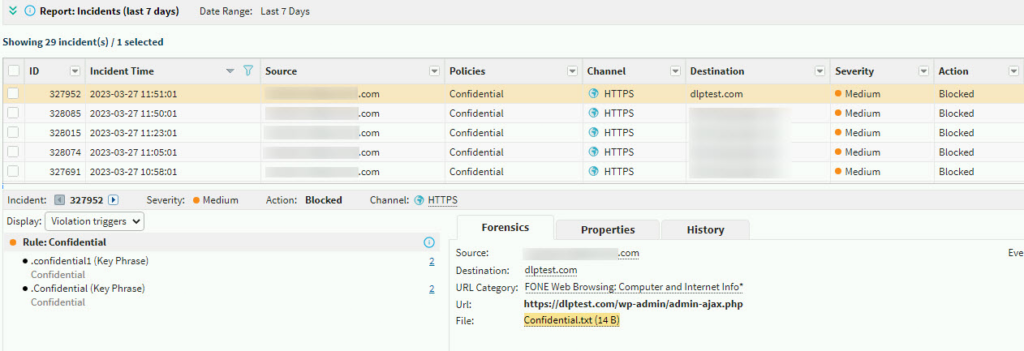
Forcepoint addresses insider risk through Risk-Adaptive Protection, which monitors user behavior and adjusts DLP policy automatically rather than treating every violation the same way. It tracks how users interact with critical data and maintains a risk score that updates continuously as behavior changes.
Monitoring spans more than 150 Indicators of Behavior, and contextual signals such as time of day, file locations and data volume feed the score. For high-risk users, actions like file uploads or downloads can be restricted or blocked, while low-risk users have their actions logged and continue working without interruption.
Key features include:
- Continuous user risk scoring: Updates dynamic risk scores in real time based on anomalies, policy violations and contextual signals across applications and channels.
- Indicators of Behavior monitoring: Covers over 150 behavior indicators to detect when individual users are trending toward risky activity, at the earliest point of detection.
- Dynamic DLP enforcement: Adjusts policy automatically according to risk level, restricting or blocking actions for high-risk users while leaving low-risk activity logged only.
- Behavioral investigation context: Surfaces the behavioral context and policy triggers behind an action to support investigations and legal or compliance review.
- Continuous access validation: Limits access based on unusual user activity that could indicate compromise, validating risk through real-time monitoring of user and data interaction.
- Cloud-based agent deployment: Runs on cloud infrastructure with a 30-second agent deployment and automation intended to reduce manual analyst touchpoints.
- Unified data security platform: Works alongside Forcepoint DLP, DSPM and data classification under centralized policy management across channels.
Limitations (as reported by users on G2):
- Policy configuration effort: Users report that initial policy configuration and tuning is complex and time-consuming, particularly in large environments.
- Interface complexity: Reviewers describe the console as difficult for new users, especially when managing multiple policies or incidents at once.
- Endpoint performance: Some users report performance impact on endpoints during heavy scanning or large file transfers.
- False positives: Reviewers note that legitimate applications and activities are sometimes blocked, requiring regular fine-tuning of policies.
- Licensing for advanced options: Users mention that unlocking more advanced capabilities requires additional investment.
Source: Forcepoint
5. Microsoft Purview Insider Risk Management

Best for: Insider risk detection inside Microsoft 365 environments
Strengths: Agentless policy templates, Adaptive Protection, pseudonymity
Things to consider: Microsoft-centric coverage and configuration effort
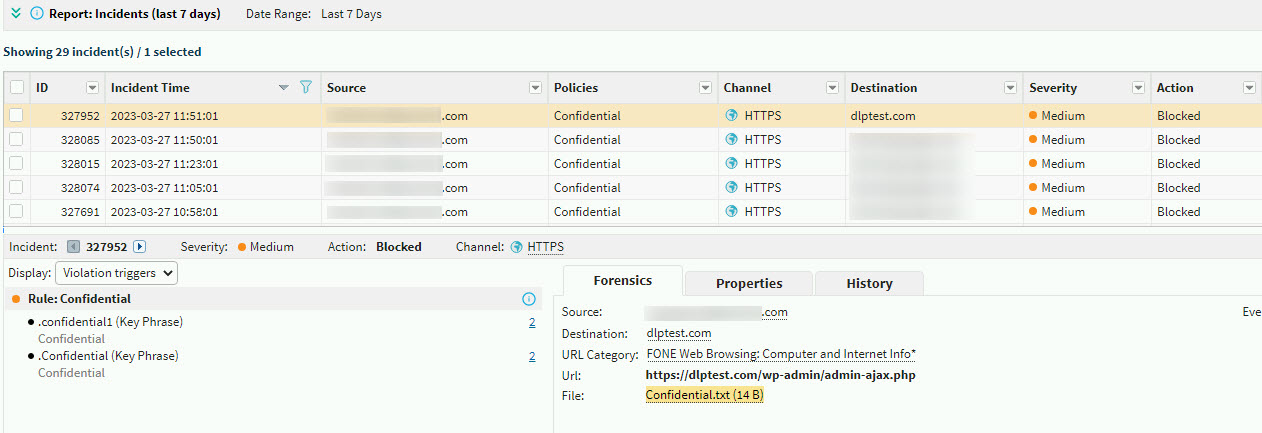
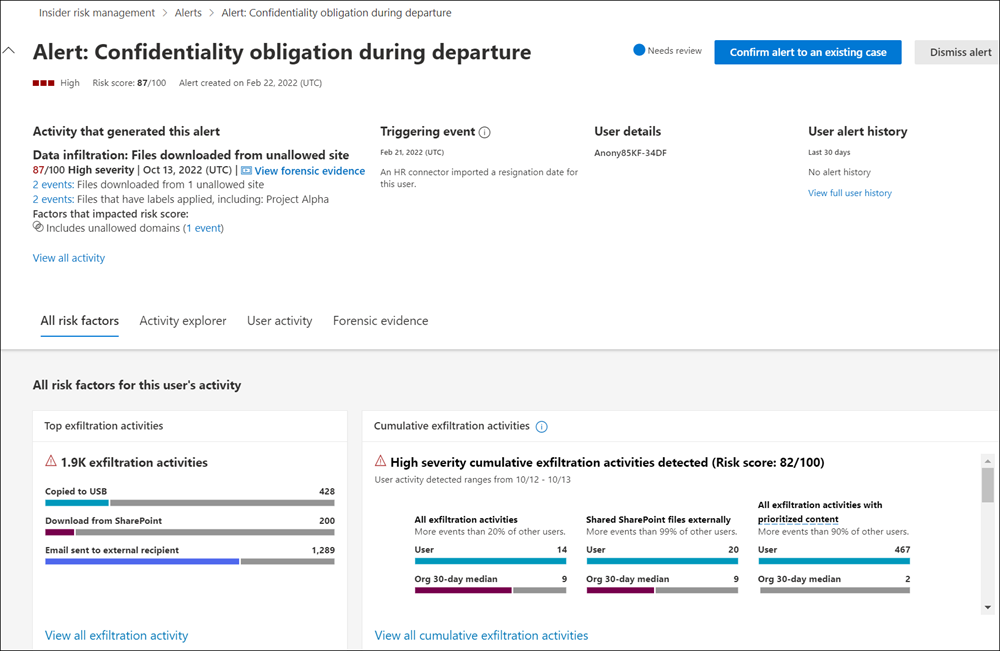
Microsoft Purview Insider Risk Management identifies potentially risky user activity across the Microsoft 365 data estate and correlates it with data context. Policies are created from customizable templates that require no scripting and no endpoint agents to deploy, and step-by-step guidance walks teams through onboarding.
Insider risk analytics can evaluate potential risk across an organization before any policy is configured. Those detections feed Adaptive Protection, which combines insider risk signals with Data Loss Prevention so that protection levels adapt to user risk instead of applying one static control across the whole workforce.
Key features include:
- Agentless policy templates: Creates policies from customizable machine learning templates that require no scripting and no endpoint agents to deploy.
- Insider risk analytics: Evaluates potential insider risks across the organization without configuring any insider risk policies first.
- Adaptive Protection: Uses the breadth of insider risk detections together with DLP so that data protection controls tighten dynamically as user risk increases.
- Data security investigations: Searches the Microsoft 365 data estate for incident-related documents, emails, Copilot prompts and responses, and Teams messages, and can launch a pre-scoped investigation from an insider risk case.
- Data risk graph: Displays correlations between affected data, users and their activities to establish the full footprint of a data security incident.
- Built-in privacy controls: Manages data risks with pseudonymization and strong role-based controls so investigations can proceed without exposing identity by default.
- Native security integration: Feeds data and user risk context into Defender XDR, Sentinel and Security Copilot, and extends controls to Microsoft 365 Copilot and agents.
Limitations (as reported by users on G2):
- Third-party coverage: Reviewers report limited connector availability and difficulty integrating or ingesting logs from non-Microsoft solutions.
- Configuration complexity: Users describe policy setup as complex, and note that configuration changes take time to apply to end users and resources.
- Staffing requirement: Reviewers say a knowledgeable security team is needed to configure, manage and monitor the solution.
- False positives: Some users report a high false positive rate from the machine learning based detections.
- Licensing cost: Smaller organizations report that the licensing is difficult to justify at their scale.
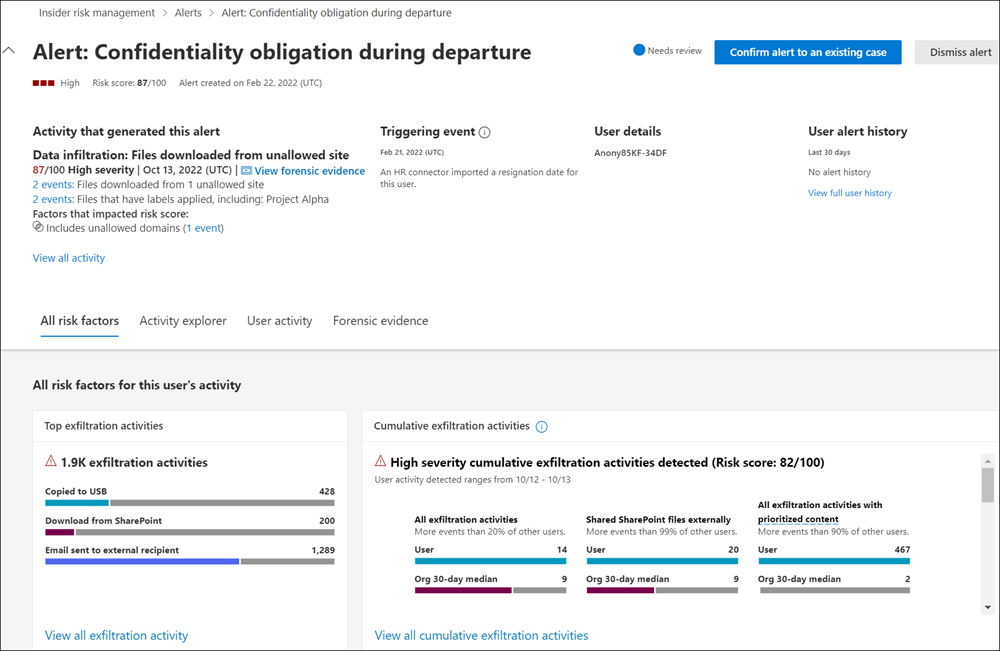
Source: Microsoft
Behavioral Analytics and Insider Risk Platforms
6. DTEX

Best for: Behavioral intelligence with privacy-preserving telemetry
Strengths: 500+ metadata elements, intent-based risk models, data lineage
Things to consider: Limited enforcement and content inspection; cost
DTEX collects workforce activity continuously, on and off network, using lightweight forwarders that gather 3 to 5 MB of data per user per day. Rather than depending on rule triggers, it collects all activity whether or not it looks interesting at the time, so wide-reaching context is available before data loss or damage occurs.
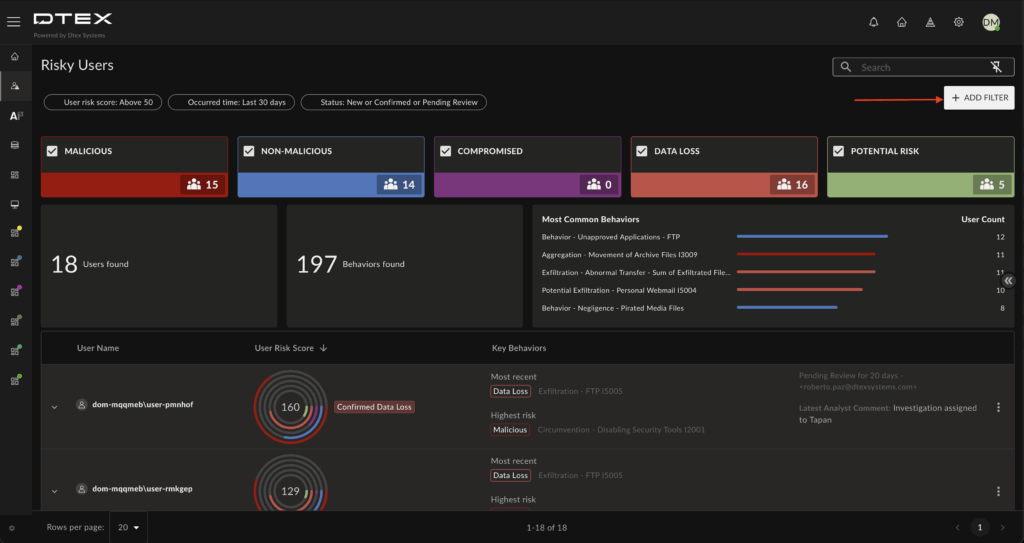
The platform captures more than 500 metadata elements and applies over 12 human-driven behavioral domains, with AI modelling used to reduce noise and tune the system automatically. Risk scoring algorithms map full-context behavior patterns to intent, separating malicious, non-malicious and compromised actions, AI activity and data loss.
Key features include:
- Continuous metadata collection: Lightweight forwarders capture activity 24/7 with no network impact, extending beyond low-level system data and Windows logs.
- Intent-based risk modelling: Behavioral risk models differentiate malicious, careless and compromised behavior, with behavior score aggregation and alert stacking for known and unknown threats.
- Dynamic risk baselines: Analyzes and baselines behavior by role, department and geography, and differentiates between human and AI activity.
- User timelines: Reconstructs digital activity into a single chronological narrative showing what a user did across tools, AI and endpoints, and in what context.
- Complete data lineage: Maintains a full history of every file in use, in motion and at rest to trace all data movement and modification.
- Pseudonymization: A patented, privacy-by-design capability removes personal identifiers from activity data to reduce inherent bias and support privacy regulations.
- Agentic investigation support: Triage Guardian gathers and validates evidence before escalation, Threat Hunter runs proactive hunts without manual query building, and Risk Assistant supplies investigation context.
Limitations (as reported by users on Gartner Peer Insights):
- False positives: Critical reviews cite alerts that require analyst review before genuine risk can be separated from routine activity.
- Content visibility: Reviewers note limited visibility into file content compared with tools that carry out deeper inspection.
- Cost: Users describe the platform as expensive relative to the alternatives they evaluated.
- Enforcement actions: Reviewers report that the platform focuses on detection and escalation, with limited in-the-moment blocking and incident management workflow.
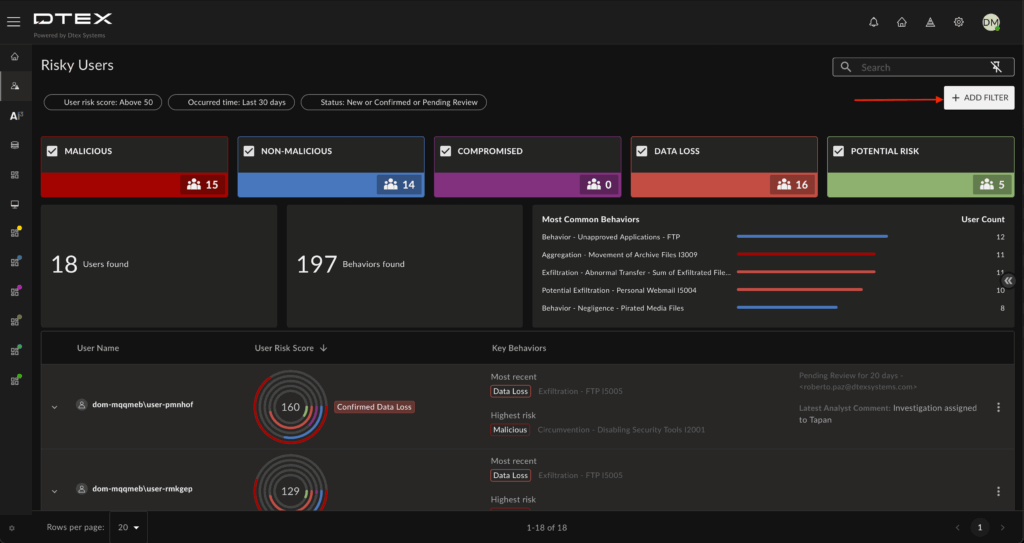
Source: DTEX
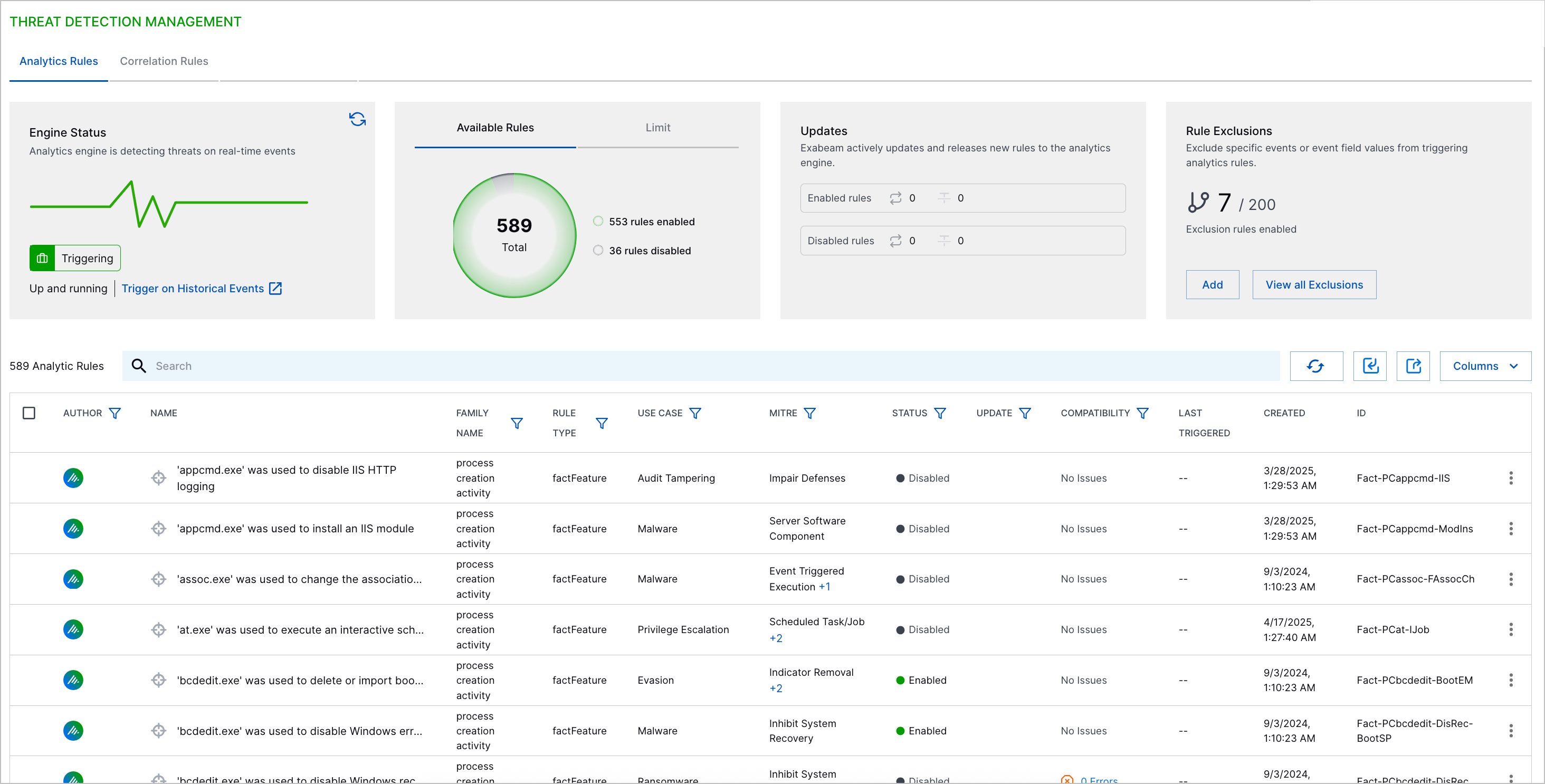
7. Exabeam

Best for: Behavioral detection across users, service accounts and AI agents
Strengths: Long-running timelines, UEBA plus Agent Behavior Analytics
Things to consider: SIEM-level complexity and configuration expertise
Exabeam detects insider threats hidden inside authorized activity by learning normal behavior for human and non-human identities, then connecting related events over time. Monitoring covers user activity, service accounts, machines and AI agents in a single behavioral view, with open agent telemetry extending visibility across major AI platforms.
Agent Behavior Analytics extends user and entity behavior analytics to autonomous activity, applying the same behavioral risk model to people and agents. Long correlation windows connect small anomalies that unfold over weeks or months, which supports detection of gradual privilege escalation and slow data collection.
Key features include:
- Behavioral baselines for every identity: Learns normal behavior for users, service accounts, machines and AI agents, then applies dynamic risk scoring to deviations.
- Agent Behavior Analytics: Detects misuse, drift, abnormal tool use, risky access and actions outside an AI agent’s intended role.
- Long-running timelines: Uses a stateful session data model to connect activity across long periods, exposing gradual or automated escalation that static rules miss.
- Credential misuse detection: Identifies valid credentials used in unusual ways by combining behavioral baselines with identity context and timeline correlation.
- Data leakage correlation: Adds behavioral context to DLP, authentication, access and application events so analysts can separate routine activity from suspicious movement.
- Audit tampering detection: Correlates retained and late-arriving evidence across timelines to reveal gaps and inconsistencies that suggest logs have been altered or deleted.
- Privileged and physical access monitoring: Baselines privileged activity across administrators, service accounts and AI agents, and correlates badge, identity, geolocation and system activity to detect anomalies such as impossible travel.
Limitations (as reported by users on G2):
- Setup complexity: Reviewers describe the platform as challenging to set up and configure, and note that managing it effectively requires significant expertise.
- Search usability: Users report that the cloud search experience is not user friendly and needs further work.
- Log parsing: Reviewers say that parsing needs improvement.
- AI capabilities: Some users report that the AI features are less developed than the underlying detection scope.
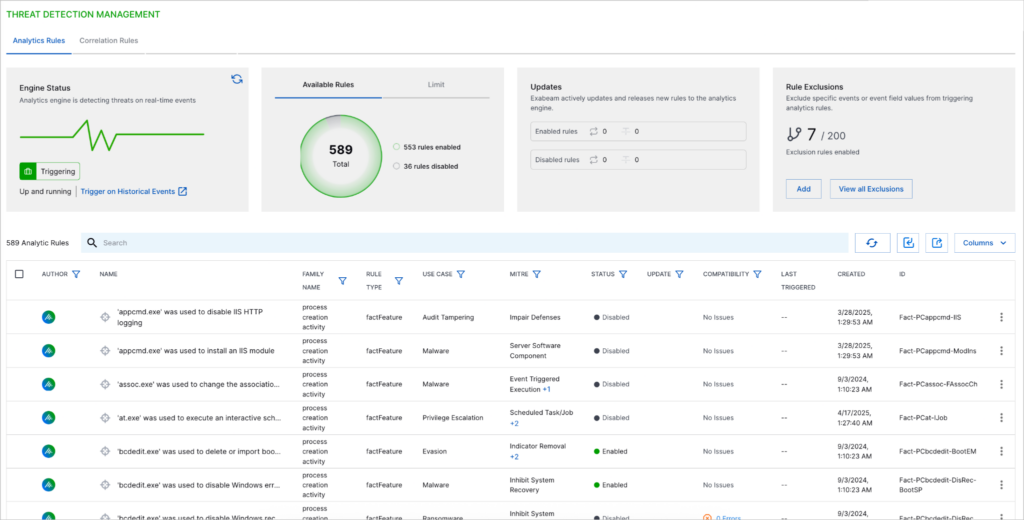
Source: Exabeam
8. Securonix

Best for: Insider threat detection inside a unified SIEM and UEBA stack
Strengths: Peer group analysis, entity risk profiles, long-term search
Things to consider: Query complexity and enterprise-scale orientation
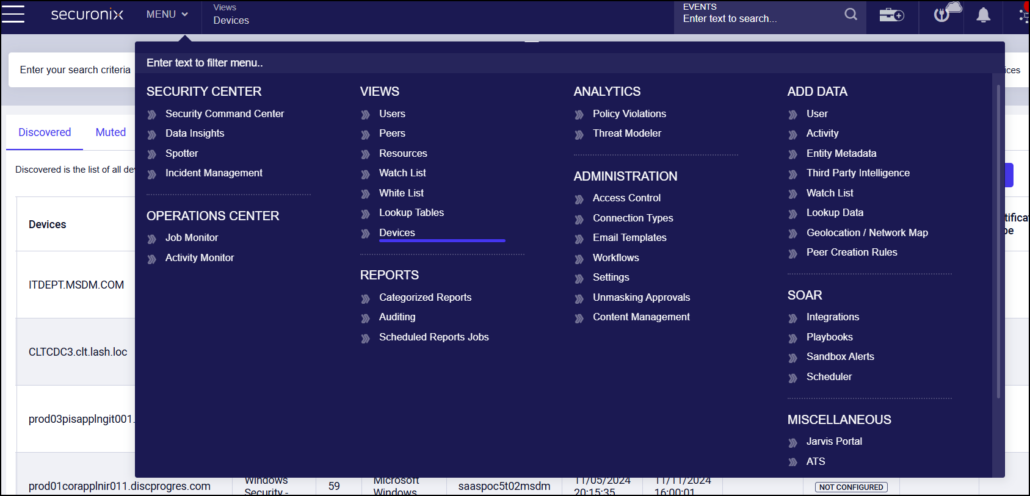
Securonix approaches insider threats through its Unified Defense SIEM and behavior analytics, monitoring users with privileged access to critical databases, servers and applications. It identifies when access patterns deviate from a user’s established baseline or from the activity of comparable peers.
The platform generates an identity and risk profile for every user and entity in the environment, which lets analysts track individuals across multiple accounts and networks and trace lateral movement. High-risk users can be added to a watch list for closer monitoring, and built-in orchestration handles investigation and response.
Key features include:
- Advanced behavior analytics: Monitors access and activity around critical assets using out-of-the-box analytics content and patented machine learning algorithms, and links insider attacks that span multiple alerts.
- Entity context profiles: Builds a comprehensive identity and risk profile for every user and entity, allowing analysts to focus on high-risk users across the IT environment.
- Peer group analysis: Compares one user’s actions against their peers to automate outlier detection, with watch lists for users identified as high risk.
- Data exfiltration detection: Detects and prevents insiders moving intellectual property and sensitive records out of the organization.
- Long-term search: Lets threat hunters query historical data to find threats already present in the environment without affecting SIEM performance.
- Live channel search: Runs real-time search on streaming data so threat hunting does not have to wait for parsing to complete.
- Incident response orchestration: Built-in automation through Securonix SOAR handles investigation and remediation without switching between separate tools.
Limitations (as reported by users on G2):
- Query construction: Reviewers report that writing queries to search alerts is difficult.
- Enterprise orientation: Users note the platform suits large organizations, and that smaller teams may not reach its full potential.
- Case management: Some reviewers describe case management as unintuitive and report that console setting changes can take a long time to take effect.
- Customization time: Users say customization work is time-consuming and benefits from an in-house specialist.
- Cost with data growth: Reviewers mention costs increasing as log volume rises.
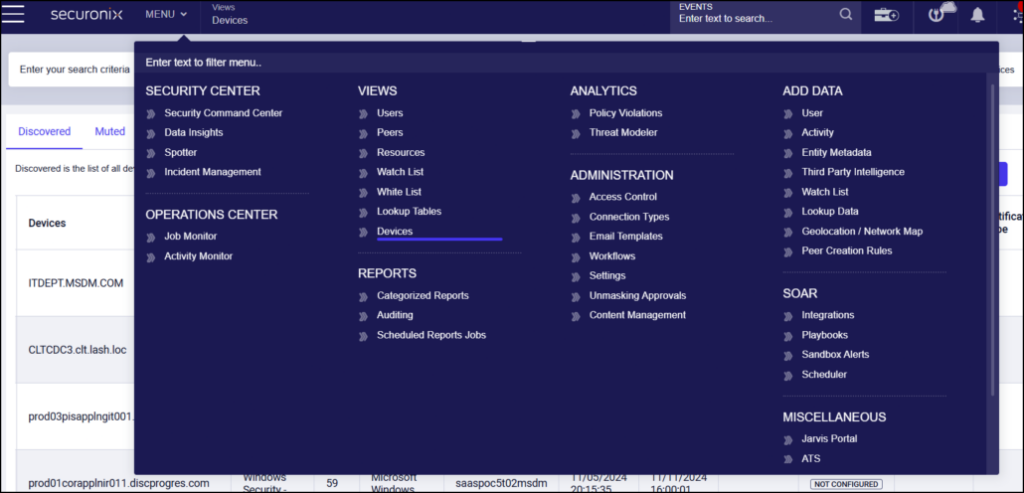
Source: Securonix
9. Gurucul

Best for: Unified insider risk across human, machine and AI identities
Strengths: Behavioral DLP, identity analytics, autonomous triage
Things to consider: Documentation, stability and enterprise pricing
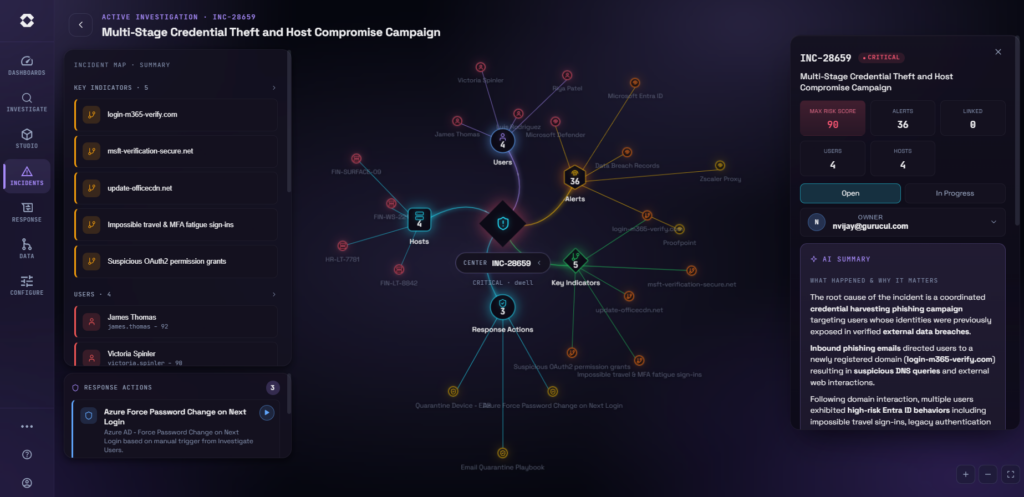
Gurucul AI-Powered Insider Risk Management correlates activity across identity, access, location, endpoint, cloud and business systems in one platform. Coverage spans human users, machine identities and AI agents, and each signal is enriched with contextual telemetry drawn from sentiment, HR, identity, security, cloud and location sources.
The platform pairs behavioral machine learning with data controls, so data movement is assessed on intent rather than static content rules. Autonomous triage handles low-level alerts, risk scoring and investigation enrichment, then escalates or responds according to a pre-set risk appetite.
Key features include:
- Intelligent data loss prevention: Uses behavioral machine learning to interpret the intent behind data movement, including screenshots, anomalous data behavior and generative AI misuse.
- Endpoint data discovery and blocking: Identifies and classifies sensitive information as users interact with files or clipboard content, and can block uploads, emails, USB copies, printing and screenshots in real time.
- Identity threat reduction: Continuously audits identity health to identify compromised accounts and dormant internal risks before data is exfiltrated.
- Autonomous response: Isolates high-risk users, revokes access and locks down assets through bidirectional integrations across IAM and endpoint controls.
- Pre-tuned compliance models: Ships with industry-specific behavioral machine learning models and dashboards mapped to CISA, NIST, GDPR and HIPAA.
- Privacy and access governance: Provides granular role-based access control, PII masking and retention controls, with agentless or agent-based deployment options.
- Broad use case coverage: Addresses insider fraud, privileged access misuse, non-human identity risk, data exfiltration, credential compromise and executive account monitoring.
Limitations (as reported by users on PeerSpot):
- Documentation: Reviewers say the online documentation could be improved so end users can carry out more tasks themselves.
- Alert prioritization: Users report that the alert severity assignment process needs refinement.
- Stability: Some reviewers describe stability as an area for improvement.
- Enterprise pricing: Reviewers note the platform is expensive and best suited to enterprise environments.
Source: Gurucul

User Activity Monitoring Platforms
10. Proofpoint Insider Threat Management

Best for: Endpoint activity evidence for insider investigations
Strengths: Activity timelines with screenshots, prebuilt alert library
Things to consider: Cost, interface learning curve, support responsiveness
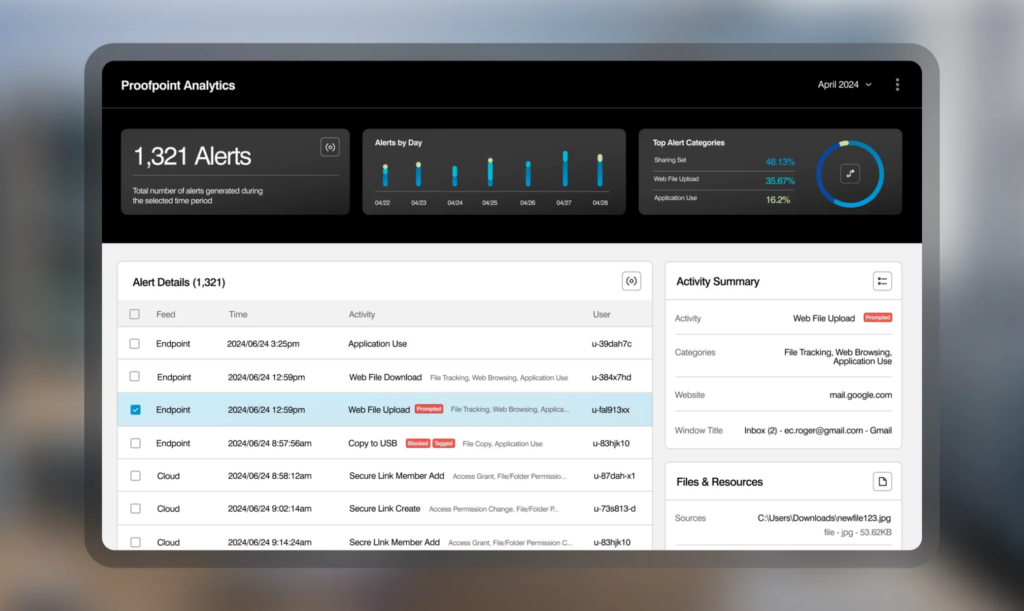
Proofpoint Insider Threat Management provides visibility into risky behavior by careless, malicious and compromised users, and gathers evidence to support investigations. An activity timeline shows the who, what, when and where of user actions on the endpoint alongside their interactions with data.
The timeline records events such as changing a file extension, renaming files that contain sensitive data, uploading to an unauthorized website, copying to a cloud sync folder, installing or running unauthorized software, conducting security admin activity and browsing to unapproved sites. Optional screenshots add visual evidence to those records.
Key features include:
- User activity timeline: Presents endpoint actions and data interactions chronologically, with context including time, location and activity type, and out-of-the-box rules for monitoring the riskiest users.
- Behavioral evidence capture: Records detailed activity and optional screen captures of endpoint activity, exportable as PDF and other common formats for cross-team sharing.
- Prebuilt alert library: Ships with out-of-the-box detection rules covering common insider scenarios, which can be adapted or replaced with custom rules.
- Risk-based endpoint controls: Prevents exfiltration through USB, web upload, cloud sync, print and network share, with controls that ramp up according to each user’s risk profile and pop-up coaching for users.
- Multichannel console: Gathers telemetry from endpoints, email and cloud into a centralized dashboard for correlating alerts, managing investigations and coordinating response with stakeholders.
- Content scanning and classification: Reads Microsoft Information Protection classification labels and applies content detectors drawn from Proofpoint Cloud DLP and Email DLP.
- Privacy and data controls: Supports identity masking, data masking, analyst access limited by user and time period, and data residency across the United States, Europe, Australia and Japan.
Limitations (as reported by users on G2):
- Interface learning curve: Reviewers describe the user interface as complex, with a steep learning curve when starting out.
- Cost: Users raise concerns about the expense of the product and its effect on budget allocation.
- Support responsiveness: Some reviewers report delays in getting assistance during incidents.
- On-premises support: Reviewers note limited dedicated support for the on-premises version and describe deployment methods as average.
Source: Proofpoint

11. Teramind

Best for: Forensic-grade activity evidence with privacy governance
Strengths: Session replay with OCR search, real-time blocking rules
Things to consider: Rule setup conflicts and reporting load at scale
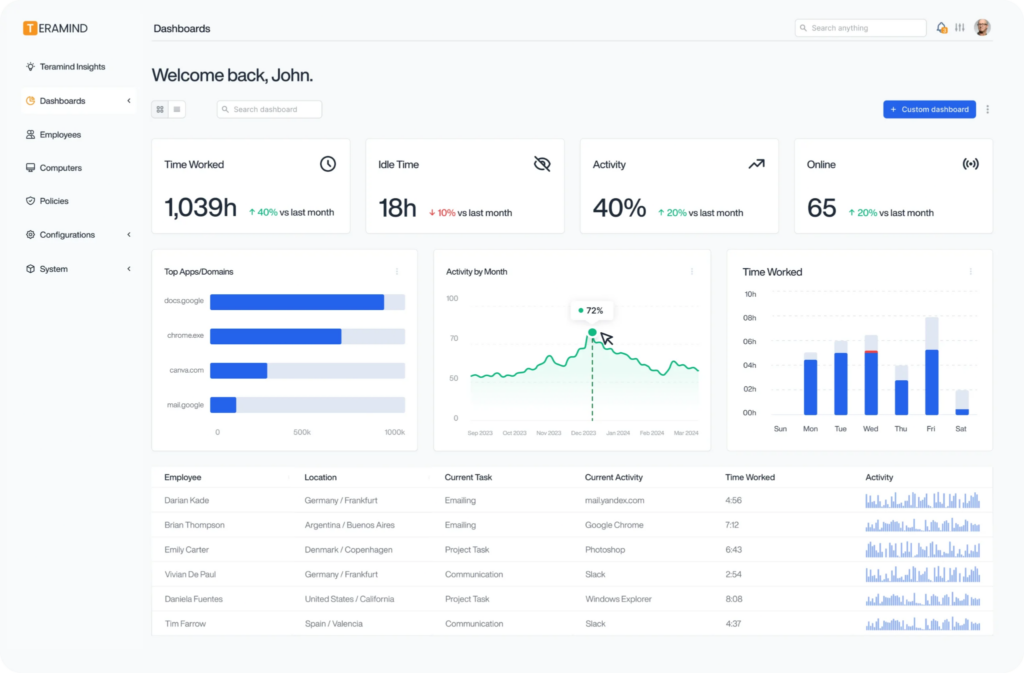
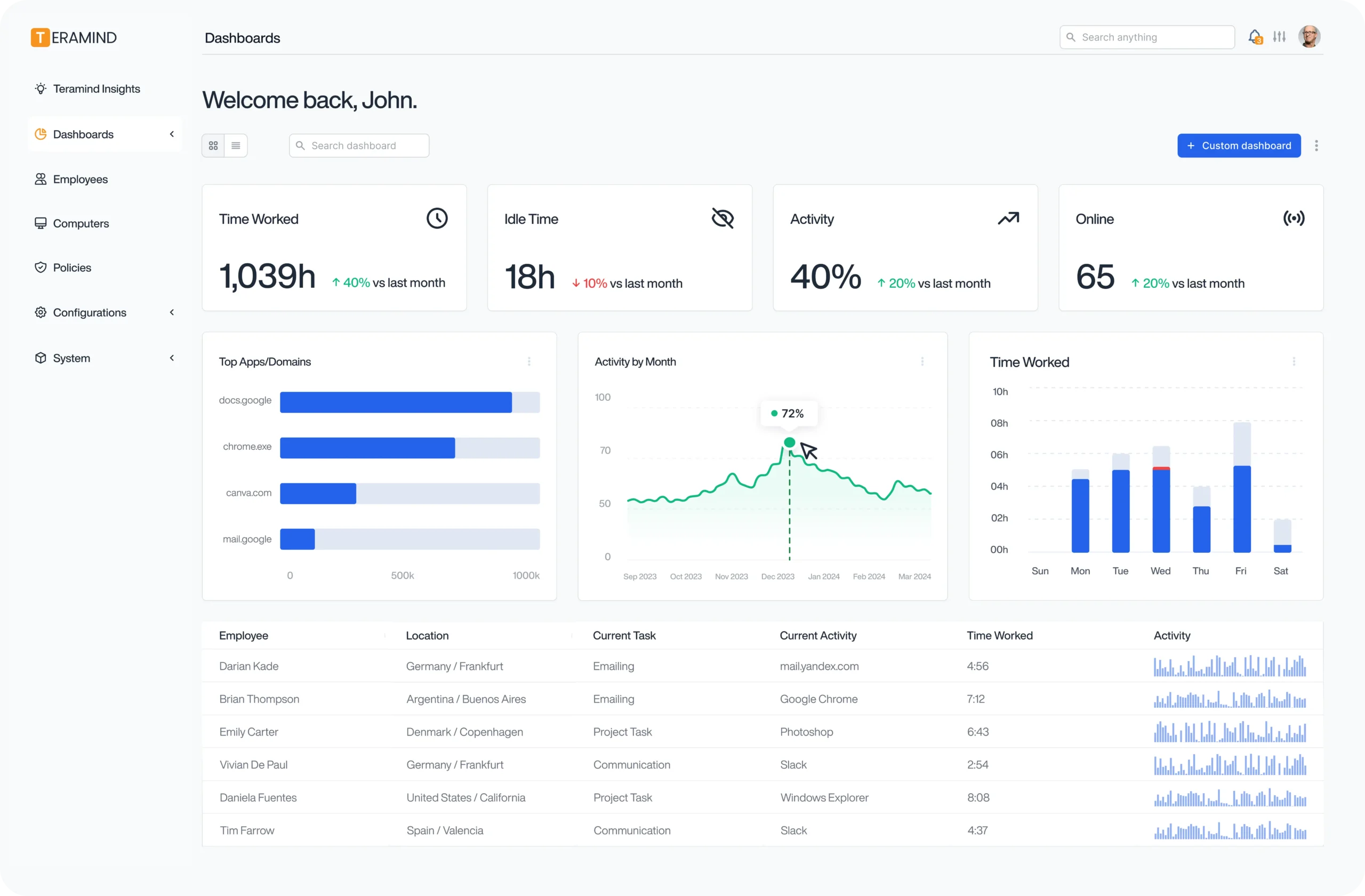
Teramind combines endpoint monitoring with user and entity behavior analytics, giving security, legal and HR teams contextual visibility into activity within defined privacy boundaries. It establishes behavioral baselines for users, peer groups and system entities, then automatically flags deviations from those baselines.
Monitoring covers human employees as well as non-human identities and agentic AI tools executing tasks on the endpoint. A customizable rule engine blocks unauthorized uploads, risky file access and suspicious data movement in real time, and machine learning models assign dynamic risk scores so teams can prioritize urgent incidents.
Key features include:
- Privacy-first telemetry: Collects high-fidelity activity logs under role-based access controls with end-to-end masking for PII and PHI, aligned with GDPR, HIPAA and SOC 2 requirements.
- UEBA and anomaly detection: Builds behavioral baselines for users, peer groups and system entities, then uses machine learning to spot suspicious deviations.
- Real-time policy enforcement: Blocks uploads of confidential files to unauthorized cloud storage or personal web applications, transfers to unapproved USB devices, unauthorized printing and screen capture, and exfiltration through personal email or unauthorized AI tools.
- Session replay and OCR search: Delivers audit-ready forensic evidence through session replays, OCR keyword indexing and detailed activity timelines under strict access control governance.
- Non-human identity monitoring: Tracks autonomous AI agents, endpoint scripts and automated service accounts to confirm they operate within assigned parameters.
- Sabotage and fraud detection: Flags unauthorized system configuration changes, registry modifications, back-door creation, code or repository deletion, and anomalous financial transactions.
- Ecosystem integrations: Sends identity-linked behavioral telemetry to SIEM, EDR, ITSM and ticketing platforms including Splunk and Sentinel.
Limitations (as reported by users on G2):
- Initial setup issues: Reviewers report technical problems during the deployment phase that caused disruption until they were resolved.
- Custom rule configuration: Users describe custom rules as difficult to set up, with new rules sometimes conflicting with pre-existing ones.
- Reporting performance: Some reviewers report data failing to load in reports where deployments hold large volumes of activity.
- Pricing at scale: Users note that cost becomes a concern as team size grows.
- Group management: Reviewers mention limitations such as being unable to assign a user to multiple groups.
Source: Teramind
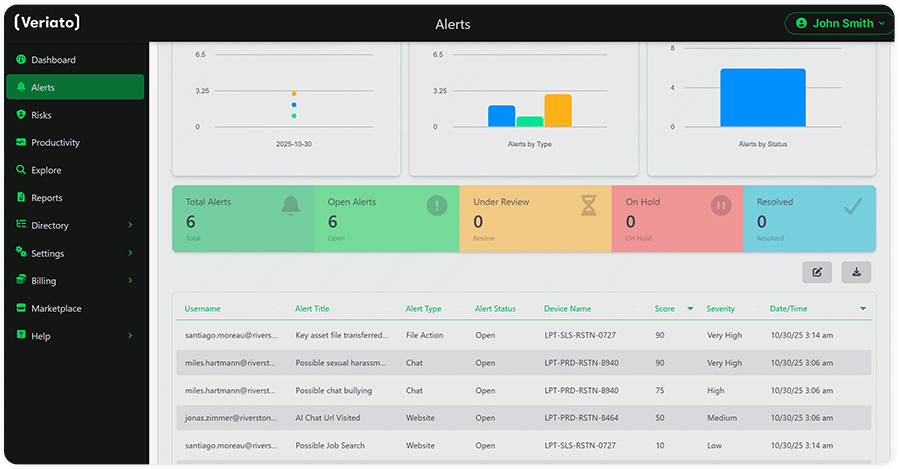
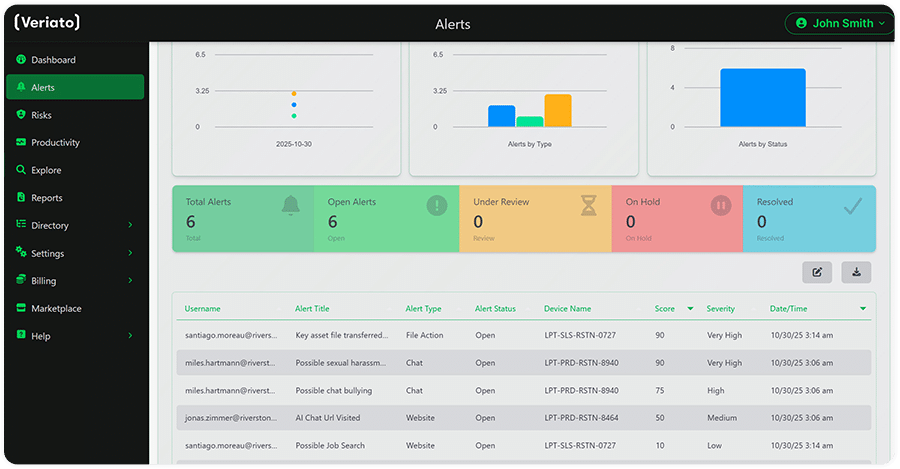
12. Veriato

Best for: Behavioral risk scoring combined with activity monitoring
Strengths: 130+ data point risk scoring, sentiment analysis, PII redaction
Things to consider: Deployment friction, interface and reporting limits
Veriato Insider Risk Management pairs user activity monitoring with AI-powered behavior analytics. Risk scores are generated from more than 130 data points including emails, messaging, screenshots, files, documents and keystrokes, and generative AI is used to interpret signals such as tone, sentiment and the handling of PII and PHI data.
Anomaly detection works from individual user baselines, with fully configurable alerting and monitoring rules. Automatic identification of PII and PHI supports redaction of sensitive information in collected records, and the same platform is used by security, legal and compliance, finance, HR and management teams.
Key features include:
- Generative AI risk scoring: Combines behavior signals such as tone, sentiment and use of PII or PHI data with activity data to produce a risk score for each monitored user, with continuous learning to reduce alert fatigue.
- Anomaly detection from baselines: Detects deviations from established user baselines, backed by fully configurable alerting and monitoring policies.
- Language and sentiment analysis: Analyzes communication content as an input into behavioral risk assessment.
- Automatic PII and PHI handling: Identifies sensitive data automatically and redacts it within collected activity records.
- Real-time processing and reporting: Processes data in real time and produces configurable reports with flexible export capabilities.
- Flexible deployment: Runs in the cloud or on premises, with monitoring across Windows, Mac and Android devices, and supports SSO and MFA.
- Integration architecture: Built on an open RESTful API for ingesting and exporting data across existing security, identity and business systems.
Limitations (as reported by users on G2):
- Deployment friction: Reviewers report difficult installations, agent updates blocked by antivirus software, and manual work adding users to groups at scale.
- Interface navigation: Users describe the console as clunky, with drill-downs that do not carry selected variables between pages.
- Reporting limits: Reviewers note that one-off reports cannot be run on demand and that websites must be categorized manually for productivity reporting.
- License management: Users report that releasing a single license requires releasing and then reclaiming all of them.
- Mac and remote coverage: Some reviewers report issues on Mac systems and difficulty monitoring users who remote into an office workstation from their own device.
Source: Veriato
Conclusion
Insider threat software helps organizations detect and prevent data theft, accidental exposure, credential misuse, and other risks involving trusted access. Effective programs combine user activity monitoring, behavioral analytics, DLP, access controls, and protection across applications, endpoints, BYOD environments, and AI services. The goal is to identify risky behavior in context and apply appropriate controls without unnecessarily disrupting legitimate work.

Any worker. Any laptop. Any AI workflow. Fully secured.
Schedule a demo to see how Blue Border™ secures company data and apps without shipping laptops, running VDI, or managing personal endpoints.