
Best VDI Solutions: Top 10 VDI Tools in 2026


See Venn first in Google Search
Add as a preferred source on Google
VDI solutions stream desktops and apps from central servers; alternatives secure work without virtual desktops. Best for BYOD and contractors: Blue Border; best for enterprise VDI: Citrix; best for cloud VDI: Azure Virtual Desktop; best for hypervisor flexibility: Parallels RAS. The way desktops are delivered continues to change quickly, as organizations weigh cloud-based models, rising infrastructure costs, and new security expectations against the limitations of traditional on-premises setups. Artificial intelligence is now being woven into desktop delivery to automate scaling, monitoring, and threat detection, while the retirement of older operating systems is pushing many teams to rethink whether hosting full desktops still makes sense.
What Are Virtual Desktop Infrastructure (VDI) Solutions?
VDI solutions provide virtual desktops hosted on a centralized server, allowing users to access them from any device over a network. Popular VDI providers include Citrix, Microsoft Azure Virtual Desktop, and Amazon WorkSpaces. By streaming a full desktop from the server to the endpoint, VDI can enhance security, simplify IT management, and enable secure, work-from-anywhere flexibility.
How VDI solutions work:
- Centralized hosting: Desktops and applications run on virtual machines (VMs) within a central data center, either on-premises or in the cloud.
- Golden image: A “golden image” containing the operating system, applications, and settings is created and used to generate the virtual desktops.
- Remote access: Users connect to their virtual desktop from their own device (e.g., laptop, tablet, or thin client) using a network connection.
- Secure connection: A secure connection is established, and the desktop image is streamed to the user’s device, providing a desktop experience.
The VDI approach centralizes control and management, benefiting security and enabling IT operations such as patching, software deployment, and backup. VDI is often used in industries with strict regulatory requirements or where remote access is critical. However, this technology is becoming outdated, with many organizations considering alternatives that are better suited to modern work environments and BYOD setups. Industry surveys show that most organizations now rely on Desktop-as-a-Service rather than traditional on-premises VDI, reflecting a broad move toward cloud-based desktop delivery.
Core benefits of VDI include:
- Enhanced security: Data remains in the centralized data center rather than on the end user’s device, so a lost or stolen laptop does not expose sensitive files.
- Centralized management: IT teams can push patches, update applications, and scale desktop capacity from a single console.
- Hardware cost savings: Because processing happens on the server, companies can extend the lifespan of older PCs or use inexpensive thin clients.
Popular VDI solutions include:
- Microsoft Azure Virtual Desktop (AVD): A strong fit for organizations deeply embedded in the Windows ecosystem and Microsoft 365, with scalable pay-as-you-go pricing.
- Citrix Virtual Apps and Desktops: Preferred by power users for its HDX optimization, which supports resource-heavy multimedia and graphics.
- Amazon WorkSpaces: A fully managed, secure Desktop-as-a-Service (DaaS) offering that provisions Windows or Linux desktops quickly.
VDI Platforms and Alternatives at a Glance
The table below summarizes the key differences between the solutions covered in this article. We explore each of them in more detail in the sections that follow.
| Category | Solution | Best For | Key Strengths | Things to Consider |
| VDI Alternatives | 1. Blue Border | Securing BYOD and contractor work on unmanaged PCs and Macs | Local native app performance with work and personal isolation | Enclave can feel slow with some hosted apps |
| VDI Alternatives | 2. Check Point Harmony SASE | Cloud-delivered secure access for hybrid and remote teams | Unified ZTNA, internet access, SaaS security, and SD-WAN | Setup and policy configuration can be complex |
| VDI Alternatives | 3. Prisma Access | Securing users, apps, and data across a hybrid workforce | Unified ZTNA, SWG, CASB, RBI, and firewall as a service | Steep learning curve and higher cost for smaller teams |
| VDI Alternatives | 4. Zscaler Zero Trust Exchange | Connecting users to apps without exposing the network | Proxy-based full traffic inspection and least-privileged access | Cloud inspection can add latency; per-module licensing |
| VDI Alternatives | 5. Menlo Secure Enterprise Browser | Securing browser-based work on managed and unmanaged devices | Cloud isolation, DLP, and clientless app access in any browser | Isolation can alter some site behavior and downloads |
| VDI Solutions | 6. Citrix Virtual Apps and Desktops | Enterprise VDI and app delivery across cloud and on-prem | HDX optimization and workload placement across any cloud | Performance depends on network; cost rose post-acquisition |
| VDI Solutions | 7. Microsoft Azure Virtual Desktop | Cloud VDI for Windows desktops and apps on Azure | Multi-session Windows and a Microsoft-managed control plane | RDP lag over weak networks; pricing can grow complex |
| VDI Solutions | 8. Amazon WorkSpaces | Fully managed cloud desktops for varied worker types | Persistent and non-persistent desktops with pay-per-use billing | Latency over weaker networks; fleet updates are manual |
| VDI Solutions | 9. Parallels RAS | Simplified app and desktop delivery across hybrid clouds | Single-console management and broad hypervisor support | Can strain at very high published-application counts |
| VDI Solutions | 10. Omnissa Horizon | Flexible VDI and app delivery across on-prem and cloud | Multi-cloud deployment with centralized management | Administration is complex; console feels fragmented |
In this article:
- What Are Virtual Desktop Infrastructure (VDI) Solutions?
- VDI Platforms and Alternatives at a Glance
- How VDI Solutions Work
- Key Features of VDI Providers
- Challenges and Limitations of VDI Tools
- Why VDI is Falling Out of Favor in the BYOD Era
- How VDI Is Evolving: Cloud DaaS, AI, and the Windows Refresh
- Notable VDI Solutions and Alternatives
- Conclusion
How VDI Solutions Work
Centralized Hosting
In a VDI setup, all desktops run on virtual machines hosted in a central data center or cloud environment. End-user devices act only as terminals for accessing these remote desktops. All processing (CPU cycles, memory use, storage access) happens on shared back-end infrastructure. This model puts a heavy dependency on data center performance and network availability. If the host environment becomes overloaded or the network is congested, every user’s session can suffer.
This setup also introduces a single point of failure. A disruption in the central infrastructure, whether due to hardware faults or maintenance missteps, can affect thousands of users simultaneously. The dependency on robust server hardware and storage systems increases infrastructure costs and introduces bottlenecks that are hard to isolate and fix.
Golden Image
VDI relies on a single pre-configured image, called a golden image, to generate user desktops. This image includes the OS, installed applications, and policy settings. Each virtual desktop is cloned from this template. While this standardization can simplify some maintenance tasks, it introduces rigidity. Any misconfiguration in the golden image is inherited by all desktops. Small errors scale quickly and can be difficult to trace.
Users have limited ability to customize their environment. Any deviation from the standard image requires separate provisioning or exceptions, increasing administrative overhead. The process of updating or patching the image can lead to versioning issues, where users are unknowingly running inconsistent desktop configurations depending on when their VM was deployed or restarted.
Remote Access
Access to a VDI desktop requires a constant, stable connection to the data center. All screen updates, mouse movements, and keyboard inputs must travel back and forth across the network. Inconsistent or low-bandwidth connections introduce lag, pixelation, or session drops. These issues are especially pronounced when users connect over VPNs, mobile networks, or public Wi-Fi.
Even with protocol optimizations, users often report input delay, degraded video quality, and slow load times, especially when using graphics-heavy applications or large files. Because the user experience is tied to both server load and network quality, it can be unpredictable and frustrating, particularly for remote or mobile workers.
Secure Connection
VDI platforms encrypt traffic using SSL/TLS and often layer on MFA or SSO to restrict access. However, these security layers can introduce complexity and login friction. MFA workflows and identity provider integrations can delay access or lock out users if improperly configured. Session security also depends on the correct functioning of multiple components: brokers, gateways, certificates, and authentication systems.
Users often face restrictions like disabled clipboard access or blocked USB devices, which are meant to reduce data leakage but also limit productivity. Because all monitoring and logging happens centrally, users have little visibility into system issues, and IT teams may struggle to resolve session-specific problems without full context. The centralized model concentrates risk: if the secure access layer fails or is misconfigured, it can expose all virtual desktops to attack or downtime.
Key Features of VDI Providers
Scalability and Deployment Options
VDI platforms claim to offer scalability, but expanding capacity typically involves navigating licensing constraints, hardware limitations, and unpredictable costs. Scaling on-premises infrastructure often requires time-consuming procurement cycles and upfront investment in servers, storage, and networking. Even in cloud-based models, unexpected surges in demand can result in performance degradation or cost overruns. Newer platforms increasingly apply AI-driven analytics to forecast demand and automatically adjust compute, memory, and storage allocation, which can reduce over-provisioning waste, though this intelligence is still uneven across legacy deployments.
Deployment flexibility is another advertised benefit, but each model introduces trade-offs. On-premises deployments demand extensive in-house expertise and capital investment, while cloud-based solutions may lead to vendor lock-in and recurring operational costs.
Performance and User Experience
Despite vendor claims, VDI rarely delivers a consistent experience across all user types or device configurations. Latency, graphical lag, and input delay remain common issues, particularly over congested networks or from remote locations. These problems are exacerbated in graphics-intensive workloads, where VDI struggles to match the responsiveness of physical desktops.
Peripheral compatibility and multimedia performance are also frequent pain points. Users often experience dropped frames, audio/video sync issues, or limited support for devices like webcams, printers, and smart card readers. Personalization features such as roaming profiles or application layering introduce further complexity and may cause login delays or inconsistent behavior between sessions.
Security and Compliance
While centralizing desktops can reduce endpoint risks, VDI introduces its own attack surfaces, particularly at the hypervisor, broker, and session layers. Misconfiguration, weak access controls, or unpatched infrastructure can expose sensitive systems to exploitation. Managing security across multiple layers (network, storage, hypervisor, and guest OS) adds operational burden and increases the chance of oversight.
Compliance enforcement within VDI is also complex. Ensuring data residency, auditability, and secure access across multiple jurisdictions and infrastructure types requires deep customization. These systems often depend on manual configuration and third-party tools, increasing the chance of drift from compliance baselines or failure to enforce policies effectively.
Management and Monitoring
Managing VDI at scale introduces significant administrative overhead. IT teams must maintain a stack that includes hypervisors, connection brokers, profile management systems, and patching workflows, all of which must be tightly coordinated. Automation tools often require custom scripting or vendor-specific training, making day-to-day operations labor-intensive.
Monitoring tools provide visibility but add cost and complexity. Gaining accurate, actionable insights often requires integration with external analytics platforms. Diagnosing performance issues or pinpointing the root cause of a degraded session can be difficult due to the number of interdependent components, increasing mean time to resolution and user frustration. To ease this burden, AI-assisted monitoring is emerging as a way to detect performance bottlenecks in a session before the user reports lag, but these capabilities are still maturing and vary widely between platforms.
High Availability and Disaster Recovery
Achieving high availability in VDI environments requires building redundancy across the full stack (storage arrays, network paths, hypervisors, session brokers) which increases both cost and configuration complexity. Even with failover mechanisms in place, recovery is not always seamless, and users may experience session interruptions or data loss.
Disaster recovery planning in VDI environments is particularly demanding. Ensuring synchronization across multiple data centers, validating replica integrity, and orchestrating failovers without impacting user experience demands sophisticated infrastructure and planning. Recovery testing is resource-intensive and often deferred, leading to untested assumptions about failover reliability in actual disaster scenarios.
Challenges and Limitations of VDI Tools
Latency and Performance Concerns
VDI user experience depends heavily on the quality and reliability of the network connection. Latency (the time taken for data to travel between the endpoint and the data center) directly affects responsiveness. High latency or low bandwidth can cause delays in graphic rendering, mouse movements, or keystrokes.
This degradation is particularly problematic for users working with real-time applications, 3D graphics, or video conferencing, where even minor delays impede productivity. Performance bottlenecks may also arise from the data center infrastructure itself. Resource contention on the host server, such as insufficient memory or storage bandwidth, can lead to slow desktop boot times and sluggish application response.
Upfront Infrastructure Investment
Implementing a VDI solution requires significant upfront expenditure on both hardware and software. Organizations need powerful servers, high-speed storage (such as SSD arrays), and a reliable, low-latency network backbone. Investments in supporting technologies, such as backup systems, disaster recovery solutions, and endpoint devices for users, further add to the total cost of ownership. Recent volatility in memory and component prices has pushed these upfront costs higher, widening the gap between capital-intensive self-hosted deployments and subscription-based cloud alternatives.
These initial costs can be a barrier for small and medium-sized organizations or those with limited capital budgets. Beyond hardware, VDI deployments require specialized software (hypervisors, connection brokers, licensing, and management tools), which come with recurring costs and licensing complexities.
Complexity of Deployment and Management
Setting up a VDI environment is more complex than deploying traditional desktops. IT teams must orchestrate servers, storage systems, hypervisors, networking, security tools, and user profile management, all of which must work seamlessly together. Troubleshooting can also be challenging, as performance or connectivity issues may originate from any layer of the stack.
These challenges require administrators to possess both broad and deep technical skills, increasing training demands and dependence on specialized staff. Day-to-day management is an ongoing effort. Regular updates, patching of golden images, user profile maintenance, and resource allocation must be handled with precision to avoid downtime or service degradation.
Licensing and Vendor Lock-In Issues
Licensing models for VDI solutions can be complex, involving per-user, per-device, or concurrent user fees, as well as surcharges for specific operating systems or features. This complexity makes it difficult to forecast costs accurately. Licenses must be managed for both virtualization platforms (such as VMware or Microsoft) and desktop operating systems, adding another layer of administrative burden.
Vendor lock-in is another concern. Many VDI platforms use proprietary protocols, management consoles, and even file formats, making it difficult to migrate to competing solutions if business needs change. This can limit organizational flexibility, especially as cloud-native competitors and new desktop delivery technologies emerge.
Related content: Read our guide to VDI issues
Why VDI is Falling Out of Favor in the BYOD Era
BYOD environments introduce a wide variety of unmanaged devices, operating systems, and network conditions, which makes it harder for VDI to deliver consistent performance and compatibility. VDI platforms are optimized for controlled environments and often struggle with the variability and device fragmentation typical of BYOD setups. Endpoint agents and client software may not support all devices or require specific configurations, reducing accessibility. The end of mainstream support for older Windows releases has added further pressure, forcing a large hardware refresh cycle that is prompting many organizations to question whether hosting full desktops remains worthwhile.
In addition, users expect fast, seamless access to their applications without dealing with intermediary logins, client installations, or performance lag. VDI’s reliance on centralized infrastructure introduces delays, especially over mobile or variable-quality connections, which leads to a poor user experience compared to SaaS or locally installed apps. As a result, organizations are turning to more flexible, browser-based, or containerized application delivery models that better align with BYOD expectations.
How VDI Is Evolving: Cloud DaaS, AI, and the Windows Refresh
The desktop delivery market is shifting decisively toward the cloud. Industry research indicates that the majority of organizations now rely on Desktop-as-a-Service to support remote work, having moved away from traditional on-premises VDI and VPN setups, and analysts estimate that most virtual desktops are now delivered through DaaS platforms rather than legacy infrastructure.
Cost pressure is accelerating this move. Rising memory and component prices have increased the hardware burden of self-hosted VDI, while cloud models bundle everything into a predictable per-seat price and remove the risk of over-provisioning servers. As a result, many mid-sized companies are actively evaluating new desktop delivery models, with cost and complexity cited as the leading reasons to switch.
Artificial intelligence is also changing how these environments are run. AI-driven analytics increasingly monitor virtual sessions to flag performance bottlenecks before users report lag, automatically adjust compute and memory allocation, and support zero-trust security enforcement. Organizations adopting cloud-native, AI-assisted approaches report meaningful reductions in total cost of ownership.
A major operating-system transition is compounding these pressures. With mainstream support for Windows 10 having ended, IT teams face a large hardware refresh cycle to meet Windows 11 requirements. That deadline is prompting many organizations to reconsider whether hosting full desktops is worth the cost, or whether securing work directly on modern endpoints is the better path.
Related content: Read our guide to VDI performance
Looking for a VDI alternative?
Unlock best practices for securing remote access on unmanaged laptops – without any remote hosting or latency.
Notable VDI Solutions and Alternatives
How we selected these tools: We shortlisted VDI solutions and alternatives based on secure desktop and application delivery, deployment flexibility, endpoint and data security, and the ability to manage access at scale.
VDI Alternatives
1. Blue Border

Best for: Securing BYOD and contractor work on unmanaged PCs and Macs
Strengths: Local native app performance with work and personal isolation
Things to consider: The secure enclave can feel slow with some hosted apps
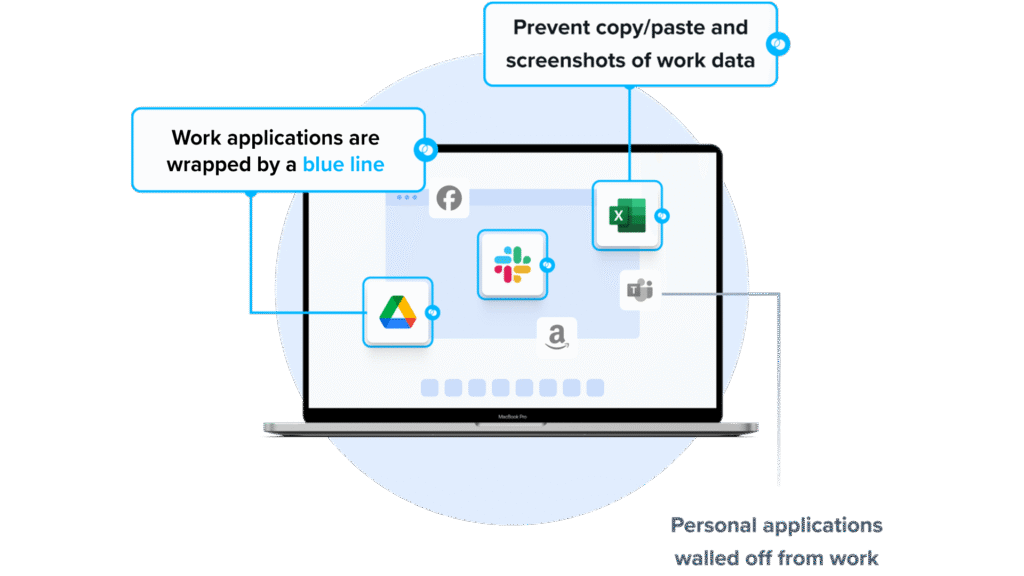
Blue Border secures company data and applications on unmanaged and BYOD computers. Instead of hosting a virtual desktop, Blue Border installs a company-controlled secure enclave on the user’s own PC or Mac.
Work applications run locally inside the enclave, where data is encrypted and access is managed, while activity outside the enclave stays personal and private. Both browser-based and locally installed applications are supported, and IT can onboard or offboard workers in minutes with no backend infrastructure to host.
Key features include:
- Secure Enclave on any device: Installs a company-controlled secure enclave on the user’s PC or Mac, isolating work apps and data from personal use on the same computer.
- Local application performance: Runs both browser-based and locally installed work applications natively on the endpoint rather than streaming them from a remote server.
- Data loss prevention controls: Enforces per-user policies for copy and paste, printing, downloads, screen capture, and clipboard use inside the enclave.
- AI workflow governance: Lets IT define which AI tools can reach company data inside the enclave and blocks unauthorized tools across upload, clipboard, and screen capture.
- Rapid onboarding and remote wipe: Provisions workers in minutes and instantly wipes company data from the enclave when a worker leaves, without touching personal data.
- Compliance and audit visibility: Provides real-time insight into user activity and supports HIPAA, PCI, SOC 2, SEC, FINRA, and other regulatory controls.
Limitations (as reported by users on G2):
- Performance on some hosted apps: A few users note the secure enclave can feel sluggish when accessing certain hosted applications.
- Reporting depth: Some users would like more detailed reporting options within the management console.
- Mobile coverage: Some users would like broader mobile accessibility.
2. Check Point Harmony SASE

Best for: Cloud-delivered secure access for hybrid and remote workforces
Strengths: Unified ZTNA, internet access, SaaS security, and SD-WAN
Things to consider: Initial setup and policy configuration can be complex
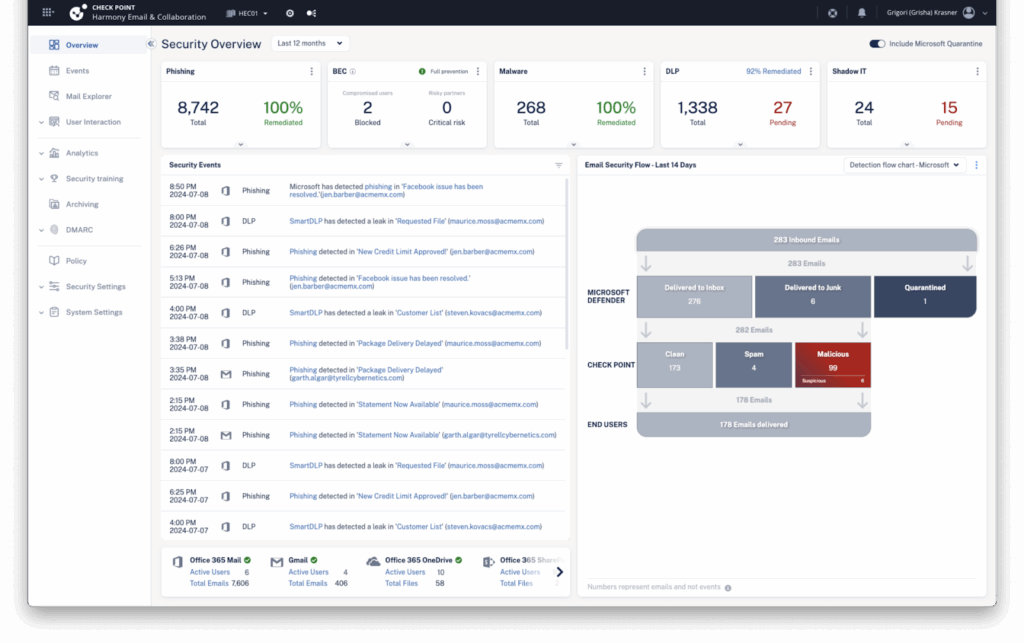
Check Point Harmony SASE is a hybrid secure access service edge platform that combines network security and connectivity in one cloud-based service. It provides zero trust access to corporate applications, SaaS services, and the open internet from any location.
The platform blends on-device and cloud-based traffic inspection and is managed from a single cloud console that covers remote users, branch offices, and cloud resources.
Key features include:
- Full-mesh private access: Applies an identity-centric zero trust access policy from any user or site to any resource across a global private backbone.
- Hybrid internet access: Combines on-device, in-browser, and cloud protections with web and DNS filtering and malware protection.
- SaaS security: Provides inline and API-based Application Control for over 10,000 cloud apps, tenant restrictions, DLP, and posture management.
- GenAI monitoring: Tracks prompt-level generative AI usage to support governed AI adoption across the organization.
- Secure SD-WAN: Offers auto-steering based on link health, sub-second failover across WAN links, and zero-touch provisioning with branch-level security.
- Unified management: Manages users, resource access, and the network from a single cloud dashboard.
Limitations (as reported by users on G2):
- Setup complexity: Initial setup and policy configuration can require time and expertise.
- Reporting navigation: Some dashboards require several clicks to reach the needed information, and report generation could be more intuitive.
- Learning curve: Fully leveraging the platform’s capabilities takes time and hands-on experience.
Source: Check Point
3. Prisma Access

Best for: Securing users, apps, and data across a hybrid workforce
Strengths: Unified ZTNA, SWG, CASB, RBI, and firewall as a service
Things to consider: Steep learning curve and higher cost for smaller teams
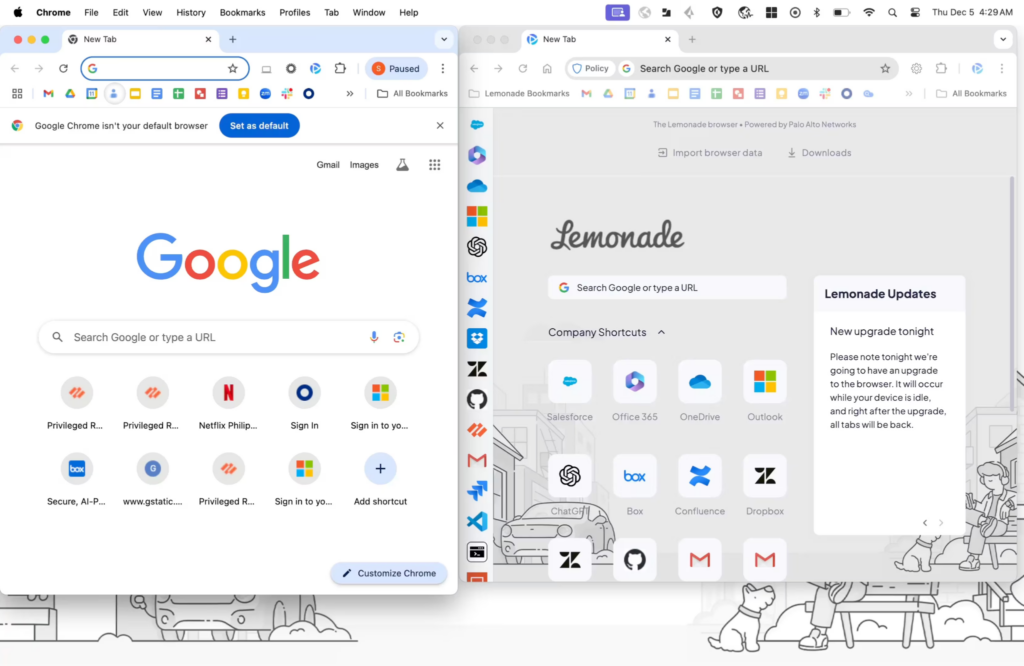
Prisma Access is a cloud-delivered secure access service edge solution from Palo Alto Networks that protects users, applications, and data wherever work happens. It consolidates zero trust network access, secure web gateway, cloud access security broker, firewall as a service, and remote browser isolation into a single platform.
Traffic is inspected in the cloud, and the service connects remote users and branch offices to internet, SaaS, and private applications through a global backbone with published uptime SLAs.
Key features include:
- Zero trust network access: Provides least-privileged access to applications with continuous trust verification, reducing reliance on traditional VPNs.
- Secure web gateway: Delivers real-time web protection with URL filtering, DNS security, and threat prevention for all users.
- Cloud access security broker: Gives visibility and control over SaaS apps through SaaS Security Posture Management and inline and API-based controls.
- Remote browser isolation: Creates an isolation channel between users and web content to keep malware off endpoints, which is useful for unmanaged devices.
- Firewall as a service: Extends network firewall protections to users and branch locations without deploying hardware.
- Unified agent: Connects users across SASE and next-generation firewall deployments through a single agent.
Limitations (as reported by users on G2):
- Setup complexity: Initial setup and policy configuration can be time-consuming and demand in-house expertise.
- Troubleshooting depth: Logs and diagnostics can lack the detail needed for quick issue resolution, and documentation can be thin on technical detail.
- Pricing for smaller organizations: Users describe pricing as steep, which can make it less accessible for small and mid-sized businesses.
Source: Palo Alto Networks
3. Zscaler Zero Trust Exchange Platform

Best for: Connecting users to apps without exposing the network
Strengths: Proxy-based full traffic inspection and least-privileged access
Things to consider: Cloud inspection can add latency; per-module licensing
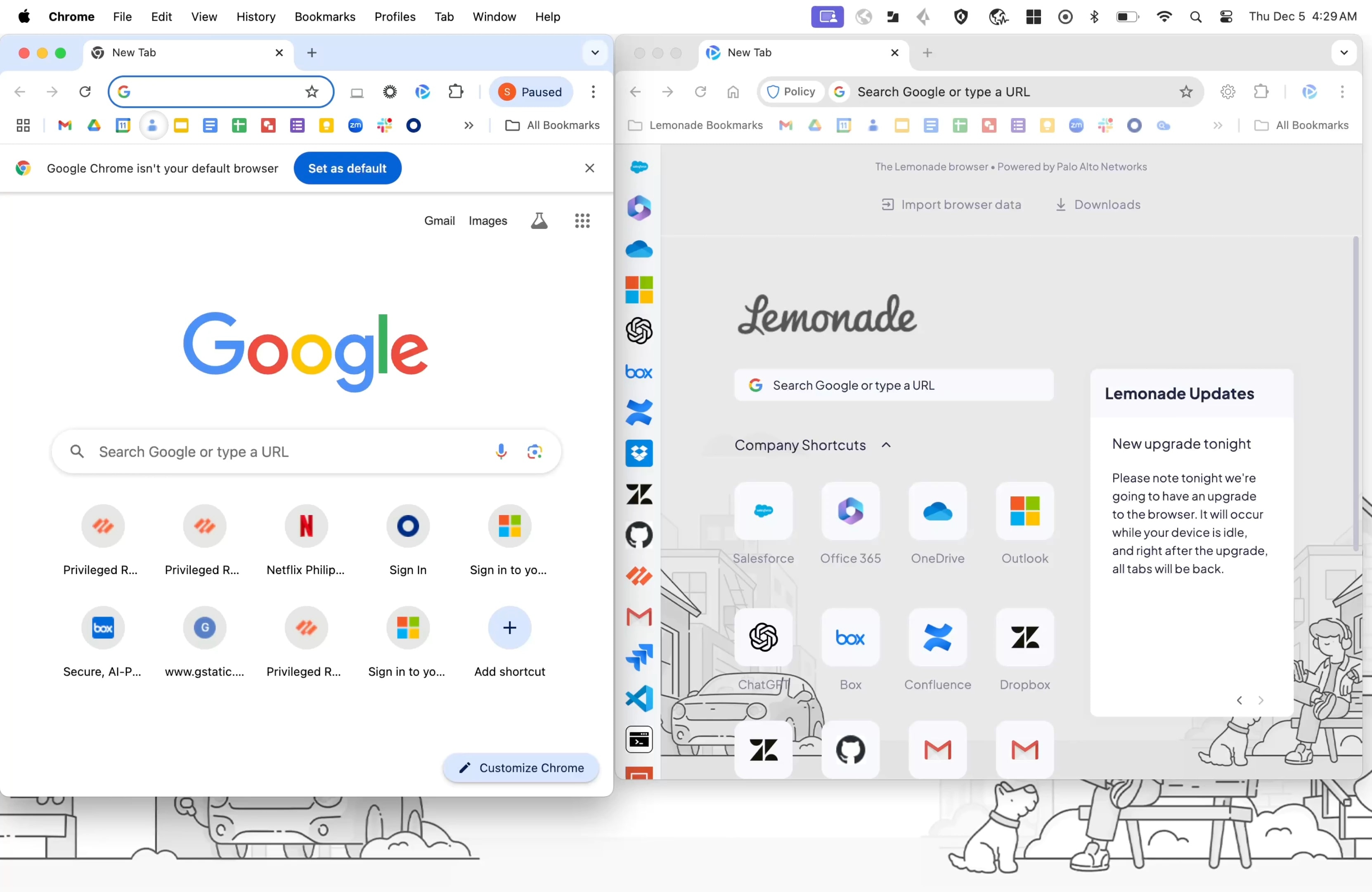
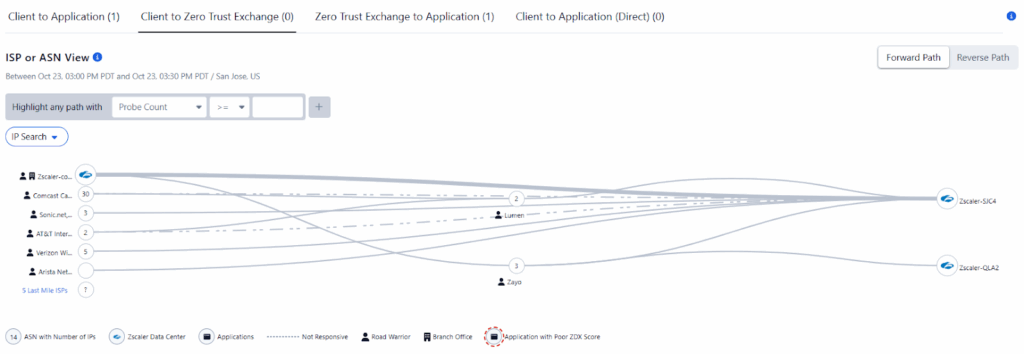
The Zscaler Zero Trust Exchange is a cloud-native security platform that connects users, workloads, and devices to applications over any network. It follows the principle of least-privileged access and uses a proxy architecture to inspect all traffic, including encrypted traffic.
One-to-one connections are brokered between users and applications based on identity, context, and policy, so applications stay invisible to the internet. The platform spans secure internet access, secure private access, and digital experience monitoring.
Key features include:
- Full inline traffic inspection: Uses a proxy architecture to inspect all traffic, including TLS and SSL, at scale before brokering a connection.
- Secure private access: Connects users directly to private applications rather than the network, preventing lateral movement.
- Secure internet access: Provides cloud-delivered web security, threat protection, and policy enforcement for users in any location.
- Attack surface reduction: Hides applications behind the exchange so they cannot be discovered or reached from the internet.
- Data protection: Includes DLP and CASB capabilities to identify and protect sensitive data in motion, at rest, and in use.
- Risk-based policy enforcement: Verifies identity, determines destination, assesses risk with AI, and enforces policy on a per-session basis.
Limitations (as reported by users on G2):
- Cloud inspection latency: Routing traffic through cloud inspection points can add latency, particularly for users far from a point of presence.
- Licensing structure: Separate licenses for individual functions can raise cost, and some package tiers omit specific capabilities.
- Setup and troubleshooting: Initial policy configuration is complex, and log visibility for troubleshooting could be improved.
Source: Zscaler
5. Menlo Secure Enterprise Browser

Best for: Securing browser-based work on managed and unmanaged devices
Strengths: Cloud isolation, DLP, and clientless app access in any browser
Things to consider: Isolation can alter some site behavior and downloads
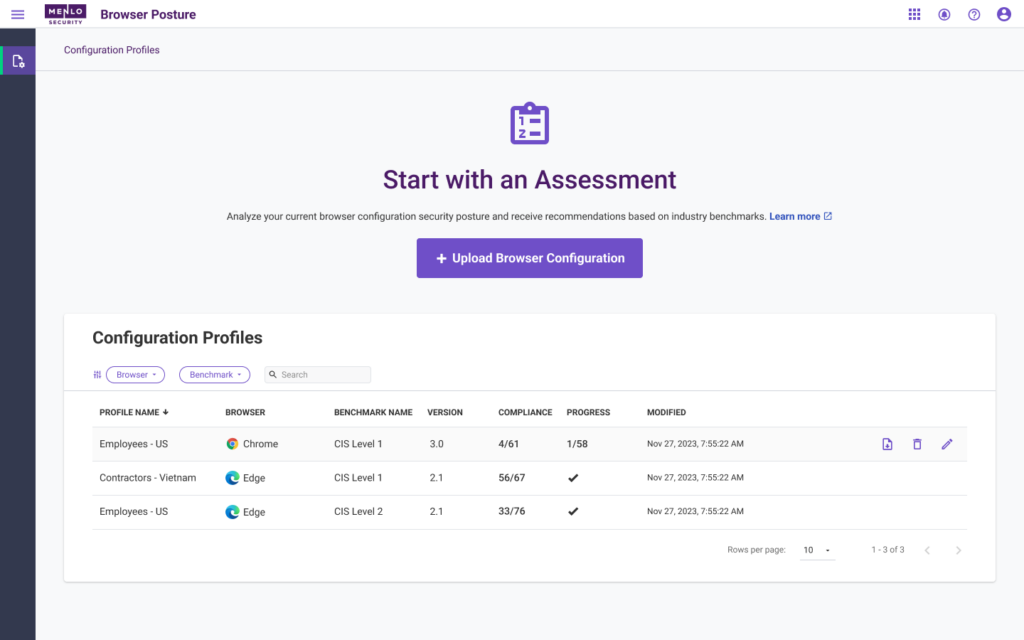
The Menlo Secure Enterprise Browser secures work that happens in the browser across managed, unmanaged, and BYOD devices. It uses a hybrid architecture that pairs a local Secure Extension for visibility and data controls with cloud-based isolation for high-risk browsing.
High-risk web content is executed in the Menlo Cloud so that no active code reaches the endpoint, and the solution works with existing browsers rather than forcing users onto a replacement browser. It also extends controls to browsers that include built-in AI agents.
Key features include:
- Hybrid browser architecture: Combines a local Secure Extension for control and visibility with air-gapped cloud isolation for high-risk sessions.
- Clientless application access: Provides zero trust access to SaaS, private, and legacy thick-client applications through the browser without an endpoint agent.
- AI Adaptive DLP: Detects and masks sensitive data within documents in real time so collaboration can continue rather than blocking files outright.
- Zero-day threat prevention: Uses HEAT Shield AI to analyze web pages and block phishing and evasive threats before they reach the user.
- File sanitization: Deconstructs and rebuilds files across more than 220 file types to remove malicious content while keeping files usable.
- Browsing forensics: Records session-level activity and provides forensic detail for incident response and compliance.
Limitations (as reported by users on G2):
- Site rendering: Some sites may render differently or have controls that behave inconsistently under isolation.
- Download speed: Files can take longer to download because they are inspected before reaching the endpoint.
- Learning curve: New users and administrators face a range of settings that take time to learn, and reporting customization is somewhat limited.
Source: Menlo Security
VDI Solutions
6. Citrix Virtual Apps and Desktops

Best for: Enterprise VDI and application delivery across cloud and on-prem
Strengths: HDX optimization and workload placement across any cloud
Things to consider: Performance depends on network; cost rose post-acquisition
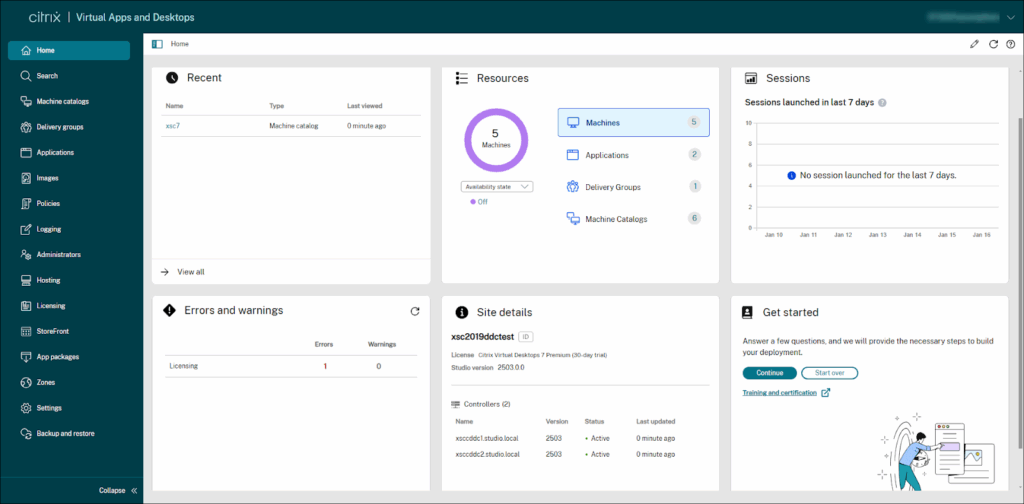
Citrix Virtual Apps and Desktops, delivered through Citrix DaaS, provides virtual desktop infrastructure and application virtualization across cloud, on-premises, and hybrid environments. IT can deliver Windows, Linux, web, and SaaS applications or full virtual desktops to users on any device.
Workloads can be placed in Microsoft Azure, Google Cloud, AWS, or on-premises resources and managed together from one platform, with HDX optimization technology to maintain the experience over low-bandwidth connections.
Key features include:
- Virtual apps and desktops: Delivers full virtual desktops or individual Windows, Linux, web, and SaaS applications to any device.
- HDX optimization: Tunes delivery for low-bandwidth conditions and for unified communications and graphic-intensive applications.
- Hybrid multi-cloud placement: Stores and manages workloads across Azure, Google Cloud, AWS, and on-premises infrastructure from one platform.
- Endpoint and session security: Protects unmanaged endpoints, sets granular controls, and records user sessions.
- User environment management: Accelerates logins, improves server scalability, and enhances application response times.
- Zero trust access: Offers Citrix SecurAccess ZTNA for application access without a VPN.
Limitations (as reported by users on G2):
- Network dependency: Performance relies on strong connectivity, and users report latency with video and large files over weaker connections.
- Setup complexity: Initial setup and configuration can be complex and require specific expertise.
- Cost and support: Users note higher pricing following the ownership change and inconsistent technical support experiences.
Source: Citrix
7. Microsoft Azure Virtual Desktop

Best for: Cloud VDI for Windows desktops and applications on Azure
Strengths: Multi-session Windows and a Microsoft-managed control plane
Things to consider: RDP lag over weak networks; pricing can grow complex
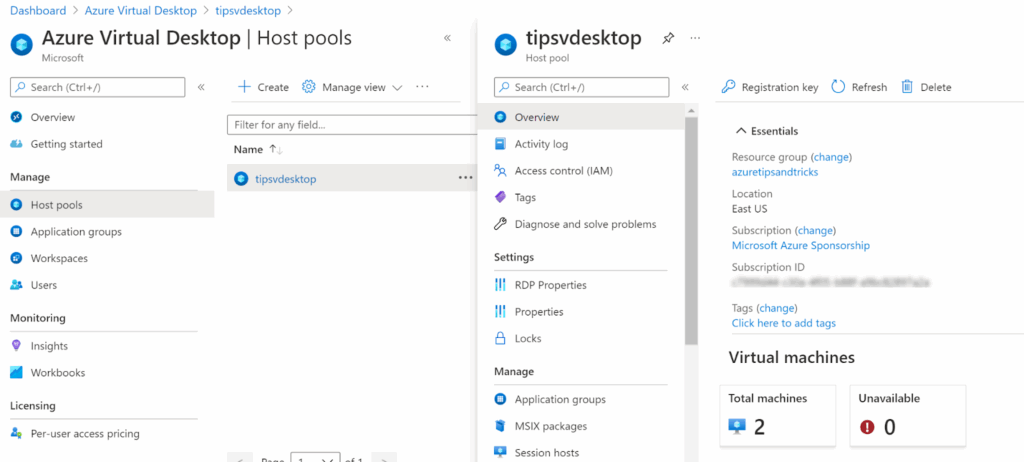
Azure Virtual Desktop is a cloud-based desktop and application virtualization service that runs on Microsoft Azure. It delivers virtualized Windows 11, Windows 10, and Windows Server desktops and applications to users on any device.
Microsoft manages the control plane, including the gateway, broker, and load balancer, while IT manages the desktop images and policies. The service supports multi-session Windows, individual app publishing through RemoteApp, and consumption-based pricing.
Key features include:
- Windows desktop and app virtualization: Delivers Windows 11, Windows 10, and Windows Server desktop and application experiences from Azure.
- Multi-session capabilities: Allows multiple users to share a single virtual machine to reduce the number of machines and operating system overhead.
- Managed control plane: Microsoft operates the gateway, broker, load balancer, and diagnostics, so IT manages only images and policies.
- Host pool management: Uses custom image templates to configure and manage deployments at scale.
- Flexible networking: Supports Azure Private Link and RDP Shortpath for connectivity and reliability.
- Pay-per-use model: Scales consumption on demand and bills compute capacity by the second with no upfront commitment.
Limitations (as reported by users on G2):
- Performance over RDP: Response times can lag a local device, especially when network latency is high.
- Update handling: Patching and updating non-persistent session hosts can be cumbersome and sometimes requires recreating hosts.
- Pricing and setup: Pricing can grow complex as usage increases, and initial setup around image and security configuration can be involved.
Source: Microsoft
8. Amazon WorkSpaces

Best for: Fully managed cloud desktops for varied worker types
Strengths: Persistent and non-persistent desktops with pay-per-use billing
Things to consider: Latency over weaker networks; fleet updates are manual
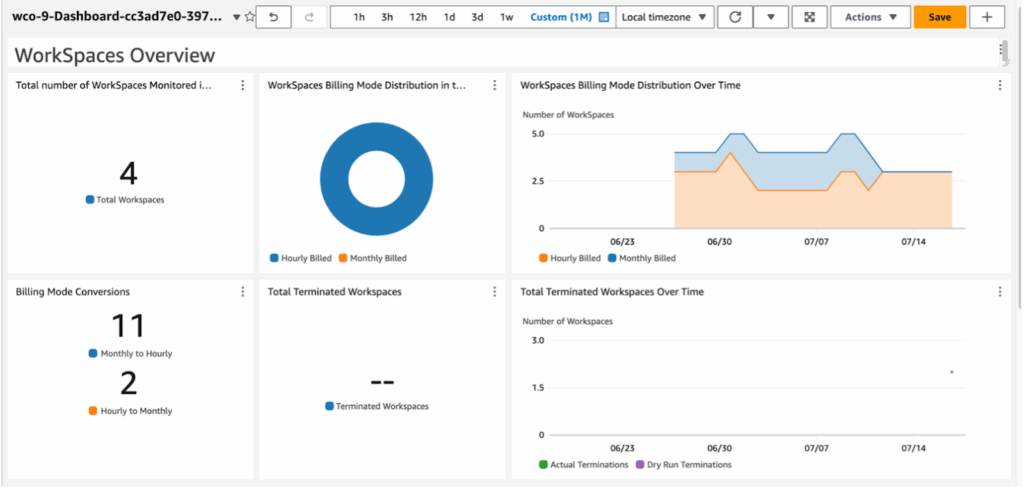
Amazon WorkSpaces is a fully managed virtual desktop infrastructure service from AWS that provisions cloud desktops for a range of worker types. It supports Windows and Linux desktops and offers both WorkSpaces Personal for persistent, user-specific desktops and WorkSpaces Pools for non-persistent, shared environments.
Desktops run inside a virtual private cloud, and data is not stored on the end-user device. Organizations pay monthly or hourly and manage the fleet centrally through the AWS Console.
Key features include:
- Managed cloud desktops: Provisions Windows and Linux virtual desktops without procuring hardware or installing complex software.
- Persistent and non-persistent options: Offers WorkSpaces Personal for dedicated desktops and WorkSpaces Pools for shared, non-persistent environments.
- Flexible configuration: Lets teams choose instance size, security and authentication options, API integrations, and scaling policies.
- Pay-per-use billing: Bills monthly or hourly for the WorkSpaces in use, with scaling based on demand.
- Data isolation: Runs desktops inside a virtual private cloud so that no user data is stored on the local device.
- Application streaming and secure browser: Streams applications to any device and includes a cloud-native secure enterprise browser.
Limitations (as reported by users on G2):
- Connection latency: Initial login can be slow, and lag can occur over low-bandwidth connections or during peak hours.
- Fleet updates: There is no simple way to push updates to all WorkSpaces at once, so admins recreate desktops from a golden image.
- Cost and performance tiers: Costs can add up for high-performance configurations, and lower tiers struggle with tasks such as video editing.
Source: Amazon
9. Parallels RAS

Best for: Simplified app and desktop delivery across hybrid clouds
Strengths: Single-console management and broad hypervisor support
Things to consider: Can strain at very high published-application counts
Parallels RAS is a virtual application and desktop delivery solution that publishes applications and desktops from on-premises, hybrid, and cloud infrastructure. It supports RDSH, VDI, and remote PC delivery and can run across major hypervisors and public clouds, including Azure Virtual Desktop and AWS.
The product is administered from a single console and uses concurrent-user licensing that includes its full feature set. Users can reach published resources from Windows, macOS, Linux, iOS, Android, and HTML5 browsers.
Key features include:
- Application and desktop publishing: Delivers RDSH, VDI, and remote PC resources, including single applications or full desktops, to any device.
- Broad hypervisor and cloud support: Works with VMware ESX, Hyper-V, Scale, and Nutanix, and through an API framework with platforms such as Proxmox, KVM, and Xen.
- Single-console management: Handles app and desktop management, images, reporting, gateway, load balancing, and authentication from one console.
- High availability and load balancing: Includes a Secure Gateway and a High Availability Load Balancer to distribute connections.
- Application delivery automation: Integrates MSIX App Attach and App-V to package and deploy apps to session hosts.
- Security controls: Provides SSL/TLS 1.3 with FIPS 140-2 support, built-in and third-party MFA, and integrated Let’s Encrypt certificate management.
Limitations (as reported by users on G2):
- Scale with many published apps: At very high published-application counts with granular publishing rules, the broker can become unreliable and deny connections.
- Occasional hangs: Some users report the application hanging and needing a restart.
- Learning without training: The interface and configuration can be less intuitive for administrators without some training.

Source: Parallels
10. Omnissa Horizon

Best for: Flexible VDI and application delivery across on-prem and cloud
Strengths: Multi-cloud deployment with centralized management
Things to consider: Administration is complex and the console feels fragmented
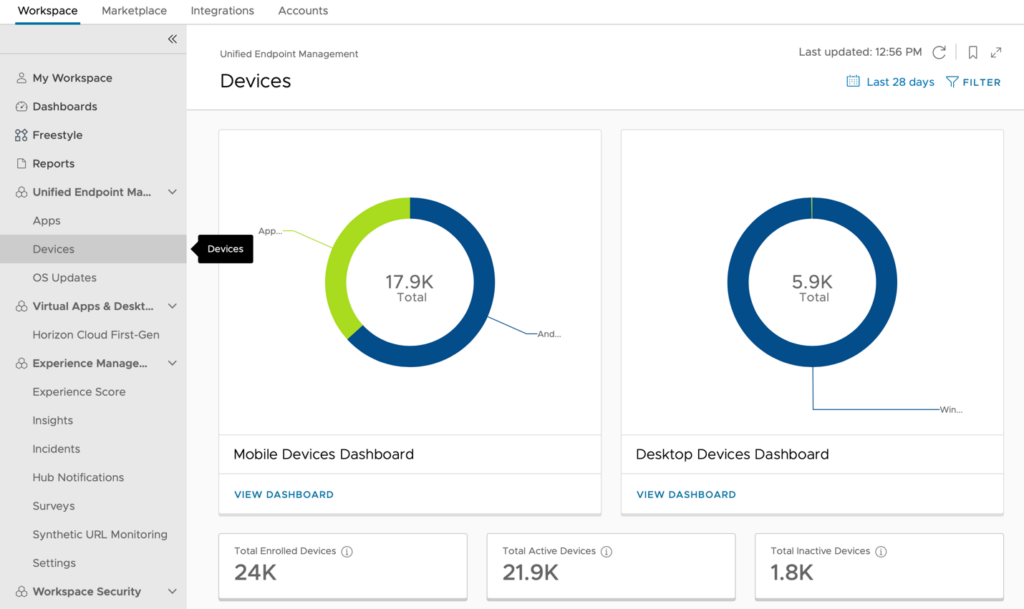
Omnissa Horizon 8, formerly VMware Horizon, is a virtual desktop infrastructure and application solution that delivers full desktops or individual applications to users on any device. It can run on-premises, in private clouds, or in public cloud environments.
The platform keeps data centralized off the endpoint while enforcing policy-driven controls, and administration is handled from a unified console with automation through REST APIs and infrastructure-as-code tools. It integrates with Omnissa’s broader workspace management tools.
Key features include:
- Virtual desktops and apps: Delivers full desktops or individual applications from on-premises, private cloud, or public cloud environments.
- Centralized management: Administers desktops, applications, and infrastructure from a unified console with consistent policy enforcement.
- Application management: Uses App Volumes to package and deliver applications on demand and reduce image sprawl.
- Automated operations: Automates deployment and management with REST APIs and infrastructure-as-code tools such as Terraform.
- High-performance experience: Optimizes high-definition graphics, voice, and video, including Microsoft Teams, Zoom, and Webex, over variable networks.
- Workspace management integration: Extends with Workspace ONE UEM, Dynamic Environment Manager, and digital employee experience insights.
Limitations (as reported by users on Gartner Peer Insights):
- Administrative complexity: Managing the platform involves significant overhead and a management interface that can feel fragmented across components.
- Expertise required: Component interdependencies can create troubleshooting challenges during upgrades and deeper customization.
- Documentation and support: Some users report documentation gaps and support concerns following the ownership change from VMware.
Source: Omnissa
Conclusion
VDI centralizes desktop delivery but remains burdened by high infrastructure costs, complex management, and poor user experience. Performance issues caused by latency and resource contention often outweigh the control and security benefits.
As workforces become more mobile and reliant on personal devices, VDI’s dependence on centralized servers and fixed configurations makes it increasingly impractical. Organizations looking for flexibility and stronger endpoint isolation are turning to alternatives like Venn, which provide secure, device-independent environments without the performance and usability limitations of traditional VDI.

Any worker. Any laptop. Any AI workflow. Fully secured.
Schedule a demo to see how Blue Border™ secures company data and apps without shipping laptops, running VDI, or managing personal endpoints.