
Citrix Enterprise Browser: Pros/Cons & Top 11 Alternatives 2026


See Venn first in Google Search
Add as a preferred source on Google
TL;DR: Citrix Enterprise Browser is a Chromium-based browser bundled with Citrix Workspace that opens internal and SaaS apps without a VPN, and Citrix is now migrating it to Chrome Enterprise Premium. Best for BYOD without VDI: Venn. Best purpose-built browser: Island. Best SASE-native option: Prisma Browser. Best for Microsoft 365 shops: Edge for Business
What Is Citrix Enterprise Browser (formerly Citrix Workspace Browser)?
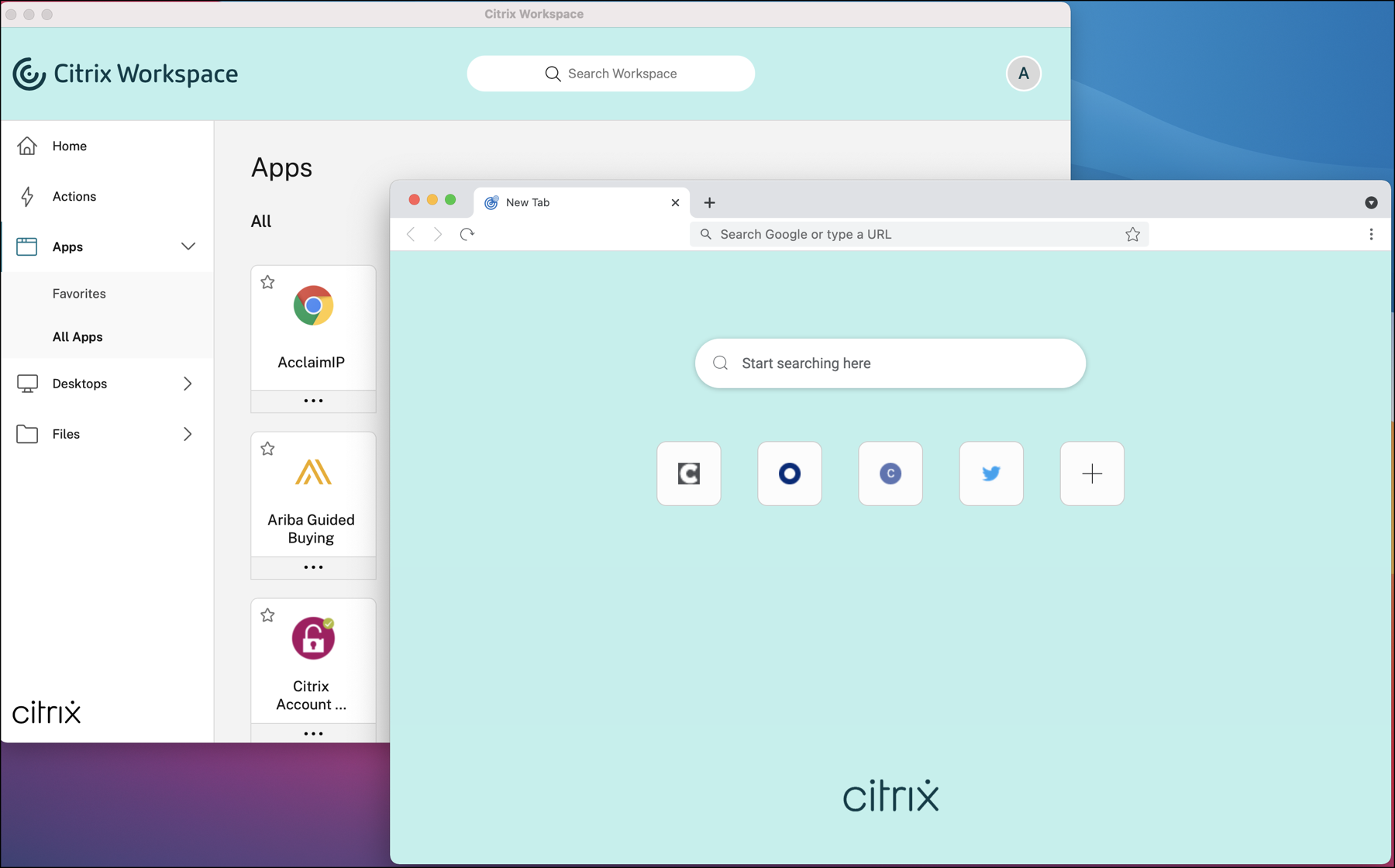
Citrix Enterprise Browser, formerly Citrix Workspace Browser, is a secure, Chromium-based local client browser designed for zero-trust enterprise access. It enables VPN-less, policy-driven connections to internal web and SaaS applications directly from the Citrix Workspace app for Windows and macOS.
When a supported app is opened in Citrix Workspace, the Enterprise Browser launches in a separate window. It can access internal web applications without requiring a VPN and can also open external SaaS apps when Secure Private Access policies are applied. Without these policies, external apps open in the user’s default native browser. Citrix has also added direct access to enterprise web applications from a client browser, so users no longer need to launch them from the Workspace store and can instead open links from email, collaboration tools or browser bookmarks.
The browser adds an additional security layer, helping protect both the endpoint and the organization’s network from unsafe user actions. However, it forces users to switch from a familiar browser environment to a dedicated secure browser, which can reduce user productivity and satisfaction.
Key capabilities at a glance:
- VPN-less access: Opens internal corporate web apps securely without requiring a full network VPN connection.
- Chromium foundation: Offers a standard, high-performance rendering experience familiar to users of Google Chrome.
- Data protection: Enforces contextual security controls such as anti-keylogging, screen-sharing protection, and restriction of downloads and printing.
- Integrated security: Works with Citrix Secure Private Access policies to isolate session activities and mitigate endpoint threats.
The enterprise browser market has also shifted underneath this product. Citrix has moved to deliver secure browsing through Google Chrome Enterprise Premium rather than through its own browser, and browser security has become a mainstream priority as both work and AI use concentrate in the browser. Organizations evaluating Citrix Enterprise Browser are therefore assessing the product and the platform transition behind it at the same time.
Editor’s note: Updated the article to cover the migration from Citrix Enterprise Browser to Chrome Enterprise Premium, rebuild the alternatives list with current products and categories, and add recent browser security adoption research as of 2026.
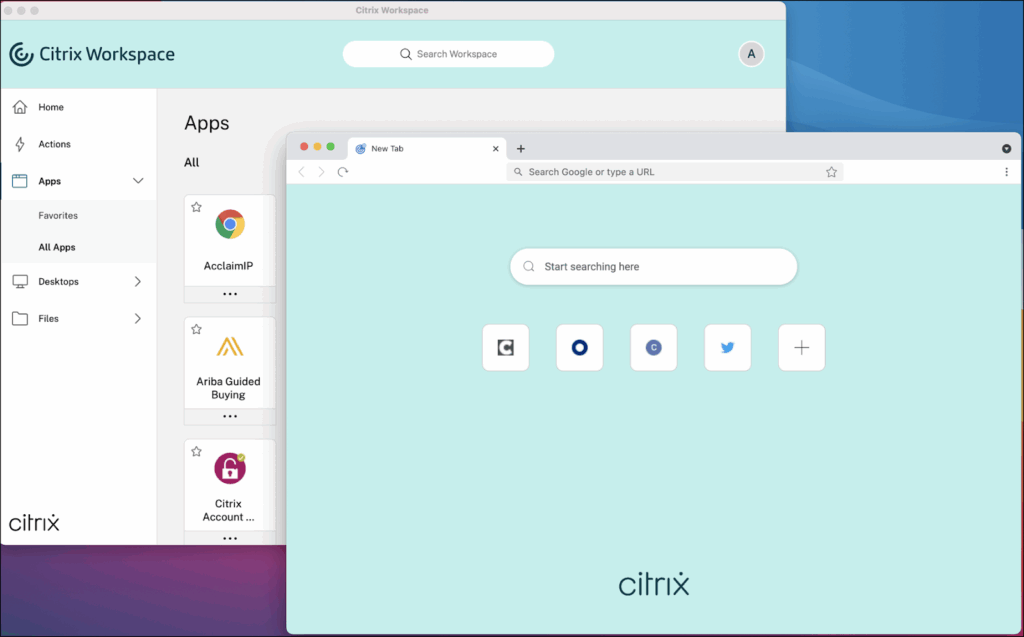
Source: Citrix
This is part of a series of articles about Citrix VDI
Citrix Enterprise Browser Alternatives at a Glance
The table below summarizes the key differences between the alternatives covered in this article. Each one is explored in more detail in the sections that follow.
| Category | Solution | Best For | Key Strengths | Things to Consider |
|---|---|---|---|---|
| Secure Workspace and Isolation Platforms | 1. Venn | Securing all browser-based and desktop apps. BYOD and contractor work on unmanaged Macs and PCs | Local secure enclave with DLP, no VDI or full device control | Performance varies on lower-specification endpoints |
| Secure Workspace and Isolation Platforms | 2. Kasm Workspaces | Containerized browser isolation on self-hosted infrastructure | Disposable containers, agentless access, flexible hosting | Self-hosting requires container and Linux expertise |
| Secure Workspace and Isolation Platforms | 3. Amazon WorkSpaces Secure Browser | Managed remote browser access to internal and SaaS web apps | Fully managed service, no client software, low entry price | Streaming performance depends on network conditions |
| Dedicated and Enterprise-Managed Browsers | 4. Island Enterprise Browser | Replacing the standard browser with controls built in | Last-mile DLP, conditional access, broad platform coverage | Strict controls can frustrate end users |
| Dedicated and Enterprise-Managed Browsers | 5. Prisma Browser | Organizations standardizing on Palo Alto Networks SASE | SASE-native controls, 1,000+ data classifiers, AI governance | Setup and policy tuning need Palo Alto expertise |
| Dedicated and Enterprise-Managed Browsers | 6. SURF Zero Trust Browser | Shadow AI discovery and DLP enforced on the endpoint | On-device policy engine, no proxy, browser or extension | Scope centers on web and SaaS access |
| Dedicated and Enterprise-Managed Browsers | 7. Google Chrome Enterprise | Organizations already standardized on Chrome | Cloud management, DLP, context-aware access, free core tier | Advanced protections require the paid Premium tier |
| Dedicated and Enterprise-Managed Browsers | 8. Microsoft Edge for Business | Microsoft 365 customers wanting no extra browser licence | Inbox on Windows, Intune management, Purview integration | Value depends on existing Microsoft 365 investment |
| Browser Security Extensions and Platforms | 9. Check Point Browser Security | Adding threat prevention without replacing the browser | Extension deployment, CDR sanitization, GenAI data controls | Extension scope rather than a full browser |
| Browser Security Extensions and Platforms | 10. Seraphic Security | Securing existing browsers without forcing a switch | Single agent across any browser, device and AI browser | Coverage centers on the browser layer |
| Browser Security Extensions and Platforms | 11. LayerX | AI usage governance across browsers, SaaS apps and IDEs | Agentless extension, interaction-level control, fast rollout | Policy configuration needs upfront planning |
In this article:
Key Features of Citrix Enterprise Browser
Citrix Enterprise Browser provides the following features when used in tandem with the Citrix Workspace app:
- VPN-less access to internal apps: Enables direct access to internal web applications without connecting to a VPN, reducing latency and simplifying remote access.
- Tabs and multiple windows: Supports multiple tabs and separate windows for different applications. New Workspace-launched apps open in their own tabs, with options to group or pin tabs. Tabs can be moved to a separate window by dragging them out of the current window.
- Progressive web app (PWA) support: Allows installation and use of PWAs for faster load times and near-native desktop app behavior. Installed PWAs require Workspace app authentication before use.
- Editable Omnibox: Lets users enter URLs or perform searches directly from the address bar. Google is the default search engine.
- Bookmarks: Enables saving frequently visited sites for quick access. Bookmarks can be imported from other browsers as HTML files, but cannot be exported.
- Microphone and webcam support: Compatible with popular conferencing platforms, including Microsoft Teams, Google Meet, Zoom, GoToMeeting, and Cisco Webex.
- Proxy authentication: Provides one-time authentication for proxy servers using credentials stored in Windows Credential Manager. On unsupported configurations or macOS, credentials are requested and cached in memory until the browser is closed.
- Analytics integration: When Citrix Analytics Service is enabled, administrators can capture usage data and security insights. Certain event reporting is limited on macOS when the Workspace app is closed directly.
- Chromium foundation: Built on a Chromium foundation, giving the standard, high-performance rendering experience familiar to users of Google Chrome, which reduces the adjustment required when users move to the Enterprise Browser.
- Data protection controls: Enforces contextual security controls including anti-keylogging, screen-sharing protection, watermarking, and restriction of downloads, printing and clipboard access, all configured through Secure Private Access.
- Integrated security with Secure Private Access: Works with Citrix Secure Private Access policies to isolate session activities and mitigate endpoint threats, and routes risky hyperlinks to the Remote Browser Isolation service, where browsing is isolated from the endpoint, the corporate network and the SaaS app.
Related content: Read our guide to Citrix VPN
Key Limitations of Citrix Enterprise Browser
While Citrix Enterprise Browser provides secure, policy-driven access to internal and SaaS applications, it comes with certain challenges that can impact deployment, integration, and day-to-day use. These limitations were reported by users via Gartner Peer Insights:
- Performance and connectivity issues: Under heavy internet traffic or unstable network conditions, users may experience slow performance or session timeouts. In some cases, a full page refresh or reconnect is required, disrupting workflows.
- Learning curve for users and IT teams: Adopting the browser requires training and adjustment. Users unfamiliar with Citrix or accustomed to personal browsers may resist switching, especially if benefits are not immediately clear.
- User experience drawbacks: Some users find the security and management controls overly restrictive compared to consumer browsers, and interface elements like the landing page may not meet personal preferences.
- Complex deployment and administration: Integrating the browser into an enterprise environment can be time-consuming, requiring significant IT expertise and often multiple dedicated staff to manage configuration, updates, and troubleshooting.
- Limited integration flexibility: The browser is optimized for the Citrix ecosystem, which can limit compatibility with third-party tools or workflows outside this environment. Organizations heavily invested in other platforms may find it less adaptable.
- Dependency on Citrix infrastructure: Functionality and performance are tightly coupled with Citrix services, reducing flexibility for organizations that operate in mixed or non-Citrix environments.
- Configuration complexity: Fine-tuning advanced settings and adapting the browser for specific environments can be cumbersome, particularly for teams without deep Citrix expertise.
- Change management challenges: Switching from a familiar personal browser to Citrix Enterprise Browser can create resistance, especially if the perceived advantages are minimal from an end-user perspective.
- Platform transition risk: Citrix is migrating Secure Private Access customers from the Enterprise Browser to Chrome Enterprise Premium. Several configuration elements, including single sign-on, access restrictions, security groups and web filtering, are not carried across, and once the organization-wide rollout completes, reverting to the Enterprise Browser is not possible.
Related content: Read our guide to Citrix pricing
Citrix Enterprise Browser Migration to Chrome Enterprise Premium
Citrix is transitioning Secure Private Access customers from Citrix Enterprise Browser to Google Chrome Enterprise Premium. Citrix frames the change as an evolution of Secure Private Access towards zero trust network access for all applications, and delivers it as a phased migration so that both browser solutions can run in parallel during the transition.
A migration wizard in the Secure Private Access console handles Chrome Enterprise Premium provisioning, extension installation for users, and gradual migration of applications and user groups. Once the rollout to the organization completes, Chrome Enterprise Premium becomes the default enterprise browser and reverting to Citrix Enterprise Browser is not possible.
Several configuration elements are not carried across, and administrators need to resolve them before migrating applications:
- Single sign-on: Applications must be set not to use SSO, because the SSO step is removed. Applications left with any other SSO configuration become inaccessible after migration.
- Access policy actions: Allow access with restrictions is not supported, and access policies that mix allow and deny actions across HTTP or HTTPS and TCP or UDP applications have to be standardized on a single action.
- Security groups and web filtering: Neither is supported in the integration. Existing security group entries, along with unsanctioned website and Remote Browser Isolation entries, are removed.
- Policy conditions: Store URL conditions and desktop or mobile platform conditions are not supported in either access policies or session policies.
Citrix provides a configuration parser script that analyzes an exported Secure Private Access configuration and flags incompatible applications and policies before migration begins. Citrix recommends piloting with a small user group, documenting all changes and establishing a rollback plan before a full rollout.
After migration, the controls move into a Citrix Secure Access browser extension for Chrome Enterprise Premium. The extension provides clientless access to internal and external applications from Chrome, including SSH and RDP sessions within the browser, together with anti-keylogging, clipboard container, session recording and session reauthentication controls.
Considering Citrix? Discover the Top Modern Alternatives
Discover the top Citrix alternatives for enabling seamless and secure remote work on unmanaged laptops. No latency, no complexity.
Notable Citrix Enterprise Browser Alternatives
How we selected these tools: We shortlisted enterprise browsers and secure workspace platforms based on zero trust access to internal and SaaS applications, data loss prevention and last-mile controls, support for unmanaged and BYOD endpoints, web threat prevention, generative AI governance, and central policy management.
In light of the above limitations, many organizations are seeking alternatives to the Citrix Enterprise Browser. Here are some popular options.
Browser security has also become a mainstream budget line rather than a niche control. Industry research indicates that it now ranks among the top five priorities for the large majority of organizations, and that most expect to run browser security alongside their existing tools rather than as a replacement. Around half also cite the ability to keep using existing browsers as an important attribute, which is reflected in the categories below.
1. Venn

Best for: Securing all browser-based and desktop applications. BYOD and contractor work on unmanaged Macs and PCs
Strengths: Local secure enclave with DLP, no VDI or full device control
Things to consider: Performance varies on lower-specification endpoints
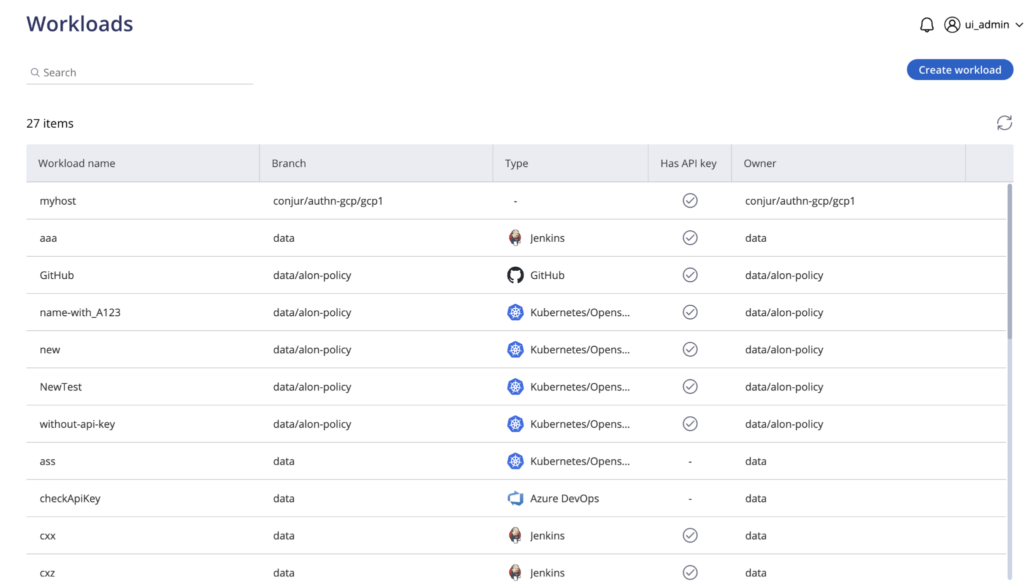
Blue Border is Venn’s technology for isolating and protecting company data and applications locally on any PC or Mac. Installing it on a device creates a company-controlled secure enclave. All business activity inside the enclave, including company data, applications, networking and AI workflows, is protected and isolated from any other use on the same computer.
Work applications run locally rather than being streamed, and are marked visually by a blue line wrapped around those application windows. Outside Blue Border, user privacy is preserved and IT has no visibility or control over personal activity on the same device. Blue Border requires no backend infrastructure, so onboarding and offboarding take minutes.
Key features include:
- Secure enclave on the local device: Installing Blue Border creates a company-controlled enclave on an unmanaged Mac or PC. The enclave acts like a firewall around work applications, enforcing data loss prevention and controlling what data can move in and out of the protected area.
- Local application execution: Work applications run natively on the device rather than being streamed from a server, so there is no virtualization layer. Blue Border protects any installed work-sanctioned application, including Chrome, Adobe, Slack, Microsoft Office, Zoom, Teams, VOIP tools, CAD and design tools, SAP and custom business applications.
- AI governance at the application and data layer: Blue Border controls which AI tools can be used, which specific tenants can be accessed, and what data can be copied, pasted, uploaded or entered into an AI tool. Policy is set once and applies across every worker’s device, whether managed or unmanaged, while personal AI use outside the enclave stays private.
- Work and personal separation with user privacy: Anything outside Blue Border cannot be seen, tracked or monitored by the company or by Venn. Users toggle between application use inside the enclave and personal use on the same machine, which removes the incentive for the workarounds that fully managed devices tend to produce.
- Centralized administration without backend infrastructure: There is no server-side infrastructure to buy or maintain. Central administration provides visibility and control over the BYOD workforce, including real-time insight into where, when and from what device a user accessed an application or sensitive data.
- Compliance controls: Venn was built to comply with SOC 2 Type II, HIPAA, SEC, FINRA, NAIC, NYS DFS, Mass 201 CMR 17.00, CMMC and PCI. Corporate policies are actively enforced inside the enclave, and application data is held on an encrypted local profile drive that is only accessible from within the enclave.
Limitations (as reported by users on G2):
- Customization scope: Some reviewers note that configuration options are more limited than they would like, while adding that the product still meets their organizational requirements.
- Performance on lower-specification endpoints: A few users report that the enclave can feel slow on some machines, particularly where local hardware sits closer to the minimum requirement.
- Support scheduling: Reviewers mention that support is reached through a general queue rather than by booking time with a named engineer, which some would prefer when following up on an open ticket.
Source: Venn

2. Kasm Workspaces
Best for: Containerized browser isolation on self-hosted infrastructure
Strengths: Disposable containers, agentless access, flexible hosting
Things to consider: Self-hosting requires container and Linux expertise
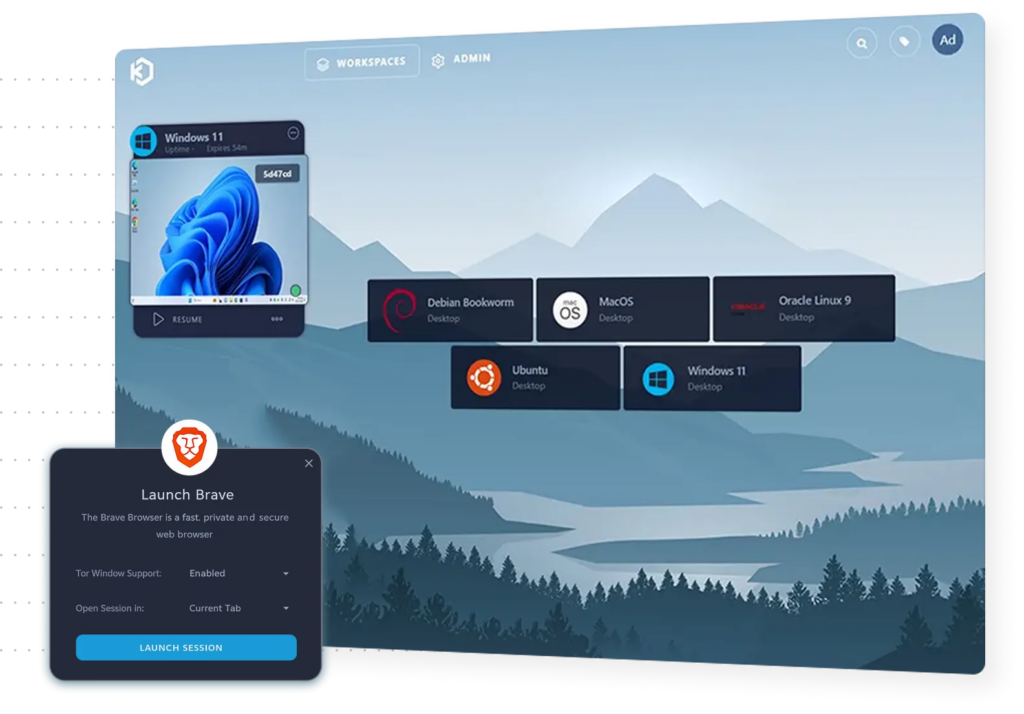
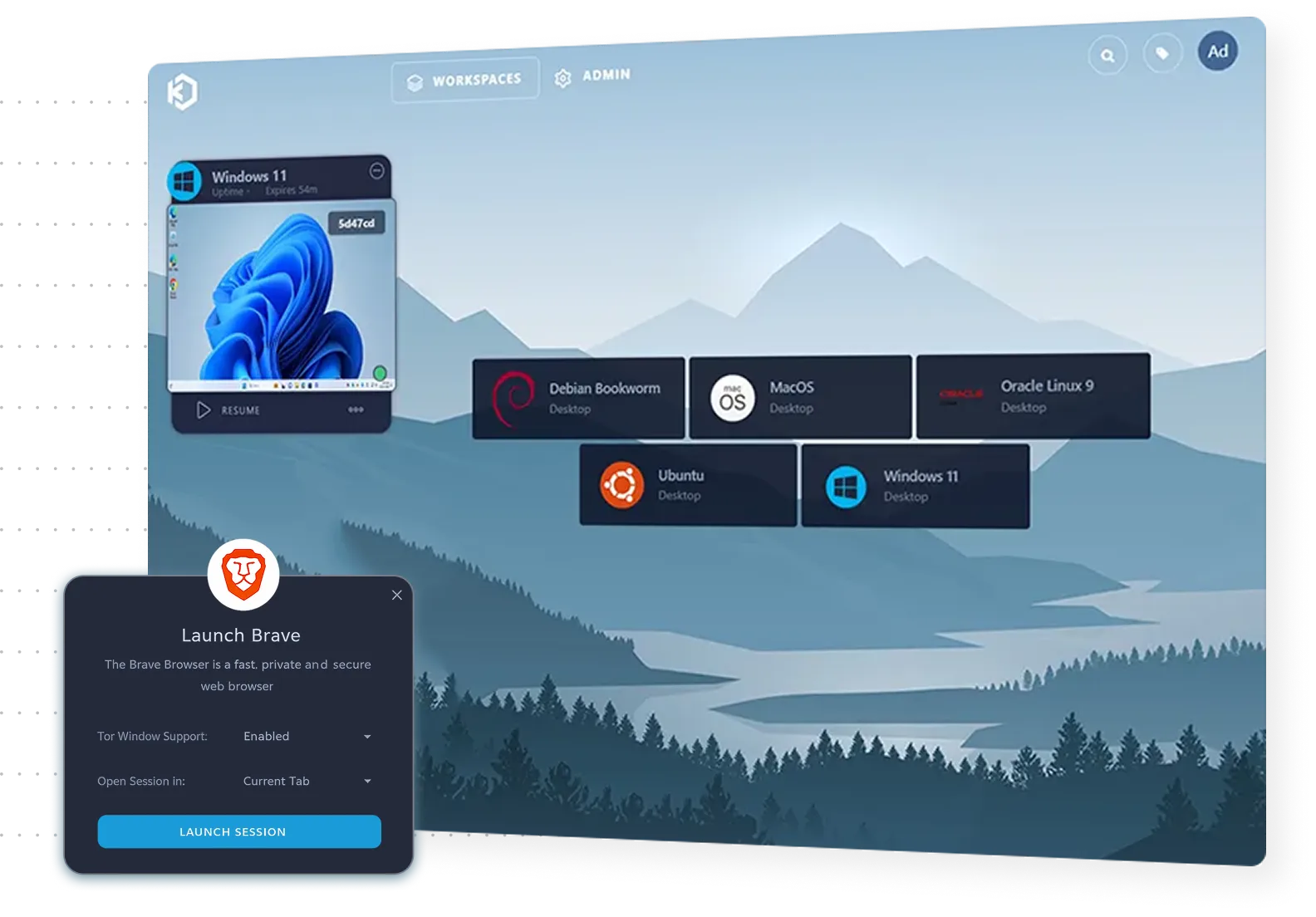
Kasm Workspaces delivers browser isolation through a containerized streaming platform. Web activity executes in a fully isolated environment rather than on the user’s device, and users interact with a streamed image of the web instead of the web itself. Only visual output reaches the endpoint, with no active code.
Each browsing session runs in a disposable container that is separated from the local device and network, and the container is destroyed when the session ends so that no data remains. Access works from any modern browser, with no installations, plugins or managed endpoints required.
Key features include:
- Disposable containerized sessions: A user clicks a link or launches a browser session, a containerized browser is provisioned dynamically, and all web activity happens inside that isolated environment. At the end of the session the container is destroyed, leaving no residual data.
- Agentless endpoint access: Users connect from any modern browser without installing extensions, software or local setup, which means unmanaged and third-party endpoints can be given web access without being enrolled or configured first.
- Granular data controls: Administrators enforce upload and download policies, clipboard restrictions and session timeouts. These controls support data-handling requirements in regulated settings such as legal, financial and defense work.
- Flexible hosting: The platform orchestrates browsers on existing hypervisors and hyperconverged infrastructure, and can be deployed on-premises, in private cloud, in air-gapped networks or as a managed service, which keeps session data inside the organization’s own boundary.
- Configurable browsing environments: Administrators choose browser types, configure policies, and deploy browser isolation on its own or as part of a broader secure access system. Regional deployment options deliver lower-latency sessions for globally distributed teams.
- Integration with existing defenses: Browser isolation integrates with single sign-on, email security platforms and web gateways, so high-risk links and attachments can be redirected into isolated sessions from tools the organization already runs.
Limitations (as reported by users on G2):
- Resource configuration effort: Reviewers describe configuration work needed to ensure each workspace has adequate resources, particularly on standalone server deployments.
- Upgrade reliability: One reviewer reports that an automated upgrade script failed and the server had to be restored after the reboot produced a misleading offline error.
- Container expertise required: Users note that self-hosting effectively depends on Docker and Linux knowledge, which raises the operational bar for smaller teams.
- Streaming and clipboard behavior: Some reviewers mention that streaming quality degrades in certain quality modes, and that clipboard handling is awkward compared with direct copy and paste.
- Tier limits: Reviewers on lower pricing tiers report that the included session hours can feel restrictive.
Source: Kasm
3. Amazon WorkSpaces Secure Browser

Best for: Managed remote browser access to internal and SaaS web apps
Strengths: Fully managed service, no client software, low entry price
Things to consider: Streaming performance depends on network conditions
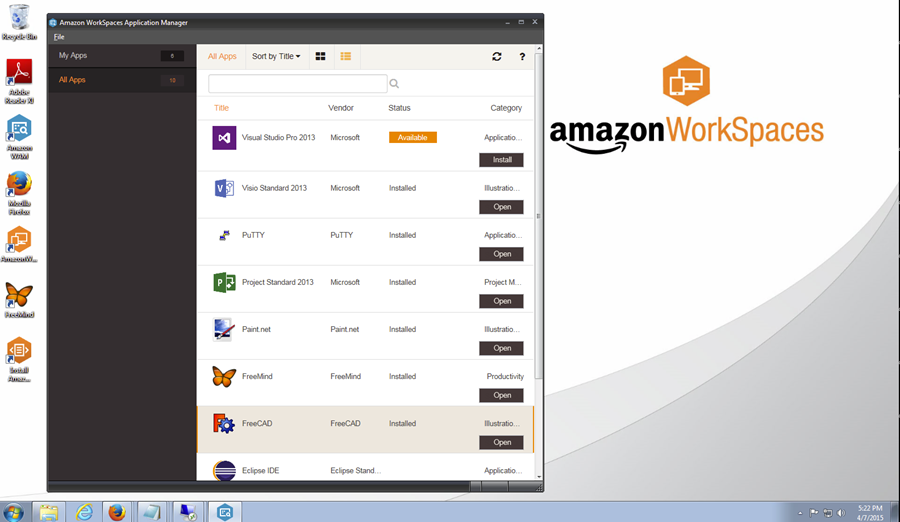
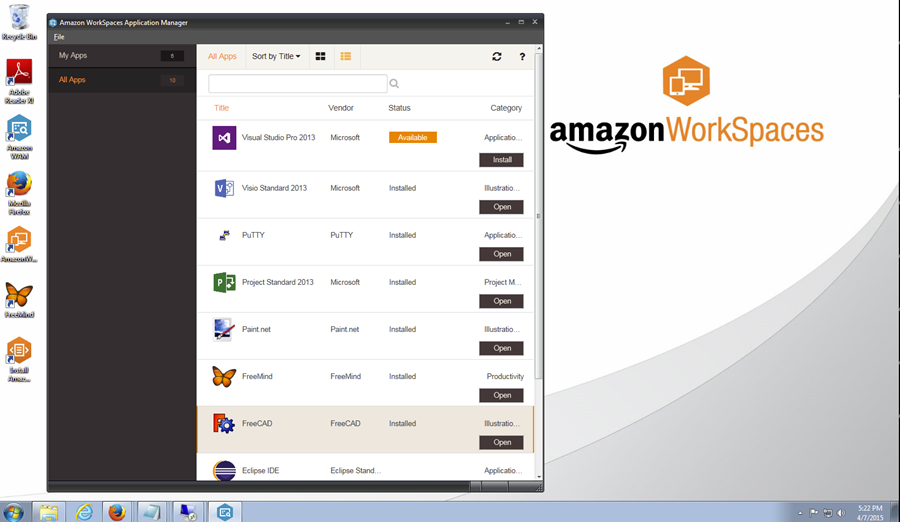
Amazon WorkSpaces secure browser is a fully managed remote enterprise browser service. It provides a protected environment for users to reach private websites, SaaS applications and the public internet, and it works in conjunction with the browser already running locally on the user’s device.
Encrypted pixels are streamed from a remote browser session running in the AWS cloud with full policy enforcement, so sensitive corporate data never touches the end user’s device. The service removes the need for IT to manage specialized client software, infrastructure or virtual private network connections.
Key features include:
- Remote session streaming: Browser sessions run in the AWS cloud and only encrypted pixels are streamed to the local device, which means web content is never rendered on the endpoint and the risk of unauthorized data exfiltration is reduced.
- Browser policy and device controls: Administrators control browser policies and define which trusted devices have network access, then monitor configuration changes along with session availability and performance.
- Granular access logging: The service records granular user access logs, giving administrators an audit trail of who reached which resources and when, which supports security review and compliance reporting.
- Works with the local browser: Because sessions are delivered through the web browser already installed on the user’s device, no specialized client software is needed, which suits bring-your-own-device programs and contractor access.
- Controlled analytics environments: Organizations can let employees and customers run analytics on large volumes of sensitive data in a tightly controlled environment, with identity management integrated and use of the clipboard, printer and file transfer blocked.
- Managed provisioning: Resources and automated workflows are created and centrally managed without provisioning physical infrastructure, and charges follow the resources used, so deployments can be sized to web-only access requirements.
Limitations (as reported by users on G2):
- Network latency: Reviewers identify latency as the main issue and advise against the service for heavy applications or for delivering video content such as training material.
- Cost at scale: Some users describe the service as expensive relative to alternatives, particularly once usage grows beyond light web application access.
- Performance with demanding applications: Reviewers report occasional performance problems when reaching resource-intensive applications through a streamed session.
- Customization limits: Users note that browser configuration is standardized, and that organizations wanting deeper configuration flexibility may need a different approach.
Source: Amazon
Dedicated and Enterprise-Managed Browsers
4. Google Chrome Enterprise

Best for: Organizations already standardized on Chrome
Strengths: Cloud management, DLP, context-aware access, free core tier
Things to consider: Advanced protections require the paid Premium tier
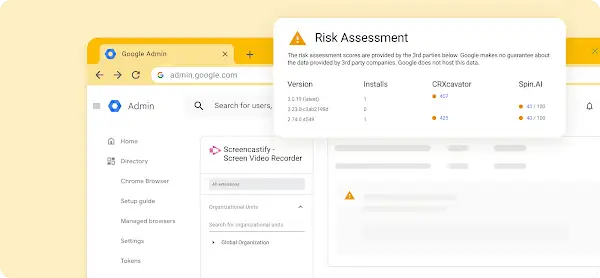
Chrome Enterprise is Google’s enterprise offering for the Chrome browser, split into Chrome Enterprise Core at no cost and Chrome Enterprise Premium at six dollars per user monthly. Core provides cloud-based management, browser reporting, extension controls and generative AI policies.
Premium adds the security layer: data loss prevention, context-aware access for SaaS, Google Cloud and private web applications, real-time safe browsing, malware deep scanning, URL filtering and an evidence locker for storing files and incidents during investigation. Citrix Secure Private Access now integrates with Chrome Enterprise Premium.
Key features include:
- Cloud-based browser management: Administrators manage browser policies and settings from the cloud across operating systems, get reporting on applications, extensions and versions, and connect Chrome Enterprise to security and reporting tools already in place.
- Data loss prevention: Premium prevents accidental and intentional exfiltration of company-sensitive data through granular policies, including controls for unsanctioned AI tools, across desktop and mobile devices.
- Context-aware access: Access to SaaS applications, Google Cloud and private web applications is restricted based on user, location and device security status, which mitigates exfiltration risk for users outside the corporate network.
- Page-level and URL controls: Page-specific controls apply based on website category, and URL filtering restricts access to categories of sites, giving administrators policy granularity below the level of the whole application.
- Security insights and response: Premium provides visibility into risky users, sensitive data transfers, shadow AI activity and other security events, and unlike the reporting-only Core tier it allows administrators to act on those events.
- Extension and password governance: Administrators manage extension requests and permissions, create a branded version of the Chrome Web Store to feature or limit specific extensions, and prevent reuse of corporate passwords.
Limitations (as reported by users on G2):
- Restrictive policy effects: Reviewers report that enterprise security policies can be overly restrictive, blocking extensions, developer settings or websites in ways that slow testing and troubleshooting.
- Initial policy configuration: Users describe setup and policy configuration as complex for new administrators, and note that some settings and policies are hard to interpret.
- Legacy application compatibility: Reviewers note compatibility problems with legacy and desktop applications, together with limited offline functionality given the reliance on connectivity.
- Extension and update stability: Some users report that updates introduce bugs, that older applications or extensions stop working, and that plugins crash.
- Performance with heavy tab use: Reviewers mention lag or site crashes when handling a high volume of tabs, and password synchronization occasionally overwriting saved credentials.
Source: Google
5. Island Browser

Best for: Replacing the standard browser with controls built in
Strengths: Last-mile DLP, conditional access, broad platform coverage
Things to consider: Strict controls can frustrate end users
Island is a Chromium-based enterprise browser that embeds access controls, security and productivity features into the browser itself rather than relying on add-ons or external gateways. Organizations manage application access, protect data and automate workflows while users keep a familiar browsing experience.
Island runs as a full browser on Windows, macOS, Linux and Chromebook, as a mobile application on iOS, iPadOS and Android, and as an extension for Chrome, Edge, Safari, Firefox and other Chromium browsers, including ChatGPT Atlas and Perplexity Comet. A desktop component extends Island policies to native applications.
Key features include:
- Conditional application access: Access controls assess identity, device, network, location and application entirely within the browser. Controls are applied universally, so users reach data and resources from any device without a separate access agent.
- Last-mile data protection: Context-based policies let data move freely between enterprise applications while preventing leakage. Controls govern print, downloads, screenshots and copy or paste, and extend to actions taken outside the browser.
- Device posture management: Island assesses device posture against policy requirements, and management extends to applications outside the browser with policy controls for tools such as Zoom, Slack, Teams and WhatsApp.
- Zero trust network access: Island delivers policy-driven connectivity to private applications and protects against network and endpoint attacks, which removes the need to deploy separate access agents alongside the browser.
- Web threat defense: The browser defends against malware, phishing, session hijacking, man-in-the-browser attacks and other browser exploits without relying on third-party extensions.
- Privileged access controls: Protections can be raised for critical applications such as admin consoles and backend system access, enforcing security posture and user authentication while capturing full session detail including the user, device details and specific actions.
- Activity analytics with privacy separation: Work activity is recorded in high fidelity while personal browsing stays private, a privacy indicator tells users when they are monitored, and analytics can be shared with a SIEM for enterprise-wide visibility.
Limitations (as reported by users on G2):
- Remote desktop client gaps: A reviewer notes that the built-in RDP client lacks capabilities available in the Microsoft desktop RDP client.
- Browsing speed and customization: Some users report occasionally slow browsing alongside limited customization options in the browser interface.
- Strict controls affect end users: Reviewers describe end-user frustration with strict security controls, while acknowledging that this reflects policy configuration more than the product itself.
- Component dependency: One reviewer notes that the Island desktop component depends on the Island browser being installed alongside it.


6. Prisma Browser

Best for: Organizations standardizing on Palo Alto Networks SASE
Strengths: SASE-native controls, 1,000+ data classifiers, AI governance
Things to consider: Setup and policy tuning need Palo Alto expertise
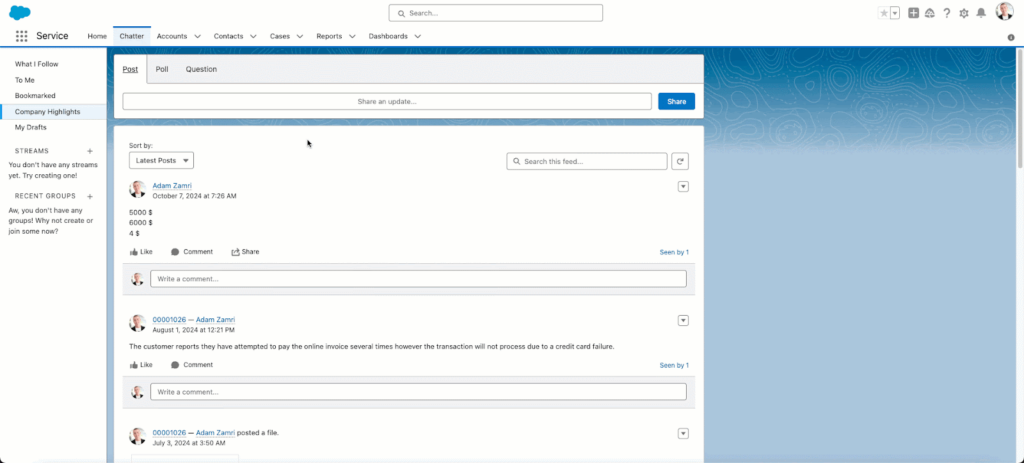
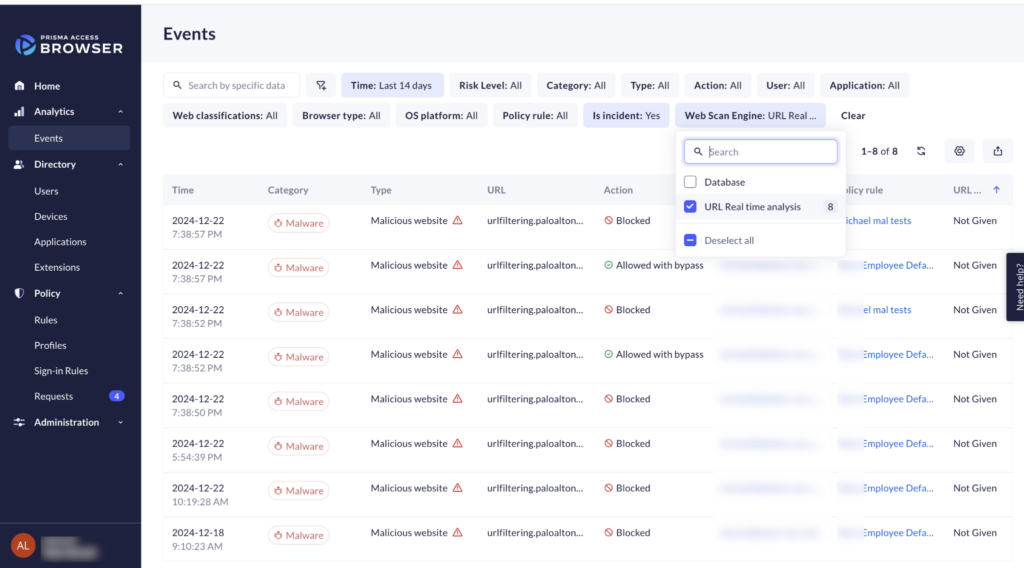
Prisma Browser, formerly Prisma Access Browser, is the enterprise browser from Palo Alto Networks. It places security controls directly in the browser, covering secure access, advanced threat prevention, AI governance and sensitive data protection across any device and alongside existing security investments.
It is available as a browser, an extension and a mobile application, and it isolates enterprise applications from untrusted endpoints so that work can proceed on both managed and unmanaged devices. Palo Alto Networks positions it as a browser built for the agentic AI era, with governance for automated browser tasks.
Key features include:
- In-browser threat prevention: Real-time scanning of all webpage components identifies evasive threats, and sandboxing neutralizes web-borne threats and malicious file downloads before they reach the operating system.
- Extension risk management: The browser discovers all extensions in use, monitors them continuously for threats, and blocks extensions that are risky or hold excessive permissions.
- Last-mile data controls: Dynamic zero trust policies apply based on user risk score, location and content sensitivity, and directional context blocks transfers between sanctioned corporate applications and personal accounts.
- Data classification at scale: More than 1,000 built-in data classifiers apply to content moving through the browser, including data entered into generative AI applications, with visibility into GenAI and agentic workflows.
- Graduated user guardrails: Rather than blocking outright, the browser applies step-up authentication and just-in-time approvals for higher-risk activities such as printing or exporting data.
- Session forensics: The browser collects insights and audit trails across web actions, supporting incident investigation, insider risk review and session replay for security operations teams.
- Access to non-SSO and pinned applications: A single workspace reaches web, SaaS and private applications, including those using SSL certificate pinning, and policy is enforced on applications that sit outside single sign-on.
Limitations (as reported by users on G2):
- Performance under load: A reviewer states that browser performance under heavy load could be improved.
- Enterprise-only availability: Reviewers note that the browser is strictly enterprise-managed, so its controls are not available outside an organizational deployment.
- Initial setup complexity: Users report that setup takes time for organizations without prior experience of the Palo Alto Networks ecosystem, with policy tuning and access rules requiring skilled administrators.
- Restrictive defaults: Reviewers describe default controls as highly restrictive, with blocks on actions such as copy and paste or downloads affecting normal workflows until policies are customized.
- Troubleshooting difficulty: Some reviewers mention pages that fail to load, and note that diagnosing the cause is not straightforward.
Source: Palo Alto Networks
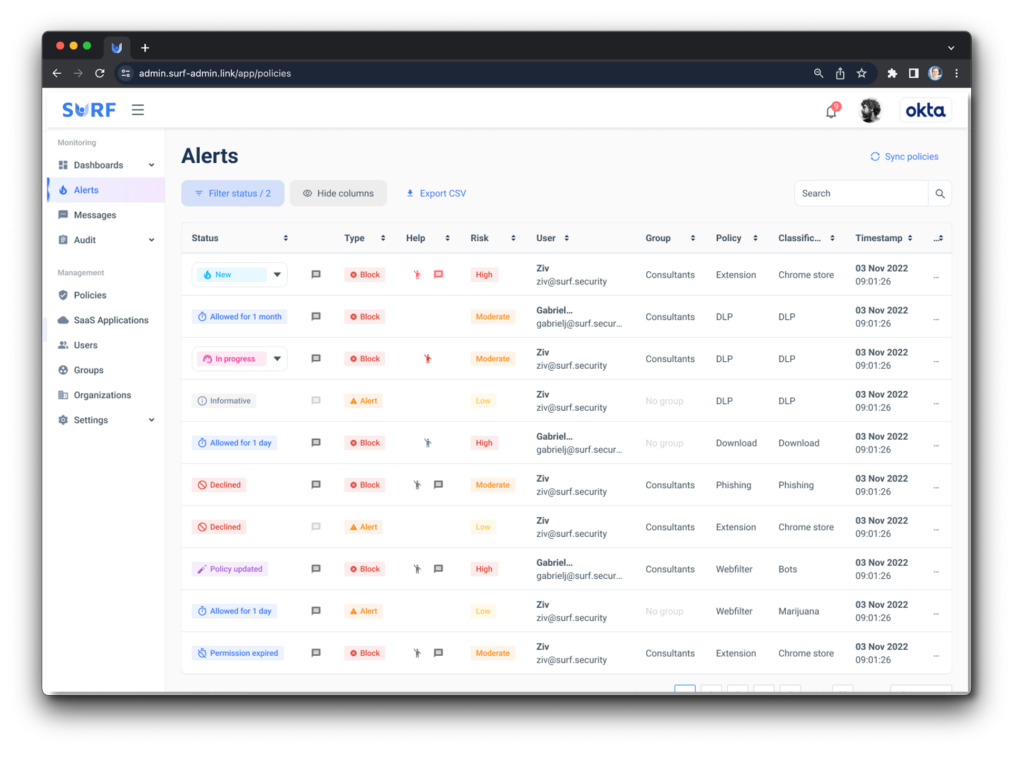
7. SURF Zero Trust Browser

Best for: Shadow AI discovery and DLP enforced on the endpoint
Strengths: On-device policy engine, no proxy, browser or extension
Things to consider: Scope centers on web and SaaS access
SURF is a Chromium-based zero trust enterprise browser with an accompanying extension. It covers generative AI security, web threats and remote access from one place, with zero trust controls that run inside the browser on the endpoint rather than through a proxy or cloud infrastructure.
Organizations can deploy the full browser on Windows, macOS, Linux and ChromeOS, or the extension on Chrome, Edge and other Chromium browsers so that users do not have to switch. Mobile is supported on iOS, iPadOS and Android. Policy is pushed through existing MDM and integrates with the organization’s identity provider and SIEM.
Key features include:
- On-device policy enforcement: The policy engine runs inside the browser on the device, discovering and classifying activity, applying allow, mask or block decisions, and logging every decision without backhauling traffic to a proxy.
- Shadow AI discovery and control: SURF identifies the generative AI tools in use across managed and unmanaged devices, masks personally identifiable information and secrets in prompts, and blocks risky uploads in real time before data leaves the page.
- AI extension governance: The browser governs AI-powered browser extensions and the permission scope they hold, which addresses a channel that traditional endpoint and network tools have limited visibility into.
- Agentic AI runtime: A sandboxed runtime runs autonomous agents through a capture, analyze, plan, execute and review loop, with an air gap between planning and live access, runtime sandboxing against prompt injection and rogue actions, and video, logs and transcripts for auditability.
- Scoped remote access: Access is scoped to identity and enforced in the browser, giving third-party contractors access to specific applications only, protecting data on BYOD endpoints without managing the device, and supporting access for acquired teams before systems are merged.
- Compliance evidence: Every AI interaction is logged in high fidelity while personal browsing stays private, and controls map to GDPR, ISO 27001, SOC 2 and DORA so that enforcement data can be presented as audit evidence.
Limitations (based on publicly available sources):
- Adjustment period: Reviewers on Gartner Peer Insights note that the browser required some adjustment initially, while reporting that the transition was otherwise smooth.
- Scope limited to web and SaaS: Independent analysis notes that non-web workloads and specialized remote protocols may still need complementary tooling, since the product’s strengths are in web and SaaS access rather than full endpoint replacement.
- Smaller market footprint: Independent analysis observes that SURF is referenced less widely than several competing enterprise browsers and is not tightly coupled to a broader SASE platform, so buyers should validate roadmap, support and integration patterns.
- Thin review coverage: Public review volume is small compared with larger vendors, which makes it harder to assess how consistent the experience is across different deployment sizes.
Source: SURF
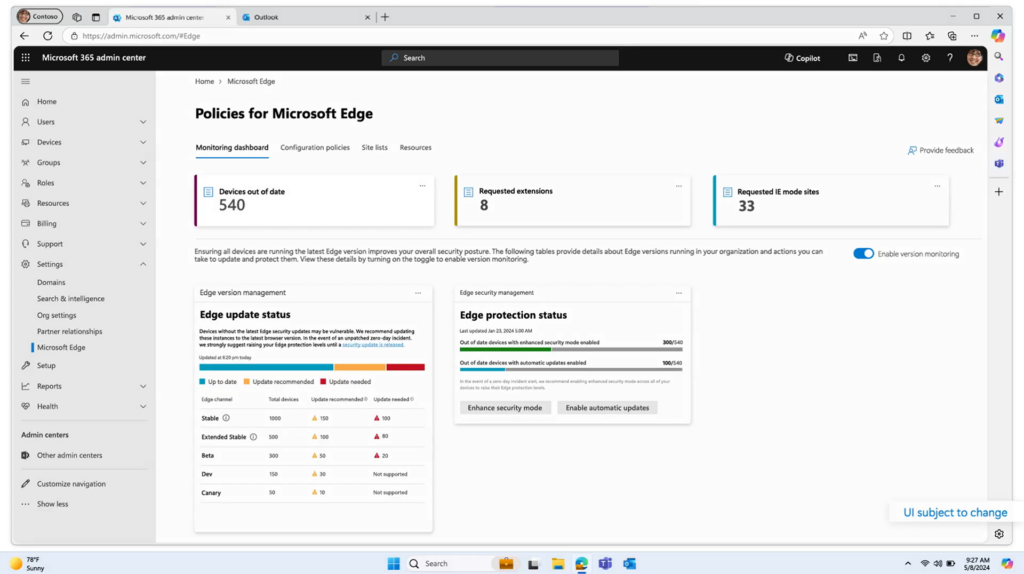
8. Microsoft Edge for Business

Best for: Microsoft 365 customers wanting no extra browser licence
Strengths: Inbox on Windows, Intune management, Purview integration
Things to consider: Value depends on existing Microsoft 365 investment
Microsoft Edge for Business is a dedicated work browsing experience that separates work and personal activity into different windows. It is activated with a Microsoft Entra ID login, comes at no extra cost with Microsoft 365 plans, and is inbox on Windows, so no deployment step is required.
It supports managed devices, personal BYOD devices, agency-managed devices used by contractors and temporary workers, and shared mobile devices with restricted access for frontline staff. Microsoft positions it as a secure enterprise AI browser, with agentic browsing capabilities that IT administers.
Key features include:
- Work and personal separation: Distinct work and personal windows maintain separate caches, storage and favorites, and work URLs switch automatically into the work window so that corporate sessions stay inside enterprise boundaries.
- Entra ID activation: The work experience is enabled by a Microsoft Entra ID login, which means enterprise controls and policy enforcement follow the identity rather than requiring separate browser provisioning.
- Native Microsoft security integration: Microsoft Defender, Purview and other Microsoft security products work with the browser natively, and prompt-level data protections in Purview are generally available for AI interactions.
- Intune-based management: Administrators manage the browser through Intune application configuration and protection policies, conditional access and the Edge management service, using tooling already applied to endpoints.
- Mobile application management: Intune configuration and protection policies extend to Edge for iOS and Android, enabling access to work resources on personal mobile devices, with Windows MAM covering personal Windows devices.
- Governed agentic browsing: Agent Mode automates multi-step workflows in the browser with a system of controls IT can manage from day one, alongside contextual capabilities such as multi-tab reasoning through Copilot.
- Organization branding and controls: The work window supports company branding, personal browsing remains lightly managed, and automatic switching behavior and policy-based restrictions are configurable.
Limitations (as reported by users on G2):
- Promotion of Microsoft services: Reviewers describe repeated prompts to set Edge as the default browser and to switch the search engine to Bing.
- Settings changed by updates: Users report that updates occasionally alter settings or reset preferences, and introduce features that some consider unnecessary.
- Sidebar clutter: Reviewers mention that the sidebar ships with a number of tools they do not need.
- Site and extension compatibility: Some users note that certain websites and extensions remain optimized primarily for other browsers, which produces occasional compatibility issues.
Source: Microsoft
Browser Security Extensions and Platforms
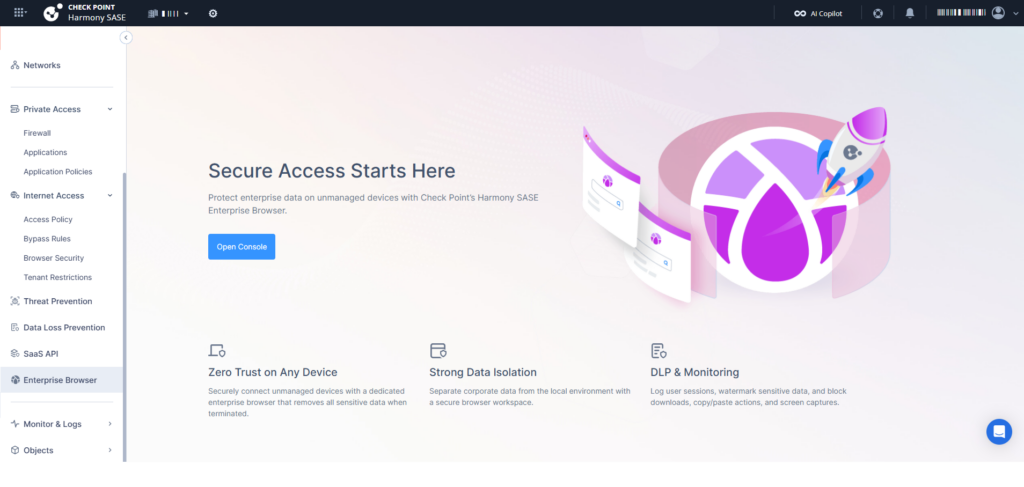
9. Check Point Browser Security

Best for: Adding threat prevention without replacing the browser
Strengths: Extension deployment, CDR sanitization, GenAI data controls
Things to consider: Extension scope rather than a full browser
Check Point Browser Security, previously marketed as Harmony Browse, is a browser extension that provides multi-layered web threat prevention on managed or unmanaged devices. Check Point describes the design goal as maximum protection with minimal presence, keeping browsing fast while adding enterprise controls to the browsers already in use.
Check Point reports more than three million deployments worldwide and 100,000 malicious sites blocked daily. Deployment is fast on managed or unmanaged devices and management is unified across browsers, which suits organizations that do not want to migrate users onto a new browser.
Key features include:
- Zero phishing: The extension blocks sophisticated phishing attempts in real time as users browse, targeting credential theft at the point where the user interacts with the page.
- Data loss prevention: Controls prevent unauthorized data sharing across web applications, safeguard corporate passwords, and scan files on both upload and download, with policies that can be customized to organizational requirements.
- Multi-layer malware defense: Sandboxing and content disarm and reconstruction sanitize files with approximately 1.5-second processing, blocking malicious downloads and active content before they reach the endpoint.
- GenAI protection: The extension prevents sensitive data being entered into generative AI tools, monitors and manages GenAI usage, provides usage insight, and applies policies specific to AI applications.
- Intelligent browsing controls: URL filtering and safe search indicators restrict and flag risky destinations, which reduces exposure to unsanctioned SaaS and web resources and helps limit shadow IT.
- Lightweight unified management: Protection is delivered as an extension with fast deployment on managed or unmanaged devices, centralized policy administration across all browsers, and no added latency for users.
Limitations (as reported by users on G2):
- Web filtering gaps: A reviewer notes that some pages are permitted that they would expect to be blocked, and asks for improvement in web protection coverage.
- Interface design: Reviewers describe the interface as an area for improvement while rating the underlying protection highly.
- Setup and policy complexity: Across Check Point’s Harmony portfolio, reviewers consistently report complex initial setup and policy configuration, and a learning curve for administrators without existing Check Point experience.
- Reporting depth: Reviewers note that report generation could be more intuitive, with some dashboards requiring several steps to surface the information needed.
- Support responsiveness: Some users report slow technical support responses on minor day-to-day issues.
Source: Check Point
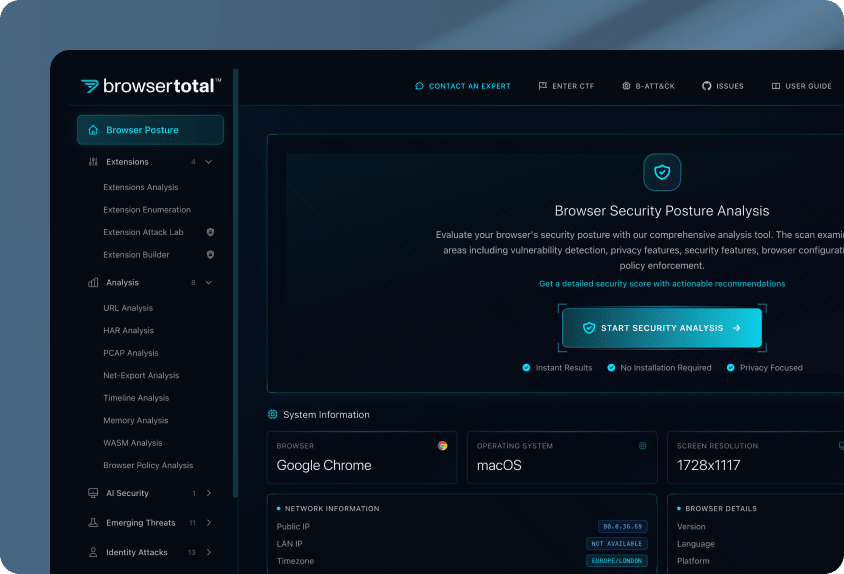
10. Seraphic Security
Best for: Securing existing browsers without forcing a switch
Strengths: Single agent across any browser, device and AI browser
Things to consider: Coverage centers on the browser layer
Seraphic Security turns any traditional or AI browser into a secure enterprise browser. It is a browser security platform that protects data and users while they continue to use the browser they already have, deployed through a single agent or lightweight extensions. CrowdStrike agreed to acquire Seraphic and is folding the technology into its Falcon platform.
The platform covers Chrome, Edge, Firefox and Safari as well as agentic browsers, and applies to managed, BYOD, VDI and third-party endpoints. It enforces data policies, blocks phishing and malware, and enables access to corporate applications without traditional VPN or VDI.
Key features include:
- Single agent across environments: One deployment provides visibility and control over browser activity on managed, BYOD, VDI and third-party devices, without requiring multiple tools or integrations.
- Any-browser coverage: Protection applies across Chrome, Edge, Firefox, Safari and other browsers, including AI and agentic browsers, so security policy does not depend on standardizing the browser estate or forcing users to switch.
- Granular data protections: Controls govern uploads, downloads, clipboard, screen sharing and printing, limiting data leakage while maintaining governance over web and SaaS activity.
- In-browser threat prevention: The platform blocks phishing, malware and advanced browser-based attacks in real time, addressing gaps that endpoint detection, secure service edge and legacy extensions do not cover.
- AI visibility and access control: Seraphic monitors how employees and AI assistants interact with SaaS, data, private applications, AI tools and identity systems, and controls which AI tools users can reach and what data can be shared with them.
- Identity-aware access: Access to corporate applications is enabled without traditional VPN or VDI by creating isolated workspaces and enforcing policy on both managed and unmanaged endpoints.
- Ecosystem integration: The platform integrates with single sign-on, endpoint detection, sandboxing, malware scanning, SIEM and content disarm and reconstruction, and extends protections to Electron-based desktop applications.
Limitations (as reported by users on G2), drawn from the critical comments in otherwise positive reviews, as the product has few low-rated reviews:
- Browser-layer scope: Reviewers note that the platform addresses browser risks rather than all network vectors, so it sits alongside network controls rather than replacing them.
- Thick-client coverage still maturing: Some users report that protection for Electron and other thick-client applications is less complete than the browser coverage.
- Block message tuning: A reviewer advises spending time customizing the messages users see when the tool blocks something, since the defaults need attention.
- Market presence: One reviewer notes a wish for faster growth and more reference customers, particularly in the United States.
Source: Seraphic Security
11. LayerX
Best for: AI usage governance across browsers, SaaS apps and IDEs
Strengths: Agentless extension, interaction-level control, fast rollout
Things to consider: Policy configuration needs upfront planning
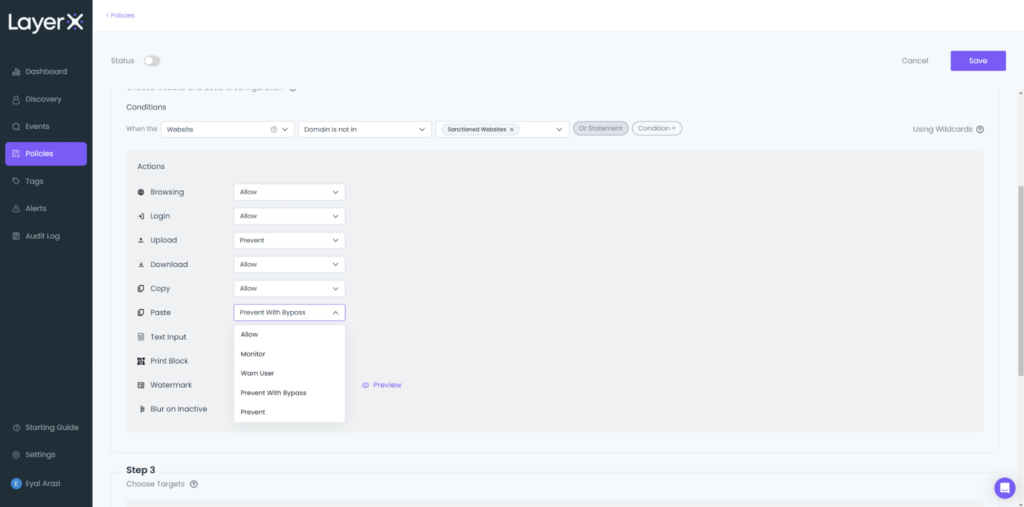
LayerX is an interaction security platform that governs AI usage and provides browser security. It delivers visibility and control over user and agentic interactions across any application, browser and integrated development environment, applying controls at the point of interaction rather than by routing network traffic. Akamai has acquired LayerX.
It is delivered as an agentless browser extension, with an optional endpoint agent for desktop AI applications and IDEs. Rollout is a single-click platform deployment with no proxy rules and no traffic routing, which LayerX positions against the last-mile visibility gaps in secure service edge and SASE deployments.
Key features include:
- Shadow AI discovery: The platform provides real-time visibility into the AI tools in use across desktop, SaaS and AI applications, so unsanctioned AI adoption becomes visible rather than remaining outside procurement and security review.
- Generative AI data loss prevention: LayerX detects, monitors and classifies data activity across AI tools to prevent leakage of sensitive information, including blocking source code and personally identifiable information from being pasted into prompt fields.
- AI access control: Access to AI tools, agents and applications is secured, with policy preventing use of unapproved AI tools or access by unauthorized user identities.
- AI misuse prevention: The platform tracks AI usage and detects misuse including submission of passwords and credentials, prompt injection, regulatory compliance issues and AI usage policy violations.
- Agentic browser protection: LayerX protects agentic AI browsers and embedded browser agents from external attack and exploitation, and monitors embedded AI usage by users, websites and extensions.
- Browser extension management: All browser extensions in the organization are discovered and granular, risk-adaptive rules block those assessed as risky, closing a channel that network-layer controls do not inspect.
- Interaction-level guardrails: Rather than blocking outright, the platform can respond mid-interaction by coaching users and setting guardrails, and it also covers web and SaaS data loss prevention, shadow SaaS discovery, SaaS identity protection and BYOD access.
Limitations (as reported by users on G2):
- Policy setup planning: Reviewers report that the breadth of policy options means initial setup takes planning, and several suggest that more preset configurations would speed onboarding.
- Learning curve on policy controls: Users describe policy controls as confusing to tune at first, though they note that issues resolve once configuration settles.
- Dashboard density: Reviewers mention that the dashboard surfaces a large amount of data that can feel overwhelming until they learn where everything is.
- Reporting customization: Some users would like more customizable CSV reports from the reporting dashboard.
- User onboarding friction: Reviewers note that getting employees and contractors to install the extension on personal devices requires clear communication about monitoring scope, and is not always easy.
Source: LayerX

Related content: Read our guide to Citrix alternatives
Conclusion
Enterprise browsers are increasingly critical for organizations aiming to secure access to web and SaaS applications in remote and hybrid environments. These browsers embed security controls directly into the browsing layer, enabling zero trust access, data protection, and policy enforcement without requiring traditional endpoint agents or VPNs. By centralizing browser management and integrating with existing infrastructure, they reduce complexity for IT teams while maintaining productivity and flexibility for users across devices and locations.

Any worker. Any laptop. Any AI workflow. Fully secured.
Schedule a demo to see how Blue Border® secures company data and apps without shipping laptops, running VDI, or managing personal endpoints.