
Insider Threat Solutions: 14 Top Tools and Key Capabilities

See Venn first in Google Search
Add as a preferred source on Google
TL;DR: Insider threat solutions detect and prevent risky actions by employees, contractors, compromised accounts, and AI agents. Best for: Venn Blue Border for preventing leaks on unmanaged and BYOD devices, Proofpoint ITM for investigations, Cyberhaven for data lineage-based protection, and Exabeam for SOC-led behavioral detection.
What Are Insider Threat Solutions?
Insider threat solutions combine user behavior analytics, data loss prevention (DLP), privileged access management (PAM), and risk scoring to detect and stop accidental or malicious misuse of authorized access. Effective programs pair technical monitoring with least-privilege access, fast offboarding, and clear reporting channels.
Insider risks originate from users, accounts, and identities with legitimate access to an organization’s systems and data. These threats may involve employees, contractors, third-party vendors, compromised accounts, or automated identities that intentionally or unintentionally expose sensitive information, misuse privileges, or disrupt business operations.
Unlike traditional security solutions that focus primarily on external attackers, insider threat solutions monitor how authorized users interact with applications, files, endpoints, and cloud environments.
Core capabilities of insider threat solutions:
- User and entity behavior analytics (UEBA): Establish behavioral baselines, detect anomalous activities, and assign contextual risk scores.
- Data loss prevention (DLP): Detect and restrict unauthorized transfers of sensitive information across applications and endpoints.
- Secure enclaves: Isolate corporate applications and data from personal environments on managed and unmanaged devices.
- Forensic evidence and investigation timelines: Correlate activity records, reconstruct incidents, and preserve evidence for investigations.
- AI governance: Control access to AI tools, restrict sensitive data submissions, and enforce AI agent permissions.
Implement zero trust on unmanaged laptops. Extend Zscaler ZTNA.
Discover how to protect company data on unmanaged laptops without Zscaler.
In this article:
- What Are Insider Threat Solutions?
- Insider Threat Solutions at a Glance
- Types of Insider Threats Solutions Need to Address
- Insider Threat Management vs. Insider Risk Management
- Why Insider Threats Are Hard to Detect and Prevent
- Core Capabilities of Insider Threat Solutions
- Detection-Based vs. Prevention-Based Insider Threat Solutions
- Notable Insider Threat Solutions
- How to Evaluate and Compare Insider Threat Solutions
- Conclusion
Insider Threat Solutions at a Glance
The table below summarizes the key differences between the insider threat solutions covered in this guide. We explore each solution in more detail in the sections that follow.
| Category | Solution | Best For | Key Strengths | Things to Consider |
| Secure Workspace and Data Loss Prevention Solutions | Venn Blue Border | Preventing leaks on unmanaged, contractor, and BYOD laptops | Enclave-based DLP for work apps, files, and AI tools | Policy-based prevention, not behavioral detection |
| Secure Workspace and Data Loss Prevention Solutions | Island Enterprise Browser | Browser-level data controls for SaaS and web apps | Last-mile controls and conditional access in the browser | Some users report occasional browsing slowness |
| Secure Workspace and Data Loss Prevention Solutions | Fortra DLP | Endpoint-centric DLP against insider data theft | Graduated controls from logging to blocking | Learning curve and endpoint performance impact |
| Secure Workspace and Data Loss Prevention Solutions | Forcepoint DLP | Unified DLP policies across many channels | 2,000+ templates and risk-adaptive protection | False positives and complex first installation |
| Insider Risk Management and User Activity Monitoring Platforms | Proofpoint Insider Threat Management | Investigating incidents with timelines and evidence | Cross-channel monitoring and sentiment analysis | False positives and higher pricing |
| Insider Risk Management and User Activity Monitoring Platforms | DTEX Platform | Inferring intent behind insider behavior | Metadata telemetry with pseudonymization | Latest version not available on premises |
| Insider Risk Management and User Activity Monitoring Platforms | Microsoft Purview Insider Risk Management | Microsoft 365-centric organizations | Native integration with Purview DLP and Defender | Limited third-party connectors |
| Insider Risk Management and User Activity Monitoring Platforms | Cyberhaven Insider Risk Management | Lineage-based insider risk detection with enforcement | Tracks data through copies, renames, and AI pastes | Complex policy logic and learning curve |
| Insider Risk Management and User Activity Monitoring Platforms | Mimecast Apex Data Protection | Detecting exfiltration by people and AI agents | Coverage across endpoint, browser, cloud, email, AI | Setup effort and policy pre-configuration |
| Insider Risk Management and User Activity Monitoring Platforms | Teramind | Endpoint activity monitoring with session evidence | Session replay, OCR search, and real-time blocking | Complex interface and higher cost |
| Insider Risk Management and User Activity Monitoring Platforms | Everfox EverShield | Insider risk programs in government and regulated sectors | UAM, UEBA, and case management in one platform | Host-based agent and privacy governance needed |
| Behavioral Analytics and Security Analytics Platforms | Exabeam | SOC teams detecting insider threats with UEBA | Behavior models for users, accounts, and AI agents | Setup complexity and search usability |
| Behavioral Analytics and Security Analytics Platforms | Securonix UEBA | Behavior analytics across users, agents, and entities | AEBA extends UEBA to AI agents | Rule creation and log parsing effort |
| Behavioral Analytics and Security Analytics Platforms | Gurucul AI Insider Risk Management | Agentless insider risk analytics on existing data | 5,000+ ML models with explainable scoring | Integration effort with some systems |
Related content: Read our guide to insider threat software
Types of Insider Threats Solutions Need to Address
Malicious Insiders
Malicious insiders are employees or other authorized users who deliberately misuse their access to steal information, commit fraud, sabotage systems, or harm an organization. Their activities can be difficult to detect because they often use legitimate credentials, approved applications, and established workflows to carry out unauthorized actions.
Insider threat solutions address these risks by monitoring unusual access patterns, detecting bulk downloads and unauthorized data transfers, enforcing restrictions on sensitive information, and correlating suspicious activities across endpoints and cloud applications. Privileged access controls and detailed audit trails can also limit the damage insiders can cause and support investigations.
Negligent and Careless Insiders
Negligent insiders create security risks through mistakes, poor security practices, or failure to follow organizational policies rather than deliberate malicious intent. These incidents can result in data breaches, accidental information disclosure, or unauthorized access to sensitive resources.
Insider threat solutions help prevent these incidents through real-time DLP controls, contextual warnings, automated policy enforcement, and user activity monitoring. For example, a solution might warn an employee before uploading confidential information to an unauthorized application or block an attempt to copy sensitive data into a personal account.
Compromised Insiders and Stolen Credentials
Compromised insiders are legitimate users whose accounts, devices, or authentication credentials have been taken over by external attackers. Although the malicious activity originates outside the organization, the attacker operates through an authorized identity, potentially bypassing security controls that trust authenticated users.
Attackers may obtain credentials through phishing, malware, session hijacking, or credential theft. Once authenticated, they can access internal applications, move laterally across systems, escalate privileges, and exfiltrate sensitive information while appearing to be legitimate employees.
Insider threat solutions detect these scenarios by analyzing deviations from established user behavior, such as unusual login locations, unexpected access to sensitive repositories, abnormal download volumes, or suspicious privilege changes. Integration with identity security tools, endpoint detection and response (EDR), and conditional access policies enables organizations to investigate suspicious sessions, revoke compromised tokens, and restrict access before further damage occurs.
Contractors and Third-Party Users
Contractors, consultants, service providers, and external partners frequently require access to corporate applications and sensitive business information. Although this access supports legitimate business operations, third-party users can introduce additional risks because organizations may have limited visibility into their devices, security practices, and internal processes.
Insider threat solutions help organizations manage these risks through least-privilege access, continuous activity monitoring, session-level controls, and data protection policies that apply to managed and unmanaged endpoints. Integration with identity governance and third-party risk management systems can support automated access reviews, temporary permissions, and prompt revocation when contracts expire.
Non-Human Identities and AI Agents
Non-human identities, including service accounts, API keys, automation scripts, workload identities, and AI agents, increasingly operate with authorized access to enterprise applications and sensitive data. Although these identities are not human insiders, they can introduce similar risks when compromised, misconfigured, or granted excessive permissions.
Insider threat solutions must therefore extend visibility and access governance beyond human users. Relevant capabilities include monitoring non-human identity activity, detecting abnormal API usage, enforcing scoped and short-lived credentials, and restricting the actions automated systems can perform. For AI agents, additional controls such as tool-level authorization, AI activity monitoring, and human approval for high-risk operations can reduce the likelihood of authorized but unintended actions.
Insider Threat Management vs. Insider Risk Management
Insider threat management and insider risk management are closely related approaches to protecting organizations from security incidents involving trusted users and identities. While both focus on risks originating from authorized access, they differ in their scope, objectives, and methods.
Insider threat management focuses primarily on detecting, investigating, and responding to potentially malicious or harmful activities by insiders. It typically relies on user behavior analytics, security monitoring, threat detection, and incident response workflows to identify suspicious actions, such as unauthorized data transfers, privilege misuse, or attempts to access restricted resources.
Insider risk management takes a broader, more preventive approach by identifying and reducing the conditions that could lead to insider incidents, including accidental mistakes, excessive permissions, inadequate security controls, and risky business processes. It combines security technologies with access governance, employee awareness, data protection policies, and continuous risk assessments.
The key differences include:
| Aspect | Insider Threat Management | Insider Risk Management |
| Primary objective | Detect and respond to suspicious or harmful insider activity | Identify, assess, and reduce insider-related risks before incidents occur |
| Scope | Primarily malicious insiders, compromised accounts, and suspicious behavior | Malicious, negligent, accidental, and compromised insider activity |
| Approach | Primarily detection, investigation, and incident response | Prevention, continuous assessment, monitoring, and risk reduction |
| Key technologies | UEBA, SIEM, EDR, threat detection, and investigation tools | DLP, IAM, IGA, UEBA, access controls, and risk analytics |
| Typical activities | Detecting unusual downloads, investigating privilege misuse, and responding to suspicious sessions | Reviewing excessive permissions, restricting risky data transfers, and enforcing security policies |
| Success metrics | Detection accuracy, mean time to detect (MTTD), and mean time to respond (MTTR) | Reduction in risky behaviors, excessive access, policy violations, and data exposure |
Why Insider Threats Are Hard to Detect and Prevent
Legitimate Access Hides Harmful Activity
Employees, contractors, and privileged users often need access to sensitive information to perform their responsibilities. This legitimate access makes it difficult for traditional security controls to distinguish routine business activities from malicious behavior. For example, an employee downloading customer records might be completing an authorized assignment or preparing to transfer confidential information to a competitor.
Attackers using compromised credentials face similar advantages because their activities may appear to originate from trusted users. Even when organizations enforce role-based access controls, authorized users can misuse information within their assigned permissions.
Work on Unmanaged, Personal, and Contractor Devices
Remote work, bring-your-own-device (BYOD) policies, and third-party collaboration extend corporate data access beyond traditional managed endpoints. Employees and contractors may access sensitive applications through personal laptops, home computers, or devices that do not have enterprise security agents installed.
This creates visibility and enforcement gaps because organizations cannot always inspect device activity, enforce endpoint DLP policies, or verify that downloaded information remains protected. For example, a contractor might access an approved SaaS application from a personal device and download confidential files to local storage, where corporate security tools can no longer monitor or control them.
Separating Negligent from Malicious Behavior
Insider incidents can result from intentional misconduct, accidental mistakes, or employees unknowingly violating security policies. However, these situations often produce similar technical indicators, making it difficult for security teams to determine whether suspicious behavior reflects malicious intent.
Behavioral monitoring can identify risky actions, but it cannot reliably establish a user’s intent on its own. Security teams must consider additional context, including the user’s responsibilities, historical behavior, data sensitivity, and whether the activity violated established policies. Insider threat solutions should support proportionate responses, such as displaying contextual warnings for potentially accidental actions while escalating repeated, high-risk, or clearly unauthorized activities for investigation.
Employee Privacy Limits on Monitoring
Insider threat detection often requires visibility into user activities, including file access, application usage, data transfers, and authentication patterns. However, extensive monitoring can raise employee privacy concerns and create compliance obligations under applicable labor and data protection laws.
These challenges become more significant when employees work remotely or use personal devices. Organizations may have legitimate reasons to monitor corporate data access, but collecting unrelated personal information, inspecting private browsing activity, or recording entire user sessions can introduce unnecessary privacy risks.
Insider threat solutions should support privacy-conscious monitoring that focuses on corporate resources and security-relevant activities rather than unrestricted employee surveillance. Important capabilities include:
- Data minimization: Collect only the user activity and contextual information necessary for detecting and investigating security risks.
- Scoped monitoring: Limit visibility to corporate applications, managed workspaces, and sensitive data interactions, particularly on personal devices.
- Role-based investigation access: Restrict access to detailed monitoring records to authorized security, compliance, and investigation personnel.
- Configurable retention policies: Retain activity logs and investigation evidence only for appropriate periods based on business needs and applicable legal requirements.
- Transparent monitoring policies: Clearly communicate what activities are monitored, why monitoring is necessary, and how collected information is protected.
Core Capabilities of Insider Threat Solutions
User and Entity Behavior Analytics (UEBA)
User and entity behavior analytics (UEBA) identifies potentially harmful activities by analyzing how users and non-human identities interact with enterprise systems. Instead of relying solely on predefined security rules, UEBA establishes behavioral baselines and detects deviations that may indicate account compromise, privilege misuse, or insider data theft.
UEBA solutions collect and correlate activity signals from identity providers, endpoints, cloud applications, and enterprise networks. Machine learning and statistical analysis help identify suspicious patterns that might go unnoticed when individual events are examined separately.
Key capabilities include:
- Behavioral baselining: Establish normal access patterns for users, service accounts, and other identities based on their roles, activities, and historical behavior.
- Anomaly detection: Identify unusual file downloads, unexpected access to sensitive repositories, abnormal login patterns, and other deviations from established behavior.
- Risk scoring: Assign contextual risk scores to suspicious activities based on factors such as data sensitivity, user privileges, and behavioral anomalies.
- Cross-system correlation: Connect signals from multiple applications and security tools to identify potentially harmful activity spanning different environments.
Data Loss Prevention (DLP) Controls
Data loss prevention (DLP) controls protect sensitive information from unauthorized disclosure, transfer, or misuse. In insider threat management, DLP is particularly important because employees and contractors may have legitimate access to confidential data while still attempting to move it to unauthorized destinations.
DLP solutions inspect data interactions across endpoints, browsers, SaaS applications, and collaboration platforms. Depending on the deployment, they can classify sensitive information and enforce policies that block, restrict, or warn users about potentially risky activities.
Key capabilities include:
- Sensitive data classification: Identify regulated information, intellectual property, financial records, and other confidential content using predefined rules and contextual analysis.
- Upload and download restrictions: Prevent sensitive files from being transferred to personal cloud storage, unauthorized applications, or unmanaged devices.
- Clipboard and copy-paste controls: Restrict copying corporate information into personal applications, unapproved websites, or external communication tools.
- Context-aware policy enforcement: Apply different restrictions based on data sensitivity, user identity, device trust, application, and destination.
- Real-time user guidance: Display warnings or require additional authorization when users attempt actions that could expose confidential information.
Secure Enclaves That Isolate Work Data on Endpoints
Secure enclaves provide an isolated environment for corporate applications and data, separating work activities from the personal operating system and applications on an endpoint. This approach is especially useful for organizations supporting BYOD, remote workers, and contractors who access sensitive business information from devices that are not fully managed by corporate IT.
Unlike traditional device management approaches that require control over the entire endpoint, secure enclaves establish a protected workspace where organizations can enforce security policies without unnecessarily accessing employees’ personal applications, files, or browsing activity.
Key capabilities include:
- Separation of corporate and personal data: Keep business applications, files, and credentials isolated from personal applications and storage locations.
- Controlled data movement: Restrict copying, downloading, printing, screen capture, and file transfers between the protected workspace and unauthorized destinations.
- Application-level access controls: Allow employees and contractors to use approved business applications while limiting interactions with untrusted software.
- Protection on unmanaged devices: Enforce corporate data protection policies without requiring full mobile device management (MDM) or ownership of the endpoint.
- Remote data removal: Revoke access and remove corporate workspace data when employees leave, contractor engagements end, or devices become untrusted, without deleting unrelated personal information.
Forensic Evidence and Investigation Timelines
Insider threat investigations require reliable evidence that helps security teams understand what happened, which users and systems were involved, and whether sensitive information was exposed. Forensic and investigation capabilities consolidate relevant security events into a coherent timeline, reducing the need to manually reconstruct incidents across disconnected tools.
These capabilities are particularly important when investigating suspected data theft, privilege misuse, or compromised accounts. Security teams need sufficient context to distinguish legitimate activities from policy violations and determine the appropriate response.
Key capabilities include:
- Centralized activity records: Collect security-relevant events involving file access, authentication, application usage, and data transfers across supported systems.
- Chronological investigation timelines: Reconstruct sequences of suspicious events to identify how incidents developed and which resources were affected.
- User and device attribution: Correlate activities with user identities, devices, sessions, and applications to support incident analysis.
- Evidence preservation: Retain relevant logs and supporting records with appropriate access restrictions, integrity protections, and audit trails.
- Integration with incident response workflows: Connect investigation findings with SIEM, SOAR, and case management platforms to support escalation, remediation, and documentation.
Governance of AI Tools and Data Shared with Them
Generative AI applications and autonomous AI agents introduce additional insider risks because employees and automated systems can share sensitive corporate information with external AI services or connected tools. These interactions may occur through browser-based AI assistants, embedded SaaS features, APIs, or AI agents operating with access to enterprise resources.
Traditional security controls may not provide sufficient visibility into AI prompts, uploaded documents, or information retrieved and transmitted by AI agents. Organizations therefore need capabilities that govern which AI tools can be used, what information users can share, and which actions automated agents are permitted to perform.
Key capabilities include:
- AI application discovery: Identify approved and unauthorized AI services accessed by employees and contractors, including shadow AI tools.
- Prompt and upload inspection: Detect sensitive information in AI prompts, pasted content, and uploaded files before it is transmitted to external services.
- AI-specific DLP policies: Block or restrict the submission of confidential documents, customer information, credentials, and other protected data to unapproved AI applications.
- Approved AI tool enforcement: Allow organizations to define which AI services users can access based on security requirements, data sensitivity, and organizational policies.
- AI agent permission controls: Limit the applications, APIs, tools, and data accessible to AI agents through scoped permissions and least-privilege authorization.
- AI activity auditing: Maintain records of security-relevant interactions with AI services and agents to support compliance, investigations, and policy improvements.
Detection-Based vs. Prevention-Based Insider Threat Solutions
Insider threat solutions generally follow two complementary approaches: detection-based security, which identifies suspicious activity and supports investigations, and prevention-based security, which restricts risky actions before sensitive data is exposed. The distinction is particularly important for organizations managing remote employees, contractors, and unmanaged devices, where traditional endpoint monitoring may provide limited visibility or control.
Detection-based insider threat solutions focus on identifying unusual behavior, potential policy violations, and indicators of malicious activity. They typically use UEBA, activity logging, endpoint monitoring, and security analytics to detect anomalies such as bulk file downloads, unusual access patterns, or transfers to unauthorized destinations. Security teams then investigate alerts to determine whether the activity represents a genuine threat.
Prevention-based insider threat solutions focus on enforcing security policies directly where users access and interact with corporate data. Instead of relying on alerts after suspicious actions occur, these solutions use DLP, access restrictions, application isolation, and secure workspaces to prevent unauthorized data movement. For example, a prevention-based solution might block an employee from uploading confidential documents to a personal cloud account or copying sensitive information from a protected workspace into an unapproved AI application.
The key differences include:
| Aspect | Detection-Based Solutions | Prevention-Based Solutions |
| Primary objective | Identify suspicious behavior and support investigations | Stop unauthorized or risky actions before data exposure |
| Security approach | Primarily monitoring, analytics, and incident response | Proactive policy enforcement and data access restrictions |
| Core technologies | UEBA, SIEM, user activity monitoring, and threat analytics | DLP, secure enclaves, application controls, and conditional access |
| Response to risky activity | Generate alerts, assign risk scores, and trigger investigations | Block, restrict, warn, or require additional authorization |
| Endpoint requirements | May require endpoint agents or integration with application and identity logs | Can enforce selected controls through managed endpoints, enterprise browsers, or isolated workspaces |
| Unmanaged device protection | Visibility depends on available telemetry and monitoring integrations | Can restrict corporate data movement within controlled sessions or workspaces |
| Main limitation | Harmful actions may occur before detection and response | Cannot prevent every misuse scenario, especially actions outside enforced controls |
| Best suited for | Threat hunting, behavioral analysis, incident investigation, and compliance monitoring | Data exfiltration prevention, BYOD security, contractor access, and sensitive data protection |
Notable Insider Threat Solutions
How we selected these solutions: We shortlisted insider threat solutions based on their ability to monitor user and entity behavior, prevent unauthorized data movement, support investigations with forensic evidence, protect data on managed and unmanaged devices, and govern how people and AI agents use sensitive information.
Secure Workspace and Data Loss Prevention Solutions
1. Venn Blue Border

Best for: Preventing insider data leaks on unmanaged and BYOD laptops
Strengths: Enclave-based DLP that covers work apps, files, and AI tools
Things to consider: Policy-based prevention rather than behavioral detection
Venn Blue Border is a secure workspace that installs a company-controlled, encrypted enclave on a Mac or PC. Work applications, files, network traffic, and AI tools run locally inside the enclave under IT policy, while activity outside it stays private to the user. Blue Border works on managed and unmanaged devices, including contractor and BYOD machines, without VDI or full device management.
For insider threats, Blue Border enforces data loss prevention controls inside the enclave and blocks actions such as copy and paste, downloads, uploads, screenshots, printing, and sharing with unapproved AI tools before data leaves. The same controls apply to accidental and malicious leaks, and a remote wipe removes all company data when an employee or contractor leaves.
Key features include:
- Secure enclave on any device: Creates an isolated, encrypted workspace on company-issued, third-party, or personal Macs and PCs. Locally installed and browser-based work apps run natively inside the enclave, marked by a blue line around their windows.
- DLP at the source: IT sets DLP policy once, and Blue Border enforces it in the moment, blocking copy and paste, downloads, uploads, screenshots, and printing of work data before it can move to personal apps, drives, or accounts.
- AI governance: Controls which browser and desktop AI tools can reach company data. Tenant restrictions limit access to company accounts, shadow AI can be blocked by category, and DLP applies to prompts, uploads, and copy and paste.
- Work and personal separation: Governs only the activity inside Blue Border. Personal apps, files, and browsing outside the enclave are not visible to the company or to Venn.
- Isolated file storage: Users save work files only to Venn Disk, a work-sanctioned file system inside the enclave that is isolated, encrypted, and remotely wipeable.
- Network isolation: Routes work traffic through Venn’s built-in VPN gateway or through the organization’s existing private network.
- Remote wipe for offboarding: A single remote wipe removes the enclave and all company data from anywhere, without affecting the user’s personal files or requiring device recovery.
- Compliance controls on unmanaged devices: Provides turnkey controls that support HIPAA, FINRA, SEC, SOC 2, PCI, and GDPR requirements on devices the organization does not manage.
Limitations (as reported by users on G2):
- Limited customization: Some users mention that customization options are limited.
- Occasional slowdowns: Some users report that the secure enclave can feel slower at times.
- Support scheduling: Support requests are routed to the next available team member, and users cannot book time with a specific support person.
2. Island Enterprise Browser

Best for: Enforcing browser-level data controls for SaaS and web apps
Strengths: Last-mile data controls and conditional access built into the browser
Things to consider: Users need the Island browser or extension on each device
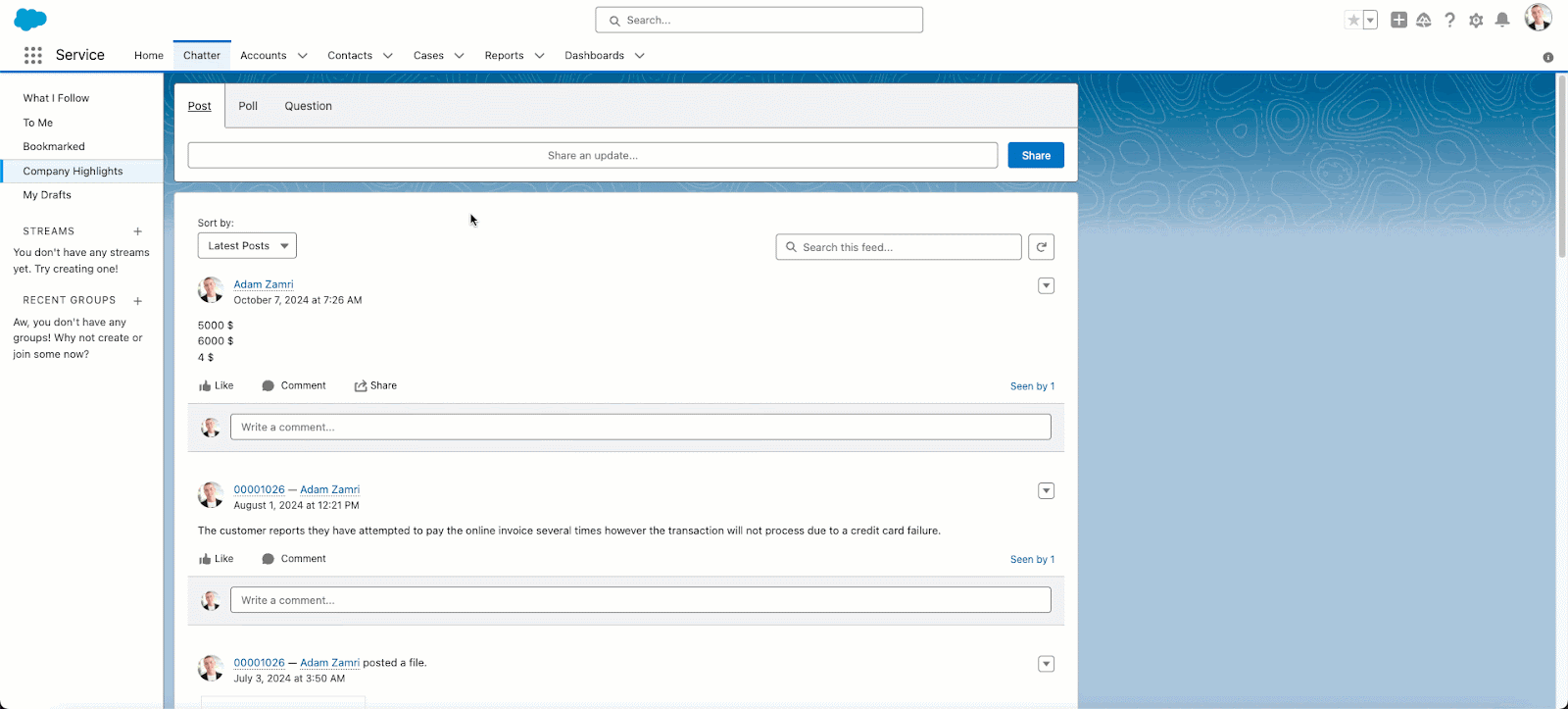
Island Enterprise Browser is a Chromium-based browser for business use that builds access, data protection, and visibility controls into the browser itself. It is available as a full browser for Windows, macOS, Linux, and ChromeOS, as an extension for Chrome, Edge, Safari, Firefox, and other Chromium-based browsers, as a desktop app, and on mobile devices.
For insider risk, Island applies context-based policies to how users handle data in enterprise applications. Administrators can control printing, downloads, screenshots, and copy and paste, keep data inside approved work apps, and log work activity for investigations while personal browsing remains private.
Key features include:
- Conditional application access: Evaluates identity, device, network, location, and application before granting access, with controls enforced inside the browser on any device.
- Last-mile data controls: Applies granular, context-based policies that let data move between enterprise apps while governing printing, downloads, screenshots, and copy and paste, including outside the browser.
- Device posture checks: Assesses whether devices meet policy requirements and extends policy controls to applications outside the browser, such as Zoom, Slack, Teams, and WhatsApp.
- Work activity visibility: Records work activity in high fidelity while keeping personal browsing private, shows users a privacy indicator when they are monitored, and shares analytics with a SIEM.
- Privileged access protections: Adds controls for admin consoles and backend systems, enforcing device posture and user authentication and capturing session details such as the user, device, and specific actions.
- Zero trust network access: Provides access to private applications without separate agents.
- Web threat protection: Includes built-in protection against malware, phishing, session hijacking, man-in-the-browser attacks, and other browser exploits.
Limitations (as reported by users on G2):
- Occasional browsing slowness: Some users notice that browsing is occasionally slow.
- Limited customization: Some users report that customization options are limited.
- Desktop dependency: Users note that Island Desktop requires the Island browser to be installed.
Source: Island
3. Fortra DLP
Best for: Endpoint-centric DLP for stopping insider data theft and misuse
Strengths: Data visibility with graduated controls from logging to blocking
Things to consider: Users report a learning curve and endpoint performance impact
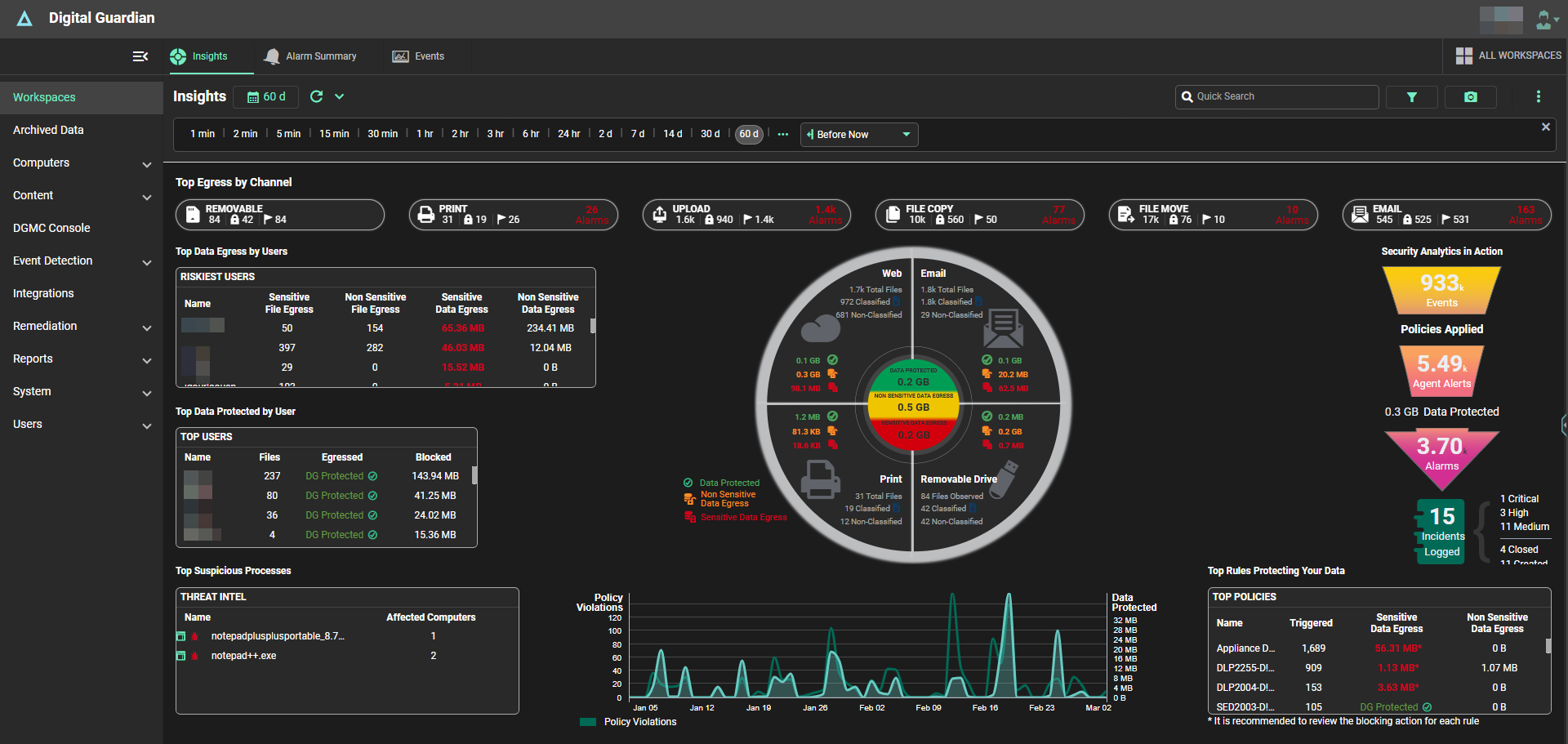
Fortra DLP (formerly Digital Guardian) is a data loss prevention platform that applies its data visibility and controls to insider threats from employees, contractors, and privileged users. It locates sensitive data across the enterprise and in the cloud, tracks how that data moves, and analyzes user actions in real time to determine when activity puts data at risk.
Fortra DLP responds to risky actions with controls that range from logging to automatic encryption or blocking. It can also prompt users at the moment they attempt a risky action, explaining how sensitive data should be handled and discouraging a malicious insider from completing the action.
Key features include:
- Data visibility and movement tracking: Locates sensitive data across the enterprise and into the cloud and monitors how it moves between users, applications, and destinations.
- Automated data classification: Classifies data automatically so that risky behavior targeting the most sensitive assets stands out.
- Behavioral baselining: Baselines user activity, applications, and system configurations. When behavior or configuration deviates from the baseline, additional controls can monitor or stop the action.
- Graduated response controls: Applies responses that range from logging to prompting, automatic encryption, or blocking, depending on the risk of the action.
- Privileged user controls: Enforces role-based access to sensitive information, applies controls to specific user actions, and helps confirm that privileged users have not taken sensitive data before leaving the company.
- Real-time user prompts: Displays prompts during risky actions that explain appropriate data handling and reinforce policy awareness.
Limitations (as reported by users on G2):
- Learning curve: New users need training, and administration can require knowledge of supporting components such as MSSQL and IIS.
- Endpoint performance: Some users report high CPU usage on some endpoints, which can slow down machines.
- Cloud data protection setup: Some users find cloud data protection difficult to set up and integrate with existing cloud storage.
- Reporting speed: Some users mention that reporting can be slow.
- Support responsiveness: Some users report that support for priority issues has become harder to reach.
Source: Fortra
4. Forcepoint DLP

Best for: Unified DLP policies across endpoint, web, email, cloud, and AI
Strengths: 2,000+ classifier and policy templates with risk-adaptive controls
Things to consider: Users report false positives and difficult first-time setup
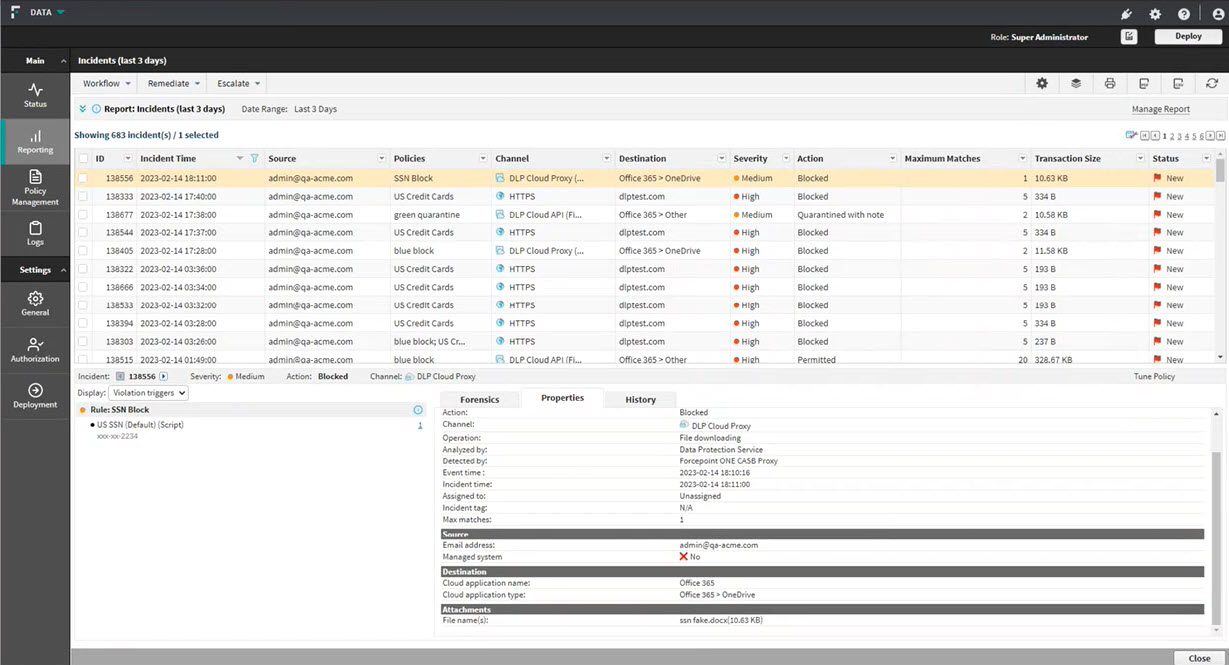
Forcepoint DLP is a data loss prevention product that applies one set of policies across AI applications, cloud, web, email, endpoints, and the network. It can be deployed as SaaS, on premises, or in a hybrid model, and it is part of the Forcepoint Data Security Cloud platform alongside data security posture management (DSPM) and related products.
For insider risk, Forcepoint DLP combines content inspection with user behavior context. Its risk-adaptive protection uses behavior and context to forecast risk and automatically adjust policies, applying stricter controls as a user’s risk rises.
Key features include:
- Unified policy enforcement: Uses a single policy engine and console for endpoint, network, and cloud DLP, so the same classifiers and policies apply across endpoints, on-premises networks, SaaS, and generative AI environments.
- Classifier and template library: Provides more than 2,000 classifiers and policy templates for identifying PII and other sensitive data, with coverage for regulations in more than 90 countries.
- Risk-adaptive protection: Contextualizes user behavior to forecast risk and automatically adjusts policies to prevent incidents as they occur.
- Endpoint controls: Monitors and controls copy and paste, save-as, printing, screen capture, and writing to USB devices, including when devices are off the corporate network. Responses include blocking, encryption, quarantine, or requiring a justification.
- Generative AI controls: Provides visibility into and control over data that interacts with generative AI applications, including inspection of prompts and responses.
- ARIA AI assistant: Surfaces insights, recommends protections, and deploys policies directly from a chat interface.
- Executive dashboard: Tracks data risk trends over time and reports on policy performance.
Limitations (as reported by users on G2):
- False positives: Some users report that it sometimes blocks applications where no data is leaking.
- Documentation clarity: Some users find the documentation difficult to follow during a first-time installation.
- Endpoint agent issues: Some users mention that the endpoint agent occasionally causes problems.
- Cost: Some users consider the price higher than comparable products.
Source: Forcepoint
Insider Risk Management and User Activity Monitoring Platforms
5. Proofpoint Insider Threat Management

Best for: Investigating insider incidents with timelines and forensic evidence
Strengths: Cross-channel user activity monitoring with sentiment analysis
Things to consider: Users report false positives and high pricing
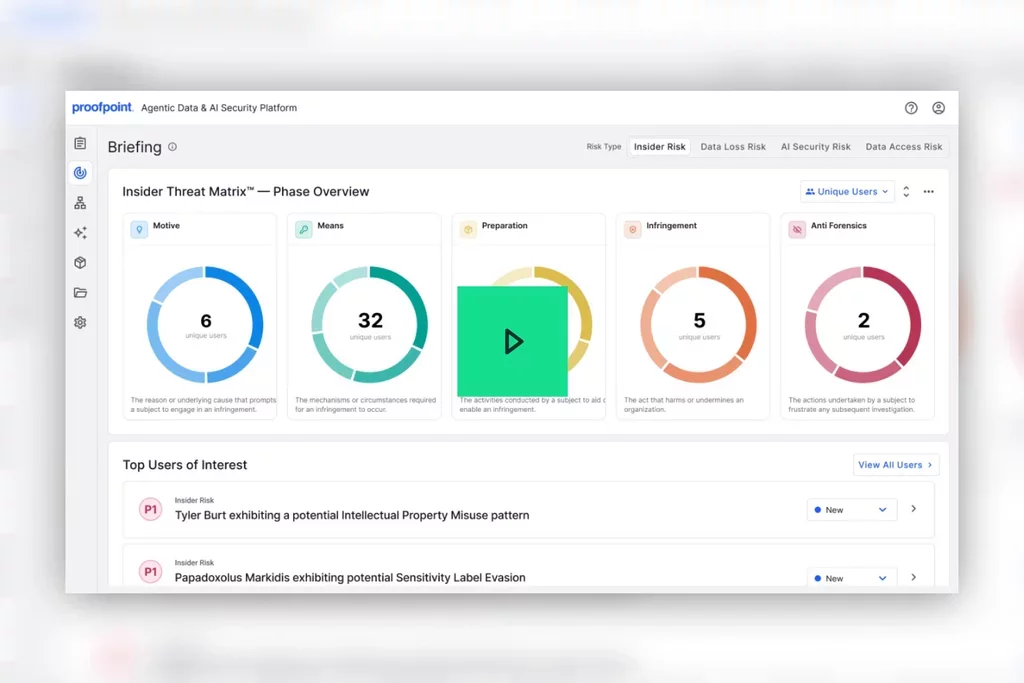
Proofpoint Insider Threat Management (ITM) monitors user behavior and data activity across endpoints, browsers, cloud apps, email, web, chat, and generative AI tools. It combines behavioral signals, user activity, data movement, and human risk indicators to identify high-risk users, whether they are careless, malicious, or compromised.
ITM pairs detection with investigation and response tools. Security teams can review activity before, during, and after an incident, collect screenshots as evidence, share findings with HR and legal teams, and apply adaptive controls that block risky transfers or coach users in the moment.
Key features include:
- User activity monitoring: Shows user behavior and activity in real time across endpoints, browsers, cloud, and email.
- Sentiment analysis: Analyzes workplace communications for early risk signals related to motive.
- Prebuilt risk detections: Includes out-of-the-box alert libraries, prebuilt insider threat scenarios, and customizable detection rules.
- Adaptive risk monitoring: Elevates monitoring when users take risky actions, combining behavior, identity, data, and motive signals.
- Timeline-based investigations: Displays activity before, during, and after an incident in one investigation workflow, with screenshots and activity context as forensic evidence.
- Real-time data protection: Blocks risky transfers to USB devices, cloud sync apps, web uploads, and generative AI tools, adjusts controls based on user risk, and shows customizable coaching notifications.
- Privacy controls: Protects user privacy with anonymization, data masking, and role-based access controls.
- Ecosystem integration: Integrates with SIEM and SOAR workflows through APIs and webhooks.
Limitations (as reported by users on G2):
- False positives: Some users report false positives, particularly during role changes and employee turnover.
- Pricing: Some users consider the product expensive.
- Short in-platform history: Some users mention that data retained in the platform covers about two weeks, which limits historical investigations.
- Setup complexity: Some users describe the initial setup as complex.
Source: Proofpoint
6. DTEX Platform

Best for: Behavioral intelligence that infers intent behind insider activity
Strengths: Metadata-based telemetry with pseudonymization for privacy
Things to consider: Users want the latest version available for on-premises use
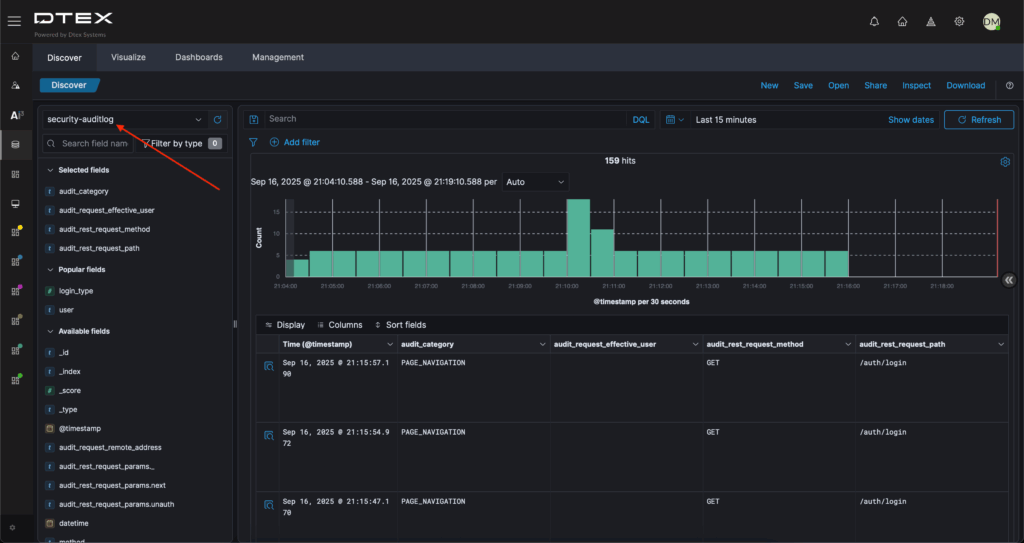
The DTEX Platform is a behavioral intelligence platform that brings together insider risk management, risk-adaptive DLP, user and entity behavior analytics, and AI risk management. Lightweight forwarders collect activity around the clock, on and off the network, capturing more than 500 metadata elements across 12 human-driven behavioral domains.
DTEX correlates activity across devices into a single risk score and maps behavior patterns to intent, distinguishing malicious, careless, and compromised actions as well as AI activity. Its patented pseudonymization capability removes personal identifiers from activity data to protect employee privacy and reduce bias in investigations.
Key features include:
- Low-impact data collection: Forwarders collect 3 to 5 MB of data per user per day and record activity continuously, whether or not it appears relevant at the time.
- Dynamic risk scores: Baselines behavior by role, department, and geography and differentiates between human and AI activity.
- Intent-based risk models: Maps behavior patterns to malicious, non-malicious, and compromised actions, and aggregates behavior scores and stacked alerts on known and unknown insider threats.
- User timelines and data lineage: Reconstructs user activity across tools, AI, and endpoints into a single chronological narrative and keeps a full history of each file in use, in motion, and at rest.
- Risk-adaptive DLP: Combines data controls with behavioral risk signals and adjusts policies as user behavior, data sensitivity, and risk change.
- Agentic Defenders: Includes AI agents for alert triage (Triage Guardian), detection tuning (Precision Tuner), threat hunting (Threat Hunter), and deep investigation (Deep Researcher).
- Privileged user and server monitoring: Monitors command-line tools used on cloud workloads, detects misuse of admin privileges, and identifies credential abuse and lateral movement.
Limitations (as reported by users on PeerSpot):
- On-premises availability: Some users want the latest platform version to be available for on-premises deployment.
- Alert customization: Some users report that customizable alerts need improvement and that built-in detection rules could be more extensive.
- Incident management: Some users mention that incident management capabilities could be improved.
Source: DTEX
7. Microsoft Purview Insider Risk Management

Best for: Insider risk management for Microsoft 365-centric organizations
Strengths: Native integration with Purview DLP, Defender, and Sentinel
Things to consider: Users report limited third-party connectors and false positives
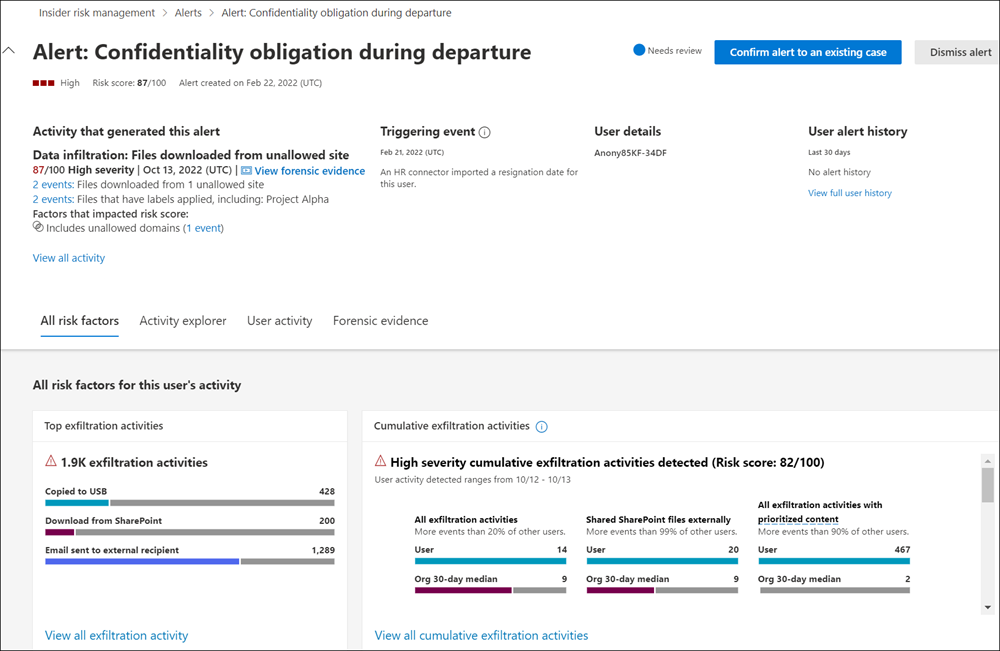
Microsoft Purview Insider Risk Management is part of Microsoft Purview’s data security capabilities, alongside data loss prevention, information protection, data security posture management, and data security investigations. It identifies potential risks across a broad range of user activities and is included in the Microsoft Purview Suite, which requires Microsoft 365 E3 or equivalent licensing.
Insider Risk Management shares user risk levels with Purview Data Loss Prevention, so protection adapts to each user’s risk. Cases opened in Insider Risk Management can launch pre-scoped data security investigations that search Microsoft 365 content related to an incident.
Key features include:
- Insider risk analytics: Evaluates potential insider risks across the organization before any insider risk policies are configured.
- Policy templates: Creates policies for key scenarios from customizable templates that require no scripting or endpoint agents to deploy.
- Guided onboarding: Provides step-by-step guidance for setting up Insider Risk Management.
- Adaptive protection: Adjusts data loss prevention protection levels dynamically based on user risk from Insider Risk Management.
- Data security investigations: Searches documents, emails, Copilot prompts and responses, and Teams messages related to an incident, uses AI to categorize evidence, and maps impacted data, users, and activities in a data risk graph.
- Microsoft security integrations: Works with Microsoft Defender, Microsoft Sentinel, Microsoft Security Copilot, and Microsoft Edge for Business to share data and user risk context.
Limitations (as reported by users on G2):
- Third-party coverage: Some users say the product needs broader third-party log ingestion and more connectors.
- Setup complexity: Some users find setup and configuration complex and dependent on technical expertise.
- False positives: Some users report a high false positive rate from machine learning-based detections.
- Large data loads: Some users report that the tool can hang when loading large amounts of data.
Source: Microsoft
8. Cyberhaven Insider Risk Management

Best for: Data lineage-based insider risk detection with enforcement
Strengths: Traces data from its origin through copies, renames, and AI pastes
Things to consider: Users report complex policy logic and a learning curve
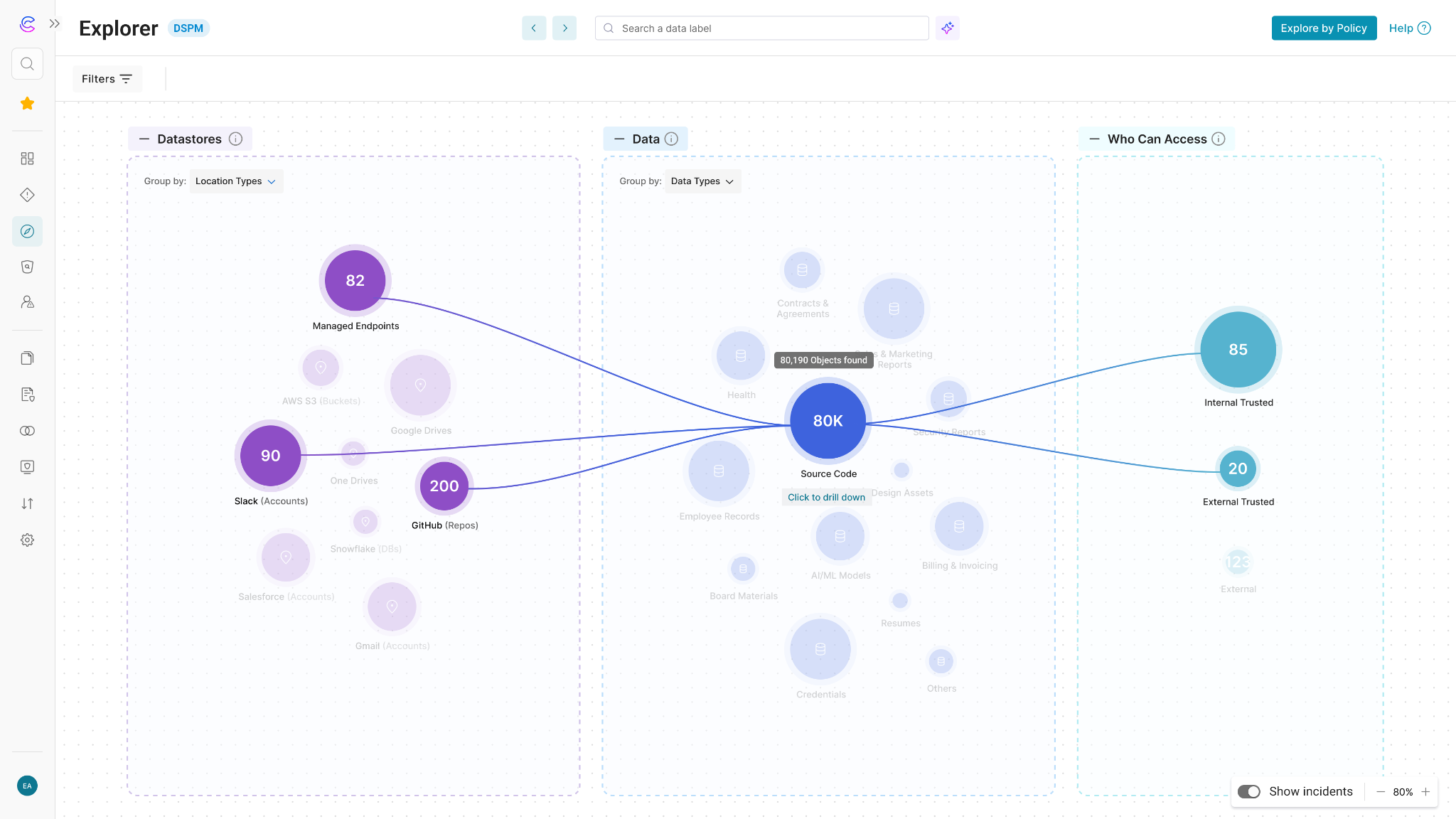
Cyberhaven Insider Risk Management combines behavioral signals with Data Lineage, which records where data originated and every copy, rename, transformation, and share that follows. Risk scores combine user actions, data sensitivity, and user context such as role, risk group, and watchlist membership. It is part of Cyberhaven Flow, together with DLP, DSPM, and Agentic Data Security.
Cyberhaven can respond when data is at risk with block, warn, coach, or silent alert actions across cloud, email, websites, removable storage, Apple AirDrop, and AI tools. Investigators can review forensic events that are captured remotely and stored in the cloud, without needing physical access to the device.
Key features include:
- Behavior and sensitivity risk scoring: Scores each user on the actions they take and the sensitivity of the data involved, along with watchlist membership, role context, and organization-defined risk groups.
- Data lineage tracking: Follows sensitive data through every copy, rename, and transformation, flags changes to file names or extensions, and records the source of data that enters the organization from new hires, contractors, or personal devices.
- Slow-burn incident correlation: Correlates events across days, weeks, and months, so steps such as an export, a ZIP file, and an AirDrop transfer appear in one timeline as the risk score rises.
- Elevated enforcement for high-risk users: Applies stricter responses to watchlisted users and uses directory data such as department, manager, and departure date to tighten enforcement during notice periods.
- Policy-based responses: Blocks, warns, coaches, or silently alerts based on data sensitivity, user risk tier, and policy context.
- AI tool coverage: Tracks clipboard, browser, and AI tool submission events and connects each paste to its source file and classification. Agentic Data Security extends the same policies to AI agents acting on a user’s behalf.
- Remote investigation: Stores forensic events in the cloud, offers optional screenshot capture before incidents, and uses Linea AI agents to analyze workflows and report on insider risk.
- Reporting and integrations: Includes dashboards, a customizable reporting engine, native SIEM integration, an incident API, and role-based access control.
Limitations (as reported by users on G2):
- Policy logic: Some users find custom policies with multiple conditions difficult to build and the filtering logic unintuitive.
- Learning curve: Some users mention a learning curve, including the risk of excluding more data than intended in policies.
- Report formats: Some users note that automated reports are delivered only as PDFs, without CSV exports of dashboard tables.
- URL attribution: Some users report that URL detection can attribute activity to the last active URL rather than the actual data flow.
Source: Cyberhaven
9. Mimecast Apex Data Protection
Best for: Detecting file exfiltration by employees and AI agents
Strengths: Exfiltration detection across endpoint, browser, cloud, email, and AI
Things to consider: Users report setup effort and policy pre-configuration
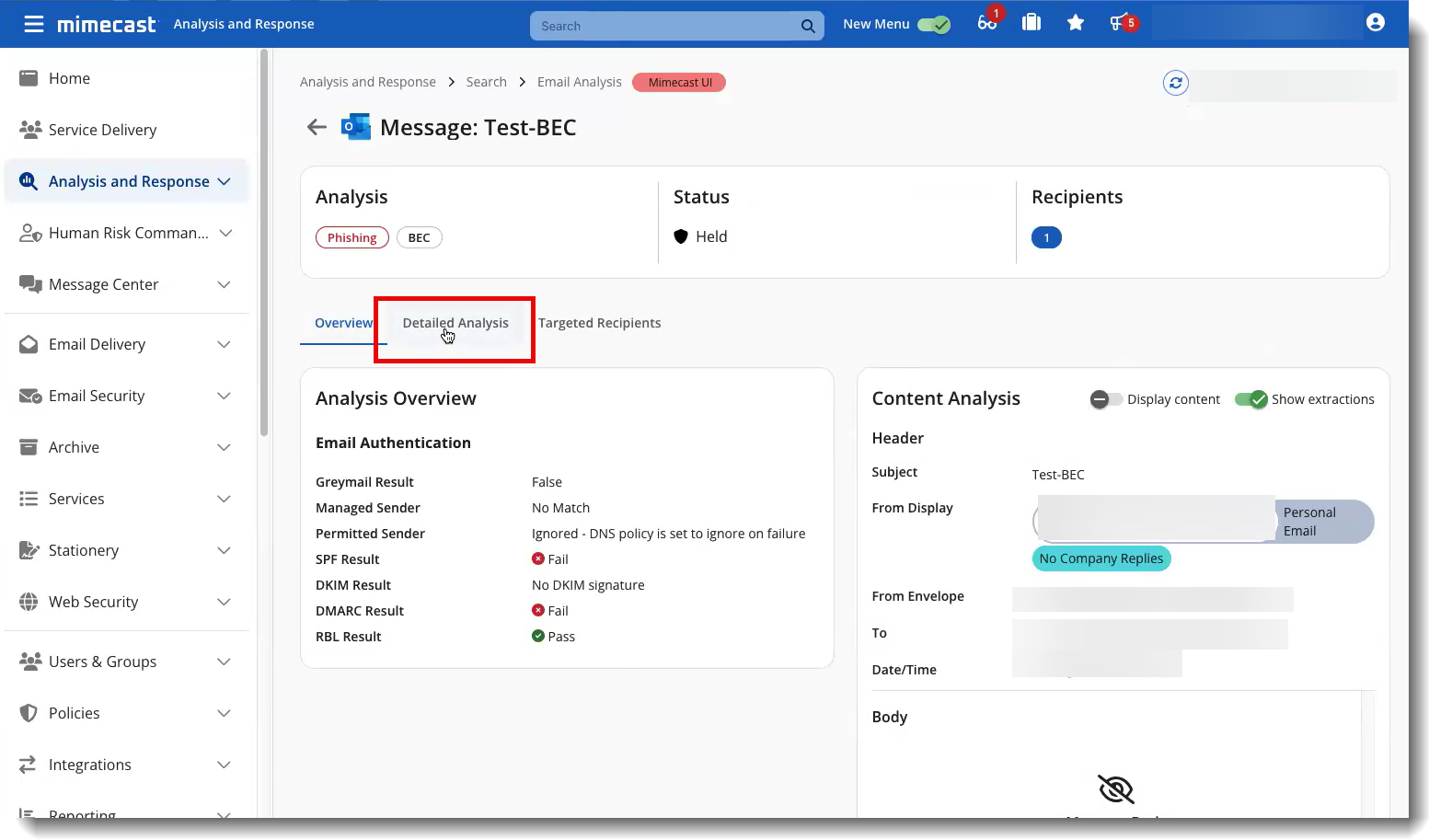
Mimecast Apex Data Protection, built on Mimecast’s Incydr technology, detects data exfiltration across endpoints, browsers, cloud, email, and AI tools using behavioral, context-driven detection. It tracks file movement by people and AI agents and scores each event based on who moved the data and where it went.
The product is offered in tiers. Core covers outbound email and requires Mimecast Apex Email and Collaboration Security, Pro adds an endpoint agent for Mac, Windows, and Linux, and Max adds content inspection, a cloud storage connector, and longer activity history.
Key features include:
- Cross-channel exfiltration detection: Detects data movement through USB devices, browsers, cloud sync, AirDrop, Git, and generative AI tools on endpoints, in addition to email.
- Insider risk dashboard: Brings every channel into one dashboard, adds watchlists for departing and high-risk users, and tightens controls in high-risk scenarios.
- Source code protection: Detects code pushed to personal or untrusted destinations and saves the file, repository, destination, and user for forensics.
- AI agent coverage: Extends the same detection and controls to AI agents, with an Agent Risk Center in the Pro and Max tiers.
- Investigation tools: Includes risk indicators, alerting, forensic search, case management, Instructor coaching for users, and an AI Investigation Agent.
- Integrations: Connects to existing tools through more than 350 integrations, APIs, and an MCP server.
- Activity history: Retains 30 days of activity in the Core tier and 90 days in the Max tier, extendable to 180 or 365 days.
Limitations (as reported by users on G2):
- Pricing: Some users consider the product expensive.
- Learning curve: Some users report a steep learning curve.
- Initial setup: Some users describe the initial setup as cumbersome.
- Policy pre-configuration: Some users note that policies require a good amount of configuration before use.
Source: Mimecast
10. Teramind

Best for: Endpoint user activity monitoring with session recording evidence
Strengths: Session replay, OCR search, and real-time blocking on endpoints
Things to consider: Users report a complex interface and higher cost
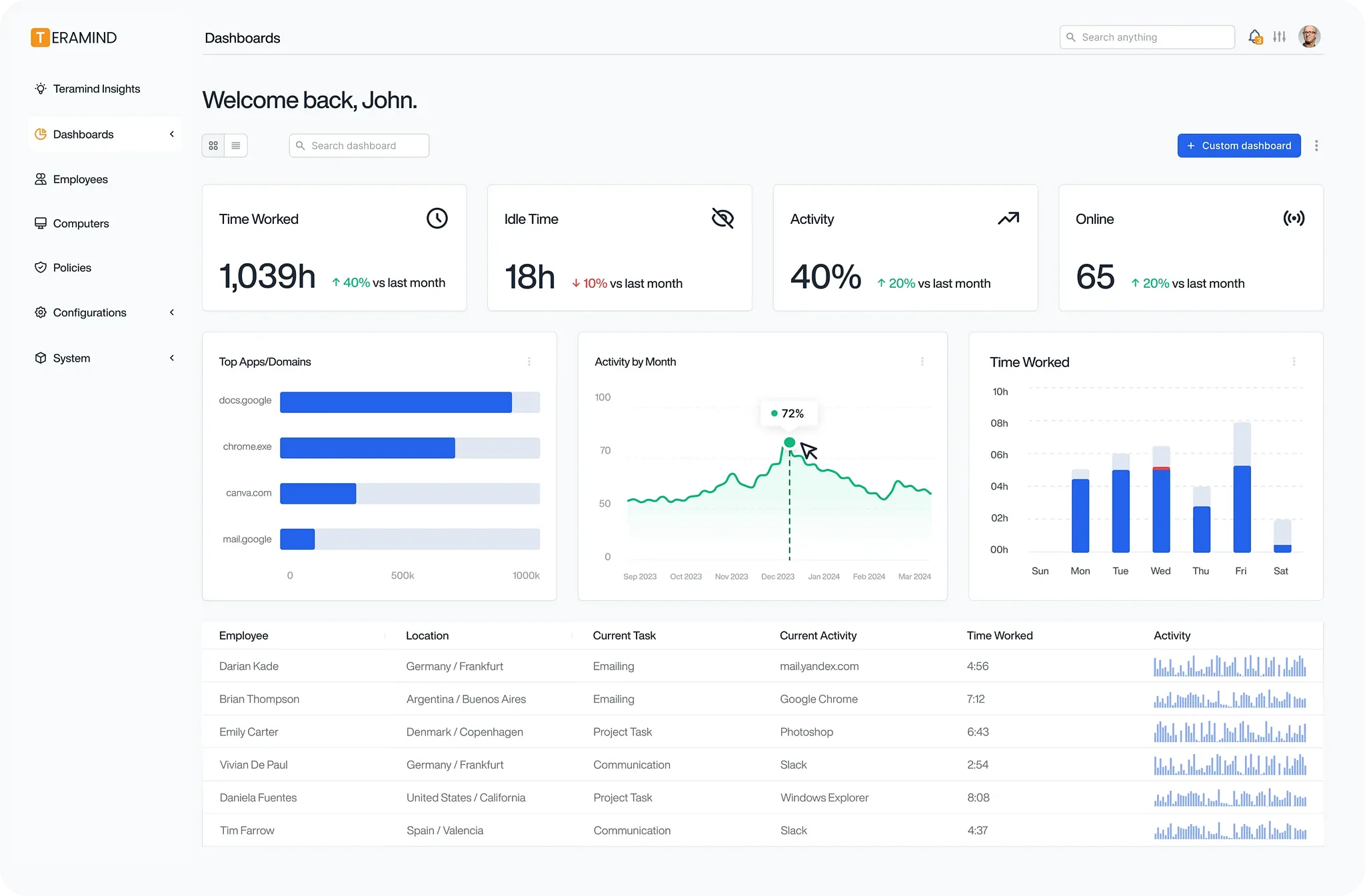
Teramind is an endpoint-based insider threat detection platform that combines user activity monitoring with user and entity behavior analytics (UEBA). It monitors actions by employees and by non-human identities, including AI agents, scripts, and service accounts operating on endpoints, and establishes behavioral baselines for users, peer groups, and entities.
Teramind assigns machine learning risk scores to incidents and uses customizable rules to block risky actions such as unauthorized uploads, USB transfers, printing, and screen captures. For investigations, it records sessions and indexes on-screen text with OCR, alongside detailed activity timelines.
Key features include:
- Privacy controls: Enforces role-based access controls, masks PII and PHI in collected data, and supports alignment with GDPR, HIPAA, and SOC 2.
- Human and AI identity monitoring: Monitors human users as well as non-human identities and AI agents that execute tasks on endpoints.
- UEBA and anomaly detection: Establishes behavioral baselines for users, peer groups, and system entities and flags deviations.
- Machine learning risk scoring: Assigns dynamic risk scores to incidents so security teams can prioritize urgent threats.
- Real-time policy enforcement: Blocks uploads to unauthorized cloud storage, transfers to USB drives, unauthorized printing and screen captures, and exfiltration through personal email, messaging, or unauthorized AI tools.
- Forensic evidence: Provides session replays, OCR keyword indexing, and activity timelines, with access controls on the evidence.
- Additional risk scenarios: Detects workplace harassment in business communications, unauthorized configuration changes, code deletion, and fraudulent financial activity.
- Integrations: Integrates with SIEM, EDR, ITSM, and ticketing platforms.
Limitations (as reported by users on G2):
- Interface complexity: Some users find the interface complicated for non-technical users and overwhelming at first.
- Configuration effort: Some users report that certain configurations are complicated to perform.
- Cost: Some users consider the cost of implementation high.
- Reporting: Some users find reporting challenging.
- Support wait times: Some users mention long queues for technical support.
Source: Teramind
11. Everfox EverShield

Best for: Insider risk programs in government and regulated industries
Strengths: User activity monitoring, UEBA, and case management in one platform
Things to consider: Deep endpoint monitoring requires agents and governance
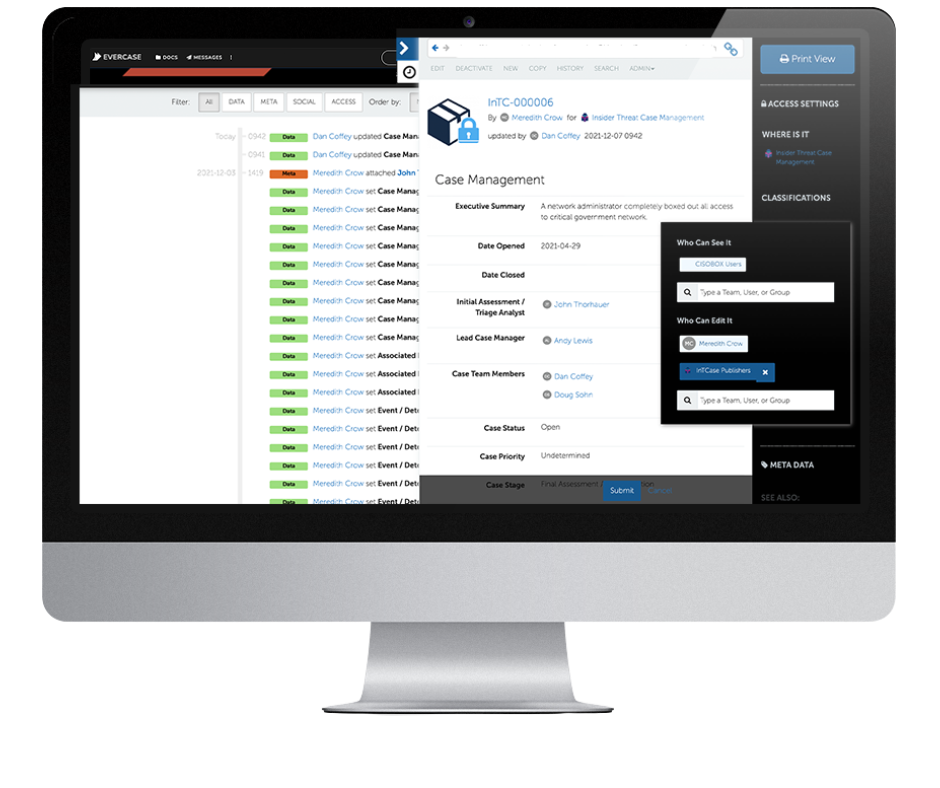
Everfox EverShield Insider Risk Management combines user activity monitoring (UAM), user and entity behavior analytics (UEBA), and insider risk case management. It provides visibility into user actions across endpoints, networks, and data flows, and uses analytics and AI to prioritize incidents and reveal patterns of emerging risk.
EverShield is offered for government, defense, and regulated industries. It includes role-based access, audit trails, and privacy controls so that security, HR, and legal stakeholders can work on investigations and decisions within the same platform.
Key features include:
- User activity monitoring: Provides visibility into user actions across endpoints, networks, and data flows.
- User and entity behavior analytics: Detects anomalies, identifies behavior patterns, and highlights indicators of harmful intent.
- AI-assisted prioritization: Uses analytics and AI to surface priority incidents so teams can respond early to potentially harmful activity.
- Insider risk case management: Manages insider risk cases in one platform while preserving audit integrity.
- Investigation governance: Includes role-based access, audit trails, and privacy controls for coordinated decisions across stakeholders.
- Compliance documentation: Centralizes investigations, user activity, insider risk indicators, and case documentation to support auditable insider risk processes.
Limitations (based on publicly available sources):
- Endpoint agent required: User activity monitoring is host-based, so organizations need to deploy software on the endpoints they monitor.
- Privacy governance: Collection can include keystrokes, application usage, and session playback, so organizations need to configure collection policies, such as “Do Not Collect” rules, to protect employee privacy.
- Commercial edition scope: Everfox describes a streamlined version of the platform for commercial enterprises.
- Pricing transparency: Pricing is provided on request and varies by deployment size and requirements.
Source: Everfox
Behavioral Analytics and Security Analytics Platforms
12. Exabeam

Best for: SOC teams detecting insider threats with UEBA and SIEM
Strengths: Behavioral models for users, service accounts, and AI agents
Things to consider: Users report setup complexity and search usability issues
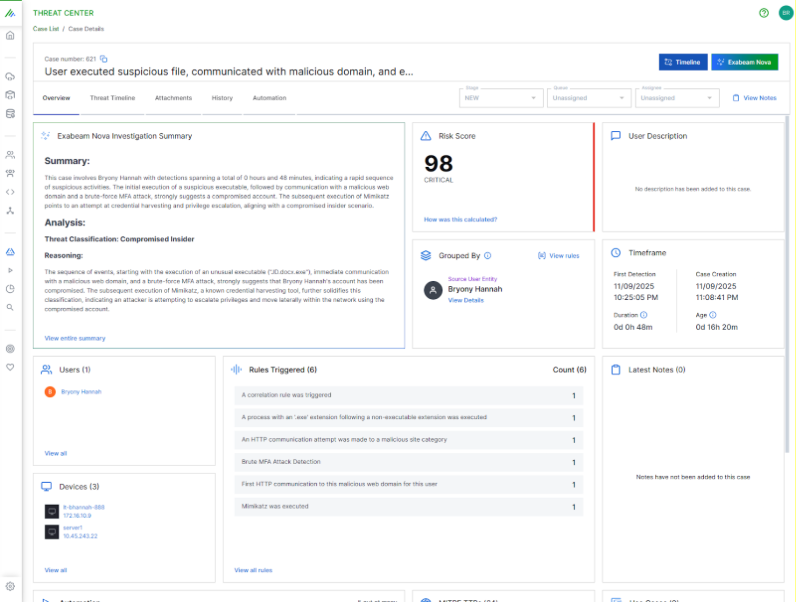
Exabeam uses behavioral analytics to detect insider threats that rely on valid credentials, approved access, and trusted workflows. It models normal activity for human users, service accounts, and AI agents, tracks deviations over time, and prioritizes risk. Insider threat detection is part of Exabeam’s security operations portfolio, which includes the cloud-native New-Scale platform and the self-hosted LogRhythm SIEM.
Exabeam covers use cases ranging from abnormal authentication and privilege escalation to data exfiltration, audit tampering, and data destruction, and correlates events into unified timelines that help analysts determine whether activity is accidental, automated, or malicious.
Key features include:
- Behavioral baselining: Models normal activity for human users, service accounts, and AI agents and detects meaningful changes over time.
- Authentication and lateral movement detection: Identifies deviations in authentication and access patterns, including first-time interactions with sensitive systems.
- Privilege and account monitoring: Detects privilege escalation, abnormal activity by privileged accounts, and unauthorized account creation, deletion, or modification.
- Data exfiltration and leakage detection: Correlates behavior over time to detect exfiltration, leakage, and data access abuse, including automated transfers initiated by AI agents.
- Audit tampering and data destruction: Detects attempts to hide or alter evidence and unusual deletion patterns that indicate disruption.
- Physical security signals: Flags suspicious physical access, such as badge activity in multiple locations within an impossible timeframe.
- At-risk employee detection: Correlates HR signals with behavioral changes to surface emerging insider risk.
- Investigation timelines: Builds timelines automatically and supports multi-agent AI and playbooks in detection, investigation, and response workflows.
Limitations (as reported by users on G2):
- Complexity: Some users find the platform complex to set up and manage.
- Search and parsing: Some users report that cloud search is not very user friendly and that parsing needs improvement.
- AI features: Some users feel the AI features need further improvement.
- Less common data sources: Some users mention issues ingesting data from less common vendors.
Source: Exabeam
13. Securonix UEBA
Best for: Behavior analytics across users, AI agents, and entities in the SOC
Strengths: AEBA extends behavior analytics to AI agents and non-human identities
Things to consider: Users report difficult rule creation and log parsing
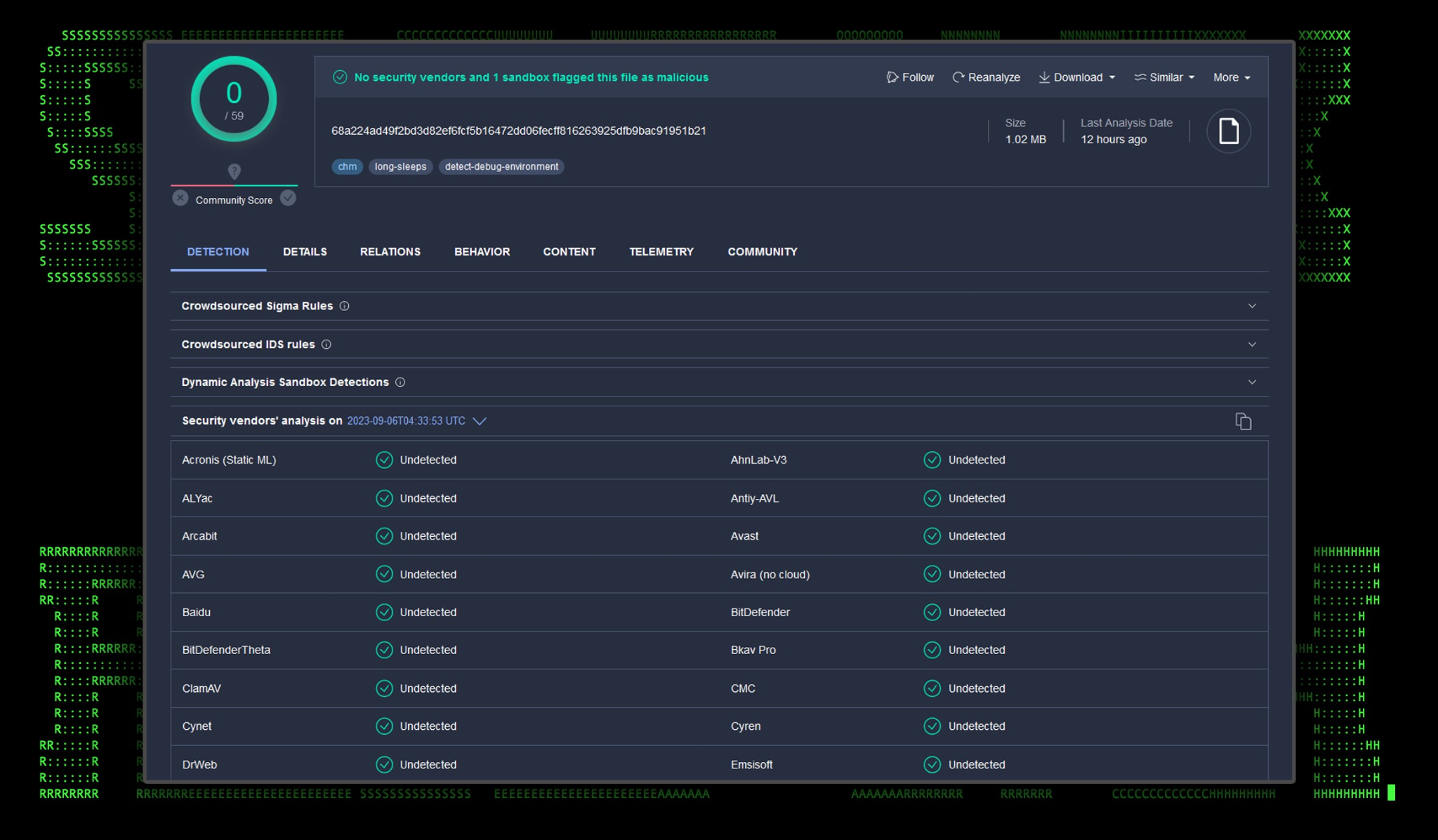
Securonix User and Entity Behavior Analytics (UEBA) detects changes in human and machine behavior, identity, context, and intent and turns them into a prioritized risk narrative for analysts.
Agent and Entity Behavior Analytics (AEBA) extends this to AI agents, autonomous workflows, and non-human identities by analyzing agent actions, API calls, tool usage, permissions, and sensitive data interactions.
UEBA and AEBA can be deployed within Securonix Unified Defense SIEM or added to Microsoft Sentinel through Securonix Threat Analytics, which applies behavior analytics to telemetry already available in Sentinel without additional endpoint agents.
Key features include:
- Behavioral change detection: Identifies rare activity, unusual access, volume spikes, suspicious sequences, privilege misuse, risky tool use, and deviations from individual or peer-group patterns.
- Context enrichment: Adds identity, ownership, asset, location, threat intelligence, data sensitivity, and business context to unusual activity.
- AI agent behavior analytics: Monitors changes in agent access, tool use, application activity, API calls, and sensitive data interactions, and correlates human-to-agent activity.
- Insider Intent Agent: Correlates behavioral, linguistic, contextual, and AI interaction signals with identity activity, access patterns, and data movement.
- Privacy-aware investigations: Uses data masking and filtering, role-based access, approval-based unmasking, and audit trails for insider risk cases.
- Identity threat detection: Detects credential abuse, suspicious authentication, impossible travel, privilege escalation, lateral movement, and account misuse.
- Flexible deployment: Runs within Unified Defense SIEM or alongside Microsoft Sentinel, with more than 2,400 continuously maintained detections.
Limitations (as reported by users on Gartner Peer Insights):
- Rule creation: Some users find the process of creating rules difficult.
- Log parsing: Some users mention log parsing as a weak point.
- Implementation effort: Some users report that implementation is not easy.
Source: Securonix
14. Gurucul AI Insider Risk Management

Best for: Agentless insider risk analytics on existing security data
Strengths: 5,000+ ML models with explainable, glass-box risk scoring
Things to consider: Reviewers note integration effort with some systems
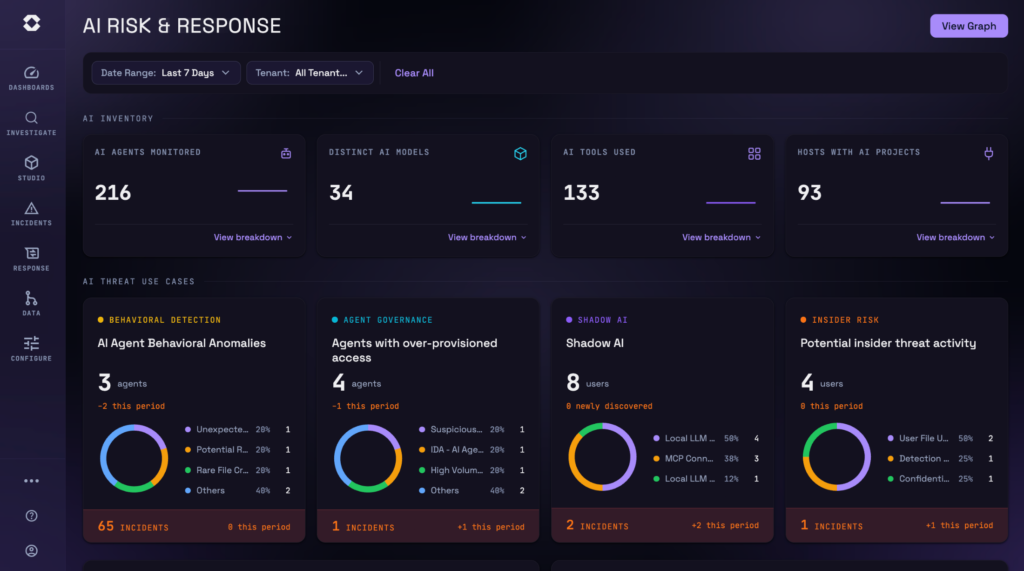
Gurucul AI Insider Risk Management connects behavioral changes across an environment to the identities behind them, scoring employees, contractors, service accounts, machines, and AI agents as distinct entities. It runs without an endpoint agent and uses data from the HR, identity, DLP, endpoint, SIEM, and cloud tools an organization already has.
Gurucul runs more than 5,000 machine learning models alongside rule-based detections and factors in HR context such as resignations. Risk scores rise when independent models corroborate, and each score links back to the models and evidence behind it. An AI Analyst performs first-pass triage, while investigators approve consequential actions.
Key features include:
- Agentless deployment: Connects to existing data sources without a new endpoint agent and runs hundreds of prebuilt detection models from day one.
- Behavioral AI and risk scoring: Analyzes more than 240 attributes per entity with supervised, unsupervised, peer, sequence, language, and graph models, producing an Active Risk Score that updates as behavior changes.
- HR and business context: Weighs resignations, role changes, and performance events, so the same activity scores differently for a departing employee.
- Link Chain Analysis and Graph Explorer: Connects activity from weeks or months earlier into one timeline and maps the owners, credentials, applications, data, and permissions around an entity.
- AI Analyst and SME AI Copilot: Triages findings, assembles evidence, flags missing information, and drafts case narratives for investigators to verify and approve.
- Privacy and governance: Runs triage on masked identities, logs every identity reveal, applies role-based access control, and sets retention by data type.
- Integrations and deployment: Offers more than 450 integrations and deploys as SaaS, private cloud, on premises, or hybrid, including on an organization’s own data lake.
- Detection tuning: Lets teams tune rules and models or build new ones in Gurucul Studio without a data science team.
Limitations (based on publicly available sources):
- Legacy system integration: A reviewer notes that integrating with legacy identity systems and network-based access control systems requires additional integration and playbook work.
- Cloud integration effort: A reviewer describes cloud integration as tedious.
- Interface orientation: A reviewer of a related Gurucul product describes the interface as closer to a data science dashboard than a SOC-centric console.
Source: Gurucul
How to Evaluate and Compare Insider Threat Solutions
Choosing an insider threat solution requires evaluating how effectively it detects suspicious behavior, prevents unauthorized data movement, and protects corporate information across different users, applications, and devices. Organizations should look beyond traditional monitoring capabilities and prioritize solutions that enforce security policies without disrupting legitimate workflows or compromising employee privacy.
Key considerations include:
- Detection vs. prevention capabilities: Determine whether the solution primarily identifies suspicious behavior after it occurs or actively blocks risky actions before data exposure. Look for a combination of behavioral analytics, real-time DLP enforcement, and configurable response policies.
- Protection for BYOD and unmanaged devices: Evaluate whether security controls extend to personal laptops, contractor devices, and other endpoints outside corporate management. Solutions that rely exclusively on traditional endpoint agents may leave coverage gaps in these environments.
- Secure separation of corporate and personal data: Look for technologies such as secure enclaves that isolate business applications, files, and credentials from personal activity. This allows organizations to protect corporate information without managing or monitoring the entire device.
- Granular DLP enforcement: Assess whether the solution can restrict sensitive data transfers through copy-paste, file downloads, uploads, printing, screenshots, and external storage. Controls should apply consistently across supported desktop applications, browsers, and SaaS platforms.
- AI application governance: Verify that the solution can identify and control interactions with approved and unauthorized AI tools. Important capabilities include restricting sensitive prompts, file uploads, copy-paste operations, and access to personal AI accounts.
- Visibility and investigation capabilities: Determine whether the platform provides activity logs, contextual alerts, behavioral analysis, and investigation timelines. Security teams should be able to understand suspicious events without collecting unnecessary personal information.
- Employee privacy protections: Evaluate whether monitoring and enforcement are limited to corporate applications and data, particularly on personal devices. Privacy-conscious solutions should separate work and personal activities while supporting appropriate audit controls and data retention policies.
- Contractor onboarding and offboarding: Look for straightforward provisioning, temporary access controls, and the ability to revoke access and remotely remove corporate data when engagements end. Selective remote wipe capabilities should leave personal applications and files unaffected.
- Compatibility with existing applications and infrastructure: Confirm that the solution supports the organization’s operating systems, desktop applications, browsers, identity providers, and security tools. Consider whether deployment requires full device enrollment, dedicated infrastructure, or significant changes to employee workflows.
- Deployment complexity and total cost: Compare licensing, implementation effort, ongoing policy management, endpoint performance, and support requirements. Solutions that can enforce consistent policies across managed and unmanaged devices may reduce operational overhead compared with maintaining separate security environments.
Conclusion
Effective insider threat protection combines behavioral detection with preventive security controls that limit unauthorized access and data movement. Organizations should prioritize solutions that protect sensitive information across managed and unmanaged devices, support incident investigations, and govern AI usage without compromising employee privacy. Integrating these capabilities with least-privilege access and timely offboarding helps reduce both intentional and accidental insider risks.

Any worker. Any laptop. Any AI workflow. Fully secured.
Schedule a demo to see how Blue Border® secures company data and apps without shipping laptops, running VDI, or managing personal endpoints.