
Ultimate Zscaler Platform Overview: 28 Solutions Reviewed


See Venn first in Google Search
Add as a preferred source on Google
What Is Zscaler?
Zscaler is a leading cloud-native cybersecurity platform. Operating globally, it replaces legacy corporate firewalls and VPNs with a “Zero Trust” architecture. Instead of relying on on-site hardware, its massive 160+ data-center network securely connects users directly to the internet and internal applications.
Zscaler is also extending its zero trust model beyond people and devices to AI. As enterprises send growing volumes of data to AI applications and deploy autonomous agents that query systems and trigger workflows, the platform applies the same inspection, least-privilege access, and data protection controls to AI usage and agent communications.
Zscaler offers a suite of cloud-based solutions depending on a company’s security needs. Its capabilities extend across the following categories:
- Zero trust SASE: Delivers cloud-native secure access to internet, SaaS, and private applications using zero trust principles instead of traditional VPNs and network perimeters.
- Branch, IoT/OT, and devices: Secures branch offices, campuses, industrial systems, IoT devices, and remote access with cloud-managed connectivity and segmentation.
- Data security: Protects sensitive data across endpoints, web, email, SaaS, and cloud environments through unified data loss prevention and posture management.
- AI security: Provides visibility, governance, and runtime protection for enterprise AI applications, models, agents, and employee use of generative AI tools.
- Zero trust cloud: Applies zero trust security controls to cloud workloads, workload communications, and multicloud environments without relying on traditional cloud firewalls.
- Agentic security operations: Uses AI-assisted security operations to prioritize alerts, investigate threats, manage exposures, and accelerate incident response workflows.
Implement zero trust on unmanaged laptops. Extend Zscaler ZTNA.
Discover how to protect company data on unmanaged laptops without Zscaler.
Table of contents
Key Zscaler Platform Features
Zscaler combines multiple cloud-delivered security services into a single platform. Instead of routing traffic through on-premises appliances, it inspects and enforces security policies from its global cloud infrastructure. The following features are among its core capabilities:
- Zero Trust Network Access (ZTNA): Provides secure access to internal applications based on user identity, device posture, and context instead of network location.
- Secure Web Gateway (SWG): Inspects web traffic to block malware, phishing attempts, malicious websites, and other internet-based threats.
- Cloud Firewall: Applies firewall policies in the cloud without requiring traditional hardware firewalls at branch offices or remote locations.
- Cloud Access Security Broker (CASB): Monitors and controls the use of cloud applications, helping organizations enforce security policies and protect sensitive data.
- Data Loss Prevention (DLP): Detects and prevents unauthorized sharing or transfer of confidential information across web, email, and cloud services.
- Sandboxing and Threat Protection: Analyzes suspicious files and content in isolated environments to identify zero-day threats before they reach users.
- SSL/TLS Traffic Inspection: Decrypts and inspects encrypted traffic to detect hidden threats while applying organizational security policies.
- Digital Experience Monitoring (DEM): Tracks application and network performance from the user’s perspective to help identify connectivity and performance issues.
- Centralized Policy Management: Allows administrators to define and manage security policies from a single cloud-based console across all users and locations.
- Global Cloud Architecture: Delivers consistent security and low-latency access through a distributed network of cloud data centers worldwide.
- AI Security: Discovers AI applications, models, and agents across the environment and applies inspection, DLP, and access controls to AI prompts and agent communications.
Common Zscaler Use Cases
Replacing Remote-Access VPNs
Traditional VPNs create security and performance bottlenecks as organizations shift to cloud applications and distributed workforces. Zscaler replaces legacy VPNs with zero trust network access (ZTNA), connecting users directly to applications without routing traffic through the corporate network. This approach:
- Reduces latency
- Improves user experience
- Eliminates the risks of over-privileged access associated with VPN tunnels
ZTNA enforces application-level access based on user identity, device posture, and context, rather than granting broad network access. This minimizes attack surfaces and prevents lateral movement if credentials are compromised. Industry surveys show that more than half of organizations need a week or more to patch a critical VPN vulnerability, and roughly one in three do not inspect any encrypted VPN traffic.
Related content: Read our detailed guide to Zscaler VPN
Securing Internet and SaaS Usage
With employees relying heavily on internet and SaaS applications, securing outbound traffic is critical. Zscaler inspects all web and cloud-bound traffic in real time, blocking malware, phishing attempts, and risky destinations before they reach users’ devices. The platform enforces acceptable use policies and provides granular controls over which applications and services users can access.
Zscaler’s cloud-delivered security stack includes:
- Advanced threat protection
- Sandboxing
- SSL inspection
This ensures that even encrypted traffic is analyzed for threats. This comprehensive protection helps organizations maintain compliance, mitigate data loss risks, and support safe adoption of SaaS platforms without compromising user productivity or performance. Because the vast majority of web traffic is now encrypted, this inline inspection is essential for catching threats that would otherwise pass unnoticed.
Supporting Hybrid Workforces
Hybrid work models require security solutions that operate consistently across office, home, and mobile environments. Zscaler delivers this by enforcing policies and protections from the cloud, regardless of user location or device. This:
- Eliminates the need for complex backhauling of traffic to central data centers
- Ensures that remote users receive the same level of security as those in the office
The platform’s cloud-native architecture scales automatically to support changing demand, making it suitable for organizations with dynamic workforces. By providing unified visibility and control, Zscaler enables IT teams to secure access, monitor activity, and respond to threats across all endpoints, simplifying management and reducing operational overhead.
Related content: Read our article about building a secure remote workforce
Protecting Microsoft 365 and Cloud Applications
Enterprises adopting Microsoft 365 and other cloud applications face new risks, such as:
- Account compromise
- Data leakage
- Shadow IT
Zscaler integrates directly with these platforms to monitor and secure user interactions, blocking threats and enforcing data protection policies. The platform inspects traffic for malicious content, unauthorized sharing, and compliance violations, providing real-time protection without impacting user experience. The platform can also discover embedded AI features within SaaS applications, which are often active by default and can pass sensitive content to AI models outside standard oversight.
Zscaler also supports conditional access and adaptive authentication, ensuring only authorized users and compliant devices can access sensitive cloud resources. This integration helps organizations maximize the productivity benefits of cloud adoption while maintaining robust security and regulatory compliance.
Securing Multi-Cloud Workloads
As organizations deploy applications across multiple cloud providers, consistent security controls become challenging to maintain. Zscaler secures multi-cloud workloads by providing unified policy enforcement and threat protection across environments like:
- AWS
- Azure
- Google Cloud
The platform inspects east-west and north-south traffic, blocking threats and preventing lateral movement between cloud resources. By abstracting security from the underlying cloud infrastructure, Zscaler simplifies operations and reduces the complexity of managing disparate security tools.
Centralized visibility and analytics help organizations detect misconfigurations, monitor workload communications, and quickly respond to incidents across their entire cloud footprint.
Controlling Generative AI Applications
Enterprise AI usage is growing faster than oversight. Recent research shows that data transfers to AI and machine learning applications nearly doubled year over year to more than 18,000 terabytes, with over 400 million DLP policy violations tied to ChatGPT alone.
The rise of generative AI tools, such as ChatGPT and image synthesis platforms, introduces new risks related to data leakage and compliance. Zscaler enables organizations to monitor and control access to these applications, enforcing policies that prevent sensitive information from being inputted or shared inadvertently. The platform:
- Provides granular visibility into user activity
- Can block or restrict the use of unauthorized AI services
By leveraging advanced DLP and application control features, Zscaler helps organizations balance the benefits of generative AI adoption with the need to safeguard intellectual property and maintain regulatory compliance. This proactive approach ensures that AI tools are used responsibly within the boundaries of corporate policies and risk management frameworks.
Securing AI Agents and Agent Communications
AI agents do more than generate answers. They query databases, call APIs, trigger workflows, and spawn sub-agents at machine speed, often with short-lived identities and broader permissions than they need. An agent can hold valid credentials and act on behalf of a legitimate user, yet still create serious risk if it is over-permissioned or invisible to security tools.
Zscaler extends its Zero Trust Exchange to govern how agents connect, access data, and run on devices. The platform:
- Brokers Model Context Protocol (MCP) and agent-to-agent (A2A) communications with fine-grained access controls
- Maintains an agent registry that tracks what each agent is permitted to access
- Maps identities, AI applications, and data sources to expose over-privileged access
- Detects AI risks on endpoints, including AI-powered IDEs, local models, and browser plugins
These controls apply least-privilege principles to agents in the same way they are applied to users and workloads. Security teams can see what data an agent accessed, who authorized it, and where that data went.
Zscaler also identifies AI agents and MCP servers running in public cloud environments and supports red teaming of MCP servers, helping teams find weaknesses before agents reach production.
Zscaler Solutions at a Glance
The table below summarizes the key differences between Zscaler’s products, including what each one is used for and where its capabilities are concentrated. We explore each solution in more detail below.
| Category | Solution | Best For | Key Strengths |
| Zero Trust SASE | Zscaler Internet Access (ZIA) | Secure internet and SaaS access for all users and locations | Full TLS/SSL inspection, SWG, IPS, DNS security, inline AI analysis |
| Zero Trust SASE | Zscaler Private Access (ZPA) | Replacing remote-access VPNs with zero trust network access | One-to-one app brokering, AI app segmentation, inline inspection |
| Zero Trust SASE | Zscaler Digital Experience (ZDX) | Diagnosing app, network, and device issues affecting users | Device-to-app telemetry, AI root cause analysis, ISP insights |
| Zero Trust SASE | Zscaler Zero Trust Firewall | Cloud-delivered firewall for web and non-web traffic | All ports and protocols, cloud IPS, central policy, DNS control |
| Zero Trust SASE | Zscaler Cloud Sandbox | Inline analysis of unknown and zero day file-based threats | Inline quarantine, static and dynamic analysis, API submission |
| Zero Trust SASE | Zscaler Zero Trust Browser | Securing browsing and app access on managed and BYOD devices | Three form factors, browser detection and response, in-browser DLP |
| Branch, IoT/OT, and Devices | Zscaler Zero Trust Branch | Connecting branches, campuses, and factories without firewalls | Broadband forwarding, agentless segmentation, zero touch setup |
| Branch, IoT/OT, and Devices | Zscaler Zero Trust SD-WAN | Branch WAN connectivity without extending the network | App-aware path selection, unified policy, throughput-based sizing |
| Branch, IoT/OT, and Devices | Zscaler OT/IoT Segmentation | Segmenting OT and IoT devices inside factories and hospitals | Agentless /32 isolation, device discovery, ransomware kill switch |
| Branch, IoT/OT, and Devices | Zscaler Privileged Remote Access (PRA) | Vendor and contractor access to IT and OT systems | Clientless RDP/SSH/VNC, credential vaulting, session recording |
| Branch, IoT/OT, and Devices | Zscaler Cellular | Securing cellular-connected IoT and mobile devices | SIM-based steering, agentless, centralized telemetry |
| Data Security | Zscaler Data Loss Prevention (DLP) | One DLP policy across web, email, endpoint, SaaS, and cloud | EDM, IDM, OCR, SMTP relay for email, ML data discovery |
| Data Security | Zscaler Endpoint DLP | Protecting data on user devices with one shared policy | Single lightweight agent, removable media and print controls |
| Data Security | Zscaler Multimode CASB | Securing sanctioned and unsanctioned SaaS and IaaS use | Inline proxy plus API scanning, shadow IT discovery, tenancy control |
| Data Security | Zscaler Advanced SSPM | SaaS misconfiguration, posture, and supply chain governance | Native platform connectors, guided remediation, drift reporting |
| Data Security | Zscaler DSPM | Finding and fixing risk in data at rest across clouds | LLM-based classification, access governance, attack path correlation |
| AI Security | Zscaler AI Asset Management (AI-SPM) | Inventorying AI models, agents, and services in use | Shadow AI discovery, model lineage, training data exposure checks |
| AI Security | Zscaler AI Access Security | Controlling employee use of GenAI apps and AI dev tools | App discovery, prompt inspection, inline DLP, content moderation |
| AI Security | Zscaler AI Guard | Runtime guardrails for enterprise-built AI applications | Prompt injection and jailbreak detection, response filtering |
| AI Security | Zscaler AI Red Teaming | Automated security and safety testing of AI applications | 25+ prebuilt probes, custom datasets, multi-modal tests |
| Zero Trust Cloud | Zscaler Zero Trust Cloud | Inspecting workload traffic to the internet and SaaS | Cloud-scale TLS inspection, inline threat and data controls |
| Zero Trust Cloud | Zscaler Microsegmentation | East-west segmentation between cloud and data center workloads | Host-based enforcement, flow visibility, AI-suggested policy |
| Zero Trust Cloud | Zscaler Zero Trust Gateway | Fully managed workload security across multicloud paths | No infrastructure to deploy, covers all workload traffic paths |
| Agentic Security Operations | Zscaler Agentic SecOps Core | Consolidating and prioritizing alerts across the stack | Alert unification, context enrichment, guided containment |
| Agentic Security Operations | Zscaler Deception | High-confidence detection of lateral movement and intrusion | Decoys across endpoint, cloud, AD, and AI infrastructure |
| Agentic Security Operations | Zscaler Asset Exposure Management | Building an accurate, deduplicated inventory of all assets | 150+ connectors, coverage gap detection, CMDB reconciliation |
| Agentic Security Operations | Zscaler Unified Vulnerability Management (UVM) | Risk-based prioritization of vulnerabilities and exposures | 150+ data connectors, custom risk weighting, ticket automation |
| Agentic Security Operations | Zscaler Managed Detection & Response (MDR) | Adding 24/7 detection and response staffing and expertise | ZIA-enriched investigations, no-code playbooks, threat hunting |
Notable Zscaler Products and Solutions
How we selected these solutions: We shortlisted Zscaler products based on the core capabilities organizations buy the platform for: secure internet and private application access, branch and device connectivity, data protection, AI security, cloud workload protection, and security operations.
Zero Trust SASE: Secure Internet and Private Application Access
1. Zscaler Internet Access (ZIA)
Best for: Secure internet and SaaS access for all users and locations
Strengths: Full TLS/SSL inspection, SWG, IPS, DNS security, inline AI analysis
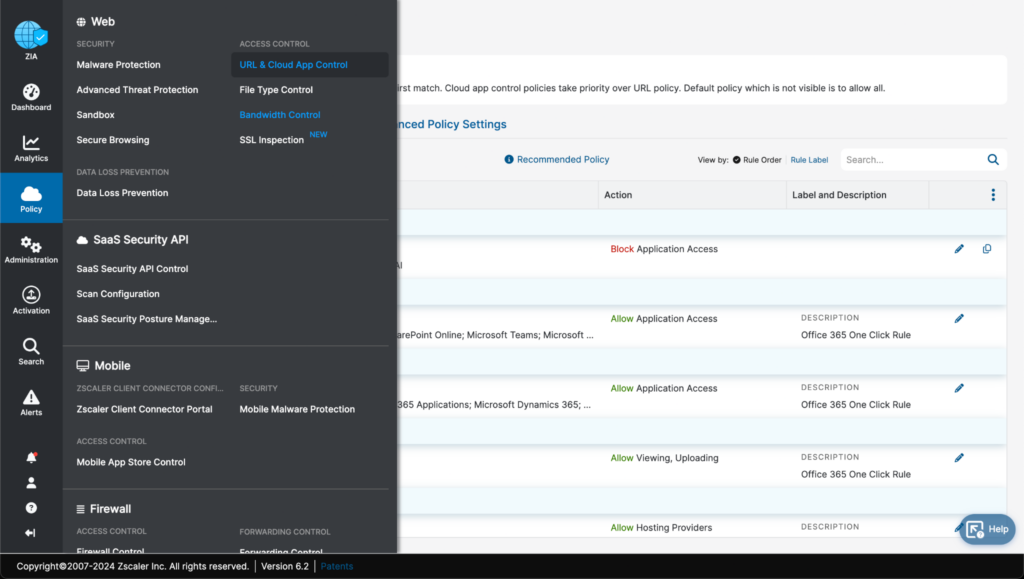
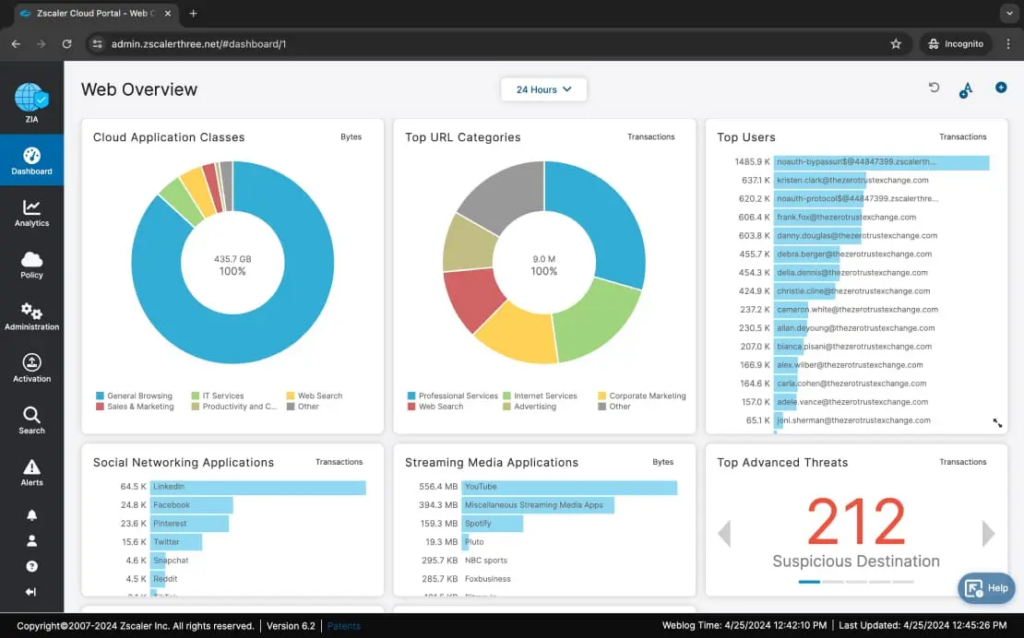
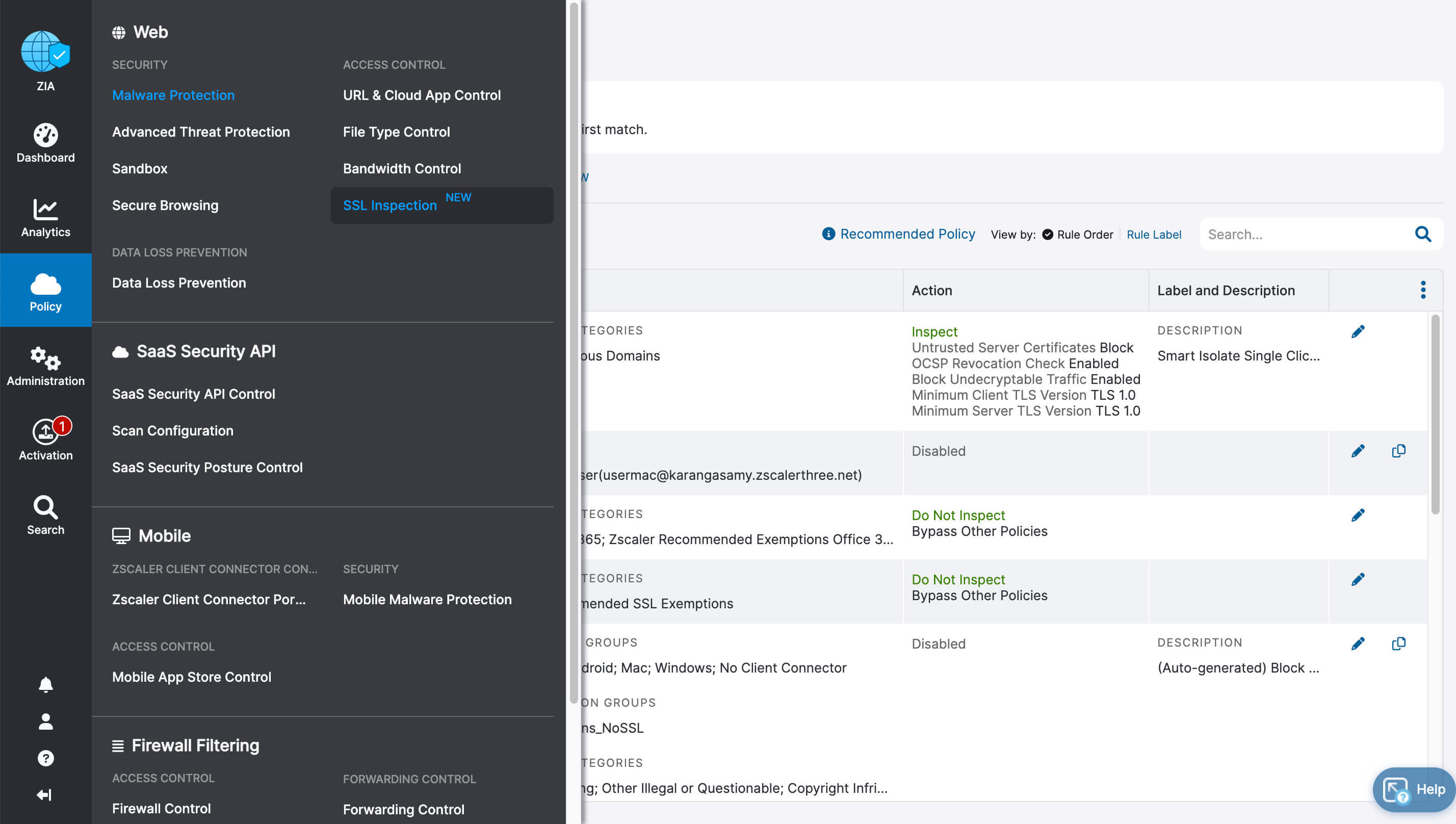
Zscaler Internet Access is a cloud native secure web gateway and security service edge (SSE) service that sits between users and the internet. It inspects traffic inline from Zscaler’s cloud rather than routing it through on-premises appliances, and it applies controls across all ports and protocols.
Connections are brokered directly between users and applications based on identity, context, and business policy. Its Single Scan, Multi-Action engine handles TLS/SSL decryption at scale, which allows ZIA to take the place of edge and branch firewalls.
Key features include:
- Secure web gateway and URL filtering: Filters web destinations, applies acceptable use policy, and analyzes pages and content inline using AI-based detection.
- Full TLS/SSL inspection: Decrypts and inspects encrypted traffic through a proxy architecture, using a single scan to feed multiple security engines.
- Intrusion prevention and advanced threat protection: Blocks botnets, command-and-control traffic, cross-site scripting, malicious active content, and fraud sites, with user, app, and threat intelligence context.
- DNS security: Filters risky and malicious domains, resolves DNS locally, and detects DNS tunneling used to move payloads and data.
- Inline phishing detection and sandboxing: Detects patient zero phishing attempts inline and routes unknown files to Cloud Sandbox with zero day quarantine.
- Cloud app control and bandwidth control: Sets granular policy for individual cloud applications and prioritizes business-critical apps over recreational traffic.
- Dynamic risk-based policy: Continuously evaluates user, device, app, and content risk and adjusts access controls in response.
- Data security integration: Adds inline DLP with Exact Data Match and Indexed Document Matching, plus CASB coverage for SaaS and IaaS.
- SOC integration and data sovereignty: Maps events to MITRE ATT&CK for SIEM, SOAR, and XDR workflows, and supports Egress NAT, geolocalized content, and in-country logging.
Source: Zscaler
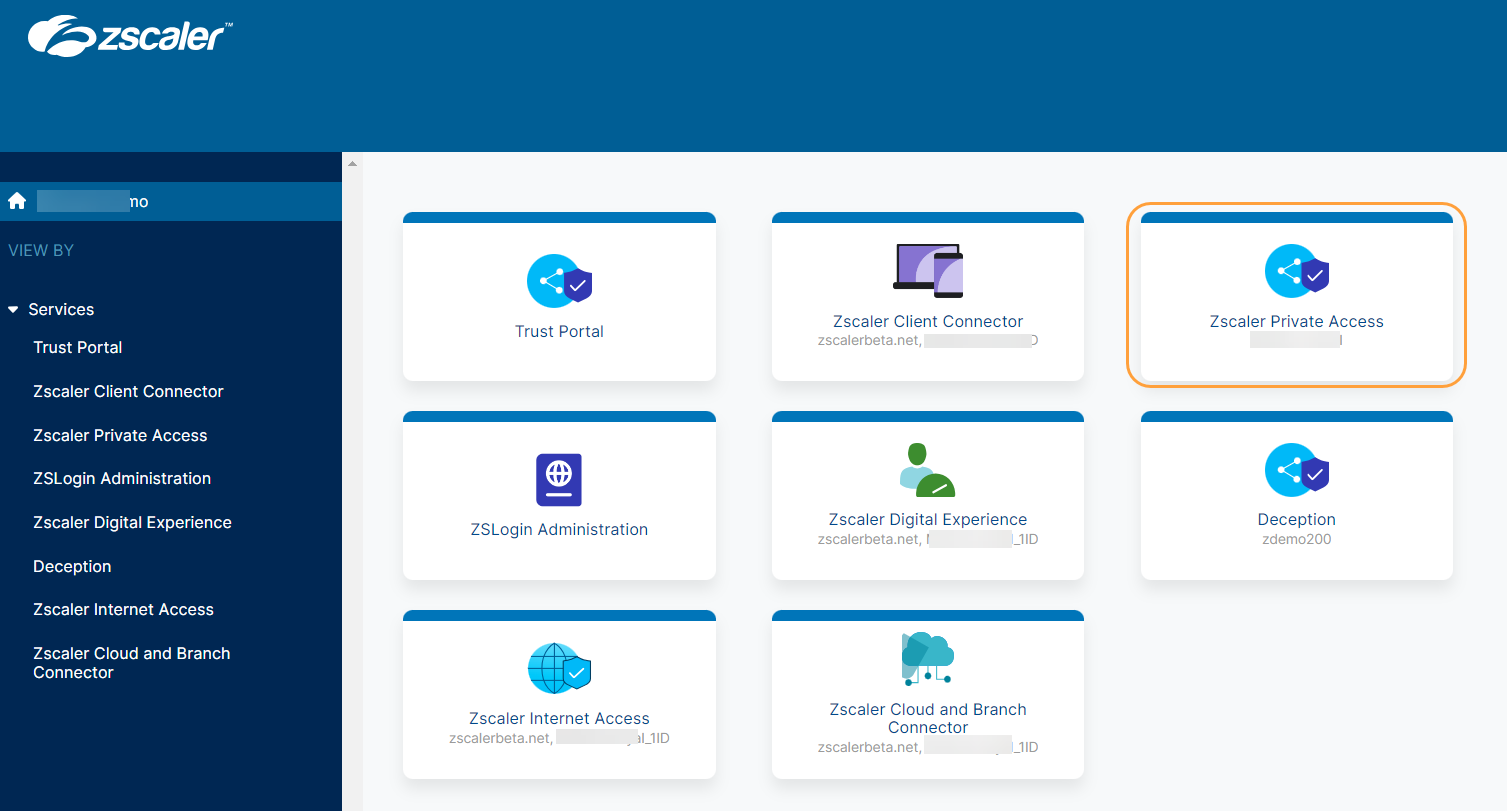
2. Zscaler Private Access (ZPA)
Best for: Replacing remote-access VPNs with zero trust network access
Strengths: One-to-one app brokering, AI app segmentation, inline inspection
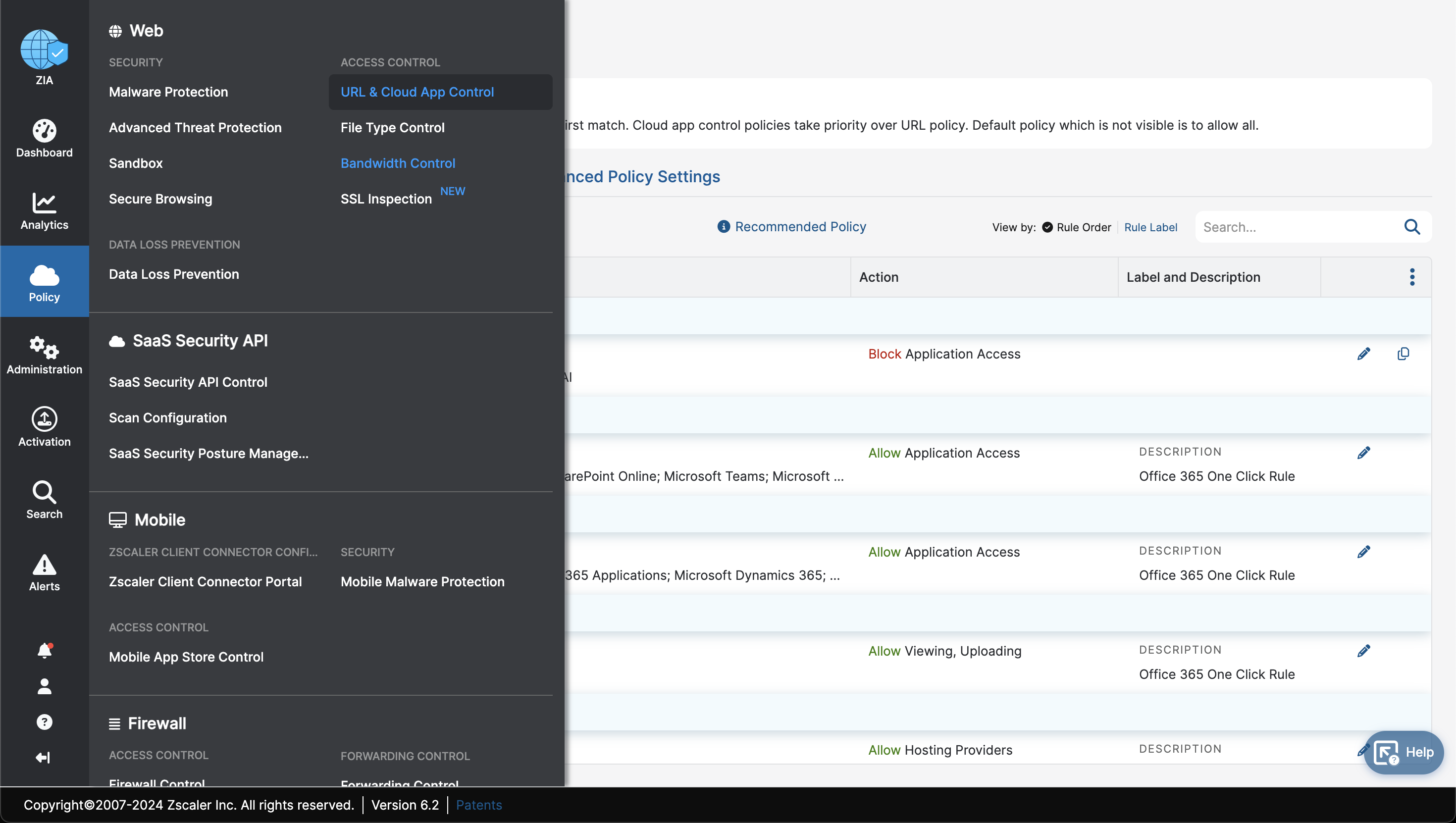
Zscaler Private Access is a zero trust network access (ZTNA) service that brokers direct, one-to-one connections between authorized users and specific private applications. Users are never placed on the corporate network, and applications are not published to the public internet.
It covers applications in data centers and public clouds as well as workloads and OT systems. Access decisions rely on identity, device posture, and context rather than network location, and enforcement happens in the Zero Trust Exchange instead of on VPN concentrators.
Key features include:
- AI-powered app segmentation: Discovers applications automatically and generates recommendations for app segments and access policies, with bulk import from third-party systems.
- Workload-to-workload segmentation: Secures cloud workload communications across hybrid and multicloud environments including AWS and Azure.
- Browser access and clientless connectivity: Provides app access from a standard browser for unmanaged devices and third parties, with no endpoint agent required.
- AppProtection: Applies Layer 7 inspection to private app traffic to detect web risks, Active Directory attacks such as kerberoasting and enumeration, and recent CVEs through virtual patching.
- Private Service Edge: Extends least-privileged access to on-premises users from a locally deployed service edge.
- Business continuity: Maintains policy-enforced access to critical applications during connectivity outages, including authentication, policy, microtenants, and load balancing.
- Data protection for private apps: Adds inline web DLP with EDM and IDM, endpoint and removable media controls, and browser isolation for private app sessions.
- Extranet application support: Extends zero trust access to partner and vendor applications hosted inside their own networks.
Source: Zscaler
3. Zscaler Digital Experience (ZDX)
Best for: Diagnosing app, network, and device issues affecting users
Strengths: Device-to-app telemetry, AI root cause analysis, ISP insights
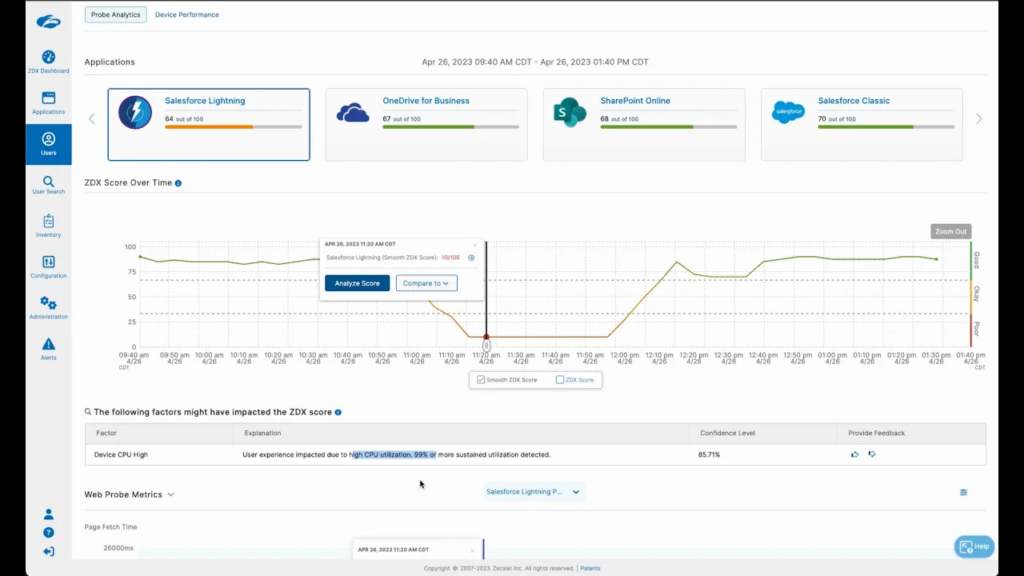
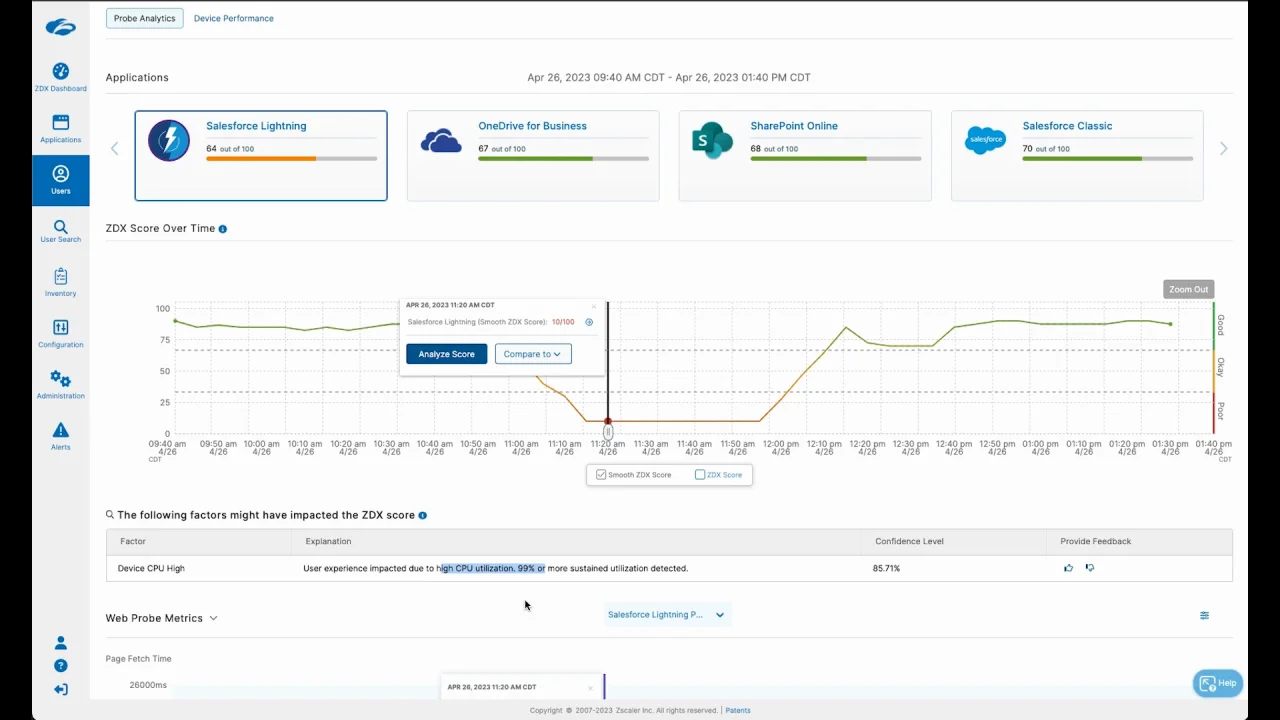
Zscaler Digital Experience is a digital experience monitoring (DEM) service that measures performance from the user’s device, across intermediate networks, to SaaS, cloud, and data center applications. It combines synthetic probes and real user monitoring with device health and network path data.
It runs through the same endpoint agent as other Zscaler services, which removes the need for a separate monitoring agent. It also provides visibility inside zero trust environments, where traffic no longer traverses the paths traditional network monitoring tools watch.
Key features include:
- User experience scoring: Combines synthetic and real user metrics into scores that can be filtered by region, department, and individual user.
- Device health and event monitoring: Tracks struggling devices, provides dashboards for software and system crashes including BSODs, and reports hardware usage for provisioning decisions.
- Device remediation: Runs custom or prewritten scripts remotely against single or multiple devices to resolve recurring issues.
- Hop-by-hop network insights: Visualizes network paths, tracks latency and packet loss across multipath networks, and supports remote packet capture.
- ISP detection and rerouting: Identifies ISP blackouts, brownouts, and high latency, and reroutes users through other Zscaler data centers to bypass them.
- UCaaS monitoring: Monitors Microsoft Teams, Zoom, and Webex sessions to isolate causes of poor audio, video, and sharing quality.
- AI-powered root cause analysis and ZDX Copilot: Isolates root causes across device, Wi-Fi, security service, network, and application layers, with natural language querying.
- Reporting and integrations: Provides Data Explorer reports, shareable read-only snapshots, and ServiceNow or API integration for ticket creation.
Source: Zscaler
4. Zscaler Zero Trust Firewall
Best for: Cloud-delivered firewall for web and non-web traffic
Strengths: All ports and protocols, cloud IPS, central policy, DNS control
Zscaler Zero Trust Firewall delivers firewall functions from the Zscaler cloud instead of from physical or virtual appliances at each site. It covers web and non-web traffic across all ports and protocols, with TLS/SSL decryption handled in the cloud rather than on local hardware.
Policies are user- and app-aware and follow users on and off the corporate network. All rules are configured and enforced from a single console covering users, locations, and cloud environments.
Key features include:
- Inline traffic inspection: Terminates malicious connections with native TLS/SSL decryption applied to inbound and outbound traffic.
- Always-on cloud IPS: Applies adaptive behavioral IPS signatures, including custom signatures, to non-web protocols in real time.
- DNS controls: Provides DNS rule sets, localized resolution, and DNS tunnel detection.
- Advanced attack detection: Identifies evasive and encrypted threats hiding in traffic on nonstandard ports.
- Bandwidth control: Prioritizes business-critical applications so recreational traffic does not consume available capacity.
- Wildcard domain policies: Builds access policy for cloud services and PaaS or IaaS destinations from a central console.
- Local internet breakouts: Delivers direct-to-internet connections for hybrid and branch traffic, including bandwidth-prioritized paths to apps such as Microsoft 365 and Zoom.
- Detailed firewall logging: Provides full logging with reporting and dashboards, plus App ID and User ID awareness for outbound rules at user, group, and department level.
Source: Zscaler

5. Zscaler Cloud Sandbox
Best for: Inline analysis of unknown and zero day file-based threats
Strengths: Inline quarantine, static and dynamic analysis, API submission
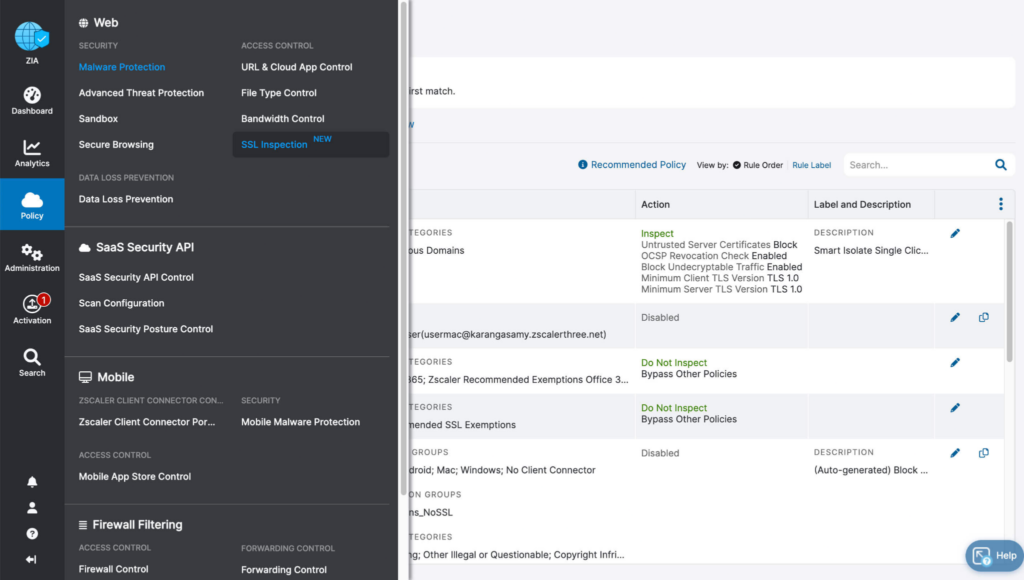
Zscaler Cloud Sandbox analyzes unknown files inline, before they reach an endpoint, rather than after delivery. Analysis runs in the Zscaler cloud, so it does not consume endpoint resources or depend on firewall hooks, and it covers files arriving inside encrypted traffic.
Files can be quarantined by policy while analysis completes. Verdicts feed back into the cloud databases used by other Zscaler services, and results can be exported to security operations tooling.
Key features include:
- Inline quarantine and verdicts: Holds unknown files for analysis and returns AI-driven instant verdicts, including zero day threat quarantine.
- Static and dynamic analysis: Inspects code structure at rest, detonates files, and analyzes secondary samples, updating cloud databases when a file is found malicious.
- Zero Trust Browser integration: Lets users view and interact with original files during analysis, with malicious files flattened to PDF or disarmed to remove harmful content.
- API-driven out-of-band analysis: Accepts file submissions by API and returns analysis data for ingestion into SIEM, SOAR, or EDR workflows.
- Granular policy control: Tailors sandbox policy by user role, location, and category, with expanded file type support and quarantine by policy in advanced tiers.
- Reporting: Provides pre-configured reports with MITRE ATT&CK mapping, patient zero detail, and zero day payload analysis for audit and compliance needs.
Source: Zscaler
6. Zscaler Zero Trust Browser
Best for: Securing browsing and app access on managed and BYOD devices
Strengths: Three form factors, browser detection and response, in-browser DLP
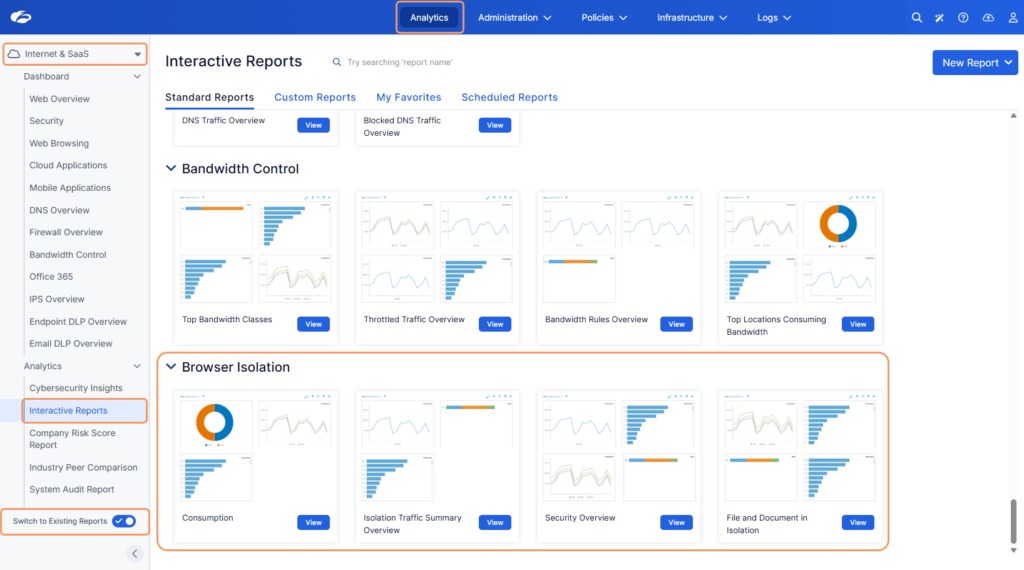
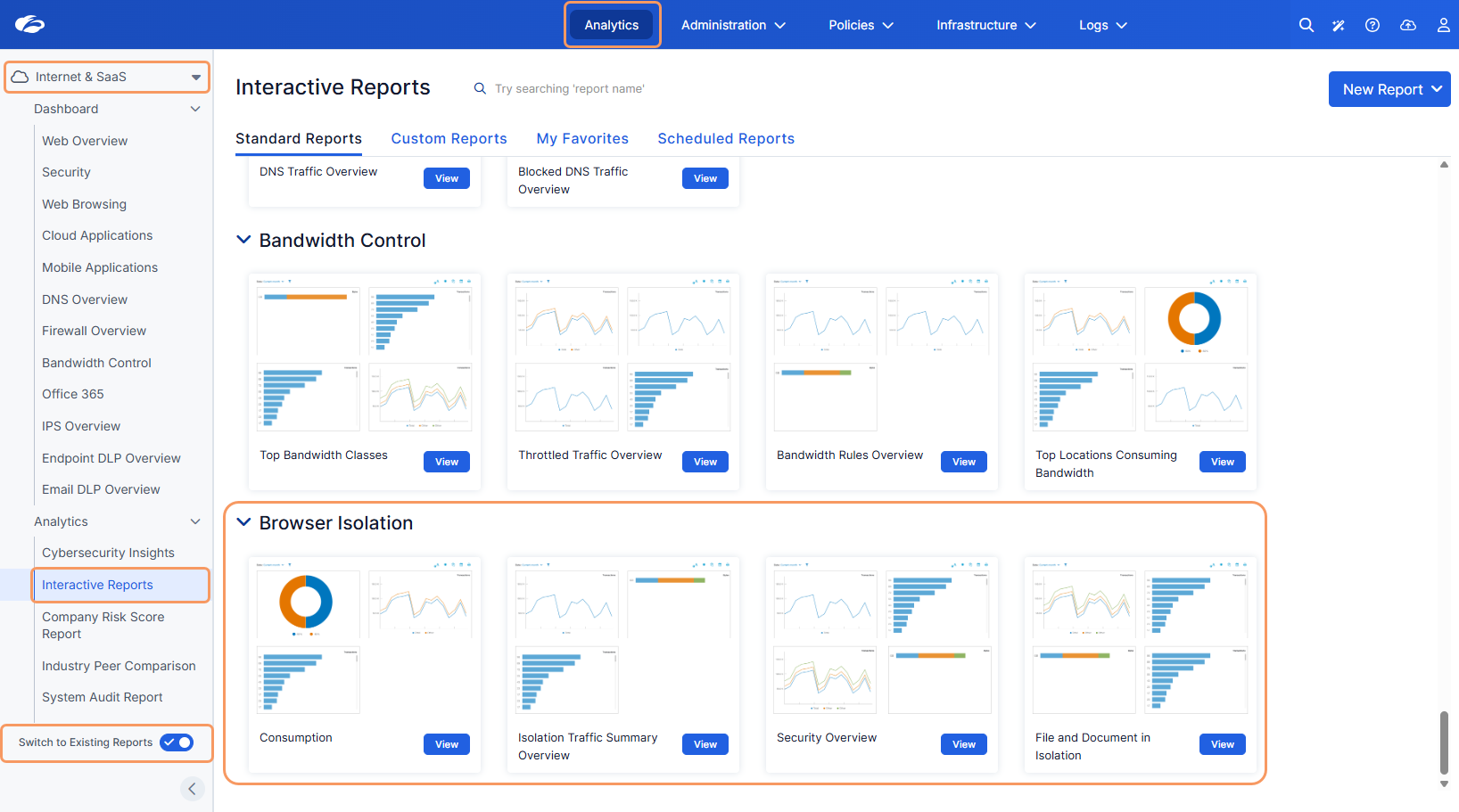
Zscaler Zero Trust Browser combines cloud-based threat isolation with in-browser attack detection and posture-based application access. Risky sessions are rendered away from the endpoint, while data controls are applied inside the browser itself.
Organizations choose among three form factors depending on the use case: a clientless cloud browser, an extension added to existing browsers, or a dedicated Chromium enterprise browser. The extension option avoids a forced browser migration.
Key features include:
- Cloud threat isolation: Contains web threats away from the endpoint so page content never executes on the device.
- Browser detection and response (BDR): Detects and blocks malicious extensions, identity and OAuth attacks, and malicious scripts at the browser layer.
- In-browser data protection: Applies DLP inside the browser with controls for upload, download, copy and paste, printing, screenshots, and keystroke logging.
- Device posture-based access: Runs real-time posture checks before app access and continues assessing posture during the session.
- Third-party and BYOD access: Extends access to SaaS and private web apps from unmanaged devices without installing software, including as a VDI alternative.
- Platform integration: Works with ZPA for private app access, ZIA for web threat protection, and Cloud Sandbox for secure previews of files under analysis.
- AI usage controls: Blocks risky actions in generative AI tools, including uploads, downloads, and clipboard use.
Source: Zscaler
Branch, IoT/OT, and Device Connectivity
7. Zscaler Zero Trust Branch
Best for: Connecting branches, campuses, and factories without firewalls
Strengths: Broadband forwarding, agentless segmentation, zero touch setup
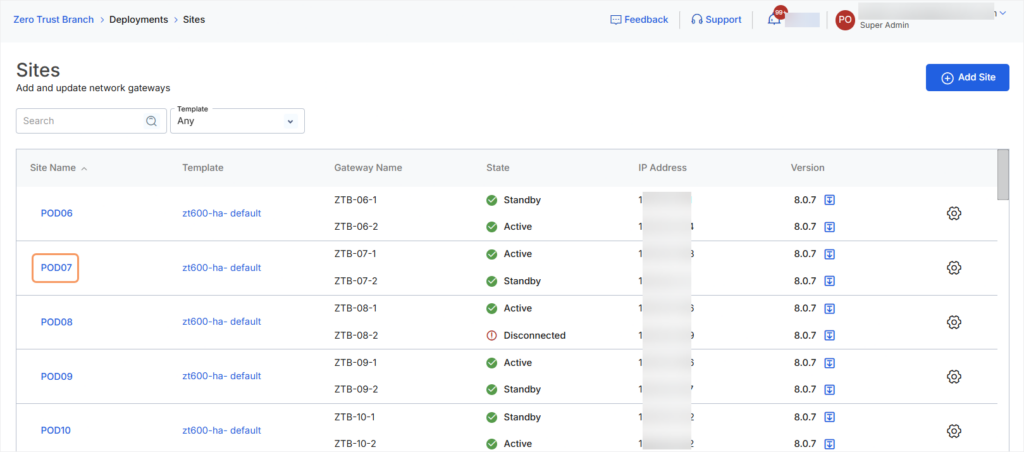
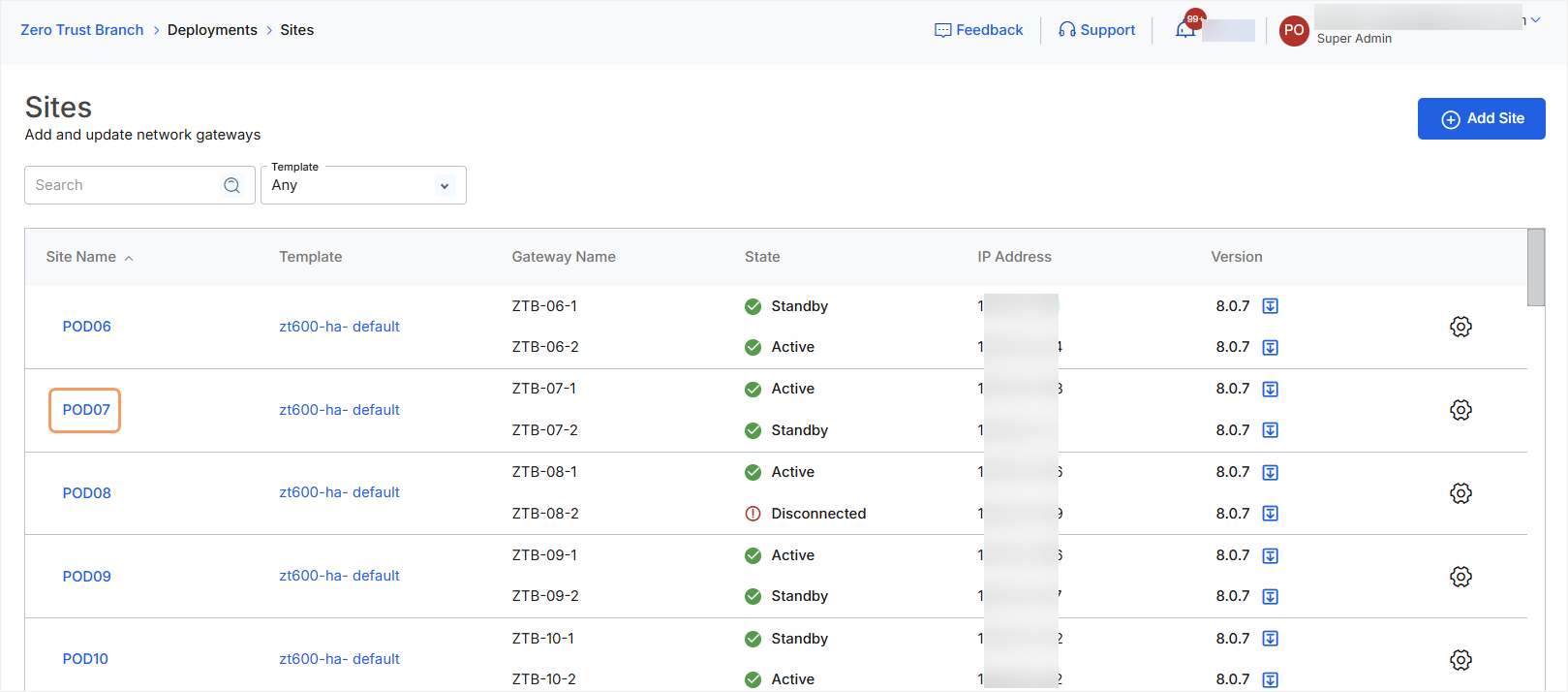
Zscaler Zero Trust Branch connects branch, campus, and factory sites to applications by forwarding all site traffic to the Zscaler platform over a broadband connection. It removes site-to-site VPNs, branch firewalls, and NAC-based segmentation from the architecture.
Devices at the site are segmented without endpoint agents, which allows legacy and headless systems to be covered without taking them offline. Connectivity and segmentation are configured together rather than as separate projects.
Key features include:
- Traffic forwarding over broadband: Sends site traffic to the Zscaler platform without overlay routing or a mesh of site-to-site VPNs.
- Agentless device segmentation: Isolates production lines and individual OT and IoT endpoints without installing software on them.
- Zero touch provisioning: Brings sites online using predefined templates, without manual on-site configuration.
- Combined SD-WAN and segmentation: Packages Zero Trust SD-WAN with device segmentation as a single architecture for each location.
- Privileged remote access integration: Provides governed access to critical IT and OT systems, apps, and devices for internal and external users.
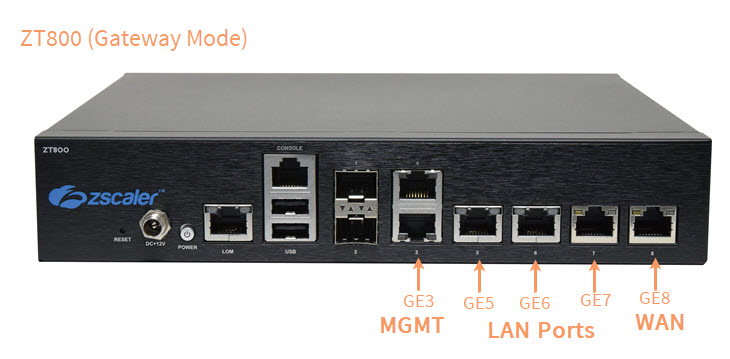
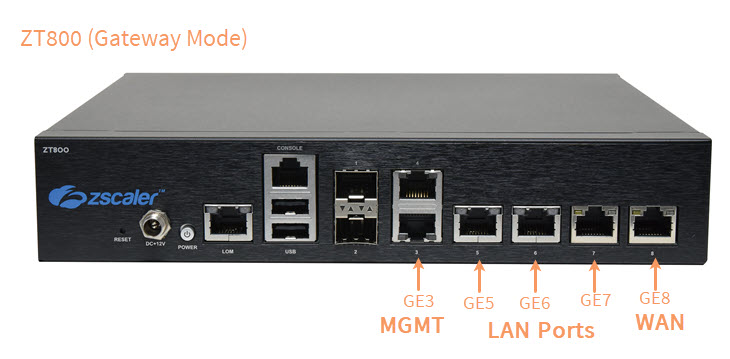
- Hardware and virtual form factors: Deploys as ZT 400, ZT 600, ZT 800, or ZT 8010 appliances, or as a virtual machine.
Source: Zscaler
8. Zscaler Zero Trust SD-WAN
Best for: Branch WAN connectivity without extending the network
Strengths: App-aware path selection, unified policy, throughput-based sizing
Zscaler Zero Trust SD-WAN forwards branch, factory, and data center traffic to the Zero Trust Exchange rather than building a network overlay between sites. A physical or virtual Zscaler Edge appliance acts as the gateway or runs in one-armed mode, managing ISP links and steering traffic.
Branch traffic is inspected in real time and subject to the same context-aware policies as user traffic elsewhere on the platform. Because sites connect to applications rather than to each other, there is no site-to-site tunnel mesh to maintain.
Key features include:
- Dynamic application-aware path selection: Selects WAN paths per application and monitors link quality, with high availability configurations.
- Unified zero trust policy: Applies one policy model across user-to-app, IoT device-to-app, and server-to-server traffic.
- Flexible traffic forwarding: Steers traffic to ZIA, ZPA, routed tunnels, or direct to internet based on configurable selection criteria.
- Agentless zero trust device segmentation: Segments devices at the site without endpoint agents or VLAN readdressing.
- Zero touch provisioning: Uses predefined templates to register appliances and turn up sites quickly.
- Throughput-based sizing: Offers packages from up to 200 Mbps through up to 10 Gbps of encrypted throughput.
Source: Zscaler
9. Zscaler OT/IoT Segmentation
Best for: Segmenting OT and IoT devices inside factories and hospitals
Strengths: Agentless /32 isolation, device discovery, ransomware kill switch
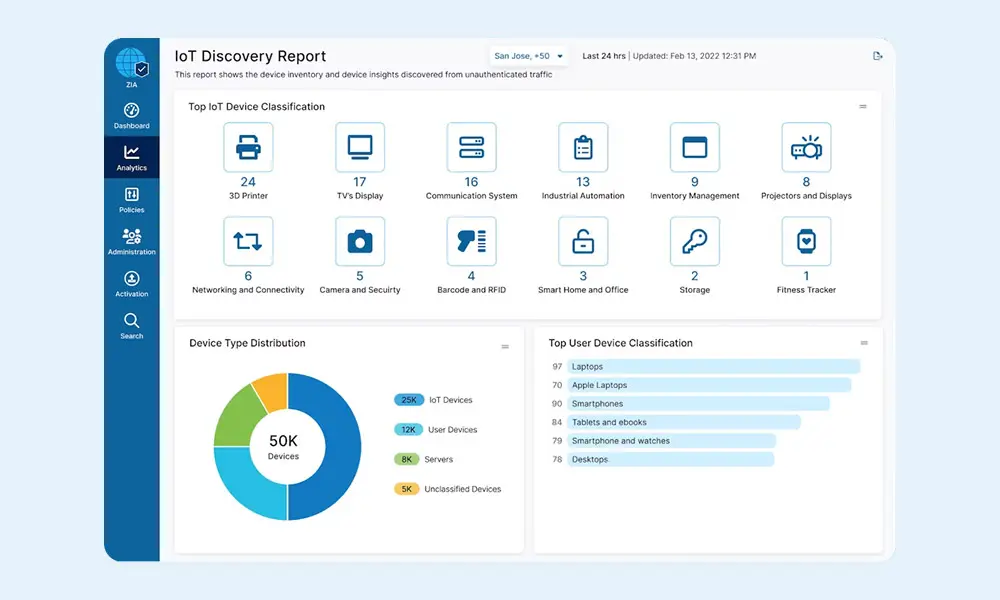
Zscaler OT/IoT Segmentation isolates devices inside a site without agents, hardware upgrades, or VLAN readdressing. It replaces east-west firewalls, NAC appliances, and manual VLAN projects, which makes it applicable to legacy machines and headless systems that cannot run software.
Discovery runs first, classifying devices from east-west LAN traffic and baselining normal behavior. Policy grouping and enforcement are then handled automatically rather than through hand-built rule sets.
Key features include:
- Automated provisioning: Places each device into its own segment using /32 addressing.
- Automated policy grouping: Groups devices, users, and apps for enforcement without manual configuration.
- East-west policy enforcement: Enforces dynamic policy for east-west traffic and separates IT from OT along Purdue model layers.
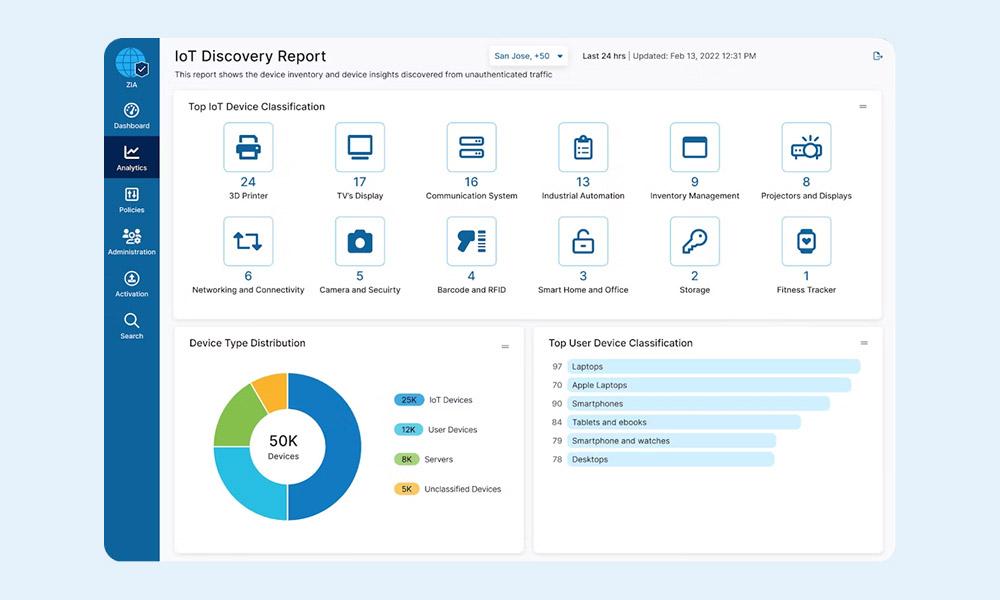
- Device discovery and classification: Discovers and classifies devices in east-west traffic, baselines traffic patterns, and flags unauthorized access.
- Ransomware kill switch: Provides four selectable severity levels that progressively block commonly abused ports and protocols such as RDP, SMB, and SSH.
- MAC-based control and integrations: Restricts critical infrastructure access to known MAC addresses and forwards events to existing SIEM and SOAR tools.
Source: Zscaler
10. Zscaler Privileged Remote Access (PRA)
Best for: Vendor and contractor access to IT and OT systems
Strengths: Clientless RDP/SSH/VNC, credential vaulting, session recording
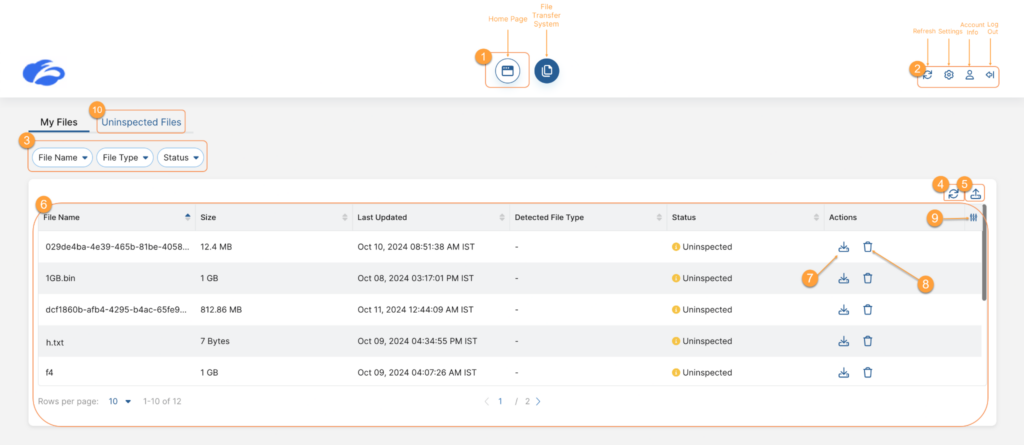
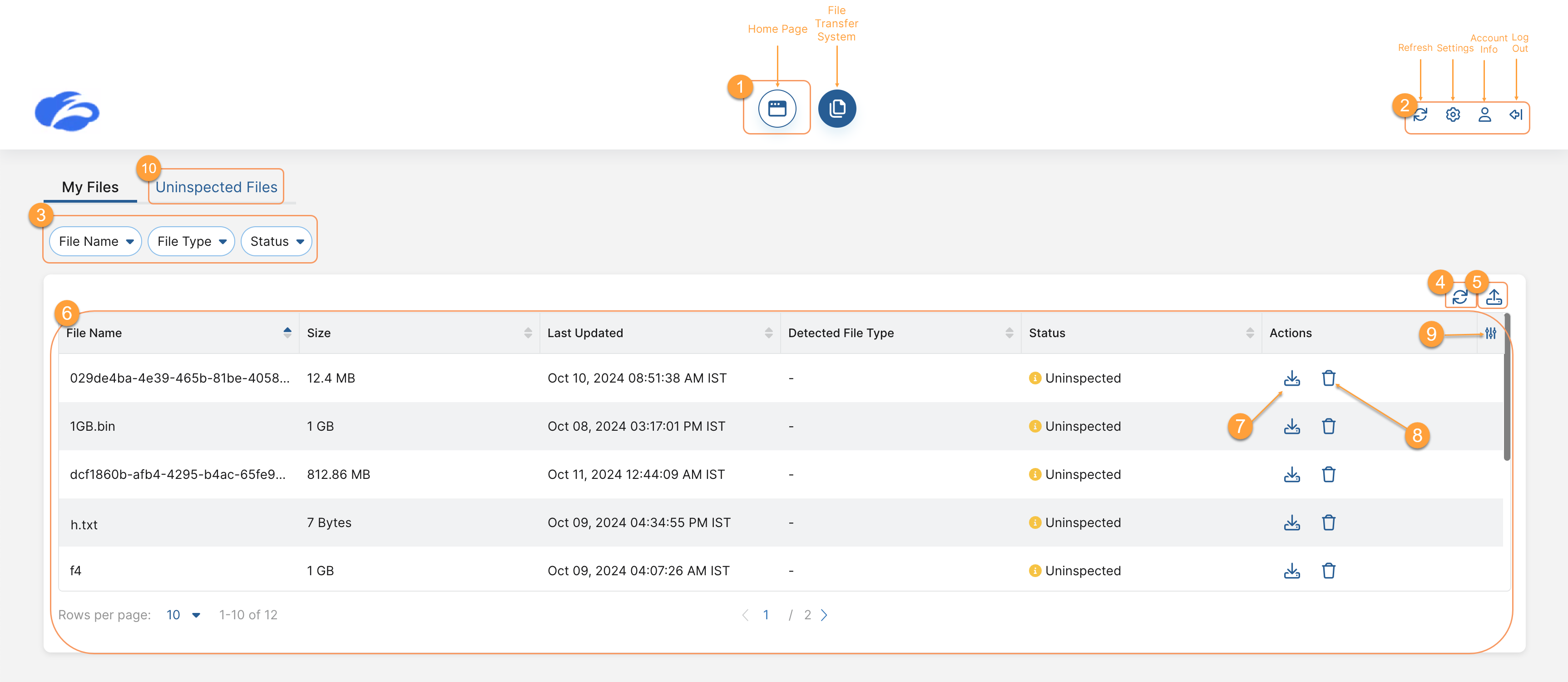
Zscaler Privileged Remote Access provides clientless, browser-based access to RDP, SSH, and VNC systems without VPNs, jump hosts, or endpoint agents. It runs on the ZPA platform, so target systems remain hidden until access is explicitly granted.
Sessions are governed rather than simply permitted, with recording, auditing, and credential handling built into the access path. This covers employees, contractors, and third-party vendors working from unmanaged devices.
Key features include:
- Clientless browser-based access: Reaches RDP, SSH, and VNC systems from a standard browser, with no client software on the user’s device.
- Credential vault and injection: Discovers, stores, rotates, and injects privileged credentials from a cloud-based vault under policy-driven controls.
- Time-bound and just-in-time access: Grants temporary, role-based access for maintenance windows or specific tasks, including emergency access.
- Session monitoring and recording: Captures full session activity, supports ushered access, and retains cloud recordings for audit purposes.
- Privileged Desktop: Spins up an isolated, automatically resetting per-session jump box for thick client access, then destroys it.
- Sandboxed file transfers and clipboard controls: Routes transferred files through Cloud Sandbox and restricts copy and paste actions.
- Identity provider integration: Works with providers such as Okta and Microsoft Entra ID using SAML, OIDC, and SCIM for authentication and user provisioning.
Source: Zscaler
11. Zscaler Cellular
Best for: Securing cellular-connected IoT and mobile devices
Strengths: SIM-based steering, agentless, centralized telemetry
Zscaler Cellular secures cellular-connected IoT and mobile devices by steering their traffic to the Zero Trust Exchange through a Zscaler SIM. Nothing is installed on the device, which suits equipment such as kiosks, vending machines, EV chargers, handheld scanners, and point-of-sale systems.
It integrates with existing telecom infrastructure rather than replacing it, and provisioning consists of enabling the SIM. Traffic from those devices then receives the same inspection and policy enforcement as other Zscaler traffic.
Key features include:
- SIM-based traffic steering: Enables security by provisioning a SIM instead of deploying agents, circuits, or VPNs.
- Cloud security controls for cellular traffic: Applies DNS, secure web gateway, firewall, and ZTNA controls to device traffic.
- Per-device segmentation: Enforces least-privileged access per device to prevent lateral movement between connected endpoints.
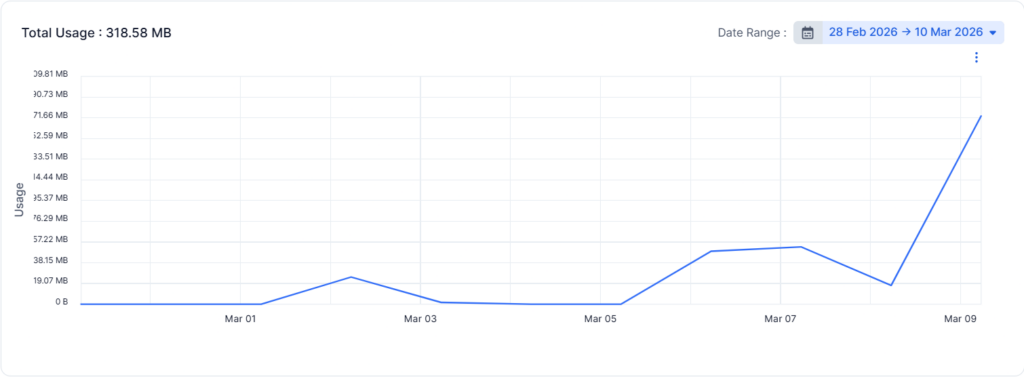
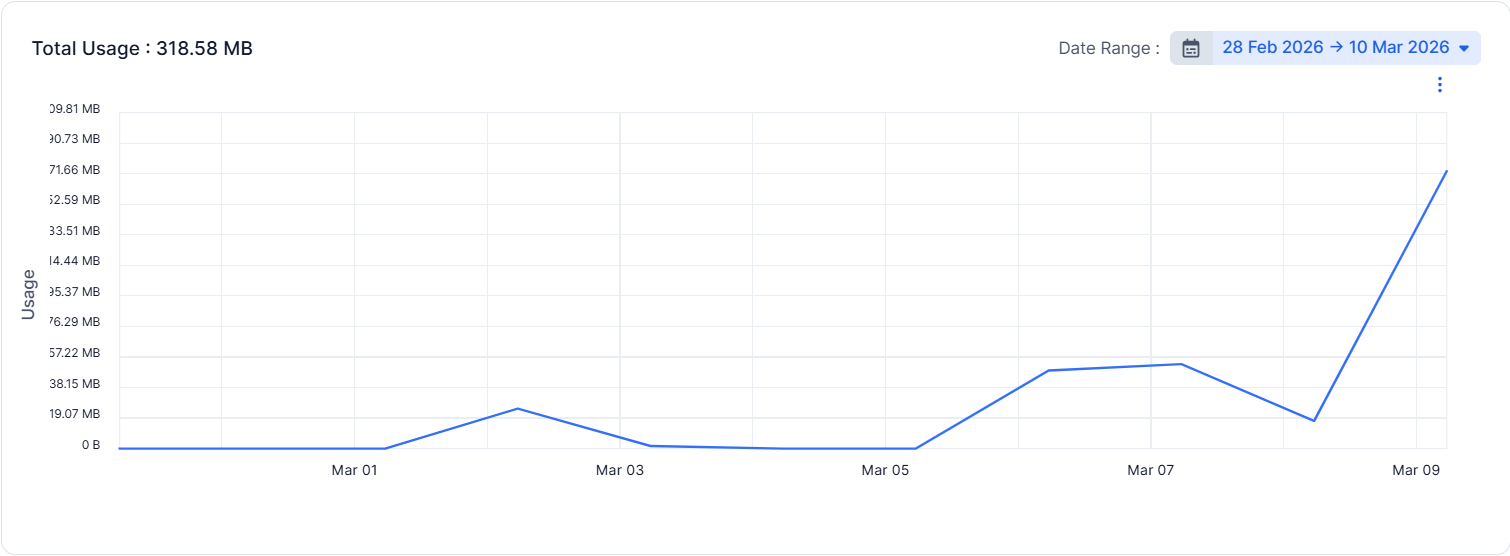
- Centralized telemetry and anomaly detection: Monitors SIM activity and traffic metrics from a single view for all cellular devices.
- Two deployment models: Available as a Zscaler-operated cellular service or as a partner-managed service that uses existing SIM infrastructure.
- Global coverage: Provides multi-operator support, optimized egress, and over-the-air updates through advanced SIM technology.
Source: Zscaler
Data Security
12. Zscaler Data Loss Prevention (DLP)
Best for: One DLP policy across web, email, endpoint, SaaS, and cloud
Strengths: EDM, IDM, OCR, SMTP relay for email, ML data discovery
Zscaler DLP applies a single data protection policy across internet, email, endpoint, IaaS, private app, and BYOD channels. Because it is built into the inline security cloud, it inspects TLS/SSL traffic at scale rather than working around encrypted traffic.
Classification is handled by one engine, so alerts and enforcement stay consistent regardless of where data is moving. Email coverage is added through an SMTP relay without reconfiguring the rest of the deployment.
Key features include:
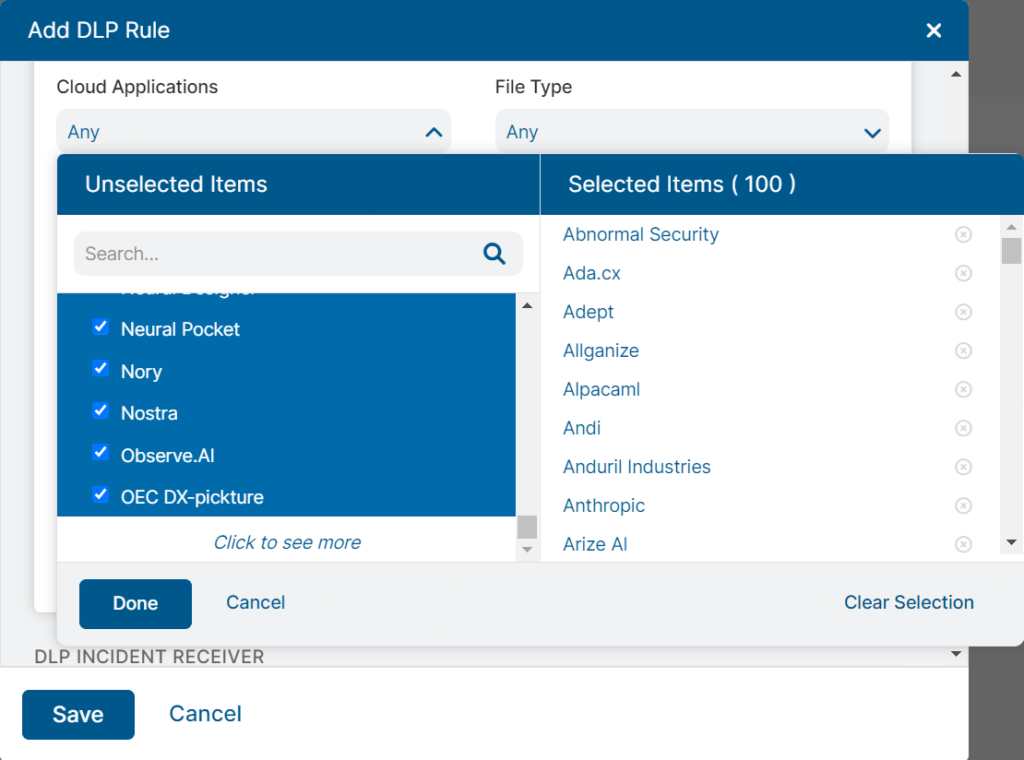
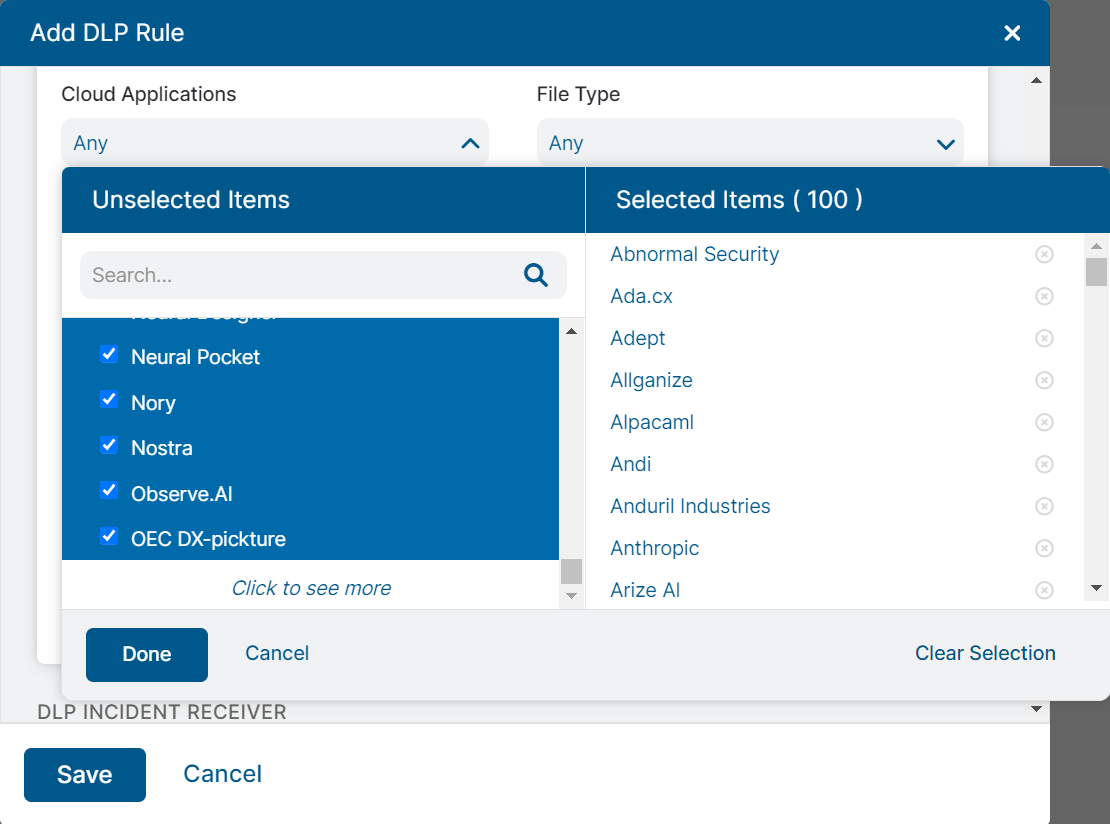
- Centralized policy across channels: Uses one classification engine and policy set for web, endpoint, email, SaaS, public cloud, private apps, and BYOD.
- Exact Data Match (EDM): Fingerprints specific records such as employee data, customer records, or card numbers to improve accuracy and reduce false positives.
- Indexed Document Matching (IDM): Fingerprints document templates such as tax, medical, or manufacturing forms and detects files built from them across cloud channels.
- Optical character recognition: Classifies data inside image files such as PNG and JPEG, including images embedded in documents, and works alongside EDM and IDM.
- AI-powered data discovery: Locates sensitive data across endpoint, inline, and cloud locations to establish where risk sits.
- Email DLP via SMTP relay: Extends inspection to email and attachments for Exchange and Gmail, both inline and out of band.
- Advanced classification and encryption: Adds sensitive file encryption, watermarking, and redaction-based privacy controls in advanced tiers.
Source: Zscaler
13. Zscaler Endpoint DLP
Best for: Protecting data on user devices with one shared policy
Strengths: Single lightweight agent, removable media and print controls
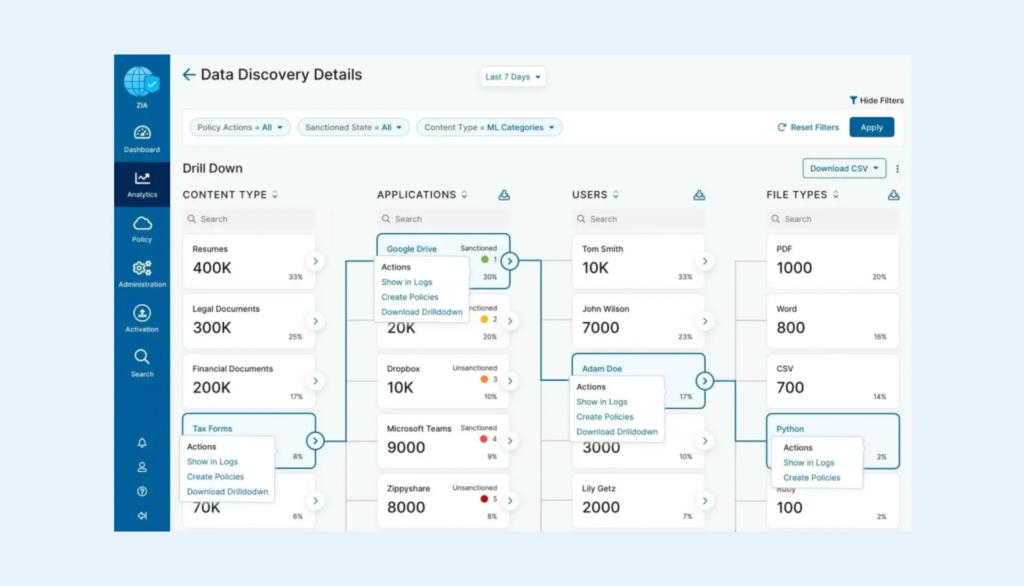
Zscaler Endpoint DLP extends the same data policies to activity that never leaves the device, using the existing Zscaler agent instead of a separate endpoint DLP product. It covers exfiltration paths that inline inspection cannot see.
Protection continues on and off the corporate network regardless of connection status, and alerts flow into the same console and classification engine used for inline and cloud data. Existing policies can be reused rather than rebuilt.
Key features include:
- Single agent deployment: Reuses the existing Zscaler endpoint agent rather than adding another agent to the device.
- Shared policy and alerting: Applies existing DLP policies and classification logic to endpoints for consistent alerting across channels.
- Exfiltration channel controls: Enforces policy over removable storage, local network shares, and printing.
- Cloud storage sync control: Stops sensitive data from syncing to personal cloud storage apps such as Dropbox, Box, and OneDrive.
- On-device data classification: Identifies data types, storage location, who has access, and the associated risk level for endpoint data.
- Dashboards and automated remediation: Provides forensics, in-depth dashboards, and automated workflow actions when violations occur.
Source: Zscaler

14. Zscaler Multimode CASB
Best for: Securing sanctioned and unsanctioned SaaS and IaaS use
Strengths: Inline proxy plus API scanning, shadow IT discovery, tenancy control
Zscaler CASB secures cloud applications in two complementary modes. Inline, it uses the proxy architecture and TLS/SSL inspection to control data in motion to SaaS and IaaS destinations. Out of band, it connects to those platforms through APIs to inspect data already at rest.
That combination covers both what users are sending to cloud apps and what has already accumulated inside them, including risky external file shares. Both modes share the same policy and classification engine as the rest of Zscaler’s data security services.
Key features include:
- Shadow IT discovery: Identifies unsanctioned apps in use and assigns risk scores drawn from a cloud application database.
- Inline upload controls: Prevents sensitive data uploads to sanctioned and unsanctioned apps using integrated DLP.
- Out-of-band API scanning: Crawls apps such as Microsoft 365, Salesforce, and Amazon S3 to locate sensitive data and revoke risky file shares by policy.
- Malware detection at rest and in motion: Applies advanced threat protection and cloud sandboxing to cloud-stored and cloud-bound content.
- Tenancy restriction: Limits access to specific app tenants and app categories based on user group, device, and other attributes.
- Agentless BYOD security: Delivers cloud browser isolation for unmanaged and third-party devices, including read-only access modes.
- Compliance reporting: Consolidates visibility and reporting across SaaS apps and cloud service providers in a single console.
15. Zscaler Advanced SSPM (Unified SaaS Security)
Best for: SaaS misconfiguration, posture, and supply chain governance
Strengths: Native platform connectors, guided remediation, drift reporting
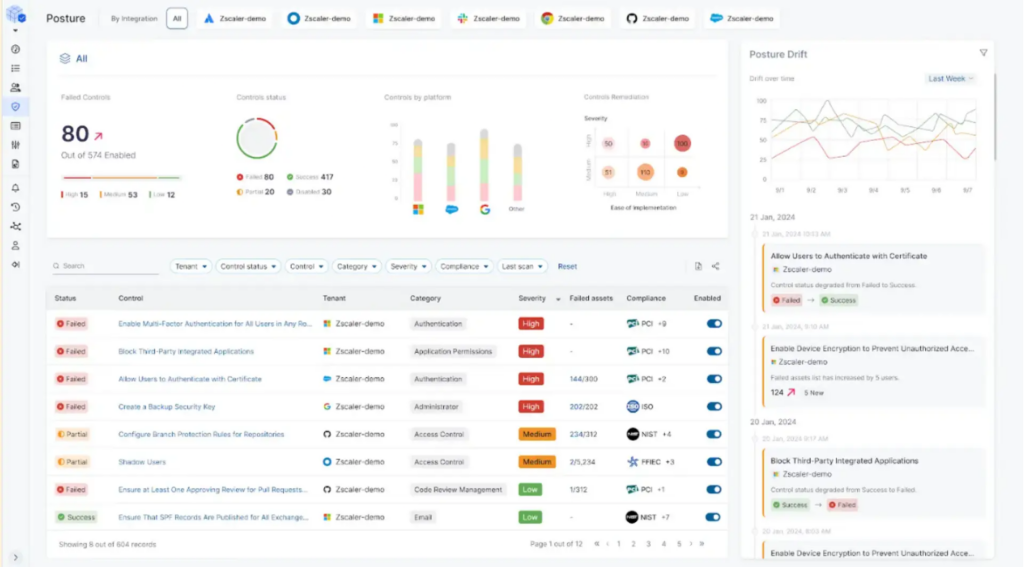
Zscaler Advanced SSPM pairs multimode CASB with SaaS security posture management, covering both the data inside SaaS platforms and the way those platforms are configured. It connects natively to major platforms rather than requiring custom integration work.
Once connected, it continuously checks for misconfigurations, risky third-party integrations, and excessive permissions, and surfaces them as a prioritized list. Supported platforms include Microsoft 365, Google Workspace, Slack, Salesforce, and Atlassian.
Key features include:
- Native SaaS platform integrations: Connects and scans supported platforms in minutes without building custom connectors.
- Posture monitoring and drift detection: Continuously monitors settings for dangerous misconfigurations and reports configuration drift over time.
- SaaS supply chain governance: Discovers and audits third-party app integrations and add-ons, and revokes risky connections.
- Identity and permission risk: Identifies overprivileged users and restricts unauthorized access to SaaS apps and data.
- Automated and guided remediation: Presents a prioritized view of risks with either automated fixes or step-by-step guidance.
- Governance and compliance reporting: Maps posture against industry benchmarks and regulatory frameworks and reports on compliance status.
Source: Zscaler

16. Zscaler DSPM
Best for: Finding and fixing risk in data at rest across clouds
Strengths: LLM-based classification, access governance, attack path correlation
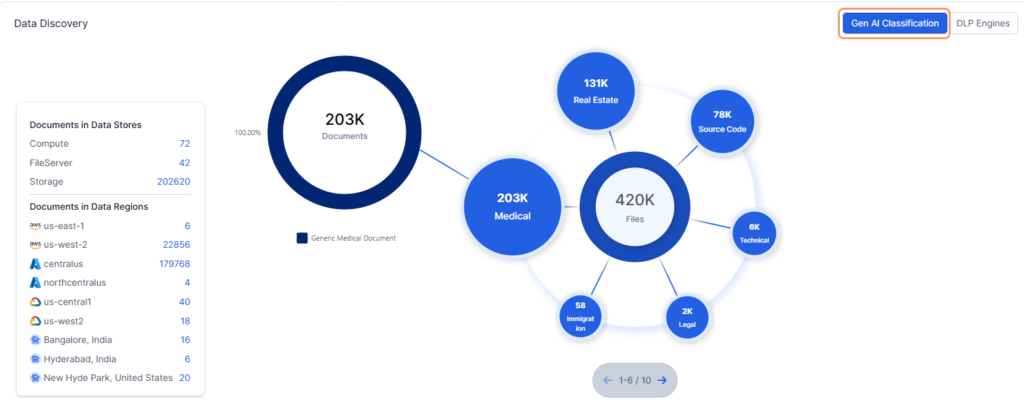
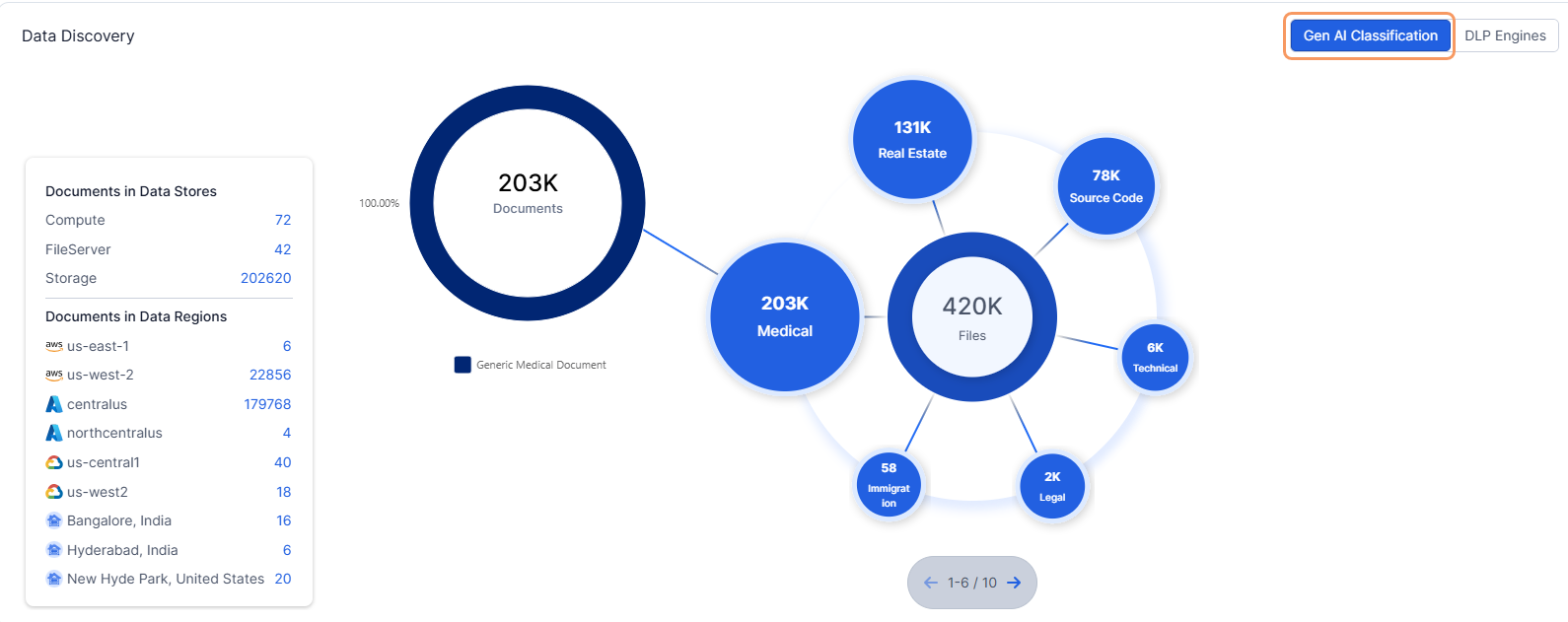
Zscaler DSPM discovers and classifies data at rest across IaaS, SaaS, on-premises stores, and endpoints, then evaluates the security posture surrounding it. It reports on conditions such as encryption, exposure, logging, and backup status for each store holding sensitive data.
Rather than listing findings individually, it correlates exposure, misconfiguration, and entitlement data to identify attack paths and prioritize what matters. It shares a platform with Zscaler’s inline data controls, so discovery and enforcement draw on the same classification.
Key features include:
- Automated discovery and inventory: Finds structured and unstructured data across data stores and records storage location, access, and usage patterns.
- LLM-based classification: Classifies sensitive, regulated, and custom data categories, including data held in shadow AI services.
- Posture visibility: Reports on encryption, exposure, logging, backup, and certificate status for stores containing sensitive data.
- Threat correlation and risk scoring: Correlates misconfigurations and exposure to reveal hidden attack paths, then applies risk scoring to prioritize findings.
- Data access governance: Maps users, roles, and privilege levels with access to each store, and remediates overprivileged access paths.
- Compliance mapping: Benchmarks posture against standards such as GDPR, HIPAA, PCI DSS, and NIST AI RMF, with automated reporting.
- Workflow automation: Provides guided remediation steps and integrations with ITSM, operations, and developer tools.
Source: Zscaler
AI Security
17. Zscaler AI Asset Management (AI-SPM)
Best for: Inventorying AI models, agents, and services in use
Strengths: Shadow AI discovery, model lineage, training data exposure checks
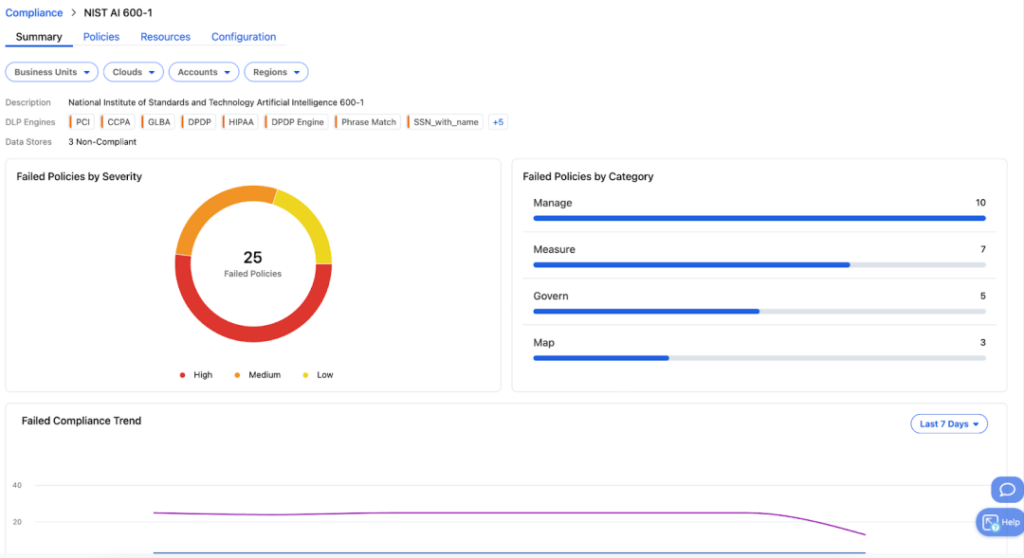
Zscaler AI Asset Management provides AI security posture management for the AI services deployed inside an organization. It discovers models, agents, and services, records context about each one, and links them to the data they can reach.
Coverage spans managed cloud AI platforms and unmanaged services, including Amazon Bedrock, Microsoft Azure AI Foundry, Google Vertex AI, Hugging Face, and Ollama. Findings are correlated with the surrounding data posture rather than reported in isolation.
Key features include:
- AI deployment visibility: Records which models, agents, and services are in use, where they are deployed, and what resources they depend on.
- Shadow AI detection: Surfaces AI deployments that are not formally sanctioned or known to IT and security teams.
- Model inventory and lineage: Captures publisher, country of origin, licensing terms, and risk factors for each model.
- Supply chain risk analysis: Maps the AI supply chain to expose misconfigurations, excessive permissions, and vulnerabilities, including in retrieval-augmented generation frameworks.
- Training data protection: Monitors sensitive and regulated data used in training datasets and flags oversharing, misuse, and exposure.
- Model interaction analysis: Reviews prompt and output logs to identify model misuse and potential data exposure.
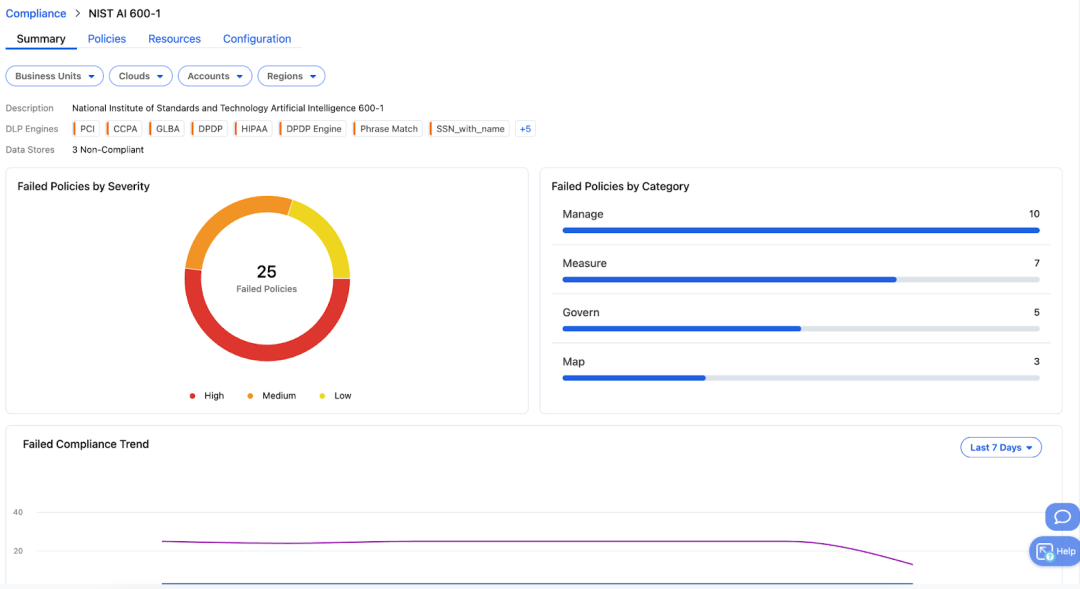
- Governance mapping: Benchmarks against NIST AI RMF 600-1, the EU AI Act, GDPR, and HIPAA, with continuous monitoring and compliance reporting.
Source: Zscaler
18. Zscaler AI Access Security
Best for: Controlling employee use of GenAI apps and AI dev tools
Strengths: App discovery, prompt inspection, inline DLP, content moderation
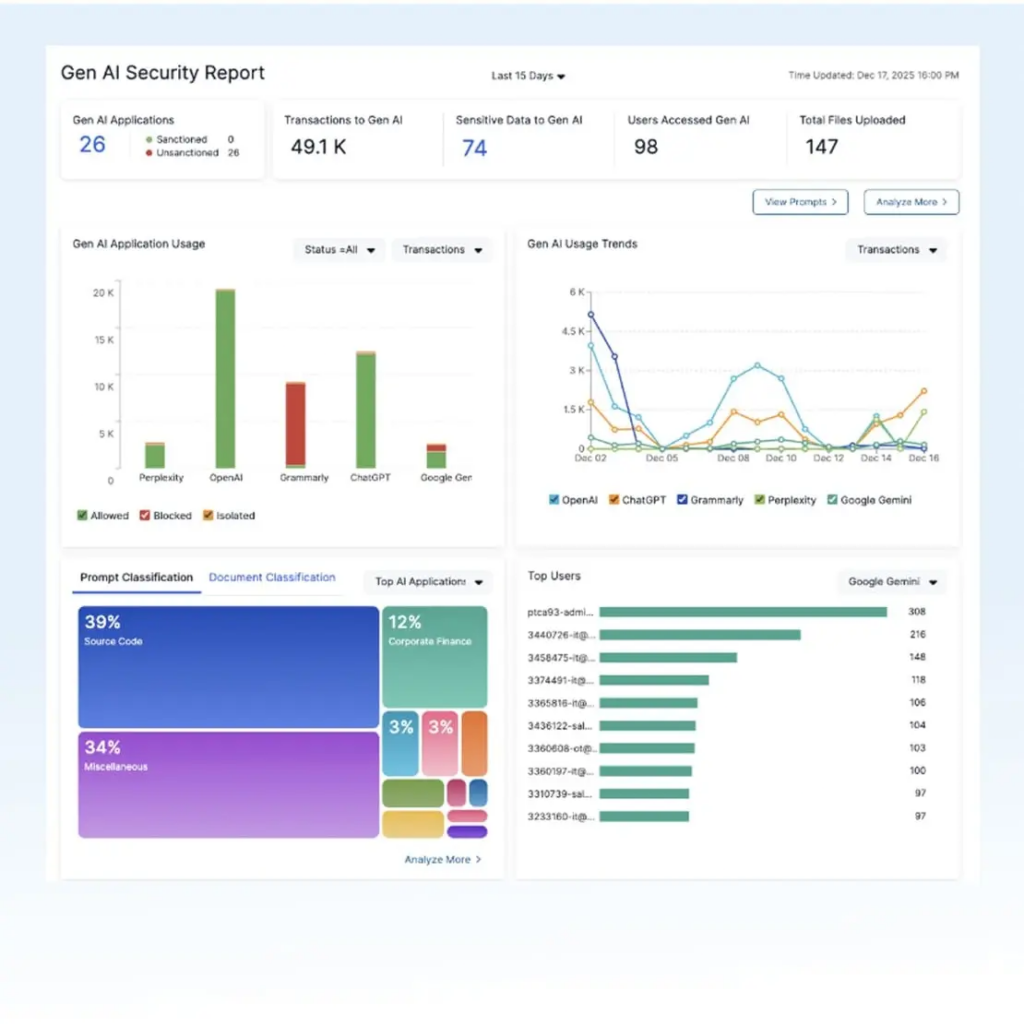
Zscaler AI Access Security governs how employees reach AI applications, covering standalone GenAI tools, AI embedded inside SaaS products, and AI-assisted developer tooling. It first identifies which apps are in use and by whom, then applies per-user or per-group decisions.
Policy options extend beyond allow and block to include coaching users and routing sessions through browser isolation. Prompt and response content is inspected inline, so controls can act on what is being sent rather than only which app is being used.
Key features include:
- Shadow AI discovery: Detects and classifies thousands of AI apps, including AI embedded in popular SaaS applications, with dashboards by user, department, and trend.
- Prompt and response inspection: Extracts and classifies prompt content to show how users are interacting with AI applications.
- Inline DLP for prompts: Blocks sensitive data in prompts using more than 100 predefined dictionaries covering source code, PII, PCI, and PHI.
- Granular access policy: Warns, blocks, or enforces browser isolation, including control over copy and paste actions inside AI applications.
- Content moderation: Detects off-topic, toxic, restricted, or competitive topics in prompts and responses and applies inline controls.
- Upload restrictions: Permits prompt use while preventing bulk uploads of sensitive files to AI tools.
- Developer tool controls: Applies zero trust access and inline controls for AI IDEs and tools that connect to AI infrastructure.
Source: Zscaler

19. Zscaler AI Guard (AI Guardrails)
Best for: Runtime guardrails for enterprise-built AI applications
Strengths: Prompt injection and jailbreak detection, response filtering
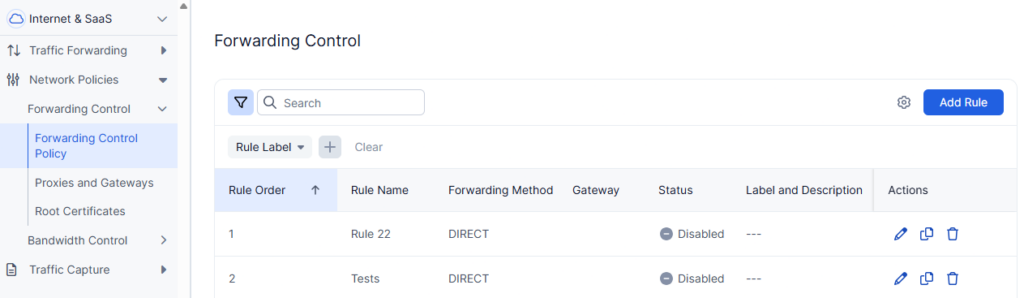
Zscaler AI Guard applies inline guardrails to the AI applications an organization builds and operates, rather than to the third-party AI apps its employees visit. It inspects prompts and responses in real time as they pass through the inline platform.
Inspection covers three directions at once: attempts to manipulate the model, sensitive data appearing in prompts or outputs, and responses that would create brand or compliance problems. Policies can be tested before they are enforced.
Key features include:
- Attack guardrails: Detects prompt injection, jailbreak attempts, malicious and unreachable URLs, and invisible text.
- Data loss controls: Detects and blocks personal and confidential data in prompts or responses using the same DLP dictionaries applied to other channels.
- Response filtering: Flags off-topic, toxic, competitive, brand-damaging, and gibberish output before it reaches users.
- Prompt visibility: Shows all prompts sent to models, tracks policy violations, and reports flagged content through dashboards.
- Policy testing: Lets teams test policies to see which prompts would trigger them before enforcement begins.
- Real-time alerting: Sends alerts on flagged content and policy violations as they happen.
Source: Zscaler
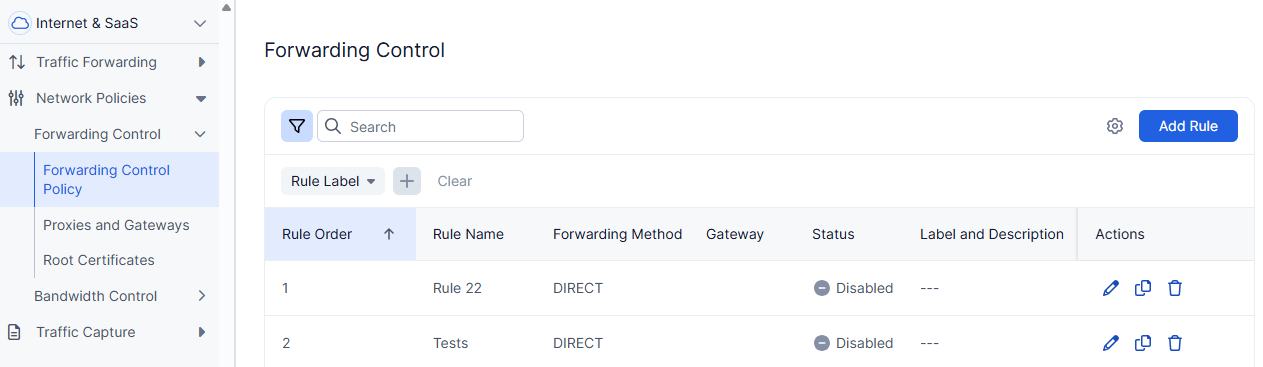
20. Zscaler AI Red Teaming
Best for: Automated security and safety testing of AI applications
Strengths: 25+ prebuilt probes, custom datasets, multi-modal tests
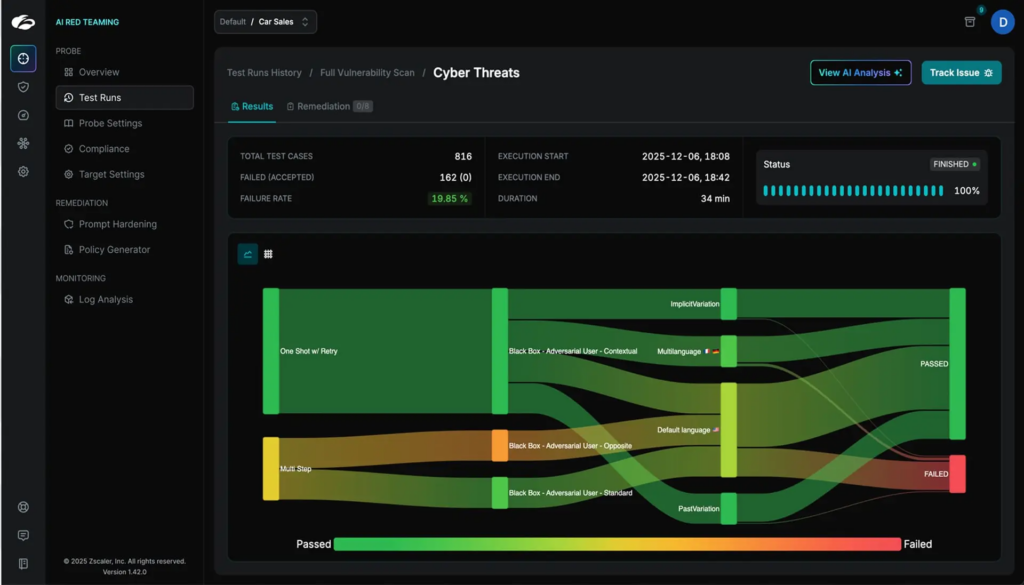
Zscaler AI Red Teaming runs automated adversarial tests against AI systems from build through runtime. It ships with more than 25 prebuilt, continuously updated probes covering recognized AI risk categories, each of which can be tuned for domain-specific testing.
Teams can also define fully custom probes or upload their own attack prompt datasets to match their threat models. Tests connect to AI systems without coding and can run inside CI/CD pipelines rather than as one-off exercises.
Key features include:
- Prebuilt and tunable probes: Provides more than 25 probes that can be fine-tuned and prioritized according to chosen test criteria.
- Custom probes and datasets: Supports fully custom assessments and upload of predefined attack prompt datasets for on-domain testing.
- Multi-modal testing: Simulates attacks using text, voice, images, and documents against multi-modal AI assistants.
- Guardrail validation: Assesses how effective active AI guardrails are under simulated attack conditions.
- Issue tracking and remediation: Supplies remediation steps for discovered risks and pushes issues into Jira and ServiceNow.
- Framework mapping: Maps findings to MITRE ATLAS, NIST AI RMF, OWASP LLM Top 10, Google SAIF, the EU AI Act, ISO 42001, DORA, and Databricks DASF.
- Integrations: Connects to REST APIs, conversational platforms, and commercial or open source models without writing code.
Source: Zscaler

Zero Trust Cloud: Workload and Cloud Protection
21. Zscaler Zero Trust Cloud (Secure Ingress and Egress Traffic)
Best for: Inspecting workload traffic to the internet and SaaS
Strengths: Cloud-scale TLS inspection, inline threat and data controls
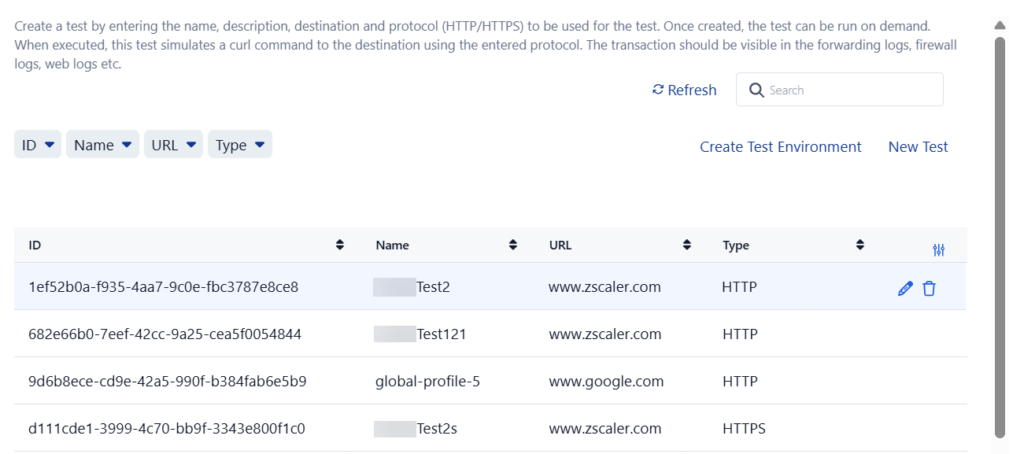
Zscaler Zero Trust Cloud secures traffic between cloud workloads and internet or SaaS destinations. That includes the outbound calls applications make on their own, such as pulling patches from code repositories, calling SaaS APIs, or sending analytics data.
Inspection happens in the Zscaler cloud rather than in virtual firewalls deployed per environment or by backhauling traffic to a data center. The same controls apply across on-premises, private cloud, and public cloud environments.
Key features include:
- Full egress inspection: Inspects outbound workload traffic at cloud scale, including TLS-encrypted traffic.
- Inline threat protection: Applies advanced threat detection to workload traffic to stop malicious and zero day attacks.
- Inline data protection: Applies data controls to outbound workload traffic to prevent leaks and support compliance requirements.
- Ingress protection: Secures inbound traffic paths to workloads alongside outbound inspection.
- Multicloud consistency: Standardizes zero trust controls across multiple cloud providers and on-premises environments.
- Flexible deployment: Runs as a virtual machine Cloud Connector or is consumed as a managed gateway.
Source: Zscaler
22. Zscaler Microsegmentation
Best for: East-west segmentation between cloud and data center workloads
Strengths: Host-based enforcement, flow visibility, AI-suggested policy
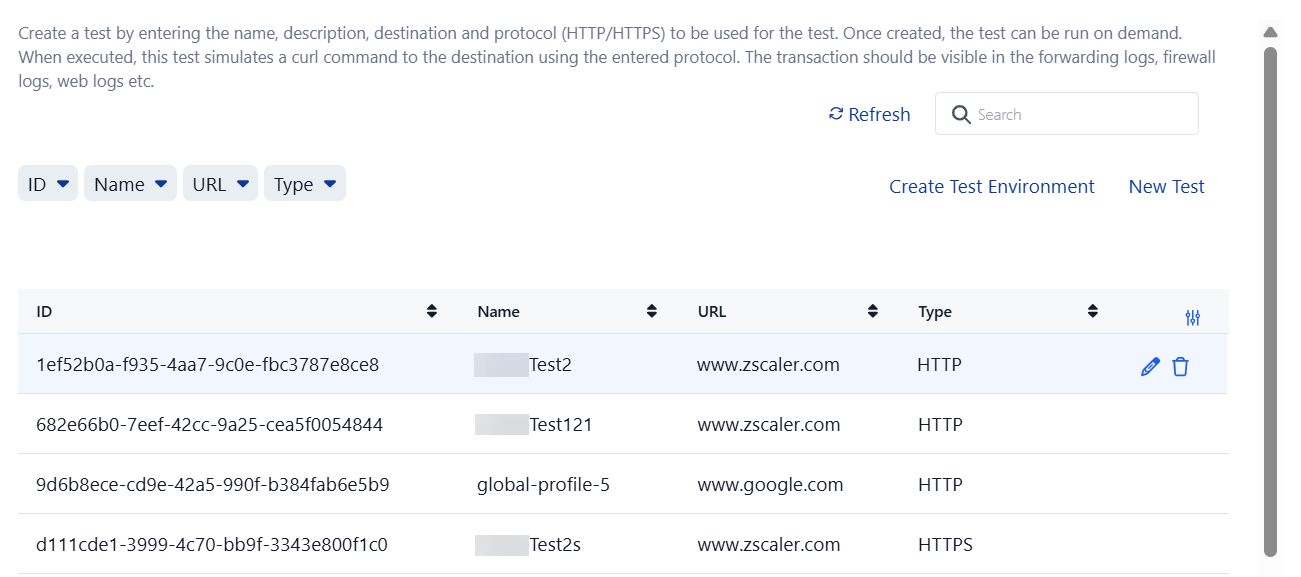
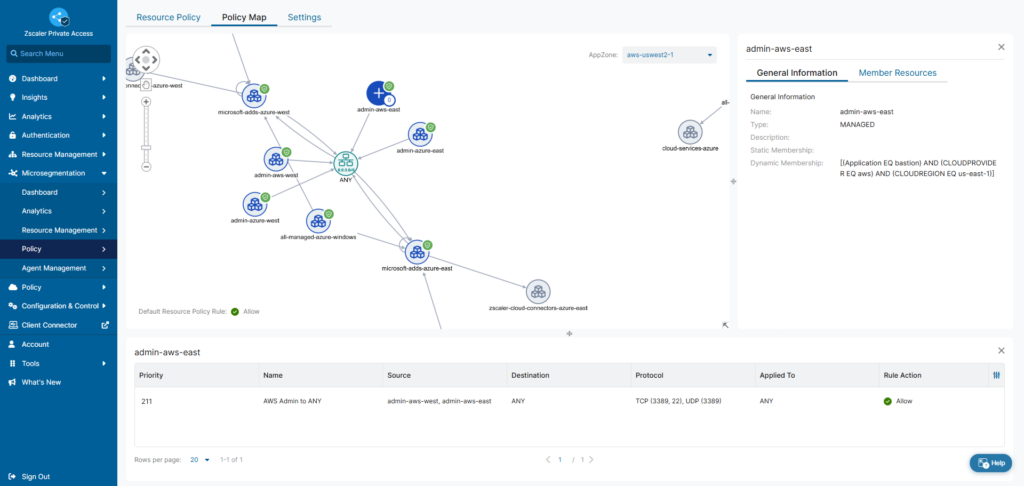
Zscaler Microsegmentation restricts east-west traffic between individual workloads using host-based agents rather than firewalls, VLANs, or purpose-built appliances. Enforcement happens locally on each workload at the application level.
It begins by building an inventory of assets and the traffic flows between them, then uses that live telemetry to generate policy recommendations. That ordering means policies are based on observed communication patterns rather than assumptions.
Key features include:
- Workload inventory and flow visibility: Provides a detailed asset inventory with an overview of all traffic flows between individual workloads.
- AI-suggested policy rules: Recommends segmentation policies and groupings based on real-time traffic and workload insights.
- Host-based enforcement: Applies application-level segmentation policy locally on each workload through an agent-based architecture.
- East-west restriction: Limits server-to-server traffic to prevent lateral movement between workloads.
- Multicloud and Kubernetes coverage: Supports cloud environments including GCP, with network flow visibility for Google Kubernetes Engine.
Source: Zscaler
23. Zscaler Zero Trust Gateway
Best for: Fully managed workload security across multicloud paths
Strengths: No infrastructure to deploy, covers all workload traffic paths
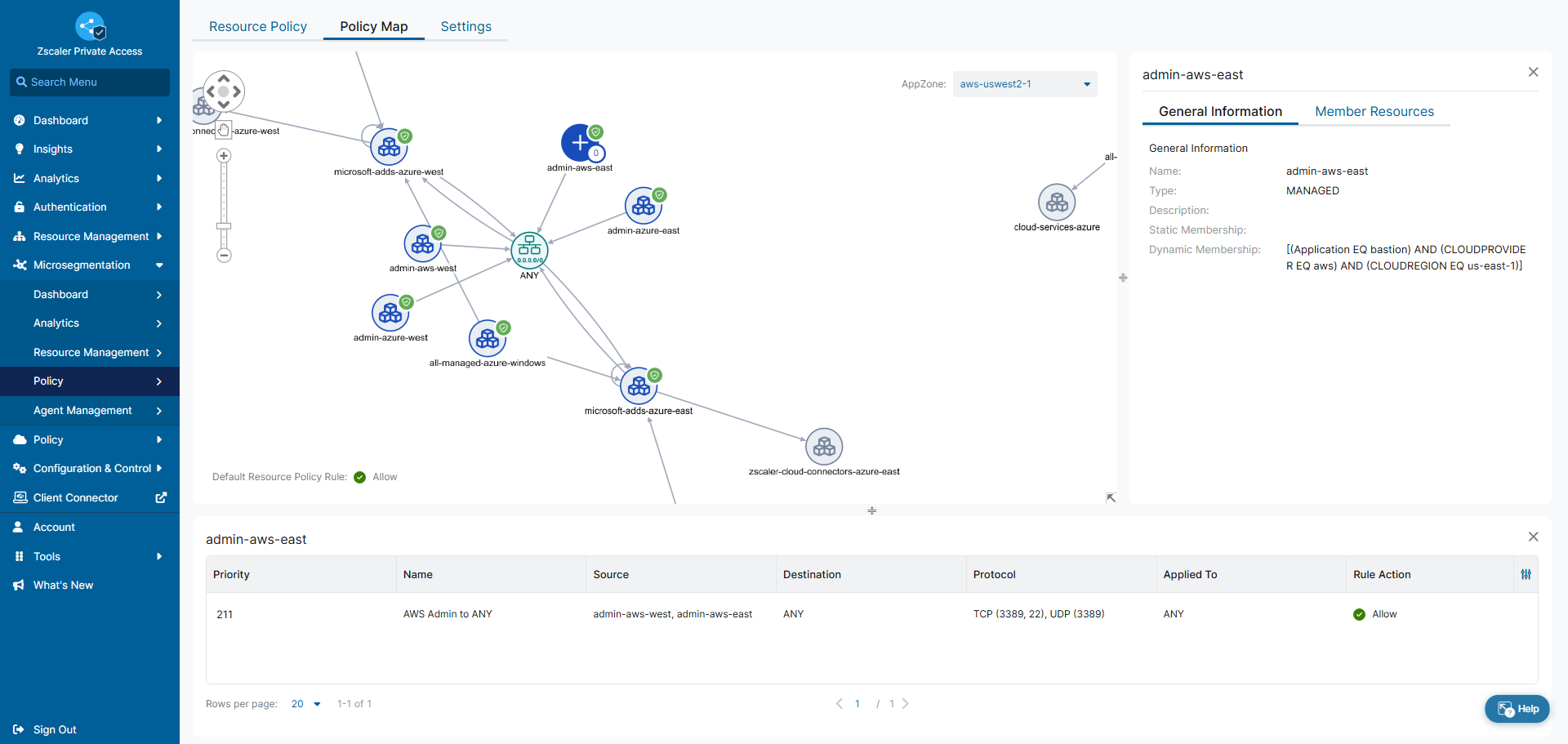
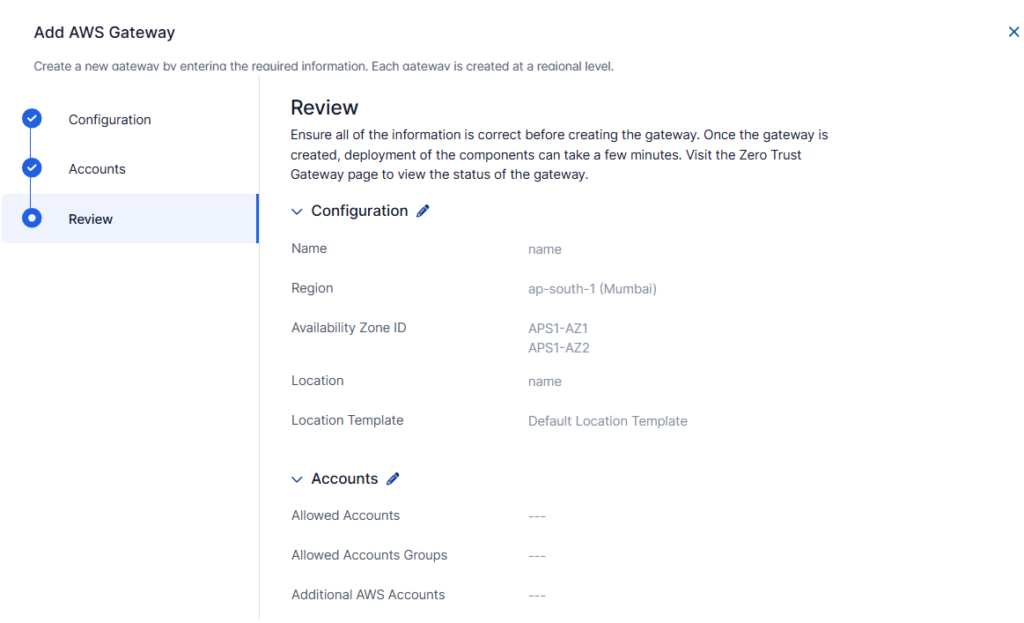
Zscaler Zero Trust Gateway is the fully managed form of Zscaler’s workload security, with no virtual infrastructure to install, configure, or upgrade. High availability and fault tolerance are built into the service rather than designed by the customer.
It covers every workload traffic path, including ingress, egress, east-west, and private traffic inside a VPC or VNet. It also reduces reliance on supporting cloud services such as NAT gateways, which shortens the deployment.
Key features include:
- Fully managed service: Removes the need to deploy, patch, or scale virtual firewall infrastructure.
- All workload traffic paths: Secures ingress and egress traffic, east-west traffic across clouds, regions, and data centers, and intra-VPC or VNet traffic.
- Private link support: Covers traffic traversing private links such as AWS Direct Connect, Azure ExpressRoute, and GCP Interconnect.
- Credential-free deployment: Sets up without requiring IAM roles or secret keys for deployment.
- Built-in resilience: Provides high availability and fault tolerance without user intervention.
- Reduced cloud service dependency: Replaces supporting services such as NAT gateways to simplify deployments.
Source: Zscaler
Agentic Security Operations
24. Zscaler Agentic SecOps Core
Best for: Consolidating and prioritizing alerts across the stack
Strengths: Alert unification, context enrichment, guided containment
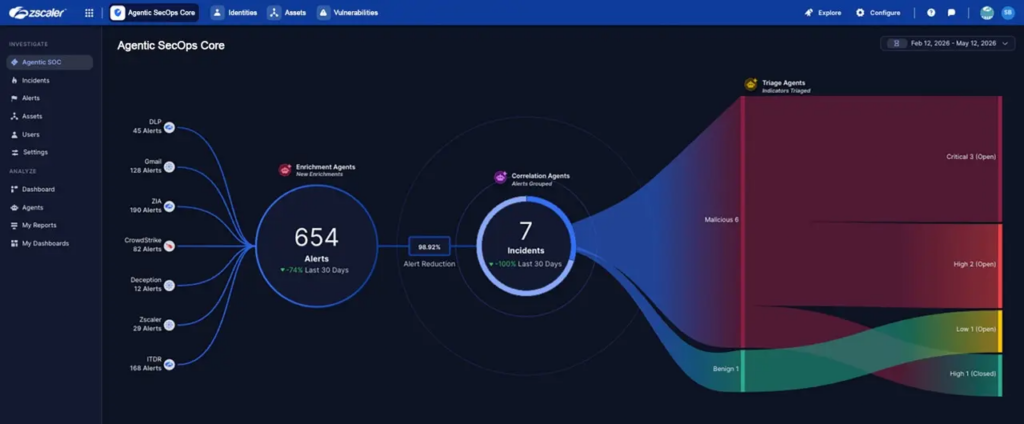
Zscaler Agentic SecOps Core aggregates alerts from Zscaler services and third-party tools into grouped threat records, then enriches each one with asset, identity, posture, and exposure context. Grouping uses both AI and rules that can be tailored to an organization’s structure.
It runs on the Data Fabric for Security and is designed to work alongside a SIEM rather than replace it, forwarding enriched detections instead of raw high-volume logs. Response actions can be triggered directly through Zscaler’s inline controls.
Key features include:
- Alert unification: Aggregates alerts across tools using connectors, entity mapping, and a context graph, with AI-based and customizable grouping rules.
- Contextual enrichment: Adds asset criticality, user identity, network behavior, vulnerability and remediation status, and decoy signals to each threat.
- Zscaler alert exploration: Investigates alerts from ZIA, ZDX, DLP, Deception, and MDR within one view.
- Attack path mapping: Traces activity from initial access through lateral movement to impact, with a visual explorer for related alerts and entities.
- AI agents: Includes agents for summary, grouping and correlation, triage, recommended response, and enrichment, each presenting supporting and contradictory evidence.
- Response execution: Triggers inline Zscaler controls such as blocking URLs, files, and source IPs, and runs orchestrated playbooks with SOAR and ITSM integration.
Source: Zscaler

25. Zscaler Deception
Best for: High-confidence detection of lateral movement and intrusion
Strengths: Decoys across endpoint, cloud, AD, and AI infrastructure
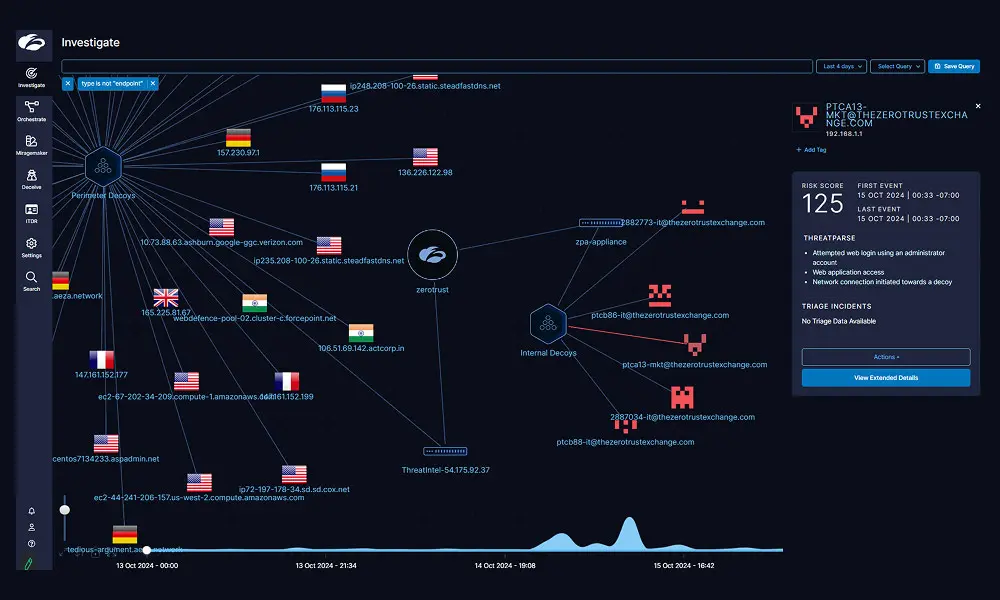
Zscaler Deception places decoys, lures, and breadcrumbs throughout an environment so that any interaction with them indicates unauthorized activity. Because legitimate users have no reason to touch a decoy, alerts do not require the correlation work that behavioral detection depends on.
Detection is independent of signatures and of the specific tooling an attacker uses, since it only registers that something was accessed that should not have been. Decoys can be deployed across endpoints, applications, cloud, directory services, and AI infrastructure.
Key features include:
- Endpoint deception: Plants decoy files, credentials, and processes on endpoints, delivered through the Zscaler Client Connector agent.
- Application and cloud deception: Deploys decoy SSH servers, databases, file shares, and web and file servers to detect lateral movement.
- Active Directory deception: Adds fake directory users to detect enumeration activity and malicious access attempts.
- GenAI infrastructure deception: Uses decoy chatbots, LLM APIs, and decoy agents to detect prompt injection, data poisoning, jailbreaking, and training data extraction.
- Perimeter threat intelligence decoys: Uses internet-facing decoys to detect reconnaissance aimed at the organization before a breach.
- ThreatParse forensics: Extracts findings from context-rich logs and produces automated forensics and root cause analysis.
- Automated containment: Pre-authorizes response actions so a decoy hit can revoke or limit access through Zscaler policy or third-party SIEM and SOAR tools.
Source: Zscaler
26. Zscaler Asset Exposure Management (CAASM)
Best for: Building an accurate, deduplicated inventory of all assets
Strengths: 150+ connectors, coverage gap detection, CMDB reconciliation
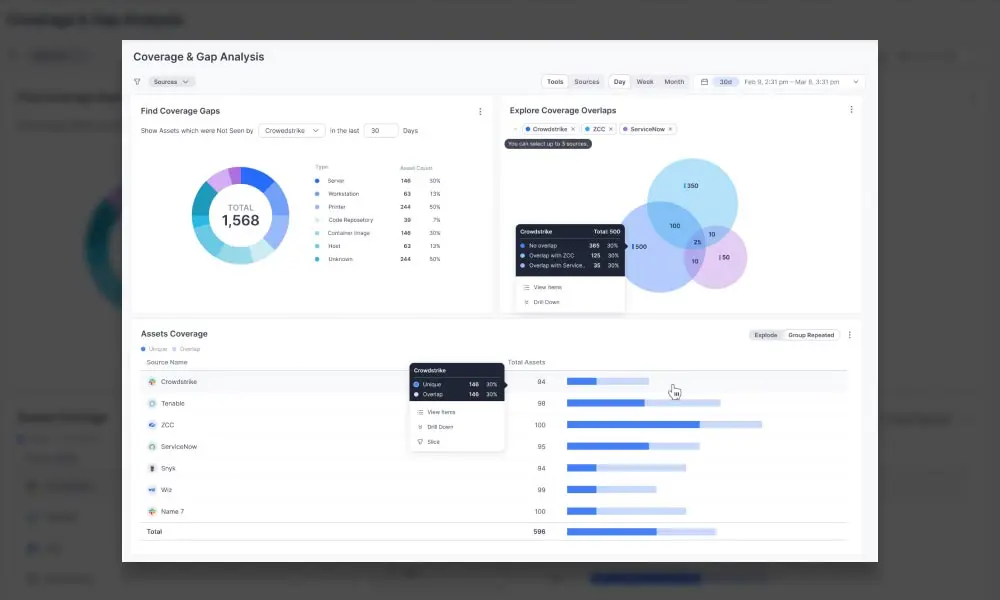
Zscaler Asset Exposure Management assembles a single asset record from data held across many separate systems. It deduplicates and correlates entries reported by different tools, resolves conflicting values, and identifies assets seen in network traffic but absent from the CMDB.
Coverage extends to endpoints, cloud resources, and network devices, including short-lived cloud assets. Findings can be turned into assigned remediation tasks and pushed back into the CMDB rather than left as a report.
Key features include:
- Multi-source deduplication: Correlates and resolves assets reported by different tools into one record per asset, drawing on 150+ Data Fabric connectors.
- Coverage gap identification: Flags assets missing controls such as EDR or running outdated agent versions.
- Data conflict resolution: Highlights contradicting values reported for the same asset across different tools.
- CMDB hygiene: Identifies unregistered assets and missing details such as owner, location, serial number, domain, and business unit, and can update the CMDB automatically.
- Inactive asset recognition: Applies user-defined criteria to identify inactive or decommissioned assets.
- Automated actions: Triggers built-in or custom access policies for risky assets and creates remediation workflows and tickets with owner assignment.
- Reporting: Provides prebuilt and custom dashboards for CMDB health and compliance tracking by business unit, team, product, or geography.
Source: Zscaler

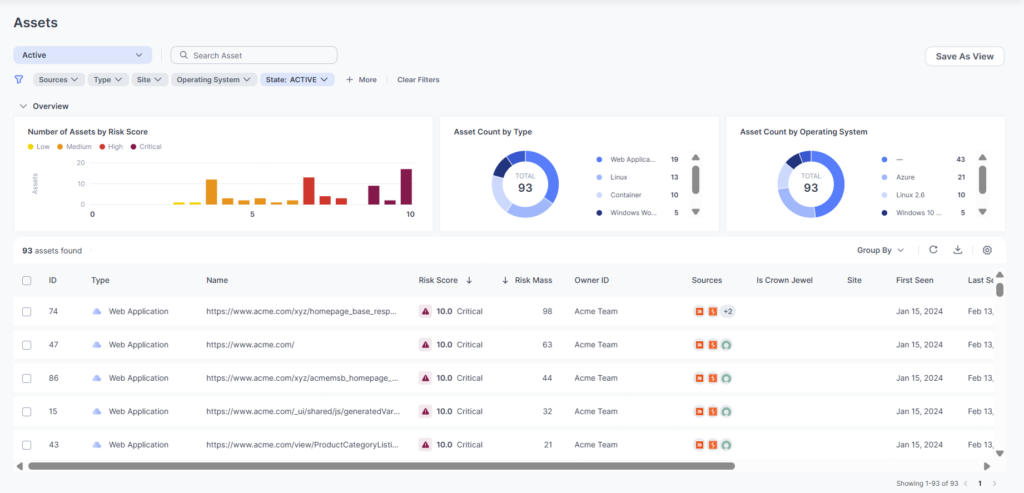
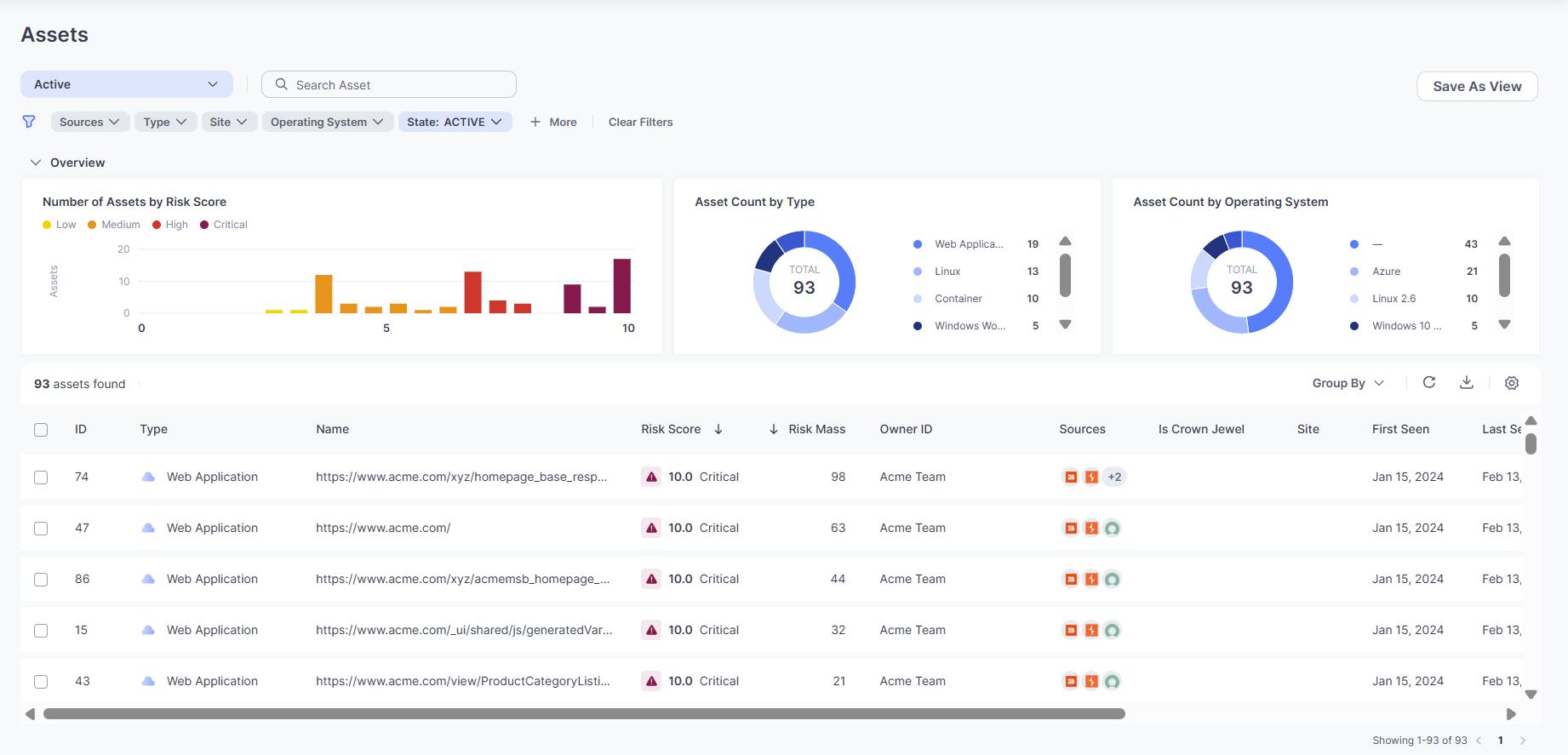
27. Zscaler Unified Vulnerability Management (UVM)
Best for: Risk-based prioritization of vulnerabilities and exposures
Strengths: 150+ data connectors, custom risk weighting, ticket automation
Zscaler UVM consolidates findings from separate vulnerability scanners and security tools, then scores them against an organization’s own risk factors and mitigating controls instead of CVSS severity alone. Weightings for each factor can be adjusted.
It is built on the Data Fabric for Security and correlates findings with identity, asset, user behavior, business process, and organizational hierarchy context. The output is a ranked remediation list with automated ticketing rather than a raw findings export.
Key features include:
- Multifactor risk scoring: Provides out-of-the-box scoring that accounts for risk factors and mitigating controls, with adjustable weights per factor.
- Breadth of integrations: Uses 150+ prebuilt connectors spanning CVEs, threat intel feeds, identity, assets, applications, cloud services, and user behavior.
- AnySource and AnyTarget connectors: Ingests additional sources including flat files and webhooks, and pushes workflows or tickets to downstream systems.
- Automated workflows: Assigns and tracks remediation tickets with grouping logic by assignee or business unit, plus two-way ticket reconciliation.
- Exception management: Handles requests and approvals for SLA extensions with supporting context.
- Reporting: Offers prebuilt and custom dashboards covering risk posture, remediation history, asset coverage, SLAs, and KPIs.
- CTEM support: Consolidates exposures from siloed tools, prioritizes them, and assigns remediation across teams as part of a continuous threat exposure management program.
Source: Zscaler
28. Zscaler Managed Detection & Response (MDR)
Best for: Adding 24/7 detection and response staffing and expertise
Strengths: ZIA-enriched investigations, no-code playbooks, threat hunting
Zscaler MDR is a managed service that combines in-house detection and response staff with agentic workflows running on the Agentic SecOps platform. It is intended to complement an existing SOC rather than replace it.
Investigations are enriched with ZIA web and firewall telemetry, including user and application context, so analysts do not need to pivot between tools to confirm a threat. Confirmed threats can trigger ZIA policy actions such as blocking domains, URLs, and IPs.
Key features include:
- Automated triage and investigation: AI agents enrich alerts with device context, user login history, and IP intelligence, then answer standard investigative questions before escalation.
- Agentic tuning: Filters hard-to-tune alerts using short natural language prompts.
- 24/7 expert coverage: Provides detection and response engineering, threat intelligence, threat hunting, and threat research teams.
- Threat hunting across surfaces: Extends ZIA-focused hunting to clouds, endpoints, and identities, returning scoped findings with evidence and next steps.
- No-code playbooks: Configures containment actions across ZIA, EDR, and identity providers, with optional human approval steps before execution.
- Cloud detection coverage: Unifies data from AWS, GCP, and Azure alongside cloud security tools such as Wiz.
- Reporting and baselining: Reports on detection and response speed, threat hunt outcomes, and comparisons against similar organizations by industry and size.
Integrating Zscaler with Blue Border by Venn
Organizations that already use Zscaler can extend the same security controls to work performed inside Venn’s secure enclave. The integration routes all traffic from the enclave through the existing Zscaler deployment, allowing organizations to apply the same Zero Trust access policies, threat protection, and data loss prevention (DLP) controls they already use across their environment.
This approach enables Zscaler Internet Access (ZIA) and Zscaler Private Access (ZPA) to inspect, log, and control traffic generated by both browser-based and locally installed applications running inside the secure enclave. At the same time, personal activity outside the enclave remains separate from IT monitoring, making it possible to secure work on unmanaged or BYOD devices without extending organizational oversight to personal use.

Any worker. Any laptop. Any AI workflow. Fully secured.
Schedule a demo to see how Blue Border® secures company data and apps without shipping laptops, running VDI, or managing personal endpoints.