
Top 8 Solutions for Protecting Sensitive Data in AI Models and Workflows


See Venn first in Google Search
Add as a preferred source on Google
TL;DR: Protecting sensitive data in AI means controlling what reaches models, prompts and agents across the full data lifecycle. Venn is best for governing AI use on unmanaged and BYOD laptops, Microsoft Purview for Microsoft 365 estates, Cyera for agent-level runtime control, and Cisco AI Defense for AI applications you build.
What Does Sensitive Data Protection in AI Mean?
Protecting sensitive data in AI requires a mix of data classification, access limits, and specialized security tools to screen inputs and outputs. Sensitive data protection in AI covers two distinct security problems: securing the AI you build and securing the AI your people use. They involve different systems, risks, and owners, so organizations need controls for both.
Securing the AI you build means protecting models, training and fine-tuning data, retrieval pipelines, agents, and other components created during AI experimentation and development. Risks include exposing sensitive training data, giving agents excessive access, leaking model credentials, or allowing untrusted inputs to reach internal systems. These controls typically sit with platform and data teams.
Securing the AI your people use focuses on how employees interact with external AI services. This includes shadow AI, personal accounts, chat prompts, file uploads, and sensitive data pasted into consumer AI tools. Controls need to govern which tools employees can use and what information they can share with them. These responsibilities typically sit with IT and security teams.
Core security capabilities:
- AI data loss prevention: Detects and blocks sensitive data in prompts, uploads, and generated responses.
- Prompt and response inspection: Scans model inputs and outputs for sensitive data, secrets, and malicious instructions.
- Redaction, masking, and tokenization: Removes or substitutes sensitive values before data reaches a model.
- Identity and access controls: Restricts which users, applications, and services can access AI systems and connected data.
- AI application and model discovery: Identifies approved, shadow, and embedded AI services across the environment.
- Usage monitoring and audit logging: Records model requests, file uploads, tool calls, policy violations, and administrative actions.
- Model and API security: Protects AI endpoints with authentication, authorization, encryption, rate limits, and secure key management.
- Agent and tool permission controls: Limits what AI agents can read, modify, execute, or send through connected tools.
- Tenant and corporate account enforcement: Keeps AI use inside approved enterprise tenants and blocks unmanaged accounts.
- Zero trust access controls: Verifies user, device, application, and connection context before granting access to AI systems.
- Category-level AI blocking: Restricts unapproved classes of AI services without maintaining individual blocklists.
- Desktop AI DLP: Extends data controls to native AI applications, including copy, paste, file upload, and local document access.
This is part of a series of articles about AI data security
Secure Company Data on BYOD Laptops
Unlock the 4 essential assets you need to secure company data on unmanaged laptops – without VDI.
Table of contents
- What Does Sensitive Data Protection in AI Mean?
- Solutions for Protecting Sensitive AI Data at a Glance
- Types of Sensitive Data Used by AI Systems
- Where Sensitive Data Can Be Exposed in AI Workflows
- Key Capabilities for Protecting Sensitive Data in AI
- Notable Solutions for Protecting Sensitive Data in AI Models and Workflows
- Conclusion
Solutions for Protecting Sensitive AI Data at a Glance
The table below summarizes the key differences between the solutions covered in this guide, including where each one sits in the AI data flow and what it does best.
We explore each solution in more detail below, including its features and the limitations reported by users.
| Category | Solution | Best For | Key Strengths | Things to Consider |
| Governing AI use and protecting data at the endpoint | Venn | Governing AI tool access on unmanaged and BYOD laptops | Data-layer AI governance across browser, desktop and OS-level AI | Performance can vary on lower-spec personal devices |
| Governing AI use and protecting data at the endpoint | Microsoft Purview | Data security across Microsoft 365, devices and generative AI | Classification, labeling and DLP extended to Copilot and agents | Automated capabilities require additional licensing |
| Governing AI use and protecting data at the endpoint | Netskope Skylight AI Security | Inline control of shadow, public, private and agentic AI use | Redaction and blocking before data reaches a model | Deployment and policy tuning need dedicated expertise |
| Governing AI use and protecting data at the endpoint | Zscaler AI Security | Securing AI access and infrastructure inline at scale | AI asset discovery with data-to-AI lineage across apps | SSL inspection can break legacy apps and developer tools |
| Securing data across AI models, pipelines and applications | BigID | Connecting AI systems to the sensitive data behind them | AI asset inventory, data lineage and prompt-level controls | Cost and setup effort suit larger enterprises |
| Securing data across AI models, pipelines and applications | Cyera Agent Guardian | Securing what AI apps and agents can see and do | AI posture management plus runtime policy enforcement | Reporting and customization options are limited |
| Securing data across AI models, pipelines and applications | Varonis | Limiting what copilots and LLMs can reach in your data | Permissions right-sizing and prompt activity monitoring | Deployment and tuning are resource-intensive |
| Securing data across AI models, pipelines and applications | Cisco AI Defense | Securing AI applications an organization builds and uses | Model red teaming with network-embedded runtime guardrails | Some capabilities depend on other Cisco products |
Types of Sensitive Data Used by AI Systems
Personally Identifiable Information (PII)
PII is data that identifies a person directly or can identify them when combined with other information. Examples include names, email addresses, phone numbers, government-issued identifiers, IP addresses, biometric identifiers, and precise location data. AI systems may encounter PII in training datasets, user prompts, support tickets, retrieved documents, and application logs.
The main risk is that PII can move beyond the system where it was originally collected. For example, a user may paste customer records into a prompt, or a retrieval-augmented generation (RAG) system may retrieve documents containing information the requesting user should not see. Organizations can reduce these risks through data minimization, masking, access controls, encryption, retention limits, and filtering of model inputs and outputs.
Protected Health Information (PHI)
PHI includes identifiable information about a person’s health, medical treatment, or healthcare payments when handled in contexts covered by healthcare privacy requirements. Examples include medical records, diagnoses, prescriptions, laboratory results, treatment notes, medical images, and insurance information. AI applications may process PHI when summarizing records, supporting clinical workflows, or answering questions about patient data.
PHI requires controls throughout the AI data flow, not only in the source database. Copies may appear in prompts, model context, vector databases, logs, traces, or generated responses. Systems should limit access according to user roles, encrypt data in transit and at rest, minimize retention, and prevent patient information from being exposed through model responses or observability tools.
Financial and Payment Data
Financial and payment data includes bank account details, transaction records, credit information, payment card data, billing information, and financial statements. AI systems may process this data for fraud detection, document analysis, customer support, expense processing, or automated financial workflows.
Different types of financial data can also be subject to security and compliance requirements. Payment card information, for example, should generally be kept out of prompts and logs unless the AI workflow specifically requires it and appropriate controls are in place. Tokenization, masking, encryption, strict access controls, and redaction can reduce the amount of raw financial data exposed to models and connected services.
Credentials, Secrets, and API Keys
Credentials and secrets include passwords, authentication tokens, private cryptographic keys, API keys, database connection strings, certificates, and other values that provide access to systems or data. They can enter AI systems through prompts, source code, configuration files, debugging output, or documents retrieved from internal repositories.
This category is especially important for coding assistants and AI agents. A developer might accidentally submit a configuration file containing a production key, while an agent could retrieve credentials from an environment it can access. Secret scanning and input filtering can detect many of these values. Applications should also use secret managers and short-lived credentials rather than placing reusable secrets directly in model context.
Intellectual Property and Source Code
AI systems may process proprietary source code, algorithms, product designs, internal documentation, research, contracts, technical specifications, and other confidential business information. Employees can expose this data by submitting internal material to AI tools, while enterprise AI applications may retrieve it automatically from code repositories, document stores, or knowledge bases.
Protecting intellectual property requires control over both data access and data destinations. An AI application should retrieve only information the current user is authorized to access and send it only to approved models and services. Organizations should also define retention and usage rules, monitor transfers to third parties, and consider whether prompts and outputs may contain confidential material before storing them in logs or evaluation datasets.
Where Sensitive Data Can Be Exposed in AI Workflows
User Prompts
Users can submit sensitive data directly in prompts, either intentionally or by accident. Common examples include customer records, medical information, credentials, internal documents, and proprietary source code. Applications that store prompts for logging, analytics, debugging, or evaluation can create additional copies of this data.
How to address: Prompt-level controls can detect and redact sensitive values before they reach the model. Applications should also limit prompt retention and clearly define what types of information users are allowed to submit.
Model Inputs and Outputs
A model receives more than the text a user enters. Its input may also contain system instructions, conversation history, retrieved documents, application metadata, and results from external tools. Any sensitive information added to this context can potentially affect the generated output.
How to address: Output filtering and authorization checks are important even when input data is trusted. Applications should prevent models from returning sensitive records to unauthorized users and avoid assuming that a model will reliably enforce access rules based on prompt instructions alone.
Training and Fine-Tuning Datasets
Training and fine-tuning datasets can contain sensitive information collected from documents, conversations, application records, or other sources. Once such data becomes part of a training pipeline, identifying and removing individual records can be more difficult than deleting them from a conventional database.
How to address: Datasets should be reviewed and sanitized before training begins. Useful controls include removing unnecessary PII, detecting secrets, restricting dataset access, documenting data sources, and defining retention policies for both raw and processed training data.
Retrieval-Augmented Generation (RAG) Pipelines
RAG systems retrieve external information and place it in the model’s context before generating a response. Sensitive data can be exposed when retrieval permissions are too broad, documents are incorrectly classified, or access controls from the source system are not preserved in the retrieval layer.
How to address: Authorization should be applied during retrieval rather than relying on the model to decide what a user may see. RAG pipelines should also control what data is indexed, filter retrieved content where necessary, and prevent sensitive retrieved passages from appearing in logs and traces.
Vector Databases and Embeddings
RAG applications commonly convert documents into embeddings and store them in vector databases. Although an embedding is not a plain-text copy of the source, it should not automatically be treated as anonymous or harmless. Vector records may also include metadata, document identifiers, or original text chunks containing sensitive information.
How to address: Vector stores need access controls, encryption, tenant isolation, and appropriate retention policies. When source information is deleted or a user’s access changes, corresponding vectors, chunks, and metadata should also be updated or removed so outdated permissions do not continue to expose data.
AI Agents and Tool Integrations
AI agents can interact with external systems such as databases, file stores, code repositories, APIs, email services, and business applications. This gives them access to data beyond the initial prompt and can allow sensitive information to move between systems as an agent completes a task.
How to address: Agent permissions should follow the principle of least privilege and be limited to the tools and data required for the task. Applications should validate tool calls, protect credentials, restrict sensitive actions, and log relevant activity securely. Particular care is needed when tool results or untrusted external content can influence subsequent agent actions.
Key Capabilities for Protecting Sensitive Data in AI
1. AI Data Loss Prevention (DLP)
AI data loss prevention (DLP) identifies sensitive information as it moves into and out of AI applications. It can detect PII, financial records, credentials, source code, confidential documents, and other protected data in:
- Prompts
- Uploads
- Generated responses
DLP policies can block a request, redact specific fields, warn the user, or route the activity for review. Effective AI DLP also needs contextual rules, since the same data may be permitted in an approved internal model but prohibited in a public AI service.
2. Prompt and Response Inspection
Prompt and response inspection analyzes content before it reaches a model and before generated content returns to the user. It can identify:
- Sensitive data
- Secrets
- Prohibited content
- Attempts to manipulate model behavior through techniques such as prompt injection
Inspection should cover more than the visible user prompt. AI applications may construct model requests from conversation history, retrieved documents, system instructions, and tool results. Applying controls to the complete model input and output provides broader protection.
3. Data Redaction, Masking, and Tokenization
Redaction removes sensitive values, while masking replaces some or all of a value with non-sensitive characters. Tokenization substitutes sensitive data with a reference token that can be mapped back to the original value by an authorized system.
These techniques reduce the amount of raw sensitive data exposed to models. For example, an application can replace customer identifiers before sending a support request to a model, then restore required values after processing without giving the model direct access to them.
4. AI Access Controls and Identity Management
AI access controls determine which users, applications, and services can access models and the data connected to them. Controls can enforce authorization using existing:
- Identity systems
- Roles
- Groups
- Attributes
- Application permissions
Identity should also be preserved across AI workflows. If a RAG application accesses internal documents on behalf of a user, retrieval should respect that user’s permissions rather than giving every request the application’s full access rights.
5. AI Application and Model Discovery
Organizations need visibility into which AI applications, models, APIs, browser-based services, and embedded AI features are being used. Without this inventory, sensitive data may be sent to services that have not been reviewed for:
- Security
- Privacy
- Data handling requirements
Discovery can combine network activity, endpoint telemetry, application inventories, and API monitoring. The resulting inventory helps security teams distinguish approved AI services from unknown or restricted ones and apply controls based on risk and data sensitivity.
6. AI Usage Monitoring and Audit Logging
Monitoring records how users and applications interact with AI systems. Relevant events can include:
- Model requests
- Tool calls
- File uploads
- Policy violations
- Administrative changes
- Access to sensitive data
Audit logs support investigations, compliance reviews, and detection of unusual behavior. However, logs can themselves contain sensitive prompts and responses. Organizations should minimize logged content where possible and protect AI logs with access controls, encryption, and retention limits.
7. Model and API Security
Models are commonly exposed through APIs, making conventional API security an important part of AI data protection. These measures help prevent unauthorized model access and data extraction:
- Authentication
- Authorization
- Encryption
- Rate limits
- Input validation
- Secure key management
AI-specific controls should also account for risks such as prompt injection, excessive model permissions, insecure output handling, and abuse of high-volume inference endpoints. API gateways or AI security layers can enforce consistent controls before requests reach model providers.
8. AI Agent and Tool Access Controls
AI agents can call tools that:
- Read files
- Query databases
- Send messages
- Execute code
- Modify business systems
These capabilities increase the impact of a compromised or incorrectly instructed agent because it can access or transfer data beyond the model itself. Agents should receive only the permissions needed for their assigned tasks. Sensitive or destructive operations can require additional authorization, user confirmation, or deterministic policy checks. Tool inputs and outputs should also be validated instead of trusting the model to make every security decision.
9. Tenant Restrictions and Corporate Account Enforcement
Tenant restrictions force users to access AI services through company-managed tenants and accounts instead of personal or unmanaged accounts. This helps ensure that the following measures apply when employees use AI tools:
- Enterprise security settings
- Retention policies
- Access controls
- Contractual data protections
Organizations can enforce approved tenant IDs, managed identities, or corporate single sign-on while blocking personal accounts for the same service. These controls reduce the risk of users copying sensitive data into AI environments that are outside company governance.
10. Zero Trust Access to Company-Provided AI Tools
Zero trust controls protect access to company-provided AI tools by verifying the user, device, application, and connection rather than trusting access based only on network location. Before allowing access, policies can require:
- Strong authentication
- Managed devices
- Compliant endpoint configurations
- Approved network paths
The same controls should apply to connections between AI applications and internal data sources. Limiting access by identity and context helps prevent compromised accounts, unmanaged devices, or unauthorized integrations from using AI systems to retrieve or exfiltrate sensitive data.
Related content: Read our guide to BYOD tools for securing unmanaged devices
11. Category-Level Blocking of AI Applications
Category-level controls can restrict classes of AI applications rather than maintaining a blocklist for individual services. This is useful because new AI objects appear frequently and may change domains or infrastructure, including:
- Generative AI websites
- Assistants
- Model interfaces
- Related services
Organizations can block unapproved AI categories while allowing reviewed services through explicit policies. Classification should be combined with application discovery and exceptions for approved tools so security teams can control new services without manually identifying every AI application as it appears.
Related content: Read our guide to enterprise AI policy enforcement solutions
12. DLP and Policy Enforcement for Desktop AI Applications
AI controls need to cover desktop applications as well as browser-based services. Native AI clients can accept sensitive data without passing through browser-specific security controls, such as:
- Pasted text
- File uploads
- Screenshots
- Local documents
Endpoint-aware DLP can inspect or restrict actions such as copying sensitive content, uploading protected files, or transferring data from managed applications into desktop AI clients. Policies should cover native applications, browser interfaces, and API-based access so users cannot bypass data protection controls simply by switching how they access an AI service.
Notable Solutions for Protecting Sensitive Data in AI Models and Workflows
How we selected these solutions: We shortlisted AI data protection solutions based on AI discovery and inventory, data loss prevention for prompts and uploads, access controls that follow user identity, runtime inspection of model inputs and outputs, and audit logging of AI activity.
Governing AI Use and Protecting Data at the Endpoint
1. Venn

Best for: Governing AI tool access on unmanaged and BYOD laptops
Strengths: Data-layer AI governance across browser, desktop and OS-level AI
Things to consider: Performance can vary on lower-spec personal devices
Venn secures work through Blue Border, a company-controlled secure enclave installed directly on a Mac or PC. Company data, applications, networking and AI workflows all run locally inside that enclave and are isolated from any other use on the same computer. Work applications are wrapped by a blue line, which acts as a virtual firewall and enforces policy at the application level.
Because control sits at the data layer rather than the network, governance applies to what company information is allowed to reach, not only to the sites a network can observe. Work traffic routes through Venn’s built-in VPN gateway or an existing private network, and everything outside the enclave stays private to the user. The approach covers browser-based AI as well as desktop and OS-level assistants.
Key features include:
- Secure enclave on any device: Installing Blue Border creates a company-controlled workspace on a personal or unmanaged Mac or PC, with no hosting or virtualization involved.
- AI tool sanctioning: IT defines which AI tools, whether browser-based or desktop, can access company data, permitting sanctioned tools and blocking the rest.
- Sanctioned AI inside the workspace: Approved AI tools, including desktop applications such as Claude Code and Cowork, run natively inside the enclave with full DLP coverage.
- DLP on prompts and uploads: Policy applies to what leaves the enclave, covering file uploads, copy and paste, screenshots, downloads and printing, so company data cannot move into an unsanctioned model.
- Desktop and OS-level AI coverage: Desktop copilots and operating system assistants are governed at the data layer rather than left outside browser-scoped controls.
- Enforcement on unmanaged devices: Policy is enforced inside the enclave rather than on the network, so it holds on personal, BYOD and unmanaged devices regardless of connection.
- Audit logging of AI interactions: Every AI interaction inside the enclave is logged, showing which tools were used and by whom, and IT can permit company-provided AI accounts only.
- Encrypted, wipeable file storage: Users save only to work-sanctioned file systems inside Venn Disk, which are isolated, encrypted and remotely wipeable.
Limitations (as reported by users on G2):
- Performance on some machines: Some users report the workspace feeling slow or sluggish on devices that meet the stated hardware requirements.
- Customization scope: A reviewer noted that configuration options are more limited than expected, though the platform still met their needs.
- Support scheduling: Support is described as responsive, but users cannot book time with a specific engineer and complex issues can take longer to resolve.
Source: Venn

2. Microsoft Purview

Best for: Data security across Microsoft 365, devices and generative AI
Strengths: Classification, labeling and DLP extended to Copilot and agents
Things to consider: Automated capabilities require additional licensing
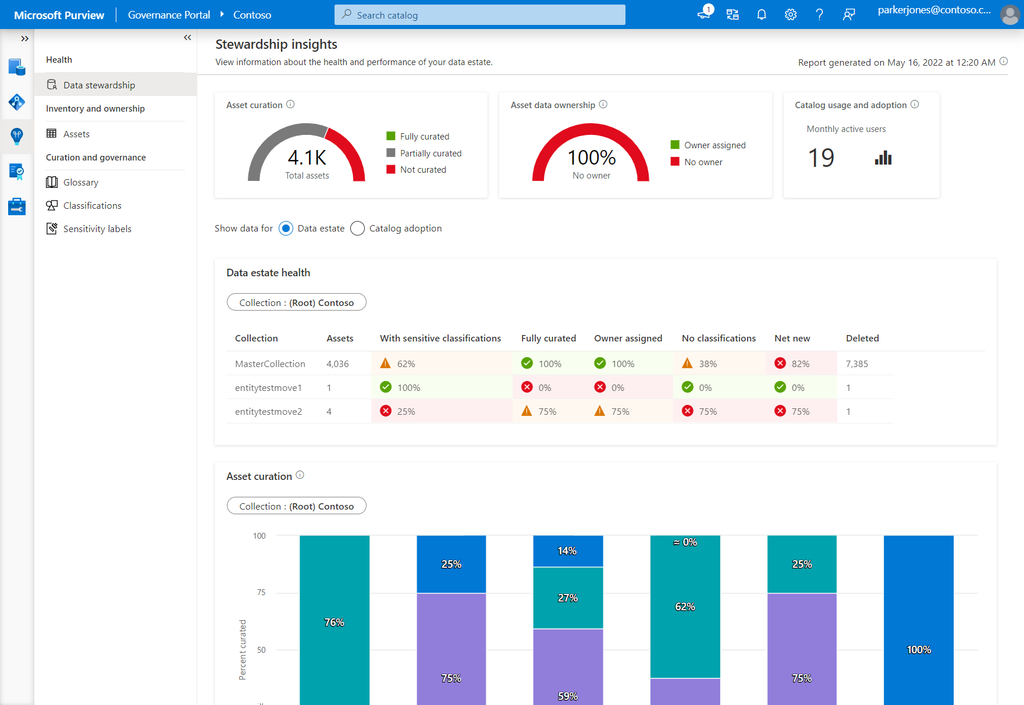
Microsoft Purview is a unified data security solution that combines information protection, data loss prevention, insider risk management, posture management and investigations. It secures data across platforms, devices, generative AI applications and AI agents by combining data context with user context in a single administrative experience.
Its AI relevance comes from extending existing Microsoft 365 data controls into AI surfaces. Purview applies classification and sensitivity labeling to content that Copilot and agents can reach, enforces DLP policies on AI alongside cloud apps, email and devices, and makes Copilot prompts and responses available as evidence during data security investigations.
Key features include:
- Data security posture management: Surfaces hidden data risks, identifies coverage gaps, recommends actions and reports on where sensitive assets sit and which user activities are risky.
- Information protection: Provides built-in classification, sensitivity labeling and document protection inside Microsoft 365 apps, using intelligent classifiers and exact data match.
- Data loss prevention for AI: Lets teams create, manage and enforce DLP policies across cloud apps, email, devices, Microsoft Fabric and AI from the Purview portal.
- Insider risk management: Evaluates potential insider risk without configuring policies first, then adapts DLP protection levels dynamically to user risk.
- Data security investigations: Searches the Microsoft 365 estate for incident-related documents, emails, Copilot prompts and responses, and Teams messages, with AI-powered content analysis.
- Data risk graph: Correlates impacted data, users and their activities so investigators can see the full footprint of a data security incident.
- Copilot and agent controls: Extends Purview data security controls to Microsoft 365 Copilot and agents to address oversharing, leaks and regulatory requirements.
- Browser coverage: Works with Microsoft Edge for Business to protect data as employees interact with SaaS and generative AI applications.
Limitations (as reported by users on G2):
- Setup and learning curve: Reviewers describe initial configuration as difficult, requiring internal alignment on label naming, policy impact and rollout before deployment goes smoothly.
- Licensing for automation: Auto-labeling and automated detection of sensitive content in documents and email are reported to need additional licenses beyond baseline labeling.
- Redaction flexibility: Users note that sharing one file with recipients at different privilege levels requires creating a separate redacted version for each level.
- Coverage outside Microsoft: Reviewers report that adaptability and compatibility become a problem when a workplace is not centered on the Microsoft ecosystem.
- Documentation and reporting: Some users describe training material and documentation as lacking, which slows reporting and administration.
Source: Microsoft

3. Netskope Skylight AI Security
Best for: Inline control of shadow, public, private and agentic AI use
Strengths: Redaction and blocking before data reaches a model
Things to consider: Deployment and policy tuning need dedicated expertise
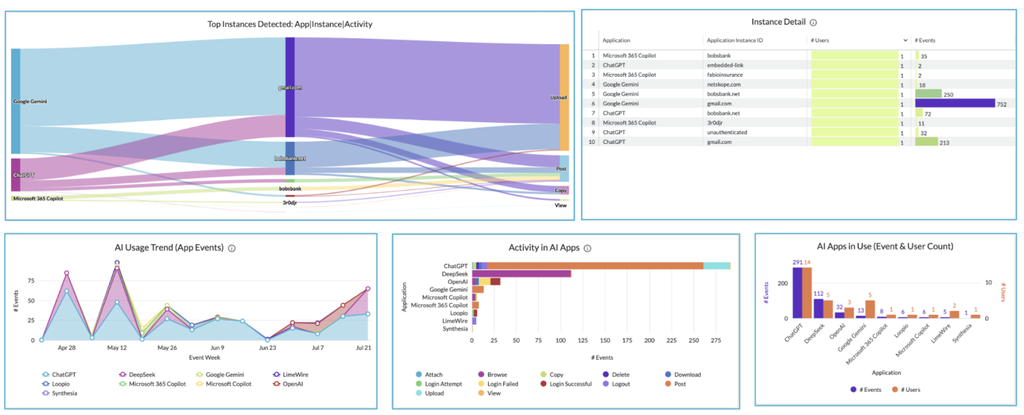
Netskope Skylight AI Security covers AI interactions across shadow AI, enterprise public AI, private AI and agentic AI within the Netskope One platform. It applies the company’s data security capabilities to AI usage, combining continuous discovery, contextual risk scoring and enforcement at runtime under a single policy engine.
Protection is applied in three stages. Discovery inventories every user, application, agent, model and AI interaction across cloud, endpoint and network. Governance adds risk context for users, agents, apps, models and MCP servers. Runtime enforcement then redacts or blocks sensitive content before it reaches a model, controls agent actions and blocks adversarial activity.
Key features include:
- Continuous AI discovery: Inventories users, applications, agents, models and AI interactions across cloud, endpoint and network into one view rather than disconnected tool outputs.
- AI Command Center: Provides connected risk insights across the AI environment, from generative AI apps to autonomous agents, for governance and control.
- AI Guardrails: Prevents AI-specific threats including prompt injection and jailbreaking, and moderates LLM content at runtime.
- Redaction and blocking: Stops sensitive data before it reaches a model, with enforcement applied at runtime rather than after the fact.
- Agentic Broker: Gives visibility and control over MCP transactions, whether sanctioned or unsanctioned, to secure agentic AI interactions.
- Agent Action Control: Controls the actions agents are permitted to take as part of runtime enforcement.
- AI red teaming: Runs automated adversarial testing to find attack paths in self-hosted models before they become incidents, and continues testing in production.
- Unified data security: Integrates with Netskope One DLP, DSPM and the DataSec Command Center so AI policy uses the same data classification as the wider platform.
Limitations (as reported by users on G2): Note that G2 reviews cover the broader Netskope One Platform, within which the AI security capabilities are delivered.
- Deployment complexity: Reviewers consistently describe initial setup and policy configuration as time-consuming and dependent on prior SASE experience.
- Console usability: Multiple reviewers report the management console feeling cluttered or unintuitive, with several portals to manage different functions.
- Troubleshooting effort: Diagnosing why a rule blocked or allowed traffic is described as difficult across multiple steering configurations.
- Pricing position: Users note the platform is expensive relative to alternatives and best justified when it replaces several existing tools.
- Reporting on large volumes: Detailed reporting and log searches are reported as slower when handling large data volumes.
Source: Netskope
4. Zscaler AI Security

Best for: Securing AI access and infrastructure inline at scale
Strengths: AI asset discovery with data-to-AI lineage across apps
Things to consider: SSL inspection can break legacy apps and developer tools
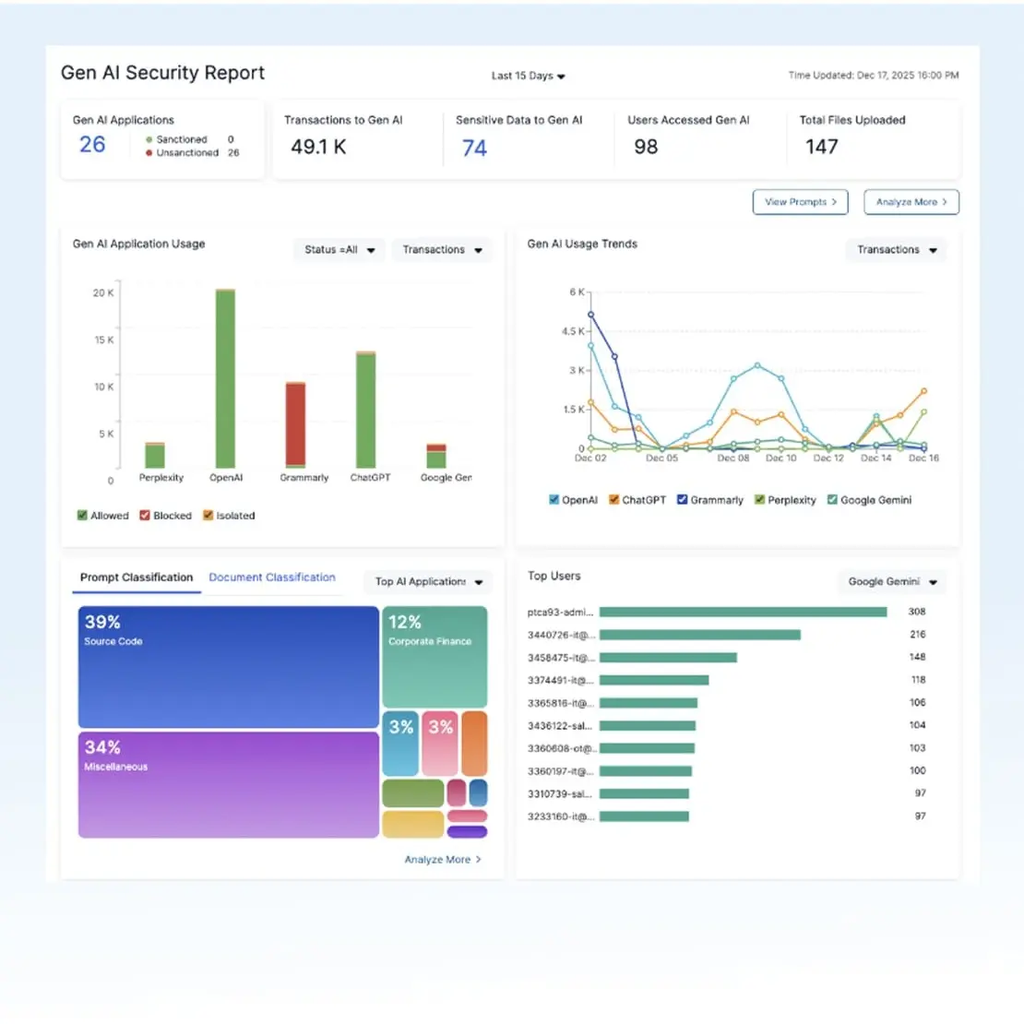
Zscaler focuses its AI security on inline inspection across the full AI workflow, protecting users, devices and APIs in real time rather than through an added layer. The controls sit within the Zero Trust Exchange, which the company states processes over 750 billion transactions per day across its data centers.
The offering is organized into asset management, access control, application and infrastructure testing, and a gateway that governs AI transactions. More recent additions extend this to agentic communication brokers, endpoint-level AI threat detection and a graph that tracks how agents use data and identities.
Key features include:
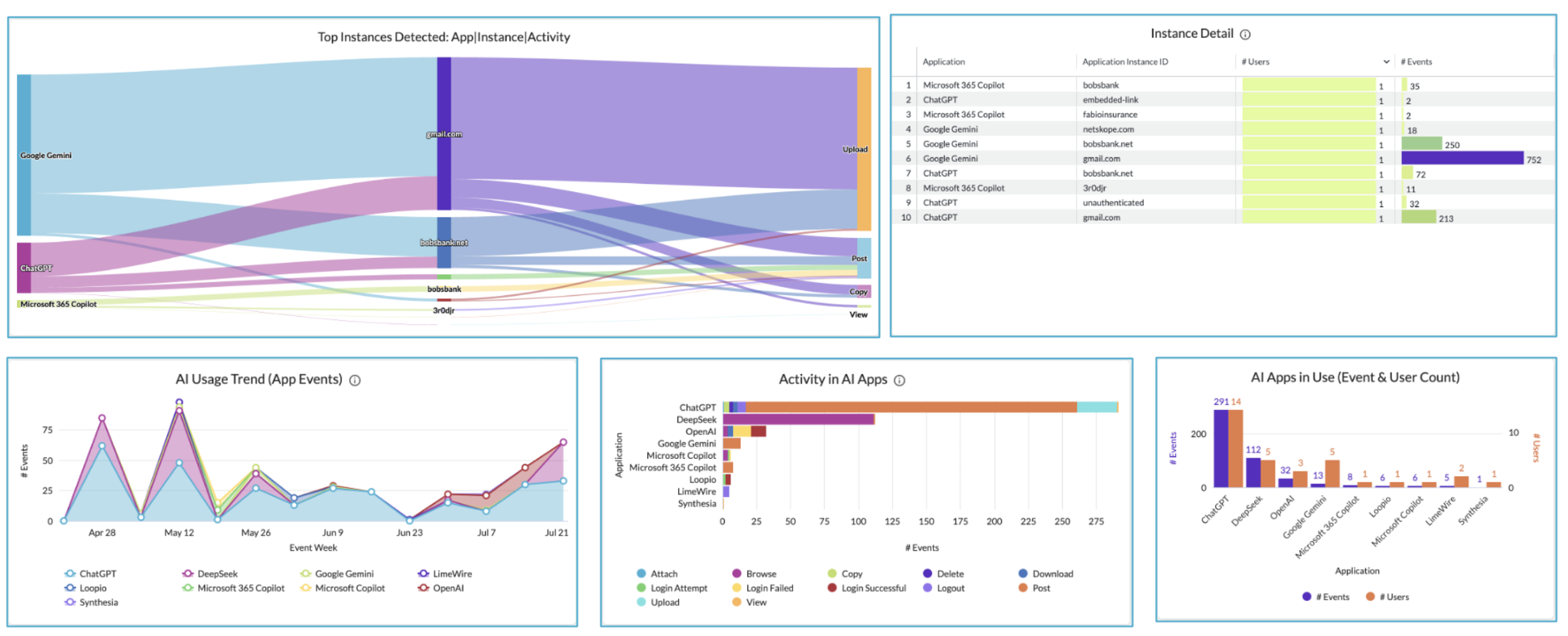
- AI asset management: Auto-discovers models, agents, MCP servers and shadow AI, and traces data-to-AI lineage across more than 2,900 applications in a single view.
- Secure access to AI: Controls who uses AI and how, blocking access by role in real time, filtering sensitive data from LLMs and governing agent-to-agent traffic.
- AI application and infrastructure testing: Runs more than 5,000 attack scenarios across text, image, voice and documents, then supports direct remediation mapped to MITRE ATLAS, NIST and the EU AI Act.
- AI Gateway: Routes, secures and governs every AI transaction from a central control plane, applying inline DLP and zero trust to each model, agent and API call.
- AI Broker: Secures agentic communications through MCP and A2A brokers and enforces fine-grained access policies across enterprise AI agents.
- Endpoint AI security: Detects and stops AI threats on employee devices in browsers, extensions and plugins that traditional endpoint tools were not built to inspect.
- AI Access Graph: Gives real-time visibility into how AI agents use data and identities, reducing unnecessary access and tracking data lineage across channels.
- AI Guard: Extends inline inspection to AI applications, blocking attempts to expose personal or confidential data discovered in prompts or responses.
Limitations (as reported by users on G2): Note that G2 reviews cover Zscaler Internet Access, the inline inspection platform through which these AI controls are delivered.
- Policy configuration complexity: Reviewers describe initial policy design and exception tuning as overwhelming, often requiring dedicated, highly skilled administrators.
- Application compatibility: SSL inspection is reported to break applications using certificate pinning or custom encryption until bypass rules are configured, including some developer tooling.
- Latency and peak-hour performance: Users report slower connections during peak usage and occasional latency when traffic routes through distant data centers.
- False positives: Several reviewers note legitimate business sites being blocked, with exception requests taking time to process.
- Pricing structure: Users describe premium licensing where advanced modules sit behind additional tiers, making total cost harder to predict.
Source: Zscaler

Securing Data Across AI Models, Pipelines and Applications
5. BigID

Best for: Connecting AI systems to the sensitive data behind them
Strengths: AI asset inventory, data lineage and prompt-level controls
Things to consider: Cost and setup effort suit larger enterprises
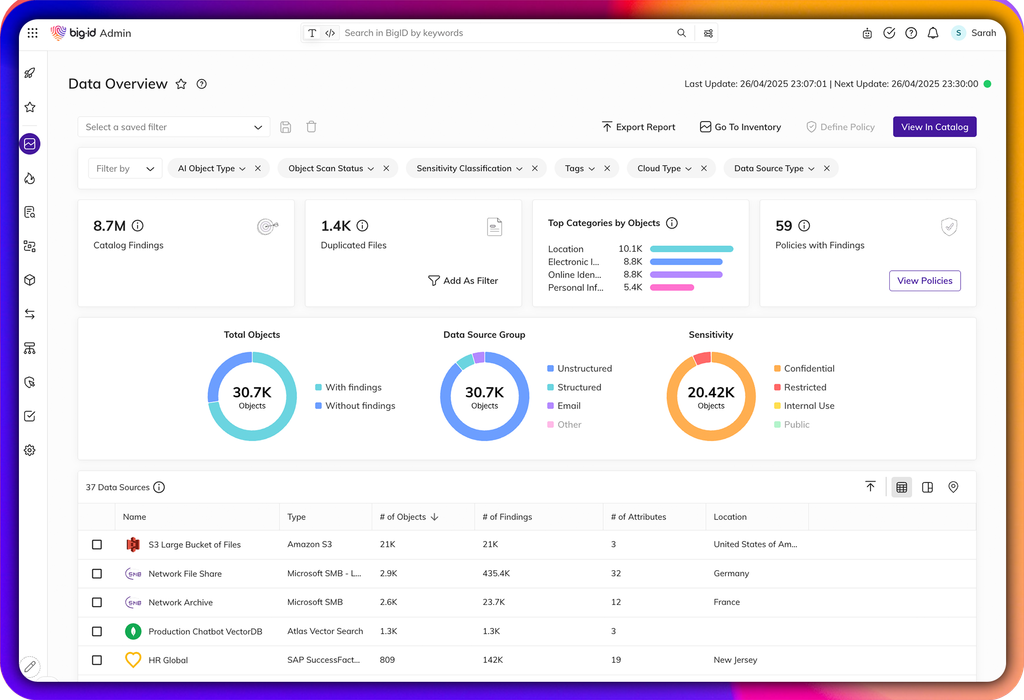
BigID approaches AI security from the data layer, on the premise that AI can only be governed once the data behind it is understood. The platform connects AI systems to the sensitive data, permissions, identities, lineage, policies, ownership and risk signals associated with them, then operationalizes AI trust, risk and security management on top of that foundation.
The lifecycle runs from discovery through to evidence. Teams inventory AI assets, map them to sensitive data and ownership, score risk based on sensitivity and exposure, enforce access and prompt controls, and generate audit-ready documentation for governance and regulatory reporting.
Key features include:
- AI asset inventory: Discovers models, agents, copilots, prompts, vector databases, datasets, pipelines and shadow AI across the enterprise.
- Data lineage for AI: Maps how sensitive data flows through AI training, tuning, inference, retrieval, prompts and downstream workflows.
- Prompt protection: Monitors and governs sensitive data in prompts and responses while enforcing controls across AI interactions.
- Secure AI pipelines: Discovers, classifies, cleanses and governs the data used for training, tuning, retrieval and inference.
- Policy enforcement: Applies governance policies across AI access, sensitive prompts, data usage, model workflows and AI responses.
- AI risk scoring: Scores risk based on data sensitivity, access, usage, policy violations, exposure and compliance impact to prioritize remediation.
- Shadow AI discovery: Finds unsanctioned AI tools, rogue copilots, unmanaged model deployments and hidden AI workflows.
- Audit evidence: Documents AI risk, controls, lineage, ownership, policy decisions and remediation for compliance and accountability reporting.
Limitations (as reported by users on G2):
- Licensing cost: Multiple reviewers describe the subscription price as high, particularly for mid-range organizations.
- Setup effort: Users report that the platform can be difficult to set up and that correlation required significant tuning before producing useful output.
- Platform responsiveness: Some reviewers note portal latency and the platform feeling slow at times.
- Detail-level navigation: A reviewer found the macro view strong but getting into individual file details cumbersome and tedious at volume.
- Enterprise orientation: Reviewers describe the product as better suited to large companies than smaller teams.
Source: BigID
-1.png?width=2000&height=1368&name=data-overview%20(1)-1.png)
6. Cyera Agent Guardian

Best for: Securing what AI apps and agents can see and do
Strengths: AI posture management plus runtime policy enforcement
Things to consider: Reporting and customization options are limited
Cyera Agent Guardian secures the AI ecosystem from the data layer up, covering both what AI can see and what it is permitted to do. It pairs posture management with runtime enforcement so that discovery, governance, protection and validation operate against a single set of policies rather than separate tools.
Coverage spans cloud environments, SaaS platforms, browser applications and employee workstations. The platform maps each agent’s connections to models, tools, MCP servers, knowledge bases, data stores and sensitive data, then evaluates user interactions, tool invocations and data retrieval against policy in real time.
Key features include:
- AI and agent asset inventory: Automatically discovers and catalogs every AI model, agent, application, domain, pipeline and training dataset, including shadow AI.
- AI security posture management: Maps AI apps and agents to related identities, data, access paths and risks, then enforces policies governing how humans and AI use sensitive data.
- AI runtime protection: Analyzes prompts and uses identity and intent to keep data access authorized and within compliance boundaries across environments.
- Agent graph: Provides an out-of-the-box graph of each agent’s connections to models, tools, MCP servers, knowledge bases, data stores and crown-jewel data.
- AI browser security: Discovers browser-based AI applications and agents and prevents sensitive data leakage to public models.
- Custom-built agent security: Sanitizes training data, enforces guardrails at every agent step and blocks risky or harmful operations on data.
- AI activity monitoring: Tracks which files agents access, when and how, maintaining an audit trail and file lineage across AI interactions.
- Red teaming and validation: Tests agents against prompt injections, jailbreaks and other exploitation methods, with timestamped validation runs for auditors.
- AI compliance: Continuously validates AI and agent usage against frameworks including the EU AI Act and NIST AI RMF with automated evidence and reporting.
Limitations (as reported by users on G2):
- Reporting flexibility: Reviewers report that self-serve report generation is limited and often requires help from the vendor team.
- Executive-level risk reporting: One reviewer noted that risk statements do not account for surrounding controls, which complicates reporting to senior leadership.
- Customization scope: Users describe limited ability to tailor the platform, including issue statuses restricted to a standard set.
- Hybrid setup complexity: Initial setup is reported as more complex in hybrid environments where access to on-premises systems is constrained.
- Release stability: Some reviewers note minor glitches after version updates and database scans occasionally stalling until restarted by the vendor.
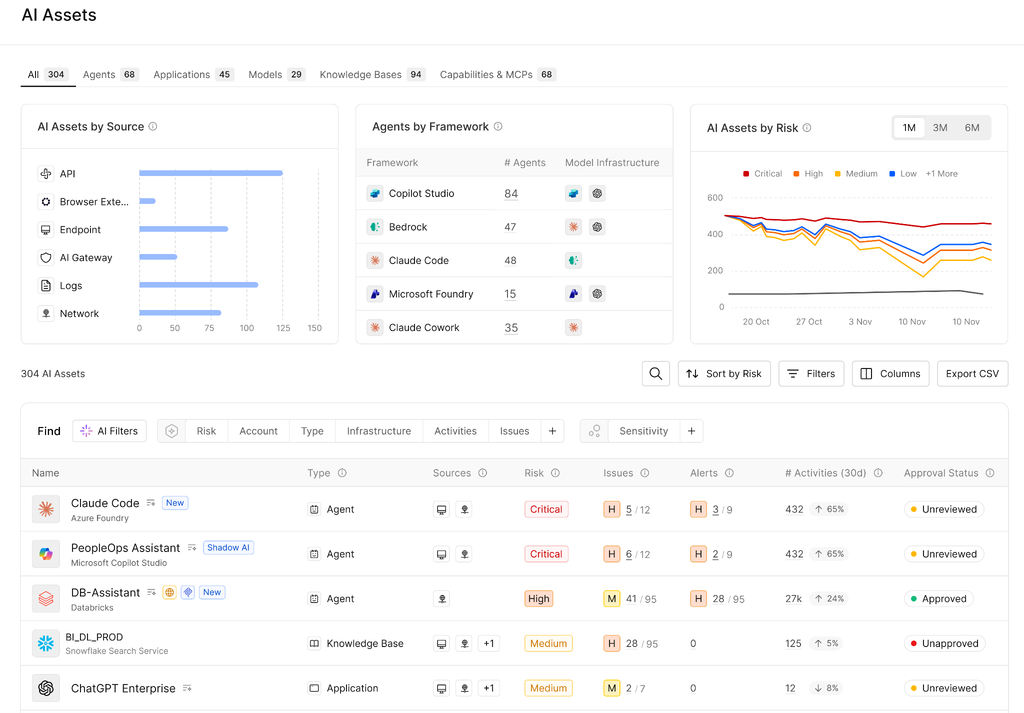
Source: Cyera
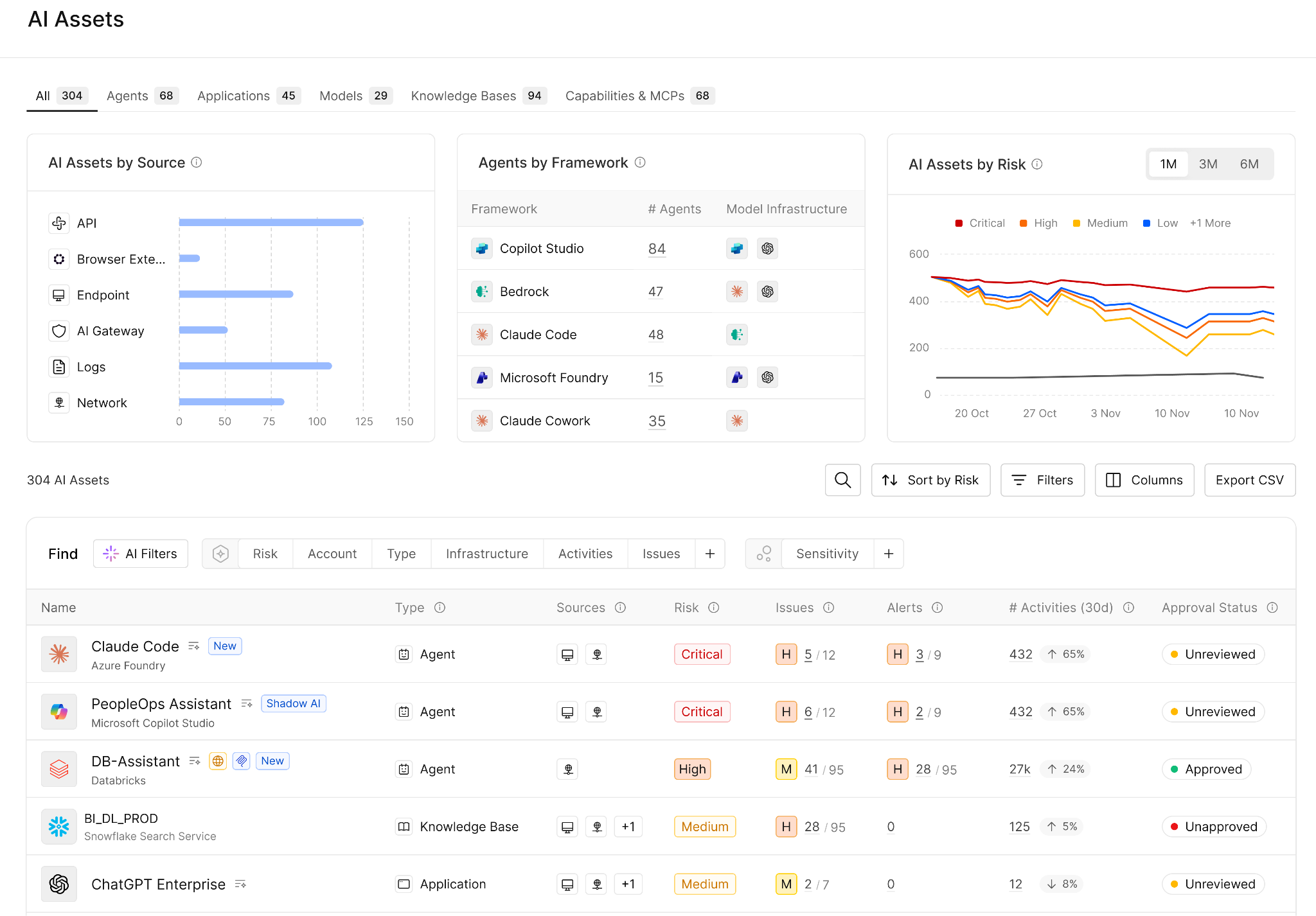
7. Varonis

Best for: Limiting what copilots and LLMs can reach in your data
Strengths: Permissions right-sizing and prompt activity monitoring
Things to consider: Deployment and tuning are resource-intensive
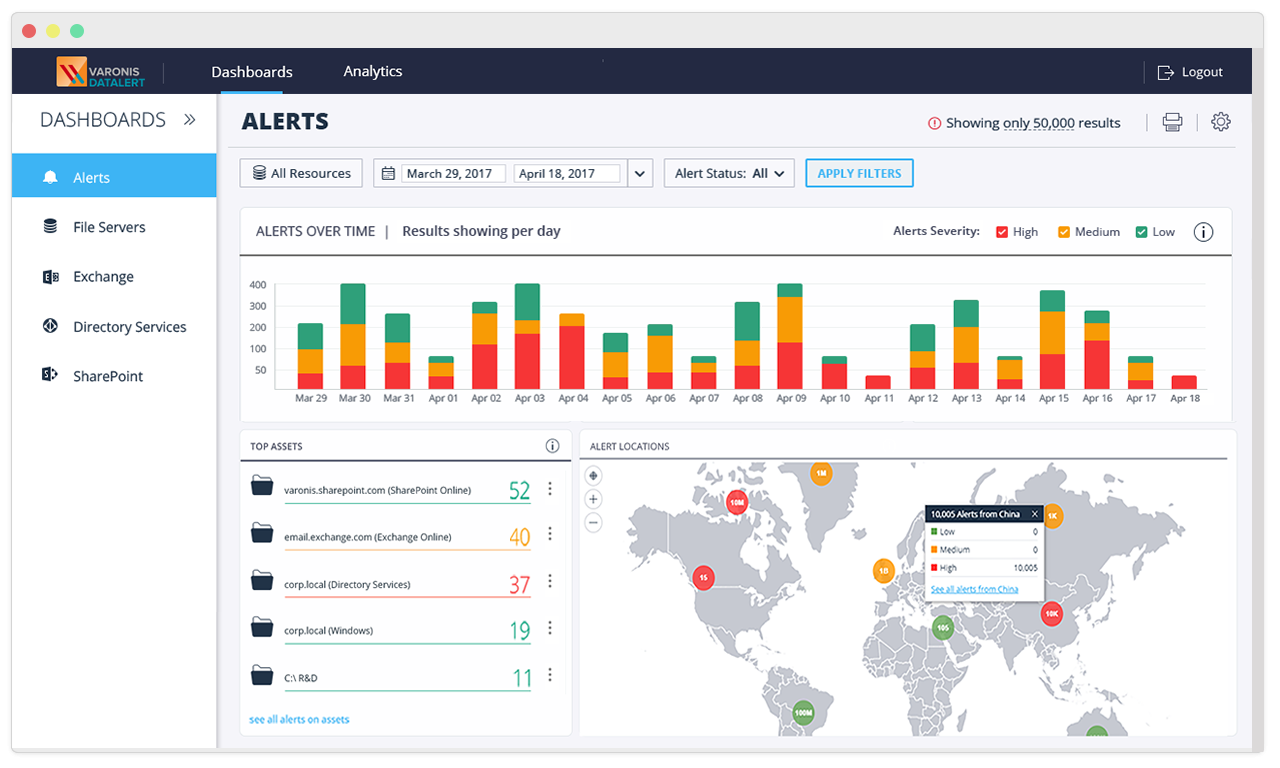
Varonis approaches AI security by controlling the data that AI tools can reach. The platform gives visibility into AI tools and workloads, then continuously identifies AI risk and locks down data before exposure occurs, with quantifiable reporting on how that risk changes over time.
Coverage includes commercial copilots such as Microsoft 365 Copilot, ChatGPT Enterprise and Salesforce Agentforce, alongside AI workloads running in large data stores including AWS, Azure and Snowflake. The platform combines classification of both human and AI-generated content with permissions analysis and behavioral monitoring.
Key features include:
- AI data discovery and classification: Classifies human and AI-generated data across large or complex stores, then shows who has access, how that access was granted and who or what is using it.
- AI access intelligence: Gives a bi-directional view of which copilot-enabled users and AI accounts can reach sensitive data, and automatically revokes stale or excessive permissions.
- Blast radius control: Visualizes AI’s access to sensitive data, revokes excessive permissions and fixes risky AI misconfigurations.
- Monitoring of AI-created data: Classifies AI-generated content and applies sensitivity labels so newly created material is governed like existing data.
- Abnormal AI usage detection: Monitors prompts and builds a behavior baseline for every user and device, alerting when copilot users or AI processes violate policy or behave abnormally.
- Hidden AI workload discovery: Identifies AI workloads and sensitive data flows across large cloud data stores and maps the AI accounts with access to them.
- Automated risk remediation: Continuously identifies AI risk and locks down data before a breach can occur, with tracking to show risk decreasing over time.
Limitations (as reported by users on G2):
- Deployment and tuning effort: Reviewers describe initial deployment, baselining and alert tuning as resource-intensive, often taking weeks plus professional services support.
- Learning curve: Users report that the volume of security and permissions data takes time to interpret before dashboards and alerts become actionable.
- Cost structure: Multiple reviewers note high total cost of ownership, with modular licensing that accumulates as coverage is added for more SaaS apps and clouds.
- Scan duration: Initial scans and indexing in large or legacy environments are reported to take days or longer and to demand substantial infrastructure resources.
- Reporting and portals: Reviewers describe reporting customization as restrictive and note that configuration remains split between an on-premises collector and the cloud portal.
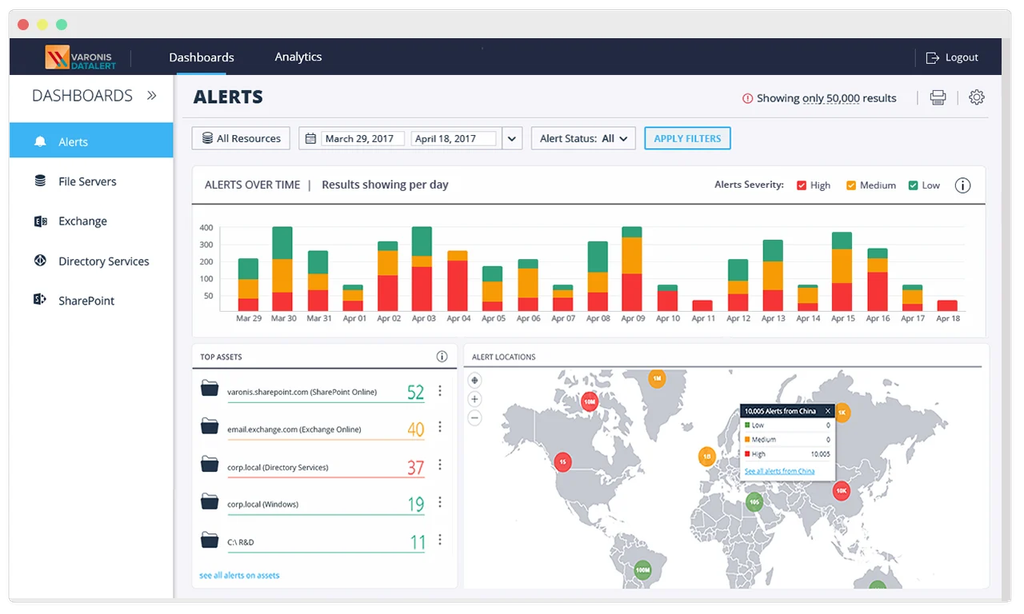
Source: Varonis
8. Cisco AI Defense
Best for: Securing AI applications an organization builds and uses
Strengths: Model red teaming with network-embedded runtime guardrails
Things to consider: Some capabilities depend on other Cisco products
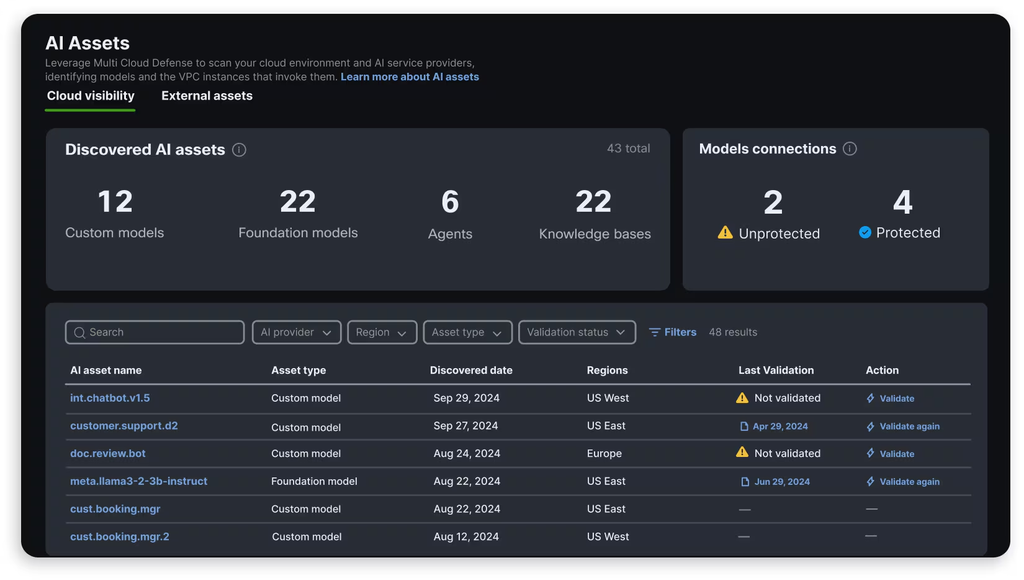
Cisco AI Defense addresses both sides of enterprise AI use: third-party applications employees adopt, and applications the organization develops itself. For third-party use it surfaces AI applications in use and applies policies that manage employee access and prevent sensitive data loss. For internal development it detects AI assets, assesses models for vulnerabilities and deploys guardrails.
Enforcement is embedded in the network fabric rather than through agents or libraries, which decouples AI development from security implementation. Cisco states this gives full visibility into AI traffic and associated risks across distributed environments, with detections informed by its AI research lab and Talos threat intelligence.
Key features include:
- AI model and application validation: Uses algorithmic red teaming to identify safety and security vulnerabilities across models at scale, assessing AI risk in seconds.
- AI runtime protection: Applies guardrails embedded in the network to block adversarial attacks and harmful responses in real time.
- AI cloud visibility: Automatically inventories AI models and connected data sources across distributed cloud environments to establish usage and gauge risk.
- AI Access: Monitors and manages access to third-party AI applications and enforces policies that limit sensitive data exposure and protect against external threats.
- AI supply chain risk management: Provides governance and security over AI models and files before they enter development or production.
- Threat coverage beyond prompt injection: Guardrails also address model denial of service, code detection, off-topic attacks and malicious URLs.
- Standards alignment: Maps to NIST, MITRE ATLAS and the OWASP LLM Top 10 through a single integration.
- Splunk integration: Lets Splunk customers apply their existing data for additional insight alongside AI Defense detections.
Limitations (based on publicly available sources):
- Documentation navigation: A reviewer described the platform as reliable but noted that documentation is difficult to navigate and that some powerful features are hard to use correctly.
- Ecosystem dependencies: Several capabilities, particularly user-level shadow AI control and network enforcement, are tied to Cisco Secure Access or other Cisco security components.
- Implementation scope: Deployment spans discovery, validation, runtime enforcement, SIEM integration and governance, which typically requires coordination across several teams.
- Guardrail tuning: Runtime policies need ongoing testing for false positives, edge cases and latency rather than being treated as correct by default.
- Pricing transparency: Cisco does not publish standard enterprise list prices, so budgeting and side-by-side comparison require a custom quote.
Source: Cisco

Enterprise Browsers and Browser Security Solutions
These tools apply AI governance and DLP controls inside the browser rather than at the endpoint OS layer. Because their enforcement point is the browser session itself, they can inspect and block sensitive data moving into browser-based AI tools (ChatGPT, Gemini, Copilot web, and similar), but none of the four extend that same policy enforcement to native desktop AI applications: locally installed clients such as the ChatGPT desktop app, Claude desktop, or Copilot for Windows/macOS run outside the browser process these platforms are built to inspect
9. Palo Alto Networks Prisma Access Browser

Best for: Enterprises already standardized on Palo Alto Networks SASE wanting AI governance folded into existing browser policy
Strengths: 1,000+ built-in DLP data classifiers, PrecisionAI-powered threat detection, native integration with Panorama and Strata Cloud Manager
Things to consider: No native desktop AI app coverage; governs browser-based AI tools only, not locally installed AI clients; strict default policies can interfere with workflows until tuned
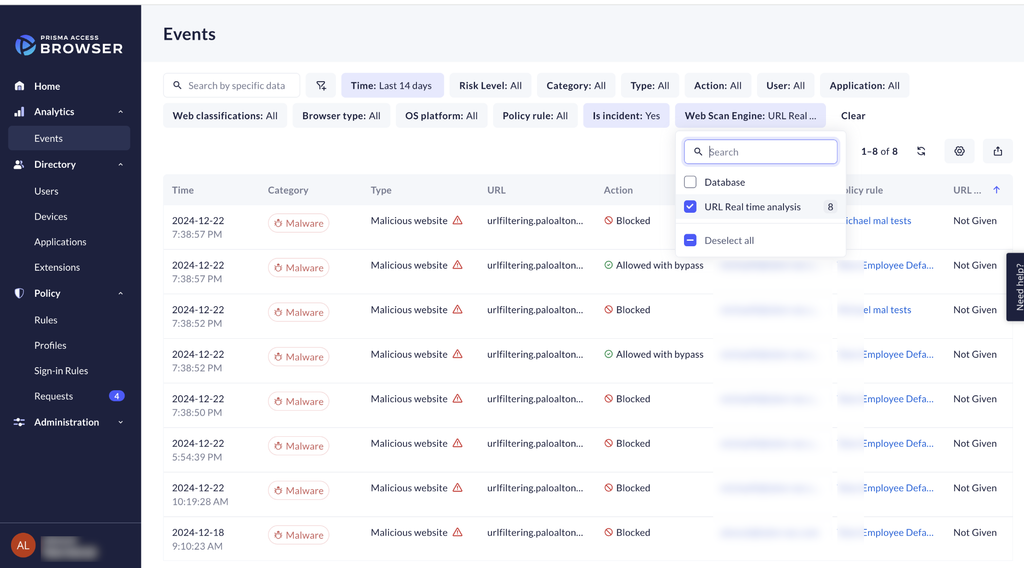
Prisma Access Browser isolates browsing sessions in the cloud and extends Palo Alto’s Enterprise DLP engine down to individual browser actions, letting it detect and block sensitive data moving into web-based generative AI tools before it leaves the session.
Because enforcement happens at the browser layer, policy applies consistently across managed and BYOD devices without installing an endpoint agent, but that same browser-scoped architecture means it has no visibility into what a user pastes or uploads through a native desktop AI application running outside the browser process entirely.
Key features include:
- Cloud-isolated browsing: Isolates risky browsing sessions in the cloud, preventing malware and data leaks from reaching the local device without endpoint agents.
- Enterprise DLP with 1,000+ classifiers: Applies built-in data classifiers to catch sensitive data in browser-based AI prompts and uploads before it reaches a model.
- PrecisionAI-powered threat detection: Detects and blocks an average of 2.3 million new and unique attacks daily.
- Agentless BYOD and contractor access: Deploys in minutes without admin privileges or MDM enrollment.
- Native Palo Alto ecosystem integration: Managed from the same console, policies, and threat intelligence as the broader Prisma Access SASE platform.
Limitations (as reported by users on G2):
- No desktop AI application coverage: The product governs AI accessed through the browser; it does not inspect or control data moving through native desktop AI clients installed outside the browser.
- Initial setup complexity: Setting up the browser can be time-consuming for organizations without prior Palo Alto experience, requiring skilled administrators for policy tuning.
- Strict default policies: Ships with highly restrictive controls out of the box (blocking copy/paste, limiting downloads, disabling WebGL) that can interfere with normal workflows until customized.
- Performance overhead on complex apps: Cloud-based architecture and deep inspection can introduce latency on high-traffic or resource-heavy web applications.
Source: Palo Alto Networks
10. Island Enterprise Browser

Best for: Securing browser-based SaaS and AI app access on managed and unmanaged devices
Strengths: Granular in-browser policy controls, familiar Chromium-based experience, strong audit visibility
Things to consider: No native desktop AI app coverage; DLP and policy enforcement apply only inside the browser, not to locally installed AI clients
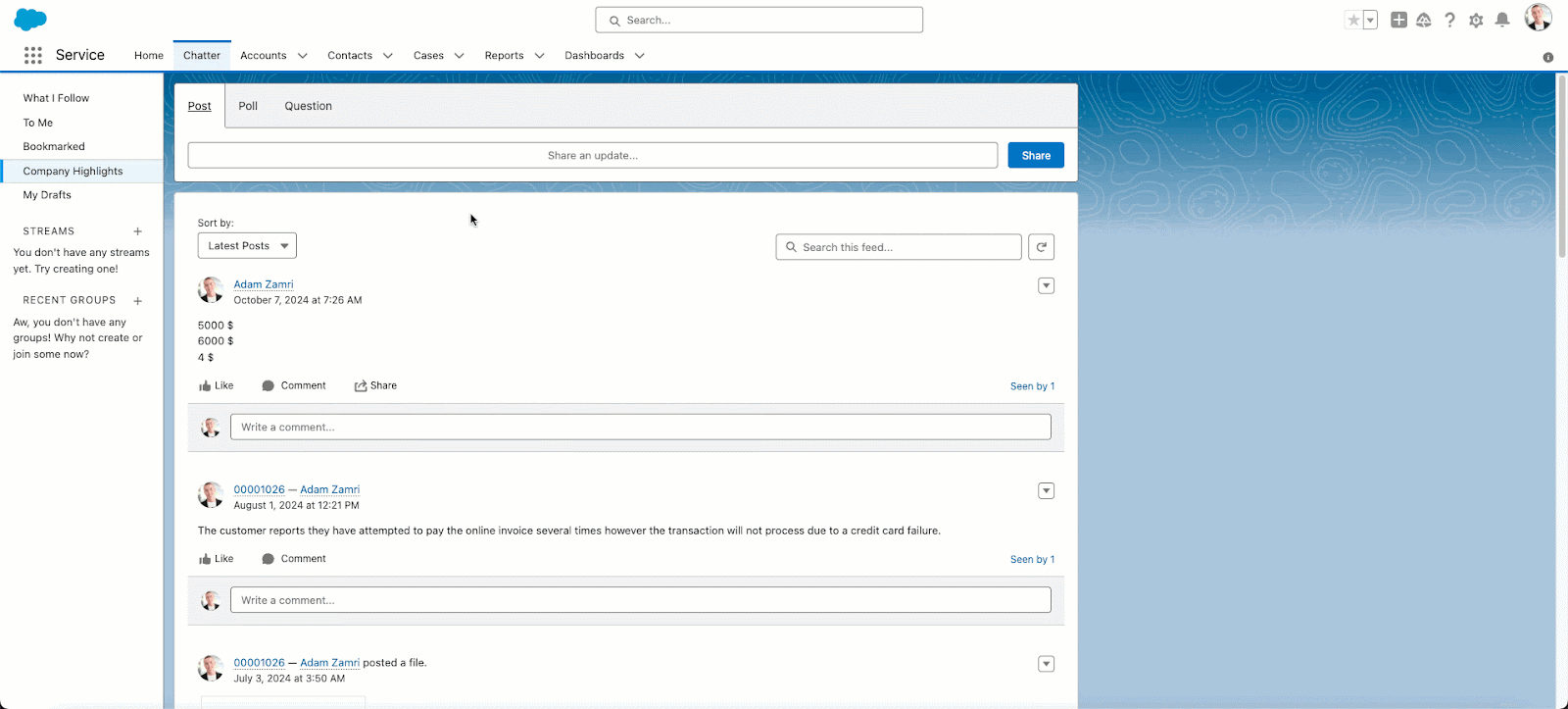
Island’s Enterprise Browser embeds DLP and policy controls directly into a Chromium-based browser, letting IT restrict copy/paste, downloads, uploads, and printing for browser-based generative AI tools without managing the underlying device.
Because Island is fundamentally a browser product rather than an endpoint agent, it has no mechanism to inspect or govern activity inside a native desktop AI application; a user pasting sensitive data into the ChatGPT desktop app rather than the ChatGPT website falls entirely outside Island’s policy engine.
Key features include:
- Granular, identity-aware policy control: Creates rules by user, group, application, and browser action for browser-based AI and SaaS tools.
- Data loss prevention at the browser layer: Governs copy/paste, downloads, uploads, printing, and screenshots for sensitive data moving toward web-based AI services.
- Built-in RDP client: Provides remote access to legacy Windows applications directly inside the browser.
- Administrative visibility and audit logging: Gives IT and security teams insight into browser-level AI tool usage to support compliance and investigation needs.
- Cross-platform, Chromium-based experience: Deploys across operating systems while preserving the browsing experience users already expect.
Limitations (as reported by users on G2):
- No desktop AI application coverage: Policy enforcement and DLP apply only to browser sessions; native desktop AI clients running outside the browser are not visible to or governed by the platform.
- Incomplete RDP feature parity: The built-in remote desktop client lacks some capabilities available in Microsoft’s native RDP client.
- Limited console search and filtering: The admin console’s search functionality is limited, and the user activity map lacks advanced filtering.
- Opaque policy violation messaging: Blocked actions often return a generic error message without detailed reasoning, complicating troubleshooting.
Source: Island

11. Menlo Security

Best for: Organizations wanting proven browser isolation with AI-specific DLP for browser-based AI use
Strengths: Hybrid cloud isolation with local Secure Extension, AI Adaptive DLP that masks sensitive data in real time, high marks for ease of administration
Things to consider: No native desktop AI app coverage; protection is scoped to the browser, not locally installed AI clients
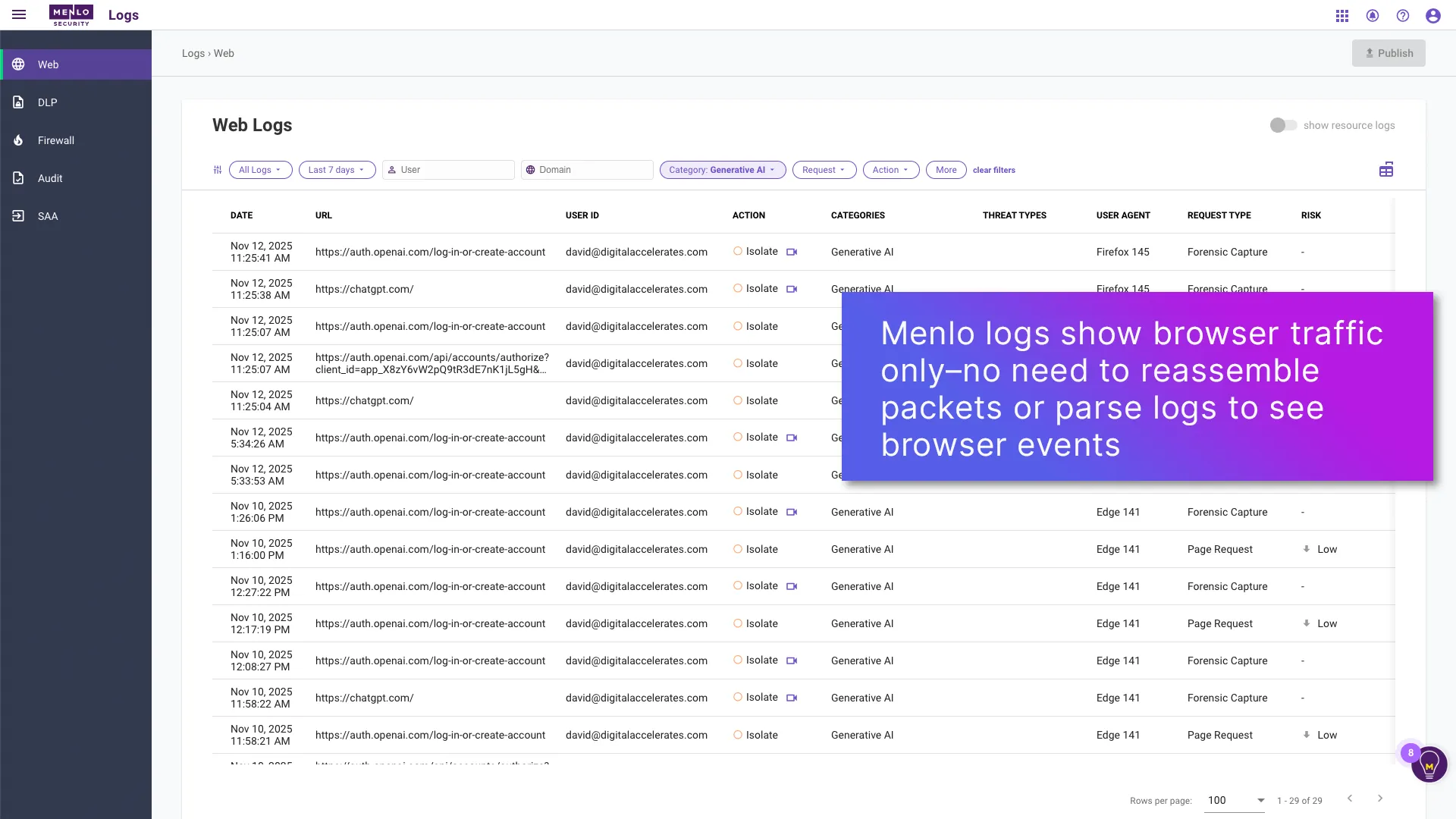
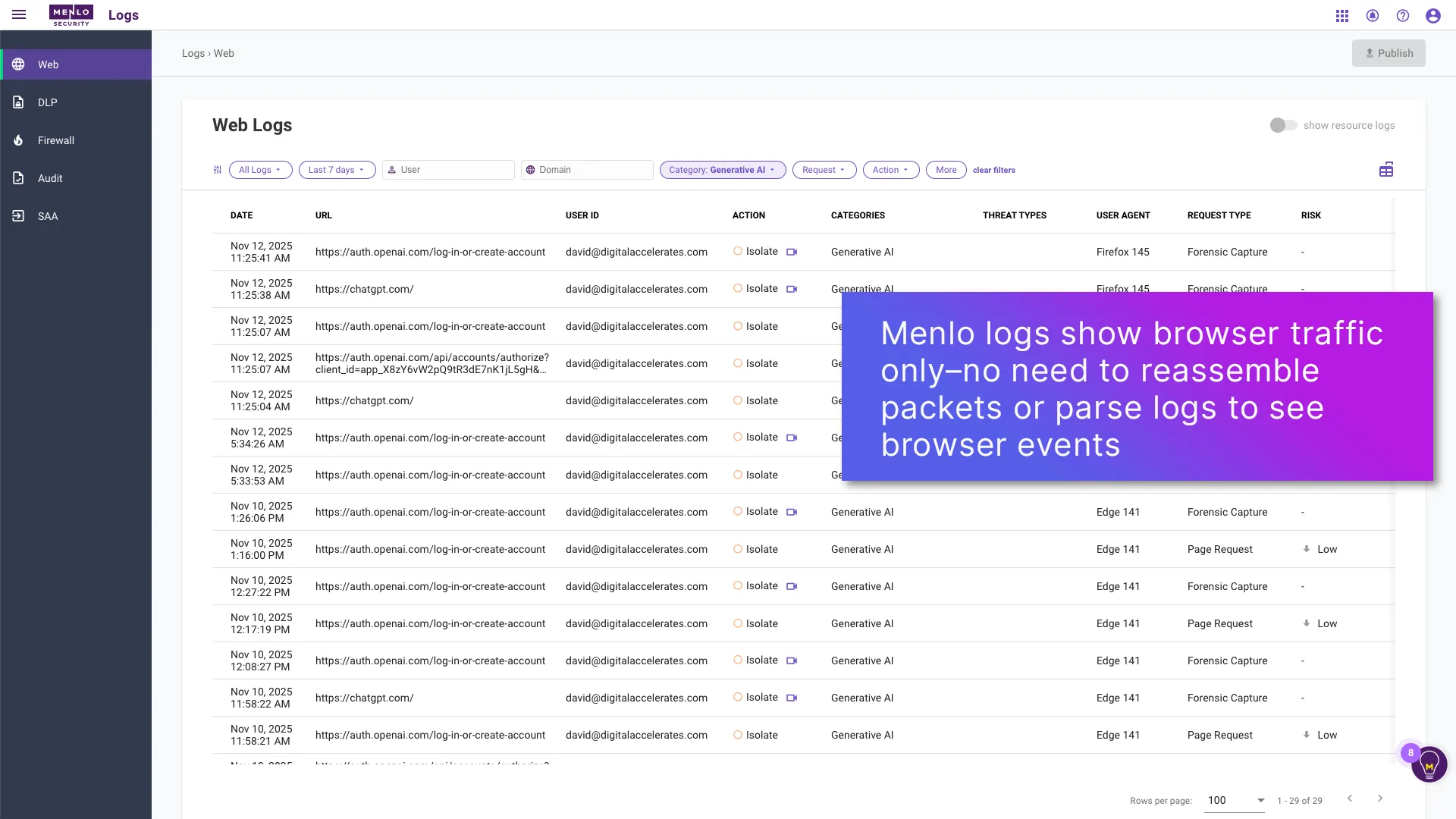
Menlo Security’s Secure Enterprise Browser Platform combines full cloud isolation for risky traffic with a lightweight Secure Extension for visibility and DLP on trusted sites, applying AI Adaptive DLP that automatically masks sensitive data in real time so users can safely interact with browser-based generative AI tools.
This protection is explicitly scoped to browser sessions and browser sidebars: the platform’s own materials describe securing “browsers, browser extensions, and AI browser sidebars,” with no mechanism described for inspecting data flowing through a locally installed desktop AI application.
Key features include:
- Hybrid isolation architecture: Combines full cloud isolation (Menlo Cloud) for risky traffic with a local Secure Extension for visibility and control on trusted sites.
- AI Adaptive DLP: Automatically masks sensitive and proprietary data in real time before it reaches a browser-based AI model, letting users keep working with it safely.
- AI-driven zero-day threat prevention: Detects and stops threats without relying on known signatures.
- Browser DLP controls: Governs copy/paste, upload/download, and other data movement to prevent data loss to web-based GenAI portals.
- Device posture awareness: Enforces policy based on endpoint health and risk signals before granting access, supporting unmanaged and BYOD scenarios.
Limitations (as reported by users on G2 and Gartner Peer Insights):
- No desktop AI application coverage: AI Adaptive DLP and other controls apply to browser and browser-extension activity; the platform does not extend policy enforcement into native desktop AI clients.
- Occasional latency: Some users note latency issues that can affect browsing speed, particularly on complex or high-traffic web applications.
- Adjacent to, not a replacement for, endpoint security: Device posture awareness complements rather than replaces dedicated endpoint security tooling.
- Enterprise-segment concentration: The bulk of reviews come from enterprise-segment companies, so smaller organizations have less peer feedback to draw on.
Source: Menlo Security
12. Seraphic Security
Best for: Organizations wanting browser-agnostic AI governance without forcing a browser switch
Strengths: Works inside existing browsers (Chrome, Safari, Edge, Firefox) rather than requiring replacement, zero-day exploit prevention, mobile browser coverage
Things to consider: No native desktop AI app coverage; the JavaScript Agent enforcement model operates only inside a browser’s page context, not inside standalone desktop applications
Seraphic injects a lightweight, policy-driven JavaScript Agent into a user’s existing browser rather than requiring a dedicated replacement browser, letting it govern data moving into browser-based AI tools while preserving normal browsing habits.
Because Seraphic’s core enforcement mechanism instruments web APIs and data paths inside a browser’s page context, it has no equivalent hook into a native desktop application: a locally installed AI client that never opens a browser tab sits entirely outside what Seraphic’s JavaScript Agent can see or control, even on a device where Seraphic is otherwise fully deployed.
Key features include:
- Browser-agnostic protection: Injects security controls into a user’s existing browser (Chrome, Safari, Edge, Firefox) rather than requiring a replacement browser.
- Native JavaScript Agent enforcement: Operates in the page context to instrument and govern web APIs and data paths in real time for browser-based AI interactions.
- Zero and n-day exploit prevention: Stops vulnerability exploitation, advanced phishing, and token/session theft before they succeed.
- BYOD and third-party access without VDI or VPN: Enables secure, monitored access to corporate applications and browser-based AI tools from personal or third-party devices.
- Mobile browser coverage: Extends the same browser-layer security to iOS and Android through the Seraphic Mobile Browser.
Limitations (as reported by users on G2):
- No desktop AI application coverage: The JavaScript Agent enforcement model operates only within a browser’s page context; it has no visibility into or control over native desktop AI applications running outside the browser.
- Browser-scope only: Reviewers note the product addresses risks inside the browser specifically and does not cover other network attack vectors, so it’s deployed alongside rather than in place of broader network security controls.
- Visibility gaps in mixed environments: Managed service providers running the product across varied client environments report situations where additional cross-stack visibility would have helped.
- Policy message tuning required: Reviewers advise budgeting time to customize the messages users see when an action is blocked.
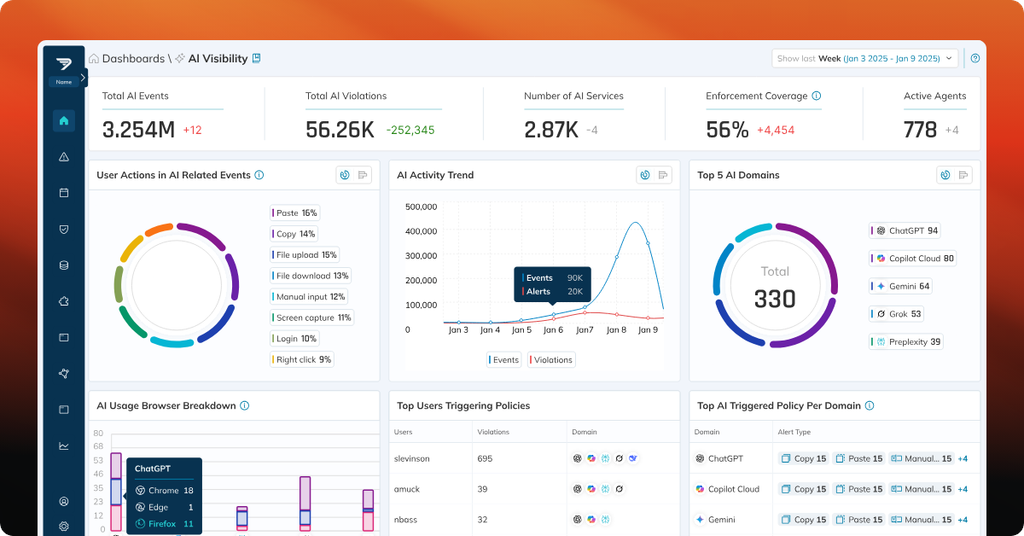
Source: Seraphic Security
Conclusion
Protecting sensitive data as AI adoption spreads across an organization requires layered controls that follow the data rather than a single point of enforcement. No individual tool covers every surface where sensitive information can reach a model: some solutions govern access at the identity and data layer, others inspect traffic inline across the network, others secure the models and pipelines an organization builds internally, and others enforce policy specifically inside the browser.

Any worker. Any laptop. Any AI workflow. Fully secured.
Schedule a demo to see how Blue Border™ secures company data and apps without shipping laptops, running VDI, or managing personal endpoints.