
Best Enterprise AI Policy Enforcement Solutions: Top 8 in 2026


See Venn first in Google Search
Add as a preferred source on Google
TL;DR: Enterprise AI policy enforcement solutions discover AI use, apply access and data controls, and log activity. Best for BYOD devices: Venn; browser control: Island; network-level governance: WitnessAI; Microsoft 365 estates: Purview.
What Are Enterprise AI Policy Enforcement Solutions?
Enterprise AI policy enforcement shifts traditional static guidelines into automated, real-time runtime controls that intercept prompts, tool calls, and model outputs before execution. AI policy enforcement solutions help to control, monitor, and manage how artificial intelligence applications are used within an organization.
These solutions address the growing need for oversight as businesses adopt a wide variety of AI tools, ranging from generative AI chatbots to predictive analytics systems. The core objective is to ensure that AI usage aligns with company policies, regulatory requirements, and security standards, minimizing the risk of data leaks, misuse, or unauthorized access.
This is part of a series of articles about AI governance
Achieve PCI DSS Compliance on Unmanaged Laptops
Learn how to keep sensitive data secure and PCI DSS compliant when contractors and remote workers use personal laptops.
In this article:
Enterprise AI Policy Enforcement Solutions at a Glance
The table below summarizes the key differences between the solutions covered in this article. We explore each one in more detail in the sections that follow.
| Category | Solution | Best For | Key Strengths | Things to Consider |
| Endpoint and browser enforcement | Venn | Governing AI use on unmanaged and BYOD laptops | Local secure enclave with DLP, audit logs and approved-AI control | Performance varies on lower-spec hardware |
| Endpoint and browser enforcement | Island | Governing AI across browser, desktop, extensions and network | Unified policy engine with prompt and response data controls | Controls can feel restrictive; limited extension support |
| Endpoint and browser enforcement | Prisma Browser | Browser-level AI and SaaS controls on unmanaged devices | 1,000+ data classifiers with last-mile action controls | Policy tuning needs Palo Alto ecosystem familiarity |
| Endpoint and browser enforcement | Chrome Enterprise Premium | Adding AI data controls to an existing Chrome estate | Cloud-managed DLP and shadow AI reporting inside Chrome | Policy hierarchy and propagation can be hard to trace |
| Network and data-layer platforms | WitnessAI | Network-level AI governance across employees and agents | Intent-based policies with allow, warn, block and route | Enforcement depends on network-level traffic visibility |
| Network and data-layer platforms | Netskope One AI Security | Enforcing AI policy across SaaS, private apps and agents | Shadow AI discovery joined to inline DLP and guardrails | Deployment and policy tuning need dedicated expertise |
| Network and data-layer platforms | Zscaler Generative AI Security | Inline prompt-level controls for public GenAI applications | Prompt visibility with DLP and browser isolation options | Cloud inspection path can add latency and setup work |
| Network and data-layer platforms | Microsoft Purview | AI data governance inside Microsoft 365 environments | Classification, DLP and insider risk signals in one portal | Automated labeling depends on higher licence tiers |
How Enterprise AI Policy Enforcement Solutions Work
1. Discover AI Applications and Usage
The first step for any enterprise AI policy enforcement solution is the discovery of AI applications in use throughout the organization. This involves scanning networks, endpoints, and cloud environments to identify both sanctioned and unsanctioned AI tools. Discovery capabilities are crucial because many employees may use AI applications without explicit approval, increasing the risk of shadow IT and potential data exposure. Automated discovery helps organizations gain full visibility into their AI footprint.
After mapping out all AI tools and services, these solutions analyze usage patterns to determine how, when, and by whom AI resources are accessed. This continuous monitoring enables organizations to detect emerging risks, such as the sudden adoption of a new generative AI platform or an increase in sensitive data processed by an existing AI service. With this intelligence, enterprises can prioritize policy enforcement and address high-risk scenarios proactively.
2. Identify Users, Devices, Data, and Workflows
Once AI applications are discovered, the next step is to identify the users, devices, data, and workflows associated with each AI interaction. This level of granularity ensures that policy enforcement is both precise and context-aware. For example, the solution can distinguish between a developer testing an AI model on a secure workstation and a marketing employee accessing a generative AI tool from a personal device. This differentiation allows organizations to tailor controls based on risk profiles and business needs.
In addition to user and device identification, enterprise AI policy enforcement solutions map the data being processed and the workflows involved. This helps organizations understand the flow of information between AI applications and other systems, ensuring sensitive data does not cross unauthorized boundaries. By monitoring workflows, the solution can also detect policy violations, such as exporting regulated information to an external AI service, and take corrective action in real time.
Related content: Read our article about AI data governance
3. Evaluate Activity Against Organizational Policies
After gathering contextual information about users, devices, data, and workflows, the solution evaluates each AI-related activity against pre-defined organizational policies. These policies may address compliance requirements, data privacy standards, acceptable use guidelines, and other business rules. Automated policy engines assess whether activities align with these rules, flagging or blocking any actions that violate them. This evaluation is continuous and adapts to evolving threats and regulatory changes.
Policy evaluation is not limited to simple allow or block decisions. Advanced solutions can enforce nuanced controls, such as restricting data access based on user roles or limiting AI tool usage to certain departments. They can also apply time-based or location-based restrictions, ensuring AI resources are only accessible under approved conditions. By automating policy evaluation, organizations can achieve consistent enforcement at scale while reducing the risk of human error or oversight.
4. Allow, Block, Restrict, or Isolate AI Interactions
Based on policy evaluation, enterprise AI policy enforcement solutions can take a range of actions to manage AI interactions. If an activity complies with policies, the solution allows it to proceed. Conversely, if a violation is detected, the solution may block the action outright or apply restrictions, such as redacting sensitive data or limiting access to certain features. In high-risk scenarios, the solution can isolate the AI interaction, preventing it from impacting other systems or data.
These enforcement actions are applied in real time and are highly configurable to suit organizational needs. For example, an enterprise may allow AI-generated content creation but block the use of AI tools for processing confidential client data. The ability to customize responses ensures that security and compliance objectives are met without unnecessarily hindering productivity or innovation. Over time, enforcement actions can be refined based on incident trends and evolving business priorities.
Related content: Read our article about AI governance solutions
5. Record Activity for Audits and Investigations
Recording all AI-related activity is a critical feature of enterprise AI policy enforcement solutions. Comprehensive logging captures details such as user identity, device, timestamp, type of AI application accessed, and actions taken. This audit trail is essential for regulatory compliance, internal investigations, and post-incident analysis. It provides organizations with the evidence needed to demonstrate policy adherence and identify the root causes of security or compliance breaches.
Audit logs are typically stored securely and can be integrated with other security information and event management (SIEM) systems for centralized monitoring and reporting. Advanced solutions offer search and analytics capabilities, enabling rapid investigation of suspicious activity or policy violations. By maintaining a detailed record of AI interactions, organizations can support forensic investigations, respond to regulatory inquiries, and continuously improve their security posture.
Core Capabilities of Enterprise AI Policy Enforcement Solutions
AI Application Discovery
AI application discovery is fundamental for effective policy enforcement. These solutions automatically detect AI tools (both known and unknown_within the organization, using:
- Network traffic analysis
- Endpoint agents
- Cloud integrations
Discovery extends to browser-based tools, SaaS applications, and custom AI models running on internal infrastructure. Automated discovery reduces the reliance on manual reporting and ensures that no AI application escapes oversight.
Once discovered, AI applications are cataloged, and their usage is tracked over time. This enables organizations to assess the risk associated with each tool and determine whether it should be approved, restricted, or blocked. Continuous discovery also helps organizations keep pace with rapidly evolving AI offerings.
Granular Access Controls
Granular access controls allow organizations to precisely define:
- Who can use which AI applications
- Under what circumstances
- With what permissions
These controls go beyond simple user authentication, incorporating factors such as user role, department, device type, location, and time of access. By applying fine-grained policies, organizations can minimize the attack surface and limit the risk of unauthorized or inappropriate AI usage.
Access controls can also enforce separation of duties and least privilege principles, ensuring that sensitive AI capabilities are only available to those with a legitimate business need. Dynamic access policies adapt to changing risk contexts, such as increased restrictions during off-hours or for remote access scenarios.
Data Loss Prevention for AI
Data loss prevention (DLP) for AI is designed to prevent sensitive or regulated data from being exposed through AI applications. These solutions monitor data flows into and out of AI tools, inspecting content for:
- Keywords
- Patterns
- Compliance markers
When a policy violation is detected, the DLP system can block data transfers, redact sensitive information, or alert administrators for further review. DLP capabilities are essential for organizations that process confidential data, intellectual property, or regulated information.
By integrating DLP with AI policy enforcement, enterprises can ensure that AI-driven innovation does not come at the cost of data security. Over time, DLP systems can be tuned to reduce false positives and improve detection accuracy, supporting a balance between security and operational efficiency.
Browser and Session Controls
Browser and session controls provide an additional layer of security for AI interactions that occur through web interfaces. These controls monitor and manage user sessions, enforcing policies such as:
- Session timeouts
- Clipboard restrictions
- Download/upload controls
By limiting browser-based risks, organizations can prevent data leaks or unauthorized actions during AI tool usage. Session controls can also isolate high-risk activities in secure browser environments or virtual sessions, reducing the risk of cross-site data leakage or malware exposure.
These features are particularly valuable in remote work scenarios or on unmanaged devices, where traditional endpoint controls may be less effective. By securing browser sessions, organizations can extend AI policy enforcement to every corner of their digital environment.
AI Agent and Non-Human Identity Governance
AI agent and non-human identity governance addresses the growing use of automated agents, bots, and service accounts in enterprise environments. These non-human identities often access AI tools to perform tasks such as:
- Data processing
- Report generation
- System integration
Governance solutions track and control these identities, ensuring they are only granted necessary permissions and are regularly audited for compliance. Effective governance includes lifecycle management for AI agents, such as onboarding, credential rotation, and deprovisioning when no longer needed.
By maintaining tight control over non-human identities, organizations reduce the risk of credential misuse, privilege escalation, or unauthorized data access by automated systems. This capability is increasingly important as AI-driven automation becomes more widespread.
Approved AI Tool Management
Approved AI tool management enables organizations to create and maintain a list of sanctioned AI applications that meet security, compliance, and business requirements. The solution enables the onboarding, vetting, and continuous assessment of AI tools, ensuring that only trusted applications are accessible to users. This reduces the risk of shadow IT and helps standardize AI usage across the organization.
Management features may include:
- Automated approval workflows
- Integration with vendor risk assessment platforms
- Periodic re-evaluation of approved tools
By centralizing control over AI tool adoption, organizations can respond quickly to emerging threats or changes in regulatory landscapes. This also simplifies user support and training, as employees are guided toward approved and supported AI solutions.
Related content: Read our article about AI governance tools
Real-Time Monitoring and Enforcement
Real-time monitoring and enforcement enable organizations to detect and respond to AI-related activity as it happens, rather than relying on periodic reviews. These solutions identify policy violations as they occur by continuously inspecting:
- Network traffic
- API calls
- Browser sessions
- Endpoint activity
- Cloud service interactions
When risky behavior is detected, enforcement engines can immediately apply predefined actions, helping prevent sensitive data exposure, unauthorized AI usage, or non-compliant workflows before they create broader security or compliance issues. Continuous enforcement also allows organizations to adapt to changing risk conditions without disrupting legitimate business operations.
Policies can trigger different responses depending on factors such as the user, device, application, data sensitivity, or overall risk score. For example, the solution may allow a low-risk AI request to proceed, require additional authentication for moderate-risk activity, or block and alert security teams when confidential information is submitted to an unapproved AI service.
Notable Enterprise AI Policy Enforcement Solutions
How we selected these solutions: We shortlisted enterprise AI policy enforcement solutions based on AI application discovery, granular access controls, data loss prevention for AI interactions, browser and session controls, real-time monitoring and enforcement, and audit logging.
Endpoint and Browser-Level AI Policy Enforcement
1. Venn Blue Border

Best for: Governing AI use on unmanaged and BYOD laptops
Strengths: Local secure enclave with DLP, audit logs and approved-AI control
Things to consider: Performance varies on lower-spec hardware
Venn enforces AI policy through Blue Border, a company-controlled secure enclave installed locally on any PC or Mac. Work applications run inside the enclave at native speed, and company data stays within it. AI tools used inside the enclave are governed by IT policy, while activity outside the enclave remains personal and unmonitored.
The approach targets AI activity that browser-based controls do not reach, including Copilot inside Office applications, desktop clients such as Claude Desktop, and local LLMs. Because the enclave is scoped to work rather than the whole device, it applies to contractors and offshore staff on hardware the organization does not own or enroll.
Key features include:
- Secure enclave on unmanaged devices: Installs a company-controlled enclave on any PC or Mac, holding company data, applications and AI activity inside a defined boundary while personal use outside stays separate.
- Approved AI tool restriction: Limits AI use inside the enclave to approved LLMs accessed with corporate credentials, which addresses use of public AI services through personal accounts.
- Desktop and browser AI coverage: Applies controls to locally installed AI applications like Claude, Claude Cowork, Claude Code, ChatGPT, copilots and local models as well as browser-based tools.
- Tenant restrictions: Enforce AI log-in to only corporate accounts. Personal account log-ins are blocked
- DLP and clipboard controls: Enforces copy and paste, upload, download, screen capture and print restrictions so company data cannot move into AI applications running outside the enclave.
- AI activity visibility and audit logs: Shows which AI applications are active inside the enclave and records activity for review.
- Compliance-oriented enforcement: Maps controls on AI tool access to SOC 2, HIPAA, PCI and FINRA requirements across employees, contractors and offshore teams.
- Deployment without device management: Users install it on their own hardware in minutes, with no virtual desktops and no enrollment of the entire device.
Limitations (as reported by users on G2):
- Performance on some hardware: Users report the enclave can feel slow on devices that meet the stated specifications.
- Customization scope: Reviewers mention configuration options are limited in some areas of the product.
- Support scheduling: Time cannot be booked with a specific support engineer; requests are routed to the next available team member.
2. Island

Best for: Governing AI across browser, desktop, extensions and network
Strengths: Unified policy engine with prompt and response data controls
Things to consider: Controls can feel restrictive; limited extension support
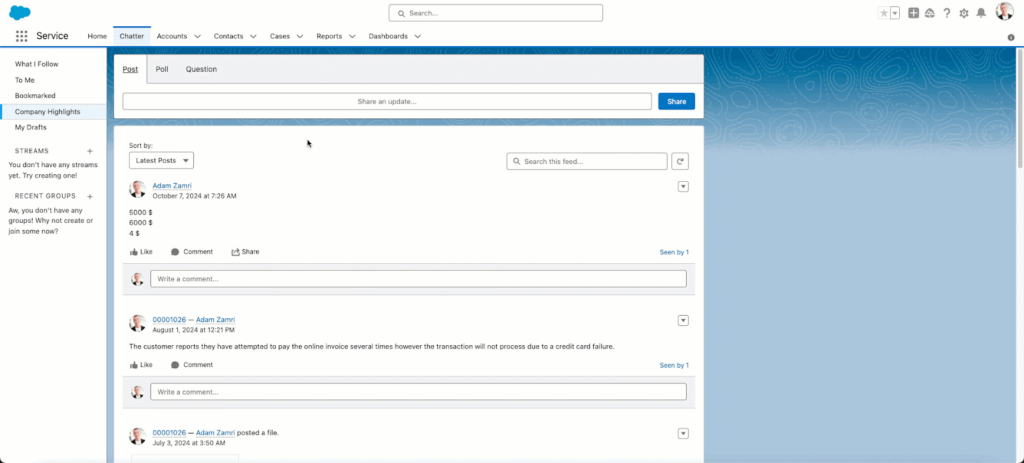
Island enforces AI policy through its Enterprise Platform, with AI Protect covering visibility and control across the browser, desktop, extensions and network. It distinguishes corporate tenants from personal ones and applies data boundaries before information reaches an AI provider, so an employee signed into a personal AI account is handled differently from one using a sanctioned tenant.
Alongside enforcement, the platform embeds AI providers into user workflows, runs governed agents with scoped permissions, and publishes internally built AI applications with inherited identity and policy. Prompts, responses and agent actions are captured in a single audit trail.
Key features include:
- AI usage discovery across surfaces: Catalogs AI applications, LLMs and active extensions across browser, desktop and network, including usage under personal accounts.
- Corporate and personal tenant separation: Identifies which tenant a user is working in and applies data boundaries before content reaches an AI provider.
- Data protection at the point of use: Redacts sensitive data before it reaches a model and intercepts AI responses before they render to the user.
- Extension risk monitoring: Scores browser extensions in real time against a catalog of more than 200,000 extensions and blocks risky ones.
- User redirection instead of blocking: Delivers in-browser notifications, policy explanations and redirects that route users to approved AI tools.
- Agent governance: Runs no-code agents with defined workflows and permissions, an MCP gateway covering more than 500 integrations, audit trails and human-in-the-loop review for high-impact actions.
- Prompt injection defense: Applies browser-level protections against prompt injection at the point where users and AI interact.
Limitations (as reported by users on G2):
- Restrictive day-to-day controls: Reviewers note that copy and paste, screen sharing and data transfer restrictions interrupt routine work, and ask for role-based flexibility.
- Performance complaints: Users report lag, slow tab switching and occasional compatibility issues during daily workflows.
- Extension and customization limits: Fewer supported extensions than mainstream browsers, with limited interface customization.
- Policy management complexity: Conflicting policies that differ in a single detail are difficult to distinguish, and priority depends on rule ordering.
- Limited blocking detail: Users say the product reports that an action violated policy without explaining which rule applied.
Source: Island

3. Prisma Browser

Best for: Browser-level AI and SaaS controls on unmanaged devices
Strengths: 1,000+ data classifiers with last-mile action controls
Things to consider: Policy tuning needs Palo Alto ecosystem familiarity
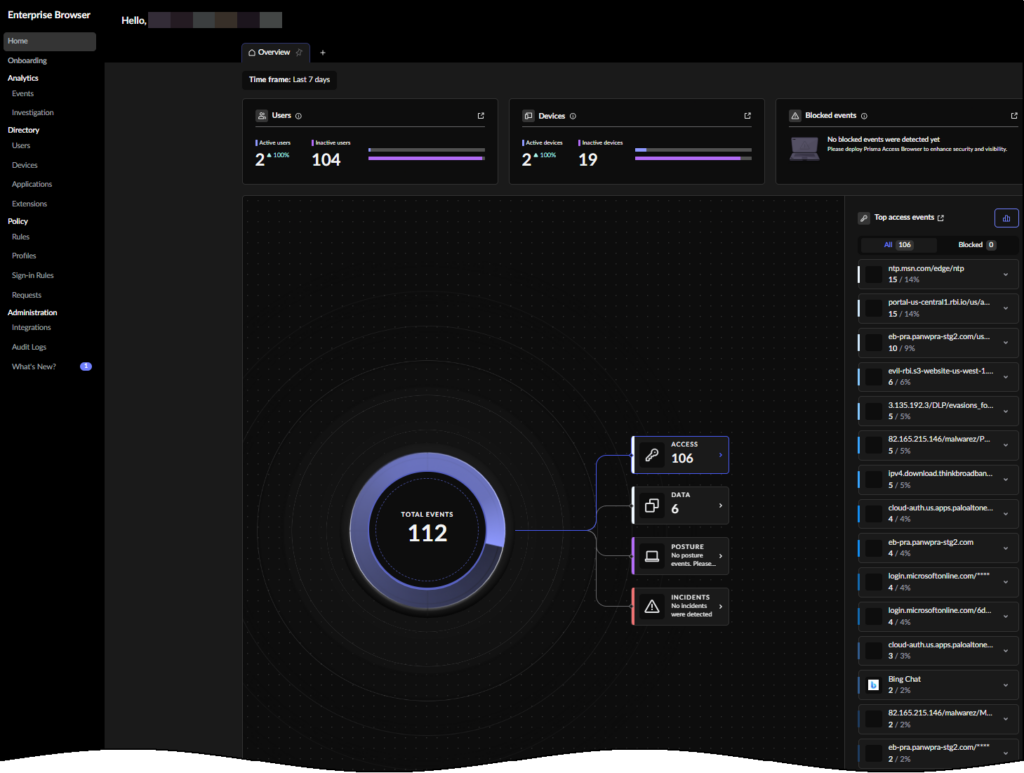
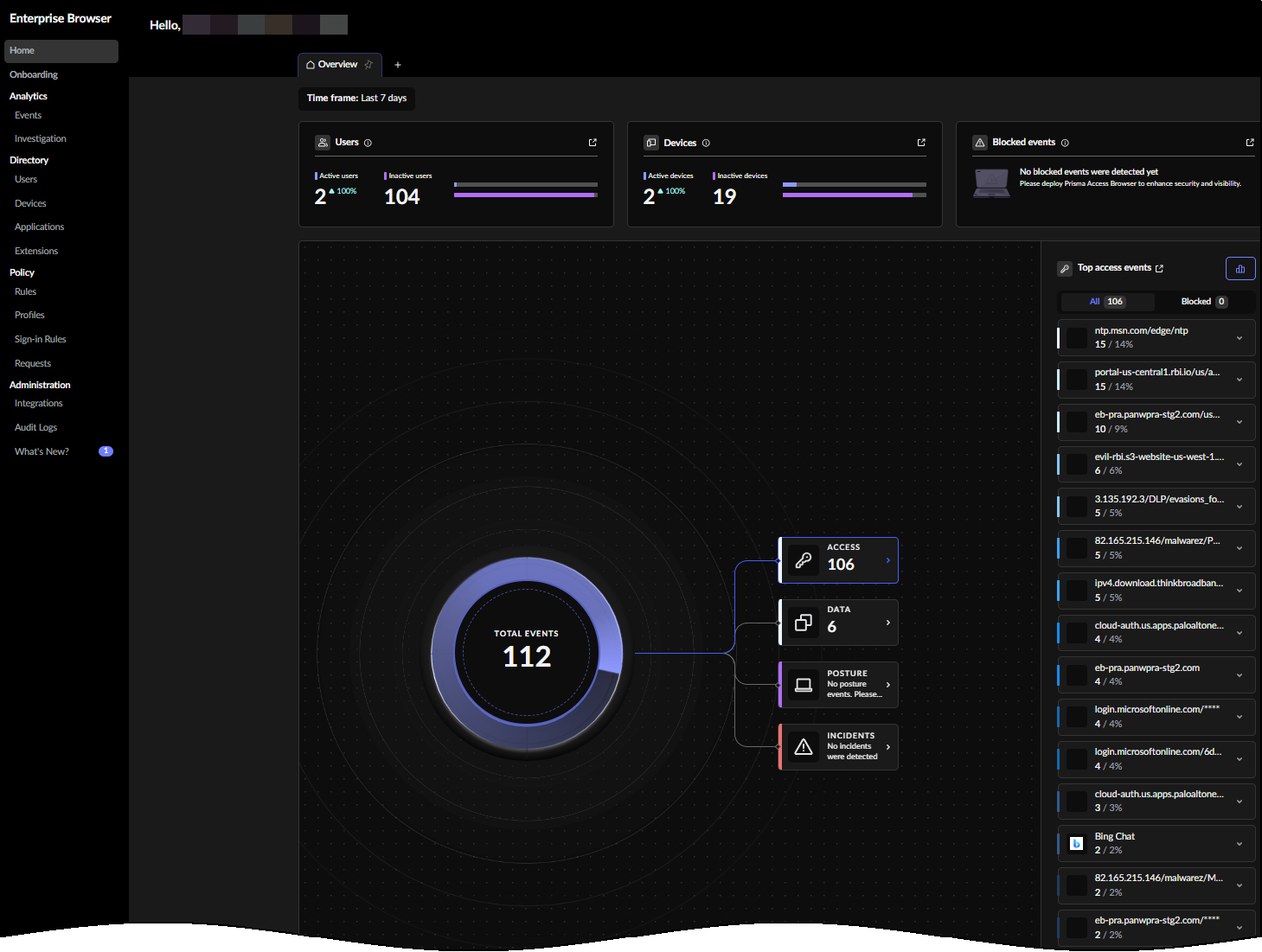
Prisma Browser from Palo Alto Networks places access control, threat prevention, AI governance and data protection inside the browser itself. It is available as a standalone browser, a browser extension and a mobile application, which allows enforcement on both managed and unmanaged devices without a full endpoint agent.
Policy applies to actions users take inside SaaS, GenAI and private applications rather than only to the sites they reach. Controls evaluate user risk score, location and content sensitivity, and can require step-up authentication or just-in-time approval before higher-risk activities such as printing or data export proceed.
Key features include:
- GenAI action controls: Governs what users can do inside GenAI applications, including uploads, copy and paste, and data exports.
- Directional data controls: Blocks transfers between sanctioned corporate applications and personal accounts by evaluating the direction of the data movement.
- Data classification at the last mile: Applies more than 1,000 built-in classifiers to content as users interact with it in the browser.
- Risk-based policy conditions: Adjusts enforcement using user risk score, location and content sensitivity, with step-up authentication or just-in-time approval for sensitive actions.
- Extension governance: Discovers all extensions in use, monitors them for threats and blocks risky or over-permissioned ones.
- Audit trails across web actions: Records web activity for incident investigation and insider risk review.
- Coverage for untrusted endpoints: Isolates enterprise applications from unmanaged devices while keeping local browsing speed.
- Agentic browsing governance: Applies policy to automated browser tasks and agent activity.
Limitations (as reported by users on G2):
- Setup and policy complexity: Initial configuration takes familiarity with the wider Palo Alto ecosystem, and reviewers ask for clearer onboarding material.
- Performance under load: Users report slower loading on heavy pages and higher resource consumption, which they attribute to continuous inspection.
- Restriction friction: Blocking of copy and paste and file transfers is described as strict enough to interfere with ordinary tasks.
- Application and extension compatibility: Some legacy web applications, extensions and custom workflows do not behave as expected.
- Cost and support consistency: Pricing is reported as high relative to alternatives, and support responsiveness is described as variable.
Source: Palo Alto Networks
4. Chrome Enterprise Premium
Best for: Adding AI data controls to an existing Chrome estate
Strengths: Cloud-managed DLP and shadow AI reporting inside Chrome
Things to consider: Policy hierarchy and propagation can be hard to trace
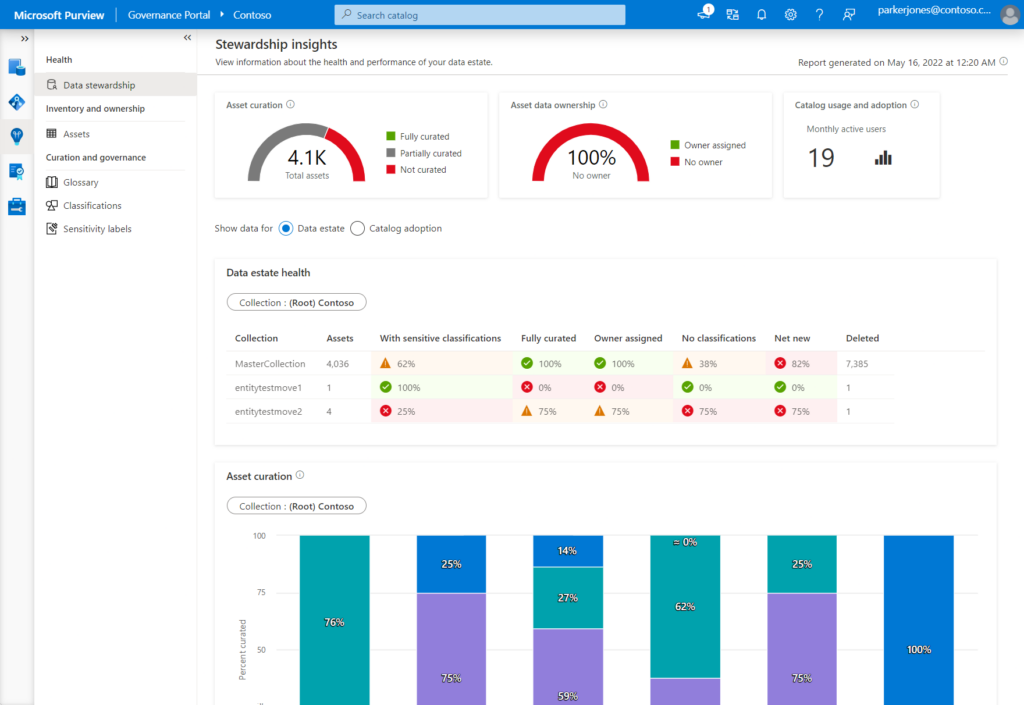
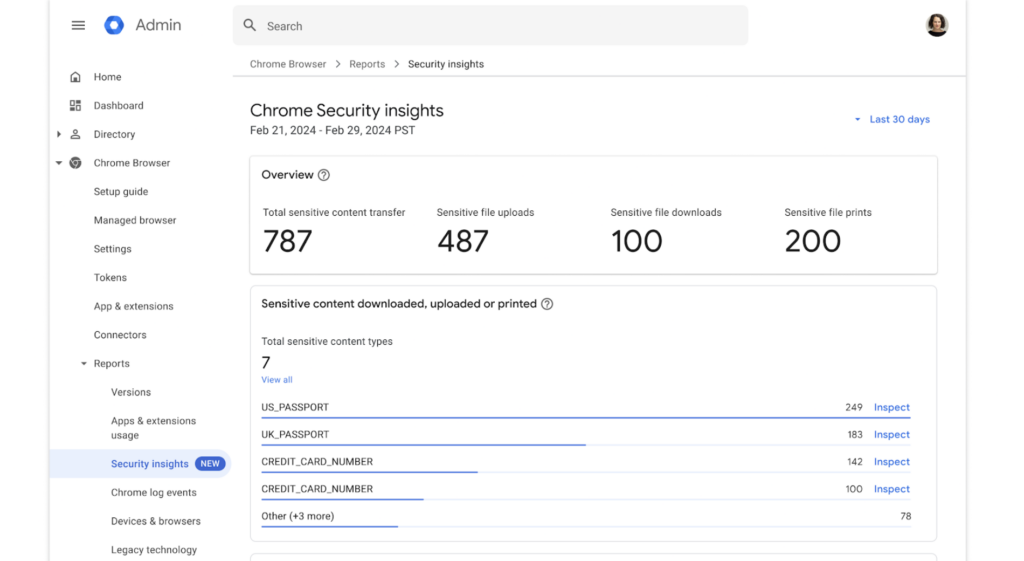
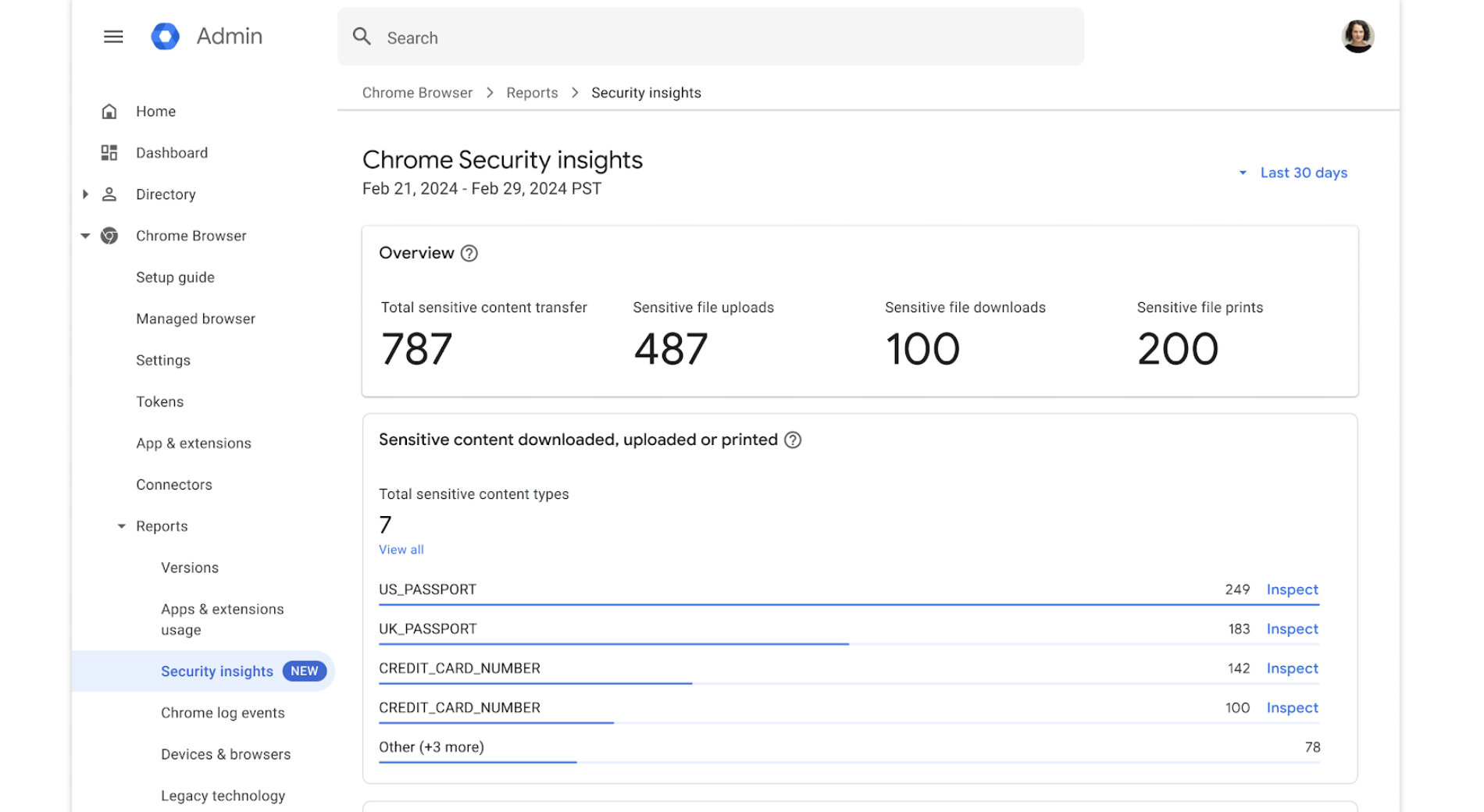
Chrome Enterprise Premium adds advanced data and threat protections on top of the cloud management in Chrome Enterprise Core. For AI policy enforcement, the relevant controls are data loss prevention rules that cover unsanctioned AI tools, security insights that surface shadow AI activity, and policies that determine which generative AI capabilities are available to which users.
Because enforcement runs inside a browser that most organizations already deploy, rollout does not require users to switch browsers or accept a separate agent. Administration is handled from the same cloud console used for browser policy, extensions and reporting.
Key features include:
- DLP with AI-specific rules: Applies granular data loss prevention policies, including controls for unsanctioned AI tools, across desktop and mobile devices.
- Generative AI policies: Manages the availability of generative AI capabilities and how company data is used by Google’s models.
- Shadow AI reporting with enforcement: Surfaces shadow AI activity, high-risk users and sensitive data transfers, with the ability to act on findings rather than only report them.
- Context-aware access: Restricts access to SaaS, cloud and private web applications based on user, location and device security status.
- Page-level and URL controls: Filters access by site category and applies page-specific restrictions according to the category of the site.
- Extension management: Handles extension requests and permissions and supports a customized Chrome Web Store that limits what users can install.
- Evidence locker and reporting: Stores files and incidents for investigation and reports on applications, extensions and browser versions across the estate.
Limitations (as reported by users on G2, where the profile covers both the Core and Premium tiers):
- Resource consumption: High RAM and CPU use is the most common complaint, with slowdowns on older hardware and when many tabs are open.
- Advanced configuration difficulty: New administrators describe the policy set and admin console as dense and hard to navigate.
- Policy precedence and propagation: Layering across organizational units is reported as opaque, and changes can take time to reach every device.
- Reporting depth: Reviewers ask for more detailed analytics and easier troubleshooting of policy conflicts.
- Licensing cost for advanced controls: The Premium tier carries a per-user fee that reviewers flag as a barrier on smaller budgets.
Source: Google
Network and Data-Layer AI Governance Platforms
5. WitnessAI

Best for: Network-level AI governance across employees and agents
Strengths: Intent-based policies with allow, warn, block and route
Things to consider: Enforcement depends on network-level traffic visibility
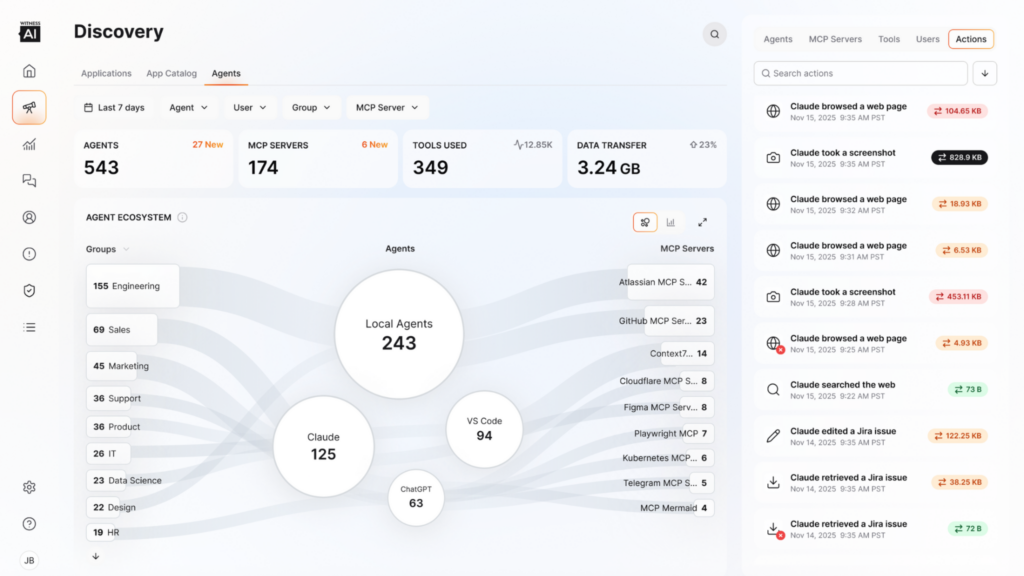
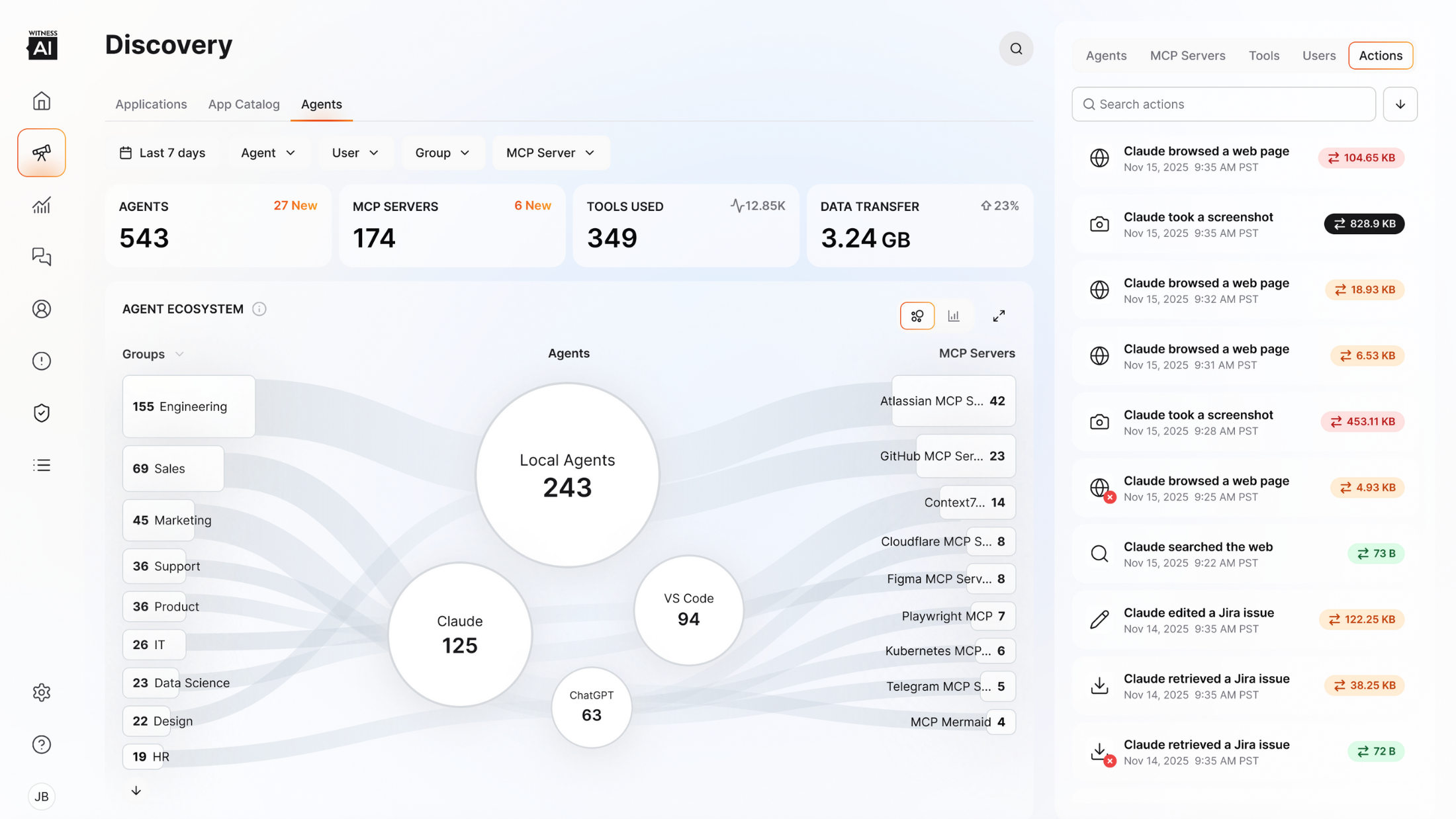
WitnessAI sits between users and models at the network layer and governs AI activity without endpoint clients or browser extensions. Its modules divide the work: Observe catalogs AI applications and conversations, Control applies policy and routing, Protect provides runtime defense, and a separate red teaming product tests models before deployment.
Policy decisions rest on classified intent rather than keyword matching, which allows the same prompt to be handled differently depending on what the user is trying to do. The same policy framework covers human employees and autonomous agents, with agent actions attributed back to a human identity.
Key features include:
- Agentless AI discovery: Scans network traffic to catalog AI applications and agents without endpoint clients, including desktop applications such as Windows Copilot and Office 365.
- Intent-based policy engine: Classifies the intent behind each interaction and applies controls to that classification rather than to text patterns.
- Four enforcement actions: Allows, warns, blocks or routes a request, so a sensitive query can be redirected to an approved internal model instead of being refused outright.
- Agent and tool-call governance: Maintains an organization-wide approved list of MCP servers and tools enforced for every agent, with organization-level restrictions that team administrators cannot re-enable.
- Real-time data redaction: Tokenizes sensitive information, including PII and credentials, before it reaches a model.
- Bidirectional runtime defense: Inspects prompts before processing and responses before delivery to address prompt injection, jailbreak attempts and harmful output.
- Audit records with identity attribution: Logs each blocked call with user, agent, tool and rule, and traces agent activity to the initiating human identity.
- Single-tenant deployment: Runs in a single-tenant environment with customer-controlled encryption keys and regional deployment options.
Limitations (based on publicly available sources):
- Red teaming sold separately: Automated red teaming is offered as a separate product rather than a module within the core platform.
- Breadth beyond narrow requirements: Teams that need only basic shadow AI discovery may find the full observe, control and protect scope wider than they require.
- Network-based coverage model: Controls are applied inline at the network layer rather than on the device, so coverage depends on AI traffic passing through the inspection path.
- Quote-based pricing: Pricing is custom and provided on request, with no published tiers.
- Standalone rather than bundled: The platform is not part of a broader network infrastructure portfolio, which matters for organizations consolidating security vendors.
Source: WitnessAI
6. Netskope One AI Security

Best for: Enforcing AI policy across SaaS, private apps and agents
Strengths: Shadow AI discovery joined to inline DLP and guardrails
Things to consider: Deployment and policy tuning need dedicated expertise
Netskope One AI Security extends the company’s existing SASE and data protection platform to AI traffic, using the same policy engine and console as its web and SaaS controls. It covers generative AI applications used by employees, privately hosted models, AI-powered internal applications and autonomous agents communicating over APIs and MCP.
Enforcement combines discovery with inline action. Security teams see a live inventory of AI applications and MCP servers, then apply access controls that determine who can use which applications and what data they may submit, with prompt and response inspection running in real time.
Key features include:
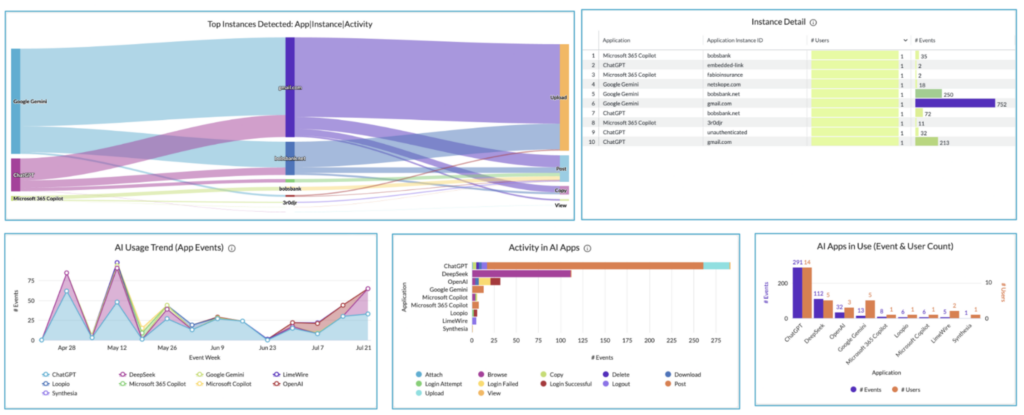
- Shadow AI discovery: Detects unapproved personal and shadow AI applications, plus MCP usage, across environments in real time.
- AI access control: Governs who can use public and private AI applications and what data they are permitted to share.
- AI guardrails: Inspects and sanitizes each prompt and response inline against misuse, threats and data loss.
- Agentic broker: Monitors the MCP traffic behind agent interactions to provide visibility into non-human activity and block unauthorized connections.
- AI gateway for private deployments: Centralizes authentication, traffic management and content inspection for app-to-LLM API calls, including privately hosted models.
- DLP and DSPM coverage: Locates and protects sensitive data across AI applications and cloud services and restricts which data AI systems can use.
- AI command center: Consolidates AI inventory and connected risk insights across generative AI applications and autonomous agents.
- Pre-deployment red teaming: Automates adversarial simulation against private AI deployments before they reach users.
Limitations (as reported by users on G2 for the Netskope One platform that delivers these AI capabilities):
- Complex deployment: Initial configuration and policy setup take significant time and expertise, often involving vendor professional services.
- Interface friction: Reviewers describe the console as dense and split across multiple portals, which slows administration.
- Pricing position: Cost is reported as higher than comparable platforms unless several tools are being consolidated.
- Integration clarity: Users report uncertainty about what telemetry actually flows in integrations with third-party security tools.
- Reporting at scale: Log searches and detailed reporting slow down with large data volumes.
- Newer modules still maturing: Some reviewers describe the generative AI monitoring and DSPM capabilities as not yet fully mature.
Source: Netskope
7. Zscaler Generative AI Security

Best for: Inline prompt-level controls for public GenAI applications
Strengths: Prompt visibility with DLP and browser isolation options
Things to consider: Cloud inspection path can add latency and setup work
Zscaler Generative AI Security applies AI policy through the Zero Trust Exchange, inspecting traffic inline as users interact with generative AI applications. Enforcement covers which AI applications users may reach and what they may do inside them, from the prompts they submit to the files they attempt to upload.
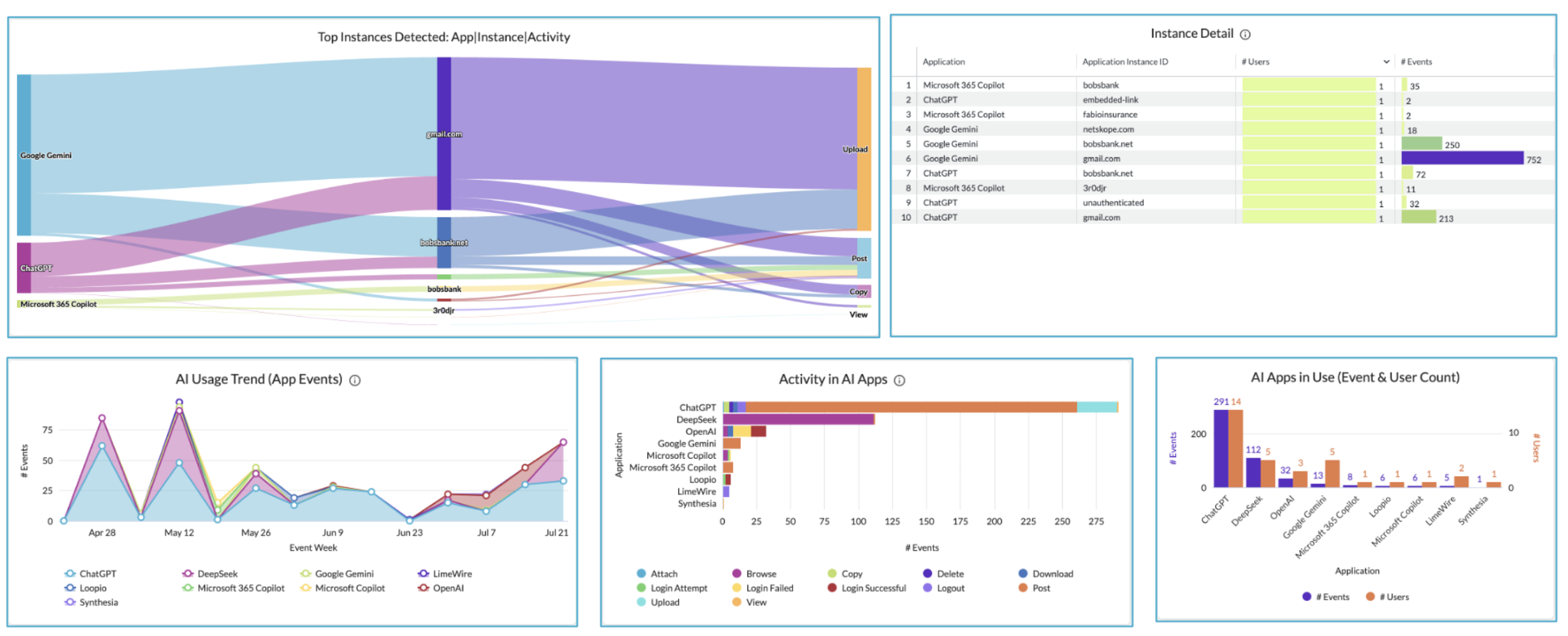
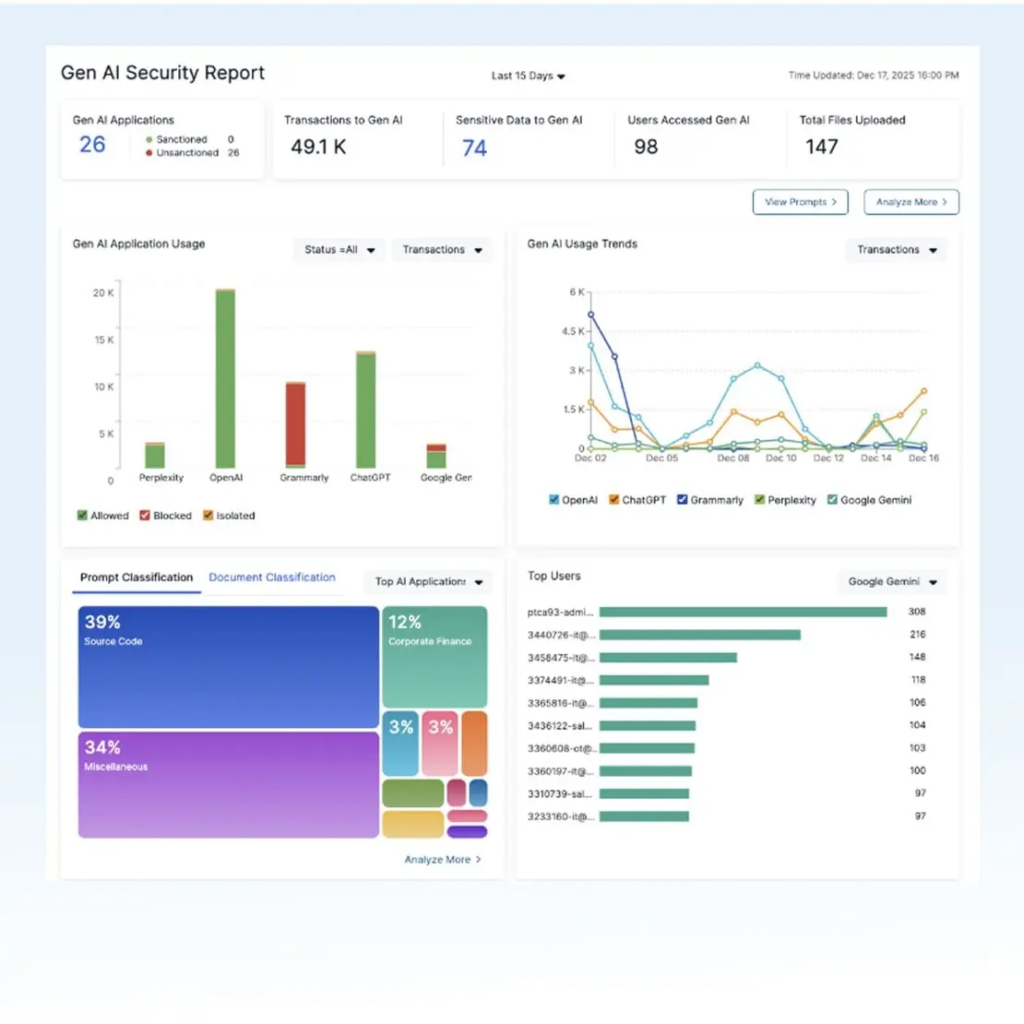
Rather than an allow-or-block decision at the application level, the service pairs prompt inspection with browser isolation, so an AI tool can remain available while clipboard use, uploads and downloads are disabled. Dashboards report AI application usage across users and departments alongside the data most at risk.
Key features include:
- AI application visibility: Reports which AI applications are in use across users, departments and the organization, with application trends and data at risk.
- Prompt-level inspection: Captures and categorizes the input prompts users send to AI applications to inform blocking decisions.
- Granular DLP enforcement: Blocks sensitive data from leaving the organization through AI prompts and queries.
- AI/ML URL filtering: Applies category-based filtering across classes of AI applications so specific tools can be permitted or denied.
- Browser isolation for AI applications: Renders AI tools in an isolated session that permits prompts while restricting clipboard use, uploads and downloads.
- Upload restrictions: Allows prompt use while preventing bulk uploads of sensitive files.
- Microsoft Copilot controls: Maps OneDrive data and user prompts, revokes excessive permissions and applies inline DLP to Copilot interactions.
- User coaching: Pairs enforcement with workflow automation that guides users on acceptable AI use.
Limitations (as reported by users on G2 for Zscaler Internet Access, the inline service that delivers these controls):
- Added latency: Routing traffic through cloud inspection can slow access, particularly at peak times or for users far from a data center.
- Setup and certificate complexity: Initial configuration and SSL inspection certificate deployment take effort and can break some applications and developer tooling.
- False positives: Legitimate sites and applications are sometimes blocked and require manual allowlisting.
- Unclear block reasons: Users report that block messages give little detail, which makes troubleshooting slow.
- Policy conflicts: Overlapping rules are easy to create, and reviewers ask for a built-in conflict checker.
- Cost: Per-user licensing for advanced capabilities is described as premium-priced.
Source: Zscaler

8. Microsoft Purview

Best for: AI data governance inside Microsoft 365 environments
Strengths: Classification, DLP and insider risk signals in one portal
Things to consider: Automated labeling depends on higher licence tiers
Microsoft Purview approaches AI policy enforcement from the data side, unifying data security, governance and compliance across pre-built and custom-built generative AI applications. Its Data Security Posture Management component reports on data risks and policy effectiveness, while classification and labeling determine what AI systems are permitted to touch.
Enforcement draws on components that most Microsoft 365 tenants already license in some form: information protection for labeling, data loss prevention across applications, browsers and endpoints, insider risk management for risky user behavior, and audit records for investigation.
Key features include:
- Data security posture management: Surfaces data risks, reports on policy effectiveness and provides recommendations for managing exposure through AI.
- Information protection: Discovers, classifies and labels sensitive data, then applies protection that persists as the data moves.
- Data loss prevention: Prevents movement of sensitive data across applications, browsers, on-premises file shares and endpoints.
- Insider risk management: Detects and investigates data theft, data leaks and other risky user behavior.
- Audit records: Retains audit log records for security events, forensic work, internal investigations and compliance obligations.
- Communication compliance: Detects sensitive or inappropriate content shared across organizational communication channels.
- Data security investigations: Runs AI-assisted investigations into sensitive data risks across the digital estate.
- Compliance manager: Tracks regulatory posture using templates, step-by-step guidance and insights.
Limitations (as reported by users on G2 for Microsoft Purview Information Protection):
- Setup effort: Defining labels, assessing the impact of actions and rolling the solution out to users is reported as difficult without substantial internal discovery work.
- Licensing for automation: Auto-labeling and automated classification require additional licences beyond baseline labeling.
- Documentation gaps: Reviewers describe training material and documentation as thin.
- Fit outside Microsoft environments: Adaptability and compatibility drop in organizations not centered on Microsoft applications and services.
- Policy propagation delay: Policy changes and updates take time to take effect across users.
- Redaction constraints: Sharing a single file with several privilege levels requires creating a separate redacted version for each level.
Source: Microsoft

Conclusion
Enterprise AI policy enforcement solutions help organizations move from written AI policies to consistent, automated enforcement across users, devices, applications, and data. By combining AI application discovery, granular access controls, data protection, continuous monitoring, and audit logging, these platforms reduce the risks associated with shadow AI, data leakage, and non-compliant AI use while enabling employees to adopt AI technologies in a secure, controlled, and compliant manner.

Any worker. Any laptop. Any AI workflow. Fully secured.
Schedule a demo to see how Blue Border® secures company data and apps without shipping laptops, running VDI, or managing personal endpoints.