
Browser Security Tools: Key Features and Top 13 Options in 2026


See Venn first in Google Search
Add as a preferred source on Google
TL;DR: Browser security tools protect company data across web and AI use. Blue Border is best for securing remote/BYOD work without VDI, Seraphic for in-browser threat prevention, Island for a dedicated enterprise browser, and Brave for private browsing.
What Are Browser Security Tools?
There are several types of browser security tools, including remote work solutions like Venn, browser security platforms like LayerX, dedicated enterprise browsers like Island, browser security extensions like those offered by MalwareBytes, and private browsers like Brave.
These tools address vulnerabilities in browsers, which are frequent targets for attack due to their role in accessing the internet. By providing layered defenses, they aim to prevent exploits, mitigate risks from malicious web content, and ensure safer browsing for users and organizations.
Browser security solutions go beyond traditional antivirus or simple web filters. They integrate protection directly into the browser or operate in tandem with it, focusing on shielding critical data, detecting threats in real time, enforcing security policies, and protecting privacy. Such measures are crucial in environments where browsers serve as gateways to sensitive resources, cloud applications, and corporate data.
Common types of browser security solutions include:
- Remote work security platforms: Separate work and personal browser environments on BYOD and unmanaged devices using secure enclaves or containers, with policy enforcement to protect corporate data.
- Dedicated enterprise browsers: Enterprise-managed browsers with built-in security controls such as DLP, identity integration, access controls, and session monitoring for corporate environments.
- Browser security extensions: Add-on tools for standard browsers that provide protections such as phishing detection, malicious site blocking, tracker blocking, and ad filtering without replacing the browser.
- Private browsers: Privacy-focused browsers that block trackers, fingerprinting, and unwanted cookies by default while minimizing data collection during web browsing.
Ultimate Guide to Browser Security: Threats and Solutions
Secure both browser-based AND locally installed apps on unmanaged devices.

In this article:
Types of Browser Security Solutions
Remote Work Security Platforms
Remote work solutions like Venn focus on separating work and personal browser environments, especially on BYOD devices. They often enforce data boundaries using virtualization or secure containers, ensuring that enterprise data cannot leak through personal browsing activities. These platforms integrate with identity providers and endpoint security tools to maintain compliance and data integrity outside corporate networks.
Dedicated Enterprise Browsers
Dedicated enterprise browsers like Island are designed with built-in controls that align with corporate security policies. Unlike traditional browsers, they come pre-integrated with DLP, identity management, and content inspection tools. These browsers offer native support for role-based access, secure copy-paste restrictions, and detailed session recording to reduce insider threats.
Browser Security Extensions
Browser security extensions from providers like Malwarebytes add a security layer on top of standard browsers. These lightweight tools offer features such as ad blocking, phishing protection, malicious site detection, and real-time tracking prevention. They are easy to deploy and maintain, making them a quick win for enhancing user security on unmanaged or lightly managed devices.
Private Browsers
Private browsers such as Brave are designed to minimize data exposure by default. They block trackers, fingerprinting scripts, and unwanted cookies without requiring additional configuration. These browsers also limit how much personal data websites can collect, supporting privacy-focused browsing for individuals and organizations concerned about surveillance and behavioral profiling.
Browser Security Tools At a Glance
The table below summarizes the key differences between the tools, spanning remote-work platforms, dedicated enterprise browsers, extensions, and private browsers. We explore each one in more detail in the sections that follow.
| Category | Solution | Best For | Key Strengths | Things to Consider |
| Remote Work Security Platforms | Blue Border | Securing remote and BYOD work on any PC or Mac without VDI | Local secure enclave, DLP, AI governance, native performance | Limited customization and fixed support scheduling |
| Remote Work Security Platforms | Seraphic Security | Turning any existing browser into a secure enterprise browser | In-engine threat prevention, DLP, AI controls, remote access | Some thick-client app coverage still maturing |
| Remote Work Security Platforms | LayerX Security | Governing AI and SaaS use through a browser extension | AI usage control, DLP, shadow SaaS discovery, no network change | Reporting and setup need dashboard configuration |
| Dedicated Enterprise Browsers | Island | A full dedicated Chromium enterprise browser | Built-in DLP, access control, threat defense, analytics | Occasional lag and limited console customization |
| Dedicated Enterprise Browsers | Chrome Enterprise | Teams already standardized on Chrome | Built-in DLP, zero trust, extension controls, free management | High memory use; advanced features cost extra |
| Dedicated Enterprise Browsers | Microsoft Edge for Business | Microsoft 365 organizations | Native Entra, Purview, Intune and Defender integration | Best value in Microsoft-centric environments |
| Dedicated Enterprise Browsers | Prisma Access Browser | Securing AI, SaaS and unmanaged-device access | Threat prevention, sandboxing, GenAI governance, forensics | Complex deployment and premium pricing |
| Browser Security Extensions | Malwarebytes Browser Guard | Free ad, tracker and scam blocking | Blocks ads, trackers, scams, skimmers, malicious sites | Can break sites and slow pages after updates |
| Browser Security Extensions | Privacy Badger | Automatic, behavior-based tracker blocking | Learns trackers automatically, sends GPC and DNT signals | Not a full ad blocker; no dedicated mobile app |
| Browser Security Extensions | Ghostery | Tracker transparency and cookie-popup blocking | Ad and tracker blocking, Never-Consent, tracker database | Not a full ad replacement; limited mobile support |
| Private Browsers | Brave | A private Chromium browser with built-in blocking | Shields block trackers, fingerprinting, ads; Tor windows | Crypto features add clutter; Shields can break sites |
| Private Browsers | DuckDuckGo | Simple, private browsing across devices | Tracker, cookie and fingerprint protection; email tools | Limited extensions and occasional site breakage |
| Private Browsers | Epic Privacy Browser | Always-on private browsing with a proxy | Always-on incognito, encrypted proxy, tracker blocking | Few features, limited search choice, no sync |
Key Features of Browser Security Software
Sandboxing and Site Isolation
Sandboxing is a defense in browser security, segregating browser processes so that malicious code cannot escape one tab or session to affect the entire device. When sandboxes are implemented, each website runs in its own restricted environment, curbing the impact of harmful scripts or infected web applications. This compartmentalization prevents lateral movement, reducing the risk that attackers can exploit browser vulnerabilities to access sensitive local files or installed applications.
Site isolation ensures that each site a user visits is rendered in a separate process. This approach is effective against attacks like Spectre and Meltdown, which target browser memory and data leaks between sites. By enforcing strict process boundaries between domains, site isolation adds another layer of defense, limiting the opportunity for one compromised site to jeopardize others or expose cross-site data.
Real-Time Threat Detection and Policy Enforcement
Real-time threat detection is central to modern browser security, employing AI-driven analytics and signature-based heuristics to spot malicious content as users browse. These mechanisms analyze web pages, scripts, and downloads in real time, instantly blocking known threats and flagging suspicious behaviors. By dynamically updating based on global threat intelligence feeds, security solutions ensure users are protected against emerging attack methods without frequent manual intervention.
Policy enforcement features enable organizations to define acceptable use rules and enforce them consistently across all users. This can include restrictions on file downloads, copy-paste actions, and navigation to specified URL categories. When policy violations are detected, administrators receive alerts and can take immediate remedial action. Such capabilities are key to limiting data exposure and ensuring adherence to regulatory or organizational requirements.
Anti-Phishing and Anti-Malware
Anti-phishing modules examine URLs and website contents to detect fraudulent attempts at credential theft. These systems work by cross-referencing links against constantly updated threat databases and analyzing page structures for phishing indicators. When users attempt to access suspicious sites, the solution intervenes to block access or display warnings, minimizing the risk of compromised accounts and stolen information.
Similarly, anti-malware capabilities scan downloads and browser-based file transfers for malicious payloads. Leveraging malware engines, these security tools can identify both known and zero-day threats before they reach the endpoint. Integration with browser download workflows ensures threats are intercepted immediately, bolstering user defense against ransomware, spyware, and other pervasive browser-delivered attacks.
Script and Clickjacking Protections
Malicious scripts and clickjacking attacks represent significant threats to browser security. Solutions that offer script protection can block or control the execution of JavaScript, preventing unauthorized code from running on trusted websites. These tools use a combination of allowlisting, behavioral analysis, and script isolation to thwart injection attacks and scripting exploits, including those sourced from compromised ad networks or embedded widgets.
Clickjacking protection works by detecting and blocking hidden frames or deceptive overlays designed to trick users into clicking on something unintended. These defenses typically involve monitoring page structure, enforcing frame-busting headers, and analyzing user interactions for suspicious patterns.
Strict Content Security Policies (CSP)
Implementing content security policies (CSP) is a core feature of browser security. CSPs help restrict what types of content can be loaded by a browser from which sources, reducing the risk from cross-site scripting (XSS) and data injection attacks. These policies are configured to limit the execution of untrusted scripts, prevent the loading of dangerous resources, and curb the impact of vulnerabilities in third-party plugins or extensions.
Administrators may leverage CSP enforcement to mandate HTTPS usage, block inline scripts, and tightly restrict resource domains. Such control is vital for organizations that rely heavily on SaaS or web-based applications, ensuring that only sanctioned content is rendered and that attempts to exploit content injection flaws are thwarted at the browser level.
Zero Trust Access Controls
Zero trust access controls ensure that every user and web session is strictly authenticated and continuously verified, with no implicit trust granted based on network, device, or previous authentication state. Browser security solutions enforce these principles by verifying user identity, endpoint security posture, and context, such as geographic location or device type, before granting access to websites or internal web applications.
Policy enforcement can be fine-tuned to allow only the precise set of users, devices, or conditions under which a given application can be accessed. Suspicious activity can automatically trigger additional authentication steps or session termination. For organizations, this means granular, dynamic control over sensitive data and resources.
Data Loss Prevention (DLP) in the Browser
Data loss prevention (DLP) in the browser extends conventional DLP technology directly into the web interface, inspecting data as it moves in and out of web applications. This includes monitoring clipboard activity, file downloads and uploads, screenshot attempts, or even printing within the browser. Policies can block or log such actions when they involve regulated or sensitive data, such as customer records, intellectual property, or financial information.
Browser-based DLP is particularly valuable in environments with bring-your-own-device (BYOD) policies or contractors needing temporary access to internal apps. By applying DLP controls within the browser itself, organizations maintain visibility and control even when they lack full management of the underlying endpoint.
Granular Governance and Access Control
Granular governance tools provide detailed oversight of user activity within the browser, enabling organizations to prioritize least-privilege access. These features support custom access controls that define which applications, data, or services can be reached, and by whom. By implementing adaptive authentication and access monitoring, IT teams can quickly identify anomalous behavior and respond to potential account compromise.
Access control also extends to auditing browser activity for investigative or compliance purposes. Solutions routinely log events such as attempted downloads, failed logins, or visits to restricted URLs. This visibility aids incident response and simplifies reporting for regulatory frameworks, including GDPR or HIPAA, which demand clear records of sensitive data handling.
Privacy Protection
Browser security tools enforce privacy protection by controlling how user data is collected, stored, and transmitted. They can block third-party cookies, obfuscate digital fingerprints, and limit browser telemetry shared with websites. This reduces the ability of advertisers, data brokers, or malicious actors to track users across the web.
Some tools go further by supporting features like ephemeral browsing sessions, automatic history wiping, or isolated user profiles. These capabilities are especially useful in regulated industries or when accessing sensitive internal systems, where minimizing data residue and exposure is essential.
Related content: Read our guide to secure enterprise browser
Notable Browser Security Tools
How we selected these tools: We shortlisted browser security tools based on their ability to protect company data and users during web and AI activity, including data loss prevention, threat and phishing defense, access control, AI and extension governance, and tracker or ad blocking across managed and unmanaged devices.
Remote Work Security Platforms
1. Blue Border by Venn

Best for: Securing remote and BYOD work on any PC or Mac without VDI
Strengths: Local secure enclave, DLP, AI governance, native performance
Things to consider: Customization is limited and support scheduling is fixed
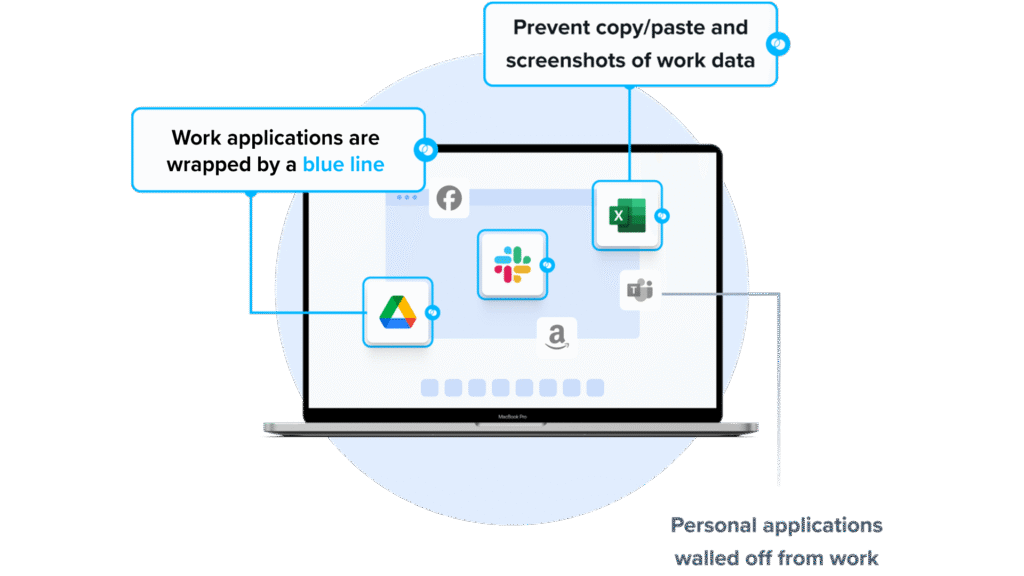
Venn secures remote and BYOD work through Blue Border, a company-controlled secure enclave that installs on any personal or unmanaged PC or Mac. Inside the enclave, IT governs company data, applications, and AI use, while personal activity outside it stays private and unmonitored. The approach isolates work locally on the device rather than streaming it from a remote server.
This local model positions Venn as an alternative to VDI and to managing the whole endpoint. Applications run at native speed with no streaming lag, and IT can onboard or offboard workers in minutes, with an instant remote wipe that removes company data when a worker leaves. It addresses the gap between business flexibility and the security and compliance that IT is accountable for.
Key features include:
- Secure enclave on unmanaged devices: Blue Border installs a company-controlled workspace on any PC or Mac, isolating company data and applications from the user’s personal environment on the same machine.
- Data loss prevention and clipboard control: DLP and clipboard controls restrict how company data can move, and unauthorized transfers through copy/paste, file upload, and screen capture are blocked.
- AI workflow governance: IT can define which AI tools and workflows may reach company data inside the enclave. Approved workflows run under policy, while unauthorized tools are blocked from company data across the device.
- Native local performance: Locally installed applications run at full device speed with no remote streaming or latency, avoiding the performance tradeoffs of virtual desktops.
- Compliance and audit support: Encryption, work/personal isolation, and audit logs support HIPAA, PCI, SOC 2, SEC, FINRA, NAIC, and GDPR requirements on devices the company does not own.
- Rapid onboarding and remote wipe: Workers on any device can be enabled in minutes, and an instant remote wipe removes all company data from the enclave when access ends.
Limitations (as reported by users on G2):
- Customization options: Some users note that the range of configuration and customization options is more limited than they would like.
- Performance on lower-spec devices: A few users report occasional slowness when running the secure workspace on older or lower-specification machines.
- Support scheduling: Some users mention that support is reached by calling with a ticket number rather than scheduling time with a specific representative.
2. Seraphic Security

Best for: Turning any existing browser into a secure enterprise browser
Strengths: In-engine threat prevention, DLP, AI controls, remote access
Things to consider: Some thick-client app coverage is still maturing
Seraphic is a JavaScript browser agent that deploys into a browser the workforce already uses, such as Chrome, Edge, or Firefox, and turns it into a secure enterprise browser. It operates as an abstraction layer on top of the browser’s JavaScript engine, intercepting browser operations to provide visibility and control without requiring users to switch to a separate dedicated browser.
Because it works at the execution layer, Seraphic prevents both known and unknown exploits without relying on signatures or threat feeds. It delivers real-time protection against web-based attacks, phishing, and malware, along with data controls and AI governance. The agent is delivered through extensions, an enterprise browser, or a mobile browser, and now operates as part of CrowdStrike.
Key features include:
- In-engine exploit prevention: Seraphic works inside the browser’s JavaScript engine to block zero-day and N-day exploits through behavioral analysis, without depending on signatures or external threat feeds.
- Safe browsing protection: It detects and blocks advanced web attacks, phishing including adversary-in-the-middle techniques, and web-based malware such as drive-by downloads in real time.
- AI interaction controls: The platform detects unsanctioned AI tools and controls what users can type, paste, upload, or download within GenAI applications, with logging of AI interactions.
- Contextual DLP: Copy/paste, downloads, and screen sharing are governed by policy based on user, device, and risk, with file scanning for malware and unauthorized transfers.
- Malicious extension detection: Installed extensions are continuously monitored for risky behavior, reputation, and permissions, and risky ones can be blocked.
- Browser-native remote access: Zero Trust access is granted based on identity, device posture, and session context, providing an alternative to VPNs and VDI for hybrid workforces.
Limitations (as reported by users on G2):
Seraphic is highly rated with few critical reviews, so the points below are drawn from the “what do you dislike” sections of otherwise positive reviews.
- Thick-client coverage still maturing: Some users note that protection for Electron and other thick-client applications is still being developed and is not yet as complete as browser coverage.
- Historically browser-focused scope: A few users would like broader coverage of non-browser applications, as protection has centered on browsers.
- Ongoing configuration: Some users mention needing time to tune and configure the platform to fit their specific requirements.
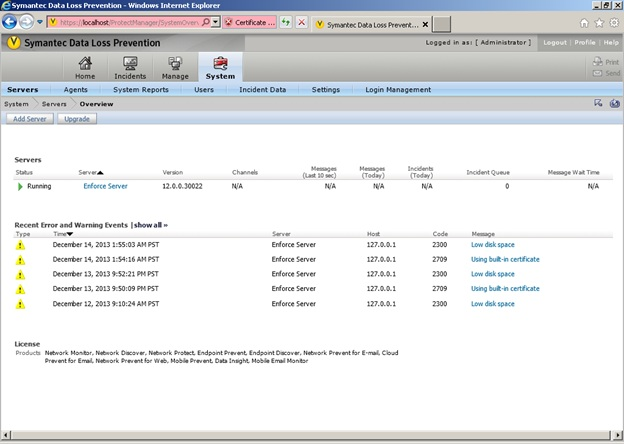
Source: Seraphic Security
3. LayerX Security

Best for: Governing AI and SaaS use through a browser extension
Strengths: AI usage control, DLP, shadow SaaS discovery, no network change
Things to consider: Reporting and setup can require dashboard configuration
LayerX is an interaction security platform that governs how users and on-device agents interact with AI tools, SaaS applications, identities, and data. It is delivered as an agentless browser extension, with an optional endpoint agent for desktop AI apps and IDEs, and applies controls at the point of interaction rather than by routing network traffic. It requires no network or architecture changes.
The platform focuses on the prompt, the action, and the data exchange in context, which lets it monitor, detect, block, and govern AI and web activity at the last mile. It covers AI usage discovery and DLP, shadow SaaS discovery, identity protection, and detection of risky browser extensions. LayerX has been acquired by Akamai.
Key features include:
- AI usage control and discovery: LayerX discovers AI tools in use and enforces guardrails on them, restricting access to unsanctioned tools and preventing sensitive data from being entered into AI applications.
- Web and SaaS DLP: The extension controls text input, copy/paste, and file upload and download across web and SaaS applications to prevent data leakage across channels.
- Shadow SaaS and identity protection: It discovers unsanctioned SaaS applications, enforces SaaS security controls, and secures both corporate and personal identities used in the browser.
- Malicious extension protection: LayerX detects and blocks risky or over-permissive browser extensions across any browser.
- Agentless deployment: The platform installs as a browser extension without network or architecture changes and integrates with existing IAM, SIEM, file-labeling, ticketing, and MDM systems.
- Endpoint coverage for local AI: An optional endpoint agent extends governance to desktop AI apps, IDEs, IDE extensions, and on-device agents.
Limitations (as reported by users on G2):
LayerX is highly rated with few critical reviews, so the points below are drawn from the “what do you dislike” sections of positive reviews.
- Reporting and exports: Some users would like more built-in report templates and note that certain reports require extra filtering in the dashboard.
- Initial learning curve: A few users mention that the feature-rich dashboard takes time to learn.
- Policy setup planning: Some users note that the detailed policy options require planning during setup and would prefer more quick-start presets.
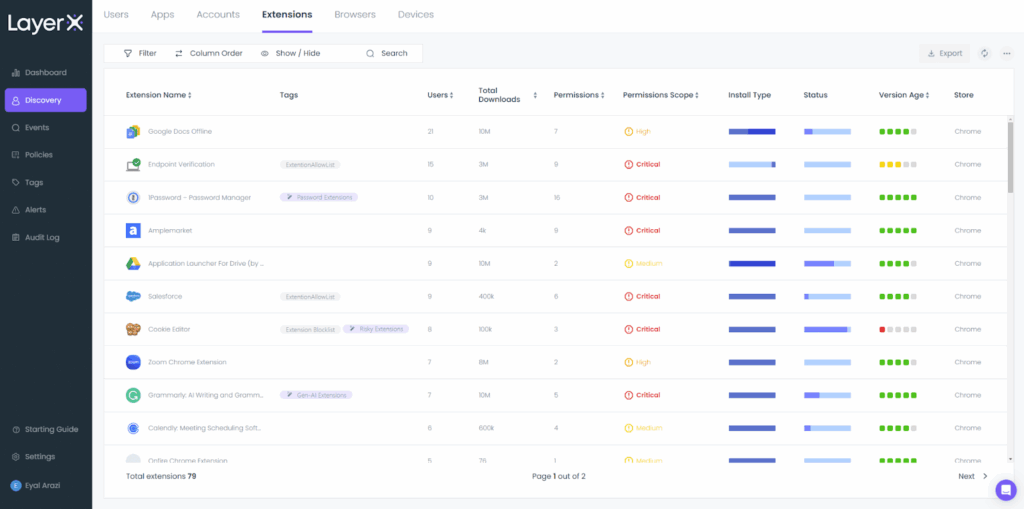
Source: LayerX
Dedicated Enterprise Browsers
4. Island

Best for: Organizations wanting a full dedicated Chromium enterprise browser
Strengths: Built-in DLP, access control, threat defense, analytics
Things to consider: Occasional lag and limited console customization
Island is a dedicated enterprise browser built on Chromium, with security and management controls integrated directly into the browser. It applies conditional access, data protection, and threat defense to web and SaaS applications, and gives IT and security teams governance over how work happens in the browser across managed and unmanaged devices.
The browser includes last-mile data controls, web threat defense, and user behavior analytics, along with productivity features such as a smart clipboard, ad blocker, and password manager. It runs on Windows, Mac, Linux, ChromeOS, iOS, and Android, and also offers an extension for Chrome, Edge, Safari, and Firefox for environments that do not deploy the full browser.
Key features include:
- Context-based data protection: Last-mile DLP controls govern printing, downloading, screenshots, and copy/paste based on context, limiting how data leaves the browser.
- Conditional access and ZTNA: Access to applications is enforced through conditional access controls and zero trust network access across managed and unmanaged devices.
- Web threat defense: The browser defends against malware, phishing, session hijacking, and man-in-the-browser attacks.
- User behavior analytics: Activity is captured for analytics and can feed a SIEM, with a privacy indicator to signal what is being monitored.
- Productivity and management tools: Built-in tools include a smart clipboard, ad blocker, password manager, an AI assistant, and browser customization and branding.
- Broad platform coverage: Island runs on major desktop and mobile operating systems, with an extension available for other Chromium and non-Chromium browsers.
Limitations (as reported by users on G2):
- Performance lag: Some users report slow tab switching or general browsing lag at times.
- RDP and compatibility gaps: A few users note the built-in RDP client lacks features compared with native tools and cite occasional compatibility issues.
- Console limitations: Some users mention limited search in the management console and an activity map that lacks time-based filtering.
- Customization options: A few users would like more customization options than are currently available.
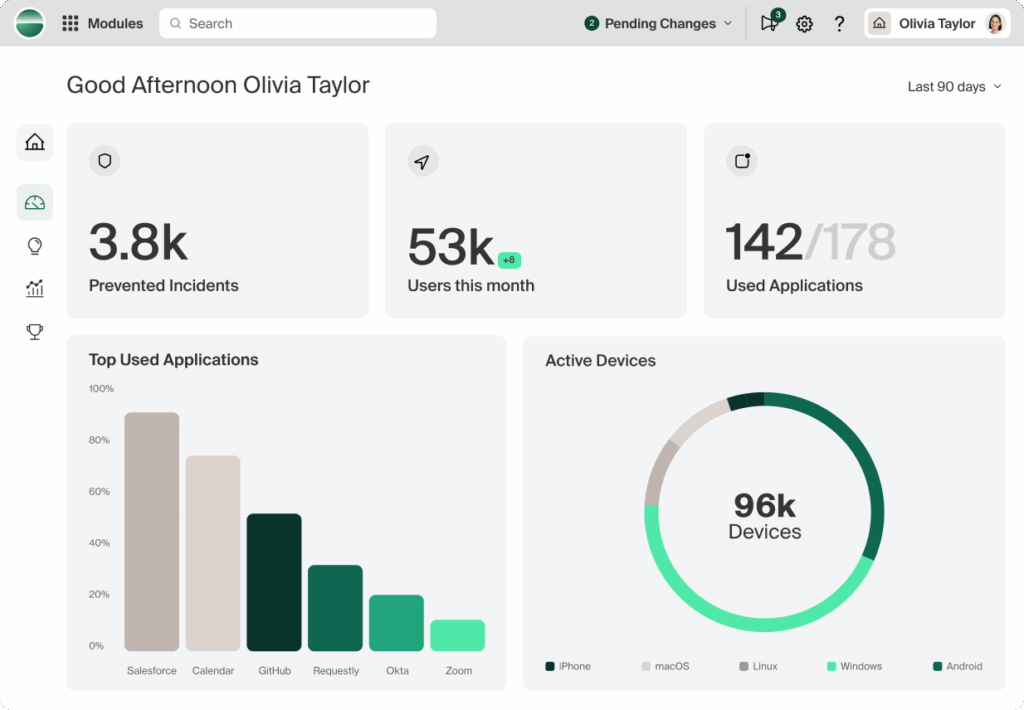
Source: Island
5. Chrome Enterprise

Best for: Teams already standardized on Chrome across the workforce
Strengths: Built-in DLP, zero trust, extension controls, free management
Things to consider: High memory use and advanced features cost extra
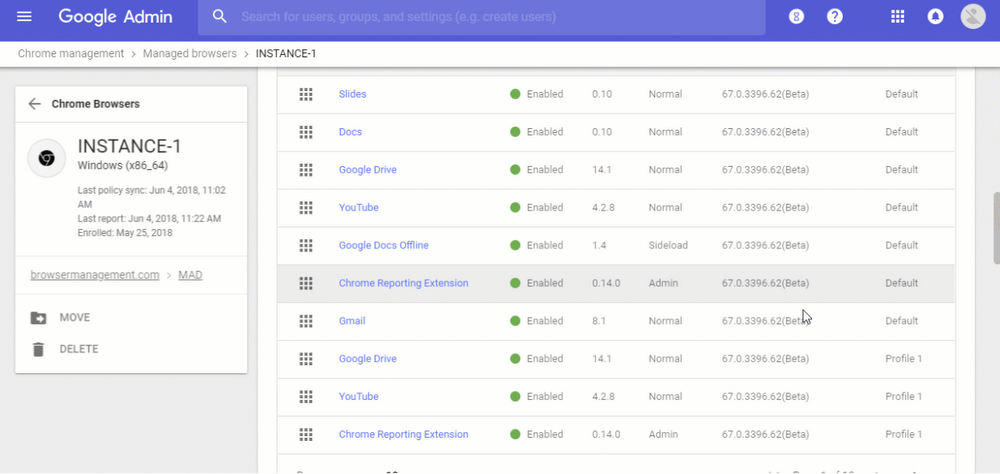
Chrome Enterprise adds security and management to the Chrome browser for organizations, protecting corporate data as users work on the web across devices. Security features are built into the browser, and a cloud management tool, Chrome Enterprise Core, is available at no cost for reporting, policy controls, and extension management.
Data protection controls limit uploads, downloads, printing, copying, and pasting, and zero trust and context-aware access can be enforced across managed and unmanaged devices. AI-powered malware and phishing detection inspect threats in real time. A paid tier, Chrome Enterprise Premium, adds DLP, real-time URL and file scanning, and context-aware access for SaaS and web apps.
Key features include:
- Data protection controls: Policies limit what users can upload, download, print, save, copy, or paste across desktop and mobile devices.
- Zero trust and context-aware access: Access to corporate apps and data can be enforced based on context across managed and unmanaged devices, with more granular controls in the Premium tier.
- Extension policy and risk scoring: IT can force-install, block, or approve extensions and view an extension risk score for items in the Chrome Web Store.
- AI-powered threat protection: Malware and phishing detection analyze threats in real time and guide users away from unsafe sites.
- Cloud management at no cost: Chrome Enterprise Core provides reporting, policy controls, and extension management without additional agents.
- Security reporting: Browser reports show whether employees are running the latest version and surface risky behavior and sensitive data transfers.
Limitations (as reported by users on G2):
- Resource consumption: Some users report high memory use and slower performance on older hardware, along with battery drain.
- Data privacy concerns: A few users express concern about how user data is handled.
- Cost at scale: Some users note that advanced capabilities can become costly across a large deployment.
- Legacy app compatibility: A few users cite compatibility issues with older or legacy applications, and note advanced features take time to learn.
Source: Google Chrome
6. Microsoft Edge for Business

Best for: Microsoft 365 organizations wanting browser security built in
Strengths: Native Entra, Purview, Intune and Defender integration
Things to consider: Best value inside Microsoft-centric environments
Microsoft Edge for Business is a Chromium-based enterprise browser with security capabilities from the Microsoft 365 ecosystem built in. Entra, Purview, Intune, and Microsoft Defender for Endpoint integrate natively, so organizations can extend authentication, data protection, and threat defense into the browser on managed, BYOD, and third-party devices.
Data protections can audit or block downloads, screenshots, and copy/paste from corporate sites to personal devices, and adaptive controls block risky prompts in unsanctioned GenAI apps. The browser is the one that natively applies usage rights from Microsoft Purview sensitivity labels, and adds features such as clipboard boundaries and watermarking for sensitive content.
Key features include:
- Native Microsoft 365 integration: Entra, Purview, Intune, and Defender for Endpoint are built into the browser, extending existing Microsoft security controls into web activity.
- Data loss prevention: Organizations can audit or block file downloads, screenshots, and copy/paste of data from corporate sites to personal destinations.
- GenAI controls: Adaptive, content-aware controls block risky prompts in unsanctioned GenAI applications.
- Purview sensitivity labels in the browser: Usage rights from Purview sensitivity labels are enforced for content in Word, Excel, PowerPoint, and Outlook within the browser.
- Clipboard boundaries and watermarking: Trusted copy/paste boundaries limit where data can be pasted, and watermarking marks sensitive files and sites, both in preview.
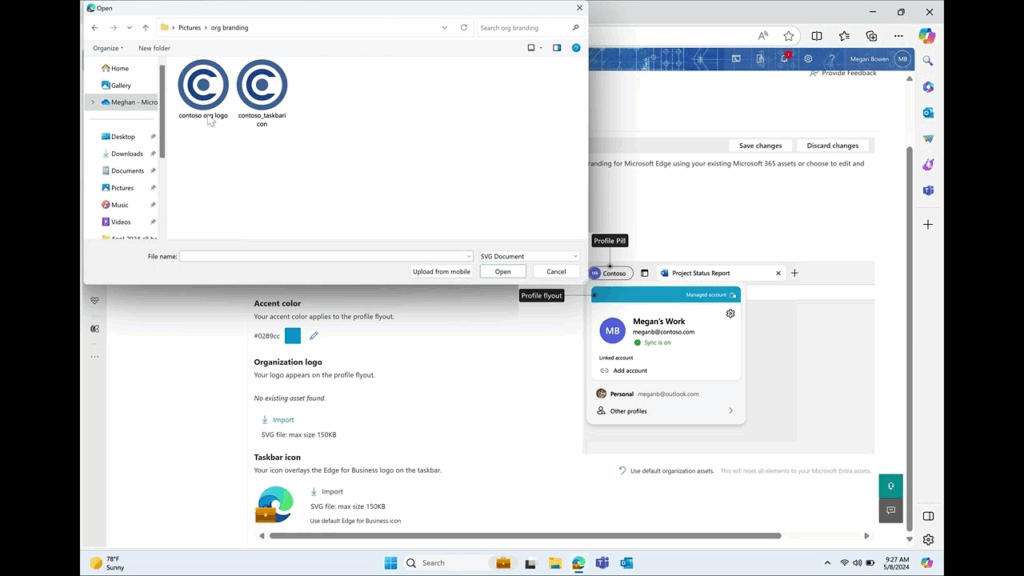
- Contractor work profiles and mobile: Contractors can create a dedicated Edge work profile that keeps data within a managed boundary, and mobile protection extends to iOS and Android via Intune.
Limitations (as reported by users on Gartner Peer Insights):
- Performance inconsistencies: Some users report occasional slowdowns or crashes during resource-intensive tasks.
- Extension availability: A few users note a smaller extension selection compared with Chrome.
- Non-Microsoft environments: Some users find the browser less intuitive outside Microsoft-centric environments.
- Profile switching: A few users mention that automatic switching between work and personal profiles can be confusing.
Source: Microsoft
7. Palo Alto Prisma Access Browser
Best for: Enterprises securing AI, SaaS and unmanaged-device access
Strengths: Threat prevention, sandboxing, GenAI governance, forensics
Things to consider: Complex deployment and premium pricing
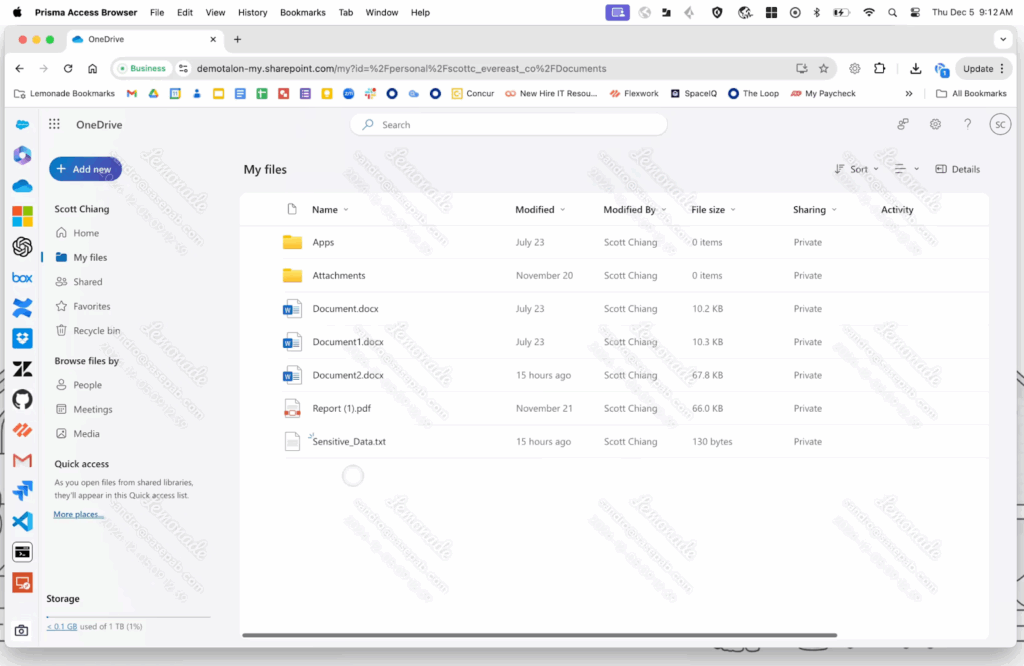
Prisma Access Browser is a secure browser from Palo Alto Networks built for AI-era work, available as a browser, an extension, and a mobile app. It isolates enterprise applications on unmanaged devices, applies zero trust controls to user actions in any application, and integrates with the broader Prisma SASE architecture.
The browser scans webpage components in real time to detect AI-powered phishing, sandboxes downloads to neutralize malware before it reaches the operating system, and discovers and blocks risky extensions. It governs GenAI usage with more than 1,000 data classifiers and directional controls that block transfers from corporate apps to personal accounts, and provides audit trails and session insights for SOC investigations.
Key features include:
- AI-phishing and web protection: Real-time scanning of all webpage components detects evasive and AI-powered phishing threats before they execute.
- Malware sandboxing: Downloads and web-borne threats are neutralized in a sandbox before reaching the operating system.
- App isolation on unmanaged devices: Enterprise applications are isolated from unmanaged endpoints, enabling secure work on untrusted devices.
- GenAI governance: More than 1,000 data classifiers protect sensitive data in GenAI apps, and directional context blocks transfers from corporate to personal accounts.
- Extension discovery and control: All extensions in use are discovered and monitored, and risky or over-permissive ones are blocked.
- SOC forensics and guardrails: Audit trails and session insights support investigations, while step-up authentication and just-in-time approvals apply to high-risk actions such as printing or data exports.
Limitations (as reported by users on PeerSpot):
- Deployment complexity: Some users report that deployment and configuration are complex and call for in-house expertise.
- Pricing and licensing: A few users note steep pricing and limited licensing flexibility.
- Dashboard responsiveness: Some users mention that policy implementation and dashboard response can be slow.
- Mobile app limits: A few users cite mobile constraints, such as difficulty saving files to organizational storage and a less optimized experience for some apps.
Source: Palo Alto Networks
Browser Security Extensions
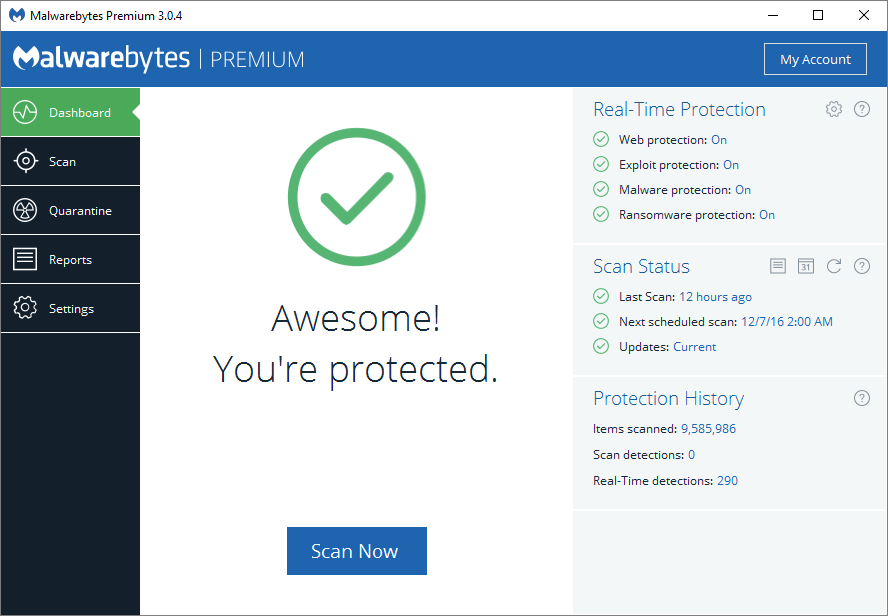
8. Malwarebytes Browser Guard

Best for: Individuals wanting free ad, tracker and scam blocking
Strengths: Blocks ads, trackers, scams, skimmers and malicious sites
Things to consider: Can break sites and slow some pages after updates
Malwarebytes Browser Guard is a free browser extension for Chrome, Firefox, Edge, and Safari that blocks ads, trackers, and a range of web threats. It filters intrusive ads and pop-ups, blocks known malicious and phishing sites, and includes protections aimed at tech-support scams, browser lockers, and hijackers.
Beyond ad and tracker blocking, the extension adds protections such as credit card skimmer blocking, cookie and consent-banner blocking, a cryptominer blocker, clipboard protection, and suspicious download protection. It also offers content control through a blocklist, and additional capabilities are available to users on a paid Malwarebytes plan.
Key features include:
- Ad and tracker blocking: The extension blocks intrusive ads, pop-ups, and third-party trackers, which also speeds page loading by cutting extra content.
- Scam and phishing protection: It detects and blocks tech-support scams, browser lockers, hijackers, phishing attempts, and known malware and ransomware sites.
- Skimmer and clipboard protection: Credit card skimmer protection guards checkout pages, and clipboard protection limits access to copied content.
- Consent banner and cookie blocking: The extension blocks cookie and GDPR consent overlays for a cleaner browsing experience.
- Cryptominer blocking: In-browser cryptomining scripts are blocked.
- Content control: A configurable blocklist lets users restrict access to specified content, with heuristic protections against emerging threats.
Limitations (as reported by users on Chrome Web Store):
- Site breakage: Some users report that the extension breaks sites such as YouTube, where pages briefly load and then go blank until the site is allow-listed.
- Consent banner issues: A few users note that cookie consent banners can malfunction or disappear before they can be used.
- Performance and update bugs: Some users report high CPU use, browser slowdowns, or broken download and right-click functions after certain updates.
- Allow-list friction: A few users mention that adjusting protections for specific sites adds steps to everyday browsing.
Source: Malwarebytes
9. Privacy Badger

Best for: Users wanting automatic, behavior-based tracker blocking
Strengths: Learns trackers automatically, sends GPC and DNT signals
Things to consider: Not a full ad blocker and no dedicated mobile app
Privacy Badger is a free, open-source extension from the Electronic Frontier Foundation that blocks hidden third-party trackers. Unlike list-based blockers, it uses an algorithmic, behavior-based approach: it identifies domains that appear to track users across multiple sites and then restricts them, rather than relying on a human-curated blocklist.
The extension ships with a pre-trained list of known trackers and can optionally continue learning as you browse. It sends the Global Privacy Control and Do Not Track signals, replaces certain tracking widgets with click-to-activate placeholders, and removes some outgoing link tracking. It is available for Chrome, Firefox, Edge, Opera, and Brave, plus Firefox on Android.
Key features include:
- Behavior-based tracker blocking: Privacy Badger blocks or restricts domains based on observed cross-site tracking behavior rather than a fixed blocklist.
- Pre-trained and optional learning: It ships with a pre-trained tracker list and can be configured to keep learning new trackers as you browse.
- Privacy signals: The extension sends Global Privacy Control and Do Not Track signals to opt users out of data sharing and tracking.
- Widget placeholders: Potentially tracking widgets such as video players and comment boxes are replaced with click-to-activate placeholders.
- Link tracking removal: Outgoing link click tracking is removed on sites such as Facebook and Google.
- Granular per-domain control: Red, yellow, and green sliders let users adjust how each third-party domain is handled, including per-site disabling.
Limitations (as reported by users on Chrome Web Store):
- Site functionality breakage: Some users report that blocking can break site features such as videos or booking flows, requiring per-site disabling.
- Not a full ad blocker: A few users note that it does not block all ads by design and is best paired with a dedicated ad blocker.
- No dedicated mobile app: Some users point out there is no standalone mobile app, with mobile support limited to Firefox on Android.
- Install prompt and support: A few users find the setup prompt to pin the extension intrusive and note limited support beyond community channels.
10. Ghostery

Best for: Users wanting tracker transparency and cookie-popup blocking
Strengths: Ad and tracker blocking, Never-Consent, tracker database
Things to consider: Not a full ad replacement and limited mobile support
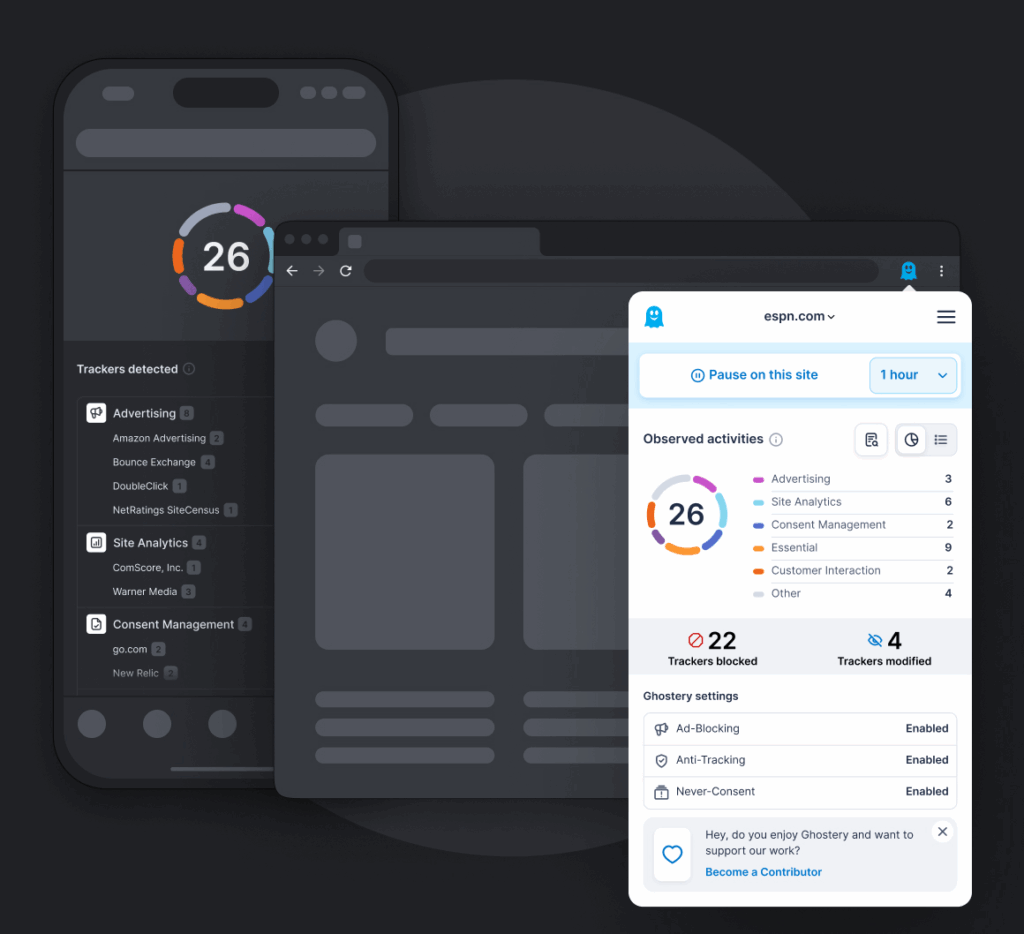
Ghostery is a free, open-source privacy suite whose most-used component is its Tracker and Ad Blocker extension, available across major browsers. It blocks ads, including some video ads, and takes an anti-tracking approach that anonymizes data sent to trackers. It also surfaces which companies are tracking a page through its tracker intelligence.
The extension includes Never-Consent, which automatically rejects cookie consent pop-ups, and draws on the WhoTracks.Me database to identify trackers by company. Ghostery operates under Manifest V3, and in October 2025 it discontinued its standalone mobile browser and removed user accounts used for sync, focusing on its open-source browser extensions.
Key features include:
- Ad and tracker blocking: Ghostery blocks display ads, pop-ups, and trackers, and can block some video ads across platforms.
- Anti-tracking anonymization: Rather than only blocking, it replaces or anonymizes data sent to trackers to limit what they can collect.
- Never-Consent: The feature automatically rejects cookie consent pop-ups so users do not have to dismiss them manually.
- Tracker intelligence: The WhoTracks.Me database identifies which companies are tracking a given page, with category-based control over tracker types.
- Search redirect protection: Ghostery links directly to search results rather than routing clicks through an intermediary that could add tracking.
- Open-source and free: All features are free, funded by optional community contributions rather than paid tiers, and the extension is Manifest V3 compliant.
Limitations (as reported by users on Capterra):
- Not a full ad replacement: Some users note it does not block every ad and works best alongside a dedicated ad blocker.
- Setup time: A few users mention it takes time to reach its full benefit after installation.
- Default tuning: Some users point out the default setup favors preserving site functionality, so maximizing tracker blocking requires manual adjustment.
- Platform and mobile limits: A few users cite limited mobile and platform support, including the discontinued standalone mobile browser and removal of account-based sync.
Source: Ghostery
Private Browsers
11. Brave Privacy Browser

Best for: Users wanting a private Chromium browser with built-in blocking
Strengths: Shields block trackers, fingerprinting, ads; Tor windows
Things to consider: Crypto features add clutter and Shields can break sites
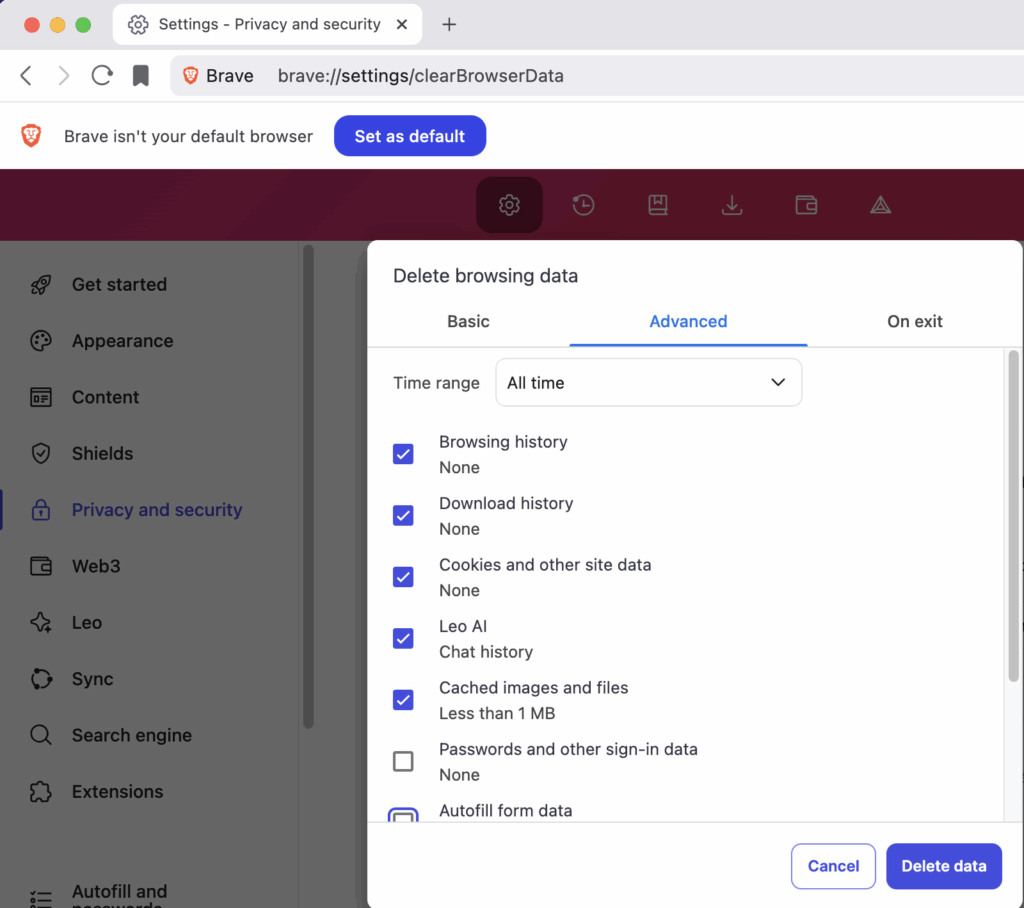
Brave is a Chromium-based browser with privacy protections built in by default through a feature called Shields. It blocks trackers, cross-site cookies, and fingerprinting attempts without requiring a separate extension, and randomizes some signals used for fingerprinting through a technique it calls farbling.
Beyond blocking, Brave adds protections such as query parameter filtering, bounce-tracking defenses, referrer trimming, and private windows that route through Tor. It supports Global Privacy Control and client-side encrypted sync across devices. The browser also bundles additional features including a crypto wallet, rewards program, VPN, and an AI assistant.
Key features include:
- Shields by default: Brave blocks trackers, cross-site cookies, and fingerprinting out of the box, with per-site adjustment available.
- Fingerprint randomization: Farbling randomizes certain browser signals to make fingerprinting harder.
- Tracking parameter and bounce protection: Query parameter filtering, debouncing, and bounce-tracking protections limit tracking through links and redirects.
- Tor private windows: Private windows can route traffic through Tor for an added layer of anonymity.
- Encrypted sync: Settings and data can sync across devices with client-side encryption.
- Privacy signals and blocking: Brave supports Global Privacy Control and blocks social media tracking components.
Limitations (as reported by users on G2):
- Crypto and rewards clutter: Some users find the built-in crypto, wallet, and rewards features unnecessary and say they clutter the interface and confuse onboarding.
- Aggressive blocking breaks sites: A few users report that Shields can break dashboards, forms, or embedded media, requiring manual per-site adjustment.
- Occasional bugs: Some users cite intermittent bugs after updates, such as with autosuggest, video playback, or the download manager.
- Fewer corporate deployments: A few users note it is less common in managed corporate environments and may be blocked in locked-down settings.
Source: Brave
12. DuckDuckGo

Best for: Users wanting simple, private browsing across devices
Strengths: Tracker, cookie and fingerprint protection; email tools
Things to consider: Limited extensions and occasional site breakage
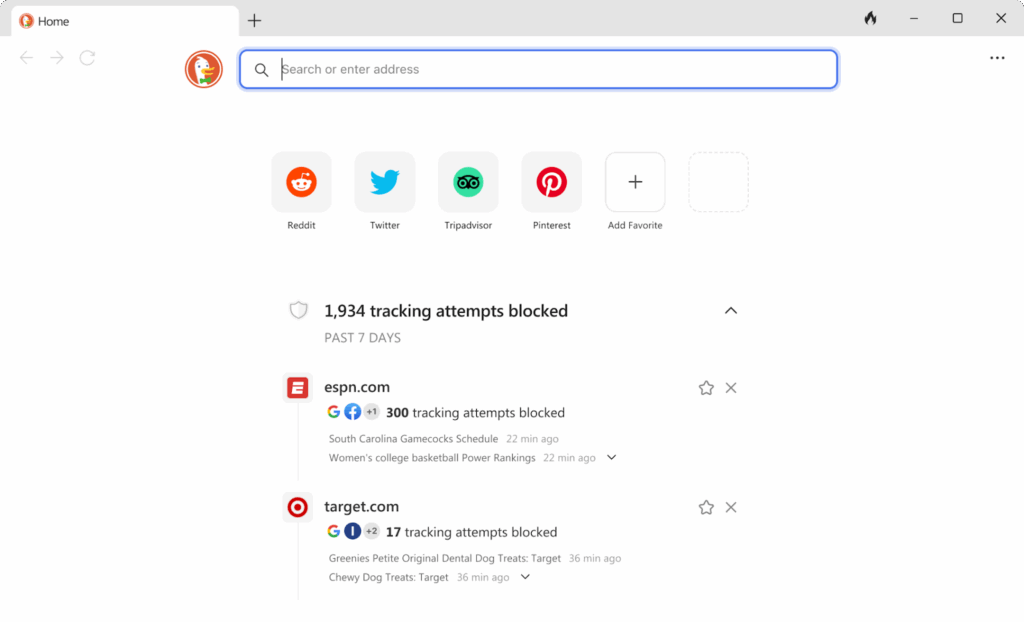
DuckDuckGo offers a privacy browser for Mac, Windows, iOS, and Android, along with extensions for Firefox, Chrome, Edge, and Opera. Its tracker protection blocks many third-party trackers before they load, and it adds cookie protection, fingerprinting protection, and automatic HTTPS upgrades to reduce how much data sites can collect.
The browser includes link and referrer tracking protection, protection against embedded Facebook content, and defenses against Google AMP and related tracking. A Fire Button clears browsing data on demand, cookie pop-up protection dismisses consent prompts, and it supports Global Privacy Control. Additional tools include Duck Player for YouTube, email protection, and subscription features such as a VPN.
Key features include:
- Third-party tracker loading protection: DuckDuckGo blocks identified third-party trackers before they load on a page.
- Cookie and fingerprinting protection: It restricts third- and first-party tracking cookies, addresses CNAME cloaking, and applies fingerprinting protection.
- Smarter Encryption: Connections are upgraded to HTTPS where available to reduce unencrypted traffic.
- Link and referrer protection: Tracking parameters in links and referrer data are limited, and embedded Facebook content is restricted until activated.
- Fire Button and cookie pop-up protection: The Fire Button clears browsing data on demand, and cookie consent pop-ups are handled automatically.
- Added privacy tools: Duck Player provides a more private way to watch YouTube, and email protection plus subscription features such as a VPN extend coverage.
Limitations (as reported by users on Capterra):
- Limited extension support: Some users note the desktop browser does not support Chrome Web Store extensions.
- Site compatibility: A few users report occasional site breakage that requires switching to another browser.
- Stability after updates: Some users mention crashes, flicker, or lost tabs following updates, particularly on mobile.
- Search relevance: A few users find search results less strong than Google for complex or local queries.
Source: DuckDuckGo
13. Epic Privacy Browser

Best for: Users wanting always-on private browsing with a proxy
Strengths: Always-on incognito, encrypted proxy, tracker blocking
Things to consider: Few features, limited search choice, no bookmark sync
Epic Privacy Browser is a Chromium-based browser from Hidden Reflex that runs in an always-on private mode and deletes browsing data such as history, cache, and cookies when it closes. It blocks ads, trackers, and cryptominers, and includes an encrypted proxy that routes traffic through servers in several countries to mask the user’s location.
The browser applies fingerprinting protection across areas such as canvas and audio, blocks WebRTC IP leaks, and keeps Do Not Track on by default while not sending the referer header. It removes a set of built-in browser features that can leak data, such as install and usage tracking. Epic remains available for desktop and mobile in 2026.
Key features include:
- Always-on private mode: Epic runs in a permanent private mode and deletes browsing data when the browser is closed.
- Encrypted proxy: A built-in encrypted proxy routes traffic through servers in several countries to hide the user’s location and IP address.
- Ad, tracker, and cryptominer blocking: The browser blocks ads, trackers, and in-browser cryptomining scripts.
- Fingerprinting and leak protection: Protections cover canvas, font, and audio fingerprinting, and WebRTC IP leaks are blocked.
- Do Not Track and referer handling: Do Not Track is on by default and the referer header is not sent.
- Removal of tracking features: Epic removes built-in browser features that can leak data, such as install and usage tracking.
Limitations (as reported by users on Capterra):
- Limited search choice: Some users note the browser offers a narrow set of default search engines and does not let them set a preferred one.
- Ad blocker reliability: A few users report the ad blocker can turn itself off or work inconsistently, especially on mobile.
- No bookmark sync or import: Some users mention the lack of bookmark import, export, or sync, which keeps them tied to a second browser.
- Sparse features and site issues: A few users cite limited quality-of-life features and occasional site loading issues such as verification loops.
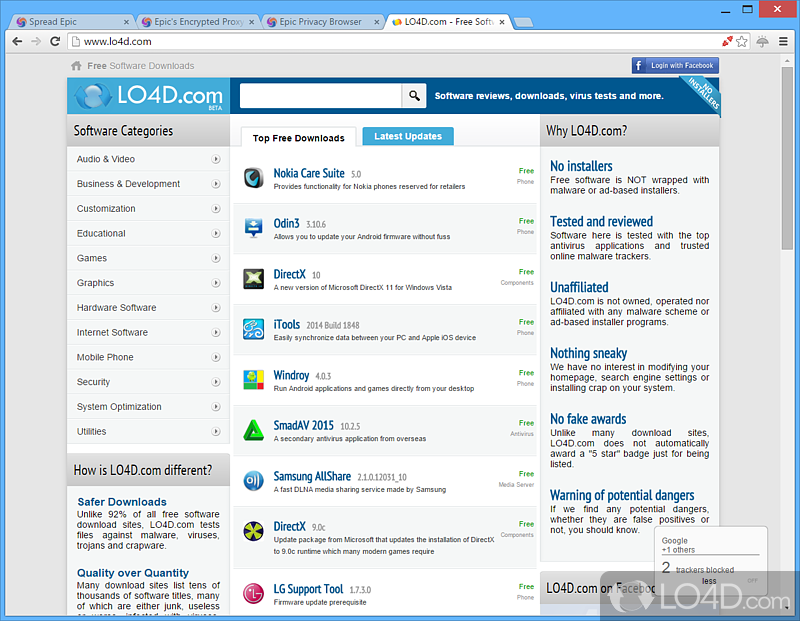
Source: Epic Browser
Learn more in our detailed guide to browser security solutions
Evaluation Criteria for Browser Security Solutions
Choosing the right browser security solution requires evaluating how well a tool aligns with an organization’s security, usability, and operational requirements. The following criteria help assess the effectiveness and practicality of these tools:
- Deployment model: Consider whether the solution is delivered as a standalone browser, an extension, a remote isolation platform, or a centralized management tool. The deployment model affects compatibility, ease of rollout, and integration with existing infrastructure.
- Threat coverage: Evaluate the range of threats the solution addresses, such as phishing, malware, data leakage, XSS, and token theft. A solution should offer both signature-based detection and behavioral analysis.
- Visibility and control: Assess the level of user activity monitoring, policy enforcement, and governance features. Solutions should allow real-time insights and control over web sessions, data interactions, and application access.
- Performance impact: Measure the effect on browser speed and user experience. Solutions that introduce high latency or interfere with normal workflows may reduce user compliance and productivity.
- Compatibility and integration: Ensure the solution works across multiple browsers, devices (including BYOD), and integrates with identity providers, endpoint security tools, and SIEM platforms.
- Policy flexibility: Look for granular, identity-aware policies that adapt to context, such as user role, device posture, or application sensitivity. This is crucial for enforcing least-privilege access.
- Scalability and manageability: Consider the administrative effort needed to deploy, configure, and maintain the solution at scale. Centralized dashboards, API support, and remote configuration capabilities are important for large or distributed environments.
- Regulatory compliance support: Verify that the solution provides features like audit logging, data protection, and access controls to support compliance with frameworks like GDPR, HIPAA, or SOC 2.
- Vendor support and roadmap: Evaluate the vendor’s support model, frequency of updates, and roadmap for addressing emerging browser threats and compliance needs.
Learn more in our detailed guide to browser security solutions
Conclusion
Browser security solutions aid in protecting users and organizations against web-based threats that traditional endpoint defenses often miss. By combining techniques such as sandboxing, isolation, real-time detection, and granular policy enforcement, these tools provide layered protection at the browser level where most attacks originate. Selecting the right solution ensures safer access to applications and data, reduces the risk of breaches, and supports compliance requirements in increasingly cloud-driven and distributed environments.

Any worker. Any laptop. Any AI workflow. Fully secured.
Schedule a demo to see how Blue Border® secures company data and apps without shipping laptops, running VDI, or managing personal endpoints.