
Best Browser-Based Threat Protection for Employees: Top 8 In 2027


See Venn first in Google Search
Add as a preferred source on Google
TL;DR: Browser-based threat protection secures employees, data, and SaaS access against phishing, data leakage, and risky AI use. Blue Border by Venn is best for securing browser and desktop work on BYOD, Push Security for stopping in-browser attacks, Island for a dedicated enterprise browser, and Chrome Enterprise Premium for Chrome-based teams.
What Is Browser-Based Threat Protection for Employees?
Browser-based threat protection for employees refers to the security technologies and policies used to protect workers, corporate data, and business applications from cyber threats encountered through web browsers. These solutions help organizations detect and prevent phishing attacks, malicious websites, unauthorized data transfers, and other browser-based activities that could compromise sensitive information.
Unlike traditional endpoint security, which focuses on protecting devices from malware and other threats, browser-based protection addresses risks associated with employees accessing websites, SaaS applications, and cloud services.
Key enterprise browser capabilities to look for:
- Real-time threat protection: Detects and blocks phishing websites, malware, and suspicious browser activity.
- Browser-level data loss prevention: Prevents sensitive corporate information from reaching unauthorized websites, SaaS applications, and personal accounts.
- Secure browser and workspace isolation: Separates corporate applications and data from personal activities on managed and BYOD devices.
- Granular data controls: Restricts copy/paste, downloads, uploads, screenshots, and other unauthorized data transfers.
- Identity-based access controls: Enforces authentication, least-privilege permissions, and device compliance requirements.
- Browser extension management: Blocks malicious or unauthorized extensions and restricts excessive permissions.
- Shadow IT and AI governance: Identifies unapproved applications and controls sensitive data shared with AI tools and external services.
This is part of a series of articles about browser security
Ultimate Guide to Browser Security: Threats and Solutions
Secure both browser-based AND locally installed apps on unmanaged devices.

Table of contents
- What Is Browser-Based Threat Protection for Employees?
- Browser-Based Threat Protection Solutions at a Glance
- Why Browser-Based Threat Protection Is Critical for Modern Workforces
- Key Capabilities of Browser-Based Threat Protection Solutions
- Browser-Based Threat Protection for BYOD and Remote Employees
- Notable Browser-Based Threat Protection Solutions for Employees
- Conclusion
Browser-Based Threat Protection Solutions at a Glance
The table below summarizes the key differences between the solutions, covering browser-agnostic security platforms and dedicated enterprise browsers. We explore each one in more detail in the sections that follow.
| Category | Solution | Best For | Key Strengths | Things to Consider |
| Browser-Agnostic Threat Protection Solutions | Blue Border by Venn | Securing browser and desktop work on BYOD and unmanaged laptops | Local secure enclave, DLP, AI governance, no VDI | Limited customization; support via ticket queue |
| Browser-Agnostic Threat Protection Solutions | Push Security | Detecting and blocking in-browser attacks in existing browsers | AiTM, ClickFix, and session hijacking detection, AI visibility | Coverage limited to browsers with the extension |
| Browser-Agnostic Threat Protection Solutions | Akamai Workforce Protector (formerly LayerX) | Governing AI and SaaS interactions via a browser extension | AI prompt controls, DLP, extension risk scoring | Policy setup needs planning; reporting is basic |
| Browser-Agnostic Threat Protection Solutions | CrowdStrike Falcon Seraphic Enterprise Browser | CrowdStrike customers securing any browser at runtime | Runtime session protection, zero trust access, AI governance | Occasional false positives; browser-only scope |
| Enterprise Browsers | Island Enterprise Browser | A dedicated Chromium enterprise browser with deep control | Last-mile DLP, conditional access, ZTNA, threat defense | Occasional lag; RDP client lacks some features |
| Enterprise Browsers | Prisma Browser | Palo Alto SASE customers securing unmanaged-device access | Page scanning, download sandboxing, 1,000+ data classifiers | Steep admin learning curve; premium pricing |
| Enterprise Browsers | Chrome Enterprise Premium | Organizations already standardized on Google Chrome | Built-in DLP, Shadow AI controls, context-aware access | High RAM use; advanced features need paid tier |
| Enterprise Browsers | Microsoft Edge for Business | Microsoft 365 organizations securing work in Edge | Native Entra, Purview, Intune, and Defender integration | GenAI controls need M365 E5; fewer extensions |
Related content: For a wider comparison, read our article about browser security tools
Why Browser-Based Threat Protection Is Critical for Modern Workforces
Employees Increasingly Access Sensitive Business Data Through Browsers
Employees routinely use web browsers to access customer records, financial information, internal documents, and confidential business communications. SaaS platforms, cloud storage services, and enterprise collaboration tools enable convenient access to these resources from virtually any location or device.
However, browsers also provide multiple opportunities for sensitive data exposure. Employees may accidentally upload confidential files to unauthorized websites, copy proprietary information into personal applications, or download business documents to unsecured locations. Compromised browser extensions and malicious scripts can introduce additional risks.
Browser-based threat protection helps organizations monitor and control how sensitive information is accessed, transferred, and shared through browser sessions. Security teams can apply policies that restrict risky activities while allowing employees to continue using approved business applications.
Remote Work and BYOD Expand the Browser Attack Surface
Remote and hybrid work arrangements allow employees to access business resources outside traditional corporate networks. Many organizations also support BYOD policies, enabling workers to use personal laptops and other devices for business activities. While these approaches improve flexibility, they create additional security challenges.
Personal devices may lack enterprise security controls, receive inconsistent updates, or contain unapproved applications and browser extensions. Employees may also access corporate resources through unsecured networks or switch between personal and business accounts within the same browser, increasing the risk of accidental data exposure.
Organizations can reduce these risks by implementing secure, isolated work environments that separate corporate browser activity and data from personal applications. This approach supports consistent security enforcement across managed and unmanaged devices without requiring organizations to control an employee’s entire personal device.
SaaS Applications and Cloud Services Introduce New Security Risks
Modern organizations depend on SaaS applications for communication, file sharing, project management, customer relationship management, and other essential business operations. Employees often access dozens of cloud services through their browsers, creating a complex environment where sensitive corporate information moves between multiple applications.
This widespread SaaS adoption introduces risks such as unauthorized application usage, compromised user sessions, malicious OAuth integrations, and accidental data sharing. Employees may also use personal accounts within otherwise approved SaaS platforms, potentially transferring corporate information outside organizational control.
Browser-based security controls help organizations enforce application access policies, restrict unauthorized file transfers, and protect sensitive data across SaaS environments. By applying security policies to business browsing sessions, organizations can reduce cloud-related risks while maintaining access to the tools employees need.
Key Capabilities of Browser-Based Threat Protection Solutions
Real-Time Threat Detection and Malicious Website Blocking
Real-time threat detection helps organizations identify and respond to malicious websites, phishing attempts, and suspicious browser activity before they compromise employee accounts or corporate information. Security solutions may identify potential attacks by analyzing:
- URLs
- Website reputations
- Known threat indicators
- Browsing behavior
Malicious website blocking prevents employees from accessing known phishing domains, malware distribution sites, and other high-risk destinations. More advanced solutions can inspect suspicious web content and enforce security policies dynamically, reducing the likelihood of credential theft, malware infections, and unauthorized access to business systems.
Browser-Level Data Loss Prevention (DLP)
Browser-level data loss prevention (DLP) helps organizations prevent sensitive corporate information from being exposed through web applications and online activities. To identify potentially unauthorized sharing, DLP controls can monitor data transfers involving:
- SaaS platforms
- Cloud storage services
- Web-based communication tools
Organizations can configure policies that restrict sensitive file uploads, downloads, and data transfers between business and personal applications. Context-aware DLP controls can also consider application identity, user permissions, and the destination of information, helping employees complete legitimate tasks without exposing confidential business data.
Secure Browser Isolation and Workspace Segmentation
Browser isolation and workspace segmentation help protect corporate resources by separating business activities from potentially unsafe browsing environments. Browser isolation technologies can execute web content in a protected environment, while workspace segmentation establishes boundaries between:
- Corporate applications
- Files
- Personal activities
For BYOD environments, organizations can use secure workspace isolation to keep corporate data and applications separate from personal resources on the same device. This approach reduces the risk of data leakage between environments and enables employees to use familiar browsers and applications without requiring complete organizational control over their personal devices.
Copy/Paste, Download, Upload, and Screen Capture Restrictions
Employees frequently transfer information between browser tabs, applications, and local files using copy/paste, downloads, uploads, and screen captures. While these activities support everyday productivity, they can also expose confidential information when employees move corporate data into personal accounts or unauthorized applications.
Browser-based protection solutions can enforce granular restrictions on these activities based on organizational policies. For example, administrators may:
- Block copying sensitive information into personal applications
- Prevent downloads to unsecured locations
- Restrict unauthorized uploads
- Disable screen capture functionality within protected work environments
These controls should be configurable according to user roles, application sensitivity, and business requirements. This allows organizations to maintain strong data protection without unnecessarily disrupting legitimate employee workflows.
Identity-Based Access Controls and Device Compliance Checks
Identity-based access controls help organizations determine which employees can access corporate applications and resources through their browsers. These controls can integrate with identity providers and single sign-on (SSO) platforms to enforce authentication requirements and apply access policies based on user identity, group membership, and assigned permissions.
Device compliance checks add another layer of protection by evaluating device security conditions before granting access to sensitive resources. Depending on the solution, organizations can assess factors such as:
- Operating system versions
- Encryption status
- Security software
- Device management status
Context-aware access policies can combine identity verification with device security signals to determine whether access should be granted, restricted, or denied. This helps organizations implement zero trust principles across managed endpoints and BYOD environments.
Browser Extension Management and Security Policies
Browser extensions can introduce security risks because some request extensive permissions to read website content, access browsing activity, or interact with sensitive application data. Malicious or compromised extensions may:
- Expose corporate credentials
- Capture confidential information
- Create unauthorized communication channels
Browser extension management helps IT and security teams establish policies governing which extensions employees can install and use. Depending on the solution, administrators can maintain approved extension lists, block known malicious extensions, and restrict extensions that request excessive permissions.
Shadow IT and AI Application Governance
Shadow IT occurs when employees use applications and services without formal approval from IT or security teams. Browser-based SaaS platforms and generative AI tools make this particularly challenging because employees can access new services directly through websites without installing software or requesting administrative permissions.
Unapproved applications may process sensitive business information, retain uploaded documents, or transfer data to external services outside organizational control. Generative AI applications introduce additional concerns when employees:
- Enter confidential information into prompts
- Upload proprietary files
- Connect business accounts to AI-powered tools
Application discovery, access controls, and AI-aware DLP policies help organizations govern these activities. Security teams can identify unauthorized application usage, restrict sensitive data transfers to unapproved AI services, and apply different policies to corporate and personal accounts within the same application.
Browser-Based Threat Protection for BYOD and Remote Employees
Securing Corporate Browsing on Unmanaged and Personal Devices
Employees using unmanaged or personal devices may access sensitive corporate information without the same security protections available on company-owned endpoints. These devices can have outdated operating systems, unapproved browser extensions, or applications that introduce additional security risks.
Organizations can protect corporate browsing by enforcing secure access policies, monitoring risky web activity, and restricting unauthorized data transfers. Browser security controls can limit access to malicious websites, prevent sensitive file downloads to unprotected locations, and enforce authentication requirements when employees connect to business applications.
For BYOD environments, organizations should prioritize solutions that protect business activities without requiring extensive control over personal devices. This helps maintain corporate security while respecting employee privacy and supporting flexible work arrangements.
Separating Work and Personal Browsing Without Full Device Management
Employees often use the same device and browser for both personal and professional activities. This creates opportunities for corporate information to move into personal accounts, unsecured applications, or storage locations outside organizational control.
Workspace segmentation addresses this challenge by establishing a security boundary between corporate and personal activities. Isolated work environments can keep business applications, authentication sessions, and sensitive files separate from personal resources, reducing the risk of accidental data leakage.
Unlike traditional mobile device management (MDM), which may require extensive device-level administration, workspace-based security focuses on protecting the corporate environment. Employees can continue using their preferred personal applications while organizations enforce security policies within the designated work environment.
Protecting Corporate Data Across Browsers and Locally Installed Applications
Browser-only security solutions may leave gaps when employees access corporate information through locally installed applications. Desktop collaboration tools, email clients, document editors, and file synchronization services can all process sensitive business data outside traditional browser sessions.
Organizations need protection that extends across both browser-based and locally installed applications. Application-level data protection can restrict unauthorized file transfers, clipboard sharing, screen captures, and movement of corporate information into personal environments, regardless of where employees access business resources.
Solutions that isolate corporate applications and files within a secure workspace can provide consistent protection across multiple workflows. This approach reduces reliance on browser-specific restrictions and helps secure sensitive information throughout its lifecycle on employee devices.
Enforcing Consistent Security Policies Across Distributed Workforces
Distributed workforces create challenges for security teams because employees access corporate resources from different locations, networks, and device types. Policies enforced only through corporate networks or managed endpoints may not apply consistently to remote employees using personal devices.
Centralized policy management enables organizations to establish consistent security requirements across their workforce. Administrators can configure application access restrictions, data transfer controls, authentication requirements, and workspace security settings based on employee roles and business needs.
Identity-based policies and secure workspace controls help organizations maintain consistent protection regardless of employee location or device ownership. Security teams can also use centralized visibility and audit logs to investigate suspicious activity, demonstrate policy enforcement, and identify potential data security gaps without monitoring employees’ unrelated personal activities.
Notable Browser-Based Threat Protection Solutions for Employees
How we selected these solutions: We shortlisted browser-based threat protection solutions based on their ability to protect employees and corporate data during web, SaaS, and AI activity, including phishing and malicious site defense, browser-level DLP, identity-based access controls, extension management, shadow IT and AI governance, and support for BYOD and unmanaged devices.
Browser-Agnostic Threat Protection Solutions
1. Blue Border by Venn

Best for: Securing browser and desktop work on BYOD and unmanaged laptops
Strengths: Local secure enclave, DLP, AI governance, no VDI
Things to consider: Limited customization; support via ticket queue
Blue Border is a secure workspace that installs a company-controlled, encrypted enclave on any Mac or PC. Work applications, files, network traffic, and AI tools run locally inside the enclave under IT policy and DLP, and the enclave isolates work storage, networking, and actions such as copy/paste, file transfers, and screenshots from the rest of the computer.
Everything outside the enclave stays private to the user and is not monitored. Blue Border secures both browser-based and locally installed applications on employee, contractor, and BYOD devices without VDI or full device management. Work application windows are marked by a blue border, and the platform integrates with existing SIEM, VPN, and endpoint protection tools.
Key features include:
- Local secure enclave: Company data and applications are isolated in an encrypted enclave on the device, with dedicated storage on the device or in a chosen cloud, and no hosting, streaming, or virtualization.
- Protection for browser and desktop apps: Browser-based applications and locally installed tools such as Chrome, Office, Slack, Zoom, Teams, Salesforce, SAP, and CAD tools run inside the enclave at native speed.
- DLP policy enforcement: Copy/paste, file transfers, uploads, and screen captures of company data are controlled by policy, so corporate information cannot move into the personal side of the device.
- AI governance: IT can sanction approved AI tools and company tenants, block personal AI logins, block AI tools by category, and apply DLP to prompts, uploads, and copy/paste for both browser and desktop AI such as Claude.
- Per-app VPN and trusted-location access: Work traffic routes through a per-app VPN to a private gateway, and corporate AI and resources can be restricted to dedicated IP addresses.
- No device management: IT manages and removes only the contents of the enclave, while device configuration and personal activity outside it are left untouched.
- Fast onboarding and offboarding: Employees, contractors, and offshore teams can be enabled in minutes, and access and company data can be revoked instantly.
Limitations (as reported by users on G2):
- Customization options: Some users would like a broader range of customization options.
- Support scheduling: A few users note that support is reached by calling in with a ticket number rather than booking time with a specific team member.
- Performance on some devices: Some users mention occasional slowness inside the secure workspace on certain machines.
2. Push Security

Best for: Detecting and blocking in-browser attacks in existing browsers
Strengths: AiTM, ClickFix, and session hijacking detection, AI visibility
Things to consider: Coverage limited to browsers with the extension
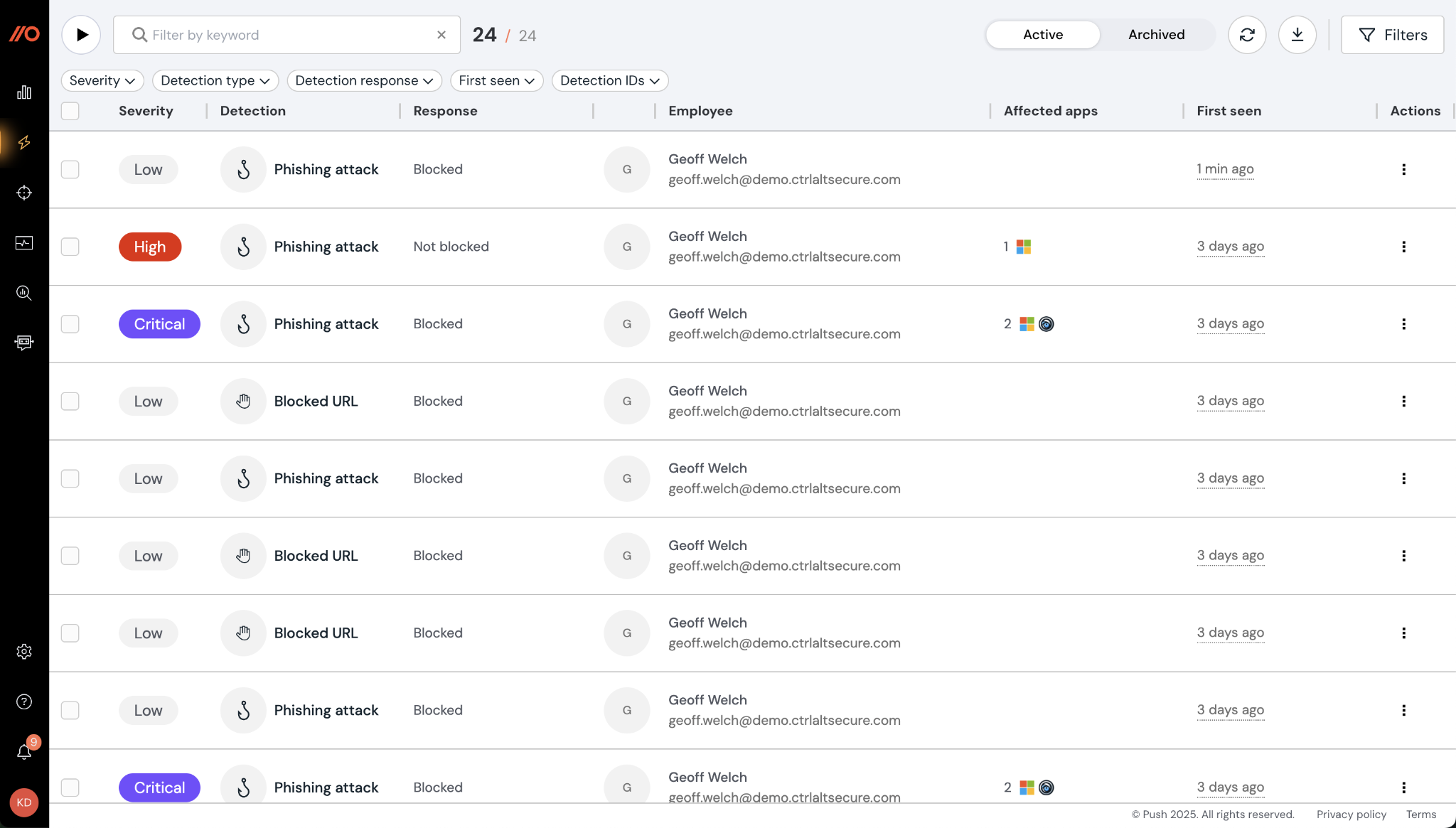
Push Security is a browser security platform delivered as a single browser extension that works in the browsers employees already use. It inspects page structure, content, scripts, and user interaction inside the browser session to detect cloned login pages, malicious scripts, and credential misuse, and it captures browser telemetry for investigation.
The platform covers threat detection and response, identity hardening, shadow IT and AI visibility, and data loss prevention. Push uses AI agents to hunt for new attacker techniques across browser event data and build new detections. It deploys through MDM and integrates with identity providers and SIEM platforms.
Key features include:
- Phishing and AiTM detection: Push detects phishing behaviorally regardless of delivery channel, including MFA-bypassing adversary-in-the-middle pages, device code phishing, and phishing delivered by email, SMS, or QR code.
- ClickFix and consent attack blocking: Malicious copy-and-paste attacks are intercepted at the point of interaction, and malicious OAuth consent grants and integrations are blocked before access is authorized.
- Session hijacking detection: Browser session markers detect replay of stolen session tokens.
- Identity gap discovery: Push flags missing MFA, password reuse, non-SSO logins, hidden login paths that bypass SSO, and shadow apps, then guides users or enforces policy in the browser.
- AI usage visibility and control: It shows what users type, paste, upload, and authorize in AI tools, covering shadow AI apps, AI extensions, and agent access.
- Extension and download controls: Risky browser extensions are inventoried, monitored, and blocked, and file downloads can be controlled by type, source, and user group.
- Investigation timelines: Page loads, click paths, credential use, and token activity are captured to build user and session timelines for incident response.
Limitations (as reported by users on Gartner Peer Insights):
Push Security is highly rated with few critical reviews, so the points below are drawn from the dislike sections of positive reviews.
- Coverage depends on deployment: Some users note that visibility is limited to browsers where the extension is installed, so unsuccessful deployments leave gaps.
- Mixed-browser environments: A few users report that deployment is harder when employees choose their own browsers, and that some installations can become outdated.
- Deployment health visibility: Some users mention there is no built-in view of extension or agent health across the deployment.
- Timeline investigations: A few users note that investigating a specific employee over time requires a SIEM alongside the events page.
Source: Push Security
3. Akamai Workforce Protector (formerly LayerX)

Best for: Governing AI and SaaS interactions via a browser extension
Strengths: AI prompt controls, DLP, extension risk scoring
Things to consider: Policy setup needs planning; reporting is basic
Akamai Workforce Protector, formerly LayerX, governs how employees and AI agents interact with AI, SaaS, web, and private applications and the data inside them. It is delivered mainly as a browser extension, with a management console, cloud intelligence, and desktop visibility, and it applies controls at the point of interaction without proxies or network changes.
The extension captures prompts, data exchanges, and user actions, attributes activity to human or AI agent identities, and applies adaptive policies that warn, redact, block, or guide users. It runs on Chrome, Edge, Firefox, and Safari, as well as agentic browsers such as ChatGPT Atlas, Perplexity Comet, and Dia, on managed and unmanaged devices.
Key features include:
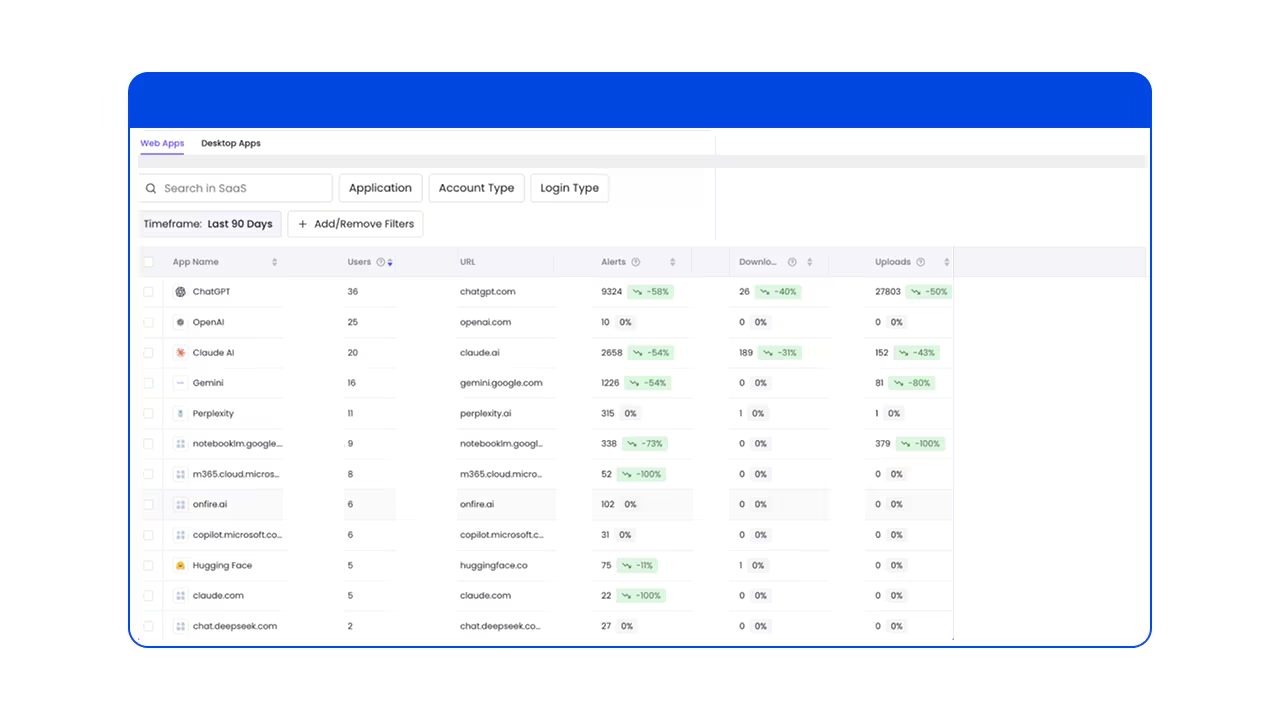
- AI interaction controls: The platform discovers AI applications, browsers, desktop tools, and agents, and applies context-aware policies to prompts, responses, and agent actions.
- Browser DLP: Text input, copy/paste, uploads, downloads, and data exchanges are monitored and controlled to keep sensitive data out of AI and unapproved applications.
- Unmanaged device controls: Read-only sessions and watermarking can be enforced for BYOD users and third-party contractors without device management.
- Extension risk management: Browser extensions are analyzed for risk scores, behaviors, and permissions using the ExtensionPedia database, and malicious or overprivileged extensions are blocked.
- SaaS identity protection: The extension provides visibility into which identities authenticate to SaaS apps and supports SaaS identity protection policies.
- Anti-tampering: Controls at the browser, page, and file-system level prevent users from disabling the extension, and coverage extends to private and incognito browsing.
- Integrations and compliance: It works with IAM providers, SIEM, file-labeling, ticketing, and MDM systems, and can enforce CIS Benchmarks for browser configuration.
Limitations (as reported by users on G2):
LayerX is highly rated with few critical reviews, so the points below are drawn from the dislike sections of positive reviews.
- Policy setup planning: Some users note that the wide range of policy options requires planning during initial setup, and tuning policies can be confusing at first.
- Reporting options: A few users would like more built-in reports and mention that exporting data can require extra filtering.
- Rollout coordination: Some users report that rollout needed coordination across teams to avoid blocking legitimate workflows.
- User communication: A few users mention that employees and contractors need clear explanations of why the extension is required.
Source: Akamai
4. CrowdStrike Falcon Seraphic Enterprise Browser
Best for: CrowdStrike customers securing any browser at runtime
Strengths: Runtime session protection, zero trust access, AI governance
Things to consider: Occasional false positives; browser-only scope
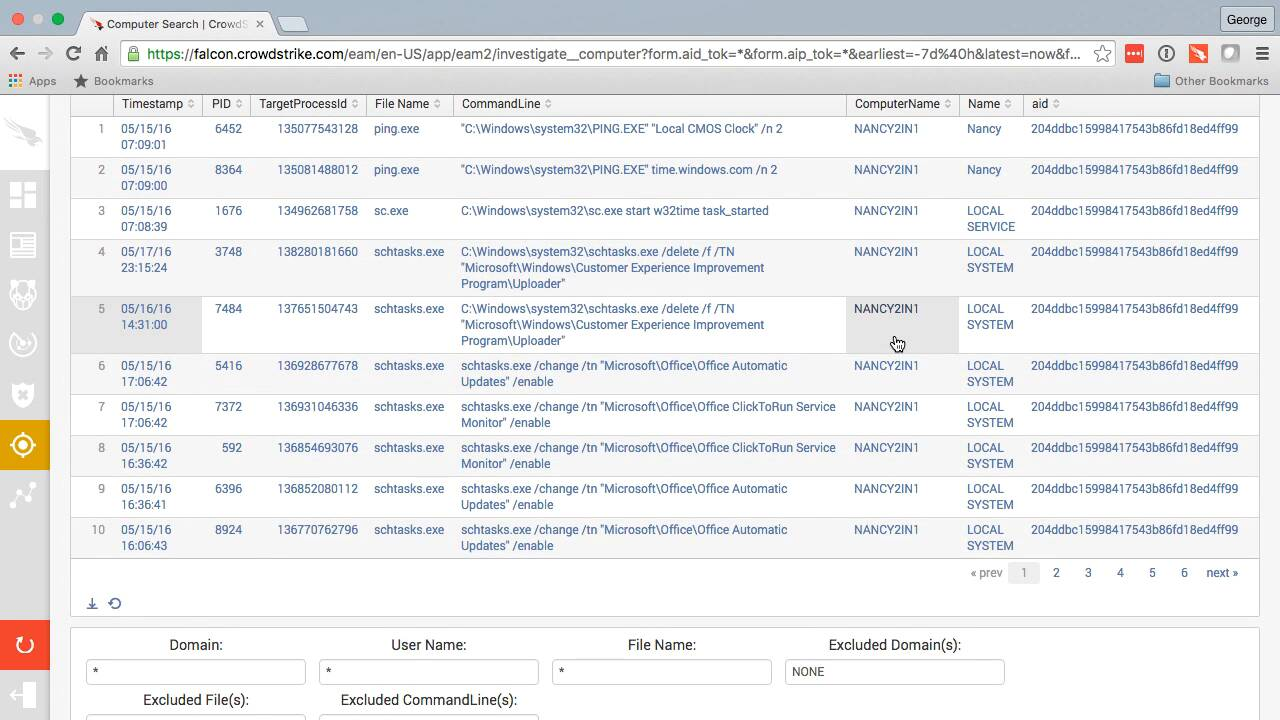
Falcon Seraphic Enterprise Browser, previously Seraphic Security, provides runtime browser security that turns existing browsers into secure enterprise browsers. It enforces protection inside the live browser session across Chrome, Edge, Safari, Firefox, agentic browsers, and Chromium-based browsers, without requiring a separate dedicated browser or traffic routing through additional infrastructure.
The platform continuously verifies users inside the session and adapts access based on identity, behavior, and risk on managed and unmanaged devices. It is part of the CrowdStrike Falcon platform, which combines in-session browser telemetry with Falcon endpoint signals. Use cases include AI security, remote connectivity, safe browsing, and BYOD and contractor access.
Key features include:
- Runtime attack prevention: It monitors runtime activity and session behavior to block credential theft, malicious extensions, session hijacking, and browser-based attacks.
- In-session zero trust: Continuous verification and context-aware policies can allow, restrict, or block activity as risk changes during a session.
- Identity-first remote access: Employees, contractors, and partners on managed or unmanaged devices can access applications based on identity, behavior, and risk.
- AI governance: Policies govern AI usage in the browser and protect against AI-driven data theft.
- Browser-agnostic deployment: Protection deploys across major and agentic browsers with no infrastructure changes, dedicated browsers, or user training.
- Falcon platform integration: Browser telemetry is correlated with CrowdStrike endpoint signals for detection and response within the Falcon platform.
Limitations (as reported by users on G2):
Seraphic is highly rated with few critical reviews, so the points below are drawn from the dislike sections of positive reviews.
- False positives: Some users report alerts that block valid websites the organization uses.
- Browser-only scope: A few users note that protection covers browser risks rather than all network or application vectors.
- Logging: Some users would like improvements to the log system.
- Block message setup: A few users mention that the messages shown when content is blocked need time to customize.
Source: CrowdStrike
Enterprise Browsers
5. Island Enterprise Browser

Best for: A dedicated Chromium enterprise browser with deep control
Strengths: Last-mile DLP, conditional access, ZTNA, threat defense
Things to consider: Occasional lag; RDP client lacks some features
Island is a Chromium-based enterprise browser with access controls, data protection, threat defense, and visibility built into the browser. It applies conditional access based on identity, device, network, location, and application, and enforces data controls on work applications while keeping personal browsing private.
Island runs on Windows, macOS, Linux, ChromeOS, iOS, iPadOS, and Android. It is also available as an extension for Chrome, Edge, Safari, Firefox, and other Chromium-based browsers, which supports most of the full browser’s capabilities. The browser includes productivity tools such as an AI assistant, smart clipboard, and password manager.
Key features include:
- Conditional access: Access policies evaluate identity, device, network, location, and application inside the browser, across managed and unmanaged devices.
- Last-mile data protection: Context-based policies govern printing, downloads, screenshots, and copy/paste, including outside the browser, while allowing data to move between approved enterprise apps.
- Web threat defense: The browser protects against malware, phishing, session hijacking, man-in-the-browser, and other browser exploits.
- Device posture and app controls: Island assesses device posture against policy and extends controls to applications such as Zoom, Slack, Teams, and WhatsApp.
- Zero trust network access: ZTNA to private applications is delivered from the browser without separate agents.
- User behavior analytics: Work activity is recorded with a privacy indicator for users and can be shared with a SIEM.
- Privileged access protection: Admin consoles and backend systems can require stronger posture and authentication, with full session capture of users, devices, and actions.
Limitations (as reported by users on G2):
- Performance lag: Some users report noticeable lag, slow loading, and slow tab switching at times.
- RDP client gaps: Several users note the built-in RDP client lacks features available in the Microsoft desktop RDP client.
- Restrictive controls: A few users find security restrictions on copy/paste and screen sharing slow down daily tasks and would like more flexible, role-based options.
- Policy management: Some users report that rule priority based on order makes conflicting policies hard to manage.
- Console detail: A few users would like better search in the management console and more detail on why actions are blocked.
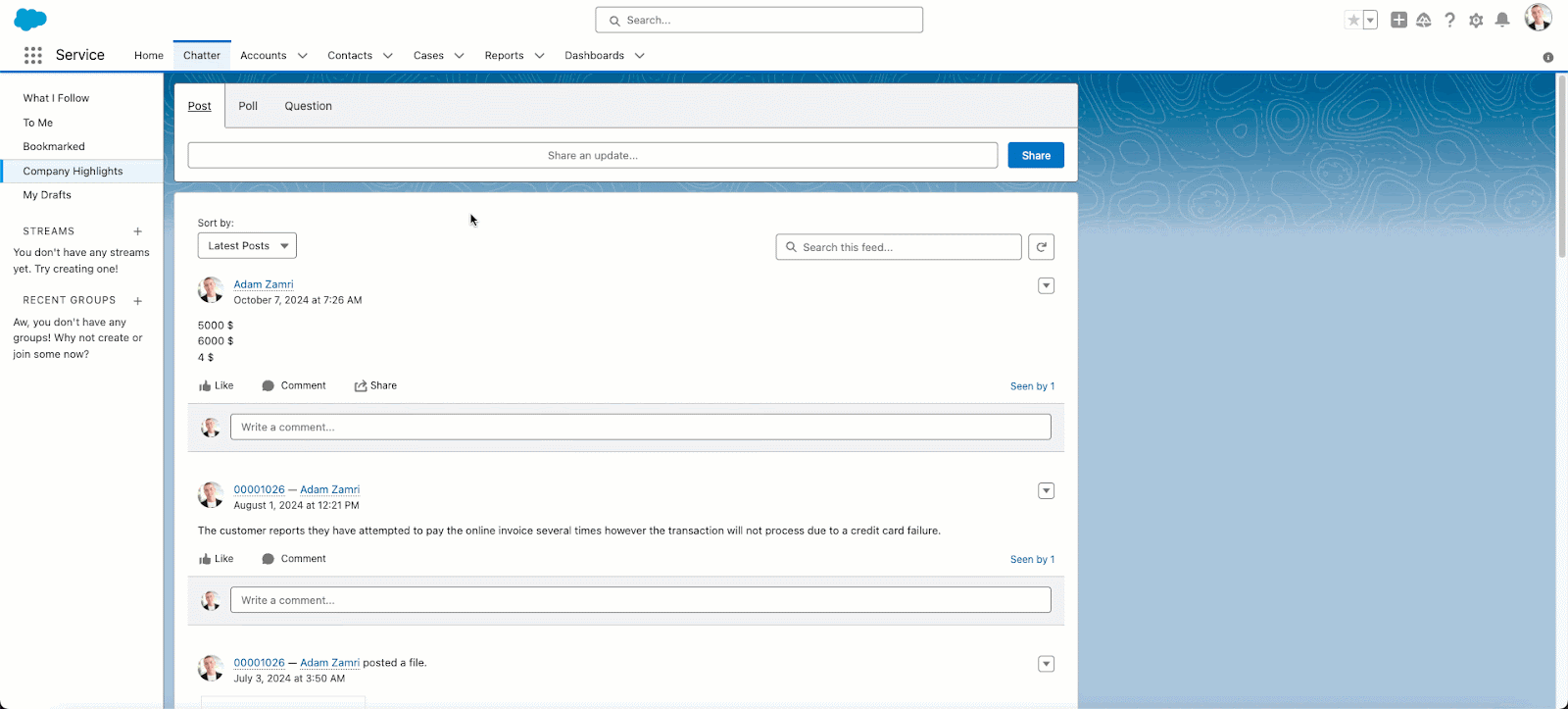
Source: Island
6. Prisma Browser
Best for: Palo Alto SASE customers securing unmanaged-device access
Strengths: Page scanning, download sandboxing, 1,000+ data classifiers
Things to consider: Steep admin learning curve; premium pricing
Prisma Browser is Palo Alto Networks’ enterprise browser, available as a desktop browser, an extension for existing browsers, and a mobile app. It is natively integrated with Palo Alto Networks security engines and provides secure access, threat prevention, AI governance, and data protection for work in web, SaaS, GenAI, and private applications.
The browser isolates enterprise apps from untrusted endpoints, can be deployed to unmanaged devices through an email link without admin privileges, and integrates with the broader Prisma SASE architecture. Palo Alto Networks notes that the extension is not recommended for unmanaged devices, where the full browser is the intended option.
Key features include:
- Real-time phishing detection: All webpage components are scanned in real time to detect evasive and AI-powered phishing.
- Malware sandboxing: Web-borne threats and malicious file downloads are neutralized in a sandbox before they reach the operating system.
- Enterprise DLP: More than 1,000 data classifiers and 22+ compliance profiles power last-mile controls that can block screenshots, printing, and unauthorized file saving.
- GenAI data protection: Sensitive data in prompts can be redacted automatically, and copy/paste and uploads to unsanctioned AI apps can be restricted.
- Directional data controls: Transfers from sanctioned corporate apps to personal accounts are blocked.
- Dynamic zero trust policies: Policies adapt to user risk score, location, and content sensitivity, with step-up authentication and just-in-time approvals for high-risk actions.
- Extension security and forensics: Extensions are discovered, monitored, and blocked when risky, and audit trails and session replay support SOC investigations.
Limitations (as reported by users on G2):
- Admin learning curve: Some users note a steep initial learning curve when configuring advanced policies.
- Performance under load: A few users report that browser performance under heavy load could be improved.
- Dashboard usability: Some users find analytics and reporting dashboards cluttered or not intuitive.
- Pricing: A few users mention that pricing may be high for smaller organizations.
- Legacy app tuning: Some users report that tuning policies for legacy applications took several weeks.
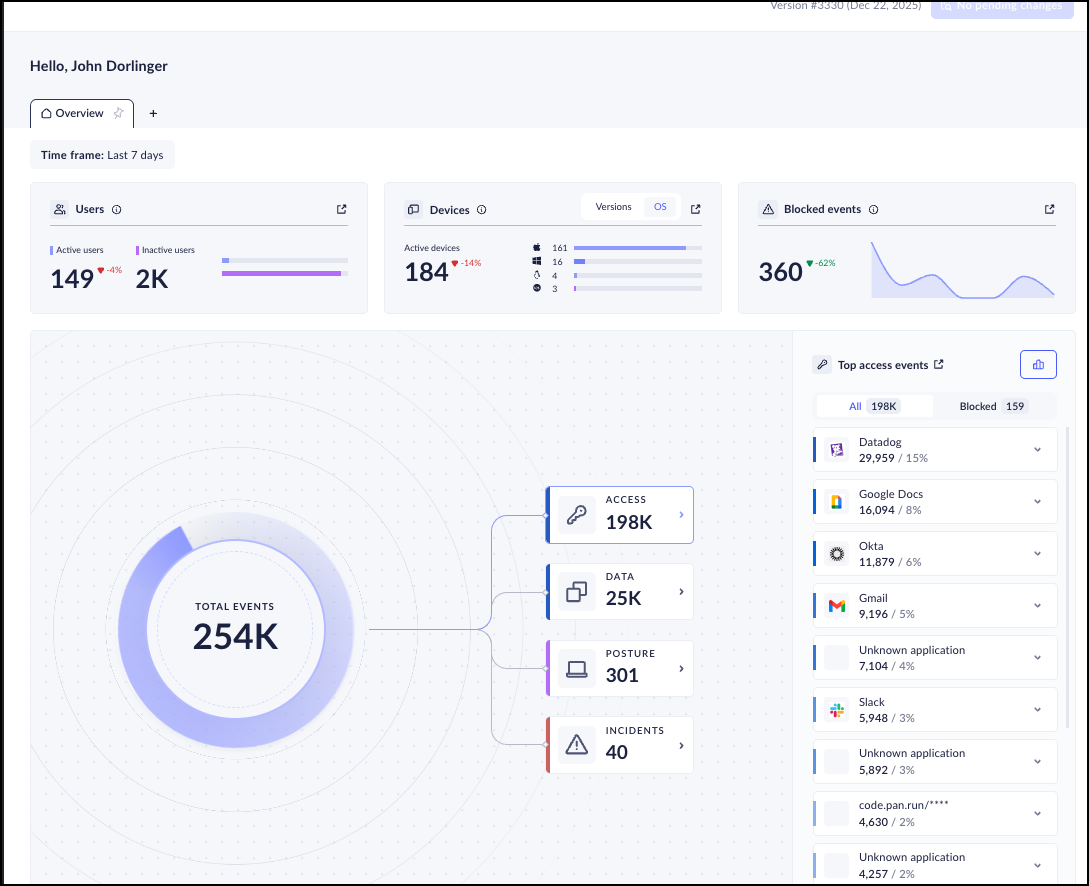
Source: Palo Alto Networks
Related content: Read our guide to Prisma Browser
7. Chrome Enterprise Premium

Best for: Organizations already standardized on Google Chrome
Strengths: Built-in DLP, Shadow AI controls, context-aware access
Things to consider: High RAM use; advanced features need paid tier
Chrome Enterprise Premium is the paid security tier of Chrome Enterprise, priced at $6 per user per month. It adds real-time protection against phishing, malware downloads, and browser exploits, data loss prevention, Shadow AI controls, and context-aware access to the Chrome browser, without additional client software.
Foundational protections such as Safe Browsing, sandboxing, automatic updates, and credential protection are built into Chrome, and policies are managed in the Google Admin console. Security applies to the managed corporate browser profile rather than the whole device, which allows rules to deploy on BYOD devices at login.
Key features include:
- Real-time DLP: Copy/paste, uploads, downloads, printing, and screenshots can be restricted, with watermarking, data masking, and OCR scanning of uploaded images.
- Shadow AI controls: Security teams get visibility into Shadow AI use, can block sensitive data from being pasted into prompts, and can enforce URL controls on unsanctioned AI platforms.
- Context-aware access: Access to apps and data is evaluated in real time based on user identity, device posture, and location.
- Threat protection: Real-time defenses cover phishing, malware downloads, malicious extensions, and browser zero-day exploits.
- BYOD protection: Managed Chrome profiles separate work and personal data and apply DLP and access policies on personal devices.
- Security telemetry: Browser events, user actions, and data risks feed into SIEM, XDR, and other security tools through the Connector Framework.
Limitations (as reported by users on G2):
- Resource consumption: Many users report high RAM use that slows older laptops, especially with many tabs open.
- Policy complexity: Some users find the large number of admin policies hard to learn and troubleshoot.
- Premium licensing: A few users note that advanced DLP and context-aware access require the paid Premium tier.
- Privacy and compatibility concerns: Some users raise data privacy concerns and report compatibility issues with legacy applications.
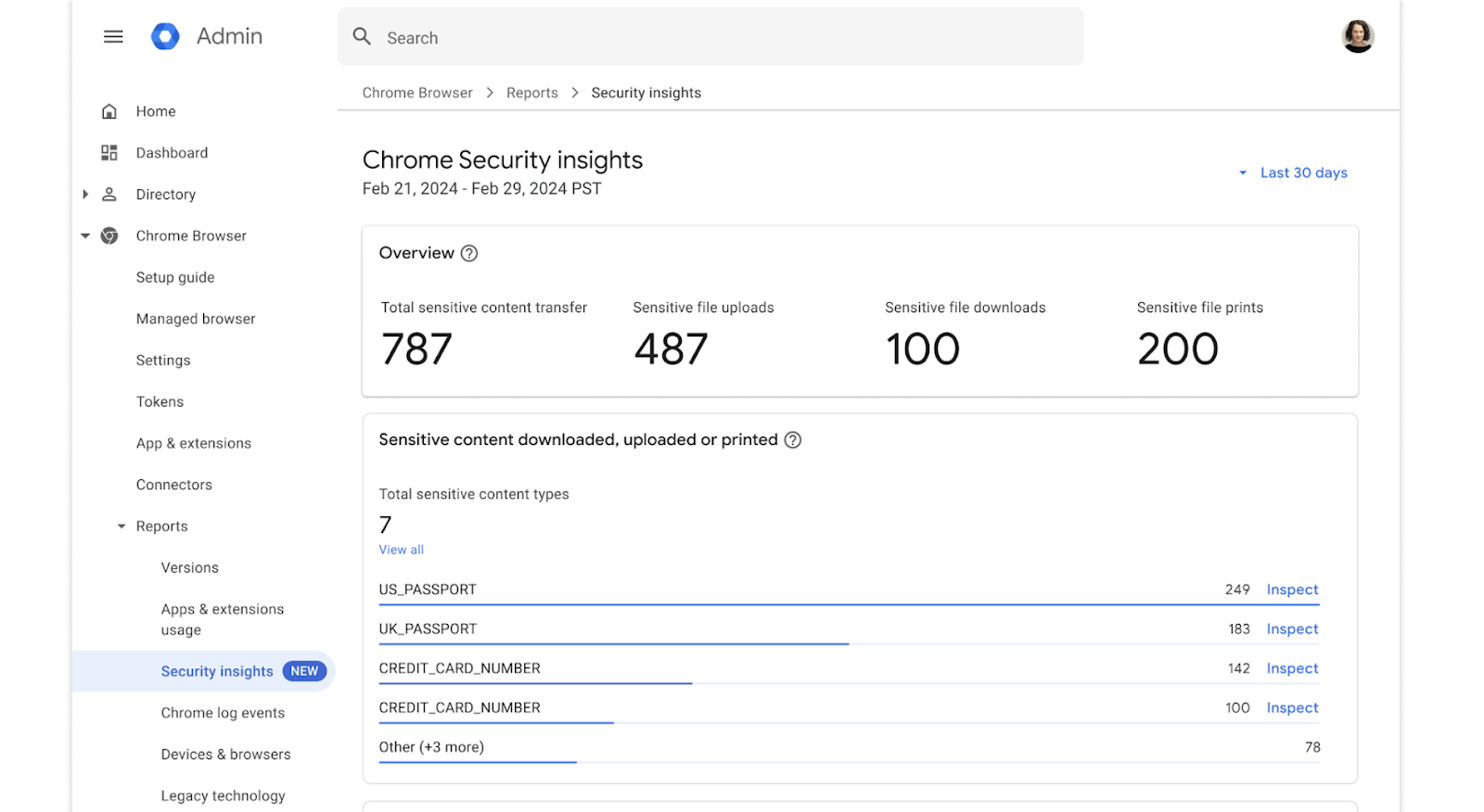
Source: Google
8. Microsoft Edge for Business

Best for: Microsoft 365 organizations securing work in Edge
Strengths: Native Entra, Purview, Intune, and Defender integration
Things to consider: GenAI controls need M365 E5; fewer extensions
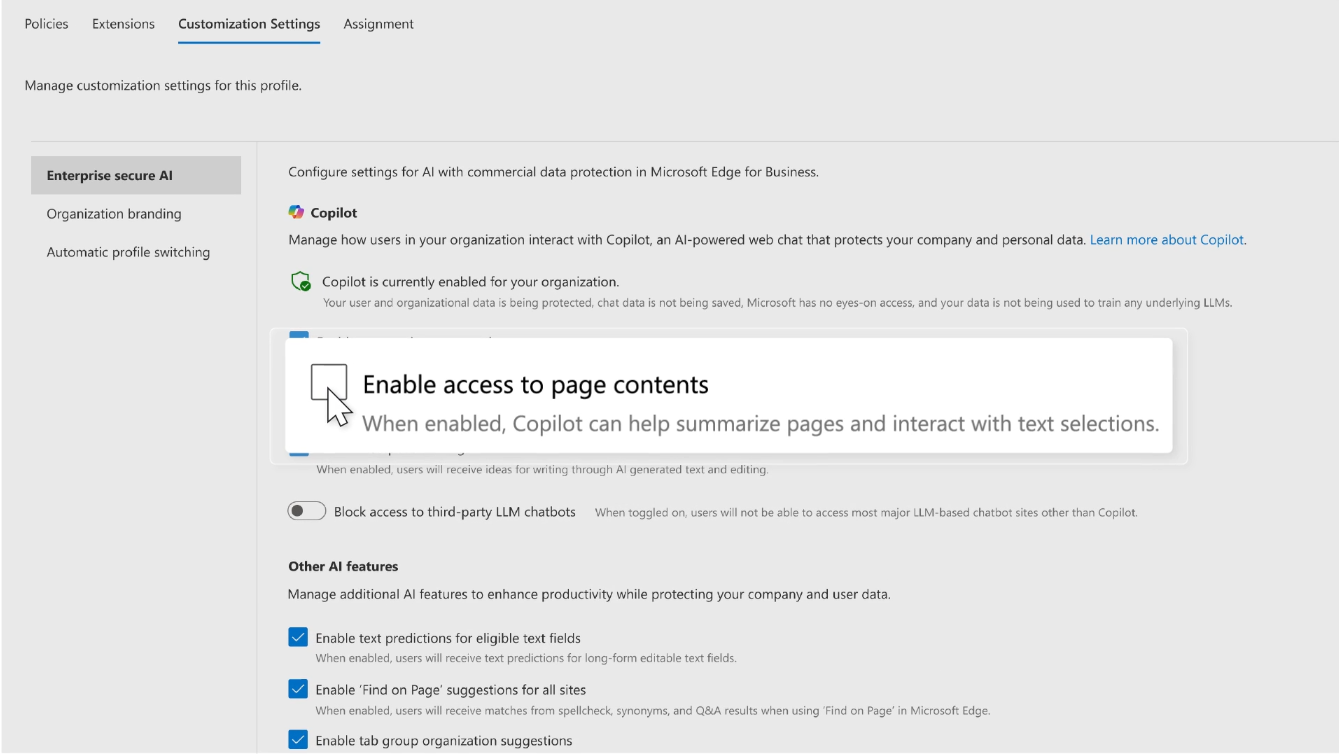
Microsoft Edge for Business is an enterprise browser with Microsoft Entra, Purview, Intune, and Defender for Endpoint built in, available at no extra cost with Microsoft 365 plans. It extends authentication, data protection, and threat defense into the browser on managed devices, BYOD, contractor devices, and mobile.
Edge for Business is preinstalled on Windows and managed through the Edge management service or Intune. Contractors can create a dedicated work profile tied to the organization, and connectors extend third-party security solutions into the browser. Some data controls, such as clipboard boundaries and watermarking, are currently in preview.
Key features include:
- Built-in Microsoft security stack: Entra, Purview, Intune, and Defender for Endpoint work natively in the browser without extensions.
- Data protection on personal devices: Organizations can audit or block downloads, screenshots, and copy/paste from corporate sites to personal devices.
- GenAI controls: Adaptive, content-aware controls block risky prompts in unsanctioned GenAI apps, which requires Microsoft 365 E5 with pay-as-you-go pricing.
- Purview usage rights in the browser: Restrictions from Purview sensitivity labels are enforced for content in Word, Excel, PowerPoint, and Outlook in the browser.
- Clipboard boundaries and watermarking: Trusted boundaries limit where copied data can be pasted, and watermarks mark sensitive files and sites, both in preview.
- Contractor and mobile protection: Contractor work profiles keep data within a managed boundary, and Edge for mobile extends protection to iOS and Android via Intune.
Limitations (as reported by users on Gartner Peer Insights):
- Performance inconsistencies: Some users report occasional slowdowns or crashes during resource-intensive tasks.
- Extension availability: A few users note that the extension library is smaller than Chrome’s.
- Non-Microsoft environments: Some users find the browser less intuitive and harder to integrate outside Microsoft-centric environments.
- Profile switching: A few users mention that automatic switching between work and personal profiles can be confusing.
Source: Microsoft
Conclusion
Choosing a browser-based threat protection solution requires evaluating phishing and malware defenses, data loss prevention, identity-based access controls, and compatibility with existing browsers and devices. Browser extensions can secure activity within familiar browsers, while dedicated enterprise browsers provide integrated security controls and workspace isolation can extend protection to locally installed applications. Organizations should also assess browser extension risks, unauthorized SaaS usage, and sensitive data transfers to AI services.

Any worker. Any laptop. Any AI workflow. Fully secured.
Schedule a demo to see how Blue Border® secures company data and apps without shipping laptops, running VDI, or managing personal endpoints.