
Best Browser Security Tools for Remote Teams: Top 8 In 2027


See Venn first in Google Search
Add as a preferred source on Google
TL;DR: Browser security tools protect remote teams’ web activity, SaaS access, and data on any device. Venn is best for securing browser and desktop apps on BYOD laptops, Akamai Workforce Protector for controls in existing browsers, Island for a dedicated enterprise browser, and Edge for Business for Microsoft 365 shops.
What Are Browser Security Tools for Remote Teams?
Securing remote teams requires shifting focus from consumer privacy browsers (like Brave or Firefox) to enterprise browser controls, dedicated work browsers, and Remote Browser Isolation (RBI) tools that manage data exfiltration, shadow IT, and device risks. These tools provide security controls for browser-based activities, including website access, SaaS application usage, file transfers, and interactions with sensitive information.
Unlike traditional network security solutions that primarily protect corporate infrastructure, browser security tools focus on risks associated with everyday employee browsing and web application interactions. For remote teams using personal devices or bring your own device (BYOD) environments, browser security can also involve isolating corporate activities from personal browsing and applications.
Key capabilities remote teams need:
- Real-time threat protection: Detects and blocks phishing websites, malware, and suspicious browser activity.
- Browser-based data loss prevention: Prevents sensitive information from being transferred to unauthorized websites, SaaS applications, and AI tools.
- Secure workspace isolation: Separates corporate browsing and applications from personal activities on BYOD devices.
- Granular data controls: Restricts copy/paste, downloads, uploads, screenshots, and other high-risk actions.
- Zero trust access controls: Enforces identity-based authorization, device posture checks, and least-privilege permissions.
- Browser extension management: Blocks malicious or unauthorized extensions and limits excessive permissions.
- Application and AI governance: Restricts access to unapproved SaaS platforms, AI services, and personal accounts.
Ultimate Guide to Browser Security: Threats and Solutions
Secure both browser-based AND locally installed apps on unmanaged devices.

In this article:
Browser Security Tools for Remote Teams at a Glance
The table below summarizes the key differences between the browser security tools covered in this guide. We explore each tool in more detail in the sections that follow.
| Category | Solution | Best For | Key Strengths | Things to Consider |
| Secure Workspace and Browser Security Platforms | Venn | Securing remote and contractor work on unmanaged PCs and Macs | Isolates browser-based and installed apps in a local secure enclave | Requires a lightweight agent install on each user’s device |
| Secure Workspace and Browser Security Platforms | Akamai Workforce Protector | Adding enterprise browser controls to existing browsers | AI prompt visibility, extension risk scoring, in-browser DLP | Initial policy tuning needed to avoid blocking workflows |
| Secure Workspace and Browser Security Platforms | Menlo Security | Isolating risky browsing across any browser and device | Cloud isolation, file sanitization, clientless app access | Isolated sessions can slow complex sites and web apps |
| Secure Workspace and Browser Security Platforms | Cloudflare Browser Isolation | Remote browser isolation within Cloudflare One | Conditional isolation policies with zero trust integration | Some web technologies, like WebGL, are not fully supported |
| Enterprise Browsers | Island Enterprise Browser | Replacing VDI with a managed enterprise browser | Last-mile DLP, conditional access, built-in ZTNA | Users must adopt a new browser for full functionality |
| Enterprise Browsers | Prisma Browser | Palo Alto Networks customers extending SASE to the browser | Enterprise DLP with 1,000+ classifiers, malware sandboxing | Users report high pricing and complex implementation |
| Enterprise Browsers | Chrome Enterprise Premium | Organizations standardizing on Chrome as their work browser | Agentless DLP, Shadow AI controls, context-aware access | Users report high RAM use and legacy app compatibility gaps |
| Enterprise Browsers | Microsoft Edge for Business | Microsoft 365 organizations using Entra, Intune, and Purview | Native Purview DLP and Intune protection at no added browser cost | Some controls need Microsoft 365 E5 or are still in preview |
Related content: Read our guide to enterprise browsers
Common Browser Security Threats Facing Remote Teams
Phishing Attacks and Malicious Websites
Phishing attacks attempt to trick employees into revealing credentials, downloading malware, or providing sensitive business information through fraudulent websites. Attackers frequently impersonate legitimate SaaS platforms, corporate login portals, or trusted services to convince remote workers to enter their credentials or approve malicious requests.
Remote employees may be particularly vulnerable when accessing corporate resources from personal devices or unfamiliar networks. Browser security tools can identify malicious URLs, block known phishing domains, and warn users before they interact with suspicious websites. Additional protections, such as phishing-resistant authentication, can reduce the impact of credential theft.
Session Hijacking and Browser-Based Credential Theft
Session hijacking occurs when attackers steal or misuse authentication tokens, session cookies, or other browser-stored credentials to impersonate legitimate users. These attacks may involve malicious browser extensions, malware, phishing proxies, or compromised endpoints that expose active authentication sessions.
Unlike attacks that depend on stealing passwords, session hijacking can allow attackers to access authenticated applications without repeating the normal login process. Organizations can reduce these risks through secure session management, token protection, device-aware access policies, and continuous monitoring for suspicious authentication behavior.
Data Leakage Through Downloads, Uploads, and Copy/Paste Actions
Employees routinely download documents, upload files to cloud services, and copy information between browser tabs and applications. Without appropriate security controls, these activities can expose sensitive corporate information to personal storage accounts, unauthorized SaaS applications, or other unmanaged destinations.
Data leakage may occur accidentally, such as when an employee uploads confidential documents to a personal AI tool, or intentionally through unauthorized file transfers. Browser-level DLP controls can restrict downloads, uploads, clipboard operations, and other data movement activities based on application trust, user identity, and organizational security policies.
Malicious Browser Extensions and Unauthorized Plugins
Browser extensions introduce additional security risks because they may request permissions to read website content, access browsing activity, or modify information displayed in browser tabs. A malicious or compromised extension could potentially capture credentials, extract sensitive business data, or intercept information entered into corporate applications.
Even legitimate extensions can create exposure when they receive excessive permissions or collect more information than necessary. Organizations can mitigate these risks by restricting unauthorized extensions, reviewing requested permissions, and maintaining approved extension policies. Security teams should also monitor extensions for changes in ownership, behavior, or access requirements.
Shadow IT and Unapproved AI Applications
Shadow IT occurs when employees use applications and services without organizational approval or security oversight. In remote work environments, employees may independently adopt file-sharing platforms, productivity tools, browser-based AI assistants, or generative AI services to complete tasks more efficiently.
These applications may process confidential information outside approved corporate environments, creating data privacy, compliance, and governance risks. Browser security tools can help organizations discover unauthorized application usage, enforce application-specific access policies, and prevent sensitive data from being shared with unapproved services. Effective controls should cover both traditional SaaS applications and emerging AI tools.
Related content: Read our article about shadow AI
Cross-Contamination Between Personal and Corporate Browsing
Remote employees using personal devices often access corporate applications alongside personal email accounts, social media platforms, and other websites. When personal and professional activities share the same browser environment, sensitive corporate information can unintentionally move between accounts, applications, or browser sessions.
For example, an employee might accidentally upload a corporate document to a personal cloud storage account or paste confidential information into a personal AI application. Workspace isolation and secure browser segmentation can help separate corporate data from personal activities, reducing unauthorized data movement while preserving employee privacy. Solutions that extend isolation to local applications can provide additional protection beyond browser-only controls.
Related content: Read our guide to browser security best practices
Key Features of Browser Security Tools for Remote Teams
Real-Time Threat Detection and Malicious Website Blocking
Browser security tools can detect and block malicious websites, phishing attempts, and suspicious browser activity before they compromise corporate accounts or expose sensitive information. These capabilities may include URL filtering, reputation-based threat intelligence, and behavioral analysis to identify potentially harmful web destinations.
Real-time protection helps organizations prevent employees from accessing:
- Known phishing domains
- Malware distribution sites
- Other dangerous resources
Some solutions also inspect browser interactions for suspicious behavior, providing additional visibility into threats that traditional network security tools might miss when employees work outside corporate networks.
Browser-Based Data Loss Prevention (DLP)
Browser-based DLP helps organizations prevent sensitive corporate information from leaving approved applications and environments. These controls monitor or restrict activities such as file uploads, downloads, clipboard transfers, and interactions with unauthorized cloud services based on predefined security policies.
Effective browser DLP solutions apply data protection policies according to:
- The sensitivity of information
- The application destination
- User context
For remote teams, this reduces the risk of confidential documents, customer information, and intellectual property being transferred to personal accounts or unapproved AI services.
Secure Workspace Isolation and Separation of Work and Personal Activities
Secure workspace isolation creates a protected environment for corporate applications and data while keeping employees’ personal activities separate. This approach is particularly valuable for BYOD environments, where organizations need to secure business information without managing or monitoring the entire personal device.
Workspace isolation can prevent corporate data from moving into:
- Personal applications
- Storage locations
- Browser sessions
Depending on the solution, isolation may extend beyond browser tabs to locally installed business applications, providing more comprehensive protection while maintaining employee privacy and device independence.
Granular Controls for Copy/Paste, Downloads, Uploads, and Screen Capture
Granular activity controls allow security teams to define how employees interact with sensitive corporate information. Organizations can restrict copying text from business applications, downloading confidential documents, uploading files to unauthorized destinations, or capturing screenshots of protected workspaces.
These controls can be configured according to:
- User roles
- Application sensitivity
- Organizational security requirements
For example, employees might be allowed to copy information between approved business applications while being prevented from transferring the same content into personal messaging services. Effective solutions enforce these restrictions without unnecessarily disrupting legitimate workflows.
Identity-Based Access Controls and Zero Trust Security Policies
Identity-based access controls determine which users can access corporate applications and resources based on verified identities, assigned permissions, and contextual security signals. To strengthen access security, these capabilities can integrate with:
- Identity providers
- Single sign-on (SSO)
- Multi-factor authentication (MFA) systems
Zero trust policies follow a deny-by-default approach, granting access only when explicitly authorized. Browser security solutions can enforce application access restrictions based on user identity, device posture, session context, and security policies. This helps organizations protect corporate resources without relying exclusively on traditional network boundaries or VPN connections.
Browser Extension Management and Application Access Restrictions
Browser extension management helps organizations control which extensions employees can install and use when accessing corporate resources. Security teams can:
- Maintain allowlists of approved extensions
- Block potentially dangerous plugins
- Restrict extensions requesting excessive permissions or access to sensitive application data
Application access restrictions also help organizations manage shadow IT and unauthorized SaaS or AI services. Depending on the solution, administrators can block unapproved applications, restrict access to specific enterprise tenants, and enforce policies governing interactions with external services. These capabilities reduce risks from unmanaged applications while allowing remote employees to use approved productivity tools.
Notable Browser Security Tools for Remote Teams
How we selected these tools: We shortlisted browser security tools based on their ability to protect web and SaaS activity on remote and unmanaged devices, including browser-level DLP, phishing and malware protection, extension management, AI usage controls, and identity-based access.
Secure Workspace and Browser Security Platforms
1. Venn

Best for: Securing remote and contractor work on unmanaged PCs and Macs
Strengths: Isolates browser-based and installed apps in a local secure enclave
Things to consider: Requires a lightweight agent install on each user’s device
Venn’s Blue Border creates a company-controlled secure enclave on a personal or company-issued PC or Mac. Work applications, including browser-based apps, locally installed apps, and AI tools, run inside the enclave and are marked by a blue border around their windows. Activity outside the enclave stays private and is not monitored by the company.
Company data inside the enclave is encrypted and isolated, and IT applies DLP, network, and AI policies centrally across managed and unmanaged devices. Because applications run locally rather than streaming from a hosted desktop, Blue Border requires no VDI infrastructure, and a single remote wipe removes the enclave and all company data when a worker leaves.
Key features include:
- Secure enclave on any device: A single lightweight install creates an IT-controlled workspace on managed or unmanaged Windows and macOS computers, with no brokers, gateways, or other backend infrastructure to deploy.
- Browser and desktop app coverage: Browser-based apps, locally installed applications, and AI tools all run inside the enclave. Each app is wrapped by a virtual firewall that enforces DLP at the application level.
- DLP and clipboard controls: Policies govern copy/paste and data movement between work and personal activity. Users can save files only to Venn Disk, an isolated, encrypted, and remote-wipeable work file system.
- AI governance: Administrators control which AI tools, such as ChatGPT, Claude, Gemini, and Copilot, can access company data in the browser and on the desktop. Personal AI use outside the enclave is not affected.
- Network routing: Work traffic inside the enclave routes through Venn’s built-in VPN gateway or through the organization’s existing private network.
- Onboarding, offboarding, and audit logs: Workers can be onboarded on their own devices in minutes, and a remote wipe purges the enclave and its data at offboarding. Audit logs provide visibility into activity inside Blue Border.
- Compliance support: Encryption, DLP, and work/personal isolation support requirements for HIPAA, PCI, SOC 2, SEC, FINRA, NAIC, and GDPR on devices the company does not own.
Limitations (as reported by users on Info-Tech SoftwareReviews):
- Initial setup time: The initial setup and configuration can take some time, especially for new users.
- Learning curve for advanced features: Some advanced features take time to learn before teams use them fully.
- Customization options: Users would like additional customization options in the platform.
2. Akamai Workforce Protector

Best for: Adding enterprise browser controls to existing browsers via extension
Strengths: AI prompt visibility, extension risk scoring, and in-browser DLP
Things to consider: Initial policy tuning needed to avoid blocking workflows
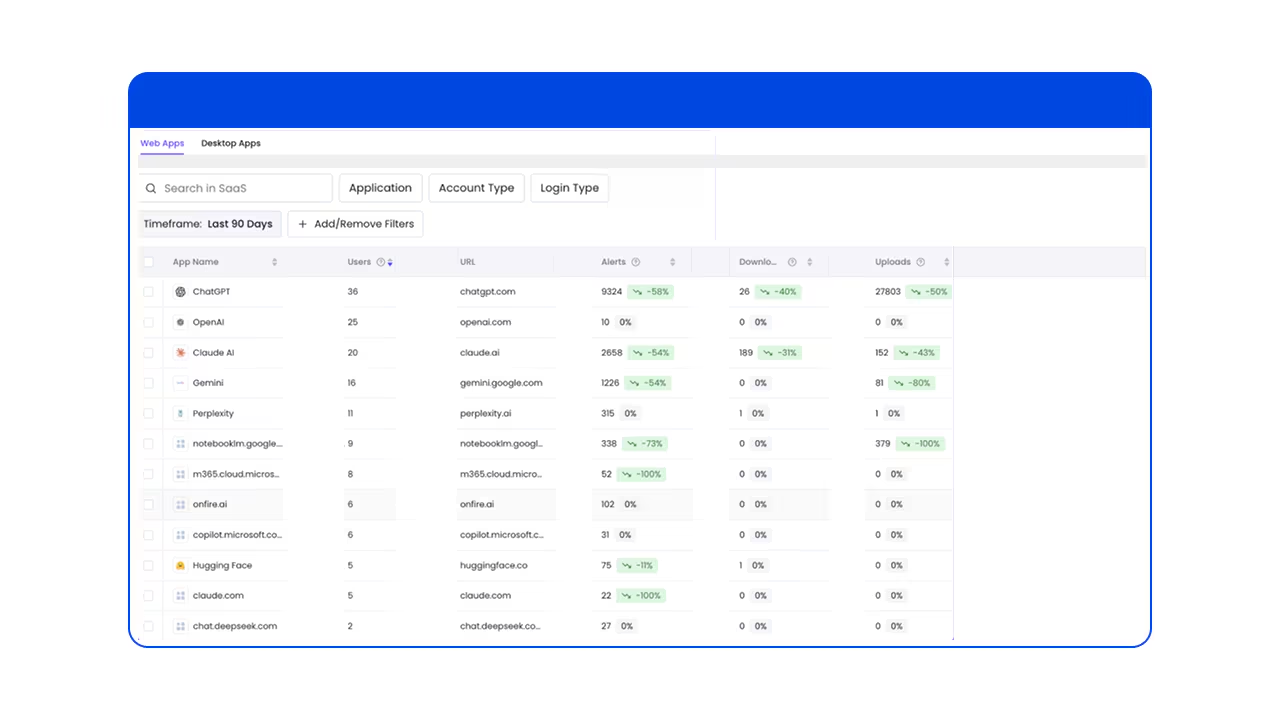
Akamai Workforce Protector, formerly LayerX, is a browser extension that adds security controls to commercial browsers, including Chrome, Edge, Firefox, and Safari, on Windows, macOS, and Linux, with deployment on iOS and Android. It monitors user and AI agent actions in AI, SaaS, web, and private applications and applies policies at the point of interaction.
The product consists of the browser extension, a management console for policies, investigations, and reporting, and a cloud intelligence service that scores the risk of applications, identities, extensions, and AI activity. It deploys on managed and unmanaged devices without proxies, network redesign, or browser replacement.
Key features include:
- AI interaction governance: Captures prompts, responses, and agent actions and attributes them to a human or AI agent identity. Controls can warn, redact, block, or guide user actions, including in agentic browsers such as ChatGPT Atlas, Perplexity Comet, and Dia.
- Browser DLP: Monitors and controls text input, copy/paste, uploads, downloads, and data exchanges across AI, SaaS, and web applications, with sensitive data masking and watermarking.
- Shadow AI discovery: Identifies AI applications, AI browsers, desktop AI tools, and agents in use across the organization.
- Extension risk management: Analyzes the risk scores, behaviors, and permissions of browser extensions and blocks malicious or overprivileged ones, supported by the ExtensionPedia extension database.
- Unmanaged device protection: Enforces read-only sessions and watermarking for BYOD users and third-party contractors without device management.
- Anti-tampering: Controls at the browser, page, and file-system level prevent users from disabling the extension, and enforcement extends to private and incognito browsing.
- Compliance and integrations: Applies CIS Benchmarks browser configurations and integrates with identity providers, SIEM platforms, file-labeling solutions, ticketing systems, and MDM platforms.
Limitations (as reported by users on G2):
- Initial policy tuning: The initial rollout required coordination across teams and testing to avoid blocking legitimate workflows.
- Reporting options: The analytics dashboard could use more built-in reporting options and more customizable CSV exports.
- User onboarding: Employees needed explanations to understand the purpose of the extension, and some contractors were reluctant to install it.
- Partial SWG coverage: The platform does not include some capabilities of a full secure web gateway.
Source: Akamai
3. Menlo Security

Best for: Isolating risky browsing across any browser and device
Strengths: Cloud isolation, file sanitization, and clientless app access
Things to consider: Isolated sessions can slow complex sites and web apps
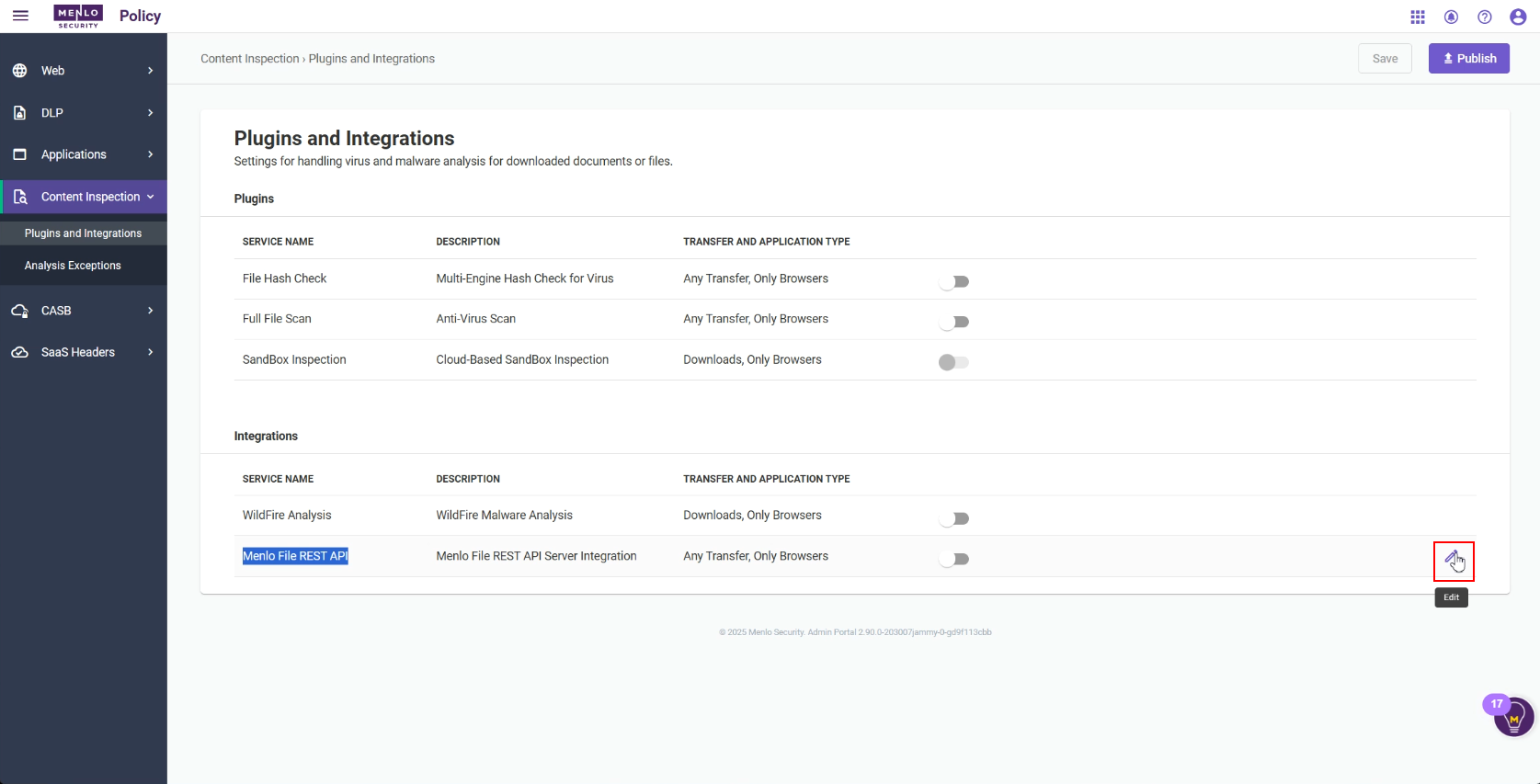
Menlo Secure Enterprise Browser combines a browser extension with a cloud browser. The Menlo Secure Extension provides local visibility, DLP controls, and application access for trusted sites, while high-risk browsing is executed and inspected in the Menlo Cloud, so only safe content reaches the endpoint.
The solution works with existing browsers, including Chrome and Edge with their built-in AI sidebars, on managed, unmanaged, and BYOD devices. Policies, visibility, and onboarding for employees, contractors, and third parties are managed from a single console, and both protection modes can be mixed per user.
Key features include:
- Hybrid isolation architecture: The Secure Extension handles trusted browsing locally, while the Menlo Cloud runs risky sessions in a hardened remote browser. Both are controlled from the same admin console.
- AI-based threat prevention: HEAT Shield AI analyzes the visual layout, URL, and DOM of web pages and combines this with Google Gemini analysis to detect zero-day phishing and malicious sites.
- File security: Deconstructs files across more than 220 file types and rebuilds them without harmful content before they reach the endpoint, including password-protected files.
- AI Adaptive DLP: Detects and masks sensitive data inside documents in real time instead of blocking them, alongside browser DLP controls for copy/paste, uploads, and downloads to GenAI sites.
- Browser agent security: Controls data entered into browser AI sidebars, neutralizes hidden prompt injection on pages the agent reads, and sanitizes files the agent retrieves.
- Secure Application Access: Provides clientless, least-privilege access to SaaS, private, and legacy thick-client applications from managed, unmanaged, and BYOD devices, with DLP and file security applied.
- Browsing Forensics: Records video-like replays of sessions triggered by traffic categories, users, or DLP violations, and shows user actions leading up to an event.
Limitations (as reported by users on G2):
- Performance on complex sites: Complex websites and interactive web applications can be slower in isolated sessions.
- Third-party site access: Some third-party sites and partners require source IP allowlisting before users can access them through Menlo.
- Regional routing setup: Initial setup and regional routing need fine-tuning, especially for organizations outside major regions, where some sites may load in a foreign language.
- Troubleshooting: Debugging issues that affect specific users can be difficult.
- Learning curve: Setting up granular access controls for legacy internal applications takes time to learn.
Source: Menlo Security
4. Cloudflare Browser Isolation
Best for: Remote browser isolation within the Cloudflare One SASE platform
Strengths: Conditional isolation policies with zero trust integration
Things to consider: Some web technologies, like WebGL, are not fully supported
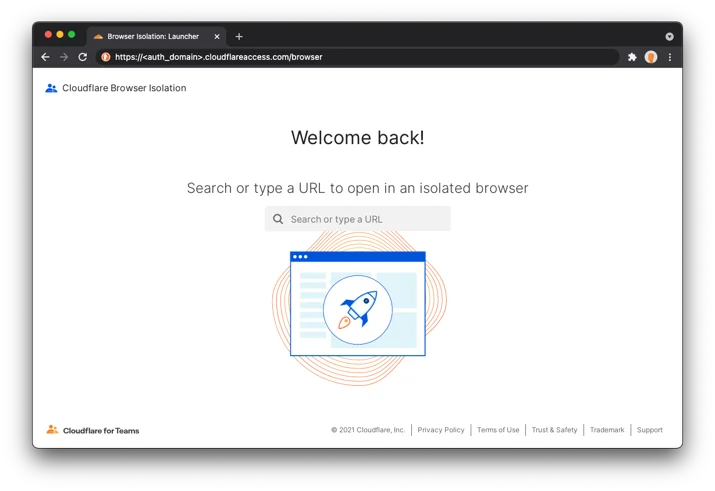
Cloudflare Browser Isolation is a remote browser isolation (RBI) service that is part of Cloudflare One, Cloudflare’s SASE platform. It loads and runs web code in an isolated environment at the edge of Cloudflare’s global network instead of on the user’s device, so malicious code from websites does not execute on endpoints or local networks.
Administrators can isolate all browsing or apply isolation selectively by application, by policy, or only for suspicious sites, and can add data loss controls to isolated sessions. The service works with personal and unmanaged devices, which allows organizations to onboard contractors and third-party users.
Key features include:
- Edge-based isolation: Runs browser code on Cloudflare’s network, away from user devices and local networks, to block ransomware, drive-by downloads, and zero-day browser exploits.
- Conditional isolation policies: Applies isolation by application, by policy, for suspicious sites only, or with additional data loss controls, using preset policies in the Cloudflare dashboard for websites, SaaS, and self-hosted apps.
- Browser attack protection: Protects against vulnerability exploits, click-jacking, malvertising, redirect attacks, and other browser-based attacks by keeping untrusted code off the device.
- Email link isolation: Opens suspicious links from emails in an isolated browser to reduce the impact of phishing attempts.
- Zero trust integration: Integrates natively with other Cloudflare zero trust services, including email security, as part of a layered security approach.
- Third-party and BYOD access: Contains data that external users access from personal or unmanaged devices.
- Low-latency rendering: Uses Cloudflare’s patented isolation technology to deliver isolated sessions with latency suitable for everyday browsing.
Limitations (based on publicly available sources):
- Unsupported web technologies: Websites that use WebGL may not function, some streaming services are unavailable, and H.265/HEVC video is not supported.
- No support in virtual machines: Browser Isolation is not supported in virtualized environments.
- Hardware security keys in clientless mode: Clientless Web Isolation does not support YubiKey or WebAuthn authentication.
- Policy interactions: Certain Gateway HTTP policy selectors, such as destination IP, bypass isolation, so other policies based on those selectors do not apply to isolated traffic.
- Private app ports: Applications on private IP addresses with non-443 ports require a separate private network application configuration.
Source: Cloudflare
Enterprise Browsers
5. Island Enterprise Browser

Best for: Replacing VDI with a managed enterprise browser for remote work
Strengths: Last-mile DLP, conditional access, and built-in ZTNA
Things to consider: Users must adopt a new browser for full functionality
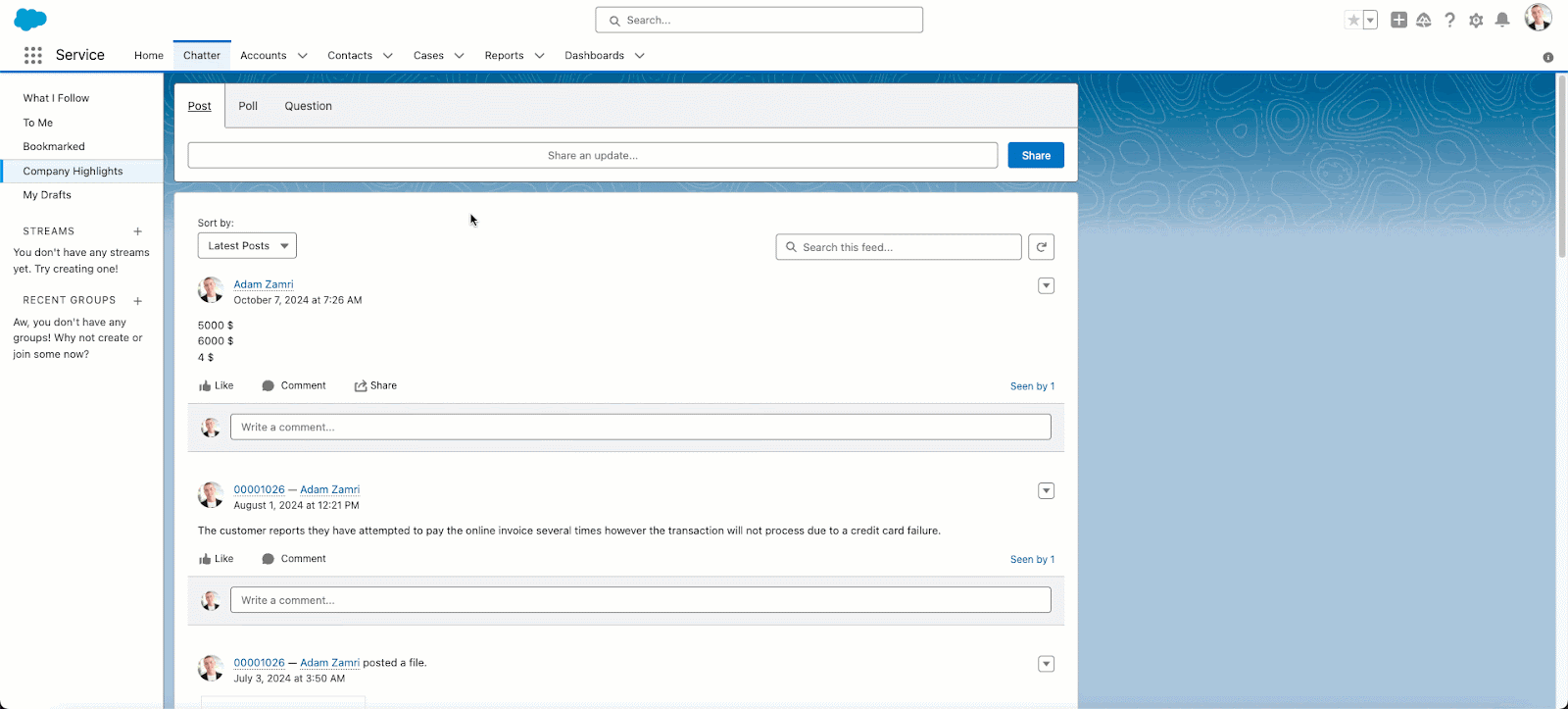
Island Enterprise Browser is a Chromium-based browser with security, access, and IT management controls built in. Administrators set policies in the Island Management Console that determine which applications users can reach and what they can do with data, and the browser enforces them locally on any device, including BYOD.
Island is available as a full browser for Windows, macOS, Linux, and ChromeOS, as a desktop client, as a mobile app, and as an extension for Chrome, Edge, Safari, and Firefox that supports most of the full browser’s capabilities. Work and personal browsing are separated, and an on-screen indicator shows users when they are in a monitored work context.
Key features include:
- Conditional access controls: Applies access rules based on identity, device, network, location, and application, enforced inside the browser on any device.
- Device posture and app controls: Checks device posture against policy requirements and extends policy controls to applications outside the browser, such as Zoom, Slack, Teams, and WhatsApp.
- Last-mile data protection: Context-based policies allow data to move between enterprise apps while governing printing, downloads, screenshots, and copy/paste, including outside the browser.
- Web threat defense: Includes protection from malware, phishing, session hijacking, man-in-the-browser attacks, and other browser exploits.
- Zero trust network access: Provides ZTNA to private applications without deploying separate agents.
- Activity visibility and privileged access: Logs work activity in detail while keeping personal browsing private, shares analytics with SIEM tools, and captures full session details for admin consoles and backend systems.
- Application automation: Modifies the behavior of SaaS and web applications through automations, without changing source code or relying on vendor APIs.
Limitations (as reported by users on G2):
- Restrictive controls in daily work: Security restrictions on copy/paste, screen sharing, and data transfers can slow down routine tasks, and users would like more flexible, role-based options.
- Performance: Some users experience lag, slow tab switching, and occasional compatibility issues.
- RDP client gaps: The built-in RDP client is missing some capabilities available in the Microsoft desktop RDP client.
- Policy management: Conflicting policies that look similar are prioritized by order, which makes them hard to manage.
- Frequent authentication: Users have to authenticate several times throughout the day.
Source: Island
6. Prisma Browser
Best for: Palo Alto Networks customers extending SASE to the browser
Strengths: Enterprise DLP with 1,000+ classifiers and malware sandboxing
Things to consider: Users report high pricing and complex implementation
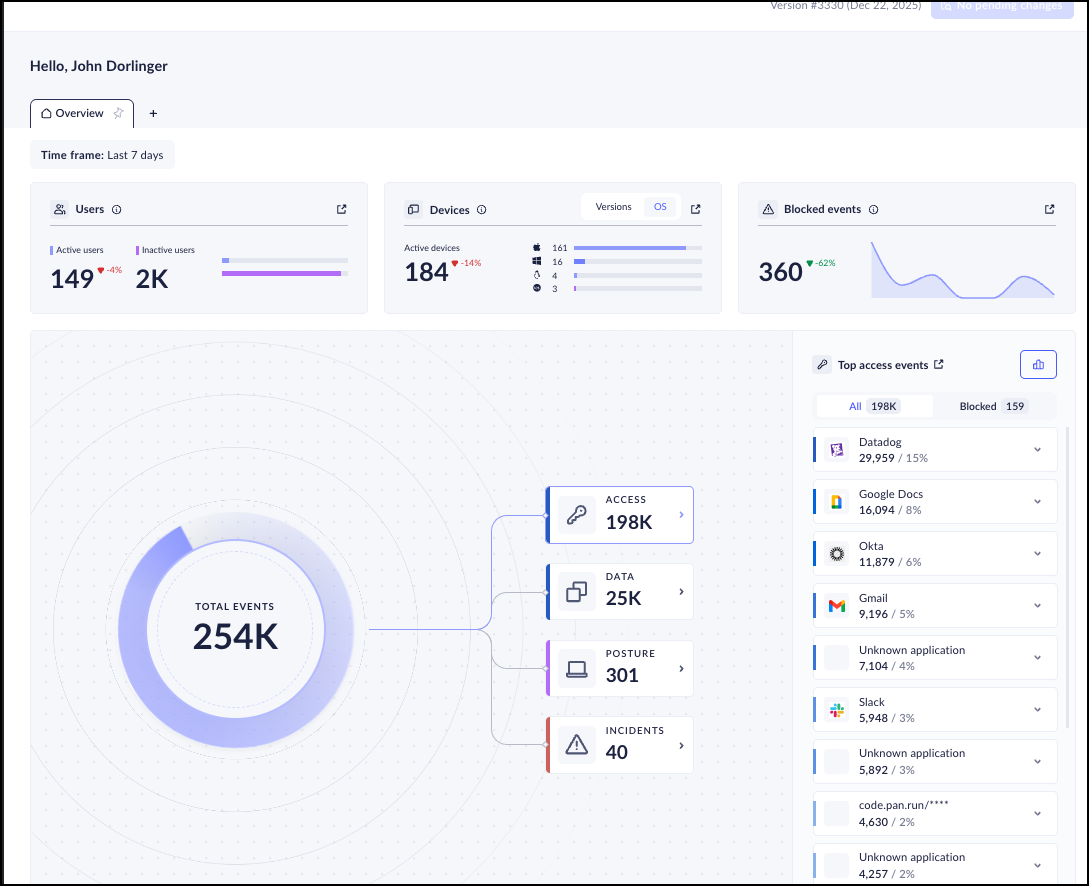
Prisma Browser is Palo Alto Networks’ Chromium-based enterprise browser and part of the Prisma SASE portfolio. It is integrated with Palo Alto Networks security engines, including Advanced WildFire malware protection and Enterprise DLP, and applies threat prevention, AI governance, and data controls to work done in the browser.
It is available as a dedicated desktop browser, as an extension for consumer browsers, and as a mobile app. On unmanaged devices, the browser isolates enterprise apps from the endpoint and can be deployed through an email link without admin privileges; Palo Alto Networks does not recommend the extension for unmanaged devices.
Key features include:
- Real-time web threat prevention: Scans all webpage components in real time to detect evasive threats and AI-generated phishing, using Palo Alto Networks security engines.
- Malware sandboxing: Neutralizes web-borne threats and malicious file downloads before they reach the operating system.
- Enterprise DLP: Uses more than 1,000 AI-driven data classifiers and 22+ compliance profiles, with last-mile controls that block screenshots, printing, and unauthorized file saving, and blocks transfers from corporate apps to personal accounts.
- GenAI and agent controls: Provides visibility into GenAI apps and agentic workflows, redacts sensitive data in prompts, and restricts copy/paste or uploads to unsanctioned AI apps.
- Extension security: Discovers all extensions in use, monitors them for threats, and blocks risky or over-permissioned extensions.
- Dynamic zero trust policies: Applies policies based on user risk score, location, and content sensitivity, with step-up authentication and just-in-time approvals for high-risk actions.
- App access and SOC visibility: Provides a single workspace for web, SaaS, and private apps, including those with SSL certificate pinning, plus audit trails and session replay for investigations.
Limitations (as reported by users on PeerSpot):
- Pricing: Many customers consider the solution expensive compared with alternatives.
- Implementation complexity: Implementation can be complex for demanding requirements, and some users see the product as still maturing.
- Learning curve: The solution may not be user-friendly at first and takes time to learn.
- Support responsiveness: Some users report delays in technical support, even with premium support plans.
- Resource consumption: The browser uses more system resources than plugin-based alternatives.
Source: Palo Alto Networks
7. Chrome Enterprise Premium

Best for: Organizations standardizing on Chrome as their work browser
Strengths: Agentless DLP, Shadow AI controls, and context-aware access
Things to consider: Users report high RAM use and legacy app compatibility gaps
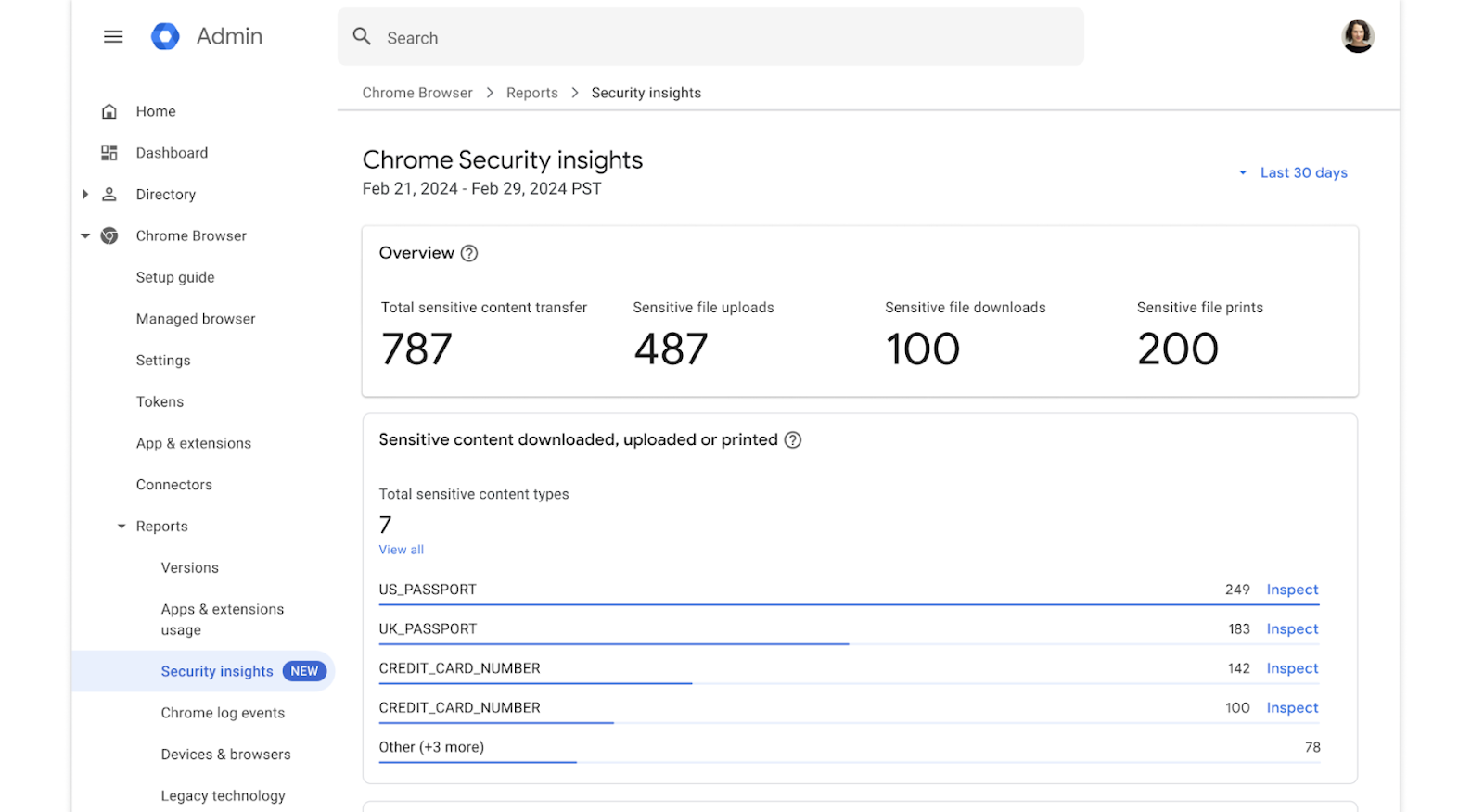
Chrome Enterprise Premium is the paid security tier of Chrome Enterprise, built into Chrome’s core code rather than added through a separate security agent. It adds real-time threat protection, data loss prevention, Shadow AI controls, and context-aware access to Chrome, managed through the cloud-based console in the Google Admin console. Chrome Enterprise Premium costs $6 per user per month.
For BYOD and unmanaged devices, policies apply to the user’s managed corporate Chrome profile rather than to the device, so rules take effect when the user signs in, and work and personal data are separated by profile.
Key features include:
- Real-time DLP: Restricts copy/paste, uploads, downloads, and printing, and adds dynamic watermarking, screenshot protection, data masking, and OCR scanning of uploaded images.
- Shadow AI controls: Provides visibility into unsanctioned AI use, applies DLP to prevent sensitive data from being pasted into prompts, and enforces URL controls against unsanctioned AI platforms.
- Context-aware access: Evaluates user identity, device posture, and location in real time before granting access to apps and data.
- Threat protection: Protects against phishing, malware downloads, malicious extensions, and browser-level zero-day exploits, building on Safe Browsing, sandboxing, automatic updates, and credential protection.
- BYOD and contractor access: Applies data protections to managed Chrome profiles so contractors, vendors, and employees on personal devices can access web apps without installing additional software.
- Telemetry and integrations: Sends browser events and audit logs to SIEM and XDR tools, and connects to identity providers and endpoint protection solutions through the Connector Framework.
- AI feature management: Lets administrators configure or disable individual Chrome AI features through Chrome Enterprise Core.
Limitations (as reported by users on G2):
- Memory usage: High RAM consumption can slow performance, especially with many tabs open or on older hardware.
- Legacy compatibility: Compatibility with legacy desktop applications and some older business tools is limited.
- Policy complexity: The wide range of management and policy settings takes time for administrators new to enterprise browser management.
- Update restarts: Automatic updates and restarts can occur with limited ability to postpone them.
Source: Google
8. Microsoft Edge for Business

Best for: Microsoft 365 organizations using Entra, Intune, and Purview
Strengths: Native Purview DLP and Intune protection at no added browser cost
Things to consider: Some controls need Microsoft 365 E5 or are still in preview
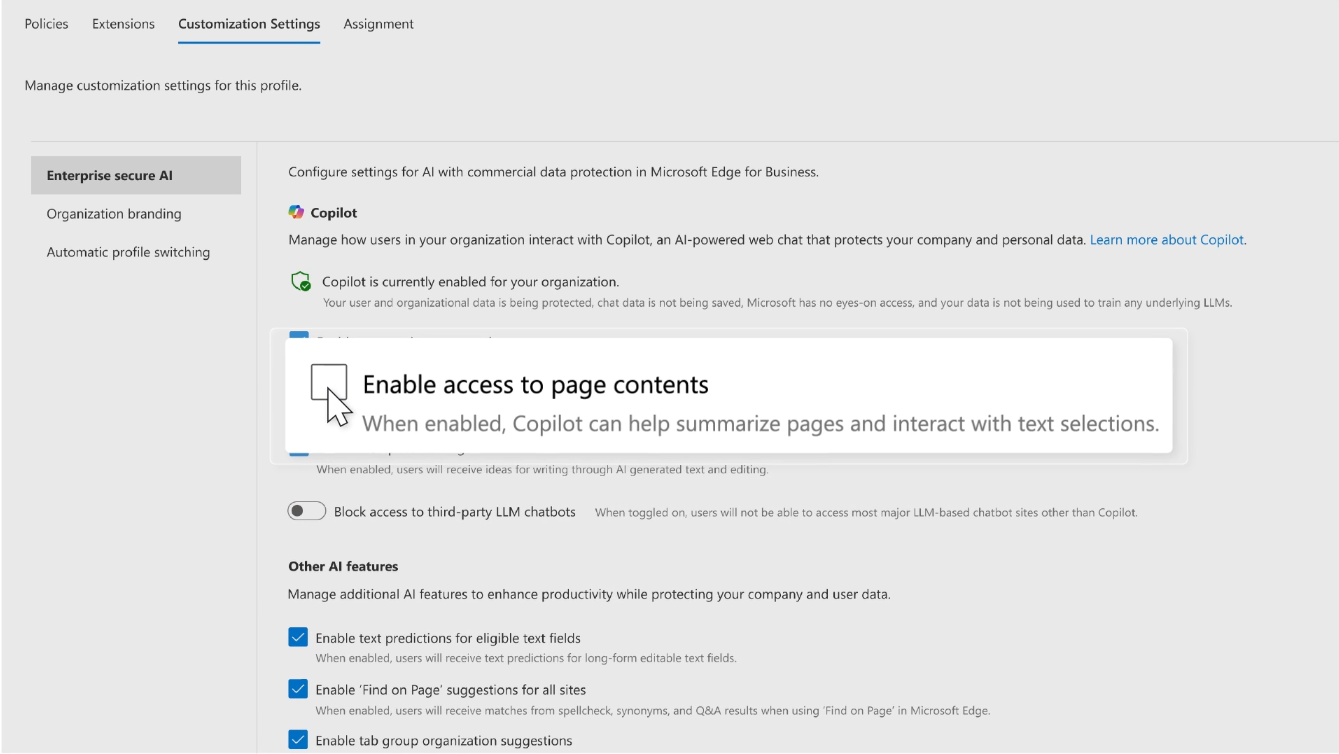
Microsoft Edge for Business is the enterprise version of Edge, included with Microsoft 365 plans at no extra cost and preinstalled on Windows. It integrates controls from Microsoft Entra, Purview, Intune, and Microsoft Defender for Endpoint into the browser, and is managed through the Edge management service or Intune.
For BYOD and contractor devices, users sign into a dedicated Edge work profile tied to the organization, which keeps corporate data inside a managed boundary without managing the whole device. Edge for mobile extends these protections to iOS and Android devices, with management through Intune.
Key features include:
- Strong authentication: Applies zero trust access controls through Microsoft Entra on managed and unmanaged devices.
- Data protection on personal devices: Audits or blocks downloading sensitive files, taking screenshots, and copying data from corporate sites to a personal device.
- Purview usage rights in the browser: Enforces usage rights restrictions from Microsoft Purview sensitivity labels for Word, Excel, PowerPoint, and Outlook files opened in the browser.
- GenAI controls: Applies content-aware controls that block risky prompts to unsanctioned GenAI apps. This capability requires Microsoft 365 E5, with pay-as-you-go pricing.
- Clipboard trusted boundaries (preview): Defines trusted boundaries across managed web apps so data cannot be pasted outside approved destinations, with warnings for users.
- Watermarking (preview): Displays a persistent watermark on files and sites marked as sensitive in DLP policies.
- Contractor device protection and connectors: Extends data protections to contractor-managed Windows PCs through the Edge work profile, and integrates third-party security solutions through connectors.
Limitations (as reported by users on Gartner Peer Insights):
- Performance inconsistencies: Some users report uneven browser performance.
- Interface clutter: Users find the interface cluttered.
- Profile switching: Automatic switching between work and personal profiles can confuse users.
Source: Microsoft
Conclusion
Choosing browser security tools for remote teams requires balancing threat protection, data loss prevention, application compatibility, and employee privacy. Enterprise browsers provide built-in controls over web activity, browser extensions offer protection within existing browsers, and remote browser isolation keeps potentially malicious web content away from endpoints. Secure workspace solutions can extend protection to locally installed applications and separate corporate data from personal activities on BYOD devices. Organizations should evaluate their application requirements, device ownership models, identity integrations, and security policies to select an approach that protects sensitive information without disrupting everyday workflows.

Any worker. Any laptop. Any AI workflow. Fully secured.
Schedule a demo to see how Blue Border® secures company data and apps without shipping laptops, running VDI, or managing personal endpoints.